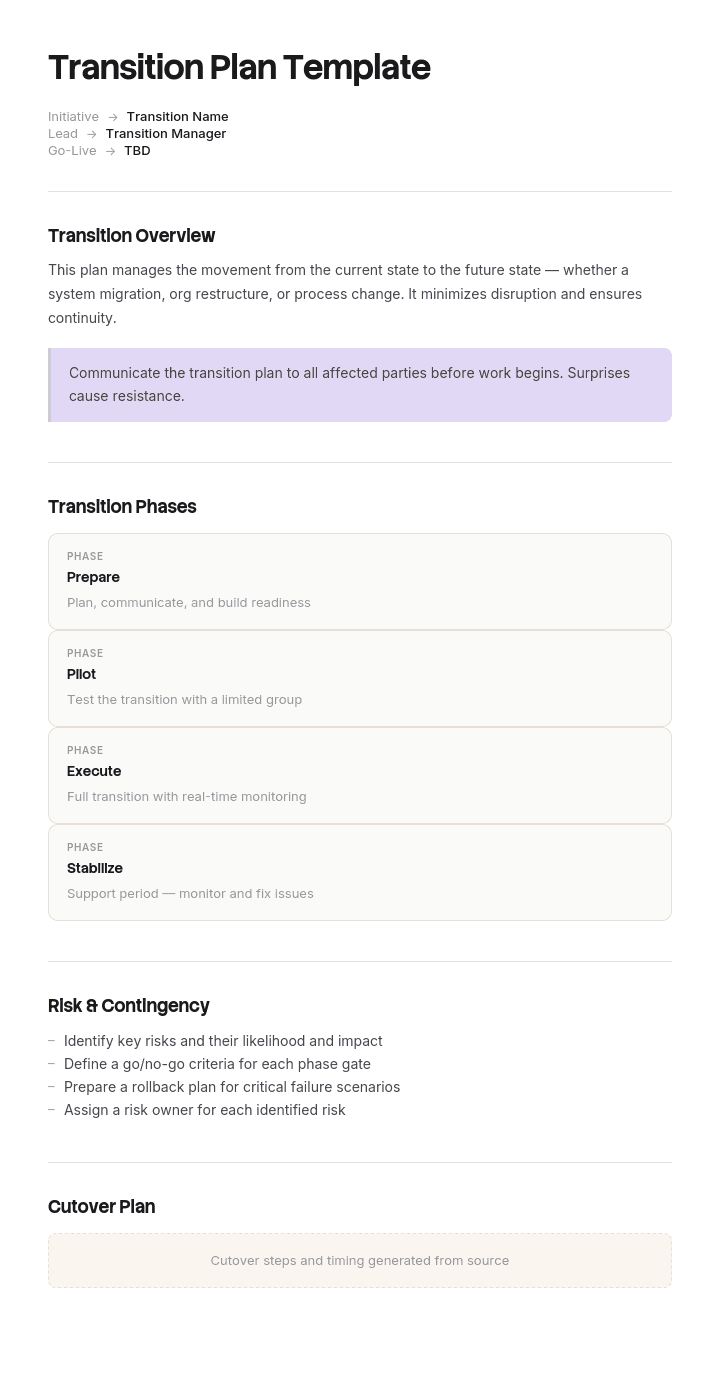
Use this template
Transitions are where most projects break down. With Trupeer, you can save hours on transition planning by starting with a free transition plan template, customizing it with your brand guidelines, and turning the plan into video updates that keep every stakeholder aligned through the change.
What is a free transition plan template?
A free transition plan template is a reusable structure for managing a period during which responsibility moves from one person, team or arrangement to another.
The word period is doing the work there. A handover document is an artefact: a set of knowledge written down and passed across. A transition plan covers the weeks or months during which two people overlap, one winding down and one winding up, and it is a schedule rather than a document of record.
Almost every published template treats it as the first thing. They give you a list of knowledge areas, tasks and contacts to transfer, with a column for whether each has been done. That list is genuinely necessary and it is not sufficient, for a reason covered two sections down.
Format follows use. A free transition plan template Excel version suits the schedule, which is a grid of responsibilities against dates. A free transition plan template Word file suits the narrative and anything that needs signing, and a free transition plan template Word free download will give you the standard checklist to start from. A free transition plan template PPT layout suits presenting the plan to a team or a board, and a free transition plan template PDF is the agreed copy.
Which transition are you planning?
The term covers several different situations and choosing the wrong structure wastes a week.
An individual leaving or changing role. One person's responsibilities move to a successor, a colleague or a vacancy. The most common case and the one most of this page addresses.
A project moving into operation. A delivered system or service transferring from a project team to a support or business-as-usual team. Different content, same structural problem.
A business changing hands or leadership. Ownership succession or a change of senior leadership, which carries governance, legal and often financing dimensions well beyond a schedule.
A contract or supplier changing. Outsourcing, insourcing, or moving between providers. Frequently contractually specified, and where the exit provisions of the outgoing contract govern what is possible.
An organisational change. Restructures and operating model changes, which affect many people at once and carry consultation obligations in most jurisdictions.
The first two are the ones a template helps with. The third and fourth need legal and commercial input, and the fifth needs employment law advice before anything is written, since the sequence in which people are told may be legally constrained.
How to customize this template in Trupeer
Step 1: Open the Templates Section
Go to the Templates section from the main navigation.

Step 2: Select and Open a Template
Click on any template you want to work with to open it.

Step 3: Expand the Template View
If needed, expand the template view to see the full layout and details clearly.

Step 4: Edit the Template
Click on Edit to start modifying the selected template.

Within the editor, you can:
Add new sections
Define or update formatting rules
Add a logo and adjust its position and related settings
Step 5: Save Your Customized Template
After making all necessary changes, click Save to store the updated template as your own.

Step 6: Preview and Fine-Tune the Template
When you want to see how your customized template looks, open the Preview.

From the preview screen, you can continue to make adjustments directly if needed, ensuring the template appears exactly as you want.
With a transition plan template you can:
Save hours on planning: Skip the blank page with a structure built for transitions.
Reduce transition risk: Built-in risk and dependency sections catch issues early.
Stay on-brand: Apply your logo, fonts and colors using Trupeer's brand kit.
Communicate clearly: Convert dense plans into video updates everyone can absorb.
Standardize transitions: Use the same template for every transition.
Reach global teams: Translate transition plans into 65+ languages with one click.
Nobody writes down when responsibility moves
Here is what goes wrong in transitions that are, by every other measure, done well.
The plan lists everything to be transferred. Sessions are booked and held. Documents are written. Contacts are introduced. Everybody behaves conscientiously and the leaver is generous with their time.
And nowhere does the plan state, for any given responsibility, the date on which the successor owns it and the predecessor stops.
Without that date, both parties behave reasonably and the result is a vacuum. The leaver keeps answering questions, because refusing to help on your way out feels graceless. The successor keeps checking, because making a call on something they have held for three days feels presumptuous. Suppliers, customers and colleagues keep going to the person they have always gone to, because nobody told them otherwise and the old contact still replies.
What that produces is not a gap in coverage. It is an overlap in authority, which is worse, because two people acting on the same responsibility with different information is how the expensive mistakes happen.
The fix is a date per responsibility, and one rule to go with it.
The responsibility handover schedule
Take every responsibility rather than every knowledge area, and there is a difference. Knowing how the paper ordering system works is knowledge. Deciding what paper to order is a responsibility.
For each one, record four things.
Who owns it now. Usually the leaver, and worth writing down because some responsibilities turn out to be shared or unowned already.
Who owns it after. A named person. Where the answer is nobody yet, that is a finding to escalate rather than a gap to leave in a document.
The date it moves. A specific date, not the leaver's last day. Spreading these across the notice period is the point, because a transition where everything moves on the final Friday is not a transition.
What the leaver's role is afterwards. This is the rule that makes the rest work: after the move date, the predecessor may advise and may not decide, and is not copied into the decision.
That last clause sounds harsh and is what protects everybody. It gives the leaver permission to stop, which most leavers want and few will ask for. It gives the successor authority they will otherwise decline to use. And it tells everybody else which of the two to contact, which is the practical thing that stops suppliers routing around the new person for months.
Move the easy responsibilities early and the hard ones with time to spare. The instinct is to keep the difficult ones until last, which guarantees the successor faces them alone.
What a transition plan template must contain
Nine components. The responsibility schedule is the one most templates lack.
Component | What it does |
|---|---|
What is transitioning, and to whom | Scope in a sentence, including anything explicitly not moving. |
Key dates | Notice period, last working day, any post-departure availability and its terms. |
Responsibility schedule | Each responsibility, current owner, new owner, move date, and the predecessor's role afterwards. |
Knowledge transfer list | The sessions, documents and walkthroughs needed, mapped to the responsibilities they support. |
Relationships and contacts | Who needs introducing, by when, and by whom. Introductions made by the leaver land far better than those made by the successor. |
Communication | Who is told what, when. Internally and externally, including the fact that the contact has changed. |
Access and systems | What the successor needs granted and the predecessor needs removed, with dates. |
Risks and unknowns | What only the leaver knows, what has no successor, and what will be discovered after they have gone. |
Review points | Weekly during the transition and once about a month after, which is when the gaps surface. |
The risks row deserves honesty rather than reassurance. Every transition has things that will only be discovered later, and a plan claiming otherwise sets the successor up to feel they have failed when the first surprise arrives.
Free transition plan template: the structure to copy
Filled with a real example rather than placeholders. A production manager is leaving a commercial printing business.
Copy from here.
What is transitioning. Responsibilities of the production manager role, moving to the incoming production manager promoted from shift supervisor. Not moving: capital expenditure approval above ten thousand pounds, which returns to the operations director, and the apprenticeship programme, which moves to HR.
Key dates. Notice given 4 March. Last working day 15 April, six weeks. Available for advice only, two days a week, until 27 May, at an agreed day rate.
Responsibility schedule. The core of the plan.
Responsibility | Owner now | Owner after | Moves | Predecessor afterwards |
|---|---|---|---|---|
Daily production scheduling | R Nkemelu | T Achebe | 11 March | Advises if asked, not copied in |
Shift staffing and cover | R Nkemelu | T Achebe | 11 March | Advises only |
Paper and consumables ordering | R Nkemelu | T Achebe | 18 March | Advises only. Supplier informed 18 March in writing. |
Press maintenance scheduling | R Nkemelu | T Achebe | 25 March | Advises only. Maintenance contractor informed. |
Customer escalations, production issues | R Nkemelu | T Achebe | 1 April | Joint for the first week, then advises only |
Tender pricing input | R Nkemelu | Operations Director | 1 April | No further involvement. Cost data changes monthly. |
Quality and waste reporting | R Nkemelu | T Achebe | 8 April | Advises only |
Supplier contract renewals | R Nkemelu | Operations Director | 8 April | Provides history in writing before this date |
Note that two responsibilities move to somebody other than the successor, which is normal and is usually only discovered by doing this exercise.
Knowledge transfer list. Mapped to responsibilities rather than listed separately. Paper ordering: recorded walkthrough of the ordering system plus the supplier history document, both complete before 18 March. Press maintenance: recorded walkthrough plus a joint site visit with the contractor.
Relationships. Paper supplier account manager, introduced in person by R Nkemelu before 18 March. Maintenance contractor, introduced on site before 25 March. Three largest customers, introduced by phone before 1 April.
Communication. Internal announcement 5 March. Suppliers and contractors informed individually on the date their responsibility moves, not before and not in a batch. Customers informed by their account manager during week of 1 April.
Access. T Achebe granted production system administration 10 March and ordering approval 17 March. R Nkemelu's ordering approval removed 18 March, system access reduced to read only 16 April, removed entirely 27 May.
Risks and unknowns. The informal arrangement with the maintenance contractor about out of hours callouts is not documented anywhere and exists because of a fourteen year relationship. Nobody else knows how the waste reporting spreadsheet calculates its figures. Expect surprises in the first month end after 15 April.
Review points. Weekly on Fridays through the notice period. One review on 20 May, five weeks after departure, specifically to catch what was missed.
Copy to here.
Transition plan example: nine weeks when nobody owned anything
Denbury Print Group employs about two hundred and sixty people. Its production manager left after fourteen years, giving six weeks notice, and a shift supervisor was promoted into the role.
The transition was taken seriously. A four page plan listed thirty one areas of knowledge to be transferred, with sessions booked against each. All thirty one sessions took place. The leaver was generous with his time and stayed on two days a week for six weeks afterwards as a consultant.
By any conventional standard it was a good handover.
Nothing in the plan said when any responsibility moved.
For roughly nine weeks, both men were effectively doing the job. Suppliers rang the person they had rung for fourteen years, and he answered, because refusing seemed unhelpful. The successor checked most decisions with him, because deciding alone on something he had held for a fortnight felt presumptuous. Nobody outside the business had been told anything had changed.
Three things went wrong, and all three came from two people acting on the same responsibility.
A paper order was placed twice. Both of them ordered it, each assuming the other had not. Forty one thousand pounds of excess stock, including a grade that had been discontinued and could not be returned.
A press maintenance window was booked against a slot the successor had committed to a customer job, because the maintenance contractor had arranged it with the person he always arranged it with.
And a tender was priced by the leaver, using cost data that was two months out of date because he no longer received the updates. They won the work and lost about twenty eight thousand pounds delivering it.
Nobody was careless. Every individual action was reasonable and considerate. The plan had transferred knowledge thoroughly and had never transferred authority, so authority sat in two places at once.
The next transition, a sales manager six months later, used a responsibility schedule. Twenty two responsibilities, each with a move date spread across the notice period rather than clustered at the end, and one rule written at the top: after the move date the predecessor advises and does not decide, and is not copied in.
Suppliers and customers were told individually on the date their responsibility moved.
The successor's first solo month produced three escalations to the leaver, all of them genuinely advisory. The class of problem that had cost sixty nine thousand pounds did not recur.
How to write a transition plan in six steps
List responsibilities, not knowledge areas. Knowledge is what somebody knows. A responsibility is a decision somebody makes. The plan needs both and only one of them needs a date.
Name the new owner for each. Where there is no answer, escalate it now. A responsibility with no successor does not become owned by being written in a document.
Set a move date per responsibility, spread across the period. Easy ones early, difficult ones with time still available.
Write the after rule explicitly. The predecessor advises and does not decide once the date has passed, and is not copied into the decision.
Tell the outside world per responsibility, on the date. Not in one announcement at the end. A supplier who is told the contact has changed on the day it changes will use the new one.
Book a review a month after departure. That is when the undocumented things surface, and having a scheduled point for it stops the successor feeling they have failed.
Step one is the reframe that makes the rest possible. A plan organised around knowledge produces sessions. A plan organised around responsibilities produces dates.
Overlap: the resource nobody budgets
Overlap between the outgoing and incoming person is the single most valuable thing in a transition and the first thing cut.
Where the successor is external, overlap costs two salaries and is frequently refused on that basis. Where the successor is internal, overlap costs their previous role being uncovered, which is less visible and gets absorbed by their old team.
The honest comparison is against what a bad transition costs. Denbury's three incidents came to sixty nine thousand pounds, which is considerably more than a fortnight of double running.
Two things help where overlap genuinely cannot be extended. Move responsibilities earlier rather than later, so the successor faces the difficult ones while the predecessor is still present. And accept that recorded material has to substitute for presence, which is covered further down.
Where there is no overlap at all, because somebody has left suddenly, the plan becomes a reconstruction exercise and the risks section becomes the most important part of the document.
Transition plan for leaving a job
If you are the person leaving rather than the person managing it, the plan is still worth writing and your incentives are slightly different. Most of what a search for a transition plan template for leaving job returns is written from the employer's side, so expect to adapt it.
Write it yourself and offer it rather than waiting to be asked. Most organisations handle departures badly, and a leaver who arrives with a responsibility schedule tends to get it accepted more or less unchanged, which means you control how your last weeks are spent.
Three things are worth insisting on. A date per responsibility, so you know when you can stop rather than being on call indefinitely. Introductions made by you in person, because a relationship handed over properly reflects well on you and a relationship dropped does the opposite. And a written note of what nobody else knows, which protects you from being called in three months later.
One thing worth avoiding. Do not agree to informal availability with no end date and no terms. It sounds generous, it prevents your successor taking ownership, and it tends to expand.
The offboarding template covers the wider process around a departure, of which the transition plan is one part.
Transition plan variants
The structure holds and the content changes considerably.
Employee transition plan. The individual case above. An employee transition plan template will typically give you a knowledge checklist, and the responsibility schedule is what you add.
Role change or internal promotion. Frequently harder than a departure, because the person is still present and still known to be capable, so the pull back to their old role is constant. The after rule matters more here than anywhere.
Project to operations transition. The receiving team needs operational documentation rather than project history, and the project handover template covers what they actually need. Acceptance by the receiving team should be a gate rather than an assumption.
Contractor or supplier transition. Governed by the exit provisions of the outgoing contract, which frequently specify what must be handed over and in what period. Read those before writing the plan, and take commercial advice.
Business succession or ownership transition. Legal, tax and financing dimensions well beyond a schedule. A template is a starting point for the operational half only, and professional advice is not optional here.
Organisational restructure. Affects many people simultaneously and carries consultation obligations in most jurisdictions, including constraints on what may be communicated and when. Take employment law advice before drafting.
What a free transition plan template cannot fix
No successor. A responsibility with nobody to move to remains unowned regardless of what the document says. Writing it down at least makes it visible before the leaver goes.
No overlap. Where somebody leaves on Friday and the successor starts in six weeks, the plan becomes a reconstruction exercise and the honest expectation is that things will be found out the hard way.
A leaver who is unwilling. Rare, and it happens. Where somebody is leaving unhappily, the plan should prioritise recording things while they are present over scheduling conversations they may not attend.
Knowledge nobody knew existed. No free transition plan template free download surfaces the informal arrangement of fourteen years standing. Only asking what would surprise your successor gets close, and it never gets all of it.
Capture it while they are still here
The Denbury transition held thirty one knowledge transfer sessions. They were useful and they were also the wrong shape for the problem.
A session transfers knowledge into one person's head at one moment. If the successor forgets it, misunderstands it, or leaves themselves in eighteen months, it is gone again and the person who knew has gone too. Notes taken during a session are usually a summary written by the person who understood it least.
Trupeer AI produces something that persists. The person leaving performs each task once while recording, and the output is a written step by step walkthrough with screenshots already captured and placed, alongside a video, in your own branding. Thirty one sessions become thirty one walkthroughs that exist after the notice period ends.
Record it. Brand it. Translate it. Trupeer it.
Three things follow that matter for transitions specifically. The material survives the successor as well as the predecessor, which is what turns a handover into documentation. Recording is faster than a session for the leaver, which matters when six weeks of notice is competing with a full job. And where the leaver goes before everything is covered, whatever was recorded is still there, which is the difference between a partial transition and a lost one.
The material sits in your knowledge base and doubles as training for whoever holds the role next. Where a responsibility involves a repeated procedure, it belongs in the SOP template. Consistency across your documents is a matter of setting the brand kit once, and setup is covered in the document template setup guide.
Frequently Asked Questions
Is there a free transition plan template Word version?
Word suits the plan itself, because it combines a schedule with narrative sections on risks, communication and unknowns, and because it usually needs agreeing between at least three people. A transition plan template Word file is the right working format.
Put the responsibility schedule on page one. Most templates lead with knowledge transfer checklists, which are useful and are not the part that prevents the expensive mistakes.
Is there a free transition plan template Word free download?
Widely available, and almost all of them are a knowledge transfer checklist with a completion column. A free transition plan template Word free download will give you that, which is genuinely half of what you need.
The half to add is a table of responsibilities with a move date and a statement of what the predecessor may do afterwards. Ten minutes of work, and it is the difference between transferring knowledge and transferring authority.
Is there a free transition plan template Excel version?
Excel suits the schedule. A free transition plan template Excel file handles the responsibility table well, since you will want to sort by move date and see what is still outstanding as the departure approaches.
Keep the narrative sections in a document. The risks and unknowns section in particular needs prose, and it is the section the successor will reread in month two.
Is there a free transition plan template PPT version?
Slides suit presenting a transition to a team, a board or a customer, especially where the point is to reassure people that it has been thought about. A free transition plan template PPT deck works for the dates, the ownership changes and the communication approach.
Do not run the transition from it. Dates move as responsibilities transfer earlier or later than planned, and a deck that has drifted is the version people remember.
Is there a free transition plan template PDF?
PDF suits the agreed version, particularly where it is being shared with a customer or forms part of a contractual exit. Export a free transition plan template PDF once agreed, with the date and the names of everybody who agreed it.
Keep the editable source, because a transition plan is a working document that changes weekly during the period it covers.
Where can I find a transition plan template for leaving job?
Most published examples are written from the employer's side. If you are the one leaving, a transition plan template for leaving job search will return checklists of things to hand over, which is a reasonable starting point.
Add the responsibility schedule yourself and offer it. A leaver who proposes dates for when each responsibility moves usually gets those dates accepted, which means you decide how your final weeks are spent rather than being available indefinitely.
Is there an employee transition plan template?
Yes, and it is the most common variant. An employee transition plan template covers one person's responsibilities moving to a successor, a colleague or a vacancy.
Check whether it distinguishes knowledge from responsibility. Most do not, and the distinction is what determines whether the plan produces a set of conversations or a set of dates on which authority changes hands.
How long should a transition plan cover?
The notice period plus about a month afterwards. The month is the part people leave out and it is where the undocumented things surface, usually at the first month end or the first occurrence of anything that happens quarterly.
Spread responsibility moves across the whole period rather than clustering them at the end. A transition where everything changes hands on the final Friday is a handover with a plan attached, not a transition.

