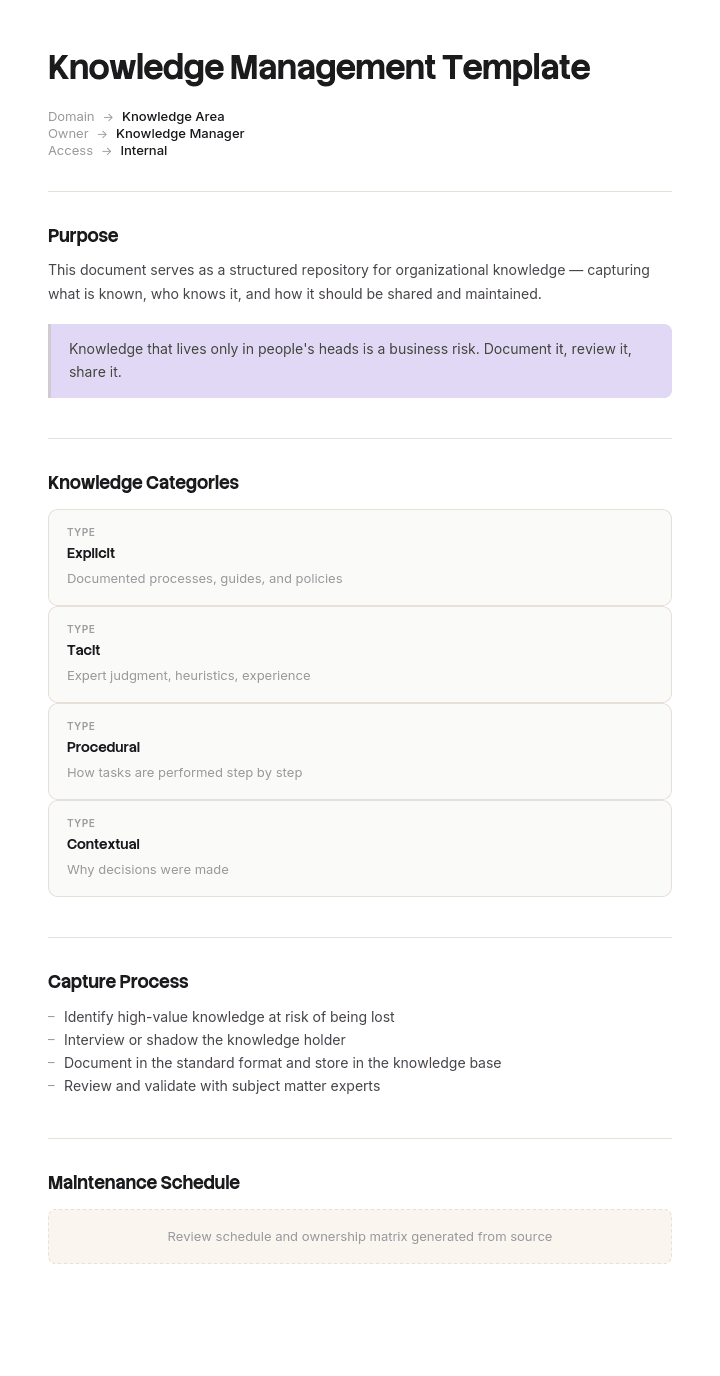
Use this template
Knowledge management is what turns individual expertise into organizational capability. With Trupeer, you can save hours on building your knowledge management system by starting with a free knowledge management template, customizing it with your brand guidelines, and using our knowledge base to host the result.
What is a knowledge management template, and do you need one?
Knowledge management is the practice of capturing what people know and making it available to whoever needs it next. A knowledge management template is the structure that decides when capture happens, who does it, and where the result lands.
Whether you need one depends on an honest answer to a narrower question. If your problem is that content exists and nobody can find it, you have a container problem and a knowledge base template solves more of it. If your problem is that the same question gets answered from scratch repeatedly, and the answer never survives the conversation, that is a knowledge management problem and this page is the right one.
Most teams have both. The container problem is easier to see and gets attention first, which is why the second one persists for years underneath a perfectly tidy knowledge base.
Why knowledge gets written down and still gets lost
The assumption behind most knowledge management programmes is that people are not documenting. Watch a support team or an engineering team closely and you will usually find the opposite. They write constantly: resolution notes, ticket comments, thread replies, handover messages, comments in a pull request.
The knowledge is written down. It is just written into the place where the work happened rather than the place the next person will look, and those are almost never the same place. A resolution note lives in a closed ticket. A decision lives in a thread. An explanation lives in a reply to one person who asked.
So capture, in the sense that matters, is not an act of writing. It is an act of moving, and it takes about ten minutes at a moment when the person has just finished something and is being pulled to the next thing. Nobody's job description contains that ten minutes, which is why it does not happen.
Everything below is an attempt to make those ten minutes belong to someone, at a moment that already exists in the calendar.
How to customize this template in Trupeer
Step 1: Open the Templates Section
Go to the Templates section from the main navigation.

Step 2: Select and Open a Template
Click on any template you want to work with to open it.

Step 3: Expand the Template View
If needed, expand the template view to see the full layout and details clearly.

Step 4: Edit the Template
Click on Edit to start modifying the selected template.

Within the editor, you can:
Add new sections
Define or update formatting rules
Add a logo and adjust its position and related settings
Step 5: Save Your Customized Template
After making all necessary changes, click Save to store the updated template as your own.

Step 6: Preview and Fine-Tune the Template
When you want to see how your customized template looks, open the Preview.

From the preview screen, you can continue to make adjustments directly if needed, ensuring the template appears exactly as you want.
With a knowledge management template you can:
Save hours on setup: Skip the blank page with a structure used by knowledge teams.
Capture institutional knowledge: Document expertise so it stays when employees leave.
Stay on-brand: Apply your logo, fonts and colors using Trupeer's brand kit.
Improve findability: Built-in tagging, ownership and access fields make content easier to search and trust.
Add video knowledge: Convert long articles into short video tutorials that learners actually watch.
Reach global teams: Translate knowledge content into 65+ languages with one click.
Knowledge management is a set of capture triggers, not a repository
A repository is where knowledge goes. It is not what produces it, and buying a better repository has never made a team document more.
What produces knowledge is a small number of recurring moments. An incident is resolved. A customer asks something new. A decision is taken that people will query for two years. A project finishes. Somebody resigns. A process changes. The same internal question gets asked a third time.
Those moments have three useful properties. They are predictable, they are already visible in a system somewhere, and they each come with a deadline that already exists. That last one is what makes this workable, because knowledge captured "when there is time" is knowledge that is never captured.
So the template is not a document to fill in. It is a register: for each trigger, who captures, in what format, where it lands, and which existing deadline it attaches to.
The seven moments when knowledge is worth capturing
Trigger | Who captures | Format | Where it lands | Attaches to |
|---|---|---|---|---|
An incident at P2 or above is resolved | The resolver | Troubleshooting article, symptom first | Internal knowledge base | Ticket closure, which is blocked without it |
A customer asks something with no existing answer | The agent who answered | FAQ or how-to | Public knowledge base | The ticket resolution itself |
A decision is taken people will ask about later | The decision owner | Decision record: what, why, what was rejected | Internal knowledge base | The meeting the decision was made in |
The same internal question is asked a third time | Whoever answered it | Short internal article | Internal knowledge base | The third ask, which is the trigger |
A process changes | The process owner | Update the existing SOP | Wherever that SOP lives | The change going live |
A project closes | The project lead | Operating notes and what we would do differently | Internal knowledge base | Project closure |
Somebody gives notice | Their manager | Knowledge transfer of what only they know | Internal knowledge base and successor | The offboarding checklist |
Seven is deliberate. Every organisation can name twenty moments where knowledge is theoretically created, and a register of twenty is a register nobody runs. Start with the two or three that hurt most, prove they work, and add.
Free knowledge management template: the capture register to copy
For each trigger, five fields. That is the whole template.
Trigger. The observable event, stated precisely enough that you could write a rule for it. "A P2 incident is resolved" works. "Something important happens" does not.
Owner. One named role, not a team. The person who was already holding the thing when it finished, because they are the only one who knows it and the only one for whom this takes ten minutes rather than an hour.
Format. What gets produced, named as an existing article type rather than a description. This stops capture becoming a writing project, and the structures are in our knowledge base article templates.
Destination. The specific place, meaning a named category in a named system. Not "the wiki".
Attached deadline. The existing gate this hangs off. This is the field that determines whether the register works, and the only strong version of it is a gate that cannot be passed without it, such as a ticket that will not close.
Add a review date for the register as a whole, twice a year. Nothing else. A knowledge management template that runs to fifteen fields becomes the thing you have instead of knowledge management.
How to attach capture to a deadline that already exists
Voluntary capture fails predictably and it fails for a reason worth understanding: the person who has just resolved something is the only person who can write it and the least available person in the building at that moment.
There are three strengths of attachment and they behave very differently.
A blocking gate is strongest. The ticket cannot be closed, the project cannot be marked complete, the leaver's checklist cannot be signed off. Use it sparingly and only where the cost of losing the knowledge is high, because a blocking gate on a low-value trigger produces one-line articles written to get past it.
A checklist item is the middle ground and covers most triggers. It appears in a process people already follow, it is visible if skipped, and it does not stop anything.
A reminder is the weakest and is worth almost nothing on its own. If a trigger only ever gets a reminder, decide honestly whether it belongs in the register at all.
A knowledge management example: the same incident solved four times
Torvin, an e-commerce platform company of about two hundred and fifty people, had a nightly inventory sync that silently dropped records whenever a supplier feed arrived with a particular character encoding. Stock levels would be stale the following morning for a subset of merchants.
It happened four times between March 2024 and September 2025. Four different on-call engineers. Diagnosis took three, four, five and seven hours respectively, nineteen engineer hours in total, plus four mornings of wrong stock levels reaching customers.
Each of those four engineers wrote a careful resolution note. Genuinely good ones, with the query they ran and the fix they applied. All four notes went into the ticket and stayed there.
The fourth engineer searched the knowledge base first and found nothing. He then found the three previous tickets, but only because he happened to guess the exact error string, and the string had been recorded slightly differently each time.
The post-incident review made the point sharply. The knowledge had been written down four times. It had been captured zero times, because capture means moving it to where the next person will look, and that move was in nobody's job.
The change was one line on the incident closure checklist: a P2 or above cannot be closed until the resolver either links an existing knowledge article or creates one. Ten minutes, while it is fresh, by the person who already knows.
In the following twelve months sixty one incidents were closed under that rule. Thirty eight linked to an article that already existed, which is the number that matters because each one is a rediscovery that did not happen. Twenty three created new articles. Median diagnosis time on repeat incidents fell from around four hours to about twenty five minutes.
Nothing was bought and no framework was adopted. One checklist item, on a gate that already existed.
How much to capture without creating a second job
The failure on the other side is real. A team told to capture everything produces a hundred thin articles nobody reads and resents the process within a month.
Capture what would take the next person more than about twenty minutes to work out and could not be worked out from the system itself. That is the whole rule. If the answer is visible in the interface, in a log or in the code, a knowledge article about it will go stale faster than the thing it describes and add nothing.
Specifically not worth capturing: anything one search of the product documentation answers, one-off configurations for a single customer, and reasoning about a decision that has since been reversed. Reversed decisions are worth a single line saying they were reversed and when.
The test that works in practice is whether you can name the person who will need this. If you cannot, you are writing for an audience that does not exist.
Knowledge management frameworks: DIKW, SECI and ITIL in practice
Three frameworks come up constantly and it is worth being blunt about what each is for.
DIKW, the data to information to knowledge to wisdom hierarchy, is a way of explaining why raw data is not useful. It is a teaching device. It will not tell you what to do on Monday.
SECI, from Nonaka and Takeuchi, describes how tacit knowledge becomes explicit and back again through socialisation, externalisation, combination and internalisation. It is the most genuinely useful of the three, because the externalisation step is exactly the ten minute move described above, and naming it helps people see it as work rather than admin.
ITIL positions knowledge management as a practice supporting service management, with the emphasis on making information available at the point of decision. If you are already running ITIL processes, hang your triggers off the incident, problem and change gates you have, rather than building a parallel structure.
None of the three is the bottleneck. Teams do not fail at knowledge management because they picked the wrong framework, and a strategy deck built on any of them will not survive contact with a Tuesday afternoon.
Knowledge management templates in Notion and other tools
Notion dominates the results for this search, and it is a reasonable choice: databases with properties make a capture register straightforward, and a template button can create a pre-structured page from a trigger in one click.
The tool matters much less than the attachment, though. A register in Notion with no blocking gate performs about as well as a register in a spreadsheet with no blocking gate, which is to say not at all. Before choosing, check three things: can you create a page from a template in one action, can you require fields before a status changes, and can you search across everything a reader might need in one place.
If the answer to the third is no, you will end up managing knowledge in two systems and neither will be trusted. That is a container decision rather than a practice decision, and it is covered in the knowledge base template.
Can I get a free knowledge management template in Word or PDF?
The capture register above pastes straight into Word or Google Docs, and that document is genuinely useful as the thing you take to a leadership meeting to get the blocking gates agreed. Getting agreement is the hard part of this work and a one page register is the right artefact for it.
PDF suits the agreed version circulated afterwards. What does not work in either is running the register from a document, because it needs to sit inside the tools where the triggers fire. The Word version is for deciding. The implementation lives in your ticketing system and your checklists.
What makes the best free knowledge management template?
Not the number of fields or the sophistication of the framework behind it. Judge one on whether it names specific trigger moments, whether each has a single named owner, and whether it says what happens if capture is skipped.
Most free knowledge management templates are document outlines, meaning headings for what a knowledge article should contain. Those are useful and they are a different artefact, covered in our knowledge base article templates. A template that does not mention when capture happens has skipped the only part that determines whether anything gets captured.
How to make capture fast enough that people actually do it
Every argument above collapses if the ten minutes turns out to be forty. The register only works while capture is genuinely cheaper than the rediscovery it prevents.
Trupeer AI is useful precisely at that point. The engineer who just fixed something records themselves walking through the fix, and the result is a formatted article with the steps and screenshots already in place, which they edit rather than write. What was a forty minute writing task at the end of a long incident becomes a three minute recording and a short edit.
Record it. Brand it. Translate it. Trupeer it.
The same recording produces a written article, a video for people who would rather watch, and a document in your knowledge base, all in consistent branding. For engineering and product teams, technical documentation works the same way, and translation means the article captured in one region is usable in the next. Setup instructions are in the document template setup guide.
Frequently Asked Questions
Is there a free knowledge management template in Word?
The capture register pastes into Word or Google Docs as a one page table, which is the right format for agreeing triggers, owners and gates with the people who have to approve them. There is no gated download and no form. Once agreed, the register should move into the tools where the triggers actually fire.
Is there a free knowledge management template in PDF?
Export your own after the register is agreed, and circulate that. Keep the working copy editable for the first quarter, because the field that always needs adjusting is the attached deadline, and you will only learn which gates hold once people start hitting them.
Can I download a free knowledge management template?
The capture register, the seven triggers and the attachment strengths are free and unrestricted. Adapt the triggers to your operation and put them into your own process documents with no attribution needed.
What is the best free knowledge management template in Notion?
Any of the popular Notion templates will give you a database and page templates, which is the easy half. Whichever you pick, add two properties the stock versions do not have: the trigger that created the entry, and the gate it was attached to. Without those you have a tidy repository and no capture practice.
What is the difference between knowledge management and a knowledge base?
A knowledge base is a system, meaning a searchable place with categories and owners. Knowledge management is the practice of getting knowledge into it and keeping it true, across every system where work happens. You can have a knowledge base with no knowledge management, and most organisations do. The reverse is rarer and works surprisingly well.
Who should own knowledge management?
Whoever owns the processes the triggers hang off, which is usually service delivery, support or operations rather than a documentation function. A documentation team can own quality and structure. They cannot own capture, because they are not in the room when the incident is resolved.
How do you measure knowledge management?
Two numbers. The proportion of triggers that produced something, which tells you whether the gates hold. And the proportion of captures that linked to an existing article rather than creating a new one, which tells you whether the library is reaching the people who need it. Article count on its own tells you nothing at all.


