Employee Handbook Builder

Employee Handbook Builder

Employee Handbook Builder

Create Professional Employee Handbooks Without Starting From Scratch

Create Professional Employee Handbooks Without Starting From Scratch

Create Professional Employee Handbooks Without Starting From Scratch

Get started for free

免费开始

无需信用卡

无需信用卡

What is Trupeer's Employee Handbook Builder?

What is Trupeer's Employee Handbook Builder?


Trupeer's employee handbook builder revolutionizes how organizations create comprehensive employee documentation by transforming screen recordings into professional handbooks. Instead of writing content from scratch or struggling with generic templates, you can record your processes, policies, and procedures on screen, then let AI automatically generate polished handbook sections with consistent formatting and structure. This innovative approach solves the common challenge of creating employee handbooks that are both comprehensive and up-to-date.

The platform combines the power of our AI screen recorder with advanced documentation generation capabilities. Whether you're explaining company policies, demonstrating software workflows, or outlining procedures, you can capture everything visually and convert it into structured handbook content. This method ensures accuracy while dramatically reducing the time investment typically required for handbook creation. What sets Trupeer apart from traditional handbook builders is the dual-format output. You don't just get written documentation; you also receive professionally edited videos that can enhance your employee training generator efforts. This comprehensive approach means new hires can both read procedures and watch them being performed, leading to better comprehension and faster onboarding.

How Does Employee Handbook Builder Work?

The employee handbook creation process with Trupeer streamlines what traditionally takes weeks into a matter of hours. The system works by capturing your demonstrations and expertise, then transforming them into structured, professional documentation that serves as the foundation for comprehensive employee handbooks.

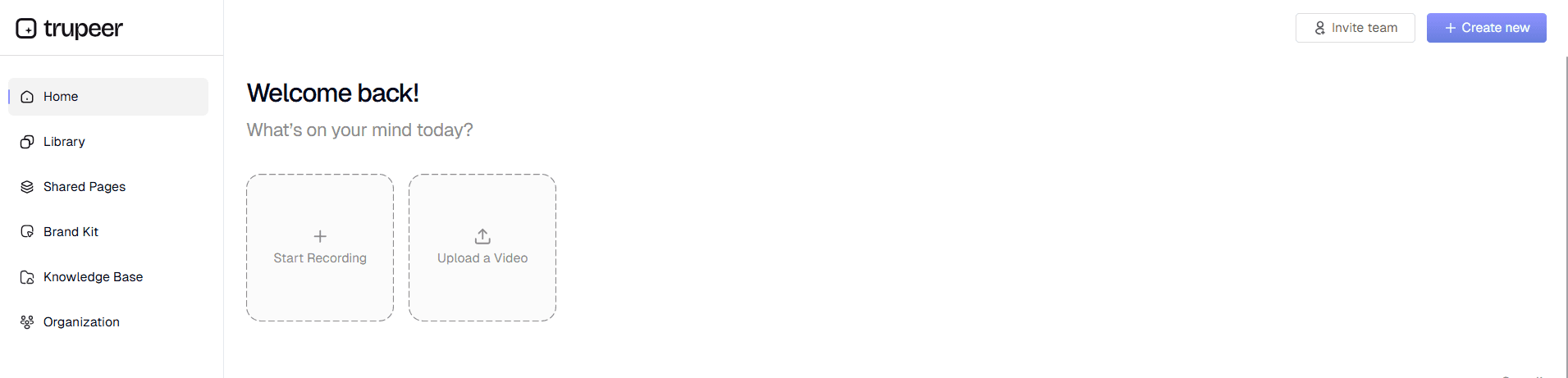
Step 1: Record or Upload Your Content

Begin by using Trupeer's built-in screen recorder to capture your processes, or upload existing recordings you've already created. Whether you're demonstrating software procedures, explaining company policies, or walking through workplace protocols, the platform accepts both fresh recordings and previously captured content for processing.

Record or Upload Your Content


Step 2: AI Processing and Enhancement

Once your content is uploaded, Trupeer's AI automatically processes the recording to remove background noise, eliminate filler words, and add professional zoom effects where appropriate. The system analyzes the content to identify key information, procedures, and important details that should be highlighted in the final handbook.

AI Processing and Enhancement


Step 3: Automatic Documentation Generation

The AI converts your screen recording into structured written documentation, organizing information into logical sections suitable for employee handbooks. This includes creating clear headings, bullet-pointed procedures, and formatted text that matches professional handbook standards.

Automatic Documentation Generation


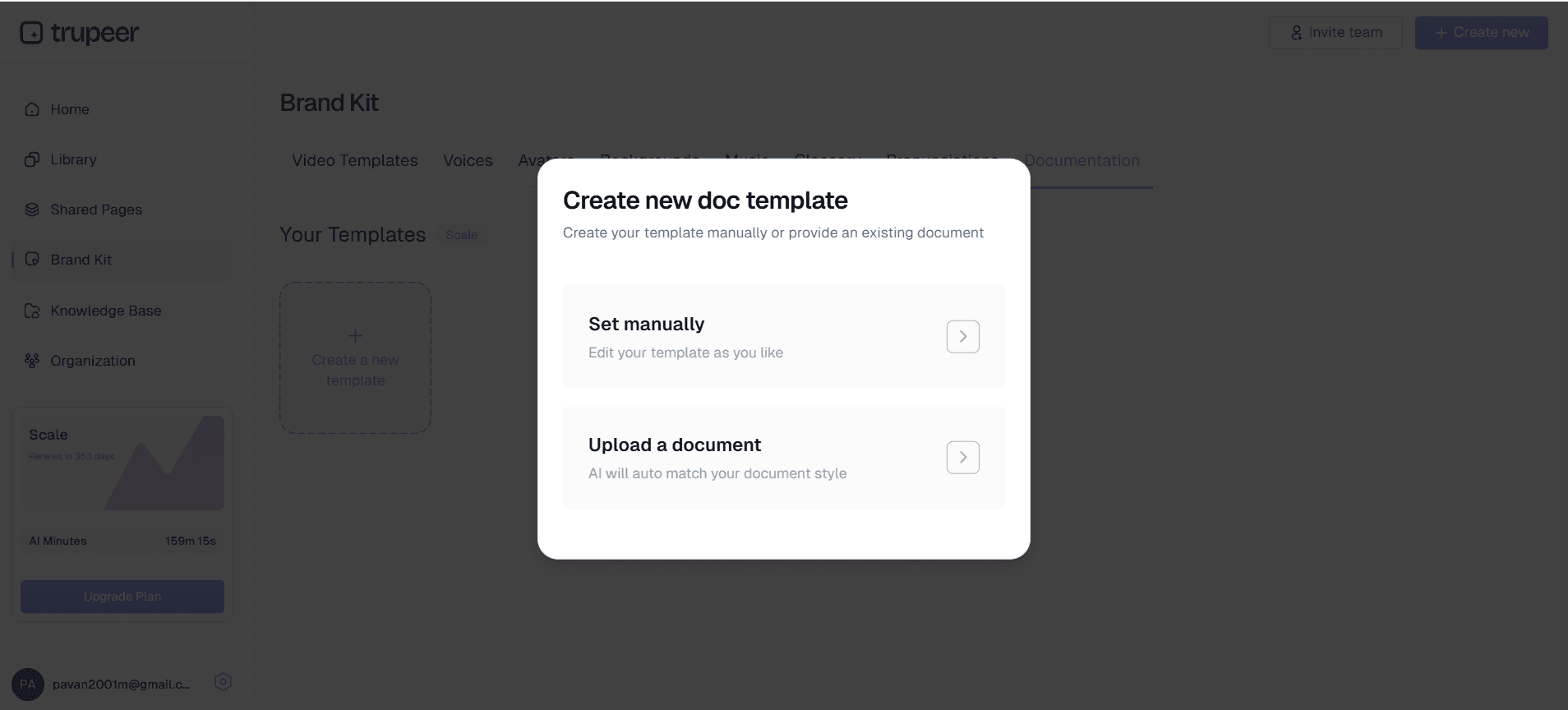
Step 4: Template Application and Customization

Apply your chosen documentation templates to ensure consistent formatting across all handbook sections. Trupeer's handbook generator allows you to save preferred styling, formatting, and structural elements as reusable templates, ensuring every handbook section maintains the same professional appearance and organizational standards.

Template Application and Customization


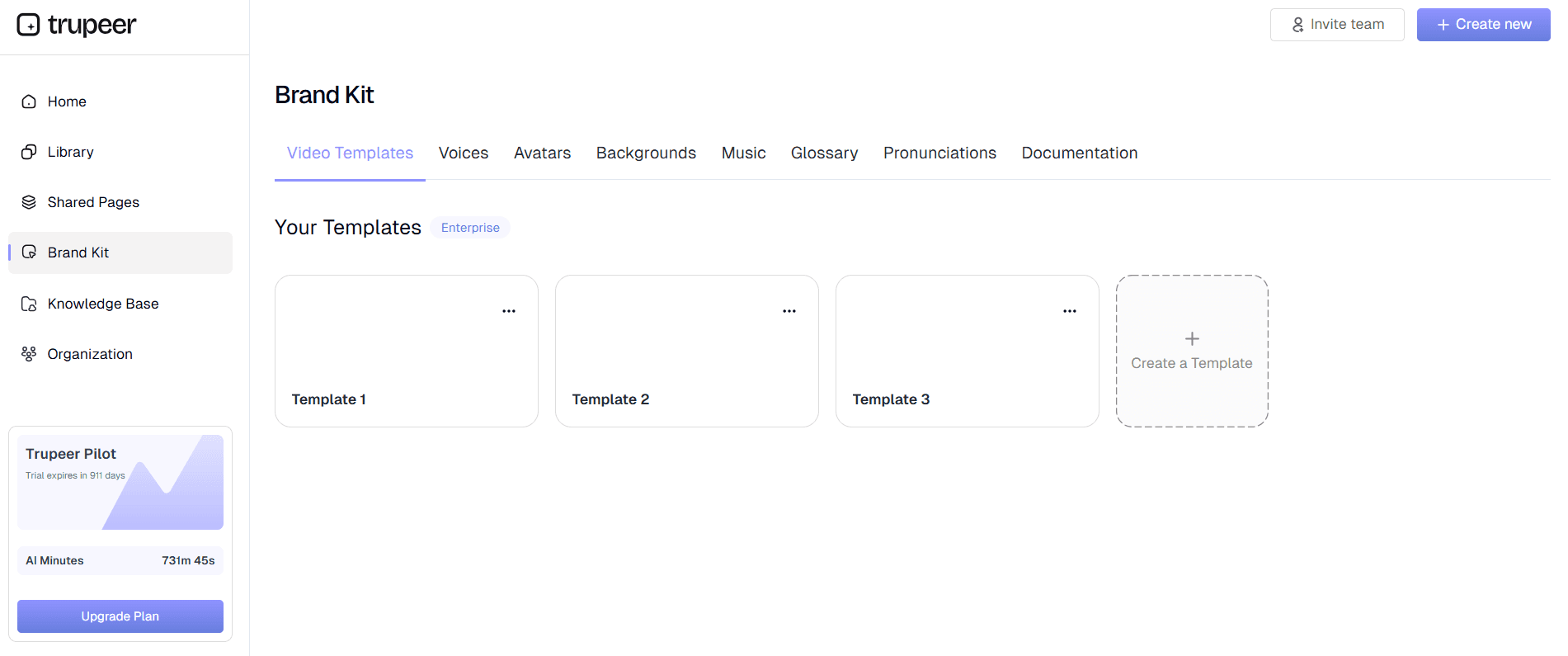
Step 5: Brand Integration and Finalization

Integrate your company's brand kits to apply consistent colors, logos, and styling across all documentation. This ensures your employee handbook reflects your organization's visual identity and maintains professional consistency throughout all sections and materials.

Brand Integration and Finalization

Key Features and Capabilities

Trupeer's employee handbook builder offers comprehensive features designed to streamline the entire handbook creation process while ensuring professional results that serve your organization's needs effectively.

  • AI-Powered Content Generation: The platform automatically converts screen recordings into structured handbook content, eliminating the need to write documentation from scratch. This feature works seamlessly with our tutorial builder to create comprehensive learning materials that support your handbook content with visual demonstrations.

  • Customizable Documentation Templates: Save and reuse formatting preferences, styling choices, and structural elements across multiple handbook projects. This ensures consistency while allowing you to maintain your organization's specific documentation standards and visual requirements throughout all employee materials.

  • Dual-Format Output: Generate both written documentation and professionally edited videos from a single recording session. This approach supports different learning styles and provides comprehensive resources for employee training and reference, complementing your training videos strategy.

  • Brand Kit Integration: Apply your company's visual identity consistently across all handbook materials, including colors, logos, fonts, and styling elements. This professional presentation reinforces your brand while ensuring all employee-facing materials maintain a cohesive, polished appearance.

  • Multi-Language Support: Utilize built-in translation capabilities to create handbook versions in multiple languages, ensuring all employees can access important information in their preferred language. This feature is particularly valuable for diverse workforces or organizations with international operations.

  • Process Documentation Automation: Capture complex workflows and procedures through screen recording, then automatically convert them into step-by-step written instructions. This approach ensures accuracy while reducing the time investment typically required for detailed process documentation.

Why Should You Use Employee Handbook Builder?

Trupeer's employee handbook builder addresses the critical challenges organizations face when creating and maintaining comprehensive employee documentation, offering solutions that save time while improving content quality and consistency.

  • Dramatic Time Savings: Traditional handbook creation can take weeks or months of writing, editing, and formatting. With Trupeer's approach, you can create comprehensive handbook sections in hours by recording your processes and letting AI handle the documentation generation, freeing your team to focus on strategic initiatives rather than manual content creation.

  • Enhanced Accuracy and Consistency: Recording actual processes ensures your handbook accurately reflects current procedures rather than idealized versions that may not match reality. The AI processing maintains consistent formatting and structure across all sections, while SOP builder integration helps standardize operational procedures throughout your documentation.

  • Improved Employee Comprehension: Dual-format output provides both written procedures and visual demonstrations, accommodating different learning preferences and improving comprehension rates. This comprehensive approach reduces confusion and accelerates the onboarding process for new employees while serving as better reference materials for existing staff.

  • Simplified Updates and Maintenance: When procedures change, you can quickly record the updated process and regenerate the corresponding handbook section. This approach ensures your documentation stays current without requiring extensive rewriting or reformatting, addressing one of the biggest challenges in handbook maintenance.

  • Professional Presentation Quality: Built-in templates and brand integration ensure your handbook maintains a professional appearance that reflects well on your organization. The consistent formatting and visual elements create a polished resource that employees will actually want to use and reference regularly.

  • Scalable Documentation Process: The system allows you to build a library of reusable templates and brand elements that can be applied across multiple handbook projects. This scalability is particularly valuable for organizations with multiple departments, locations, or employee types that require customized handbook versions while maintaining overall consistency.

Who Can Use Employee Handbook Builder?

Trupeer's employee handbook builder serves diverse organizational needs across industries and company sizes, providing flexible solutions that adapt to different documentation requirements and workplace structures.

  • Human Resources Teams: HR professionals can create comprehensive onboarding materials, policy explanations, and procedural guides that support effective employee onboarding videos and written documentation. The platform streamlines the creation of materials that help new hires understand company culture, policies, and expectations while reducing the administrative burden on HR staff.

  • Operations Managers: Document standard operating procedures, safety protocols, and workflow instructions by recording actual processes in action. This approach ensures procedural documentation accurately reflects real-world operations while creating resources that can be easily updated as processes evolve or improve over time.

  • Training and Development Specialists: Create structured learning materials that combine written procedures with visual demonstrations, supporting comprehensive compliance training videos for employees initiatives. The dual-format output accommodates different learning styles while providing consistent messaging across all training materials.

  • Small Business Owners: Develop professional employee handbooks without requiring dedicated writing staff or expensive external consultants. The platform's automation features make it possible for resource-constrained organizations to create high-quality employee documentation that supports growth and professionalization efforts.

  • Department Heads and Team Leaders: Document department-specific procedures, role expectations, and specialized workflows that complement organization-wide handbook content. This approach ensures comprehensive coverage while allowing for customization that addresses unique departmental needs and requirements.

  • Compliance Officers: Create documentation that meets regulatory requirements while maintaining accessibility for employees at all levels. The platform's formatting capabilities ensure compliance materials are both thorough and understandable, supporting both legal requirements and practical implementation needs.

Best Practices for Using Employee Handbook Builder

Maximizing the effectiveness of your employee handbook creation requires strategic planning and thoughtful implementation of Trupeer's features to ensure comprehensive, usable documentation that serves your organization's long-term needs.

  • Plan Your Recording Sessions: Before starting, outline the key topics, procedures, and policies you need to cover. This preparation ensures comprehensive coverage while avoiding redundancy and maintaining logical flow throughout your handbook sections.

  • Use Consistent Terminology: Maintain consistent language and terminology across all recordings to ensure your final handbook presents unified messaging. This consistency helps avoid confusion and reinforces key concepts throughout the documentation.

  • Leverage Template Features: Create and save documentation templates that reflect your organization's preferred formatting and structure. This approach ensures consistency across multiple handbook sections while streamlining future updates and additions to your employee documentation.

  • Test Your Documentation: After generating handbook content, review it with team members to ensure clarity and completeness. Consider having employees from different departments review relevant sections to identify any gaps or areas that need additional clarification before finalizing your handbook materials.

Explore Related Tools

Why Choose Trupeer's Employee Handbook Builder

Why Choose Trupeer's Employee Handbook Builder

Get started for free

免费开始

AI-Powered Generation

Automatically converts screen recordings into structured handbook content with professional formatting

Dual-Format Output

Creates both written documentation and polished videos from single recording sessions

Custom Templates

Save and reuse formatting preferences for consistent handbook styling across projects

Create Your Employee Handbook in 3 Simple Steps

Create Your Employee Handbook in 3 Simple Steps

Get started for free

免费开始

步骤 1

Record your processes on screen

第二步

Let AI generate documentation

步骤 3

Apply templates and branding

常见问题

What makes Trupeer's employee handbook builder different from traditional tools?

What makes Trupeer's employee handbook builder different from traditional tools?

Unlike traditional builders that require writing from scratch, Trupeer converts your screen recordings into professional handbook content automatically. You record your processes and get both written documentation and edited videos, ensuring accuracy while saving significant time.

Unlike traditional builders that require writing from scratch, Trupeer converts your screen recordings into professional handbook content automatically. You record your processes and get both written documentation and edited videos, ensuring accuracy while saving significant time.

Can I use existing recordings to create handbook content?

Can I use existing recordings to create handbook content?

Yes, you can upload existing screen recordings and raw video files. Trupeer's AI will process any uploaded content to remove noise, enhance audio, and generate structured documentation from your existing materials.

Yes, you can upload existing screen recordings and raw video files. Trupeer's AI will process any uploaded content to remove noise, enhance audio, and generate structured documentation from your existing materials.

How do documentation templates work with the handbook builder?

How do documentation templates work with the handbook builder?

You can create and save custom templates with your preferred formatting, styling, and structural elements. These templates can be reused across multiple handbook projects to ensure consistent professional appearance and organizational standards.

You can create and save custom templates with your preferred formatting, styling, and structural elements. These templates can be reused across multiple handbook projects to ensure consistent professional appearance and organizational standards.

Can I create multilingual employee handbooks?

Can I create multilingual employee handbooks?

Yes, Trupeer includes built-in translation capabilities that allow you to create handbook versions in multiple languages. This ensures all employees can access important information in their preferred language for better comprehension.

Yes, Trupeer includes built-in translation capabilities that allow you to create handbook versions in multiple languages. This ensures all employees can access important information in their preferred language for better comprehension.

What file formats can I export my employee handbook in?

What file formats can I export my employee handbook in?

You can export your handbook content in multiple formats including written documentation, polished videos, or both. The platform also provides sharing links and embed codes for easy distribution across your organization.

体验创建产品视频的新快速方式。

即时AI产品视频和文档来自粗糙的屏幕录制。

Get started for free

免费开始

体验创建产品视频的新快速方式。

即时AI产品视频和文档来自粗糙的屏幕录制。

Get started for free

免费开始

体验创建产品视频的新快速方式。

即时AI产品视频和文档来自粗糙的屏幕录制。

Get started for free

免费开始