

Record a process once. Trupeer maps it into a flow your whole team can see.

Require review and approval before content publishes. Reviewers comment on the content itself, every change is saved as a version, and Audit Logs record every step. Set it per workspace.

文档转视频 新功能 上传一份演示文稿或文档,Trupeer 会基于内容生成视频,包含脚本和旁白,无需录制。了解更多

知识库的分析与预览 产品增强 在你完成设置的同时,实时了解知识库的搭建进度,并从同一页面查看其表现。

在资料库中共享页面 产品增强 你现在分享的每个页面都会与其他内容一起出现在你的资料库中,随时可筛选、打开或移除。

你的演示现在会对每一次点击进行放大,并用你的颜色进行高亮显示,让每一步都清楚告诉读者该去哪里。

在每一次录制中自动打码个人信息。
你录制的内容中有不少属于敏感信息。智能模糊会替你处理。当 Trupeer 处理你的视频或文档时,会自动打码诸如姓名、邮箱、IP 地址以及出生日期等个人详细信息。你可以选择要隐藏的内容;并为视频和文档分别提供独立控制项。适用于企业版。
你的 Trupeer 知识现在可以在你已经在使用的 AI 工具中发挥作用。
Trupeer MCP 会扩展你公司的知识图谱,包括团队如何开展工作以及背后的推理逻辑,并将其带到 Claude、ChatGPT 以及任何支持 MCP 的工具中。只需一键,你的工具就能基于你公司的上下文来工作。

无需离开页面即可创建并发布指南:支持斜杠命令、可移动分区、表格以及就地图片编辑。

你的视频和文档,覆盖用户阅读的每一种语言。只需翻译一次,分享一个链接,每个人都会用自己熟悉的语言跟着学。

将多个视频合并为一个
你把工作分段录制,而直到现在这些片段一直是彼此独立的。Trupeer 现在可以把多次录制合并成一个。你可以跨几个系统录制一个工作流程,让每个人录制自己负责的步骤;也可以一次录制一个功能,然后把它们合并成一份完整的演示。当某一步之后发生变化时,只需替换那一段录制,其余内容保持不变。

Ask Trupeer 是一种具备代理能力的搜索,可覆盖团队已录制的所有内容。用你会问同事的方式提出问题,并获得直接答案——答案来自你自己的视频、指南和文档,并附带精确的时间戳片段,随时可打开。

在剪辑时查看音频。
打开剪辑视图后,音频会以波形形式呈现:说话处会出现峰值,停顿处则是平坦的片段。哪些部分值得剪掉一眼就能看出来,因此你只需点击几下就能把它们拆分出来。沿时间轴放大以进行更精细的编辑;随时撤销;无论你是上传了视频,还是在 Trupeer 中录制的,都可以用同样的方式工作。

对脚本进行精确控制。
只编辑你想要的内容,其余保持完全不变。只需一步即可在整个脚本中查找并替换某个词;仅对你选择的片段运行 AI 编辑;并通过单条提示即可从任意部分清理填充词。适用于更长的脚本,让每一次改动都落在你想要的位置。

在你自己的官网上托管指南。
Trupeer 会将你所有的操作视频和文档汇聚到一个地方,方便人们搜索。
现在,这个知识库可以托管在你自己的官网上,例如 docs.yourcompany.com,让它成为你网站的自然组成部分。
你在 Trupeer 上创建的每个视频或文档都会增加你自己的线上影响力。你发布得越多,网站就成长得越快,客户也越容易发现你。
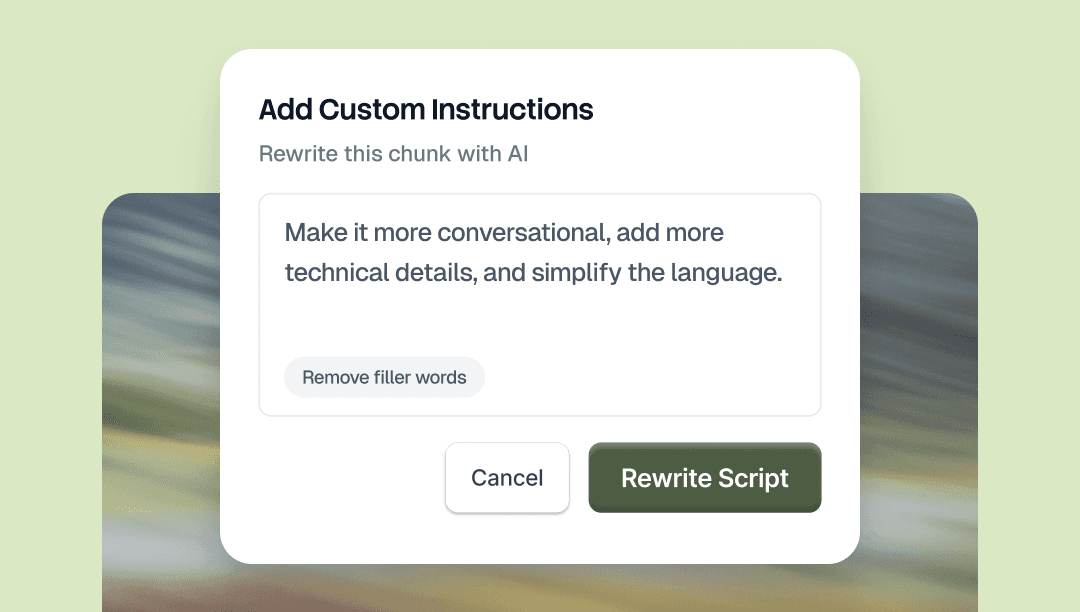
选择脚本中的任意部分,并告诉 AI 需要如何更改。用通俗语言提出要求,无论是调整语气、替换某个词、缩短某一段,还是修正语法。只有您选择的那部分会发生变化。
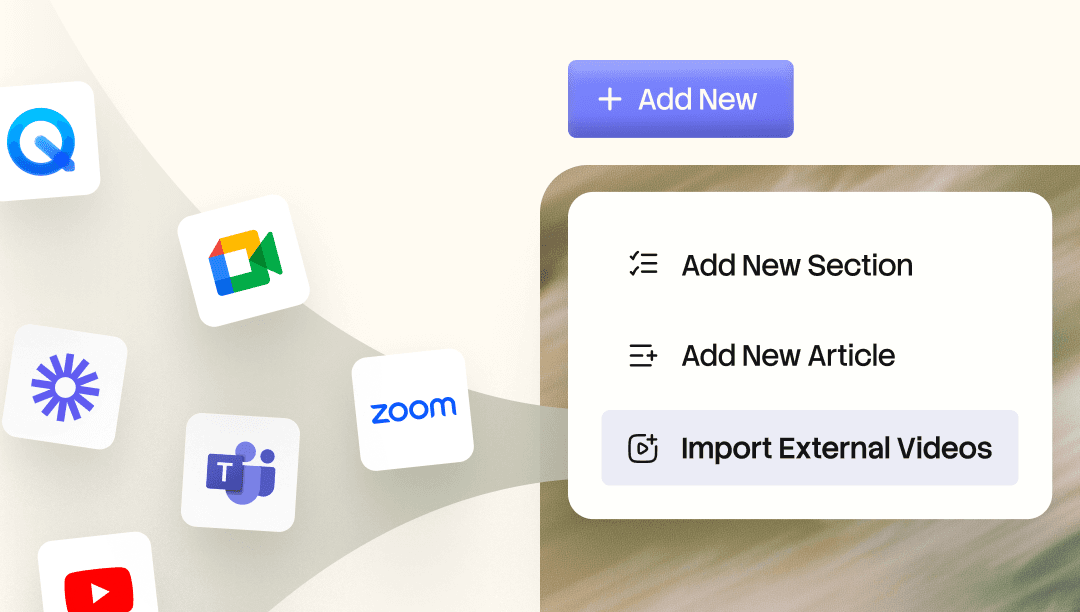
将现有的 Loom 和 Zoom 录制内容导入您的 Knowledge Base.AI 会为每一个词建立索引,因此您可以跨内容搜索,并直接跳转到您需要的那一刻。将任何录制内容转换为精美视频、带章节的演示讲解,或书面文档。

在您自己的官网上托管您的指南。
Trupeer 会将您所有的操作指南视频和文档汇聚到一个位置,方便用户搜索。
现在,知识库 可以托管在您自己的官网上,例如 docs.yourcompany.com,从而成为您网站的自然组成部分。
您在 Trupeer 上创建的每个视频或文档都会增加您自己的线上影响力。您发布得越多,网站成长得越快,客户也越容易发现您。
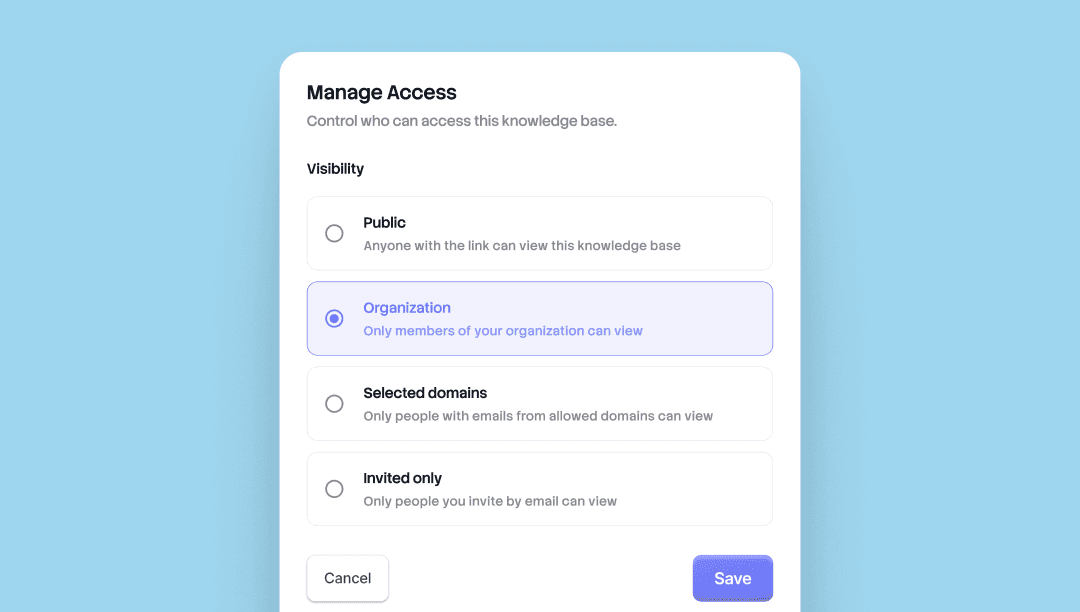
选择谁能看到什么。Trupeer 中的每个知识库和共享页面现在都提供四个访问级别。按页面维度设置可见性,并随时更改。
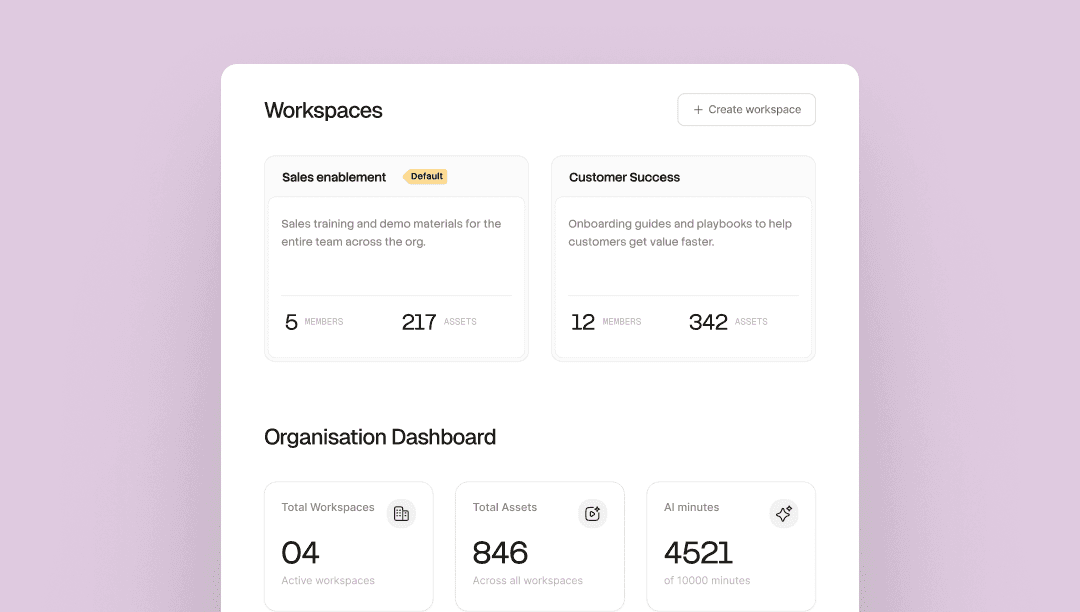
一个组织。每个团队都有自己的空间。在一个 Trupeer 组织内运行多个团队,每个工作区都有自己的管理员、成员、Skills 和库。
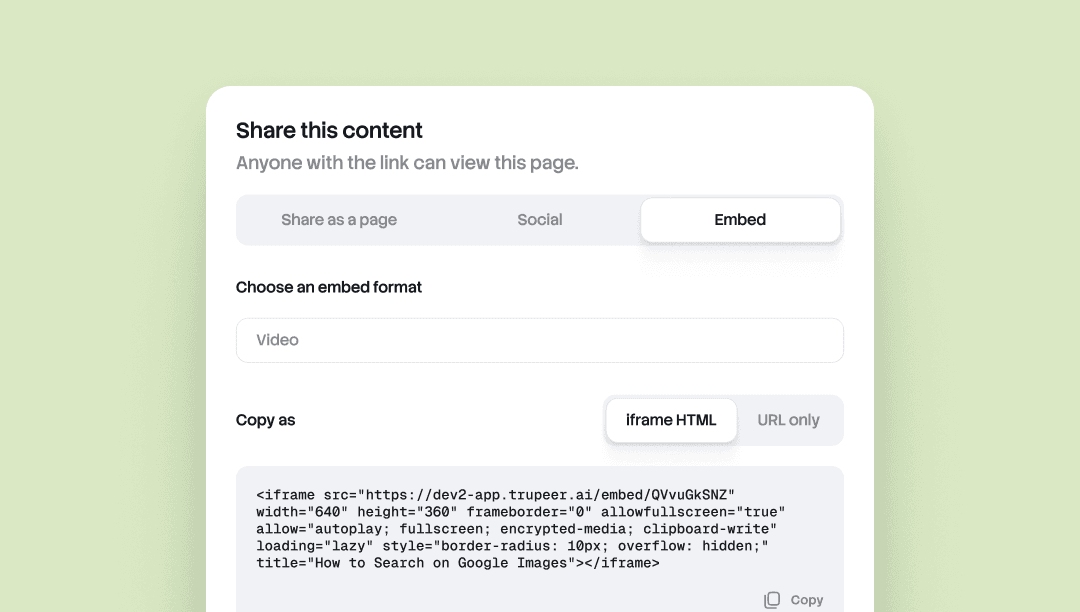
Embed Anywhere 让你可以将任意 Trupeer 文档或视频嵌入到任何支持 iframe 的工具中。
Notion、Confluence、Zendesk、Webflow、帮助中心、CMS、Wiki。你在 Trupeer 中更新源内容后,所有嵌入内容都会自动同步更新。无需重新导出、无需重新粘贴,也不会在不同页面之间产生版本漂移。
适用于内容分布在多个位置的团队,并且需要在各处保持最新。
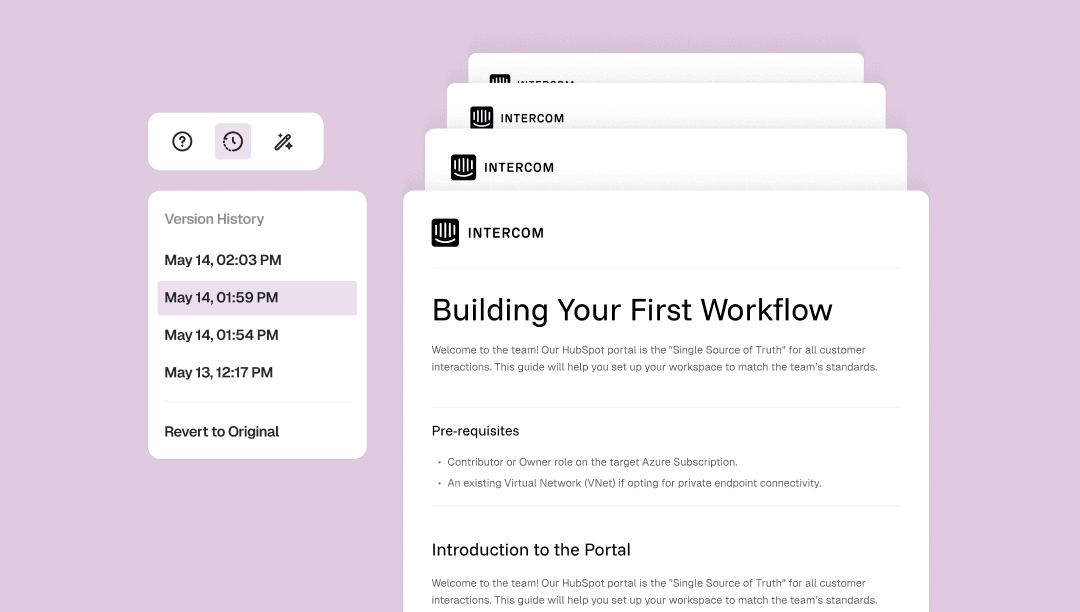
文档版本历史(Doc Version History)会自动保存你对文档所做的每一次更改,并附带时间戳。
从文档工具栏打开版本面板,即可跳回到任意更早的版本,或直接恢复到最初的原始版本。一键完成,无需手动检查点,也不会丢失工作成果。
适用于边编辑边不必反复猜测、自由重构,或找回你不该删掉的那一段落。
对视频的每一帧进行精确控制。让任意文字落在任意帧上。视频和脚本可独立裁剪。重塑视频的各个片段。
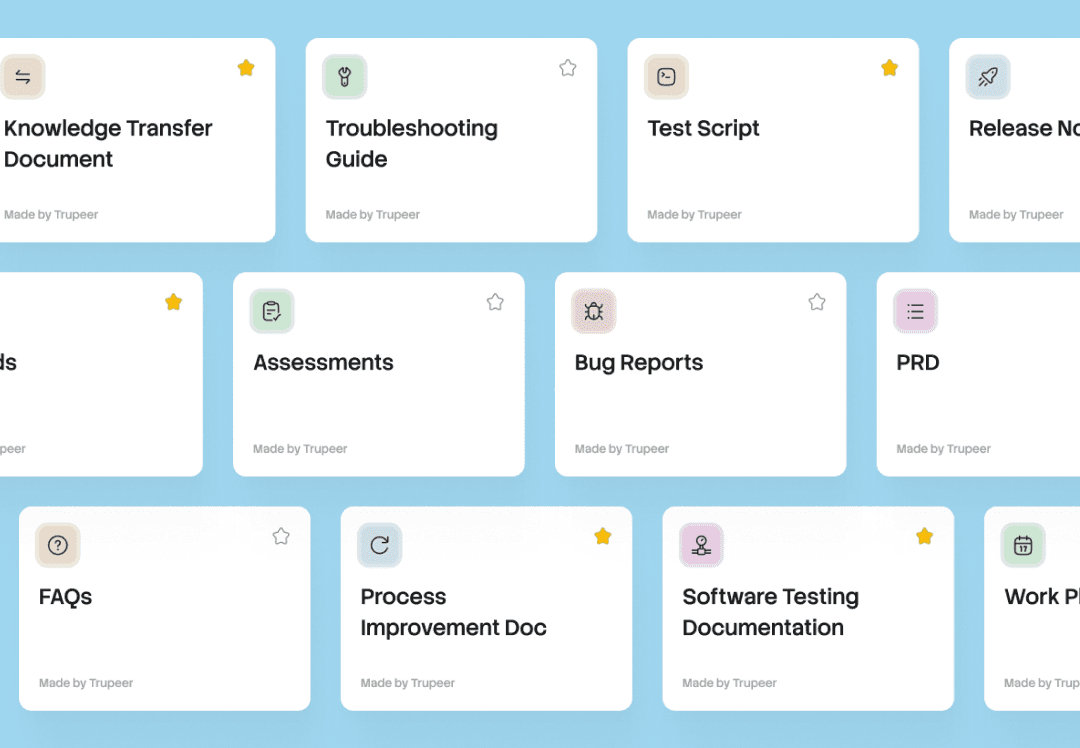
一段录制,所有文档。Skill 会将你的提示词、格式和规则打包在一起。将它应用到任意录制内容,Trupeer 即可生成可直接使用的文档和视频。
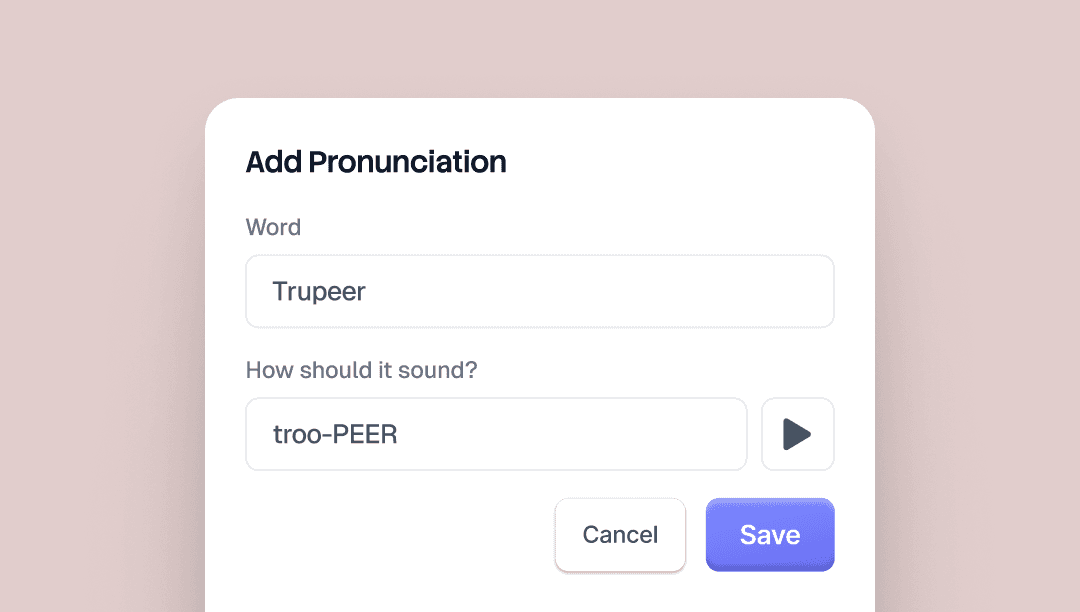
别名发音(Alias Pronunciations)让你可以控制 Trupeer 的 AI 语音如何说出特定单词。按原本的拼写输入该词,然后再按它应该听起来的方式输入一次。
例如“Trupeer”,你可以写“true peer”。AI 语音会在每个视频中自动识别并应用。
品牌套件页面上有预览按钮,你可以在保存前先听到效果。
适用于品牌名称、产品名称、缩写以及任何 AI 语音容易读错的术语。

