4.8/5
مولّد تعليمات العمل
حوّل عملياتك إلى تعليمات عمل احترافية

يُحدث مولّد تعليمات العمل من Trupeer ثورة في طريقة إنشاء المؤسسات لوثائق العمليات والحفاظ عليها. بدلًا من قضاء ساعات في كتابة أدلة خطوة بخطوة من الصفر، يمكنك ببساطة تسجيل شاشتك أثناء تنفيذ مهمة ما ودع الذكاء الاصطناعي يولّد تعليمات عمل شاملة تلقائيًا. تجمع هذه الأداة القوية بين تقنية تسجيل الشاشة والمعالجة المتقدمة بالذكاء الاصطناعي لإنتاج شروحات فيديو ووثائق مكتوبة في الوقت نفسه.
ما يميّز مولّد تعليمات العمل من Trupeer هو قدرته على الإخراج المزدوج. باستخدام مسجّل الشاشة بالذكاء الاصطناعي الخاص بنا، يمكنك التقاط سير عملك مرة واحدة والحصول على تعليمات فيديو مصقولة وأدلة مكتوبة مفصلة. يضمن هذا النهج الاتساق بين محتوى الفيديو والوثائق مع توفير وقت وموارد كبيرة. يتعرّف الذكاء الاصطناعي تلقائيًا على الإجراءات الرئيسية، ويولّد أوصافًا واضحة، وينظّم المحتوى لتحقيق أقصى درجات الوضوح.
كيف يعمل مولّد تعليمات العمل؟
إنشاء تعليمات عمل احترافية باستخدام Trupeer يتبع عملية مبسطة من خمس خطوات تحوّل تسجيلات الشاشة الخام إلى وثائق مصقولة.
الخطوة 1: سجّل أو ارفع عمليتك
ابدأ بالتقاط سير عملك باستخدام مسجّل الشاشة المدمج في Trupeer أو ارفع تسجيلًا موجودًا. يلتقط مسجّل الشاشة بالذكاء الاصطناعي كل ما يحدث على شاشتك أثناء تنفيذك للمهمة بشكل طبيعي. يمكنك أن تشرح بصوتك أثناء العمل، موضحًا نقاط القرار ومقدمًا سياقًا يعزز التعليمات النهائية.
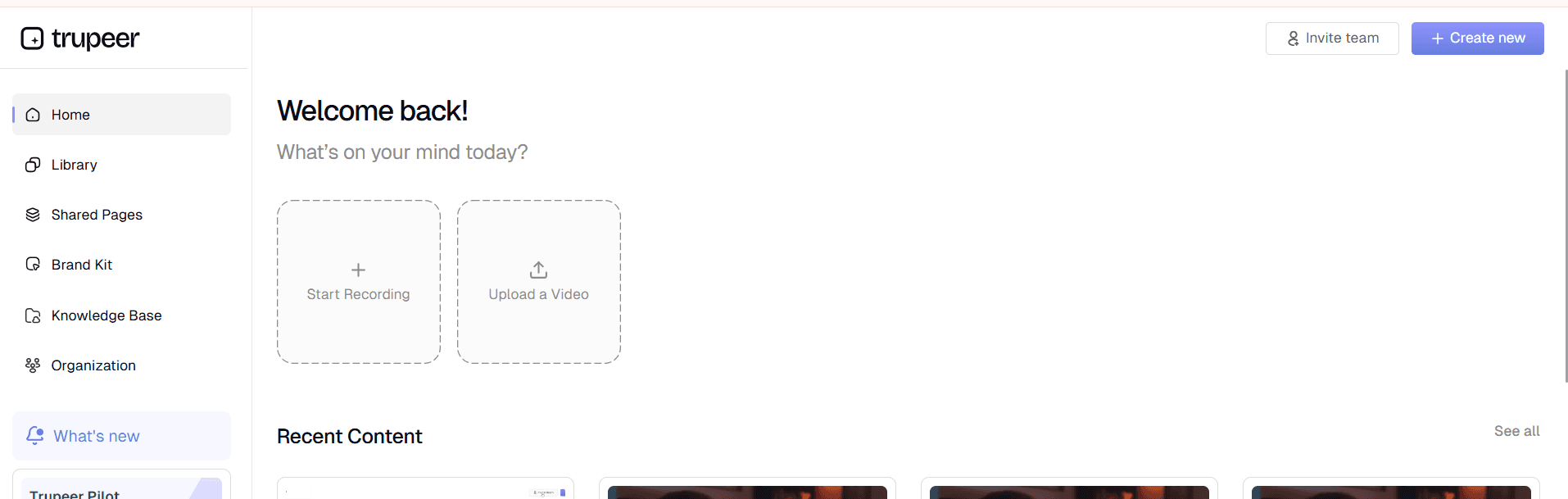
الخطوة 2: المعالجة والتحسين بالذكاء الاصطناعي
بمجرد اكتمال تسجيلك، يبدأ الذكاء الاصطناعي في Trupeer فورًا بمعالجة المحتوى. يحدّد النظام الخطوات المختلفة، ويزيل ضوضاء الخلفية والكلمات الحشو، ويطبّق تأثيرات تكبير ذكية لإبراز عناصر الواجهة المهمة. يضمن هذا التحرير الآلي أن تكون تعليمات العمل لديك احترافية وسهلة الاتباع، دون الحاجة إلى مهارات تحرير فيديو يدوية.

الخطوة 3: إنشاء الوثائق تلقائيًا
بالتزامن مع معالجة الفيديو، يحلّل الذكاء الاصطناعي تسجيلك لإنشاء تعليمات عمل مكتوبة. ينشئ النظام أوصافًا نصية خطوة بخطوة، ويحدّد الإجراءات الرئيسية، وينظّم المحتوى بعناوين وتنسيق مناسبين. تكمل هذه الوثائق المكتوبة محتوى الفيديو وتوفّر صيغة بديلة للمستخدمين الذين يفضلون التعليمات النصية.
الخطوة 4: التخصيص والعلامة التجارية
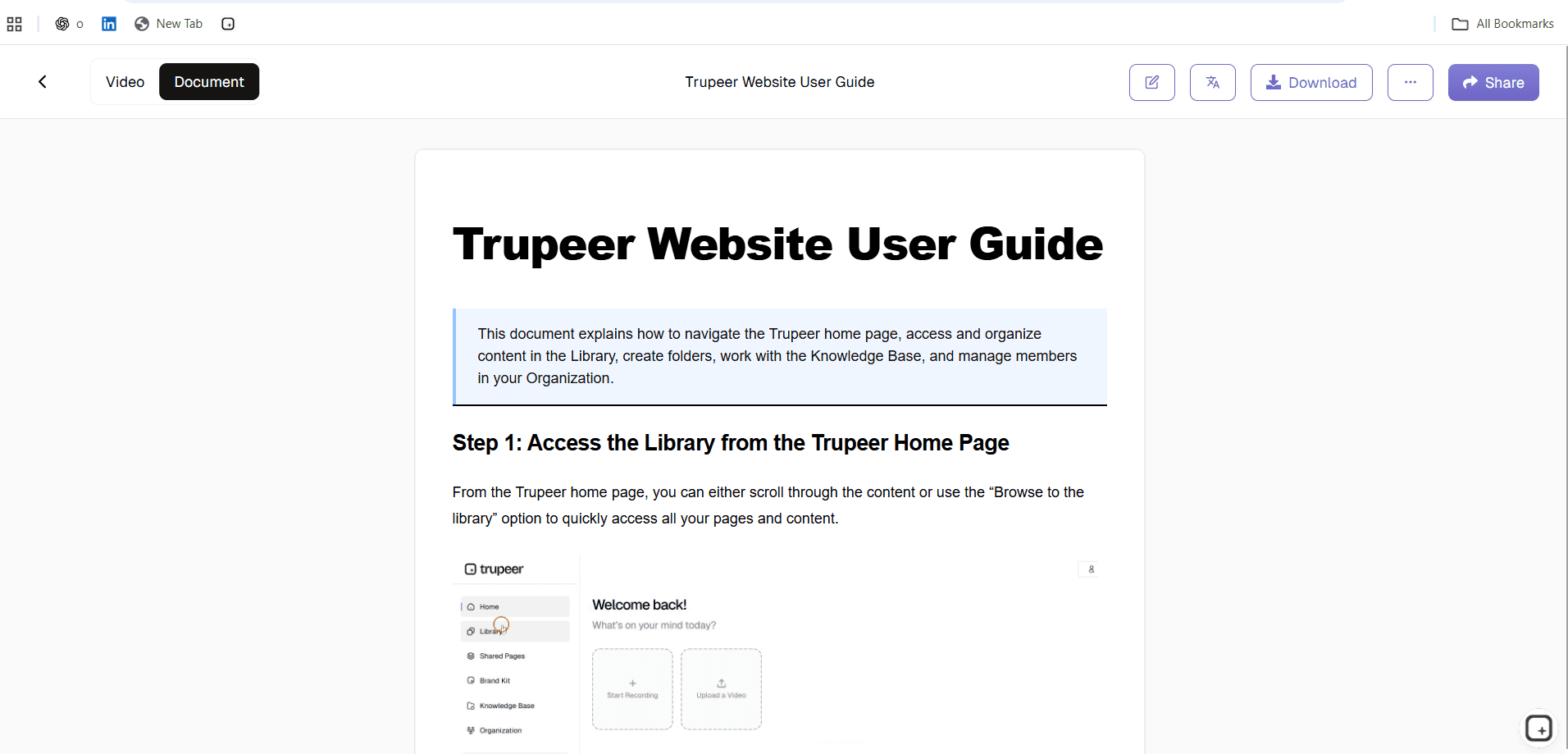
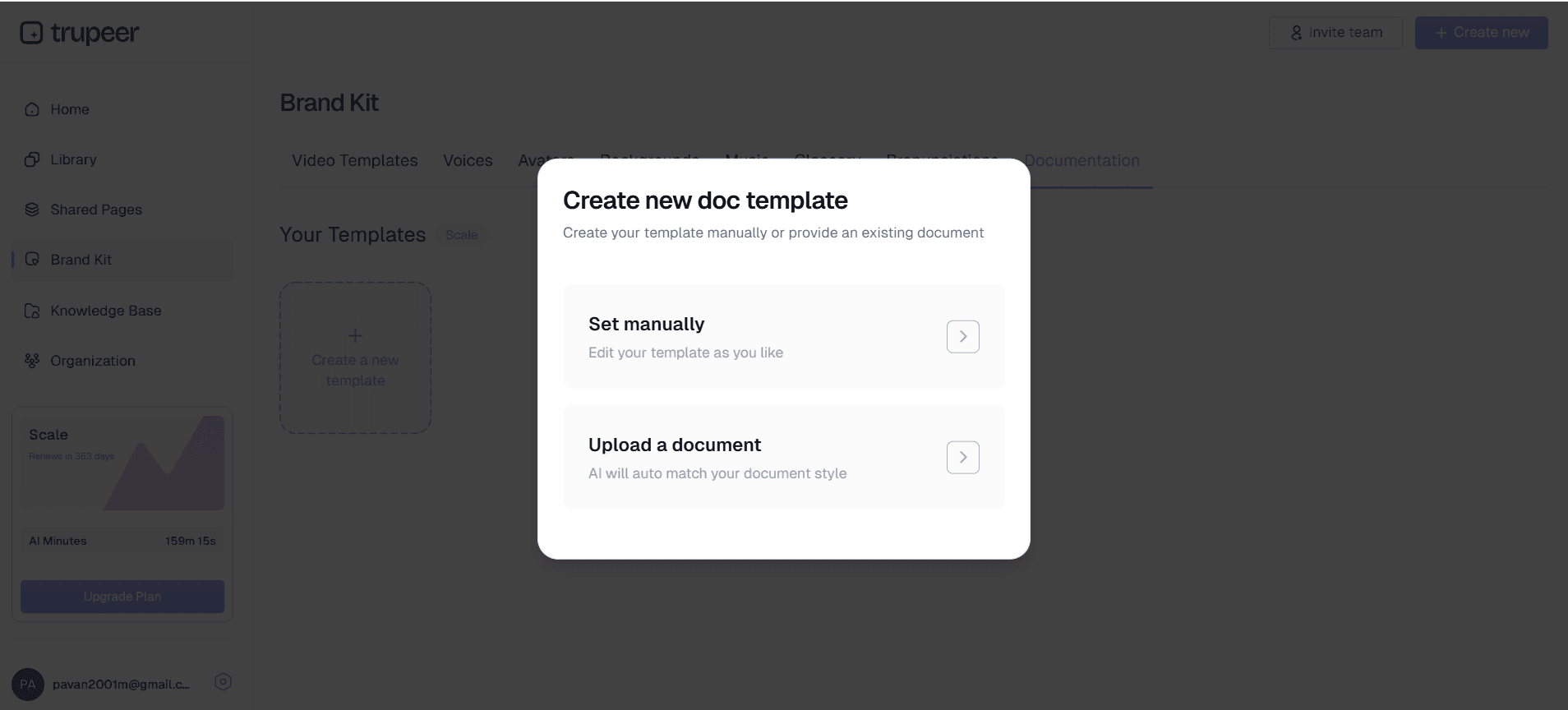
طبّق هوية مؤسستك البصرية باستخدام ميزة حزمة العلامة التجارية في Trupeer. أضف شعارك وألوان شركتك وعناصر المقدمة/الختام القياسية لضمان توافق جميع تعليمات العمل مع إرشادات علامتك التجارية. يمكنك أيضًا تخصيص قوالب الوثائق للحفاظ على تنسيق متسق عبر جميع محتوياتك التعليمية.
الخطوة 5: التوزيع والمشاركة
بمجرد اكتمال تعليمات العمل، شاركها عبر روابط مباشرة أو ضمّنها في موقعك الإلكتروني أو نظام إدارة التعلّم. تُنشئ المنصة صيغتي الفيديو والنص، مما يتيح للمستلمين اختيار أسلوب التعلّم المفضل لديهم. يمكن إدارة تحديثات العمليات بسهولة من خلال تسجيل إصدارات جديدة واستبدال المحتوى الحالي.
الميزات والقدرات الرئيسية
يتضمن مولّد تعليمات العمل من Trupeer عدة ميزات قوية مصممة لتبسيط عملية إنشاء الوثائق مع ضمان نتائج احترافية.
التعرّف على المحتوى المدعوم بالذكاء الاصطناعي: يحلّل الذكاء الاصطناعي المتقدم في المنصة تسجيل الشاشة لديك تلقائيًا لتحديد خطوات العملية المختلفة وعناصر واجهة المستخدم والإجراءات الرئيسية. يزيل هذا التعرّف الذكي الحاجة إلى تقسيم تسجيلك يدويًا أو كتابة الأوصاف من الصفر. يفهم الذكاء الاصطناعي السياق وينشئ نقاط توقف منطقية تناسب المحتوى التعليمي. يمكن أيضًا لمُولّد الأدلة الخاص بنا أن يعزّز سردك باقتراحات نصية احترافية.
الوثائق المستندة إلى القوالب: وفّر الوقت وضمن الاتساق باستخدام قوالب وثائق قابلة للتخصيص. أنشئ قوالب بالتنسيق والتصميم والعناصر الهيكلية التي تفضّلها، ثم أعد استخدامها عبر عدة تعليمات عمل. هذه الميزة ذات قيمة خاصة للمؤسسات التي تحتاج إلى الحفاظ على معايير توثيق محددة أو الامتثال للمتطلبات التنظيمية. يمكن أن تتضمن القوالب هوية الشركة، وإخلاءات المسؤولية القانونية، وعناوين أقسام موحّدة.
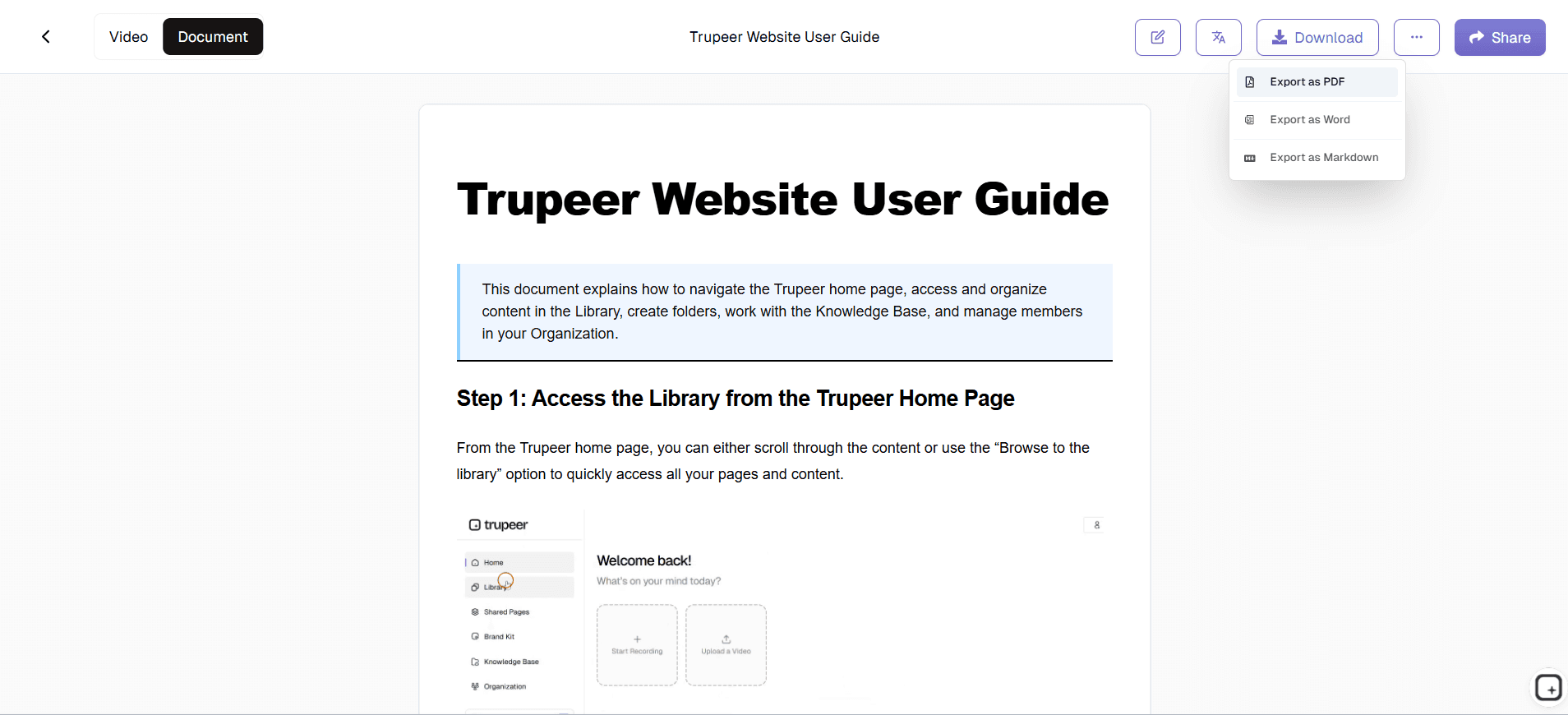
قدرات التصدير متعدد الصيغ: أنشئ تعليمات العمل بصيغ متعددة لتلبية تفضيلات التعلّم وحالات الاستخدام المختلفة. صدّرها كمحتوى فيديو مصقول، أو أدلة مكتوبة شاملة، أو كليهما في الوقت نفسه. تتضمن الوثائق المكتوبة لقطات شاشة مستخرجة تلقائيًا من تسجيلك، ما يخلق أدلة مرئية خطوة بخطوة تطابق محتوى الفيديو لديك بشكل مثالي.
تحسين الصوت تلقائيًا: يُعد الصوت عالي الجودة أمرًا بالغ الأهمية لتعليمات العمل الفعّالة. يزيل الذكاء الاصطناعي في Trupeer تلقائيًا ضوضاء الخلفية، ويتخلص من الكلمات الحشو مثل "um" و"uh"، ويوحّد مستويات الصوت. إذا رغبت، يمكنك أيضًا إضافة تعليقات صوتية احترافية أو ترجمة محتواك إلى عدة لغات باستخدام ميزة مولّد الدليل التدريبي الخاصة بنا.
التكامل مع سير العمل الحالي: يتكامل مولّد تعليمات العمل بسلاسة مع أنظمة التوثيق والتدريب الحالية لديك. يمكن مشاركة المحتوى بسهولة عبر الروابط، أو تضمينه في المواقع الإلكترونية، أو تصديره إلى منصات أخرى. تضمن هذه المرونة إمكانية توزيع تعليمات العمل عبر أي قنوات يستخدمها فريقك بالفعل للتدريب ومواد المرجع.
ميزات تعاونية: يمكن لعدة أعضاء من الفريق المساهمة في إنشاء تعليمات العمل ومراجعتها. تدعم المنصة التحرير التعاوني، والتحكم في الإصدارات، وسير عمل الموافقة، ما يجعل من السهل الحفاظ على وثائق عمليات دقيقة ومحدّثة عبر المؤسسات الكبيرة.
لماذا يجب أن تستخدم مولّد تعليمات العمل من Trupeer؟
يوفّر تطبيق مولّد تعليمات العمل من Trupeer فوائد كبيرة تتجاوز مجرد توفير الوقت، ويحوّل الطريقة التي تتعامل بها مؤسستك مع توثيق العمليات والتدريب.
تقليل هائل للوقت، يمكن أن يستغرق إنشاء تعليمات العمل التقليدية ساعات أو حتى أيامًا لكل مستند عند احتساب الكتابة، والتنسيق، والتقاط لقطات الشاشة، ودورات المراجعة.
مع Trupeer، يمكنك إنشاء تعليمات عمل شاملة في جزء بسيط من ذلك الوقت.
ما عليك سوى تسجيل نفسك وأنت تنفذ المهمة مرة واحدة، وسيتولى الذكاء الاصطناعي الباقي.
تتيح هذه الزيادة في الكفاءة لفريقك توثيق المزيد من العمليات والحفاظ على تحديث التعليمات مع تطور الإجراءات.
عادةً ما تشهد المؤسسات توفيرًا في الوقت بنسبة 70-80% مقارنةً بأساليب التوثيق اليدوية.
من يمكنه استخدام مولّد تعليمات العمل من Trupeer؟
يخدم مولّد تعليمات العمل من Trupeer مستخدمين متنوعين عبر الصناعات والأدوار التنظيمية، ويستفيد كل منهم من المزيج الفريد الذي يقدمه بين إمكانات الوثائق المرئية والمكتوبة.
فرق العمليات وإدارة العمليات: تستخدم فرق العمليات المنصة لتوثيق إجراءات التشغيل القياسية وعمليات ضبط الجودة وتحسينات سير العمل. تساعد القدرة على التقاط تحسينات العمليات ومشاركتها بسرعة في الحفاظ على التميز التشغيلي مع تقليل عبء التدريب. يقدّر مديرو العمليات بشكل خاص الاتساق الذي توفره التعليمات المنشأة بالذكاء الاصطناعي، ما يضمن اتباع كل عضو في الفريق للإجراءات نفسها بغض النظر عمّن أنشأ الوثائق الأصلية.
فرق الموارد البشرية والتدريب: يستفيد متخصصو الموارد البشرية من مولّد تعليمات العمل في تأهيل الموظفين، والتواصل بشأن السياسات، والتدريب على الامتثال. تصبح عملية تعريف الموظفين الجدد أكثر كفاءة عند دعمها بتعليمات فيديو ومكتوبة واضحة واحترافية تغطي كل شيء من استخدام البرامج إلى إجراءات السلامة. تتكامل قدرات مولّد الدليل التدريبي في المنصة بسلاسة مع أنظمة إدارة التعلّم الحالية، ما يخلق برامج تدريب شاملة تتوسع مع نمو المؤسسة.
فرق نجاح العملاء والدعم: تنشئ فرق الدعم تعليمات عمل لمساعدة العملاء على استخدام المنتجات بفعالية، مما يقلل حجم تذاكر الدعم ويحسّن رضا العملاء. يتيح الإخراج بصيغتين للعملاء الاختيار بين شروحات الفيديو والأدلة المكتوبة وفقًا لتفضيلاتهم واحتياجاتهم الظرفية. يستخدم مديرو نجاح العملاء هذه المواد لتأهيل العملاء الجدد وضمان تبنّي المنتج بشكل متسق عبر الحسابات. يسهّل التكامل مع تدفقات عمل مولّد الوثائق العملية بأكملها للدعم.
فرق المنتج والهندسة: توثّق الفرق التقنية ميزات البرمجيات واستخدام واجهات برمجة التطبيقات وإجراءات إدارة الأنظمة باستخدام مولّد تعليمات العمل. تتفوّق المنصة في التقاط العمليات التقنية المعقدة ذات الخطوات المتعددة ونقاط القرار. يقدّر فريق الهندسة بشكل خاص الإنشاء التلقائي لصور الشاشة وتحديد الخطوات، ما يلغي العمل اليدوي الممل المرتبط عادةً بالوثائق التقنية. تضمن ميزات الوثائق التقنية تغطية شاملة للإجراءات المعقدة.
فرق المبيعات والتسويق: ينشئ محترفو المبيعات تعليمات عمل للعروض التوضيحية للمنتجات، وعمليات إعداد العروض، وإجراءات تأهيل العملاء. توثّق فرق التسويق تنفيذ الحملات وسير عمل إنشاء المحتوى وتعليمات استخدام الأدوات. تساعد ميزات محرّر الفيديو بالذكاء الاصطناعي في المنصة على الحفاظ على الاتساق عبر عروض المبيعات التقديمية وضمان قدرة جميع أعضاء الفريق على تقديم عروض احترافية للمنتجات.
الاستشاريون ومقدمو الخدمات: يستخدم الاستشاريون المستقلون وشركات الخدمات مولّد تعليمات العمل لإنشاء مخرجات للعملاء، وتوثيق المنهجيات الخاصة، وتوحيد تقديم الخدمة. تساعد جودة الإخراج الاحترافية الاستشاريين على إظهار خبرتهم مع تزويد العملاء بوثائق قيّمة يمكنهم الرجوع إليها بعد انتهاء التعاقدات.
المؤسسات التعليمية: تنشئ المدارس ومنظمات التدريب محتوى تعليميًا للطلاب وأعضاء هيئة التدريس. تدعم المنصة بيئات التعلّم المتزامن وغير المتزامن من خلال توفير صيغ متعددة للمحتوى. يمكن للمعلمين إنشاء مواد دراسية وتعليمات مختبرية وشروحات برمجية بسرعة تلبي تفضيلات التعلم المختلفة واحتياجات الوصول.
أفضل الممارسات لاستخدام مولّد تعليمات العمل من Trupeer
يتطلب تعظيم فعالية تعليمات العمل الخاصة بك تخطيطًا استراتيجيًا والانتباه إلى التفاصيل طوال عملية الإنشاء.
خطّط لجلسة التسجيل: قبل البدء في تسجيل الشاشة، حدّد العملية التي ستعرضها واجمع أي مواد أو معلومات ضرورية. أغلق التطبيقات غير الضرورية وألسنة المتصفح لتقليل عوامل التشتيت في تسجيلك. تدرب على العملية مرة واحدة لتحديد المشكلات المحتملة أو نقاط القرار التي تتطلب شرحًا. يضمن هذا الإعداد جلسات تسجيل سلسة وتعليمات نهائية أعلى جودة.
قدّم سردًا واضحًا: تحدّث بوضوح وبوتيرة معتدلة أثناء التسجيل، موضحًا ليس فقط ما تفعله بل لماذا تفعله. أضف سياقًا حول نقاط القرار، والبدائل الممكنة، والأخطاء الشائعة التي يجب تجنبها. سيستخدم الذكاء الاصطناعي سردك لإنشاء تعليمات مكتوبة أكثر شمولًا، لذا فإن الشروحات اللفظية التفصيلية تؤدي إلى وثائق نهائية أفضل. وتذكّر أن مسجّل الشاشة بالذكاء الاصطناعي يمكنه مساعدتك في إعداد نقاط الحديث مسبقًا.
استفد من اتساق القوالب: طوّر قوالب موحّدة لأنواع مختلفة من تعليمات العمل داخل مؤسستك. أنشئ قوالب منفصلة لشروحات البرامج وإجراءات السلامة والعمليات الإدارية والتعليمات الموجّهة للعملاء. تحسّن القوالب المتسقة تجربة المستخدم وتجعل من الأسهل على أعضاء الفريق العثور على معلومات محددة بسرعة. كما تضمن القوالب ظهور العناصر المهمة مثل إخلاءات المسؤولية ومعلومات الاتصال والهوية البصرية بشكل متسق عبر جميع الوثائق.
المراجعة والتحديث المنتظمان: جدولة مراجعات دورية لتعليمات العمل الخاصة بك لضمان بقائها دقيقة مع تطور العمليات والأدوات. تجعل ميزات التحكم في الإصدارات في المنصة من السهل تحديث التعليمات الحالية من خلال تسجيل إصدارات جديدة واستبدال المحتوى القديم. خصّص ملكية مجموعات التعليمات المختلفة لأعضاء فريق محددين يمكنهم مراقبة التغييرات وبدء التحديثات عند الحاجة.
حسّن المحتوى ليناسب جمهورك: فكّر فيمن سيستخدم تعليمات العمل الخاصة بك وقم بتكييف المحتوى وفقًا لذلك. يمكن أن تتضمن التعليمات للمستخدمين التقنيين شروحات أكثر تفصيلًا وميزات متقدمة، بينما يجب أن تركز تعليمات المستخدم النهائي على الخطوات الأساسية وحالات الاستخدام الشائعة. استخدم المصطلحات المناسبة لجمهورك وأضف تعريفات للمصطلحات المتخصصة التي قد لا تكون مألوفة لبعض المستخدمين.
استكشف الأدوات ذات الصلة
لماذا تختار مُولِّد تعليمات العمل من Trupeer
مخرجات بصيغتين
احصل على كلٍ من دروس الفيديو التعليمية والتعليمات المكتوبة من تسجيل واحد
التحرير المدعوم بالذكاء الاصطناعي
تحسين تلقائي مع إزالة الضوضاء وتنسيق احترافي
اتساق العلامة التجارية
طبّق علامتك التجارية على جميع تعليمات العمل بسهولة
أنشئ تعليمات عمل احترافية في 3 خطوات
الخطوة 1
سجّل سير عملك على الشاشة
الخطوة 2
يقوم الذكاء الاصطناعي بإنشاء التوثيق تلقائيًا
الخطوة 3
شارك التعليمات فورًا
الأسئلة الشائعة
كيف يقوم مولّد تعليمات العمل بإنشاء التوثيق من التسجيلات؟
يقوم الذكاء الاصطناعي بتحليل تسجيل الشاشة لديك لتحديد الخطوات والإجراءات وعناصر الواجهة الرئيسية، ثم ينشئ تلقائيًا تعليمات مكتوبة منظمة إلى جانب محتوى الفيديو الخاص بك. تُلغي هذه العملية الحاجة إلى كتابة التوثيق يدويًا مع ضمان تغطية شاملة لسير عملك.
هل يمكنني استخدام التسجيلات الحالية مع مولّد تعليمات العمل؟
نعم، يمكنك تحميل تسجيلات الشاشة الموجودة لديك ودعِ الذكاء الاصطناعي من Trupeer يعالجها إلى تعليمات عمل احترافية. تدعم المنصة تنسيقات فيديو متعددة ويمكنها تحسين التسجيلات الخام عبر إزالة الضوضاء والتحرير وإنشاء التوثيق تلقائيًا.
ما أنواع تعليمات العمل التي يمكنني إنشاؤها باستخدام هذه الأداة؟
يمكنك إنشاء أي نوع من توثيق العمليات بما في ذلك دروس البرامج التعليمية للبرامج، وإجراءات التشغيل القياسية، ومواد التدريب، وأدلة العملاء، ووثائق الامتثال. تعمل المنصة مع أي سير عمل قائم على الكمبيوتر يمكنك تسجيله على الشاشة.
كم من الوقت يستغرق إنشاء تعليمات العمل من تسجيل؟
يعتمد وقت المعالجة على طول التسجيل، لكن معظم تعليمات العمل تُنشأ خلال دقائق من اكتمال الرفع. ينشئ الذكاء الاصطناعي في الوقت نفسه تحسينات للفيديو ووثائق مكتوبة، ويقدّم كلا التنسيقين بسرعة للاستخدام الفوري.
هل يمكنني تخصيص التنسيق والهوية التجارية لتعليمات العمل الخاصة بي؟
بالتأكيد. تقدم Trupeer قوالب قابلة للتخصيص، وحِزم العلامة التجارية، وخيارات تنسيق لضمان أن تتوافق تعليمات العمل الخاصة بك مع معايير مؤسستك. يمكنك حفظ القوالب للحصول على تنسيق متسق عبر جميع مستنداتك.


