

Record a process once. Trupeer maps it into a flow your whole team can see.

Require review and approval before content publishes. Reviewers comment on the content itself, every change is saved as a version, and Audit Logs record every step. Set it per workspace.

ميزة جديدة: من مستند إلى فيديو حمّل عرضًا تقديميًا أو مستندًا، وسيقوم Trupeer بإنشاء الفيديو منه، مع تضمين النص التعريفي والتعليق الصوتي، دون الحاجة إلى أي تسجيل. اعرف المزيد

تحليلات ومعاينة لقاعدة المعرفة تحسين المنتج راقب قاعدة المعرفة وهي تتشكل أثناء إعدادها، وشاهد أدائها من نفس الصفحة.

تحسين المنتج: شارك الصفحات في المكتبة الآن ستظهر كل صفحة تشاركها داخل مكتبتك مع بقية محتواك، وجاهزة للتصفية أو الفتح أو الإزالة.

تقوم جولاتك الإرشادية الآن بالتكبير على كل نقرة وتحديدها بلونك، حتى تُظهر كل خطوة للقارئ إلى أين عليه الذهاب.

تمت إزالة المعلومات الشخصية عبر كل عملية تسجيل.
كثير مما تسجله يكون حساسًا. يتولى Smart Blur ذلك نيابةً عنك. أثناء معالجة Trupeer للفيديو أو المستند، يقوم تلقائيًا بإخفاء التفاصيل الشخصية مثل الأسماء والبريد الإلكتروني وعناوين IP وتواريخ الميلاد. أنت من تختار ما الذي سيتم إخفاؤه، مع عناصر تحكم منفصلة للفيديو والمستندات. متاح على Enterprise.
تعمل معرفة Trupeer لديك الآن داخل أدوات الذكاء الاصطناعي التي تستخدمها بالفعل.
يُوسّع Trupeer MCP مخطط معرفة شركتك، وكيف يعمل فريقك، والمنطق وراء ذلك، إلى Claude وChatGPT وأي أداة تدعم MCP. بنقرة واحدة، تعمل أدواتك اعتمادًا على سياق شركتك.

أنشئ دليلًا واطلقه دون مغادرة الصفحة، باستخدام أوامر الشرطة، وأقسام قابلة للنقل، وجداول، وتحرير الصور في مكانه.

فيديوك وملفّك الوثائقي، بكل لغة يقرأها مستخدموك. ترجم مرة واحدة، وشارك رابطًا واحدًا، ويتابع كل شخص المحتوى باللغة التي يعرفها.

دمج عدة فيديوهات في فيديو واحد
تسجل عملك على أجزاء، وحتى الآن كانت هذه الأجزاء منفصلة. يمكن لـ Trupeer الآن دمج عدة تسجيلات في فيديو واحد. سجّل سير عمل عبر عدة أنظمة، واترك كل شخص يسجل الخطوة التي تخصه، أو اجمع الميزات التي سجلتها واحدة تلو الأخرى، ثم دمجها في دليل إرشادي واحد. وعندما تتغير خطوة لاحقًا، استبدل هذا التسجيل وحده واحتفظ بباقي التسجيلات.

اسأل Trupeer هو بحث وكيل (agentic) عبر كل ما سجله فريقك. اطرح سؤالًا بالطريقة التي ستسأل بها زميلًا، واحصل على إجابة مباشرة مستخلصة من مقاطع الفيديو والدلائل والوثائق الخاصة بك، مع لحظات دقيقة محددة بالوقت وجاهزة للفتح.

شاهد الصوت أثناء القص.
افتح عرض القص وسيظهر الصوت كمخطط موجي، مع قمم عندما يكون هناك حديث ومقاطع مسطحة عندما يكون هناك توقف. الأجزاء التي تستحق القص سهلة الملاحظة، لذا يمكنك فصلها في بضع نقرات. كبّر على المخطط الزمني لإجراء تعديلات أدق، وتراجع في أي وقت، واعمل بالطريقة نفسها سواء رفعت الفيديو أو سجلته في Trupeer.

تحكم دقيق في النص.
عدّل بالضبط ما تريد واترك الباقي كما هو تمامًا. ابحث واستبدل كلمة عبر النص بالكامل في خطوة واحدة، وشغّل تعديلات الذكاء الاصطناعي على الأجزاء التي تحددها فقط، ونظّف الكلمات الحشوية من أي جزء باستخدام طلب واحد. تحكم دقيق للنصوص الأطول، بحيث تقع كل عملية تغيير في المكان الذي تقصده.

استضف أدلتك على موقعك الإلكتروني الخاص.
يجمع Trupeer جميع مقاطع فيديو الشروحات والوثائق الخاصة بك في مكان واحد يمكن للناس البحث فيه.
والآن يمكن لقواعد المعرفة هذه أن تعيش على موقعك الإلكتروني الخاص، على عنوان مثل docs.yourcompany.com، لتصبح جزءًا طبيعيًا من موقعك.
تضيف كل مقاطع الفيديو أو الوثائق التي تنشئها على Trupeer إلى حضورك الإلكتروني الخاص. كلما نشرت أكثر، زاد قوة موقعك، وسهل على العملاء اكتشافك.
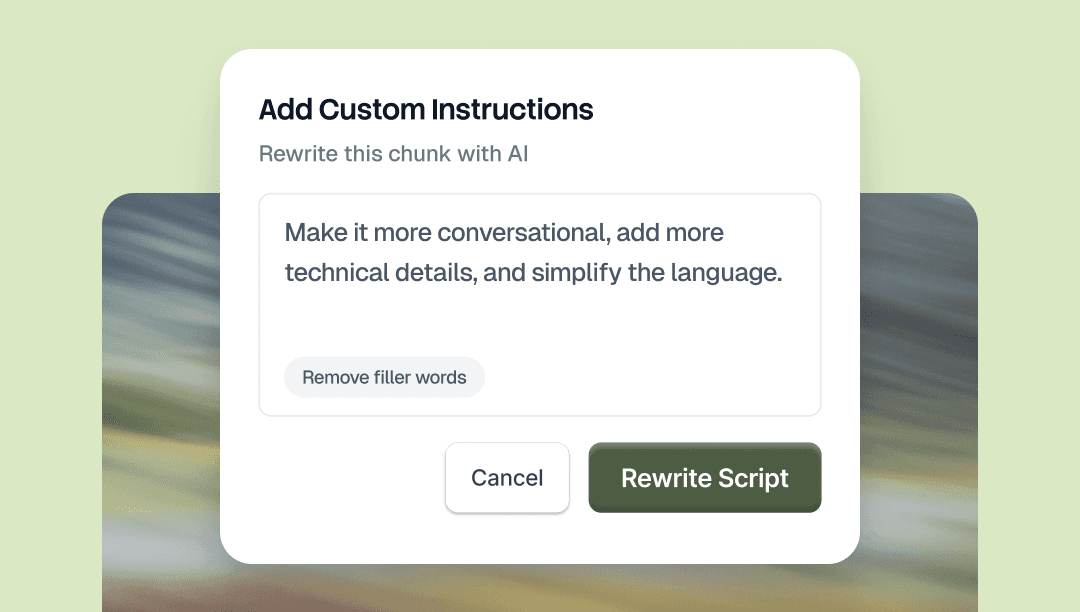
اختر أي جزء من النص البرمجي وأخبر الذكاء الاصطناعي بما يجب تغييره. اطلب ذلك بلغة واضحة، سواء كان ذلك يعني تغيير النبرة، أو استبدال كلمة، أو تقصير جزء، أو إصلاح القواعد النحوية. الجزء الذي تختاره فقط هو الذي سيتغير.
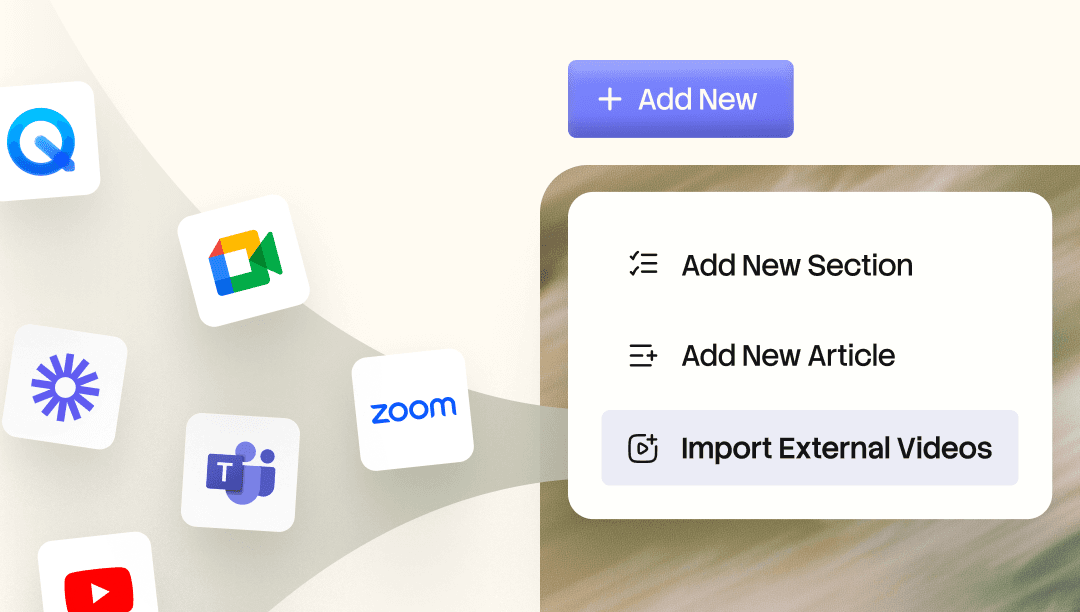
أدخل تسجيلات Loom وZoom الحالية إلى Knowledge Base.AI. يقوم فهرس Knowledge Base.AI بتجميع كل كلمة، حتى تتمكن من البحث عبرها والانتقال مباشرةً إلى اللحظة التي تحتاجها. حوّل أي تسجيل إلى فيديو مُحكم، أو دليل مُقسّم إلى فصول، أو وثيقة مكتوبة.

استضف أدلتك على موقعك الإلكتروني الخاص.
يجمع Trupeer جميع مقاطع الفيديو التعليمية والأدلة الخاصة بك في مكان واحد يمكن للناس البحث فيه.
وبما أن قاعدة المعرفة يمكن أن تعيش على موقعك الإلكتروني الخاص، على عنوان مثل docs.yourcompany.com، تصبح جزءًا طبيعيًا من موقعك.
تضيف كل مقطع فيديو أو وثيقة تنشئها على Trupeer إلى حضورك الإلكتروني الخاص. كلما نشرت أكثر، زاد قوة موقعك، وسهل على العملاء اكتشافك.
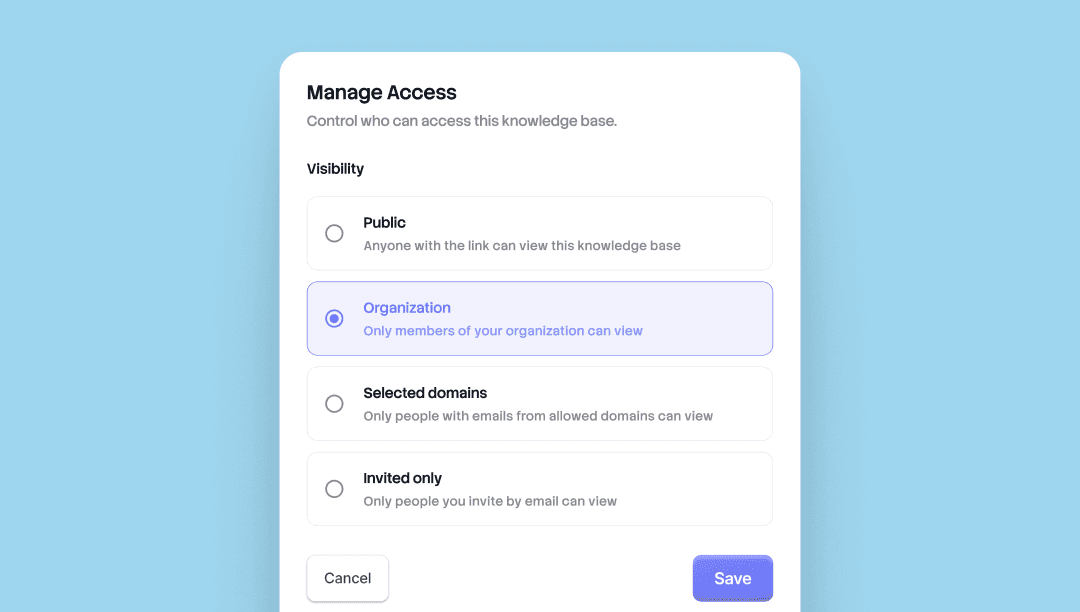
اختر من يرى ماذا. تأتي كل قاعدة معرفة وكل صفحة مشتركة في Trupeer الآن بأربعة مستويات من الوصول. حدّد مستوى الظهور لكل واجهة، وغيّره متى ما شئت.
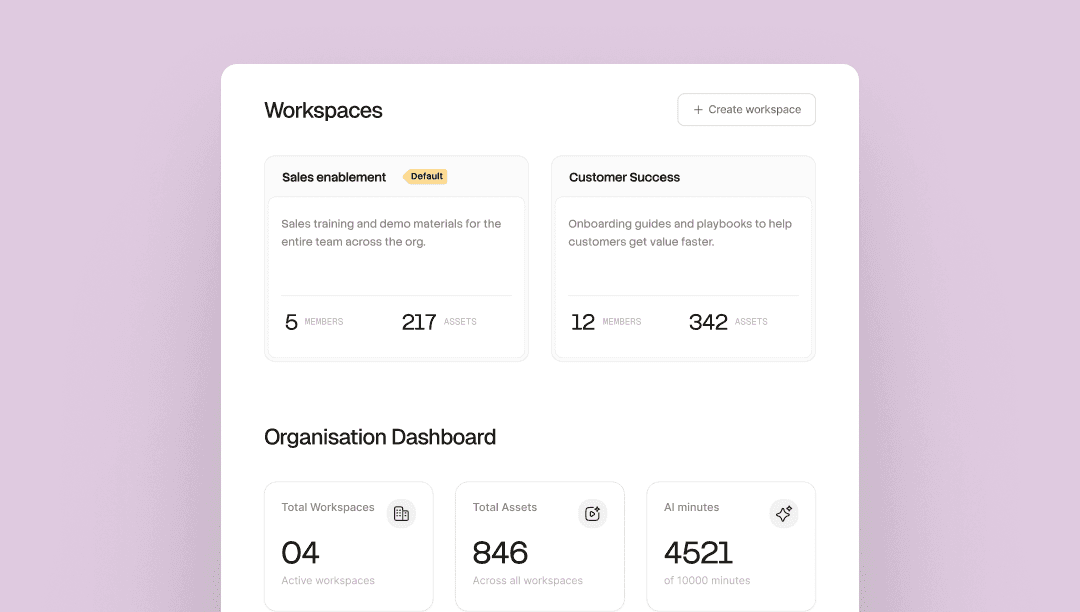
مؤسسة واحدة. ولكل فريق مساحته الخاصة. شغّل عدة فرق داخل مؤسسة واحدة في Trupeer، حيث تكون كل مساحة عمل لديها مديرون وأعضاء وSkills ومكتبة خاصة بها.
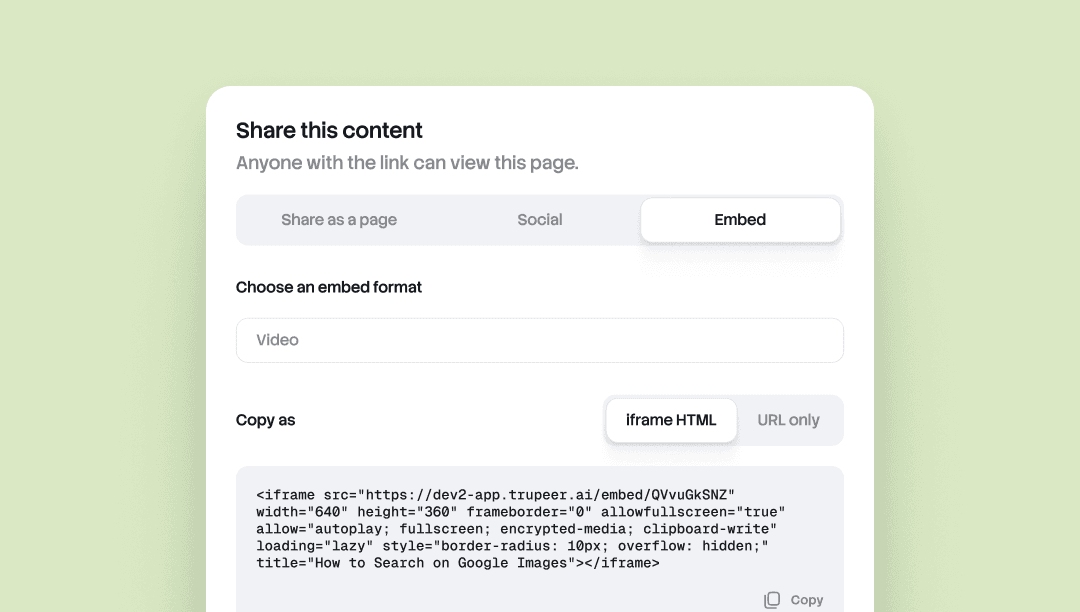
يتيح لك Embed Anywhere تضمين أي مستند أو فيديو من Trupeer داخل أي أداة تدعم iframe.
Notion وConfluence وZendesk وWebflow ومركز المساعدة ومحتوى CMS والويكي. حدّث المصدر في Trupeer، وسيتم تحديث كل تضمين تلقائيًا. بدون إعادة تصدير، وبدون لصق جديد، وبدون اختلافات في الإصدارات عبر جميع الواجهات.
مفيد للفرق التي يعيش محتواها في أكثر من مكان وتحتاج إلى أن يظل محدثًا في كل مكان.
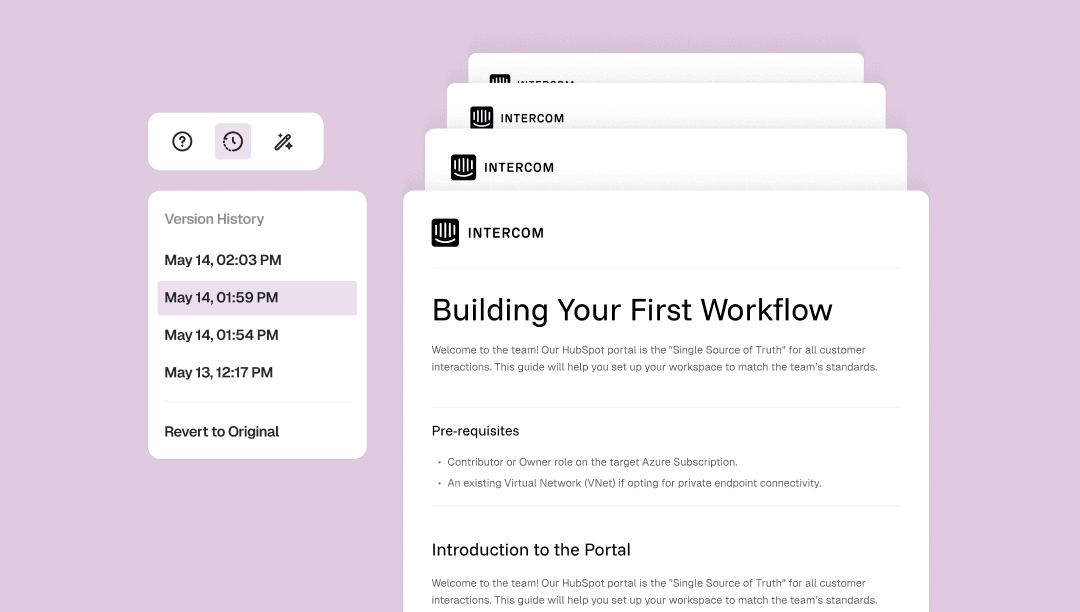
تسجل Doc Version History كل تغيير تقوم به على المستند تلقائيًا مع طابع زمني.
افتح لوحة الإصدارات من شريط أدوات المستند للعودة إلى أي إصدار أقدم، أو استعد إلى النسخة الأصلية بالكامل. نقرة واحدة، بدون نقاط تحقق يدوية، بدون فقدان للعمل.
مفيد للتعديل دون الشك في نفسك، أو لإعادة هيكلة المحتوى بحرية، أو لاستعادة الفقرة التي تمنيت أنك لم تقصها.
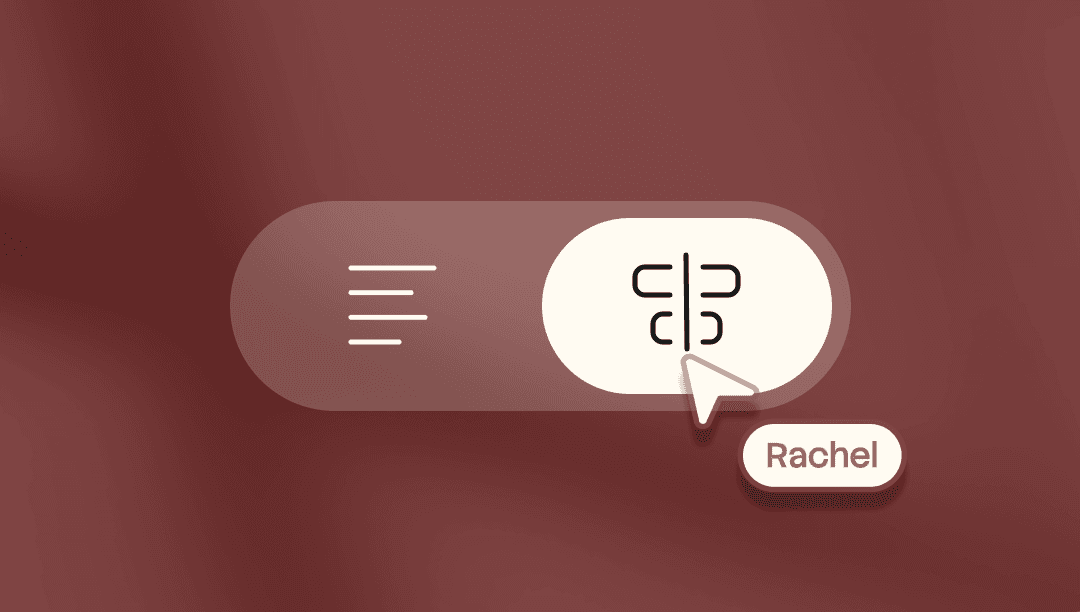
تحكم دقيق في كل إطار من فيديوك. ضع أي كلمة على أي إطار. قص الفيديو والسيناريو بشكل مستقل. أعد تشكيل أقسام من فيديوك.
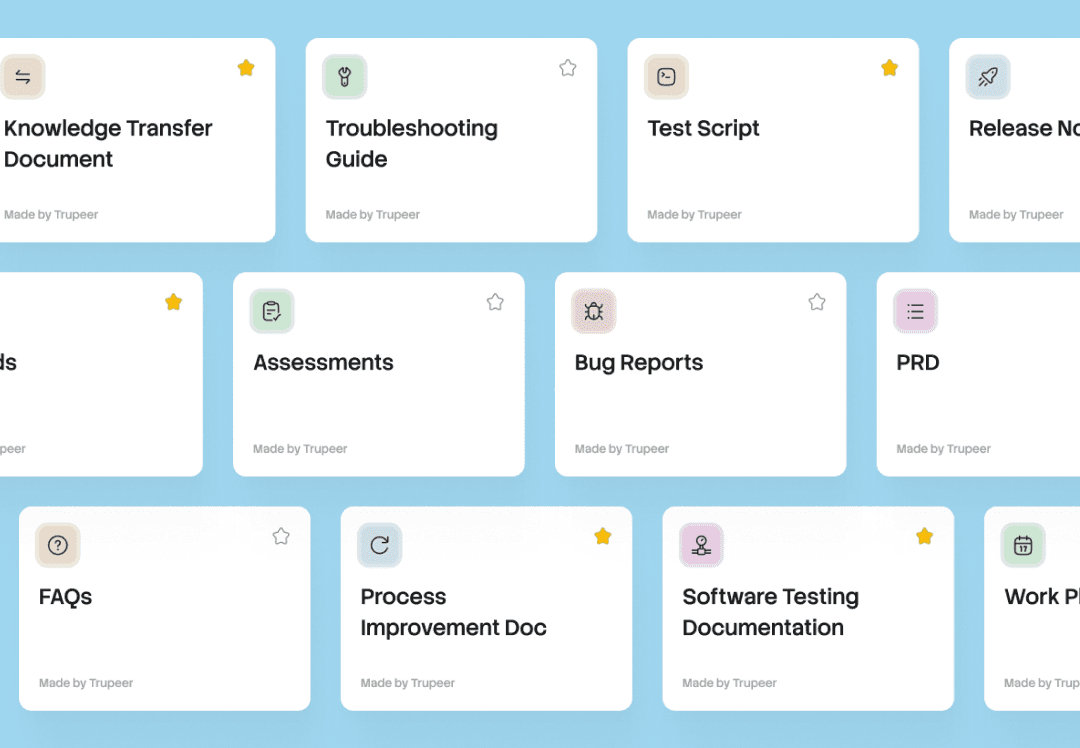
تسجيل واحد، كل المستندات. تجمع المهارة (Skill) طلباتك وصياغتك وقواعدك. طبّقها على أي تسجيل وسيقوم Trupeer بإنشاء مستندات وفيديوهات جاهزة للاستخدام.
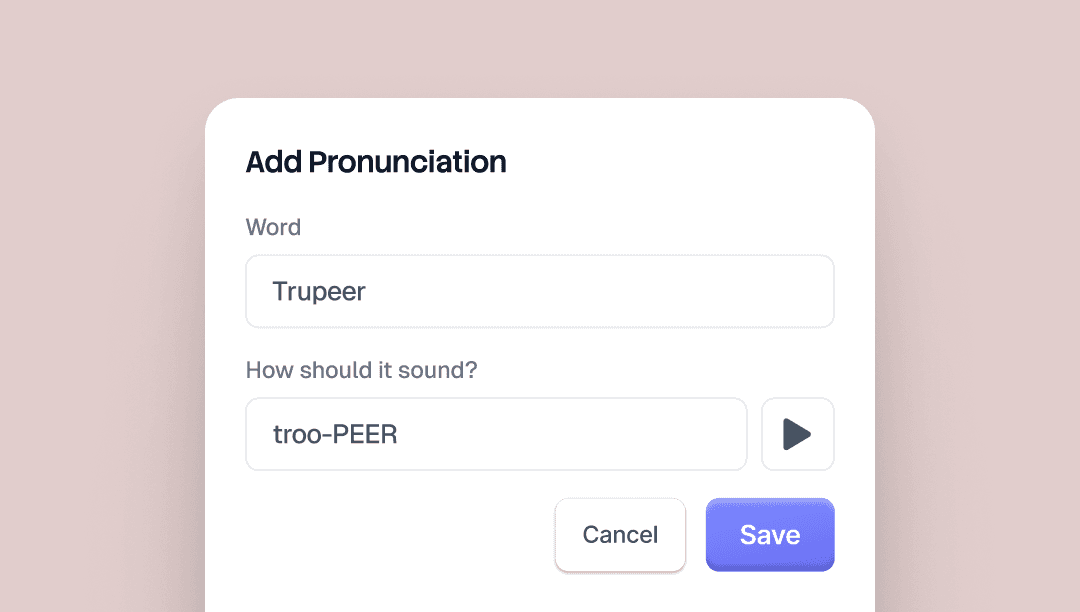
تتيح لك عبارات النطق البديلة (Alias Pronunciations) التحكم في طريقة نطق صوت Trupeer بالذكاء الاصطناعي لكلمات محددة. اكتب الكلمة كما هي، ثم اكتبها مرة أخرى بالطريقة التي يجب أن تُسمع بها.
بالنسبة إلى "Trupeer"، ستكتب "true peer". يلتقطها صوت الذكاء الاصطناعي عبر كل فيديو.
توجد زر معاينة في صفحة مجموعة العلامة التجارية (brand kit) حتى تتمكن من سماع النتيجة قبل الحفظ.
مفيد لأسماء العلامات التجارية وأسماء المنتجات والاختصارات وأي مصطلح يميل صوت الذكاء الاصطناعي إلى نطقه بشكل خاطئ.

