4.8/5
Free Step-By-Step Guide Generator
Transform Screen Recordings into Professional Step-by-Step Guides
Create Your Guide Now

Trupeer's step by step guide generator revolutionizes how you create instructional content by automatically converting screen recordings into comprehensive, professional documentation. Unlike traditional methods that require you to manually write every step, Trupeer's AI-powered platform watches your screen recording and generates detailed written guides that mirror your exact workflow. The core challenge with creating how to guide generator has always been the time-intensive process of capturing screenshots, writing descriptions, and formatting everything consistently.
Trupeer's step by step guide generator solves this by combining intelligent screen capture technology with advanced AI processing. When you record your screen or upload an existing recording, our AI analyzes every action, click, and navigation to automatically generate structured documentation. The system recognizes interface elements, understands workflows, and creates logical step sequences that anyone can follow. What sets Trupeer apart from basic screen recorders or manual documentation tools is our dual-output approach.
How Does Step by Step Guide Generator Work?
Creating professional step-by-step guides with Trupeer follows a streamlined five-step process that transforms raw recordings into polished documentation within minutes.
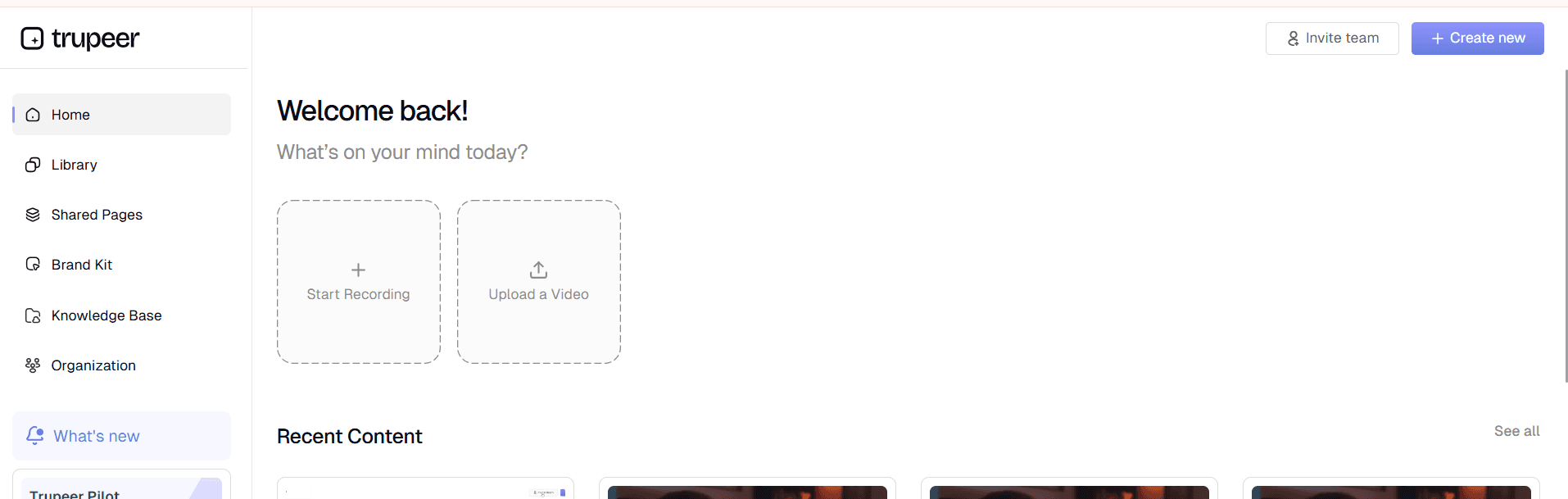
Step 1: Record or Upload Your Content
Begin by either using Trupeer's built-in AI Screen Recorder to capture your workflow live, or upload an existing screen recording. Our recorder works seamlessly across Mac and PC platforms, capturing high-quality video while you demonstrate your process naturally. The beauty of this approach is that you don't need to worry about perfect delivery - you're simply showing how something works.
Step 2: AI Analysis and Processing
Once your recording is uploaded, Trupeer's AI engine analyzes every frame, identifying key actions, interface elements, and workflow transitions. The system recognizes mouse clicks, keyboard inputs, navigation patterns, and screen changes to understand the logical flow of your demonstration. This analysis forms the foundation for generating accurate step-by-step documentation.

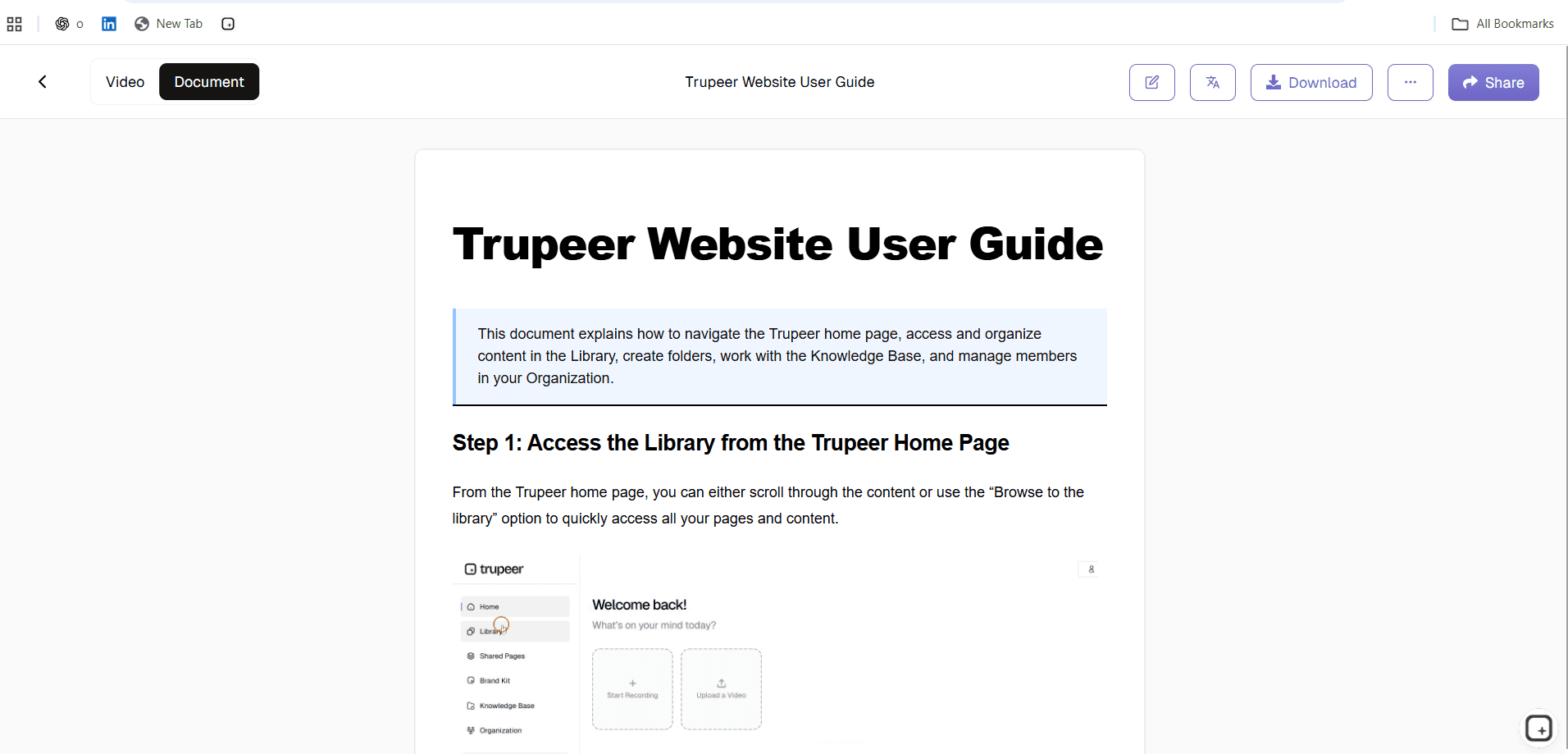
Step 3: Automatic Documentation Generation
The AI transforms your visual demonstration into structured written content, creating clear step descriptions, identifying key interface elements, and organizing information into logical sequences. Each step includes relevant details about what users should see, what actions to take, and what outcomes to expect. The generated content maintains professional language while remaining accessible to your target audience.
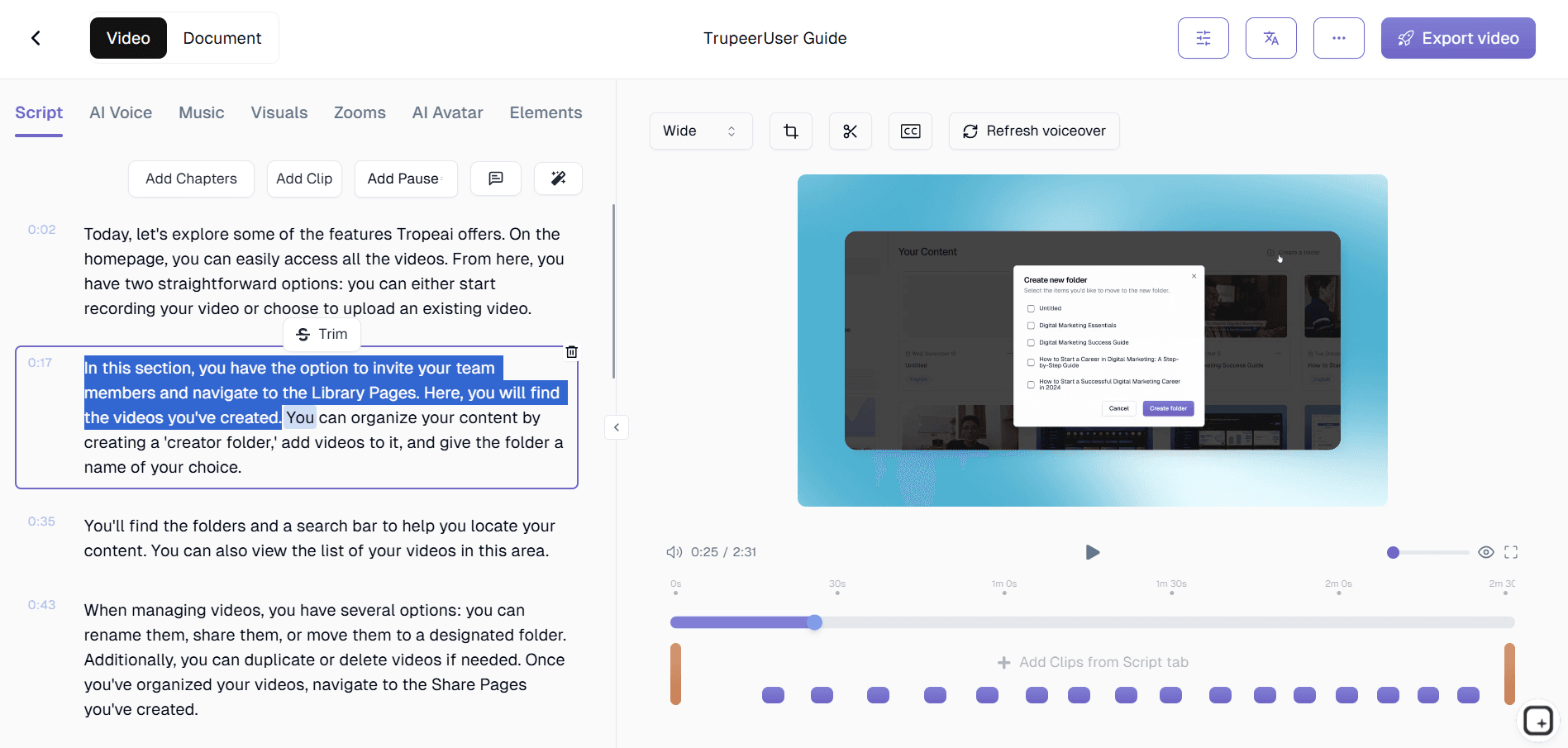
Step 4: Video Enhancement and Editing
Simultaneously, our AI video editor enhances your recording by removing background noise, eliminating filler words from any narration, adding automatic zoom effects to highlight important actions, and applying professional polish to create engaging visual content. This ensures both your written guide and video tutorial meet professional standards.
Step 5: Customization and Brand Application
Finally, apply your brand kits to ensure consistent visual identity across all documentation. Choose from customizable templates that match your organization's formatting preferences, add your logos and color schemes, and configure the output format to match your documentation standards. The result is professional-grade content that reflects your brand identity.
Key Features and Capabilities of Step by Step Guide Maker
Trupeer's step by step guide generator offers comprehensive features designed to streamline documentation creation while maintaining professional quality standards.
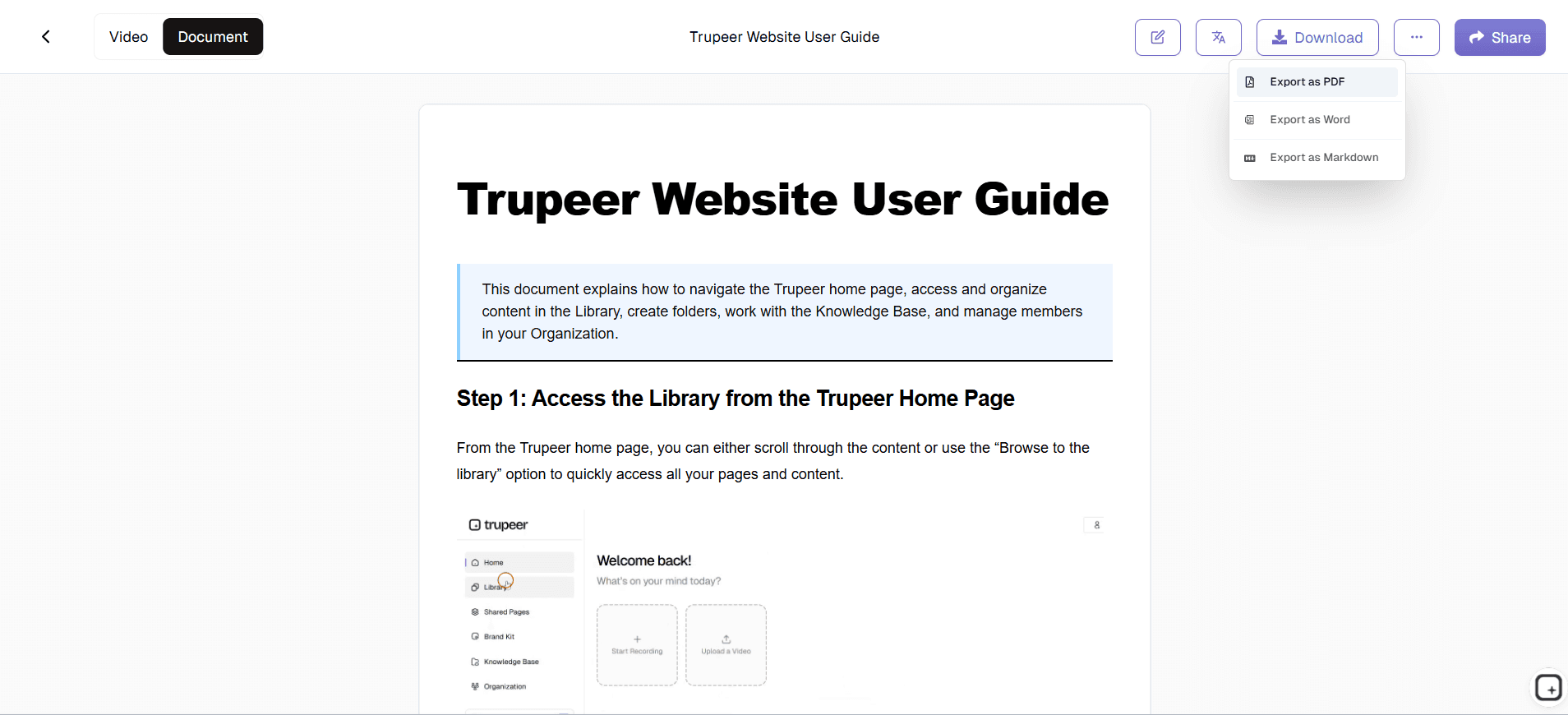
Dual-Format Output: Every recording generates both video tutorials and written step-by-step guides automatically. This approach serves different learning preferences and use cases, whether team members prefer visual demonstrations or reference documentation. The synchronization between formats ensures consistency across your knowledge base and supports various training scenarios.
Smart Template System: Customizable documentation templates allow you to standardize formatting, structure, and styling across all guides. Save preferred layouts, include standard disclaimers or introductions, and ensure every guide follows your organization's documentation standards. This feature is particularly valuable for teams creating multiple guides or maintaining large knowledge bases.
AI-Powered Content Enhancement: Beyond basic transcription, our AI understands context and creates meaningful descriptions for each step. The system identifies important visual elements, explains complex interactions, and generates clear instructions that guide users through processes effectively. This intelligence distinguishes Trupeer from simple screen recording tools.
Multi-Language Translation: Expand your reach with automatic Guide Generator capabilities that convert your guides into multiple languages. This feature is essential for global teams, international customer bases, or organizations with diverse workforces who need documentation in their preferred languages.
Professional Video Editing: Automatic enhancement includes noise removal, filler word elimination, strategic zoom effects, and professional transitions. These improvements transform raw recordings into polished video content suitable for customer-facing documentation, internal training programs, or Training Manual Generator materials.
Seamless Integration Workflow: Whether you prefer recording directly within Trupeer or uploading existing content, the platform accommodates different workflows and technical preferences. This flexibility ensures teams can adopt the tool without disrupting existing processes or requiring extensive training.
Why Should You Use Step by Step Guide Generator?
Implementing Trupeer's step by step guide generator delivers significant advantages for teams, organizations, and individuals who regularly create instructional content.
Dramatic Time Savings: Traditional guide creation can take hours per document when you factor in screenshot capture, writing, editing, and formatting. Trupeer reduces this to minutes by automating the entire process. Teams report saving 80% of their documentation time, allowing subject matter experts to focus on their core responsibilities rather than content creation. This efficiency gain is particularly valuable for SOP Generator teams managing multiple client needs.
Consistent Quality Standards: Manual documentation often varies in quality, style, and completeness depending on the creator's writing skills and available time. Trupeer's AI ensures every guide meets professional standards with consistent formatting, clear language, and comprehensive coverage. This standardization is crucial for organizations maintaining large knowledge bases or serving diverse audiences.
Enhanced Learning Outcomes: Providing both visual and written formats accommodates different learning preferences and increases comprehension rates. Users can watch the video for context and refer to written steps for detailed execution. This dual approach reduces support tickets, improves user satisfaction, and accelerates skill development across your organization.
Scalable Documentation Strategy: As your team, products, or processes grow, documentation needs multiply exponentially. Trupeer's automated approach scales effortlessly, allowing you to maintain comprehensive guides without proportionally increasing resource allocation. This scalability supports business growth without creating documentation bottlenecks.
Professional Brand Presentation: Every guide reflects your organization's brand identity through customizable templates, consistent styling, and professional polish. This attention to brand presentation is especially important for customer-facing documentation, Documentation Generator materials, or external training programs where brand perception impacts business relationships.
Reduced Maintenance Overhead: When processes change, updating documentation traditionally requires recreating screenshots, rewriting steps, and reformatting content. With Trupeer, you simply record the updated process and generate fresh documentation automatically. This approach ensures your guides stay current without ongoing manual maintenance.
Who Can Use Step by Step Guide Generator?
Trupeer's step by step guide generator serves diverse professional roles and use cases, making it valuable across industries and organization sizes.
Content Creators and Instructional Designers: Professional content creators use Trupeer to produce high-quality tutorials, course materials, and educational content efficiently. The platform's ability to generate both video and written formats simultaneously doubles content output while maintaining professional standards. Educational content creators particularly benefit from the translation features when serving global audiences or multilingual learners.
Marketing and Product Teams: Marketing professionals leverage Trupeer for creating AI Video Editor and accompanying documentation that showcase software features, explain complex workflows, or demonstrate value propositions. Product teams use the platform to create release notes, feature announcements, and user adoption materials that help customers understand and utilize new capabilities effectively.
Educators and Corporate Trainers: Educational institutions and corporate training departments use Trupeer to create comprehensive learning materials that combine visual demonstration with detailed written instructions. The platform excels at documenting software training, process instruction, and skill development programs. Trainers particularly value the ability to create materials once and deploy them across multiple delivery formats and languages.
Technical Writers and Documentation Teams: Professional documentation teams integrate Trupeer into their workflow to accelerate content creation while maintaining quality standards. The platform excels at creating user guides, standard operating procedures, and technical documentation that requires visual elements combined with detailed written instructions. The template system ensures consistency across large documentation projects.
Sales Professionals and Customer Success Managers: Sales teams use Trupeer to create personalized product demonstrations, onboarding materials, and AI Screen Recorder resources. The ability to quickly generate professional content helps sales professionals respond to client needs rapidly while maintaining high-quality presentation standards. Customer success managers use the platform to create help materials that reduce support ticket volume.
Small Business Owners and Entrepreneurs: Resource-constrained small businesses benefit from Trupeer's efficiency in creating professional documentation without requiring dedicated content creation staff. Whether documenting internal processes, creating customer help materials, or developing training content for new employees, small business owners can maintain professional standards without significant time investment.
Best Practices for Using Step by Step Guide Generator
Maximizing the effectiveness of Trupeer's step by step guide maker requires strategic approach and attention to best practices that enhance content quality and user experience.
Plan Your Recording Strategy: Before recording, outline your process and practice the workflow to ensure smooth demonstration. Clear, deliberate actions translate into better AI analysis and more accurate documentation generation. Consider your audience's knowledge level and pace your demonstration accordingly, allowing the AI to capture transitions and important details effectively.
Optimize Your Recording Environment: Clean desktop backgrounds, organized application layouts, and consistent navigation patterns improve AI recognition and documentation quality. Close unnecessary applications, use standard interface themes, and ensure good screen resolution for optimal processing results.
Leverage Template Consistency: Develop standardized templates that reflect your organization's documentation standards and save them for reuse. Consistent formatting across guides creates professional presentation and improves user experience. Consider creating different templates for various content types, such as internal procedures versus customer-facing tutorials.
Utilize Advanced Features: Explore Trupeer's translation capabilities for international audiences, experiment with different brand kit configurations for various use cases, and integrate video content into broader documentation strategies. These advanced features multiply the value of your content creation efforts while maintaining efficiency gains.
Explore Related Tools
Technical Documentation Generator
User Manual Guide
Knowledge base software
Free Screenshot Generator
Free SOP Generator
AI-Generated Documents
AI Video Translator
Free Online Course Creator
Why Choose Trupeer's Step by Step Guide Generator
Automatic Documentation Generation
Transform any screen recording into professional written guides with AI-powered content creation.
Dual-Format Output
Get both video tutorials and step-by-step written guides from every recording automatically.
Customizable Brand Templates
Apply your brand identity with custom templates, colors, and formatting for consistent documentation.
Create Step-by-Step Guides in 3 Simple Steps
Step 1
Record screen or upload video
Step 2
AI generates written documentation
Step 3
Customize and share guides
Frequently Asked Questions
What types of guides can I create with Trupeer's step by step guide generator?
You can create any type of instructional guide including software tutorials, process documentation, training materials, user manuals, and standard operating procedures. The AI adapts to different interface types and workflow complexities.
Do I need to write any content myself when using the step by step guide generator?
No, Trupeer's AI automatically generates all written content from your screen recording. You simply demonstrate the process, and the AI creates comprehensive step-by-step instructions with descriptions and explanations.
Can I edit the automatically generated step-by-step guides?
Yes, you can customize and edit all generated content including step descriptions, formatting, and structure. The AI provides a professional starting point that you can refine to match your specific needs and style preferences.
How long does it take to generate a step-by-step guide from a recording?
Most guides are generated within 2-5 minutes depending on the length of your recording. The AI processes your video quickly while maintaining high-quality output for both written documentation and video enhancement.
Can I use existing screen recordings with the step by step guide generator?
Absolutely! You can upload existing screen recordings from any source and Trupeer's AI will analyze them to generate step-by-step documentation. This works with recordings from other tools, past demonstrations, or archived content.
More Tools


Understand how work happens.
Carry it into your next transition.
Start Free Trial
Book a Demo
Resources

