4.8/5
Free Online Course Creator
Save time and create engaging courses with AI avatars, voiceovers, and brand-aligned visuals
Create Your Course

Creating an online course sounds straightforward until someone actually starts building one.
You begin with expertise, a workshop, presentation, internal training process, lecture notes, product knowledge, or a rough curriculum in a Google Doc. Then the real work begins. Modules need structure. Lessons need sequencing. Assessments need writing. Videos need scripts. Visuals need consistency. Somewhere in the process, people end up juggling PowerPoint, Canva, Notion, LMS platforms, PDFs, spreadsheets, and video tools just to turn one topic into something learners can finish.
That friction is exactly why so many courses remain half-built.
Educators spend weeks shaping content that should have taken days. Corporate trainers recreate onboarding material for different teams because nothing feels reusable. Coaches rebuild similar programs for every audience segment. Customer education teams know training improves adoption, but struggle to keep course content updated as products evolve.
Trupeer’s Free Online Course Creator helps solve that by transforming rough screen recording or workflow videos into complete, structured learning experiences using AI. Instead of starting with a blank course builder and assembling everything manually, teams can generate modules, lessons, quizzes, video lessons, visuals, transcripts, and downloadable resources automatically.
For creators searching for the best free online course creator tools, the practical shift is simple: less time formatting and rebuilding courses, more time teaching, onboarding, and helping people learn.
Why Online Course Creator is required?
Most people underestimate how much hidden work sits behind a professional online course.
A simple onboarding program becomes lesson sequencing, quiz writing, assessment logic, presentation formatting, recording walkthroughs, editing narration, creating downloadable resources, and making sure learners progress through information in the right order.
A teacher may already have lecture notes but still spend days reorganizing content into an engaging format. A corporate trainer may know exactly how onboarding should work yet struggle to standardize learning across departments or geographies. Product and customer success teams often face the same problem from another angle: product education exists, but it lives across scattered docs, recordings, support calls, and tribal knowledge rather than inside a structured course experience.
Without a reliable online course creator, quality becomes inconsistent. Some modules feel polished while others feel improvised. Completion rates fall because the learning experience itself feels fragmented.
Trupeer’s AI online course creator helps remove much of that overhead by generating dual output i.e., video with guides. Instead of building every module manually, teams can move from expertise to a complete learning experience far faster.
What this Online Course Creator does
Trupeer's platform analyzes your topic or content to generate complete course structures including module breakdowns, lesson objectives, interactive quizzes, video scripts, transcripts, and downloadable resources. As one of the best free online course creator tools, it produces SCORM-compatible courses ready for LMS platforms with AI-generated visuals and assessments in minutes.
Core Capabilities
Generate structured modules from topics or existing materials automatically
Create quizzes, flashcards, and assessments with answer keys
Produce video lessons using AI narration and visuals
Export courses in SCORM, HTML, or video formats for any platform
How Trupeer’s Online Course Creator works
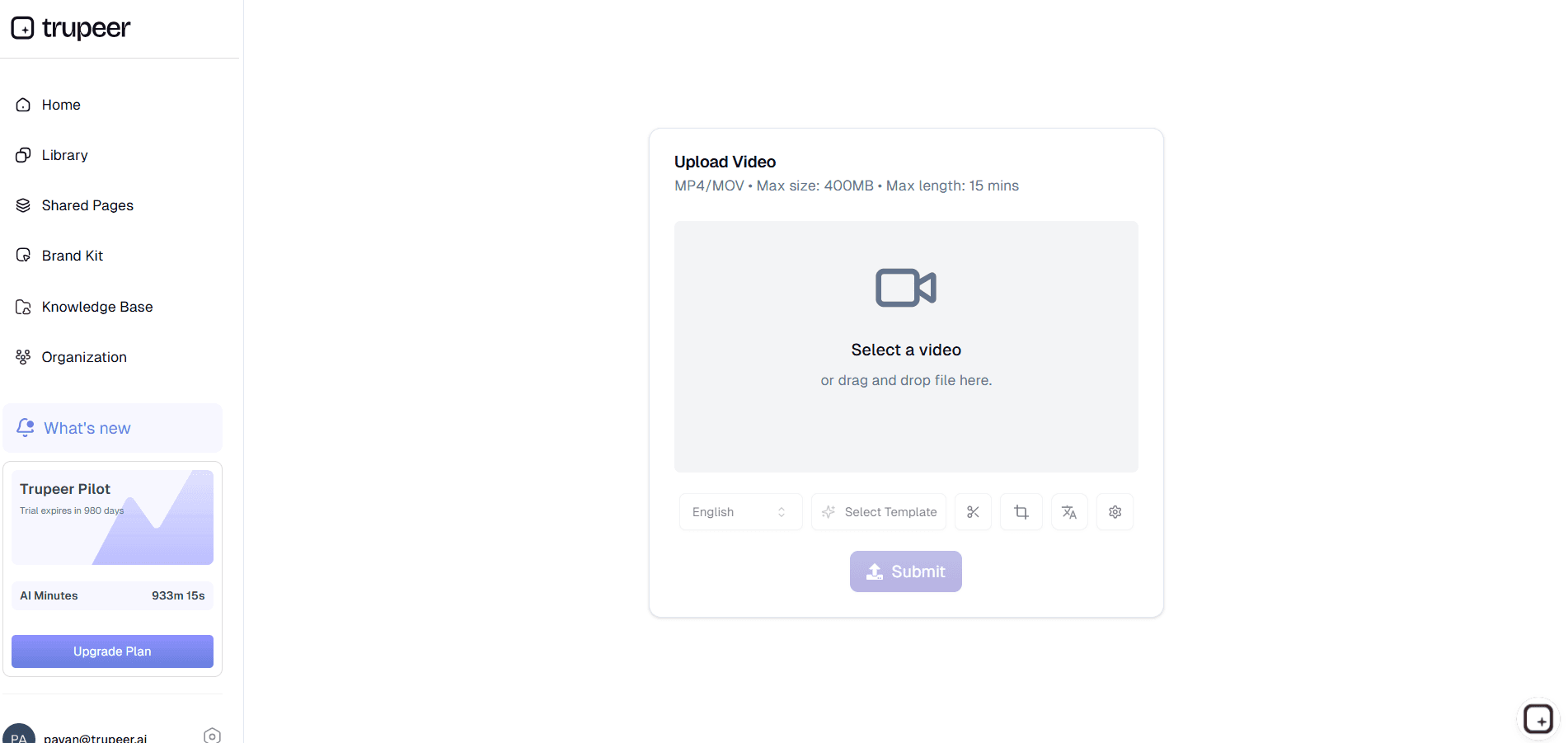
Step 1: Input Course Video
Enter your subject, audience level, or upload existing notes/presentations.
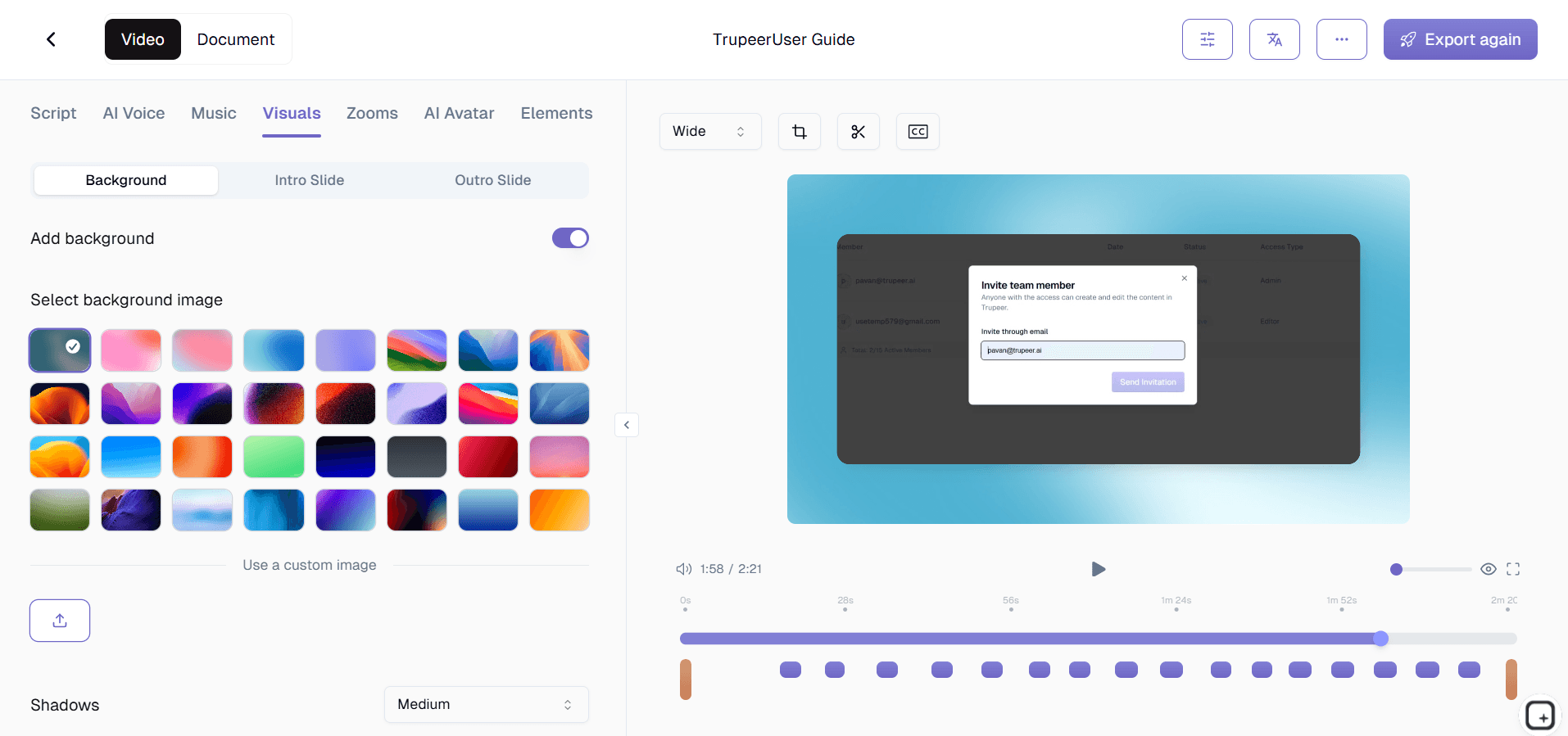
Step 2: AI Builds Complete Course
Tool generates modules, lessons, quizzes, and visuals automatically.
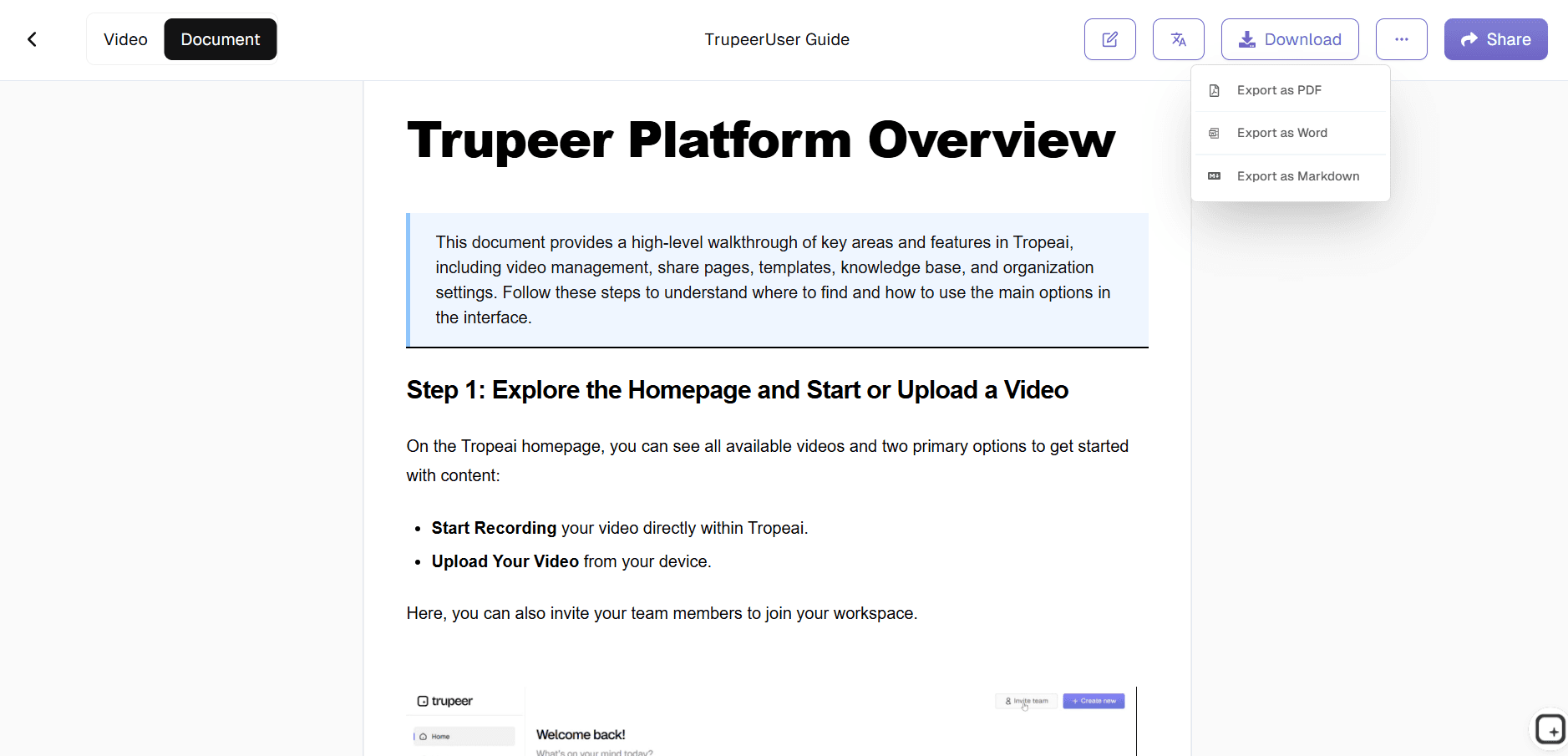
Step 3: Customize & Publish
Refine content then export to your LMS or share instantly.
Who uses Trupeer’s Online Course Creator?
Among the best free online course creator tools, Trupeer serves creators building professional learning experiences without technical barriers.
Educators and Teachers
Teachers often already have the material, lecture notes, presentations, classroom activities, study resources but turning that content into engaging interactive online courses takes substantial time.
Trupeer helps educators generate video lessons, quizzes, structured learning paths, and downloadable resources without rebuilding material manually, making it easier to improve engagement while reducing preparation overhead.
Corporate Trainers and HR Teams
Corporate learning rarely suffers from lack of information. It suffers from inconsistency. Different teams explain the same processes differently, onboarding quality varies, and learning material becomes outdated quickly.
Trupeer helps training teams create repeatable onboarding programs, compliance courses, and skill development programs that scale consistently across departments and regions.
Coaches and Consultants
Consultants and coaches often repeat the same frameworks with different clients. A structured course creator tool helps package expertise into reusable programs, certifications, workshops, or membership content that feels professional without requiring production-heavy workflows.
SaaS Customer Success Teams
Product adoption improves when customers understand how to use software effectively. Trupeer helps customer success teams build product academies, onboarding programs, certification flows, and training experiences using embedded demos, walkthroughs, and structured lessons.
Content Creators and Influencers
Creators monetizing expertise often hit a wall between “I know the topic” and “I know how to build a professional course.” Trupeer bridges that gap by helping creators turn knowledge into polished learning experiences without complex production tools or video editing overhead.
Key Features of Trupeer’s Online Course Creator
Trupeer's platform stands out among best free online course creator tools by automating the entire instructional design process from concept to deployment.
AI Course Structuring
Turning expertise into a course usually breaks at structure. Notes, slides, and ideas exist, but organizing them into lessons that feel coherent takes time. Trupeer helps creators generate structured modules, lesson flows, learning objectives, and key takeaways automatically, giving courses a clear progression without starting from a blank page.
Studio-Quality Video Lessons With Step-by-Step Guides
Trupeer helps creators turn topics, recordings, or materials into studio-quality video lessons paired with step-by-step guides from the same workflow. Each lesson can include AI narration, visuals, transcripts, and structured instructions so learners can watch, follow, and revisit concepts without switching between scattered resources.
Translate Courses Into 65+ Languages
A great course should not stop at one language. Trupeer helps creators translate video lessons, subtitles, narration, and step-by-step guides into 65+ languages, making it easier to localize training, onboarding, and educational content without rebuilding the course from scratch.
Build a Searchable Course Knowledge Base
Courses work better when learners can revisit material.Trupeer helps creators organize lessons into a searchable knowledge base repository where learners can access videos, walkthroughs, and supporting guides in one place.
Universal LMS and SCORM Export
Export courses in SCORM 1.2, SCORM 2004, xAPI, HTML5, and MP4 formats compatible with Moodle, Canvas, Thinkific, Teachable, and enterprise LMS platforms, making distribution simple across learning systems.
Explore Related Tools
Benefits of Using Trupeer Free Online Course Creator
Save Time on Course Creation
Convert screen recordings into structured courses without manual editing.
Make Training More Engaging
Use AI avatars, background music, and voiceovers to create dynamic courses that keep employees interested
Ensure Consistency Across Teams
Standardize training content for employees across different locations, ensuring everyone gets the same high-quality learning experience
How to Create a Course with Trupeer?
Step 1
Record Your Screen
Step 2
Edit & Customize
Step 3
Share & Train Teams
Frequently Asked Questions
Is this Online Course Creator free?
Yes, core course generation among best free online course creator tools available without cost.
What inputs does Free Online Course Creator support?
Topics, scripts, notes, presentations for complete course generation.
What formats can Free Online Course Creator export?
SCORM, xAPI, HTML5, MP4 for all LMS platforms and websites.
How does Free Online Course Creator structure content?
AI creates logical modules, lessons, objectives, and assessments automatically.
Can I customize Free Online Course Creator outputs?
Full editing of lessons, quizzes, branding, and course progression.
More Tools



