4.8/5
Free Script to Video Maker
Create professional videos in minutes with our AI-powered script to video maker. No editing skills required, just paste your script, and let AI do the rest!

Trupeer's Script to Video Maker instantly converts written scripts into professional videos complete with AI voiceovers, visuals, animations, and transitions. Among the best free script to video maker tools, it eliminates manual editing by automatically matching scenes to your narrative flow.
Why Script to Video Maker is required?
Content creators waste hours sourcing stock footage, recording voiceovers, and syncing edits across complex software. Free script to video maker tools often lack professional quality or watermark outputs. Manual video production scales poorly for blogs, social campaigns, or training series.
Teams struggle with inconsistent video styles across creators. Updating scripts requires complete re-edits rather than simple text changes. Non-video experts produce amateur content that fails to engage audiences on competitive platforms.
What this Script to Video Maker does
Trupeer's tool analyzes your script to automatically generate matching visuals, realistic AI narration, scene transitions, subtitles, and branding. As a leading free script to video maker tool, it produces cinematic-quality videos optimized for social media, websites, and presentations from plain text input.
Core Capabilities
AI-generated visuals and animations matched to script content
Natural voiceovers in multiple languages and accents
Automatic subtitles, transitions, and scene timing
Brand templates and customization options
How Trupeer’s Script to Video Maker works
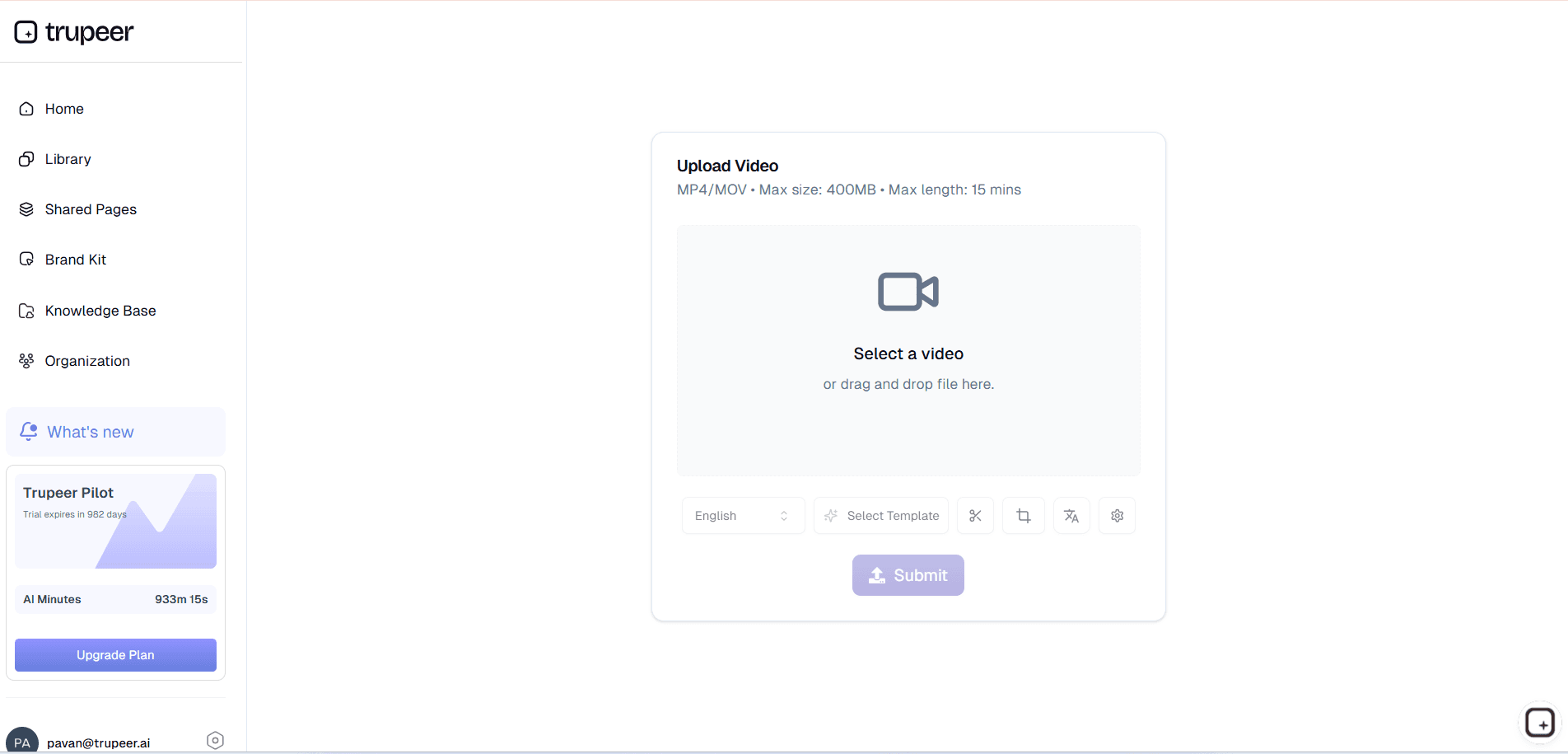
Step 1: Upload a video
Paste text, blog post, or use AI script generator to create content.
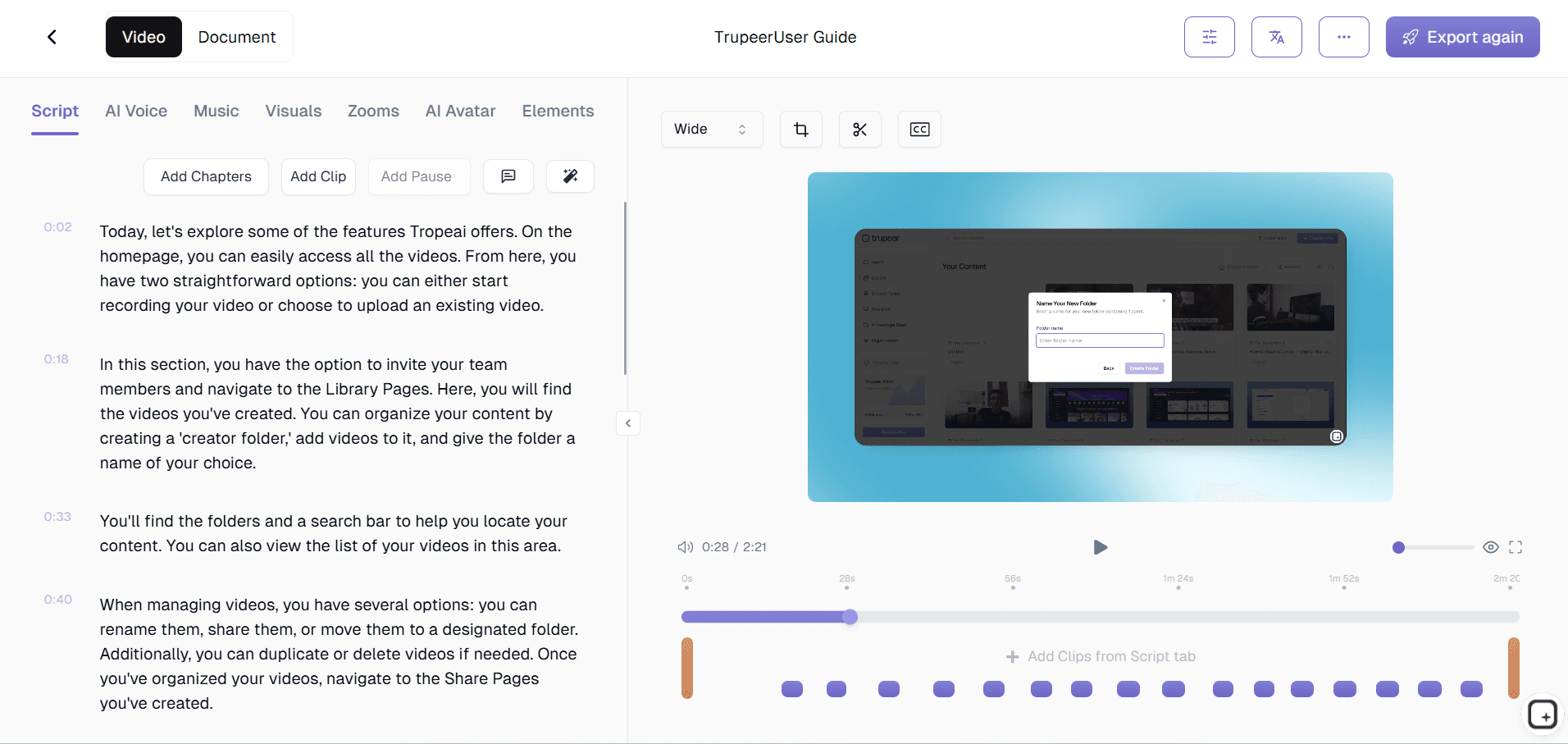
Step 2: AI Generates Video
Tool creates visuals, voiceover, and edits automatically from script.
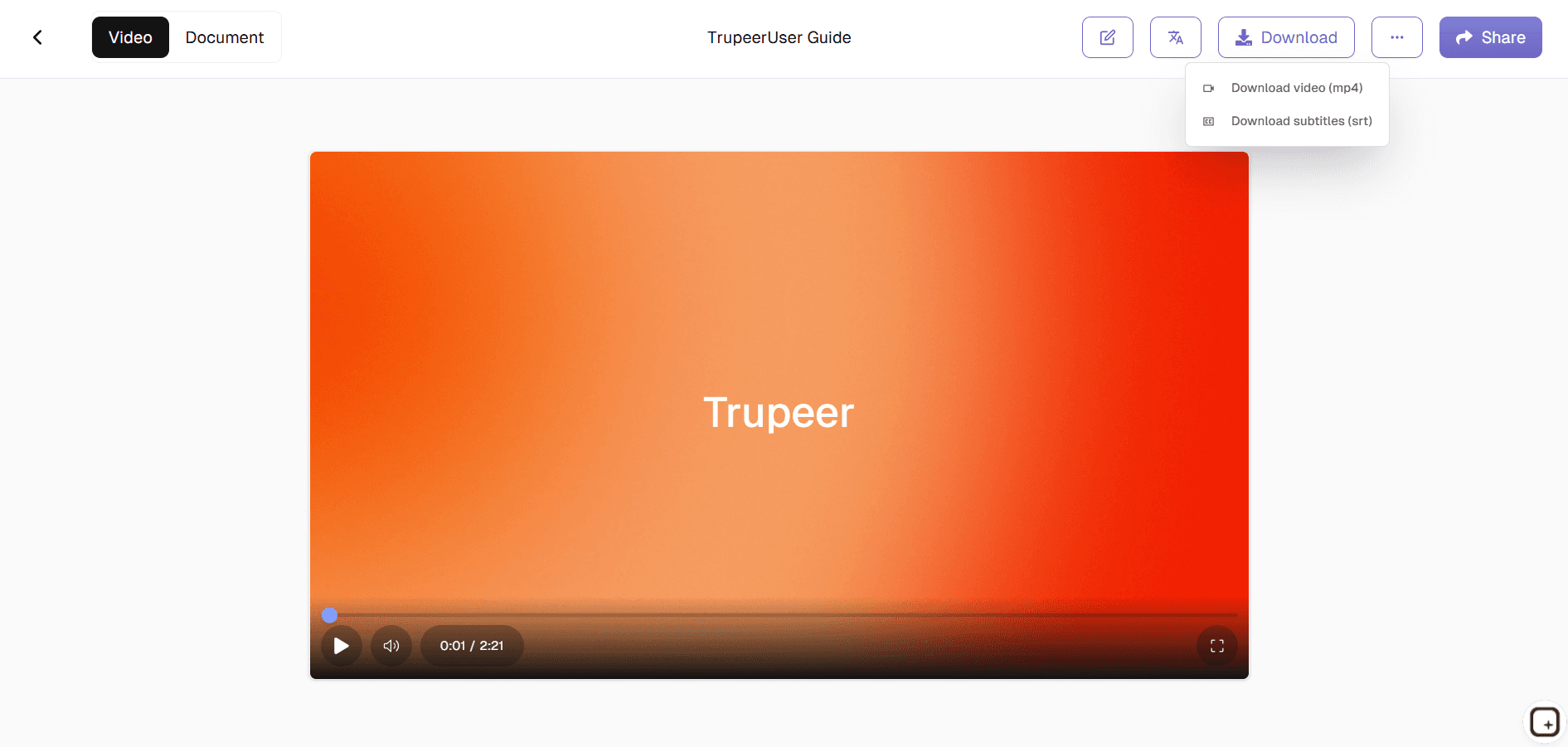
Step 3: Customize & Export
Fine-tune timing then download your professional video.
Who this Trupeer’s Script to Video Maker is for
Among the most versatile free script to video maker tools available for professional content creators seeking efficiency without sacrificing quality.
Content Marketers:
Transform blog posts into engaging promotional videos that drive traffic and conversions across social channelsSocial Media Managers:
Generate daily short-form content from campaign briefs without sourcing footage or editing manuallyCourse Creators:
Convert lesson outlines into complete training modules with narration and visuals automatically syncedSaaS Founders:
Create product explainer videos from feature descriptions to showcase functionality professionallyYouTube Creators:
Produce polished video essays from research notes, saving hours on editing and asset hunting
Key Features of Trupeer’s Script to Video Maker
Transform any written content into broadcast-ready videos using intelligent AI that understands narrative structure and visual storytelling principles. Starting from a full document instead of a script? Try the document to video converter.
Contextual Visual Matching:
Analyzes script meaning to select relevant B-roll, animations, and scene transitions that perfectly illustrate each segmentMulti-Language Voice Synthesis:
Generates natural-sounding narration in 50+ languages with proper pronunciation and cultural tone adaptationScript-Based Editing:
Change any text and watch the entire video update instantly—no timeline scrubbing or manual resyncing requiredSmart Subtitle Generation:
Automatically creates timed captions with perfect readability optimized for social media platformsProfessional Export Presets:
One-click optimization for YouTube, Instagram, TikTok, LinkedIn with correct aspect ratios and compression
What Happens When You Turn a Script Into a Video
With Trupeer, a script to video workflow starts with your text, not a camera. Paste or write your script, choose a natural AI voiceover, and add an AI avatar presenter if you want a face on screen. Trupeer narrates the script in the voice you pick, adds subtitles, and assembles it into a finished video, with no recording, studio, or editing software needed. Because the video is built from text, updating it is as simple as editing the script and regenerating, instead of re-shooting. And when you need the same message for a global audience, translate it into 65+ languages from the same script.
When to Use Script to Video
A script to video maker fits any video where you already know what you want to say but do not want to appear on camera or edit footage:
Explainer and educational videos from a written outline
Training and onboarding clips that need consistent narration
Social and marketing videos produced at volume
Localized versions of the same message for different markets
If your video is better shown than narrated, like a product walkthrough, pair a screen recording with the Auto Video Editor , or generate a narrated demo with the Product Demo Video Maker.
Explore Related Tools
What more can you do with Trupeer Script to Video Maker
Save Hours on Video Creation
Automatically refine scripts, remove filler words, and generate high-quality videos, helping you create engaging content in a fraction of the time
Make Your Videos More Contextual
Sync voiceovers, text, and visuals seamlessly, ensuring your content is accurate, natural, and easy to follow for any audience
Expand Your Global Reach Effortlessly
Translate videos into 100+ languages, making your content accessible to a wider audience without additional effort
Trupeer Script to Video Maker in 3 Easy Steps
Step 1
Record the Video
Step 2
Edit the Video
Step 3
Share the Video
Frequently Asked Questions
Is this Script to Video Maker free?
Yes, core free script to video maker tools features included without cost.
What inputs does Script to Video Maker support?
Plain text, blog posts, outlines, or AI-generated scripts for video creation.
What formats can Script to Video Maker export?
MP4 optimized for all social platforms and websites automatically.
Can I add an AI voice and avatar to my script?
Yes. Paste your script, choose a natural AI voiceover, and optionally add an AI avatar presenter to narrate it on screen. Trupeer assembles the narrated video with subtitles, and you can produce it in 65+ languages from the same script.
Can I customize Script to Video Maker outputs?
Complete control over branding, voices, music, and visual styles easily.
More Tools



