4.8/5
Free Text to Video Generator
Add captions, titles, and on-screen text to your videos effortlessly with AI-assisted styling, placement, and timing.
Get started for free

Creating video content sounds easy when people describe it in meetings.
“Let’s turn the blog into a video.”
“Can we repurpose this product update for LinkedIn?”
“We should probably make onboarding tutorials.”
Then somebody opens a video editor and reality arrives.
What looked like a simple task suddenly becomes ten smaller jobs stacked on top of each other. Someone has to write or rewrite a script, source visuals that vaguely match the message, record narration, cut clips together, add captions, fix awkward pacing, resize for every platform, and somehow keep everything on-brand. If the content needs localization or multiple formats, the complexity compounds fast.
This is why most companies produce far less video than they intend to. The bottleneck is rarely ideas. The bottleneck is production. Marketing teams already have blog posts worth turning into explainers. Product teams already have feature launches worth showing visually. Customer success teams already have onboarding content buried inside help docs. Educators already have lesson plans. Sales teams already have messaging that works.
The raw material exists. What usually does not exist is the time, production bandwidth, or editing expertise needed to turn text into something people actually watch.
Trupeer’s Free Text to Video Generator solves that problem by transforming written content into polished, professional videos automatically. Already have the content in a file? Use our document to video converter to upload a doc or guide and get a narrated video back. Instead of opening five different tools and manually stitching together a workflow, teams can upload a video, edit the script and publish the article, product announcement, blog post, training document, or marketing message and generate a complete video with AI voiceovers, visuals, captions, transitions, animations, music, and brand styling already built in.
The result feels less like “automated content” and more like a repeatable production system for teams that need to publish video & articles consistently.
Trupeer's Free Text to Video Generator instantly create professional videos complete with AI voiceovers, visuals, animations, captions, and music. This powerful tool eliminates manual editing by automatically creating engaging content optimized for marketing, social media, training, and tutorials.
Why Teams Need a Better Free Text to Video Generator?
Most teams do not avoid video because they dislike it. They avoid video because traditional production quietly becomes expensive in ways that are difficult to justify.
A marketer writes a strong blog post and wants to repurpose it into video content. Now someone has to summarize the article, create a storyboard, source footage, add subtitles, record narration, and export different aspect ratios for different channels.
A product manager launches a new feature and wants a quick explainer. Suddenly there are requests for scripts, demo recordings, voiceovers, visual edits, social snippets, customer onboarding versions, and multilingual variants.
Customer success teams face the same issue from another angle. Documentation exists, but static documentation rarely teaches people as effectively as video. Users skim. Customers skip onboarding material. Support teams repeat explanations that could have been reusable assets.
The problem compounds when teams scale. A single video is manageable but twenty recurring videos every month becomes operational friction.
Teams face inconsistent video quality when non-experts attempt editing, hurting brand professionalism. Scaling video production for multiple languages and platforms becomes impossible without massive budgets.
And because platforms increasingly prioritize video whether on LinkedIn, YouTube, TikTok, Instagram, help centers, LMS systems, onboarding portals, or customer education hubs companies feel pressure to create more content without dramatically increasing creative overhead.
This is exactly where Trupeer AI becomes useful.
Instead of treating video as a production project, teams start treating it as a content workflow. Create once, repurpose continuously and turn knowledge into reusable assets. They can update video/ messaging without restarting from zero.
Trupeer reduces the distance between “we should make a video” and “the video is already ready to share.”
What this Text to Video Generator does
Trupeer's generator analyzes your video input to intelligently create script which is sync to the video, you can edit the text to change the voiceover in the video to match visuals, generate natural-sounding voiceovers, add smooth transitions, captions, and background music all automatically synchronized into a polished video ready for publishing. The AI understands of your footage, animations, and styles while applying your branding consistently across every output.
Core Capabilities
Transform scripts into complete videos with AI visuals and narration
Generate multi-language voiceovers with perfect lip-sync timing
Auto-create captions, lower-thirds, and animated text overlays
Apply brand templates with logos, colors, and fonts automatically
How Trupeer’s Text to Video Generator works
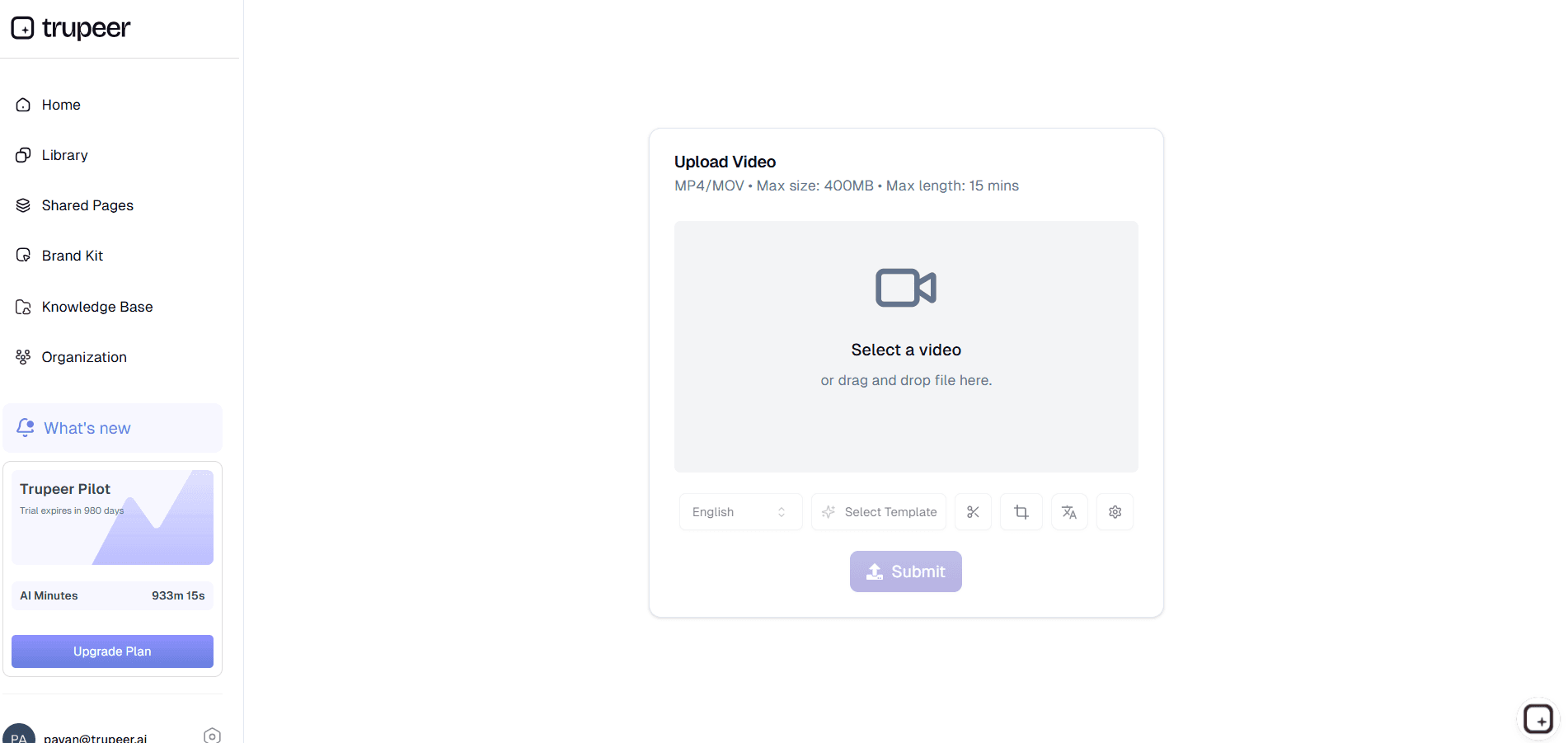
Step 1: Input Your Recording
Paste script, blog post, or article AI analyzes content and suggests video style.
Step 2: AI Generates Video
Tool creates visuals, voiceover, captions, and music automatically synced.

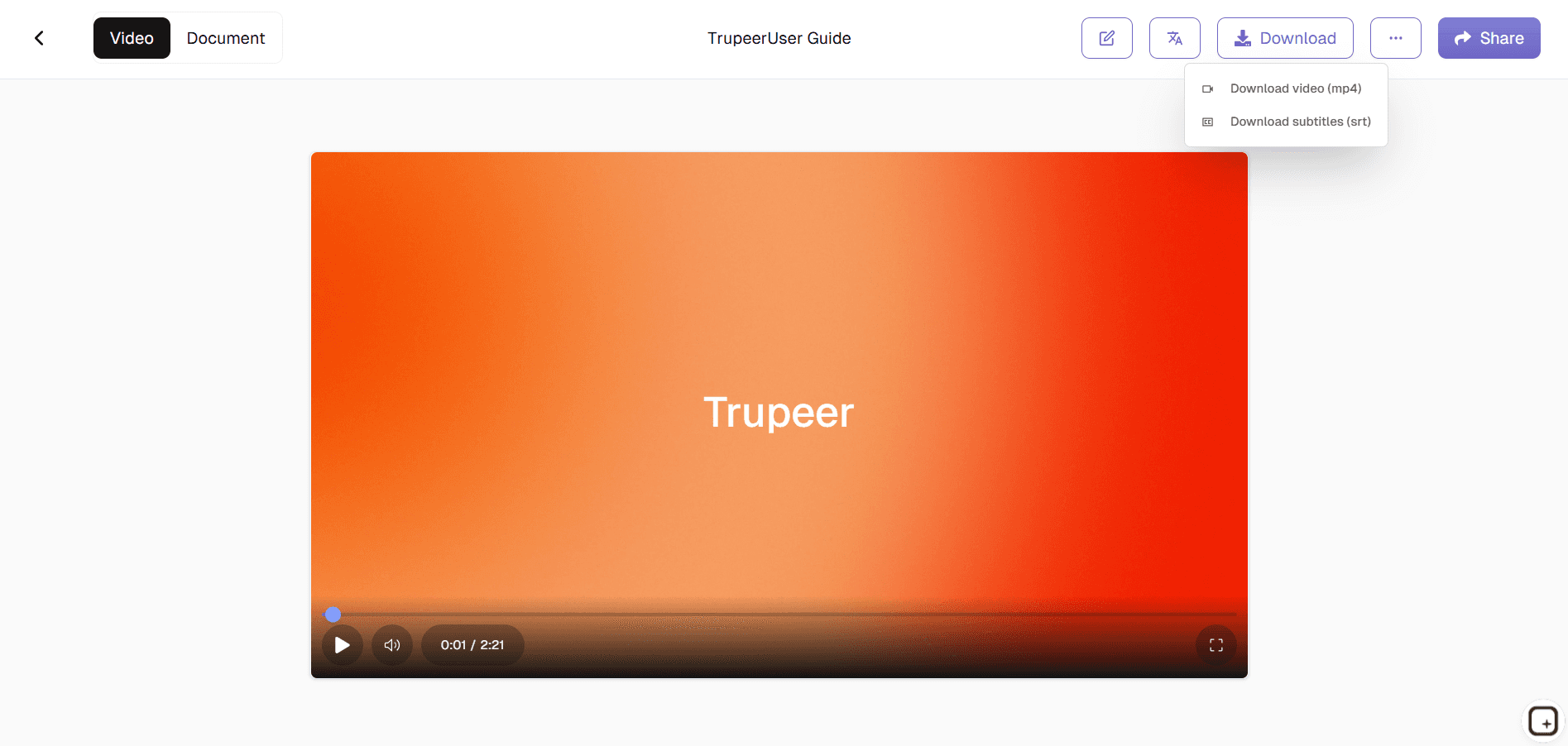
Step 3: Customize & Export
Tweak branding, timing, then download optimized video instantly.
Who this Trupeer’s Text to Video Generator is for
Transforming written content into engaging videos has never been easier for creators and businesses seeking scalable video production.
Content Marketers:
Convert blog posts and campaigns into social-ready text to video clips that boost engagement 10x over static posts, perfect for repurposing existing content across LinkedIn, Instagram, and TikTok without hiring editors
SaaS Founders & Product Teams:
Turn feature descriptions and changelogs into demo videos automatically, saving weeks of manual recording and editing while maintaining consistent branding for customer onboarding and sales enablement
Social Media Managers:
Generate daily short-form content instantly, meeting posting schedules across platforms while A/B testing different voice styles and visual themes for maximum algorithm performance
Educators & Trainer
Transform lesson plans, study guides, and tutorials into captioned lecture videos with professional narration, enabling accessible learning materials for remote students and corporate training programs without studio equipment
E-commerce Brands:
Create product showcase videos from descriptions and bullet points in seconds, including dynamic text overlays and music that highlight features and drive conversions on Shopify pages, Amazon listings, and Instagram Shopping.
Key Features of Trupeer’s Free Text to Video Generator
Studio-quality video production powered by AI that handles every creative decision from visuals to final polish.
Intelligent Script generation
AI analyzes video context to automatically create polished script whether explaining SaaS features, tutorial steps, or marketing demo videos.
Natural Multi-Language Voiceovers:
Generate human-like narration in 65+ languages and accents with perfect pacing, emotion detection, and pronunciation ideal for global campaigns where each market gets localized delivery without hiring voice talent per region
Smart Captioning & Text Animation:
Automatically creates timed subtitles, lower-thirds, and kinetic typography that highlight key phrases and CTAs, boosting accessibility scores while keeping viewers engaged even when watching without sound on social feeds
One-Click Brand Integration:
Apply your complete branding kit (logos, colors, fonts, templates) across every video generated, ensuring pixel-perfect consistency for enterprise teams producing high-volume content across marketing channels and customer touchpoints
Platform-Optimized Exports:
Automatically formats videos for YouTube (16:9), Instagram Reels (9:16), LinkedIn (1:1), and TikTok with correct aspect ratios, compression, and metadata plus bulk export capabilities for teams running multi-platform campaigns simultaneously
Explore Related Tools
Benefits of Using Trupeer’s Add Text to Video Tool
Intelligent Text Placement
Trupeer’s AI detects key frames and automatically positions your text for maximum visibility and impact no manual adjustments needed.
Custom Fonts & Animation Styles
Choose from a wide range of fonts, animations, and color schemes to match your brand’s personality and enhance video storytelling.
Perfect for Tutorials & Marketing Videos
Highlight important information, emphasize key messages, and create engaging captions to improve viewer understanding and retention.
How to Add Text to a Video with Trupeer
Step 1
Record Your Video
Step 2
Edit & Customize Your Text
Step 3
Translate & Export
Frequently Asked Questions
Is this Text to Video Generator free?
Yes, core text-to-video generation with voiceovers and basic customization available at no cost for unlimited projects.
What inputs does Free Text to Video Generator support?
Any text format scripts, blog posts, articles, bullet points, or even pasted website URLs for instant video conversion.
What formats can Free Text to Video Generator export?
MP4, MOV, WebM, GIF optimized for YouTube, Instagram, TikTok, LinkedIn, and website embedding.
How does Free Text to Video Generator select visuals?
AI analyzes text context, keywords, and sentiment to match relevant stock footage, animations, and graphics automatically.
Can I customize Free Text to Video Generator outputs?
Complete control over voice styles, music, branding, text animations, and scene transitions with preview before export.
More Tools


