4.8/5
Free Product Release Note Generator
Create Professional Product Release Notes from Screen Recordings
Generate Release Notes Now

Trupeer's product release note generator is an AI-powered tool that transforms screen recordings of your product updates into professional release notes and announcement videos automatically. Instead of writing release notes from scratch or struggling with formatting, you simply record your screen while demonstrating new features, bug fixes, or improvements, and Trupeer's AI creates comprehensive written documentation alongside polished video content.
What sets Trupeer apart from traditional documentation tools is our dual-output approach. While other tools require you to write content from scratch, our AI screen recorder captures your product demonstration and generates both video and written content simultaneously. This means your release notes are always accurate because they're based on actual product usage rather than written descriptions that might miss nuanced details. The technology behind Trupeer's product release note generator combines advanced screen recording capabilities with AI-powered content generation.
How Does Product Release Note Generator Work?
The process begins when you either record your screen using Trupeer's built-in recorder or upload an existing recording of your product walkthrough. Our system is designed to work with both approaches, giving you flexibility in how you create content. If you're recording fresh content, simply open the product you want to document and walk through the new features or changes as you would explain them to a customer or team member.
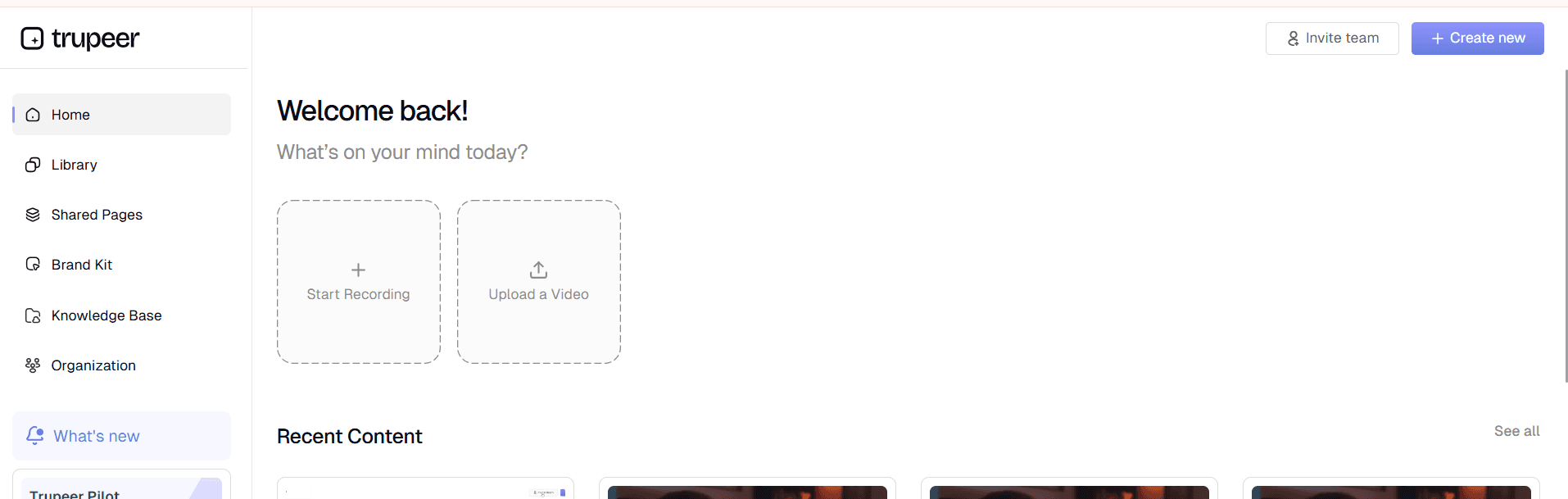
Step 1: Record or Upload Your Product Walkthrough
Start by capturing your screen while demonstrating the new features, updates, or changes in your product. You can use our screen recorder directly or upload an existing raw recording. The key is to show exactly what users will experience, clicking through menus, demonstrating functionality, and highlighting the changes that matter most to your audience.
Step 2: AI Analysis and Content Generation
Once your recording is processed, Trupeer's AI analyzes the visual content, identifies key features and changes, and begins generating structured release notes. The system recognizes UI elements, user interactions, and workflow patterns to create accurate documentation that reflects what was actually demonstrated rather than requiring manual input.

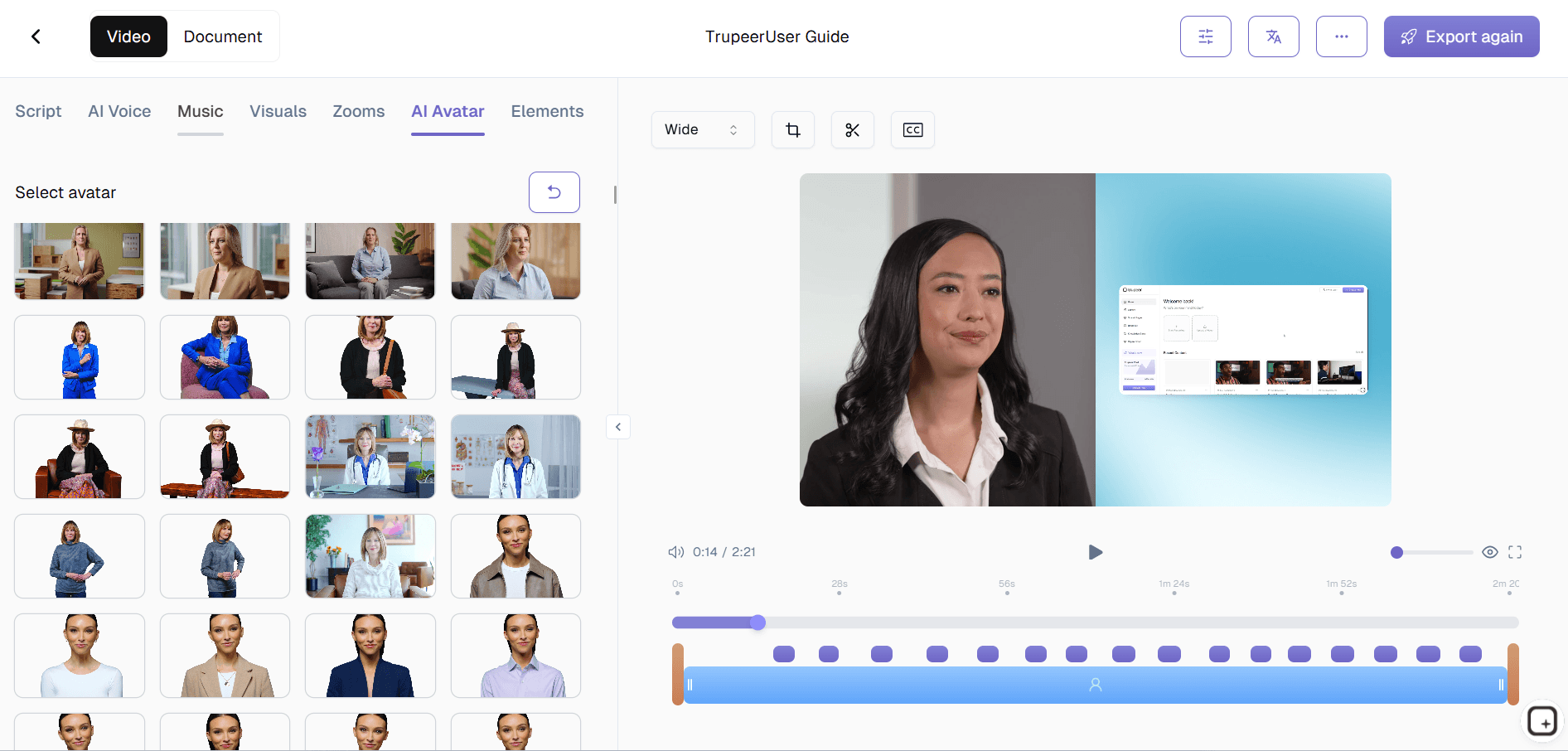
Step 3: Automatic Video Enhancement
Simultaneously, our AI video editing capabilities enhance your recording by removing background noise, eliminating filler words, adding strategic zoom effects to highlight important elements, and applying professional polish. This ensures your announcement video meets professional standards without requiring video editing expertise.
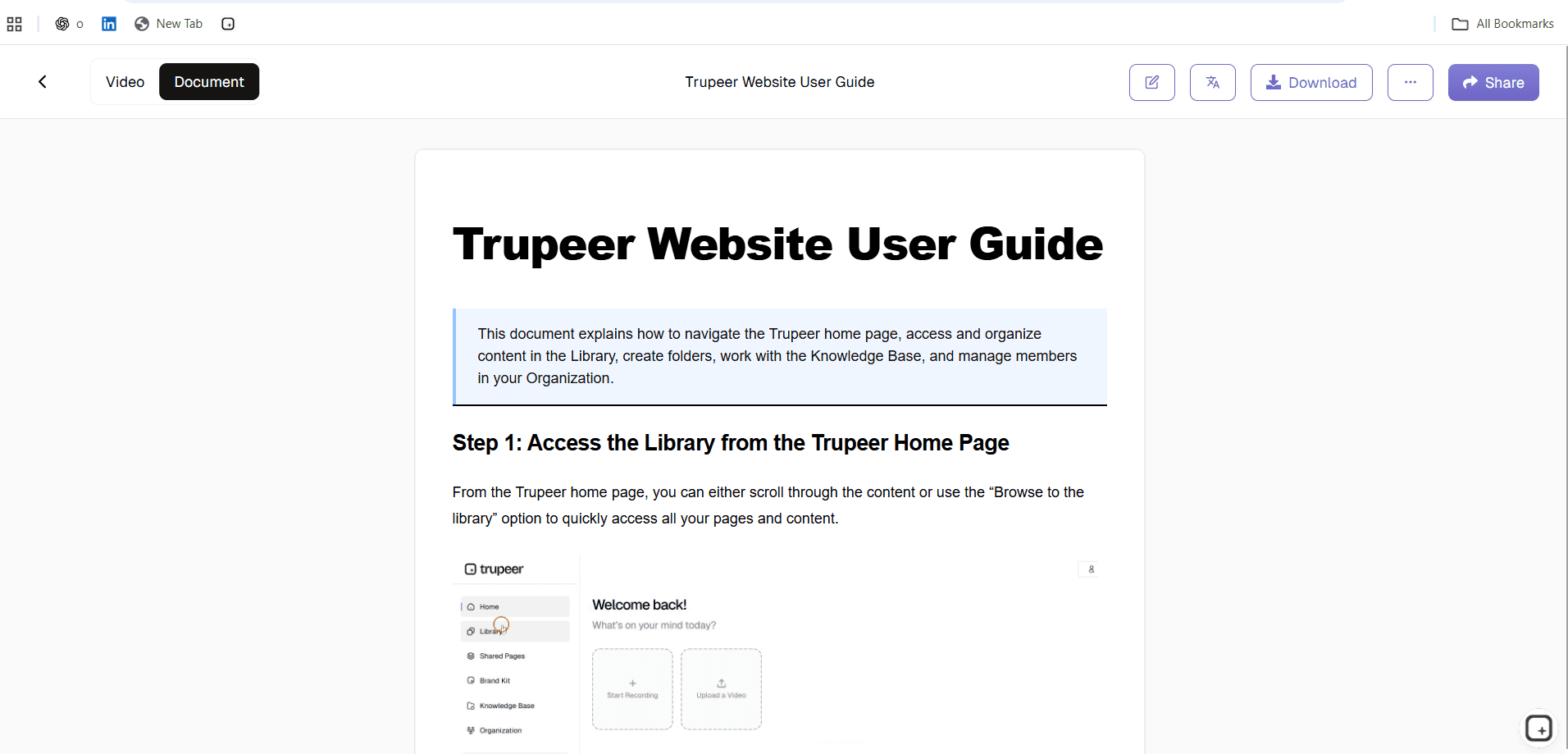
Step 4: Documentation Formatting and Customization
The generated release notes are automatically formatted using your preferred templates, ensuring consistency across all product communications. You can customize the structure, styling, and format to match your company's documentation standards, and save these preferences for future releases.
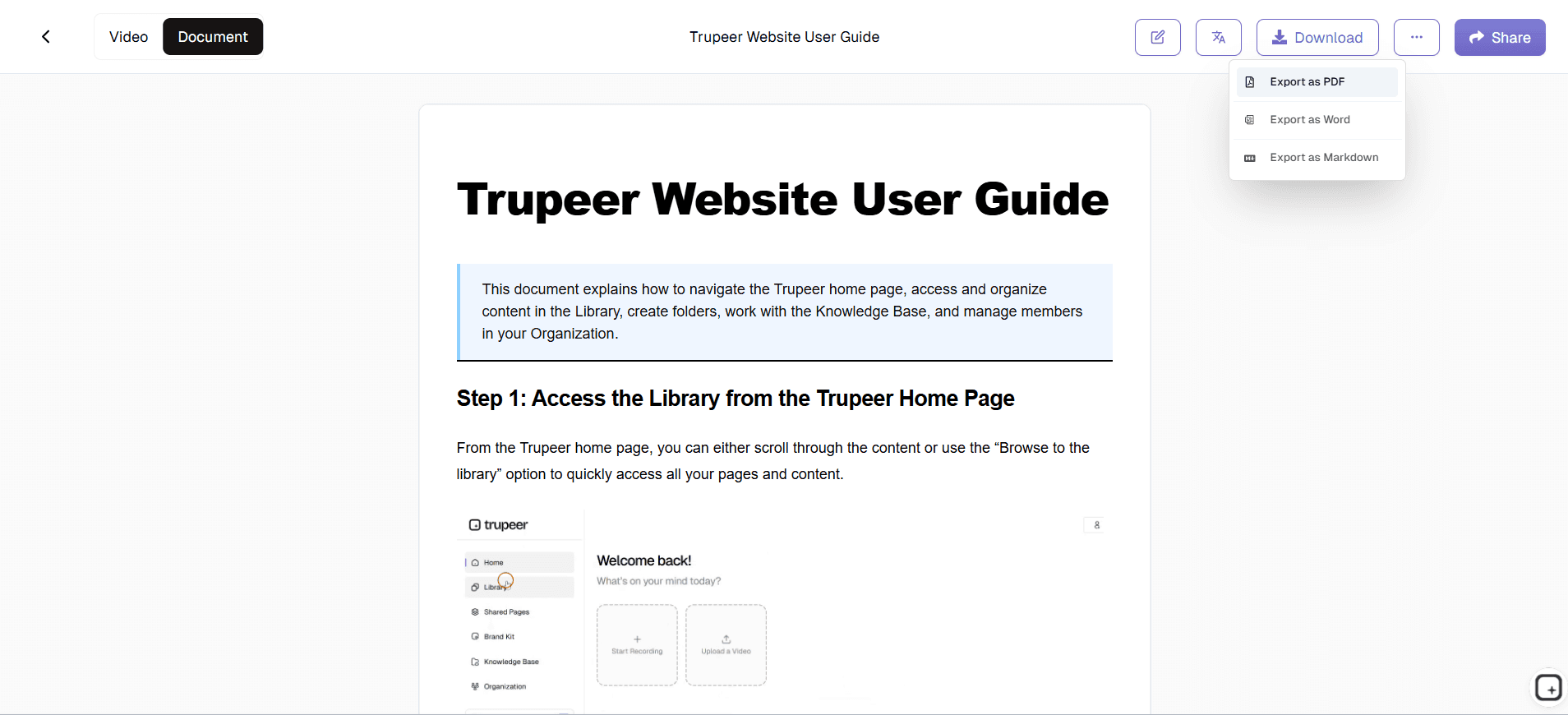
Step 5: Branding and Distribution
Apply your brand kits to ensure consistent visual identity across both video and written materials. Add your company colors, logos, and standard formatting elements, then share via direct links or embed the content on your website, knowledge base, or customer portal.
Key Features and Capabilities
Dual-Content Generation: Unlike traditional documentation tools, Trupeer creates both comprehensive written release notes and professional announcement videos from a single screen recording. This approach ensures consistency between your visual demonstrations and written documentation while saving time on content creation.
Smart Feature Recognition: Our AI analyzes your screen recording to automatically identify new features, UI changes, workflow improvements, and bug fixes. This intelligent recognition helps create accurate, detailed release notes that capture nuances that might be missed in manual documentation processes.
Professional Video Enhancement: Every recording gets automatic enhancement including noise removal, filler word elimination, strategic zoom effects, and professional editing. Your product demo videos will look polished and engaging without requiring video editing skills or additional software.
Customizable Documentation Templates: Create and save templates that match your company's release note format, including specific sections, styling preferences, and structural elements. These templates ensure consistency across all product releases while streamlining the creation process for future updates.
Multi-Language Support: Reach global audiences by using our translation capabilities to convert your release notes and announcement videos into multiple languages automatically, expanding your product's reach without additional localization overhead.
Integration-Ready Output: Export your release notes in various formats suitable for different platforms, from markdown for developer documentation to formatted HTML for customer-facing announcements, ensuring compatibility with your existing tools and workflows.
Why Should You Use Product Release Note Generator?
Time Efficiency and Resource Optimization: Traditional release note creation can consume hours of writing, editing, and formatting time for each product update. Trupeer reduces this to minutes by generating comprehensive documentation from your product demonstration. Teams report saving 70-80% of their documentation time while improving quality and consistency.
Accuracy Through Demonstration: Written descriptions of product features can sometimes miss important details or become outdated quickly. By basing release notes on actual screen recordings, you ensure complete accuracy and capture the real user experience. This approach eliminates discrepancies between what's documented and what users actually encounter.
Professional Multi-Format Output: Get both written documentation and professional video content from one recording session. Your AI Screen Recorder materials, customer communications, and internal documentation all maintain the same high standard and consistent messaging across formats.
Scalable Documentation Process: As your product development velocity increases, traditional documentation methods become bottlenecks. Trupeer scales with your team, allowing multiple product managers and developers to create consistent, professional release notes without requiring specialized writing or video production skills.
Enhanced Stakeholder Communication: Visual demonstrations combined with structured written documentation help different audience types understand your product updates. Technical stakeholders can reference detailed written specifications while business users can watch engaging video walkthroughs, improving overall comprehension and adoption.
Who Can Use Product Release Note Generator?
Product Managers and Product Teams: Product managers can quickly document feature releases, communicate updates to stakeholders, and maintain comprehensive product changelogs without spending hours on manual documentation. The tool helps create professional AI Video Editor materials that keep users informed about improvements and new capabilities.
Software Development Teams: Developers can document bug fixes, security updates, and technical improvements by recording their work and letting AI generate user-friendly explanations. This bridges the gap between technical implementation details and customer-facing communication, ensuring nothing important gets lost in translation.
Marketing and Communications Teams: Marketing professionals can use generated content for AI Screen Recorder campaigns, social media announcements, and customer newsletters. The combination of video content and written documentation provides versatile assets for different marketing channels and audience preferences.
Customer Success and Support Teams: Support teams can use release note videos and documentation to proactively educate customers about new features, reducing support tickets and improving user satisfaction. The visual demonstrations help customers understand changes quickly while written notes serve as permanent reference materials.
SaaS Companies and Software Vendors: Companies with regular product release cycles can establish consistent communication standards that keep customers engaged and informed. Professional release notes demonstrate product momentum and help justify subscription renewals by showcasing continuous value delivery.
Startup Teams and Small Businesses: Resource-constrained teams can maintain professional documentation standards without hiring specialized content creators or technical writers. The automated approach ensures consistent quality regardless of team size or documentation experience.
Best Practices for Using Product Release Note Generator
Plan Your Recording Session: Before recording, outline the key changes you want to highlight and organize your demonstration flow. Start with the most impactful updates and work through features logically, as if you're guiding a new user through the changes.
Use Clear, Descriptive Language: While recording, speak clearly and describe what you're doing and why it matters to users. The AI uses your narration to enhance the written documentation, so clear explanations during recording translate to better final content.
Leverage Documentation Templates: Set up standardized templates that match your company's communication style and save them for future use. Consistent formatting across releases builds trust with your audience and reinforces your brand's professional image.
Combine with Existing Workflows: Integrate release note generation into your existing product development process. Consider recording during feature testing or user acceptance testing to capture natural product usage patterns that resonate with your audience.
Utilize Multi-Channel Distribution: Take advantage of the dual-format output by sharing video content on social media and visual platforms while using written documentation for email communications and in-product notifications, maximizing your announcement's reach and effectiveness.
Explore Related Tools
Why Choose Product Release Note Generator
Dual-Format Output
Get both professional videos and written documentation from one recording session automatically.
Smart AI Recognition
AI identifies features and changes to create accurate, detailed release notes effortlessly.
Brand Consistency
Apply your brand kit for consistent, professional release communications every time.
How to Use Trupeer's Product Release Note Generator
Step 1
Record your product walkthrough
Step 2
AI generates release notes automatically
Step 3
Apply branding and share
Frequently Asked Questions
How does the product release note generator create documentation from screen recordings?
Trupeer's AI analyzes your screen recording to identify features, changes, and workflows, then automatically generates structured written documentation. The system recognizes UI elements and user interactions to create accurate release notes that reflect what was actually demonstrated.
Can I customize the format and style of my release notes?
Yes, you can create and save custom documentation templates that match your company's style and format preferences. These templates ensure consistency across all releases while allowing you to maintain your brand's communication standards.
What video formats and quality does the tool support for recordings?
Trupeer accepts various video formats and automatically enhances quality through AI processing. You can either use our built-in screen recorder or upload existing recordings, and the system will optimize audio, remove filler words, and add professional polish.
How accurate are the AI-generated release notes compared to manually written ones?
AI-generated release notes are often more accurate than manual documentation because they're based on actual product demonstrations rather than written descriptions. The system captures exactly what users will experience, reducing discrepancies between documentation and reality.
Can I translate release notes into multiple languages for global audiences?
Yes, Trupeer includes automatic translation capabilities that can convert both your video content and written release notes into multiple languages. This helps you reach global audiences without additional localization overhead or manual translation work.
More Tools


