4.8/5
Free AI Business Process Management Software
Revolutionize Your Business Process Documentation
Start Recording Processes Free

Trupeer's business process management software revolutionizes how organizations document, optimize, and share their workflows. Unlike traditional text-heavy documentation tools, our platform captures your actual processes through screen recordings and transforms them into professional videos and written guides automatically. You can record your screen while performing any business task or upload existing recordings, and our AI handles everything else. The core challenge with business process management isn't just mapping processes on paper. It's creating documentation that people actually use, understand, and follow. Static flowcharts and lengthy text documents often sit unused in shared drives.
What sets Trupeer apart from other business process management software is our dual approach to content creation. You can either use our built-in screen recorder to capture processes live or upload existing raw recordings from any source. Our AI then removes filler words, enhances audio quality, adds automatic zoom effects to highlight important actions, and generates professional-grade content that represents your brand. This approach works particularly well for change management initiatives where you need to quickly update process documentation across teams. This means you can document complex multi-step processes in minutes rather than hours, and the resulting content is immediately shareable and actionable. We built this business process management software because we saw organizations struggling with outdated, ineffective documentation methods.
How Does Business Process Management Software Work?
Our business process management software streamlines documentation through an intuitive five-step workflow that requires no technical expertise. The beauty of our approach lies in its simplicity while you focus on performing your actual business processes, our AI handles all the complex editing and formatting behind the scenes.
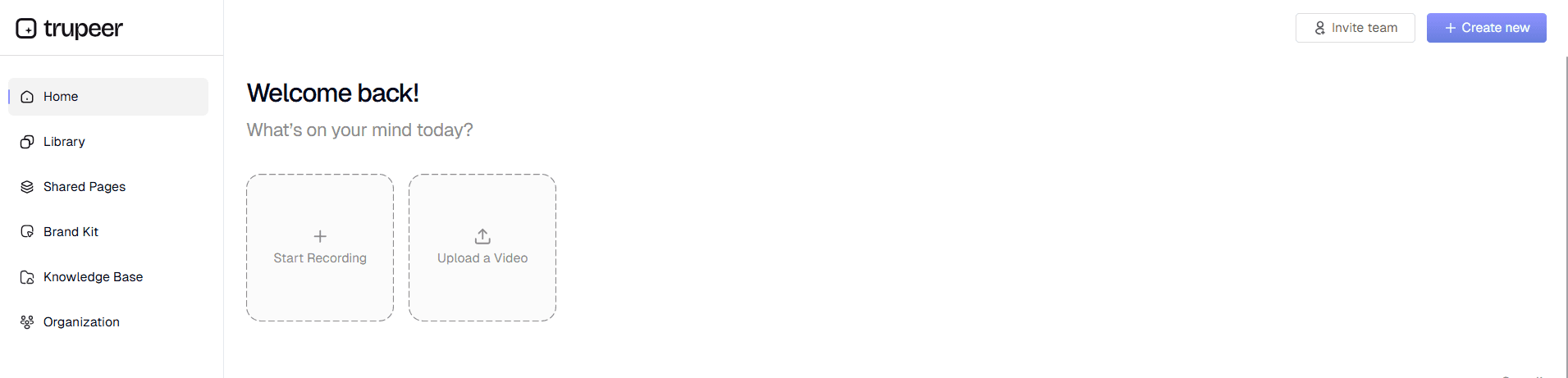
Step 1: Record or Upload Your Process
Start by either recording your screen directly through our platform or uploading an existing raw recording. Our AI screen recorder captures everything happening on your screen with high-quality video and audio. If you already have recordings of your processes, simply upload them in any standard video format. This flexibility means you can document processes whether you're starting fresh or working with existing footage.
Step 2: AI Enhancement and Editing
Once your recording is captured or uploaded, our AI automatically begins enhancing the content. The system removes background noise, eliminates filler words like "um" and "ah," and adds intelligent zoom effects that highlight important interface elements and actions. This AI video editing process happens automatically, saving you hours of manual editing work while ensuring professional results every time.

Step 3: Automated Documentation Generation
While processing your video, our AI simultaneously generates comprehensive written documentation. The system identifies key steps, creates logical section breaks, and produces clear, actionable instructions that mirror what's shown in your video. You can customize this output using our documentation templates, which let you maintain consistent formatting and structure across all your process mapping tools and procedures.

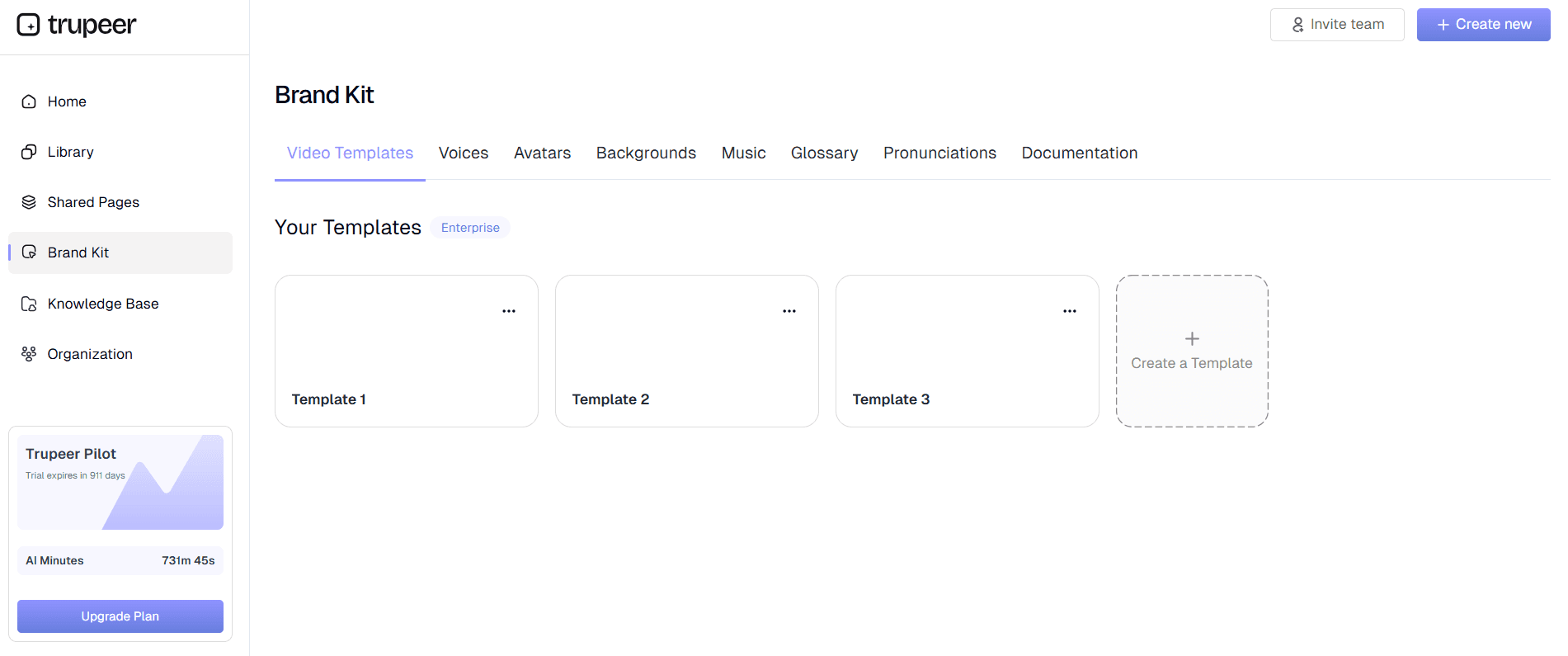
Step 4: Brand Application and Customization
Apply your organization's visual identity using our brand kits feature. Add your company logo, colors, intro sequences, and outros to ensure all process documentation maintains professional consistency. You can also edit the generated content, add annotations, or modify sections to better match your specific workflow requirements and organizational standards.
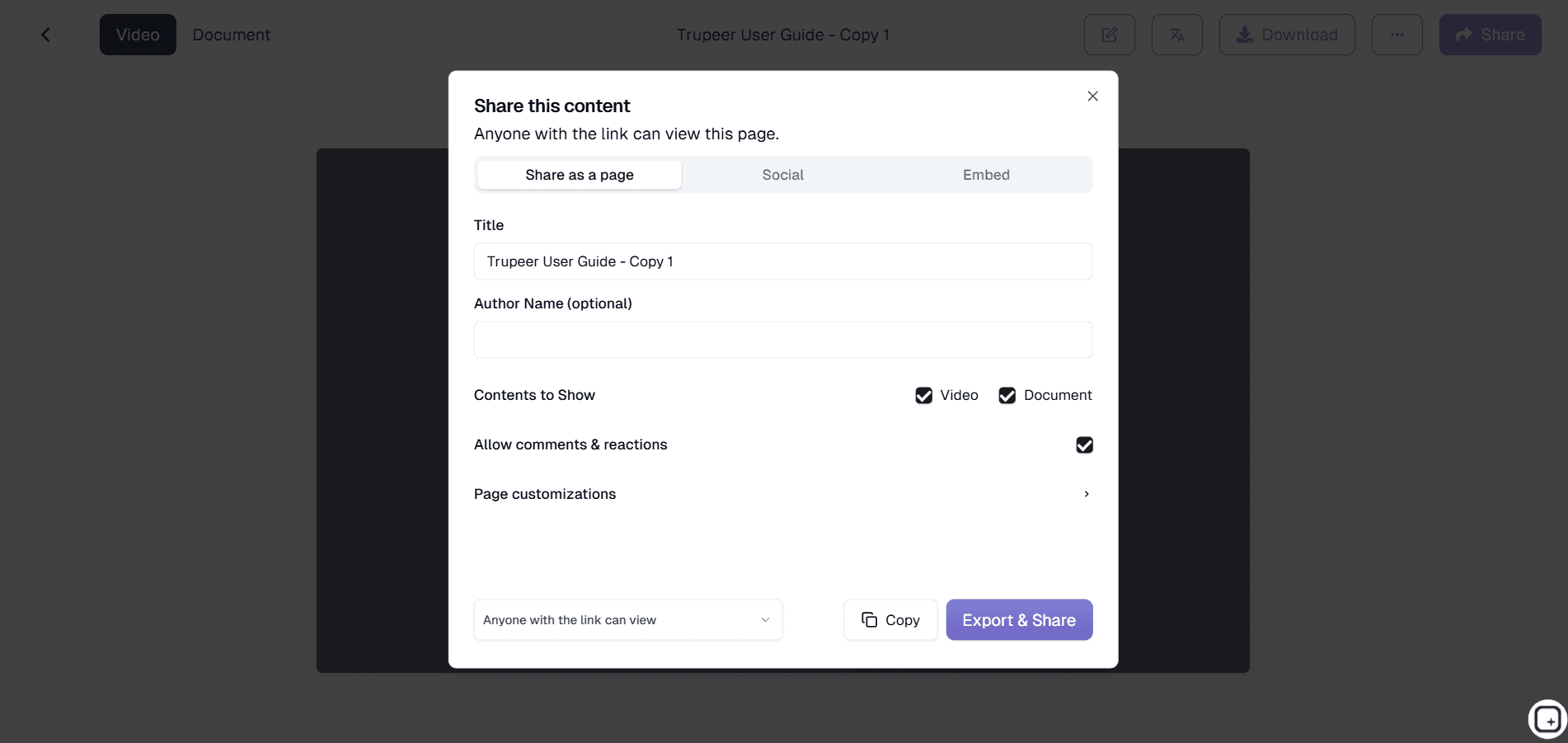
Step 5: Share and Deploy
Once your process documentation is complete, share it instantly via direct links, embed it on your internal websites, or export it in multiple formats. The content is immediately accessible to team members, and you can track engagement to see which processes need additional clarification or updates. This final step transforms your documented processes into actionable resources that drive real operational improvements.
Key Features and Capabilities
Our business process management software delivers comprehensive functionality designed specifically for modern organizations that need efficient, visual process documentation. Each feature works seamlessly together to create a complete process management ecosystem that scales with your business needs.
Dual Recording Methods: Whether you prefer to record processes live or work with existing footage, our platform accommodates both approaches. Use our built-in recorder for real-time capture or upload raw recordings from any source. This flexibility is particularly valuable when documenting software implementation processes where you might have existing training footage that needs professional enhancement.
Intelligent AI Processing: Our AI doesn't just edit your videos; it understands business processes. The system automatically identifies workflow steps, creates logical breaks, and generates documentation that follows standard operating procedure formats. This intelligence extends to recognizing common business applications and highlighting critical actions that viewers need to notice.
Documentation Template System: Maintain consistency across all your process documentation with customizable templates. Save preferred formatting, styling, and structural elements that reflect your organization's standards. These templates work seamlessly with our SOP creation software capabilities, ensuring every process document follows your established guidelines without manual formatting work.
Multi-Language Translation: Reach global teams with automatic video translation capabilities. Our system can translate both video narration and written documentation into multiple languages, making process knowledge accessible across diverse, international organizations without requiring separate recording sessions for different regions.
Integration-Ready Export Options: Export your process documentation in formats that work with your existing systems. Whether you need video files for learning management systems, written guides for knowledge bases, or embed codes for internal websites, our platform delivers content in the format your organization needs.
Real-Time Collaboration Features: Teams can collaborate on process documentation through shared workspaces, comment systems, and version control. This collaborative approach ensures that process documentation stays current and accurate while incorporating insights from multiple team members who understand different aspects of complex workflows.
Why Should You Use Business Process Management Software?
Implementing Trupeer's business process management software delivers measurable improvements in operational efficiency, training effectiveness, and organizational knowledge management. These benefits compound over time as your process library grows and becomes an integral part of your operational infrastructure.
Dramatically Reduced Documentation Time: Traditional process documentation can take hours or days to create properly. With our AI-powered approach, you can document complex workflows in minutes. Record once, and get both professional video tutorials and comprehensive written guides automatically. This time savings allows your team to focus on process optimization rather than documentation creation, leading to more efficient operations overall.
Improved Process Adoption and Compliance: Visual documentation significantly improves process adoption rates compared to text-only instructions. When team members can see exactly how to complete tasks, they're more likely to follow procedures correctly and consistently. This visual approach is particularly effective for AI Screen Recorder where new employees need to quickly understand complex workflows without extensive supervision.
Enhanced Knowledge Retention Across Your Organization: Processes documented with our platform become institutional knowledge that survives employee turnover. New team members can quickly get up to speed by watching actual workflow demonstrations rather than trying to interpret written procedures. This knowledge retention capability is crucial for maintaining operational continuity and reducing the impact of staff changes.
Scalable Process Standardization: As your organization grows, maintaining process consistency becomes increasingly challenging. Our template system and brand kits ensure that all process documentation maintains professional consistency while allowing for necessary customization. This standardization supports quality control initiatives and regulatory compliance requirements across different departments and locations.
Cost-Effective Training and Onboarding: Reduce training costs by creating reusable process documentation that works for multiple learning styles. Visual learners benefit from seeing processes in action, while detail-oriented team members can reference the written documentation. This dual-format approach reduces the need for repeated in-person training sessions and allows new employees to learn at their own pace while maintaining training quality standards.
Who Can Use Business Process Management Software?
Our business process management software serves diverse organizational needs across industries and company sizes. The platform's flexibility makes it valuable for any team that needs to document, share, and optimize business processes effectively.
Operations Teams and Process Managers: Operations professionals use our platform to document standard operating procedures, compliance workflows, and quality control processes. The ability to show rather than just describe processes is particularly valuable when documenting complex operational workflows that involve multiple systems or require specific timing. Teams can create comprehensive Documentation Generator that show exactly how internal tools and processes work together.
Human Resources and Training Departments: HR teams leverage our software for employee onboarding, policy explanation, and skills training documentation. New hire orientation becomes more engaging and effective when processes are demonstrated visually. Training coordinators can build libraries of process videos that reduce the burden on experienced staff while ensuring consistent training delivery across different hiring cycles and departments.
Customer Success and Support Teams: Customer-facing teams use our platform to create help resources, troubleshooting guides, and feature explanation videos. When customers can see exactly how to use your product or service, support ticket volume decreases while customer satisfaction improves. Our AI Video Editor features help teams create professional support content without requiring video production expertise.
Sales and Marketing Professionals: Sales teams document their most effective processes, from lead qualification to closing techniques, creating consistent methodologies across the organization. Marketing teams can document campaign workflows, content creation processes, and approval procedures. The ability to create AI Screen Recorder content quickly helps organizations scale their sales operations while maintaining quality standards.
Small Business Owners and Entrepreneurs: Small business owners use our platform to document their essential processes before they become bottlenecks. Whether it's financial procedures, customer service workflows, or operational tasks, having clear process documentation enables delegation and business growth. The cost-effective nature of our solution makes it accessible to smaller organizations that couldn't previously afford comprehensive process management solutions.
Compliance and Quality Assurance Teams: Organizations with strict compliance requirements use our software to document procedures that must meet regulatory standards. The visual documentation approach makes it easier to demonstrate compliance during audits while ensuring that all team members understand exactly how to follow required procedures. Version control features help maintain compliance documentation currency as regulations change.
Best Practices for Using Business Process Management Software
Maximizing the value of your business process management software implementation requires strategic planning and consistent execution. These proven practices help organizations achieve optimal results from their process documentation initiatives.
Start with High-Impact Processes: Begin by documenting processes that are frequently performed, prone to errors, or critical to business operations. These processes provide immediate value when documented properly and help demonstrate the platform's ROI to stakeholders. Focus on workflows that new employees struggle with or processes that require frequent explanation, as these benefit most from visual documentation approaches.
Maintain Process Documentation Currency: Establish regular review cycles to ensure your process documentation stays current with actual business practices. Assign process owners who are responsible for updating documentation when workflows change. This ongoing maintenance prevents the common problem of outdated documentation that reduces user trust and adoption rates.
Leverage Template Consistency: Develop and use standardized templates that reflect your organization's communication style and visual branding. Consistent formatting makes your process library more professional and easier to navigate. Consider creating different template types for different process categories, such as technical procedures versus administrative workflows.
Integrate with Existing Systems: Connect your process documentation with existing training platforms, knowledge bases, and workflow systems. This integration ensures that process documentation becomes part of your team's regular workflow rather than a separate resource that gets forgotten. Consider how your technical documentation needs align with other organizational systems and plan integration accordingly.
Explore Related Tools
Why Choose Our Business Process Management Software
AI-Powered Documentation
Transform screen recordings into professional videos and written guides automatically
Template Consistency
Maintain standardized formatting across all process documentation with reusable templates
Multi-Format Export
Export as videos, written guides, or embeddable content for any system
Get Started with Trupeer's Business Process Management Software
Step 1
Record or upload your workflow
Step 2
AI enhances and edits automatically
Step 3
Share professional process documentation
Frequently Asked Questions
What makes AI-powered business process management software different from traditional tools?
AI-powered business process management software creates documentation from actual workflow demonstrations rather than requiring manual writing. You record processes in action, and AI generates both video tutorials and written guides automatically, making documentation faster and more accurate.
Can I upload existing process recordings to the business process management software?
Yes, you can upload existing raw recordings from any source. Our AI will enhance the video quality, remove filler words, add professional editing effects, and generate written documentation from your uploaded footage automatically.
How does business process management software help with employee training?
Visual process documentation significantly improves training effectiveness because employees can see exactly how to perform tasks. The combination of video demonstrations and written guides accommodates different learning styles and reduces training time while improving process adoption rates.
Is business process management software suitable for compliance documentation?
Absolutely. Visual documentation makes compliance procedures clearer and easier to follow. The platform includes version control, standardized templates, and professional formatting that supports audit requirements while ensuring team members understand exactly how to maintain compliance.
Can business process management software scale with growing organizations?
Yes, the platform grows with your organization through features like documentation templates, brand consistency tools, multi-language translation, and collaborative workspaces. These capabilities ensure process standardization across departments and locations as you expand.
More Tools


