4.8/5
無料の説明動画ジェネレーター
アイデアを、AI搭載のステップ、ビジュアル、ナレーションで魅力的な解説コンテンツに変えましょう。
無料で始める

TrupeerのExplainer Generatorは、アイデア、スクリプト、またはプロダクトの業務フローを、数分でわかりやすく構造化された説明コンテンツと動画に変換します。コピーライター、デザイナー、または動画編集者を用意することなく、複雑なトピックをシンプルで理解しやすいナラティブに分解するのに役立ちます。
なぜExplainer Generatorが必要ですか?
新しいプロダクト、機能、またはプロセスを明確に説明するのは難しく、時間もかかります。チームはしばしば白紙の状態から始め、デッキ、ヘルプドキュメント、ランディングページ、動画にわたって同じ説明を書き直します。その結果、メッセージが一貫しなくなり、重複した作業が大量に発生します。
ライターでない人は、情報をシンプルで魅力的、かつ論理的に順序立てて構成するのが難しいことがあります。一方でデザイナーや動画編集者は、基本的な説明を視覚的なものにするためだけに呼び込まれがちです。専用の説明(エクスプレイナー)ワークフローがないと、重要なメッセージがわかりにくい長文の壁になったり、品質の低い動画になったりして、ユーザーがすぐに離れてしまいます。
このExplainer Generatorでできること
TrupeerのExplainer Generatorは、短いブリーフ、機能の説明、またはワークフローなどの入力を分析し、セクション、主要ポイント、例、任意のビジュアルを含む、よく構造化されたエクスプレイナーに変換します。そのエクスプレイナーを完成した動画にするには、AI explainer video generatorを使用してください。スクリプト、文章による説明、または動画向けのストーリーラインを出力でき、内容は一貫性があり、簡潔で、視聴者にとってわかりやすいものになります。
主な機能
短いプロンプトや機能説明から、詳細なエクスプレイナースクリプトを作成します。
コンテンツを問題、解決策、メリット、そして行動喚起(CTA)セクションに自動で整理します。
説明をより魅力的にするためのビジュアル、例、たとえ話を提案します。
ドキュメント、ランディングページ、プレゼンテーション、または動画のナレーション向けに最適化したバリエーションを生成します。
TrupeerのExplainer Generatorの使い方
ステップ1:トピックを説明する
説明したいプロダクトの説明、業務フロー、または質問を入力し、対象の視聴者(例:顧客、社内チーム、経営層)を指定します。
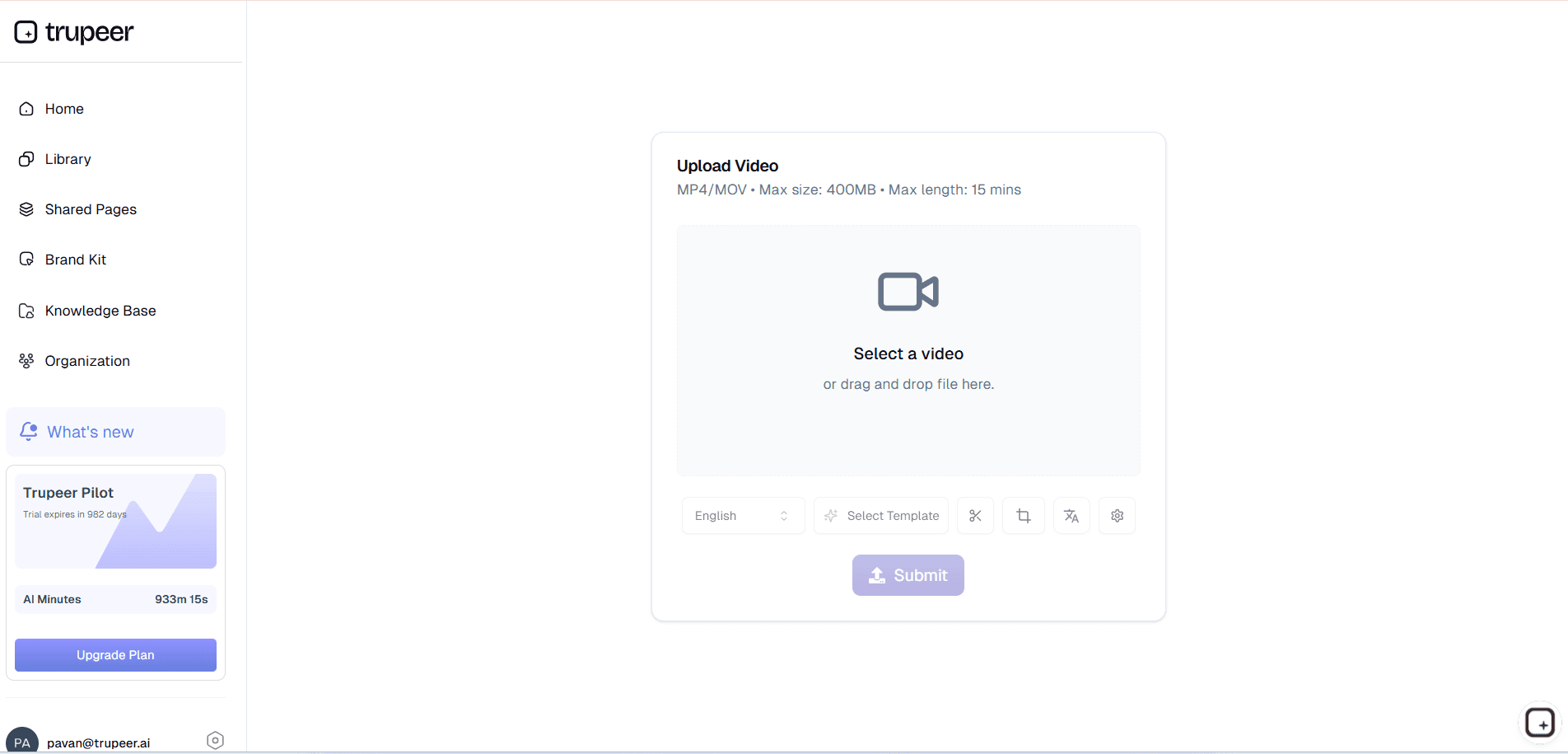
ステップ2:AIにエクスプレイナーを作らせる
このツールは、導入、主要コンセプト、分解、アウトカムという論理的な流れにコンテンツを整理しながら、言葉はシンプルで明確に保ちます。
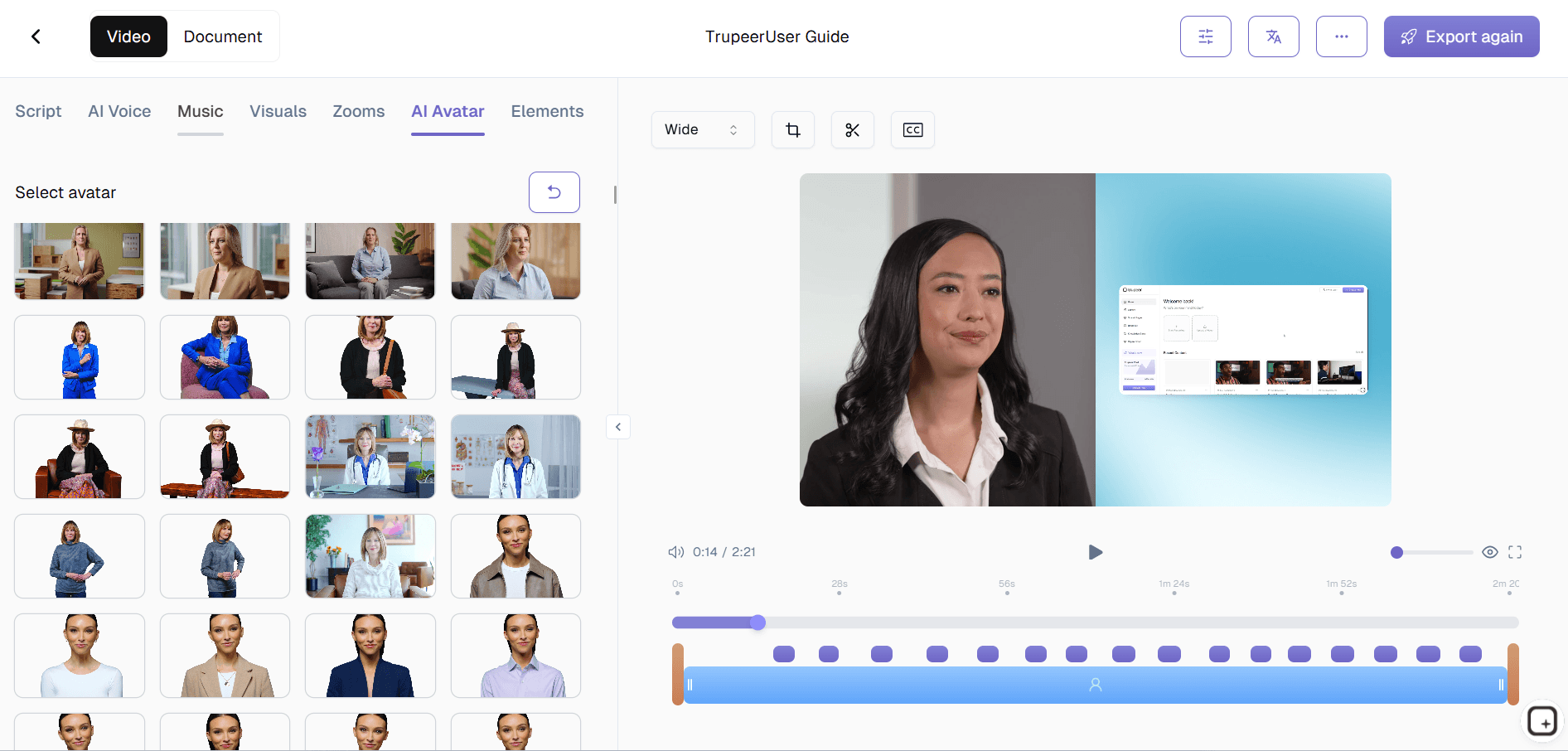
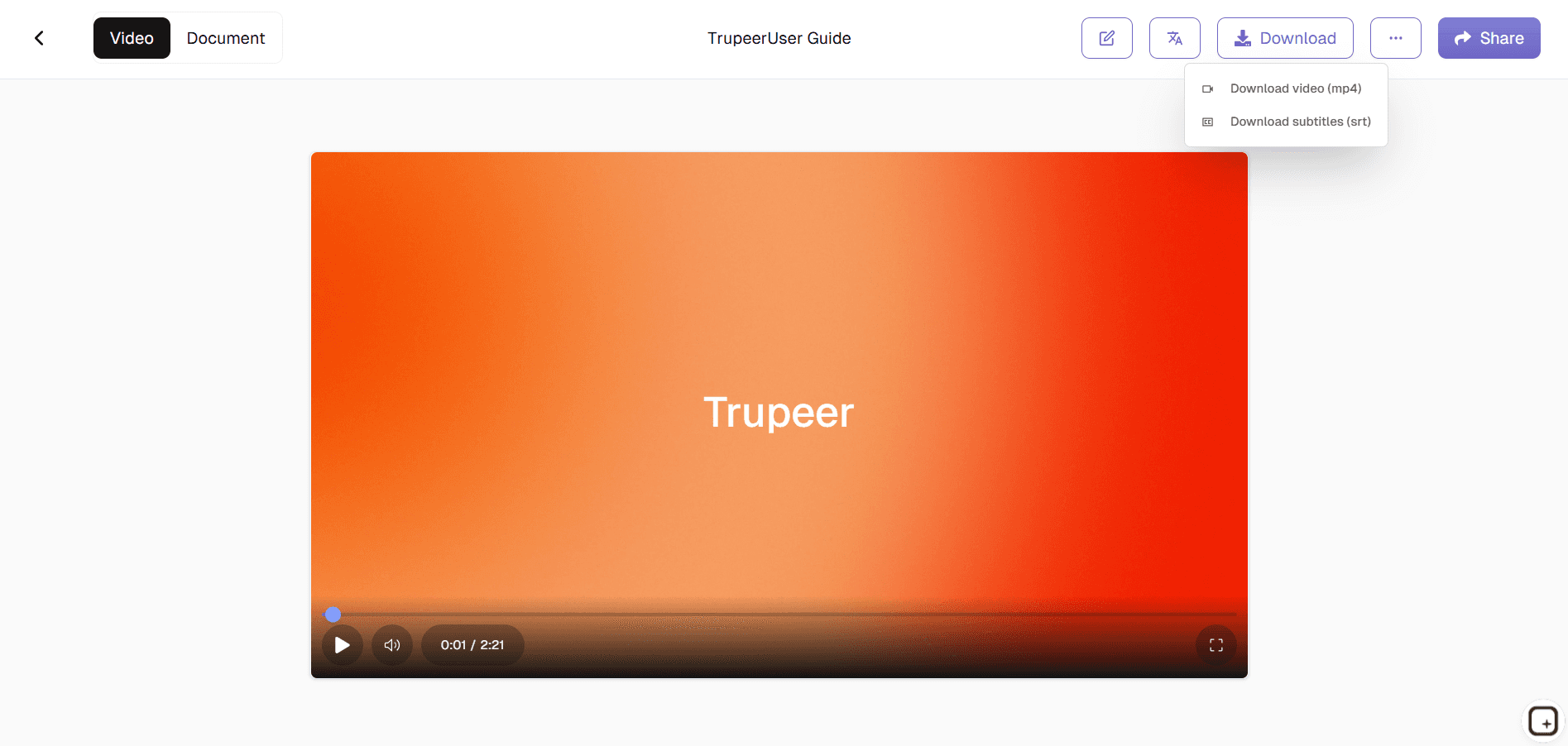
ステップ3:カスタマイズ&エクスポート
エクスプレイナーを確認し、トーンや詳細度を調整したら、ドキュメント、スクリプト、またはスライド/動画制作向けのアウトラインとしてエクスポートします。
このTrupeerのExplainer Generatorは誰向け?
Explainer Generatorは、さまざまな形式で複雑なアイデアをシンプルかつ一貫して伝える必要がある方に最適です。
プロダクトマネージャー:
新しい機能の説明を、毎回ゼロから始めることなく、社内チーム向けのわかりやすいエクスプレイナー、リリースノート、顧客向けドキュメントに素早く変換できます。
マーケター:
ランディングページの文章、メールでの説明、キャンペーンのナラティブを生成し、プロダクトの価値提案と主要なメリットを明確に伝えます。カスタマーサポート&サクセスチーム:
FAQ、ヘルプセンターの記事、オンボーディングガイド向けに、わかりやすいエクスプレイナーを作成し、問い合わせ件数と混乱を減らします。トレーナー&教育担当者:
コースのトピックや学習目標を、学習者が素早く理解できる構造化されたエクスプレイナースクリプトやレッスンコンテンツに変換します。創業者&営業チーム:
ピッチのアイデアを、デッキ、デモ、ワンページ資料向けの簡潔で説得力のある説明に変換し、見込み客や関係者に響く内容にします。
TrupeerのExplainer Generatorの主な機能
Explainer Generatorは、説明の明確さ、構造、そして再利用性に重点を置くため、どこに掲載しても一貫した説明を保てます。
自動構造&フロー:
コンテンツを直感的なナラティブ(問題、背景、解決策、仕組み、メリット)に整理するため、アウトラインや順序を気にする必要がありません。対象者に合わせたトーン:
技術に詳しいユーザー、非技術の関係者、顧客、経営層などに合わせて言葉と深さを調整し、適切な相手に伝わる説明を実現します。マルチチャネル出力:
ドキュメント、スライドのアウトライン、Webサイトのセクション、動画スクリプトなど、さまざまな形式に適した内容を生成するため、同じコアのエクスプレイナーをチャネルをまたいで再利用できます。例&たとえ話の提案:
抽象的または技術的な概念を理解しやすくするための、シンプルな比較、シナリオ、例を提案します。簡単な反復&更新:
プロダクトやプロセスが変わったときは、入力を更新して、すべてを手作業で作り直す代わりに数分で更新版のエクスプレイナーを再生成できます。
関連ツールを探す
Trupeerの解説動画ジェネレーターを使うメリット
AI主導のコンテンツ構造化
TrupeerのAIは重要なポイントを特定し、あなたの解説コンテンツを首尾一貫して魅力的なストーリーへと素早く整理します。
ビジュアルとナレーションを追加
画像、アニメーション、そしてプロのナレーションを組み合わせて解説コンテンツを強化し、最大限の効果を引き出しましょう。
対象ユーザー向けにカスタマイズ
脚本を編集し、ビジュアルを調整し、ナレーションを洗練させて、あなたのブランドのトーンと視聴者のニーズに合わせた解説動画を作成します。
Trupeerで解説コンテンツを作成
ステップ 1
コンテンツをアップロードまたは入力してください
ステップ 2
生成とカスタマイズ
ステップ 3
共有またはダウンロード
よくある質問
この Explainer Generator は無料ですか?
はい、Explainer Generator には、基本的な説明文作成機能を備えた無料プランが含まれているため、すぐに構造化された説明文の生成を始められます。
Explainer Generator はどのような入力をサポートしていますか?
短い概要、機能の説明、プロセスの概要、または既存のラフなメモを提供すると、ツールがそれらを洗練された説明文に変換します。
Explainer Generatorはどの形式でエクスポートできますか?
解説資料は、テキスト文書、脚本形式の出力、またはスライドや動画制作に適した構造化されたアウトラインとしてエクスポートできます。
Explainer Generator は、さまざまな対象者に合わせて調整できますか?
はい、対象読者の種類やトーン(例:初心者向け、技術者向け、経営層向け、顧客重視)を指定でき、ツールはそれに応じて言語や詳細度を調整します。
Explainer Generator が生成したコンテンツを編集できますか?
もちろんです。すべてのコンテンツは完全に編集可能で、表現を洗練したり、セクションを並べ替えたり、出力を既存のドキュメントやアセットに組み込んだりできます。



