Use this template
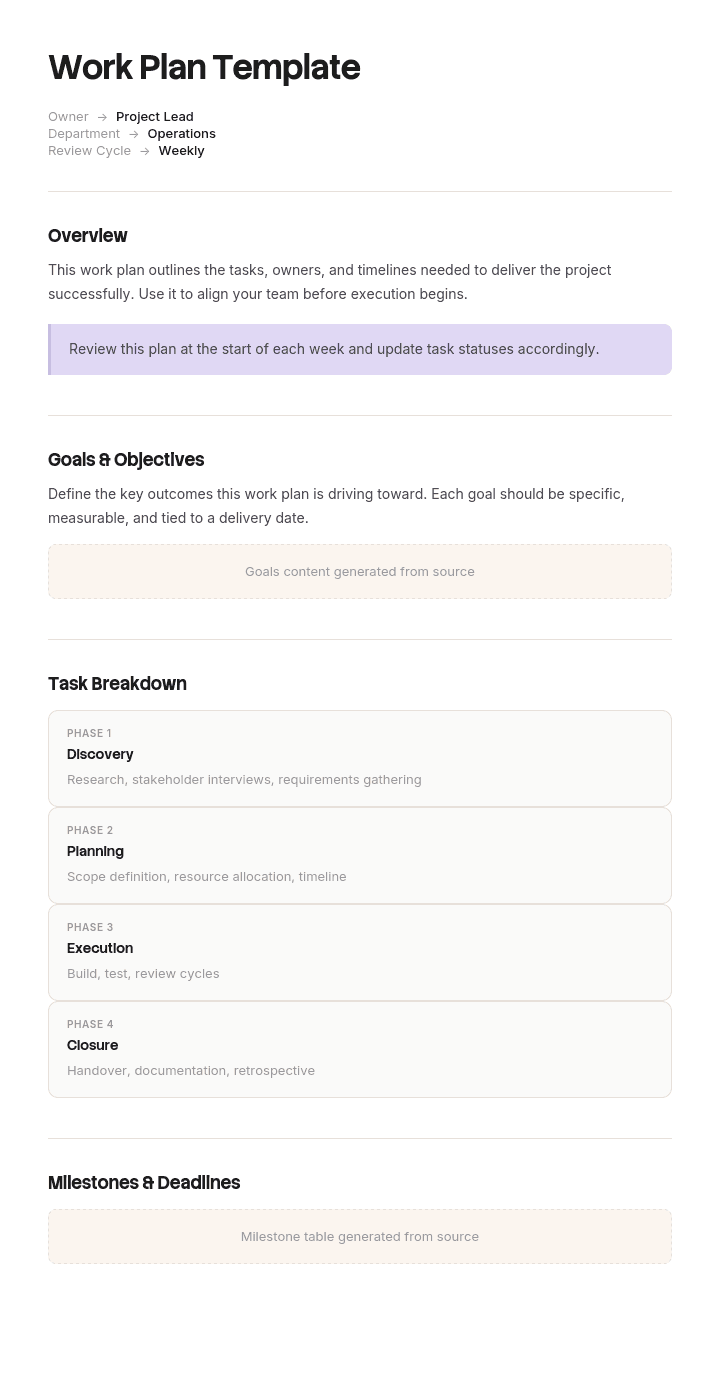
A work plan is the foundation of any well-run project. It captures what needs to happen, when, and by whom - so every team member, stakeholder and contributor stays aligned from kickoff to delivery. With Trupeer, you can save hours on documentation by starting with a ready-to-use work plan template, customizing it with your company brand kit, and turning it into a polished video walkthrough that your team can actually engage with.
This work plan template provides a structured framework to outline project objectives, milestones, responsibilities and deliverables - whether you're using it as a project work plan template, a construction work plan template, or a simple team plan in Word. Once you've filled it in, Trupeer transforms it into a multilingual AI video walkthrough that's easy to share, update and consume on demand. You can also translate the work plan into 65+ languages with one click - so distributed teams stay aligned, no matter where they are.
How to customize this template in Trupeer
Step 1: Open the Templates Section
Go to the Templates section from the main navigation.

Step 2: Select and Open a Template
Click on any template you want to work with to open it.

Step 3: Expand the Template View
If needed, expand the template view to see the full layout and details clearly.

Step 4: Edit the Template
Click on Edit to start modifying the selected template.

Within the editor, you can:
Add new sections
Define or update formatting rules
Add a logo and adjust its position and related settings
Step 5: Save Your Customized Template
After making all necessary changes, click Save to store the updated template as your own.

Step 6: Preview and Fine-Tune the Template
When you want to see how your customized template looks, open the Preview.

From the preview screen, you can continue to make adjustments directly if needed, ensuring the template appears exactly as you want.
With a work plan template you can:
Save hours on documentation: Skip the blank page and capture goals, scope, timelines and deliverables in minutes using a proven structure.
Stay on-brand: Customize the work plan template in Word, Google Docs or PDF format with your logo, fonts, colors and tone of voice.
Align teams faster: Replace long meetings and email threads with a clear video walkthrough everyone can watch on their own schedule. Perfect for change management rollouts and project kickoffs.
Translate into 65+ languages: Reach distributed teams in their native language with one-click translation.
Update on the go: Edit the work plan and Trupeer regenerates the video automatically - no re-recording required.
A work plan built with Trupeer doesn't just document your project - it makes it real, accessible and easy to act on. Start with the template, fill in your project details, and turn it into a video your whole team can rally around.
Frequently Asked Questions
What is a work plan template?
A work plan template is a pre-structured document that outlines a project's goals, tasks, timelines, responsibilities and deliverables. It saves time by giving teams a ready-to-use framework instead of starting from scratch, ensuring every project work plan follows a consistent structure.
What should a work plan include?
A good work plan typically includes the project purpose and objectives, scope, key milestones, task breakdown, owners and responsibilities, timeline, required resources, success metrics and potential risks. The level of detail depends on the project's complexity - a construction work plan template, for example, will need more detail on safety and phases than a simple weekly team plan.
How do I create a work plan?
Start by defining clear goals and objectives, then map out the tasks needed to achieve them. Assign owners, set timelines and identify dependencies. Add milestones and success metrics, then share the plan with your team for feedback. Using a work plan template significantly reduces setup time.
What is the difference between a work plan and a project plan?
A work plan focuses on the day-to-day execution - tasks, owners and timelines needed to complete the work. A project plan is broader and covers strategic elements like budget, staffing, scope, risk management and stakeholder communication. Work plans typically sit inside a project plan.
What are the main components of a work plan?
The core components are: project goals and objectives, scope statement, task breakdown, timeline and milestones, roles and responsibilities, required resources and budget, success metrics, and risk or contingency planning. Some plans also include communication protocols and review checkpoints.

