4.8/5
Free Instructional Video Creation Software
Create clear instructional videos that teach effectively. Record your screen and let AI produce step-by-step visual guides.
Try for Free

Trupeer's instructional video creation software helps you produce clear, effective instructional videos using AI-powered screen recording and automatic editing. Record any process and Trupeer creates a structured instructional video with zoom effects, clean audio, and step-by-step flow.
Record your screen to create structured instructional videos automatically.
AI adds zoom effects, removes filler words, and structures content for learning.
Generate companion written guides alongside every instructional video.
Apply professional branding and templates for consistent instructional content.
Share instructional videos on any platform with one-click export.
What Is Trupeer's Instructional Video Creation Software?
Trupeer's instructional video creation software is designed to help you teach processes visually and effectively. Unlike generic video tools, Trupeer understands the structure of instructional content. When you record your screen, the AI identifies workflow steps, adds instructional emphasis through zoom effects and highlights, and produces a video that follows proven instructional design principles. The result is content that teaches, not just shows. That's also where the instructional videos fits in it takes the process you already have and turns it into something you can share.
How Does Instructional Video Creation Software Work?
Getting started with Instructional Video Creation Software takes just a few minutes.
Step 1: Record or Upload
Start a screen recording directly in your browser, or upload an existing video.

Step 2: AI Processing
The AI analyzes your recording, removes filler words, adds zoom effects, and generates Video automatically.
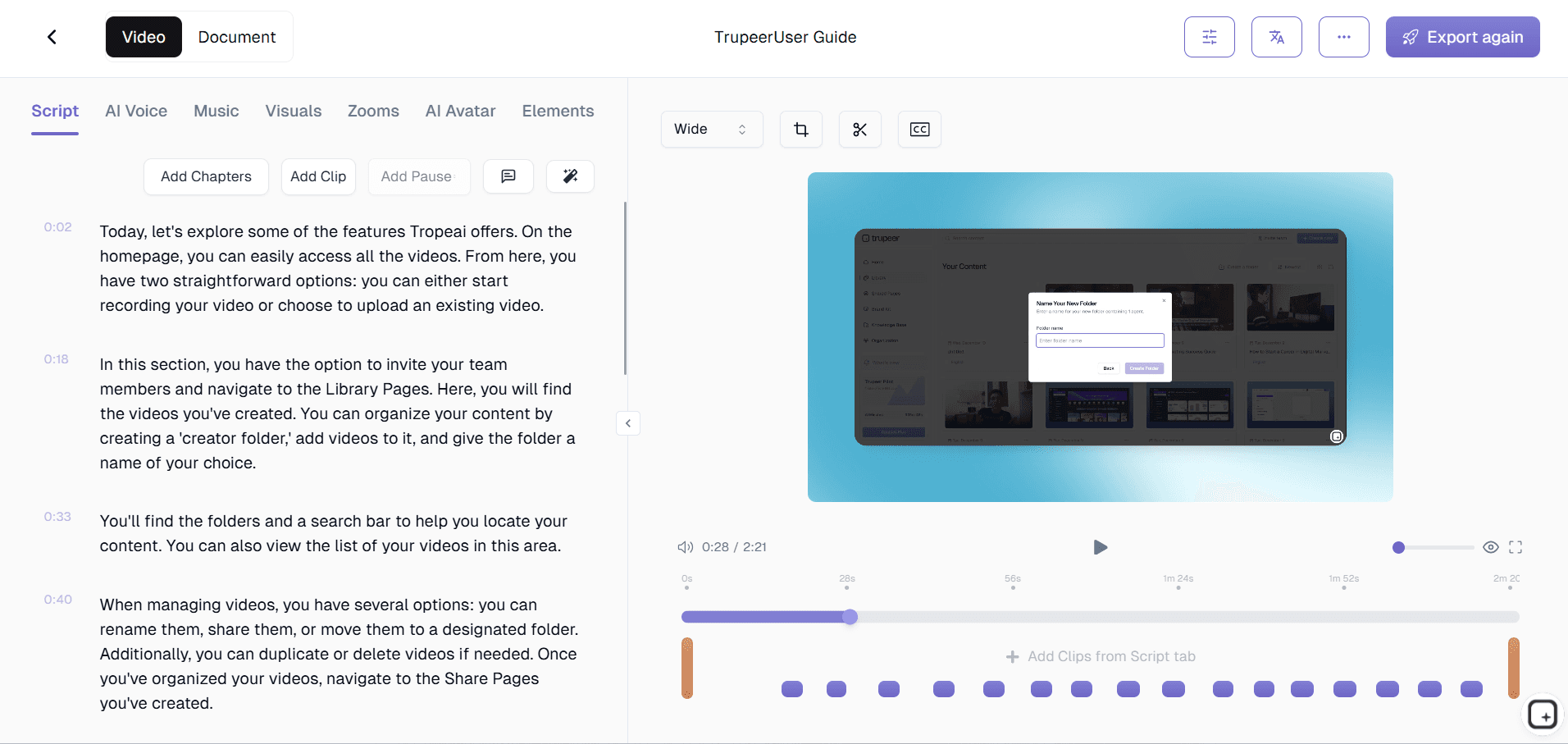
Step 3: Customize and Share
Edit the output, apply your brand kit, and share via link or embed on your website. Updates are just as easy.

Key Features of Trupeer's Instructional Video Creation Software
Instructional Structure Detection: Trupeer's AI analyzes your screen recording and identifies distinct instructional steps, creating clear segmentation between different phases of a process. Each step gets its own visual emphasis, making the instructional flow obvious to learners.
Learning-Optimized Zoom Effects: Unlike simple cursor tracking, Trupeer's zoom effects are calibrated for instructional effectiveness. The AI determines the optimal zoom level, timing, and focus area for each action to maximize learner comprehension. Critical steps get more emphasis, while routine navigation receives lighter treatment, creating a visual hierarchy that mirrors the importance of each instructional step.
Narration Enhancement and Cleanup: Instructional videos depend on clear, confident narration. Trupeer removes verbal hesitations, normalizes audio levels, reduces background noise, and ensures your voice comes through clearly throughout the entire instructional video. The AI preserves your natural teaching tone while eliminating the imperfections that distract learners from the content.
Instructional Templates and Pacing: Choose from templates designed for different instructional contexts: software walkthroughs, process training, feature overviews, and compliance tutorials. Each template sets appropriate pacing, intro structure, and visual treatment for its instructional purpose. Templates ensure your content follows proven instructional design patterns without requiring formal training in learning theory.
Why Choose Trupeer's Instructional Video Creation Software?
Designed for Teaching: Trupeer is built for instructional content, not general video creation. Every feature focuses on learner comprehension, from zoom effects to step structuring.
Dual-Format Output: Get both an instructional video and a written guide from one recording session. Two learning formats for the effort of one.
No Instructional Design Degree Required: Templates and AI structuring apply instructional design best practices automatically, so anyone can create effective teaching content.
LMS-Ready Export: Instructional videos export in formats that work directly with popular learning management systems without conversion or compatibility issues.
Instructional Video Creation Software for Internal Teams
1. Create structured instructional content for every team process. When processes are taught with clear, step-by-step instructional videos, teams follow procedures correctly and consistently from the start.
2. Build an instructional video library that serves as the definitive training resource. Instead of scattered documents and tribal knowledge, teams reference structured video content that shows exactly how things are done.
3. Reduce the time senior employees spend on repetitive instruction. Record instructional videos once, and new team members learn independently without pulling experienced staff away from their work.
4. Improve knowledge retention with visual instructional content. People retain information from video instruction significantly better than from text documents, resulting in fewer errors and fewer repeated questions.
Instructional Video Creation Software for SaaS Teams
1. Create product instructional videos that reduce time-to-value for new customers. When users learn your product through clear instructional content, they reach their first success faster and churn less.
2. Build a structured instructional video library for your help center. Organized, step-by-step instructional videos answer customer questions more effectively than text articles alone.
3. Support product launches with ready-made instructional content. When new features ship with instructional videos, customers adopt them faster and support teams handle fewer basic questions.
4. Enable customer success teams to create custom instructional videos for key accounts. CSMs produce polished instructional content that addresses specific customer workflows and use cases.
Instructional Video Creation Software for Startups
1. Create professional instructional content that punches above your weight. Startups compete with enterprises for customer attention. Polished instructional videos establish credibility and professionalism from day one.
2. Build scalable instructional content instead of relying on live walkthroughs. Every live demo you replace with an instructional video frees time for revenue-generating activities.
3. Document processes with instructional videos before institutional knowledge becomes a risk. Capture how things work now while the founders and early employees are still accessible.
4. Onboard customers and employees with structured instructional sequences. Clear step-by-step videos get people productive quickly without monopolizing anyone's time for live training.
Instructional Video Creation Software for Enterprises
1. Standardize instructional content across the entire organization. Consistent instructional videos ensure every employee, in every location, receives the same quality of training.
2. Meet compliance and regulatory training requirements with structured instructional videos. Clearly documented instructional content demonstrates to auditors that training is thorough and standardized.
3. Reduce instructor-led training costs with scalable instructional video content. Create once and deploy to thousands of learners, eliminating the cost of repeated live training sessions.
4. Integrate instructional videos directly into enterprise LMS platforms. Trupeer's export formats work with Cornerstone, SAP SuccessFactors, and other enterprise learning systems.
Instructional Video Creation Software for Remote Teams
1. Deliver structured instruction asynchronously across time zones. Remote team members access instructional videos when they need them, without scheduling live training sessions across different regions.
2. Create a self-service instructional library for distributed teams. When remote employees can find clear instructional videos independently, they stop blocking on colleagues in other time zones.
3. Maintain instructional quality regardless of where the creator is located. AI editing and templates ensure every remote contributor produces instructional videos that meet the same standards.
4. Replace repetitive instructional meetings with reusable video content. Remote teams save hours weekly by recording instructional content once instead of repeating the same teaching sessions.
Instructional Video Creation Software for Developers
1. Create technical instructional videos for API integrations, SDK setup, and developer workflows. Clear step-by-step video instruction helps developers implement faster and reduces support burden on your engineering team.
2. Build instructional video series for complex technical processes. Multi-step deployment procedures, environment configurations, and architecture patterns become navigable instructional content with chapter markers.
3. Produce instructional content that complements technical documentation. Written docs explain the what, and instructional videos show the how. Together they create comprehensive developer resources.
4. Enable senior engineers to create instructional content without production overhead. Record a coding session, let AI edit it into a structured instructional video, and share it with the team.
Instructional Video Creation Software for Onboarding & Support Teams
1. Create structured onboarding instructional sequences for new hires. Each instructional video covers one process or system, building a progressive learning path that gets people productive systematically.
2. Build customer-facing instructional videos that deflect support tickets. Clear instructional content for common workflows answers questions before customers contact support.
3. Train support agents with instructional videos on products, processes, and escalation procedures. Structured instructional content ensures every agent learns the same way and maintains consistent service quality.
4. Update instructional content quickly when processes change. Re-record the affected steps and Trupeer produces an updated instructional video without rebuilding from scratch.
Why Teams Choose Trupeer for Instructional Videos
Step Detection
AI automatically identifies and structures instructional steps
Dual-Format Output
Get both video and written guide from one recording
LMS-Ready Export
Export directly to popular learning management platforms
How to Create Instructional Videos with Trupeer
Step 1
Record your screen while walking through the process
Step 2
AI structures your recording into a clear instructional video
Step 3
Customize and share on your LMS or website
Frequently Asked Questions
What makes Trupeer different from general video editors?
Trupeer is built specifically for instructional content. The AI understands teaching flow, structures content into clear steps, and applies instructional design principles automatically. General editors treat all video the same way.
Can I create instructional videos for software training?
Yes. Trupeer is ideal for software instructional videos. The screen recording and AI zoom effects are specifically designed to highlight UI actions and guide learners through software workflows step by step.
Does the software generate written guides too?
Yes. Every instructional video automatically produces a companion written step-by-step guide with annotated screenshots. Learners get both video and text formats from a single recording session.
Can I export instructional videos to my LMS?
Trupeer exports in formats optimized for popular LMS platforms including Cornerstone, Docebo, TalentLMS, and others. Your instructional videos work directly in your existing learning infrastructure.
How do I structure a good instructional video?
Trupeer handles this for you. The AI analyzes your recording and creates a clear step-by-step structure automatically. Templates provide proven instructional pacing and format for different types of content.
More Tools


