Trupeer Blog
要約

Two years after go-live, a sales operations manager asks why opportunities in one region can't be closed without a second approval. Nobody on the current admin team knows. The consultant who built the flow has moved on, the design document describes an earlier version, and the only answer is to reverse-engineer the org one setting at a time. That's the cost of thin Salesforce implementation documentation, and almost every Salesforce team pays it eventually.
Good Salesforce implementation documentation records what was built, why it was built that way and how people are meant to use it. It protects your investment when admins change, speeds up every future change, makes audits easier and helps users actually adopt the system. This guide explains what Salesforce implementation documentation should include, what to document in each project phase, how to create it efficiently with screen recordings and how to keep it current after go-live.
What is Salesforce implementation documentation?
Salesforce implementation documentation is the set of records created during and after a Salesforce project that explain the requirements, the solution design, the configuration, the integrations, the data migration, the testing and the way users work in the system. It's written for three audiences: the admins and developers who maintain the org, the business owners who approve changes, and the end users who work in Salesforce every day.
It applies whether you're rolling out Sales Cloud, Service Cloud or another Salesforce product, and whether the build is done in-house or by a partner. For a wider look at documenting large platforms, see how to document complex enterprise software processes.
Why does Salesforce implementation documentation matter?
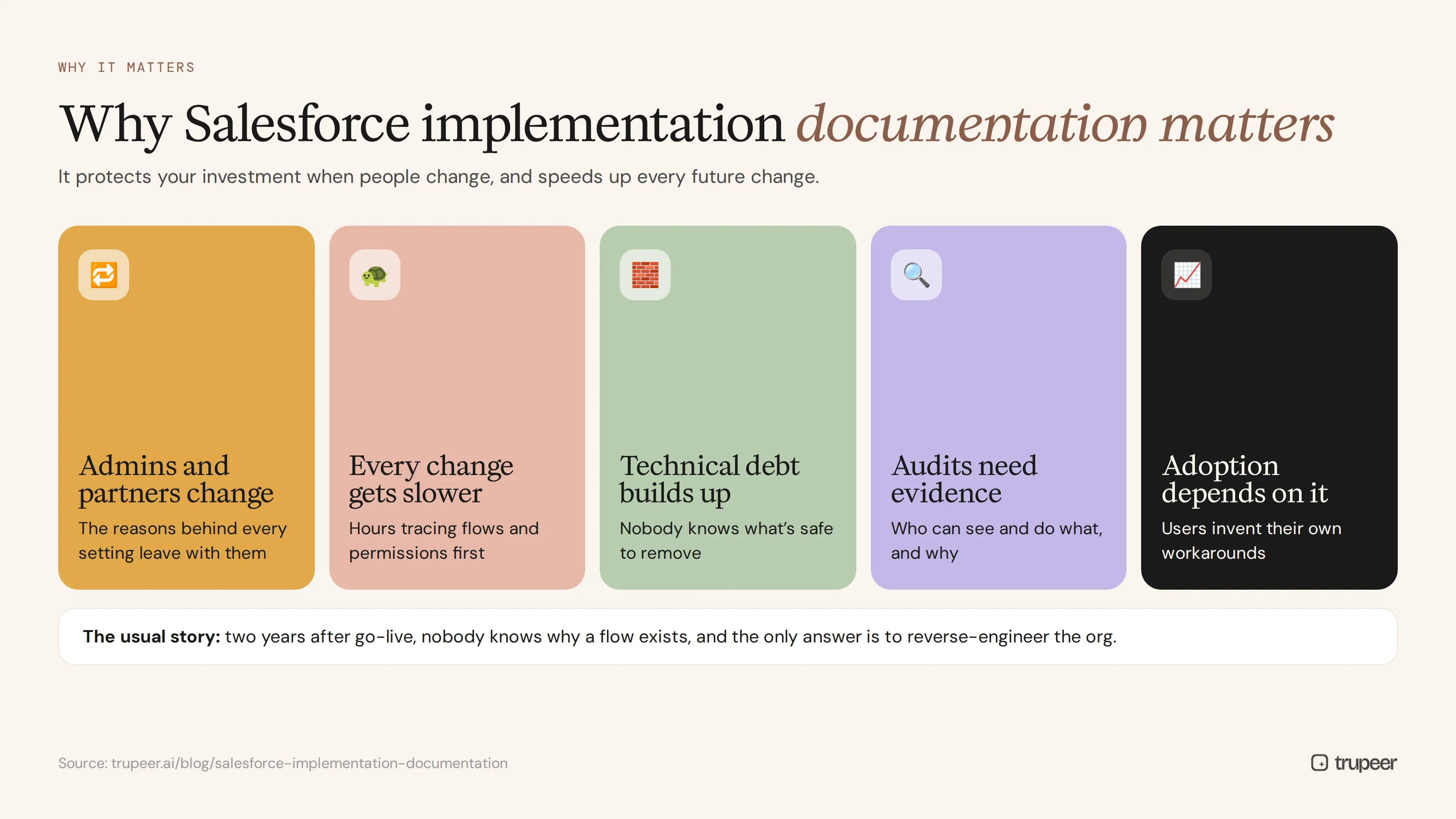
Admins and partners change. Without documentation, the reasons behind every setting leave with the people who built them.
Every change gets slower without it. Teams spend hours tracing flows, validation rules and permissions before they can safely change anything.
Technical debt builds up. Undocumented fields, flows and automations pile up because nobody is sure what's safe to remove.
Audits and security reviews need evidence of who can see and do what, and why.
Adoption depends on it. Users who don't know how the org is meant to be used invent their own workarounds; see the CRM adoption video strategy.
What should Salesforce implementation documentation include?
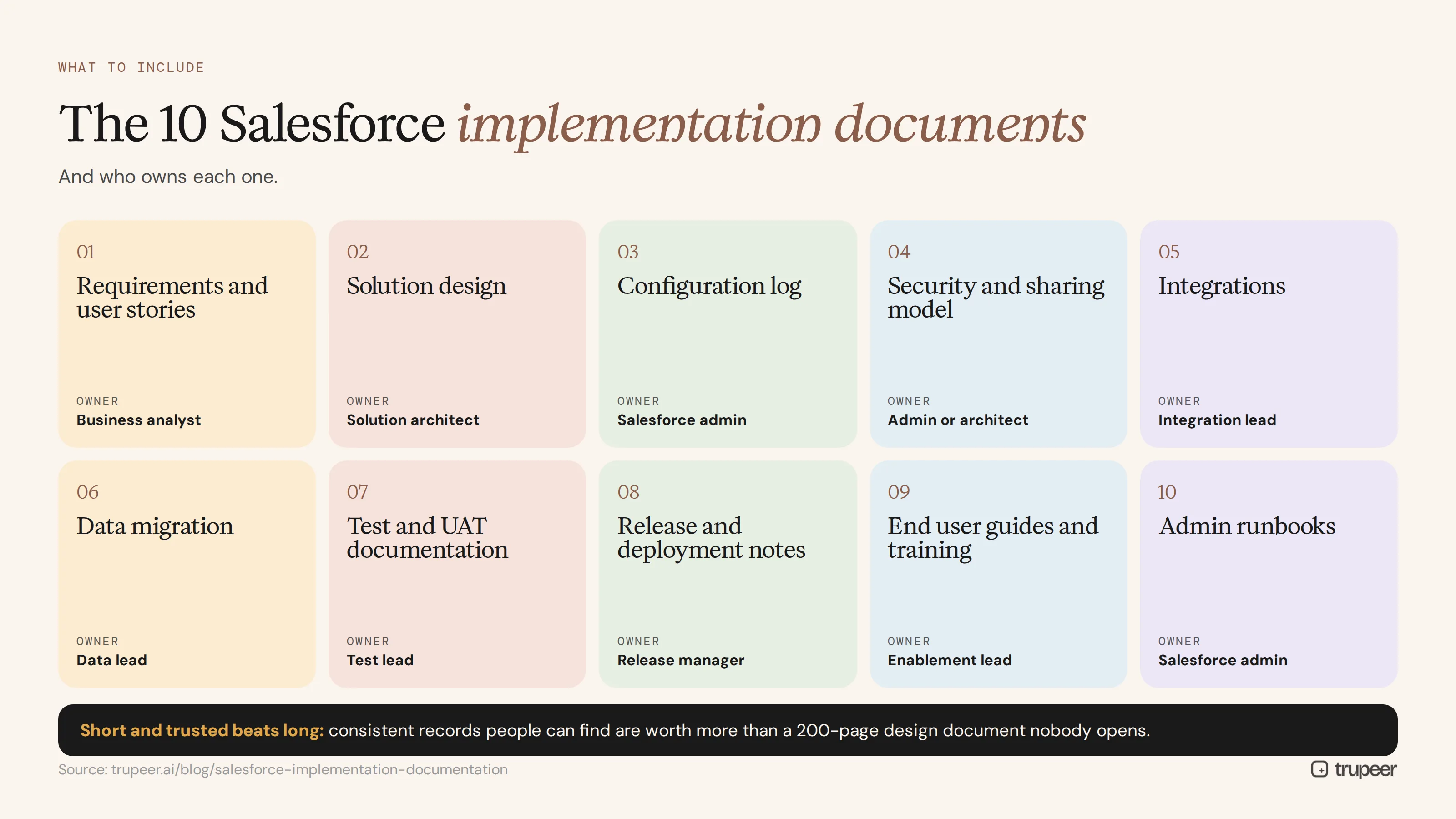
Document | What it covers | Main owner |
|---|---|---|
Requirements and user stories | Business goals, processes and acceptance criteria | Business analyst |
Solution design | Data model, objects, record types, page layouts and the reasons for key design decisions | Solution architect |
Configuration log | Custom fields, validation rules, flows, approval processes, permission sets and profiles | Salesforce admin |
Security and sharing model | Roles, sharing rules, permission sets and data access | Admin or architect |
Integrations | Connected systems, data flows, frequency, error handling and owners | Integration lead |
Data migration | Source data, mapping, cleansing rules, load order and reconciliation | Data lead |
Test and UAT documentation | Test scripts, results and sign-off | Test lead |
Release and deployment notes | What changed in each release, how it was deployed and rollback steps | Release manager |
End user guides and training | Step-by-step guides and videos for each role | Training or enablement lead |
Admin runbooks | Routine admin tasks, such as user setup and data loads | Salesforce admin |
You don't need a long document for each. Short, consistent records that people can find and trust are worth more than a 200-page design document nobody opens.
What should you document in each Salesforce implementation phase?
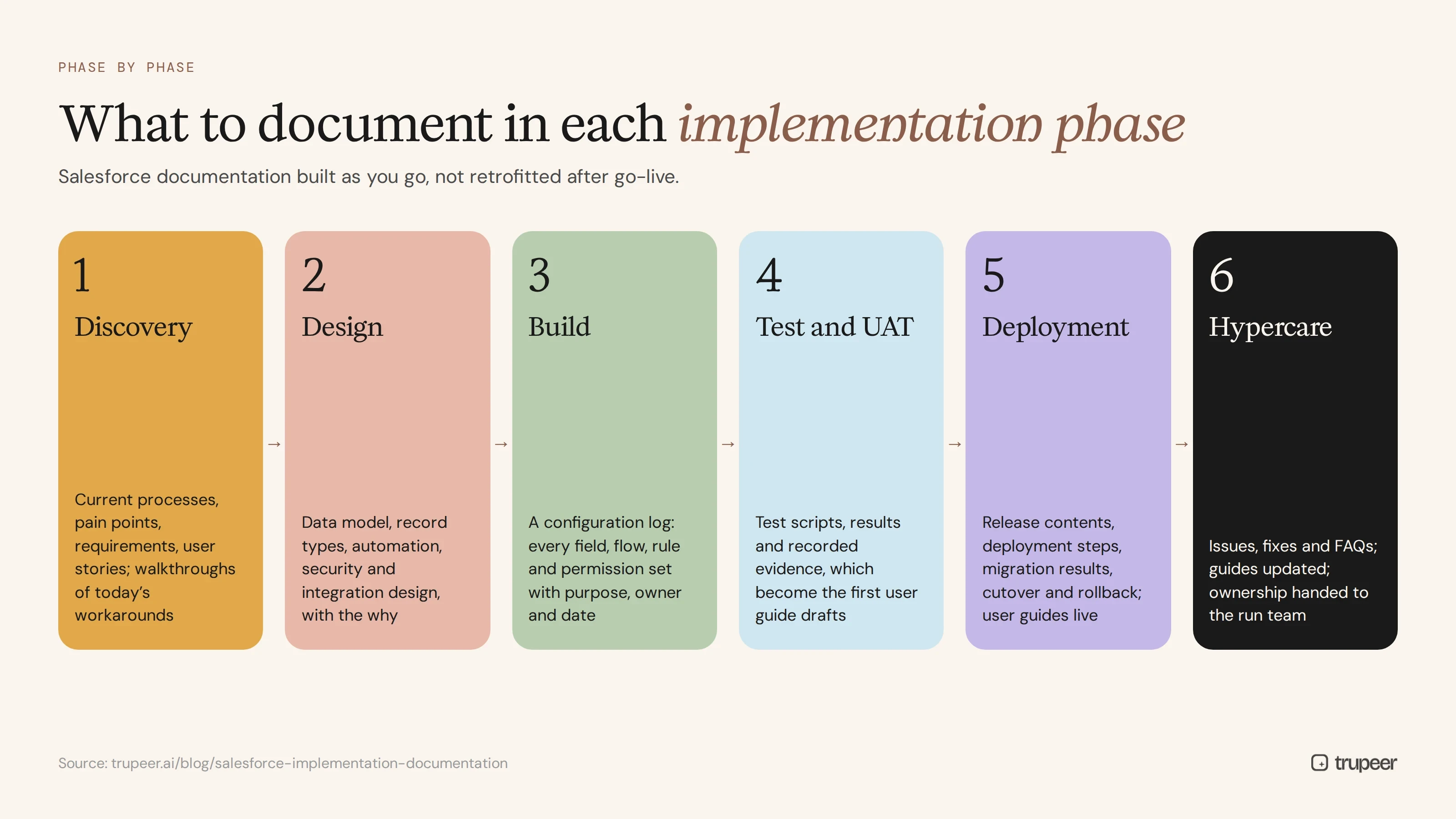
Discovery
Capture current processes, pain points, requirements and user stories. Record walkthroughs of how teams work today, including the spreadsheets and workarounds the new system must replace. A business requirements document template gives you a starting structure.
Design
Document the data model, record types, automation approach, security model and integration design, with the reasons behind each decision. The "why" is what future admins need most.
Build
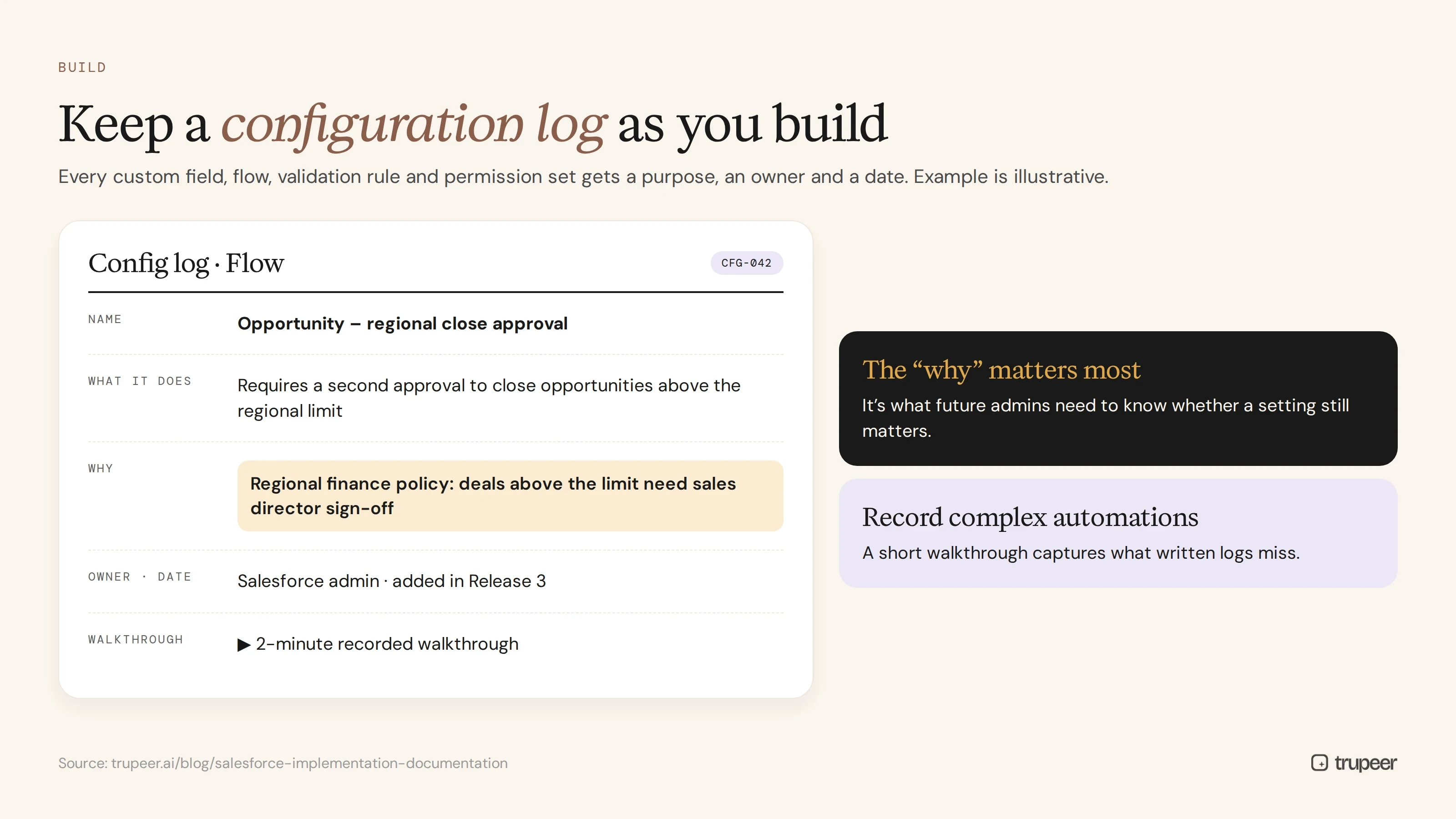
Keep a configuration log as you build, so every custom field, flow, validation rule and permission set has a purpose, an owner and a date. Record short walkthroughs of complex automations.
Test and UAT
Write test scripts, capture results and record evidence of each test. Recording testers as they work through scenarios gives you both UAT evidence and the first draft of end user guides. See how to create IT project implementation documentation and UAT guides with video.
Deployment and go-live
Document the release contents, deployment steps, data migration results, cutover plan and rollback steps, and publish end user guides before go-live.
Hypercare and beyond
Log issues, fixes and frequently asked questions, update guides as the org changes and hand over ownership of every document to the run team. A post-implementation training pack bundles the guides and videos new users need.
How do you create Salesforce implementation documentation step by step?
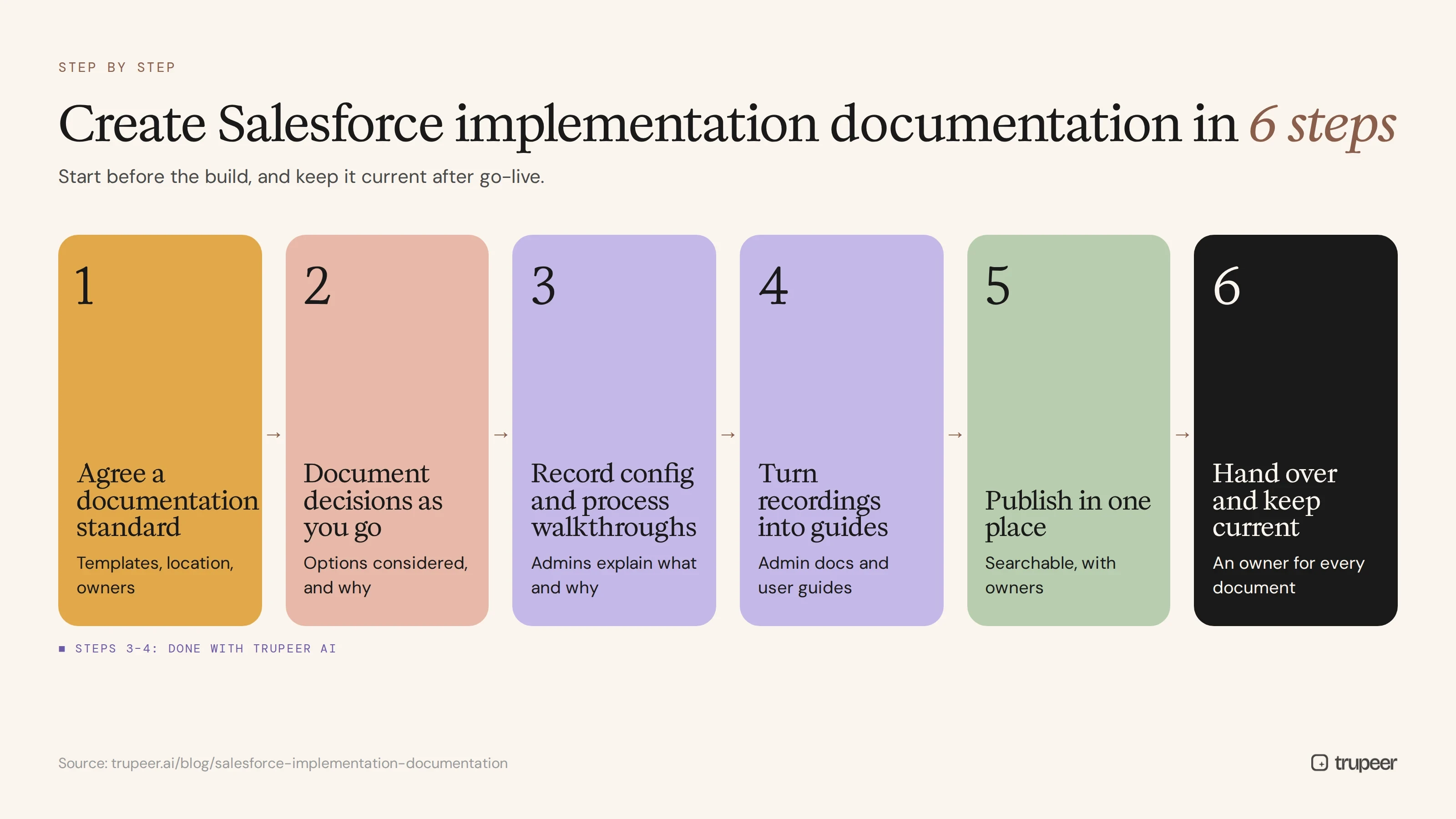
Step 1: Agree a documentation standard
Decide which documents you need, the template for each, where they'll live and who owns them, before the build starts.
Step 2: Document decisions as you go
Record design decisions in the moment, with the options considered and why one was chosen. Retrofitting documentation after go-live always misses the reasoning.
Step 3: Record configuration and process walkthroughs
Have the admin or consultant record a short walkthrough of each significant flow, approval process or permission setup with Trupeer's AI screen recorder, explaining what it does and why. Recordings capture detail that written logs miss.

Step 4: Turn recordings into guides
Trupeer turns each recording into a step-by-step guide with screenshots and a narrated video, so admin walkthroughs become admin documentation and user walkthroughs become end user guides. Use a consistent software user guide template for the end user versions.

Step 5: Publish in one place
Keep requirements, design, configuration logs, runbooks and user guides in one searchable library with clear owners, rather than scattered across shared drives and project tools.

Step 6: Hand over and keep current
At project close, assign an owner to every document and agree how documentation will be updated with each release.
How do you document Salesforce for end users?
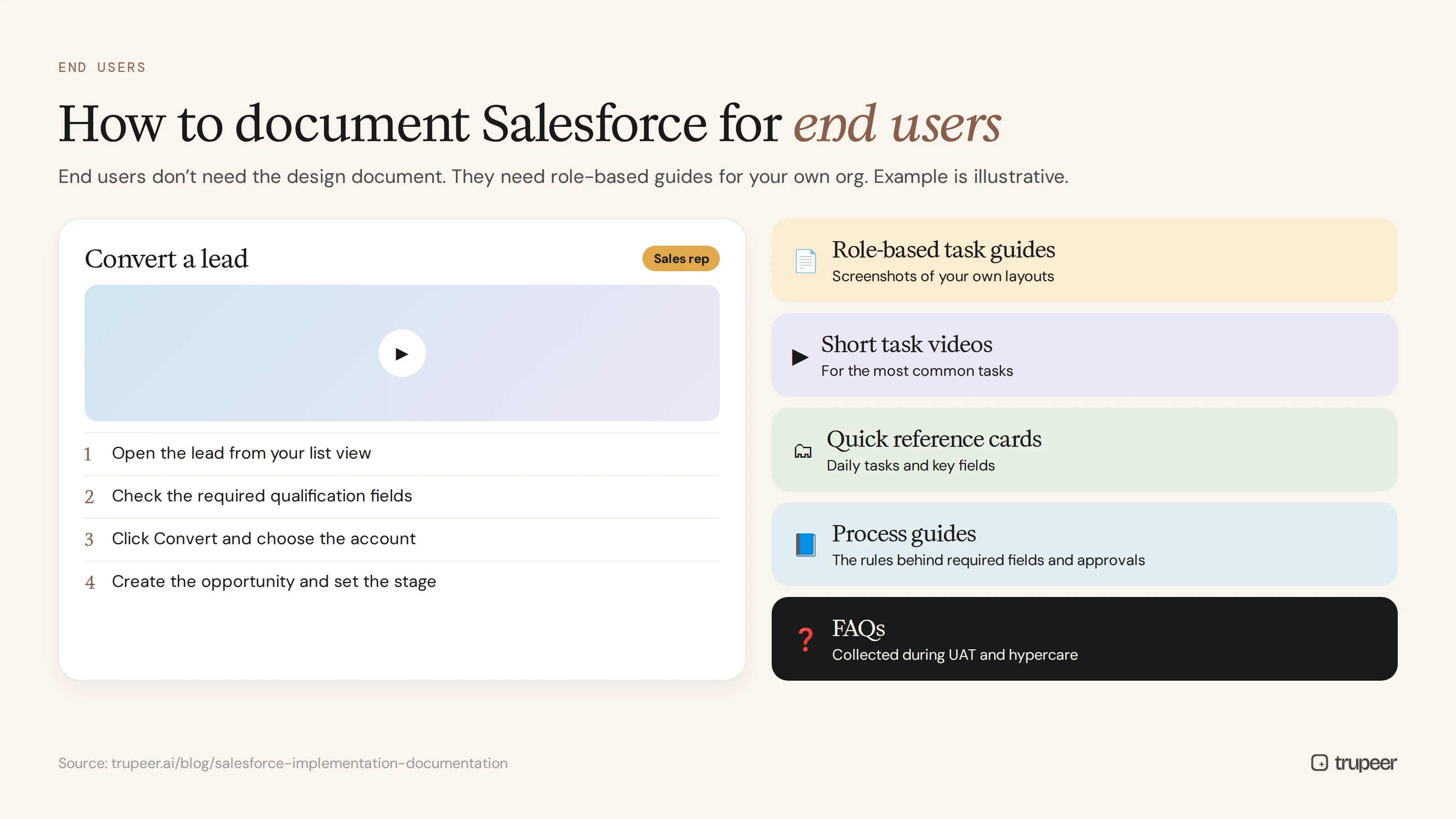
End users don't need the design document. They need role-based guides that show exactly how to do their job in your org:
Role-based task guides, such as "Log a call", "Convert a lead" or "Close a case", with screenshots of your own layouts.
Short videos of the most common tasks, for people who learn by watching.
Quick reference cards for daily tasks and key fields.
Process guides that explain the business rules behind required fields and approvals.
FAQs collected during UAT and hypercare.
Good end user documentation is also the foundation of adoption. See Salesforce training beyond Trailhead for building role-specific training on top of it.
How do you keep Salesforce documentation current after go-live?
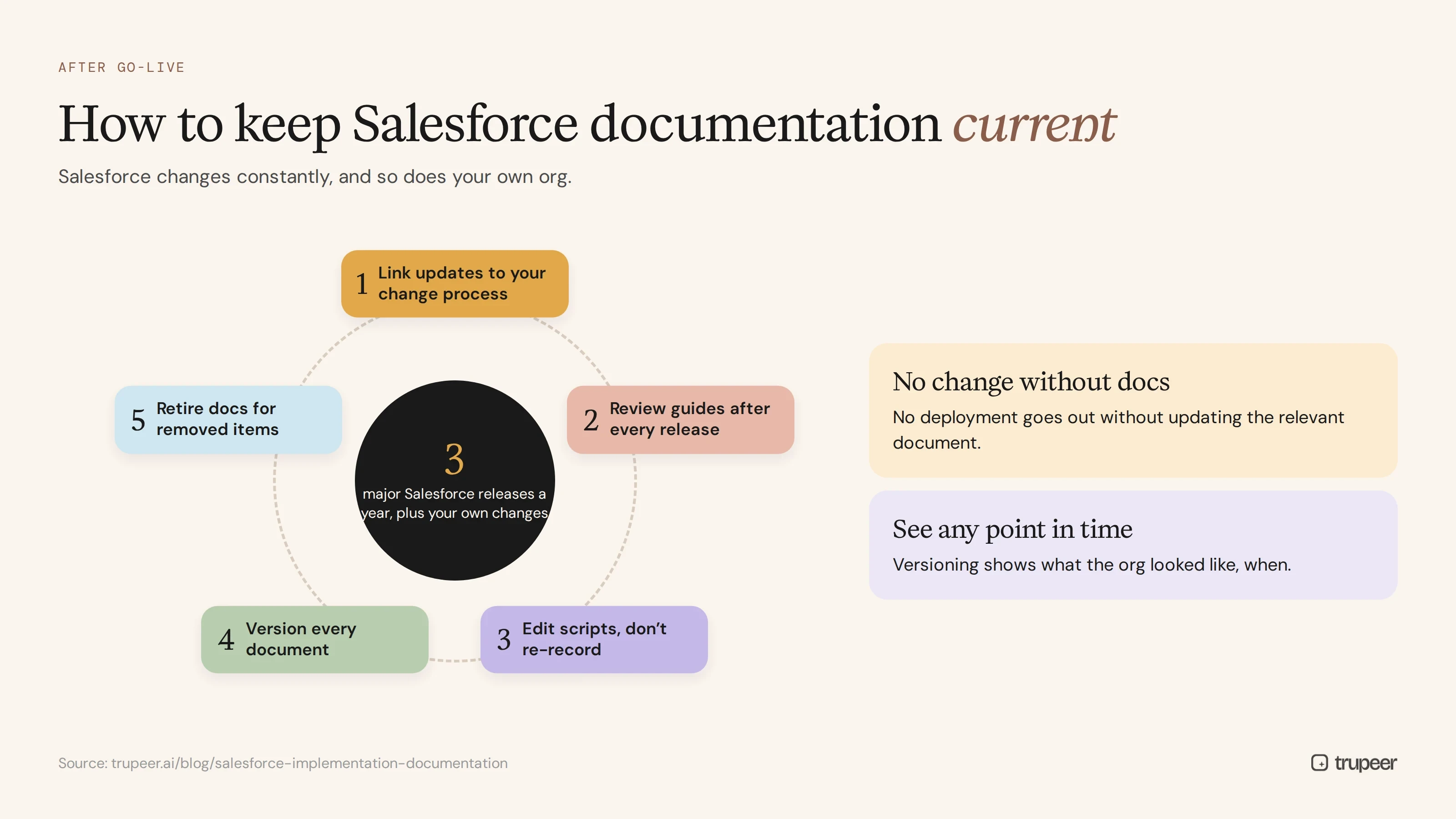
Salesforce changes constantly: Salesforce delivers three major releases a year, and your own team keeps changing the org. To keep Salesforce implementation documentation current:
Link documentation updates to your change process, so no change is deployed without updating the relevant document.
Review end user guides after each Salesforce release and each internal release.
Update videos by editing the script, rather than re-recording, when labels or steps change; see how to update a training video without re-recording.
Version your documents, so you can see what the org looked like at any point.
Clean up regularly, retiring documentation for fields and automations that have been removed.
Salesforce implementation documentation checklist
Requirements and user stories are documented, with acceptance criteria.
Every key design decision is recorded with the reason behind it.
A configuration log lists every custom field, flow, validation rule and permission set, with a purpose and owner.
The security and sharing model is documented and approved.
Each integration has a data flow, error handling steps and an owner.
Data migration mapping and reconciliation results are saved.
UAT scripts, results and sign-off are stored with the project records, using a consistent test plan template.
Release notes and rollback steps exist for every deployment.
Role-based end user guides and videos are published before go-live.
Admin runbooks cover routine tasks such as user setup and data loads.
Every document has an owner and a review date after handover.
For the testing stage in detail, use the UAT documentation checklist.
Common Salesforce implementation documentation mistakes
Documenting what, not why, so future admins can't tell whether a setting still matters.
Leaving documentation to the end of the project, when budget and attention have run out.
Relying on the partner's handover pack without making it your own.
Skipping end user guides, so users learn from colleagues and pick up bad habits.
Storing documents in the project tool, where nobody looks after go-live.
Never updating documentation after the first release.
Create Salesforce implementation documentation with Trupeer
Trupeer turns recordings of your admins and users working in Salesforce into step-by-step guides and training videos, so documentation keeps pace with the build and stays current after go-live. Start free with Trupeer.
Frequently asked questions
What is Salesforce implementation documentation?
It's the set of records that explain a Salesforce implementation: requirements, solution design, configuration, security, integrations, data migration, testing, release notes, end user guides and admin runbooks.
What should be included in Salesforce implementation documentation?
Requirements and user stories, the solution design, a configuration log, the security and sharing model, integration and data migration details, test and UAT documentation, release notes, end user guides and admin runbooks.
Who should own Salesforce documentation?
The Salesforce admin or platform owner should own the overall library, with named owners for design, integrations and end user guides. After go-live, ownership should sit with the internal run team, not the implementation partner.
When should you start documenting a Salesforce implementation?
At discovery. Documenting decisions and configuration as you go is far more accurate than writing everything up at the end.
How do you document Salesforce configuration?
Keep a configuration log of custom fields, flows, validation rules, approval processes and permissions, each with its purpose, owner and date, and record short walkthroughs of complex automations.
How do you create Salesforce user guides quickly?
Record users or key users doing each task in Salesforce and use a tool like Trupeer to turn each recording into a step-by-step guide and video.
How do you keep Salesforce documentation up to date?
Tie documentation updates to your change process, review guides after every Salesforce and internal release, update videos by editing the script and version your documents.
What is the difference between admin and end user documentation?
Admin documentation explains how the org is built and maintained. End user documentation explains how to do daily tasks in it. Both are part of Salesforce implementation documentation, but they're written for different readers.



