4.8/5
Grabador de pantalla gratuito para Chrome
Graba tu pantalla sin esfuerzo con una extensión gratuita de Chrome impulsada por IA, perfecta para tutoriales, demostraciones y presentaciones.
Empieza gratis

El grabador de pantalla gratuito para Chrome de Trupeer captura pestañas del navegador, pantallas completas o ventanas específicas directamente desde Chrome utilizando una extensión ligera de grabación de pantalla. Este grabador de pantalla para Google Chrome permite la grabación instantánea sin descargas ni permisos del sistema.
¿Por qué es necesario el grabador de pantalla gratuito para Chrome?
Los usuarios pierden tiempo descargando pesados programas de grabación de pantalla que ralentizan los navegadores y requieren reinicios. Las alternativas de grabación de pantalla específicas de Chrome carecen de una captura de pestañas fluida y de un uso compartido instantáneo. Los flujos de trabajo de captura de pantalla manuales implican capturas de pantalla más herramientas de anotación independientes. Este mismo flujo de trabajo se puede integrar directamente en el grabador de pantalla gratuito, para que no tengas que armarlo por separado.
Los equipos se enfrentan a una calidad inconsistente de los grabadores de pantalla en línea en diferentes dispositivos y navegadores. Grabar sin extensiones exige configuraciones de permisos complejas y gestión del almacenamiento. Compartir grabaciones en bruto sin enlaces en la nube genera problemas de compatibilidad y tamaño de archivo. Los flujos de trabajo basados en el navegador se ven interrumpidos al tener que cambiar a aplicaciones de escritorio.
Qué hace este grabador de pantalla gratuito para Chrome
La extensión de grabación de pantalla de Trupeer graba pestañas de Chrome, pantallas completas o ventanas de aplicaciones con un solo clic, subiéndolas automáticamente al almacenamiento en la nube para obtener enlaces de uso compartido instantáneos. El grabador de pantalla para Google Chrome incluye edición básica como recorte y anotaciones antes de compartir, eliminando por completo los flujos de trabajo posteriores a la grabación.
Funcionalidades principales
Captura con grabador de pantalla con un solo clic desde el navegador Chrome
Subida automática a la nube con enlaces de grabación de pantalla listos para compartir
Recorte básico y anotación en el grabador de pantalla en línea
Graba pestañas sin interferencias de audio
Cómo funciona el grabador de pantalla gratuito para Chrome de Trupeer
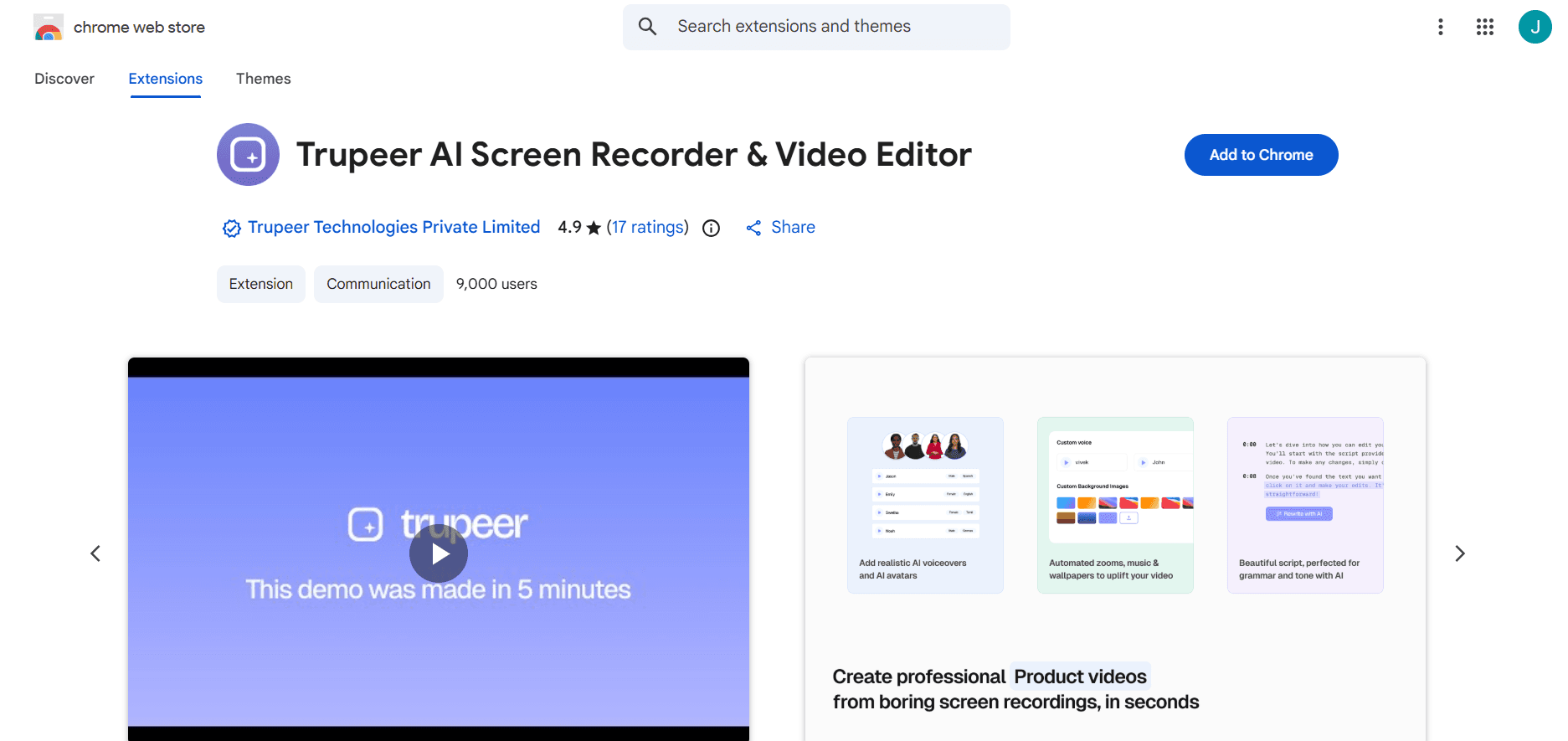
Paso 1: Instala la extensión
Añade la extensión de grabación de pantalla desde Chrome Web Store con un solo clic.
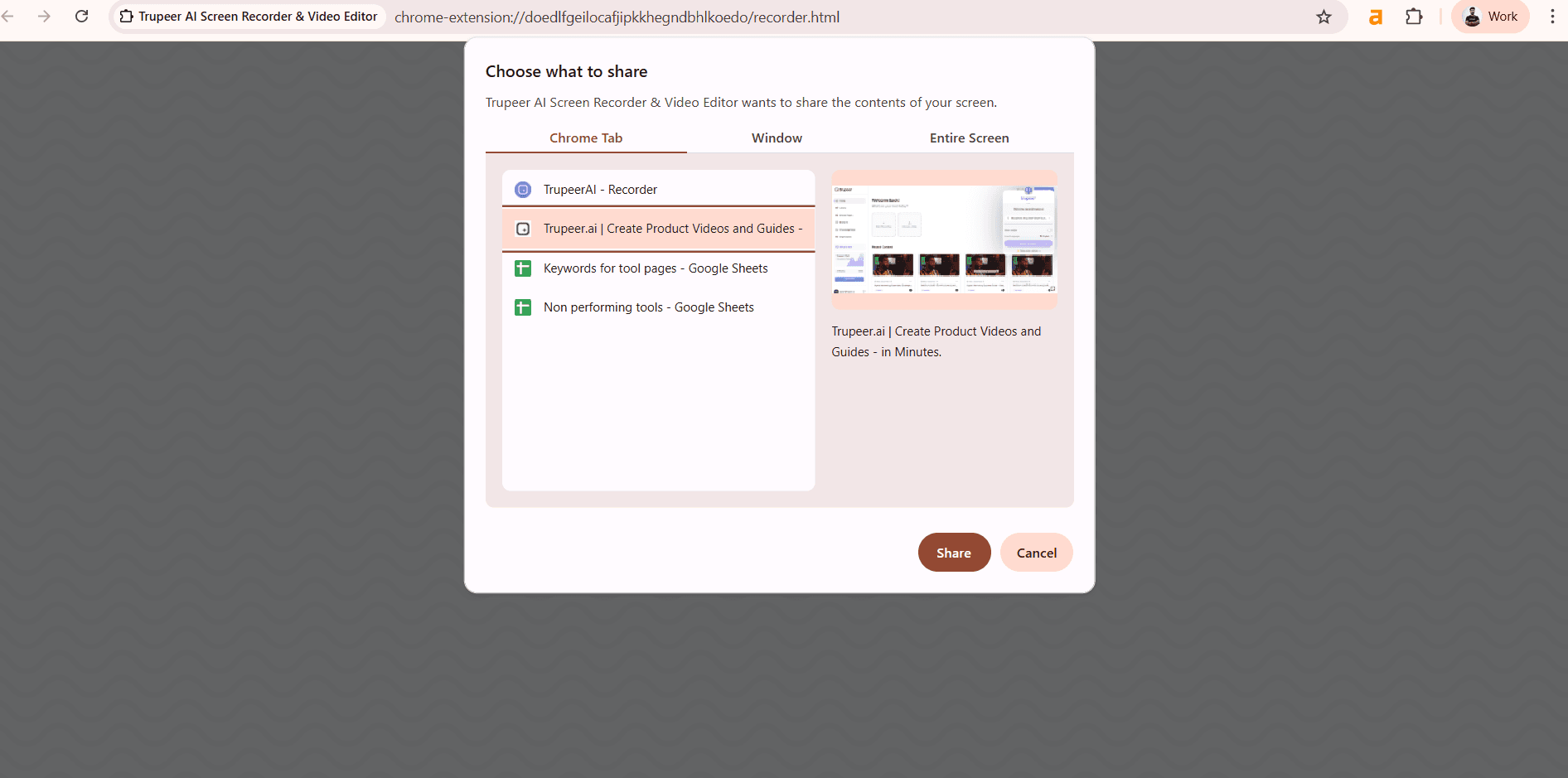
Paso 2: Selecciona y graba
Elige la pestaña, ventana o pantalla y luego inicia el grabador de pantalla para Google Chrome.
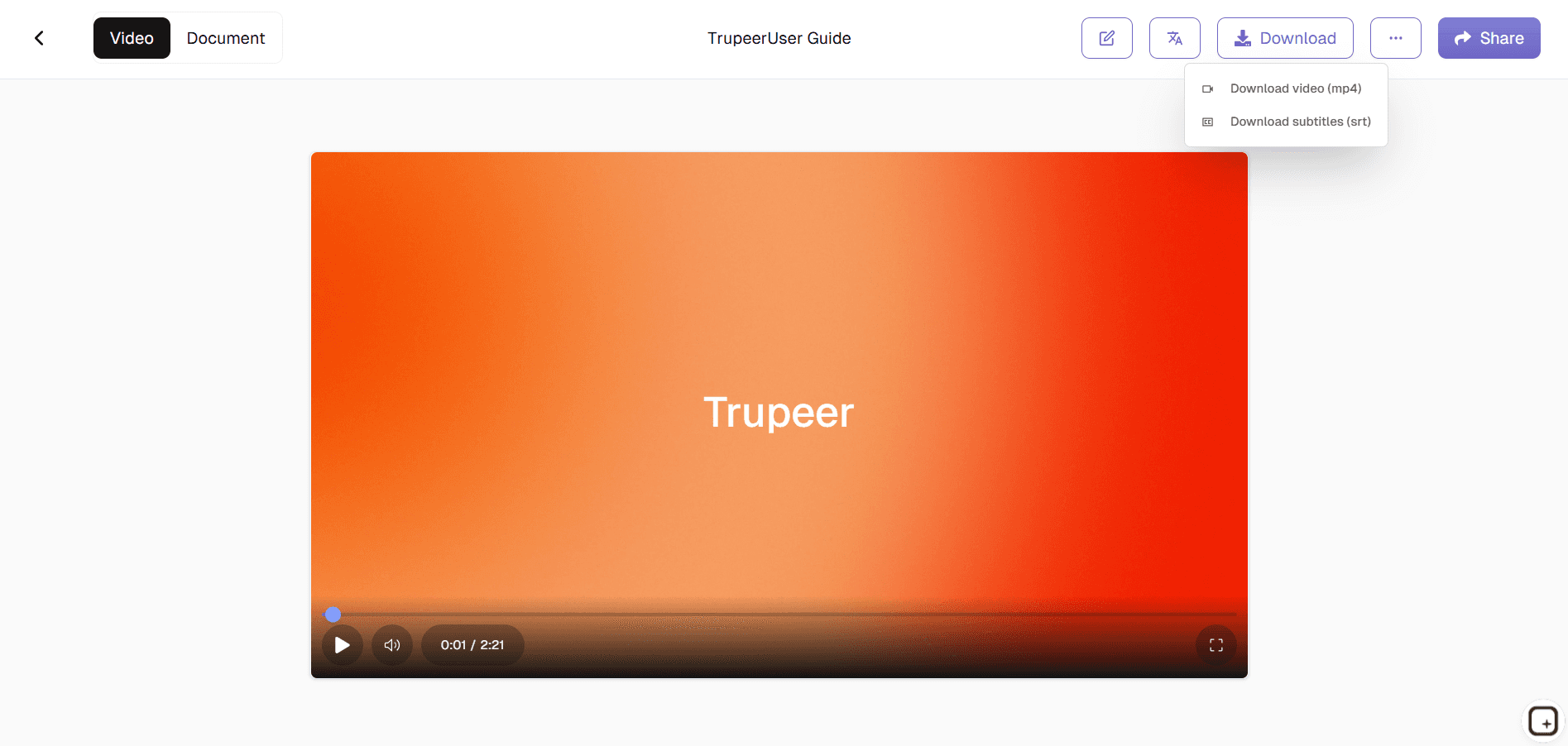
Paso 3: Comparte al instante
Recorta si es necesario, obtén el enlace de la grabación o descarga el vídeo.
A quién va dirigido el grabador de pantalla gratuito para Chrome de Trupeer
Perfecto para usuarios de Chrome que necesitan flujos de trabajo de captura de pantalla instantáneos.
Soporte al cliente:
Graba sesiones con el grabador de pantalla para la resolución de problemas.Profesores:
Captura demostraciones del navegador con la extensión de grabación de pantalla.Desarrolladores:
Comparte la reproducción de errores mediante enlaces de grabación de pantalla.Creadores de contenido:
Grabador de pantalla en línea rápido para tutoriales.Trabajadores remotos:
Documenta flujos de trabajo con el grabador de pantalla para Google Chrome.
Características clave del grabador de pantalla gratuito para Chrome de Trupeer
Grabación nativa del navegador sin descargas ni permisos.
Grabación con un solo clic:
Inicio y parada instantáneos desde la barra de herramientas de Chrome.Aislamiento de pestañas:
Graba pestañas individuales sin audio del sistema.Subida automática a la nube:
Enlaces para compartir al instante al estilo screenrec.Extensión ligera:
Sin ralentizaciones del navegador ni problemas de memoria.Ediciones rápidas:
Recorta y anota antes de compartir con el grabador de pantalla en línea.
Esta extensión de grabación de pantalla de Chrome se basa en Screenity, creada originalmente por Alyssa X y bajo la licencia GNU GPLv3, con mejoras desarrolladas por el equipo de Trupeer. El código fuente está disponible aquí: https://github.com/trupeer-ai/trupeer-chrome-capture.
Explora herramientas relacionadas
Beneficios de usar el grabador de pantalla gratuito para Chrome de Trupeer
Grabación de pantalla rápida y sencilla
Captura toda tu pantalla, ventanas seleccionadas o pestañas del navegador al instante; no se requiere una configuración compleja.
Mejoras impulsadas por IA
Añade anotaciones automáticas, subtítulos y voces en off para que tus grabaciones sean más claras, más atractivas y tengan un aspecto profesional.
Gratis y accesible en cualquier momento
Graba, guarda y comparte tus vídeos directamente desde tu navegador sin coste, ideal para equipos, educadores y creadores de contenido.
Cómo grabar tu pantalla con el grabador de pantalla gratuito de Chrome de Trupeer
Paso 1
Abre Trupeer
Paso 2
Graba tu pantalla
Paso 3
Mejora y comparte
Preguntas frecuentes
¿Es gratuita esta herramienta?
Sí, la grabación ilimitada de la extensión de grabación de pantalla está incluida gratis.
¿Qué captura el grabador de pantalla para Google Chrome?
Pestañas, ventanas, pantalla completa con audio del sistema o del micrófono.
¿Dónde se guardan las grabaciones?
La carga automática en la nube crea enlaces para compartir de screenrec.
¿Hace que Chrome vaya más lento?
Grabador de pantalla en línea ligero optimizado para su uso en el navegador.
¿Puedo editar grabaciones?
Recorte básico, anote antes de compartir la grabación de pantalla.
Más herramientas


