Use this template
Most PRDs go unread - but a great PRD presentation gets seen. With Trupeer, you can save hours on PM communication by starting with a free PRD presentation template, customizing it with your brand guidelines, and turning PRDs into video walkthroughs that align stakeholders fast.
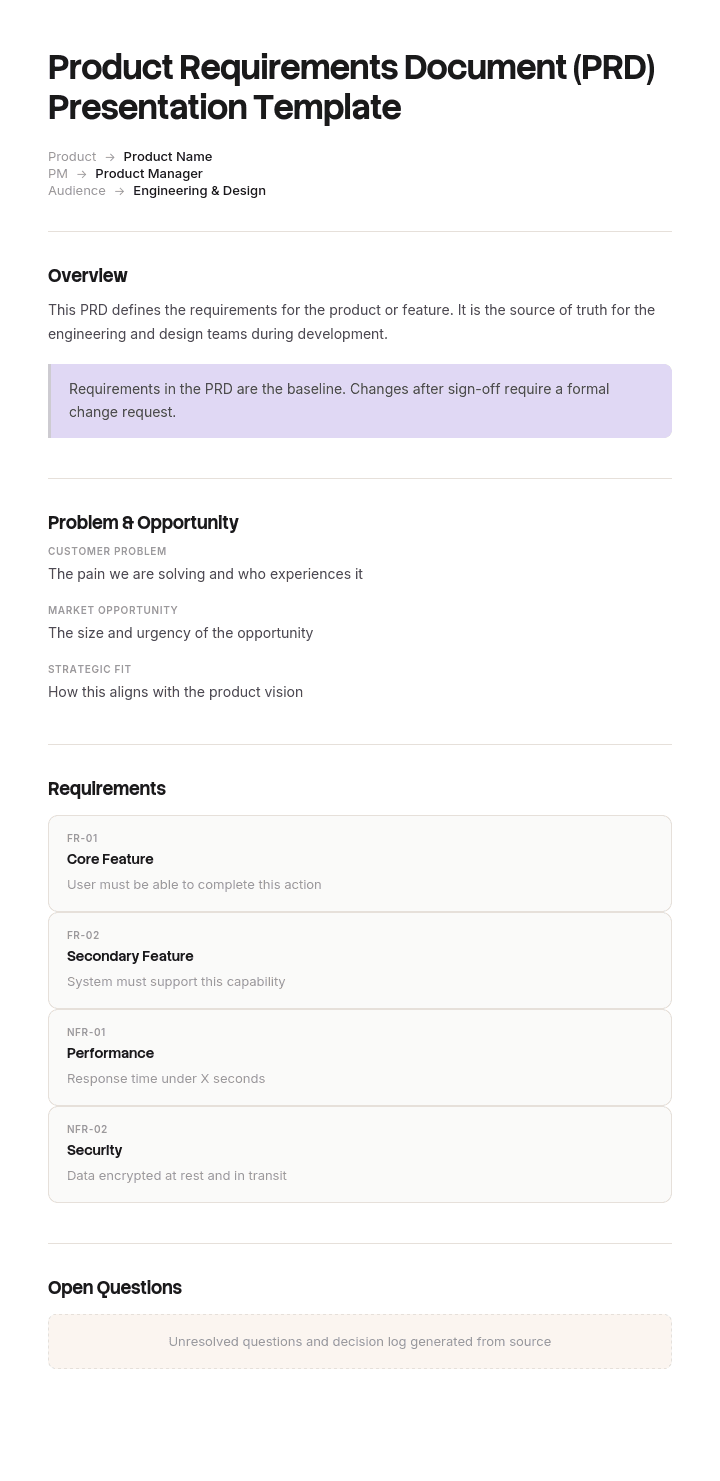
This PRD presentation template provides a structured framework to capture the problem, user, hypothesis, proposed solution, scope, success metrics, risks and timeline - useful for executive reviews, investment commit decisions, design and engineering kickoffs. Pair it with our technical documentation tools for downstream specs, generate AI video walkthroughs, and translate into 65+ languages for global PM teams.
How to customize this template in Trupeer
Step 1: Open the Templates Section
Go to the Templates section from the main navigation.

Step 2: Select and Open a Template
Click on any template you want to work with to open it.

Step 3: Expand the Template View
If needed, expand the template view to see the full layout and details clearly.

Step 4: Edit the Template
Click on Edit to start modifying the selected template.

Within the editor, you can:
Add new sections
Define or update formatting rules
Add a logo and adjust its position and related settings
Step 5: Save Your Customized Template
After making all necessary changes, click Save to store the updated template as your own.

Step 6: Preview and Fine-Tune the Template
When you want to see how your customized template looks, open the Preview.

From the preview screen, you can continue to make adjustments directly if needed, ensuring the template appears exactly as you want.
With a PRD presentation template you can:
Save hours on writing: Skip the blank page with a structure built for product communication.
Align stakeholders fast: Built-in sections cover what executives and engineers need.
Stay on-brand: Apply your logo, fonts and colors using Trupeer's brand kit.
Drive better decisions: Convert dense PRDs into video walkthroughs everyone can absorb.
Standardize across products: Use the same template for every PRD review.
Reach global teams: Translate PRDs into 65+ languages with one click.
A great PRD presentation turns specs into shared understanding. Use this template to make every product decision crisp, on-brand and well-communicated.
Frequently Asked Questions
What is a PRD presentation?
A PRD (Product Requirements Document) presentation is a stakeholder-friendly version of a written PRD - typically a slide deck or video walkthrough. It captures the problem, user, hypothesis, solution and success metrics in a format that executives, designers and engineers can quickly absorb.
What should a PRD presentation include?
A complete PRD presentation includes the problem statement, target user, hypothesis, proposed solution, key user flows, scope (in and out), success metrics, dependencies, risks and timeline. Keep it focused - leave detailed requirements for the written PRD, not the presentation.
What is the difference between a PRD and a PRD presentation?
A PRD is the comprehensive written document that captures every detail of a product spec. A PRD presentation is a stakeholder-focused summary - typically slides or video - designed for quick alignment, executive review or kickoff meetings. They serve different audiences and moments.
How do you write a great PRD presentation?
Lead with the problem and the user - not the solution. Use clear, plain language. Make it scannable - one idea per slide or scene. Include user flows or wireframes. Be specific about success metrics. Keep it short - if stakeholders need more depth, they can read the full PRD.
How long should a PRD presentation be?
Most great PRD presentations are 8-15 slides or 5-10 minutes of video. The goal is alignment, not exhaustive detail. If you find yourself adding 30+ slides, that's a sign the PRD presentation is doing the wrong job - move detail to the written PRD and keep the presentation focused.

