Enterprise Workflow Management Software
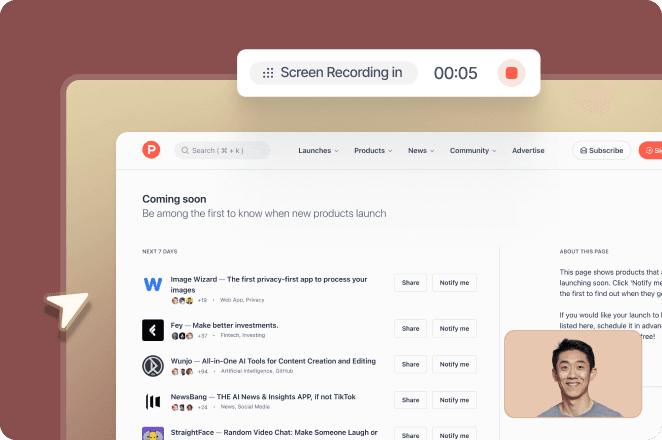
Trupeer is enterprise workflow management software that captures every workflow from real work, turns it into process maps and SOPs, standardises it across teams and regions, and makes it ready for AI agents.
SOC 2 Type II · ISO 27001 · GDPR · Used in Genpact's Workday rollout across 140,000 employees
What is enterprise workflow management?
Enterprise workflow management is how large organisations map, standardise, govern and improve the workflows that run across teams, regions and systems, so work is done consistently, handoffs are clear and processes are ready for automation and AI agents.
An enterprise workflow is any repeatable sequence of steps that moves work from a request to an outcome: closing the books, onboarding a hire, processing an invoice, resolving a ticket. In a large organisation, the same workflow often runs in dozens of teams and several systems, which is why managing it takes more than a flowchart.
Enterprise workflow management covers four jobs:
Visibility: knowing how each workflow actually runs today, step by step.
Standardisation: agreeing one best way and controlling the variants that are genuinely needed.
Governance: clear owners, permissions, version history and audit trails.
Improvement: finding steps to remove, automate or hand to AI agents.
Why enterprise workflows break
Most enterprise workflows were never designed. They grew, one workaround at a time, and the knowledge of how they run sits with the people who do them. Four problems show up again and again.
1. Undocumented steps
The official process lives in a slide deck from the last transformation. The real one includes the spreadsheet someone checks, the email that triggers approval and the field everyone knows to leave blank. When those steps are not written down, new hires learn by shadowing, errors repeat, and the knowledge leaves when people do.
2. Regional and team variants
The same workflow runs differently in Manila, Kraków and Austin. Some differences are legitimate, such as local tax rules or regulations. Most are not, but nobody can tell which is which without seeing every variant side by side.
3. Handoffs between systems
Enterprise work crosses applications: a request starts in ServiceNow, moves through SAP and ends in a Salesforce record. Each system logs its own part, but the handoffs between them, where people copy, check and decide, appear in no system's data. That is where delays and errors collect.
4. Change outpaces documentation
ERP upgrades, reorganisations, vendor transitions and new AI tools change workflows every quarter. Documentation written by hand cannot keep up, so it goes stale and people stop trusting it.
The result is the same in every case: you cannot standardise, automate or hand to an AI agent a workflow you cannot see.
How Trupeer manages enterprise workflows
Trupeer starts where other workflow tools assume you already are: with an accurate picture of how work happens. Your teams record the work as they do it, and Trupeer turns each recording into the assets you need to manage that workflow at enterprise scale.
Capture workflows from real work
An expert records a task once, in any web application: SAP, Workday, Salesforce, ServiceNow or a homegrown tool. Trupeer captures every click, screen and step, including the handoffs between systems that event logs never see. No workshops, no sticky notes, no consultants interviewing people for weeks.
Design: turn recordings into process maps and SOPs
From one recording, Trupeer generates a process flow, step-by-step documentation and a training video. Process owners edit the flow to add steps, decision points and exceptions, then export it as PNG, SVG or Mermaid for use in other tools.
Standardise across teams and regions
Capture the same workflow from several teams, review the documented variants together, and agree one standard. Keep the regional variants you need and retire the rest. When the standard changes, update the procedure once instead of rewriting a dozen documents.
Govern: permissions, version history and audit trails
Workspaces: give each function, region or programme its own workspace with its own library of workflows and SOPs.
Roles: organisation admins invite users and assign roles. Workspace admins manage members and assets; workspace editors create and edit content but cannot manage users.
Identity: SSO and SCIM provisioning connect Trupeer to your identity provider, so access follows your directory.
Version history: the knowledge base is version-controlled and timestamped, so you can show auditors which procedure was in force and when.
Controlled sharing: publish workflows on public or restricted share pages.
Trupeer is SOC 2 Type II and ISO 27001 certified and GDPR compliant, with AES-256 encryption at rest and TLS 1.3 in transit. Details are on the security and compliance page.
Integrations
Where | How Trupeer connects |
|---|---|
Systems you document | Captures workflows in any web application, including SAP, Workday, Salesforce, ServiceNow and Oracle |
Where people work | Embeds videos and documents in Confluence, Notion and other tools; shares through public or restricted pages |
Your knowledge stack | Exports documents as PDF, Word or Markdown and videos as MP4 with SRT captions |
Identity | SSO and SCIM with your identity provider |
AI assistants and agents | Trupeer MCP gives copilots and agents your approved workflows, not generic sources |
See all Trupeer integrations.
Make every workflow ready for AI agents
AI agents follow instructions. A workflow captured and standardised in Trupeer gives them clear steps, rules, exceptions and handoff points, and the same procedure people use. When the workflow changes, people and agents get the update together.
Enterprise workflow management vs enterprise workflow automation
Workflow management decides how work should run. Workflow automation executes parts of it with software. Enterprises need both, and they work best in that order: an enterprise automation platform can only automate a workflow someone has defined correctly.
Trupeer | ServiceNow | UiPath | |
|---|---|---|---|
Main job | Capture, document and standardise how workflows run | Run IT, HR and service workflows on one platform | Automate repetitive steps in applications with robots and AI agents |
Starting point | Recordings of real work | Workflows configured on the ServiceNow platform | Processes defined well enough to automate |
Sees work between systems | Yes, captured from the screen | Within ServiceNow | Within the steps you automate |
Main output | Process maps, SOPs, training and agent-ready procedures | Tickets, requests and automated service flows | Running automations |
Best used | Before and during automation, rollouts and transitions | To run service workflows at scale | To execute stable, rule-based work |
Trupeer does not replace ServiceNow or UiPath. It gives them better input. Teams use Trupeer to document a workflow end to end, decide what to standardise, and spot which steps are worth automating, then build those automations in the platform they already run. Trupeer also documents how people use ServiceNow and other systems, so training and SOPs stay current as configurations change.
Comparing platforms? Read our enterprise workflow software buyer's guide.
Enterprise workflow management use cases
ERP and system rollouts
Document current workflows before a SAP, Workday or Oracle go-live, design the future state, and give every role the SOPs and training videos it needs before cutover.
Vendor and BPO transitions
Capture how the outgoing team runs each workflow so the incoming team inherits the real process, not a slide deck. Knowledge transfer becomes recordings and procedures instead of weeks of shadowing.
Shared services and GCC standardisation
Bring workflows from many business units into one standard, keep the variants you need, and scale new teams without a knowledge bottleneck.
Finance, HR and procurement processes
Map end-to-end processes such as procure to pay, hire to retire and order to cash, with every step, control and handoff documented.
Compliance and audit readiness
Keep a version-controlled record of each procedure, who owns it and when it changed, so the next audit starts from a library you already have.
AI agent programmes
Decide which workflow steps an agent should take, give it the same approved procedure people follow, and define where it hands work back to a person.
Proof: Genpact
When Genpact rolled out Workday across HCM, finance and data, its change team had to prepare 140,000 employees in 40 countries. Using Trupeer, it delivered a training programme planned for 12 months in about three. Read the Genpact case study.
New to process mapping? Start with our guide to process mapping tools.
Make every enterprise workflow visible, standard and AI-ready
Capture one workflow, see it as a process map, SOP and training video, and decide what to standardise next. Book a demo or see how Trupeer works as an enterprise AI platform.
Related reading
الأسئلة الشائعة
What is an enterprise workflow management system?
An enterprise workflow management system is software that helps a large organisation document, standardise, govern and improve its workflows across teams and systems. It gives each workflow an owner, a current procedure, access controls and a version history.
What is the difference between workflow management and workflow automation?
Workflow management defines how work should run: the steps, owners, rules and handoffs. Workflow automation uses software to execute some of those steps. Managing a workflow first makes automation faster and more reliable.
What is an example of enterprise workflow management?
A shared services centre that runs invoice processing for 12 countries captures how each team handles invoices, agrees one standard with a few local variants, publishes the SOP and training for every role, and tracks each change to the procedure.
What is the best enterprise workflow automation platform?
It depends on the work. ServiceNow suits IT and employee service workflows, UiPath suits rule-based work in legacy applications, and Microsoft Power Automate suits Microsoft-centred teams. Whichever you choose, start by documenting the workflow end to end so you automate the right steps.
Does Trupeer replace ServiceNow or UiPath?
No. Trupeer captures and standardises how workflows run and documents how people use systems such as ServiceNow. Automation platforms then execute the steps worth automating.
Which systems can Trupeer document?
Any workflow your teams perform in a web application, including SAP, Workday, Salesforce, ServiceNow and internal tools, plus the handoffs between them.
How does Trupeer control who can see and edit workflows?
Through organisation and workspace roles, SSO and SCIM provisioning, and public or restricted share pages. Trupeer is SOC 2 Type II and ISO 27001 certified.
How does enterprise workflow management prepare for AI agents?
Agents need clear steps, rules, exceptions and handoff points. Documented, standardised workflows give them that, and Trupeer makes the same procedures available to AI assistants and agents through MCP.