4.8/5
AI Employee Resource Group Generator
Turn ERG kickoff videos, training, event recaps, and explainers into shareable assets without a video team. Record once, get video and docs in any of 65+ languages.
Make ERG Content Free

ERG leaders are volunteers who already have day jobs. The role is unpaid, the content load is real, and the videos and docs the group needs always sit just below the lead's actual work in priority. Trupeer AI's employee resource group content generator changes that math. An ERG lead records themselves explaining the topic. Trupeer AI generates a polished video and a written document version together, in any of 65+ languages. The lead reviews, brands it, and ships. The whole loop is short enough that ERG content actually gets made instead of staying on the backlog.
Record once and get a polished video plus a written document in the same flow.
Filler words, awkward pauses, and cursor jitter get removed automatically. No video editing skills required.
Translate ERG content into 65+ languages so global teams get materials in their own language the same week.
AI avatars and voiceovers available for ERG leads who don't want to be on camera.
Share via a branded Shared Page link that embeds into Slack, intranet, or anywhere the company already shares content.
What Trupeer AI produces from a single ERG recording
An ERG lead records a screen walkthrough or uploads existing footage. Trupeer AI does the heavy lifting that would otherwise eat a weekend. Filler words and awkward pauses get removed. Cursor jitter and zoom transitions get smoothed. A draft video and a draft written document arrive in the same job, so the lead doesn't have to produce them separately for the members who'd rather read than watch.
The video output is MP4, ready for YouTube, Slack, or the company intranet. The document output is PDF or Word, ready for the knowledge base or for handing to leadership. If the original recording was on the lead's webcam, the lead can swap themselves for an AI avatar from the Trupeer catalog. Useful when the lead is between companies, prefers not to be on screen, or wants the ERG to look professional rather than scrappy. Voiceover gets the same treatment: dozens of AI voices and accents, or a custom voice cloned from a short audio sample.
How an ERG lead uses Trupeer AI in three steps
The full flow takes one recording and produces ship-ready ERG content. No video editor, no separate documentation pass.
Step 1: Record or upload the ERG content
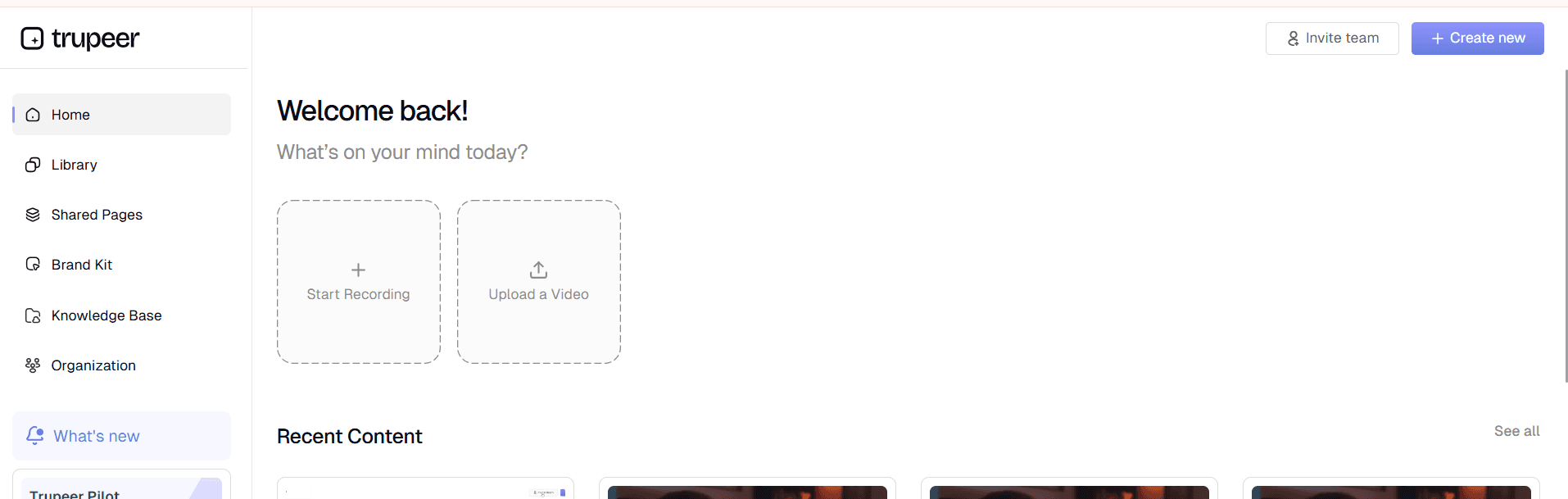
The lead records a screen walkthrough or uploads existing video footage. A 15-minute kickoff session, a 5-minute allyship training, a 2-minute event invite all run through the same flow. If the lead prefers to skip recording entirely, a written script also works as input. Trupeer AI generates the video and document from that script directly.
Step 2: Trupeer AI processes the recording
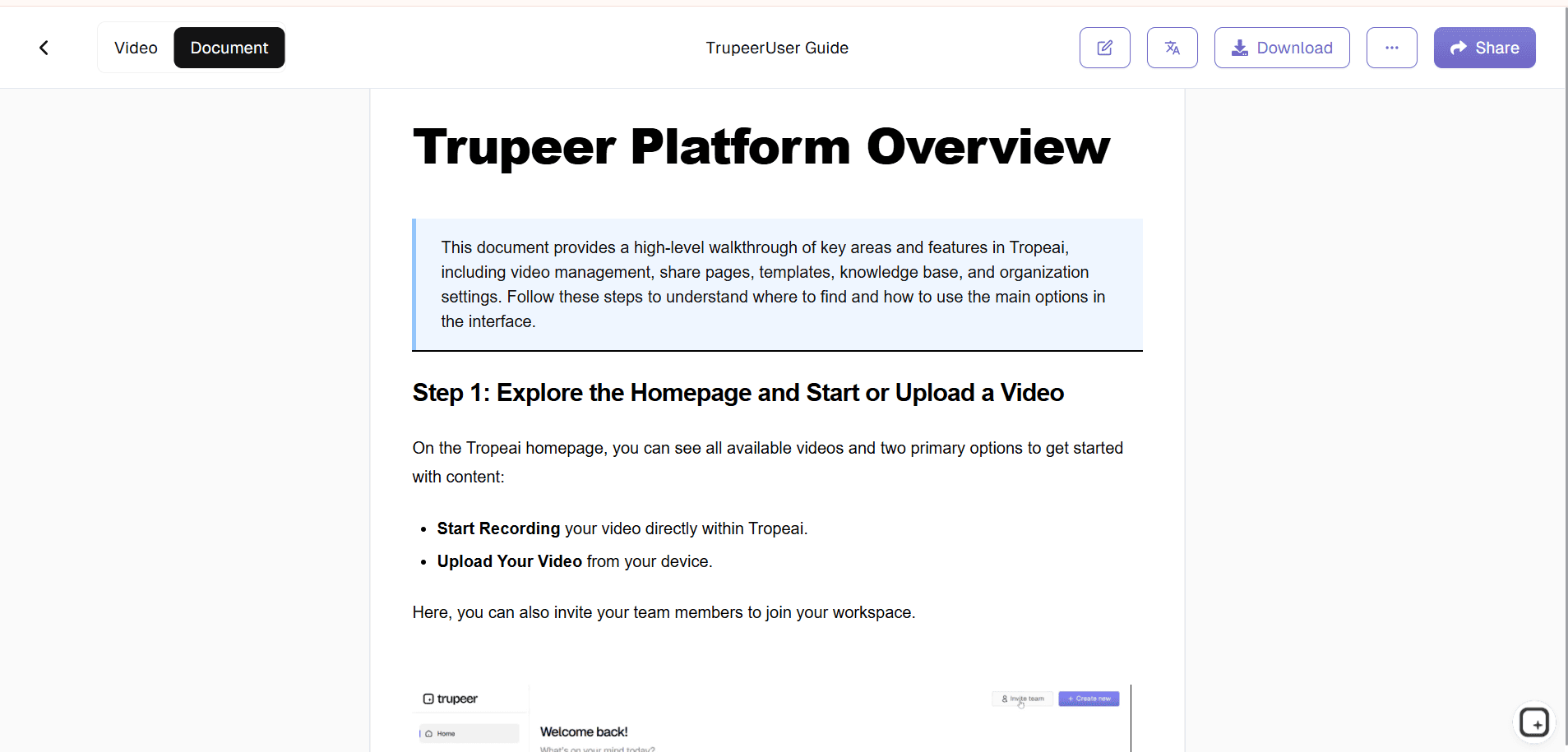
Filler words get removed. Zoom and cursor effects get added where they help the viewer follow what's happening on screen. A draft video and a draft document show up in the editor together. The output is closer to what an internal media team would produce than what a raw recording looks like.
Step 3: Edit, brand, translate, and share
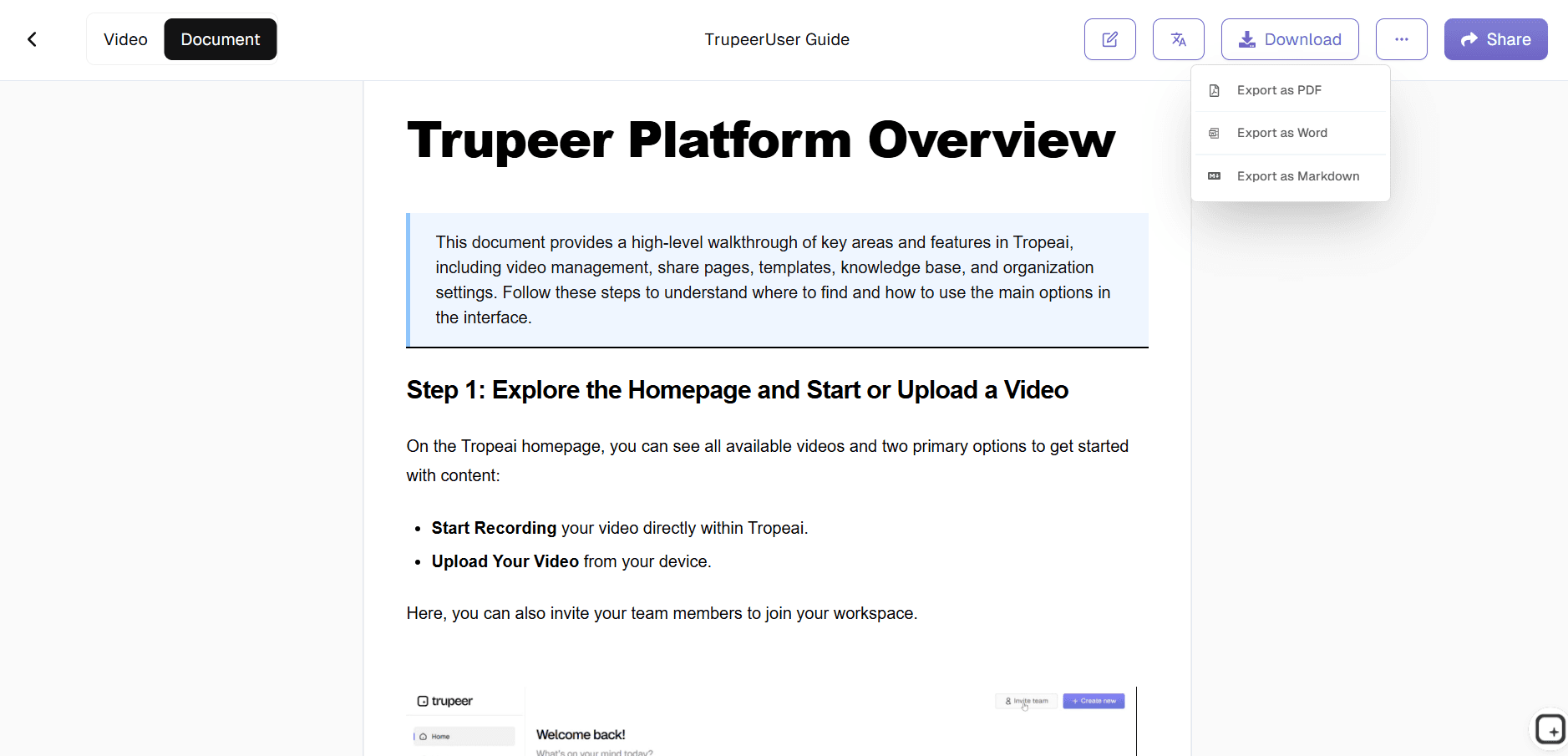
Trim any sections that didn't land. Apply the brand kit so the corporate logo, ERG-specific colors, and intro/outro slides match the rest of the company's materials. Translate into Spanish, Mandarin, Hindi, Portuguese, or any of 65+ languages the global team speaks. Then ship via a Shared Page link the lead can post in Slack, embed in the intranet, or drop into the next company-wide email.
Who actually opens Trupeer AI for ERG work
The person who opens this tool is usually the ERG lead, the person whose day job is something else and whose ERG role is technically optional. Most often they're an engineer who started the LGBTQ+ group, an account executive who chairs the women's employee resource group, a product manager running the mental health employee resource group, or a customer success director leading the Black employee resource group. The strategic work (what the group should be doing, who should be in it, what events to run) is all clear. The bottleneck is content production, and that's where Trupeer AI fits.
The same workflow shows up across adjacent roles. Chief diversity officers reach for it when corporate DEI announcements need video and document versions for the whole company. HR business partners use it when an ERG needs help producing recruitment content or kickoff materials. Internal comms teams pull it up when an ERG event needs a recap shared company-wide. The common pattern: someone needs to turn a 30-minute live event into a 5-minute polished recap, and the team doing it doesn't have a video editor.
Content types ERG leads make with Trupeer AI
The most common output is the welcome video for new hires, explaining what the ERG is, what it does, and how to join. Companies that ship this video as part of week-one onboarding see ERG membership grow because new joiners hear about the groups while their interest is highest. The second most common is the monthly explainer or event recap, which keeps the ERG visible during the long stretches between signature events.
Event-driven content is where Trupeer pays for itself. A women's employee resource group running an International Women's Day panel can record the session, generate a 5-minute recap video for company-wide distribution, and ship a written summary for the knowledge base, all from the same recording. The same pattern works for Pride Month, Black History Month, Hispanic Heritage Month, AAPI Heritage Month, Veterans Day, World Mental Health Day, and any other heritage moment most ERGs participate in. Employee resource group activities that used to require a separate production budget now run through the same recording-to-doc flow as any other internal video.
Training content is where the translation feature earns its keep. Manager training on inclusive leadership, bystander intervention, or DEI fundamentals usually needs to land for a global team. Record the training once in English, translate it into the languages each office speaks, and ship the same week. Recruitment content for women's ERGs, mental health ERGs, LGBTQ+ ERGs, neurodiversity groups, parenting and caregiver ERGs all run the same workflow: record, generate, brand, translate, share.
Translation in 65+ languages is what makes ERG content land globally
Most ERG content fails the global test. An ERG starts at the US headquarters, produces materials in English, and discovers six months later that the Mumbai and Berlin and São Paulo offices have either built their own version of the materials from scratch or quietly disengaged because the English content didn't land. Translating into 65+ languages closes that gap. The same recording reaches the same audience in the same week, in the language each office actually uses.
This matters more for some ERG types than others. Mental health employee resource groups in particular lose meaning fast when translated badly, because the terminology around stigma reduction, peer support, and EAP coordination doesn't translate cleanly from English without context. Trupeer's translation preserves the structure of the content while adapting the language. Same for cultural affinity groups where the relevant heritage content has region-specific resonance. A Black employee resource group's recap of Juneteenth lands differently for the Atlanta office than for the London office, and the translation has to account for that.
Sharing ERG content through a single branded link
Trupeer AI ships every video and document as a Shared Page: a branded landing page with the company logo, the ERG name, an embedded video or document, and a call-to-action link the lead can customize. The link goes anywhere. Slack, the company intranet, an email blast, a calendar invite, a recruitment page for new hires. Members and prospective members visit one link instead of hunting through five different tools to find ERG materials.
Updates work the same way. When the ERG lead re-records or refreshes content, the Shared Page updates. Anyone who bookmarked the original link gets the new version automatically. The lead doesn't have to chase down everyone who has the old link to send them the update. The link itself stays current, which solves the staleness problem most ERG knowledge bases run into within a year of being set up.
Why ERG leads use Trupeer AI for content production
No video editing skills required
Filler words, awkward pauses, and cursor jitter get removed automatically. Zoom and cursor effects added where they help.
Video and document together
Same recording produces a polished video and a written document. Members who'd rather read than watch get both.
65+ languages, one recording
Translate the ERG kickoff or training once. Global teams get the content in their own language the same week.
Make ERG content in three steps
Step 1
Record a screen walkthrough or upload existing footage
Step 2
Trupeer AI generates a polished video and a written document together
Step 3
Brand it, translate to 65+ languages, and share via a single link
Frequently Asked Questions
Is the AI employee resource group generator free to use?
Yes for the core flow. Record a video, generate the polished version and written document, translate, and share via a Shared Page link. Paid tiers add brand kits, AI avatars, custom voice cloning, team workspaces, and longer recording limits. Pricing details on the pricing page.
What is an employee resource group, and what content does Trupeer AI help produce?
An employee resource group is a voluntary, employee-led affinity group built around shared identity or experience (women, LGBTQ+, mental health, cultural heritage, veterans, parents, neurodiversity). Trupeer AI doesn't generate the group's strategy or governance structure. It helps the lead produce the video and document content the group needs, including welcome videos, training, event recaps, and recruitment materials. The full employee resource group toolkit lives in whatever knowledge base or intranet the company already uses. Trupeer fills it faster.
What inputs and outputs does the ERG generator support?
Inputs: screen recordings, webcam recordings, uploaded video files, audio files, and text scripts. ERG leads who don't want to record themselves can input a script and Trupeer AI generates the video with an AI avatar and voiceover. Outputs: video as MP4 for YouTube, Slack, intranet, or any video player. Document as PDF or Word (DOCX) for the knowledge base or for leadership review. Both also ship as a Shared Page, which is a branded link that embeds anywhere the company already shares content.
Can ERG content be translated into other languages?
Yes. Trupeer AI translates into 65+ languages, applied to both the video and the document in the same job. The translation covers titles, body content, and on-screen text. Most ERGs use it for global office support across Madrid, Bangalore, São Paulo, Tokyo, and other regions, without having to re-record the original content for each market.
Can ERG leads use AI avatars instead of recording themselves?
Yes. Trupeer AI's avatar catalog covers conversational, professional, and presentational styles. ERG leads who don't want to be on camera, or who prefer not to attach their face to the content, use avatars instead. Custom avatars are also supported via HeyGen integration for ERGs that want the same on-screen presenter across all their materials.
More Tools


