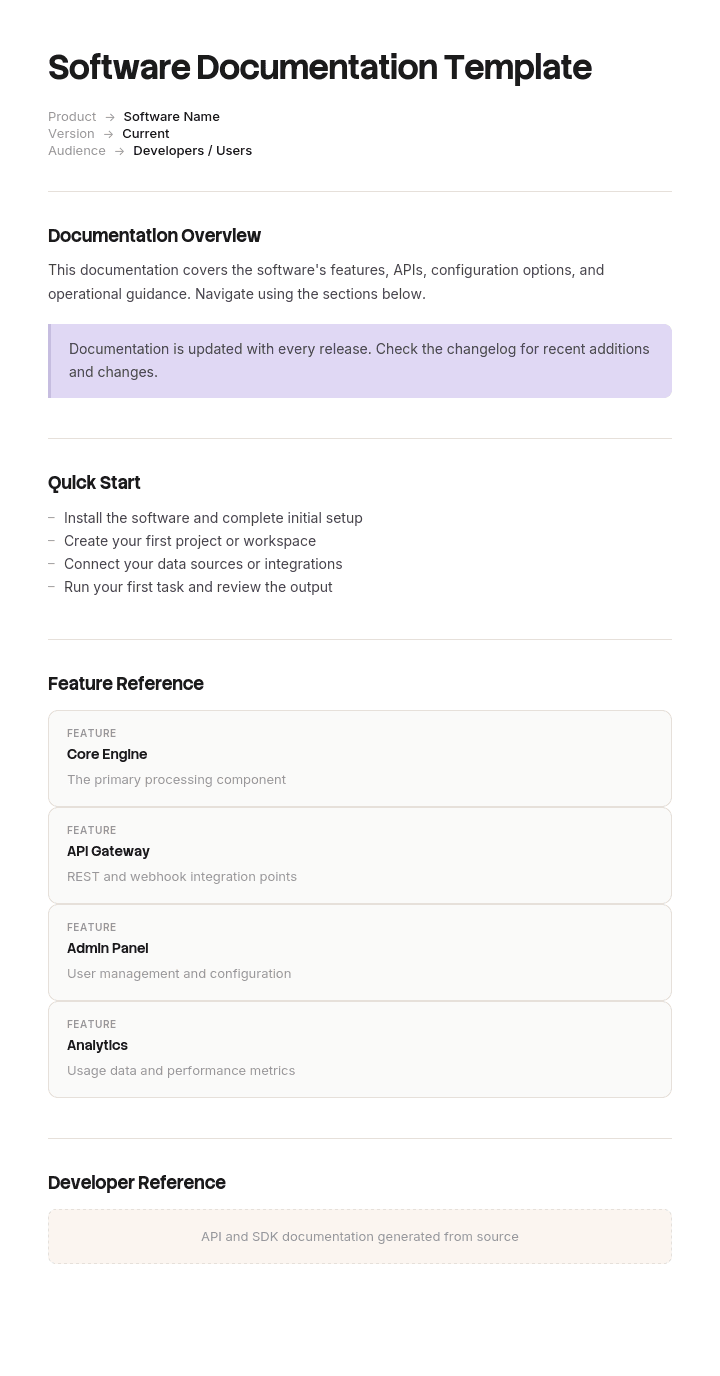
このテンプレートを使用してください
優れたソフトウェアドキュメントは導入を促進し、サポート負荷を軽減し、開発者がより早く統合できるようにします。Trupeerなら、無料のソフトウェアドキュメントテンプレートから始めて、ブランドガイドラインでカスタマイズし、長い技術コンテンツを動画のウォークスルーに変換することで、ソフトウェアドキュメント作成にかかる時間を何時間も節約できます。
無料のソフトウェアドキュメントテンプレートとは?
無料のソフトウェアドキュメントテンプレートとは、ソフトウェアがどのように動作するかを記録するための、再利用可能な構造です。利用する人、統合する人、運用する人、保守する人のために書かれます。
この言葉には、ほとんどのソフトウェアドキュメントが失敗する原因となる問題が隠れています。ソフトウェアドキュメントは「1つの文書」ではありません。少なくとも6つあり、読者ごとに異なる疑問に向けて書かれます。そして「ドキュメント」を書こうとするチームは、結果としてそれらの半分しか満たせないものを作ってしまいます。
テンプレートはドキュメントではありません。あなたのものが機能するかどうかを決めるのは、「6つのうちどれを書いているのか」を理解しているか、誰が読むのか、そしてその人が実際に使おうとしてつまずいた瞬間を誰かが見たことがあるかどうかです。
形式は種類に従います。無料のソフトウェアドキュメントテンプレートのWordは、設計書、仕様書、そしてレビューと承認が必要なあらゆるものに適しています。参照用ドキュメントは、ドキュメントという1ファイルではなく、ドキュメントシステムに入れるか、コードから生成されるべきです。無料のソフトウェアドキュメントテンプレートのPDFは、顧客に渡すバージョン管理された成果物に適しています。無料のソフトウェアドキュメントテンプレートのExcelは、文章ではなく、棚卸しやトレーサビリティマトリクスに適しています。
ソフトウェアドキュメントは「1つ」ではなく「6つ」
読者ごとに並べるのは、読者がそれ以外のすべてを決めるからです。
はじめに。 何もない人のために。1つだけ動けばいい人のために。最初から最後まで一度だけ読めば十分です。あなたが書く中で最も短い文書であり、他の文書が読まれるかどうかを決める文書でもあります。
参照。 統合する人のために。特定のエンドポイント、関数、設定が何をするのかを知る必要がある人向けです。決して直線的に読ませないでください。常に検索されます。文章よりも網羅性が重要です。頻繁に生成されます。
ガイドとハウツー。 やりたいことが決まっている人のために。機能ではなく、達成しようとしていることによって整理します。これはクイックリファレンスガイドページで説明している区別です。
アーキテクチャと設計。 後から保守したり拡張したりする人のために。多くの場合、何年も経ってからです。価値の中心が「何をするか」ではなく「なぜそうするか」を説明することにある唯一の文書です。なぜなら「何をするか」はコードにあり、「なぜ」は誰かの記憶にあるからです。
運用ドキュメント。 運用する人のために。デプロイ、設定、監視、そして壊れたときに何をするか。ランブックが、この実行部分をカバーします。
リリースノートと変更履歴。 全員のために。書くのが最も安く、最も一貫して放置されるドキュメントです。
つまり、最適な無料のソフトウェアドキュメントテンプレートとは、あなたが書いている「種類」に合うものです。読み物として読まれるのは2つで、検索されるのは4つ。これが実務上の分け方です。はじめにとアーキテクチャは読まれます。参照、ガイド、運用、リリースノートは必要に応じて入力されます。
これら2種類を1つの文書で両方に対応しようとすると、典型的な失敗が起きます。はじめに使うには細部が多すぎ、調べるには説明が長すぎるページになります。
Trupeerでこのテンプレートをカスタマイズする方法
ステップ1:テンプレートのセクションを開く
メインナビゲーションからテンプレートのセクションへ移動します。

ステップ2:テンプレートを選択して開く
作業したいテンプレートをクリックして開きます。

ステップ3:テンプレート表示を展開する
必要に応じて、テンプレート表示を展開し、レイアウトと詳細をはっきり確認します。

ステップ4:テンプレートを編集する
編集をクリックして、選択したテンプレートの変更を開始します。

エディター内で、次のことができます:
新しいセクションを追加
書式ルールを定義または更新
ロゴを追加し、位置や関連設定を調整
ステップ5:カスタマイズしたテンプレートを保存する
必要な変更をすべて行ったら、保存をクリックして更新されたテンプレートを自分のものとして保存します。

ステップ6:プレビューしてテンプレートを微調整する
カスタマイズしたテンプレートがどのように見えるか確認したいときは、プレビューを開きます。

プレビュー画面から、必要に応じてそのまま調整を続けることができ、テンプレートが希望どおりに表示されることを確認できます。
ソフトウェアドキュメントテンプレートでできること
作成時間を節約:ソフトウェアドキュメント用に構造化された空白ページをスキップできます。
あらゆる対象者をカバー:エンドユーザー、管理者、開発者、サポートチーム向けのセクション。
ブランドに合わせる:Trupeerのブランドキットでロゴ、フォント、カラーを適用します。
サポート負荷を軽減:わかりやすいドキュメントにより、ユーザーと開発者がセルフサービスで解決できます。
簡単に更新:一度編集するだけで、Trupeerが動画を自動的に再生成します。
グローバルユーザーに届ける:ワンクリックでソフトウェアドキュメントを65+言語に翻訳できます。
唯一のテスト:最初の成功までの時間
ほとんどのチームが測らず、しかも午後を丸ごと費やしてしまう指標があります。
あなたの読者を代表する3人を見つけ、まだそのソフトウェアを使ったことがない人にします。ドキュメントを渡し、明確な最初の成果を指定します。つまり「API呼び出しを1回成功させる」「インスタンスを1つデプロイする」「ワークフローを1つ完了する」です。黙って見守り、時間を記録してください。
手助けしないでください。助けたいという衝動は強すぎて、介入するたびにデータが壊れます。どこでためらったか、何を開いたか、何を検索したか、そしてもし諦めるならその正確な時点をメモしてください。
そこから確実にわかることが3つあります。
1つ目は、数そのものです。多くの場合、チームが想定していたよりも数倍になり、改善すべき指標になります。
2つ目は、損失(つまずき)が起きる場所です。ほぼ必ず一点に集中します。多くのテストでは、経過時間の大半が1つか2つの障害に費やされ、そしてそれらはチームが予測していたものとはほとんど一致しません。
3つ目は、障害の性質です。多くの場合、ソフトウェアの一部ではないため、誰もドキュメント化しようと思わなかったようなものです。要求しないといけないキー。付与しないといけない権限。間違っているデフォルト。保持している人の頭の中でしか見えなくなってしまった組織の暗黙知です。
参照用ドキュメントは、読まれるのではなく入力されるため、この方法ではテストできません。別の方法でテストしてください。サポートで最もよくある10の質問を取り上げ、各回答をドキュメント内で見つけるまでにどれくらいかかるかを計測します。30秒を超えるものがあれば、それは発見です。
ソフトウェアドキュメントテンプレートに必ず含めるべきもの
はじめにの文書のための構成要素です。なぜなら、それが他の文書が読まれるかどうかを決めるからです。
コンポーネント | 役割 |
|---|---|
対象者と前提 | 明確に書きます。言外にされがちな前提知識は、読者が行き詰まる最も一般的な原因です。 |
最後に得られるもの | 最初の成功を具体的に記述し、読者が何に向かって進めばよいかを理解できるようにします。 |
前提条件 | ステップ1の前に必要なすべて。別の人間への依頼が必要なものや、その所要時間も含めます。 |
1つの成功につながる番号付き手順 | 1つの道筋です。選択肢ではありません。代替案でもありません。機能するのは1つの道筋だけです。 |
コピーして使える動作例 | 角括弧のプレースホルダーではなく、実際の値です。 |
各ステップでの成功の見え方 | 読者が何を見るのかを示し、続行すべきか判断できるようにします。 |
失敗したときにやること | 最もよくある3つか4つの失敗と、その修正方法を、実際のサポートチケットから挙げます。 |
次に行く場所 | 選んだ1つか2つのリンクだけ。すべての一覧ではありません。 |
バージョンと最終確認日 | 誰が最後にこれらの手順を実行し、動作確認したか。 |
前提条件の行が、最も多くのチームを見抜きます。何かを許可するために人間が必要なものは、すでに持っている人には見えず、新しい読者が最も止まりやすい場所でもあります。
無料のソフトウェアドキュメントテンプレート:コピーするための構造
プレースホルダーではなく、実際の例で埋められています。これは物流APIの「はじめに」用ドキュメントです。
ここからコピーしてください。
対象者。 出荷追跡を既存システムに統合する開発者向け。HTTPリクエストを行い、JSONを解析できることを前提とします。私たちのプラットフォームに関する事前知識は不要です。
最後に得られるもの。 テスト出荷に対して、約15分でライブの追跡データを返す成功した呼び出し1回。
前提条件。 サンドボックスキー(開発者ポータルで約30秒かけて自分で生成します)。承認は不要で、私たちへのメールも必要ありません。出荷参照(ステップ3で提供されているテスト参照を使えます)。
手順。
開発者ポータルでサンドボックスキーを生成します。
sk_test_で始まるキーが表示されるはずです。もしsk_live_で始まるキーが表示された場合は、本番ポータルにいます。そこでは署名済みの契約が必要です。キーを環境変数として保存します。ソース管理(source control)には入れないでください。
下のコピー可能な例を使って、最初の呼び出しを行います。置き換えるのは自分のキーだけです。テスト出荷参照はすでに含まれています。
in_transitというステータスフィールドを含むJSONボディで、200のレスポンスが返ってくるはずです。もし401が返ってきた場合、キーが環境から取得されていません。これは最もよくある原因です。出荷参照を、テストデータページにある別のテスト参照に変更し、同じ手順を繰り返します。
動作例。 実際の値で、コピー可能。キーだけを置き換えます。
よくある失敗。 4つ。想像ではなく、私たちのサポートチケットから取っています。4つのうち、401はほぼ常に「キーが環境から読み取られていない」ことを意味します。403は「サンドボックスではなくライブキーをサンドボックス用エンドポイントに対して使っている」ことを意味します。有効な参照に対する404は、サンドボックスデータが毎晩リセットされており、昨日の参照を使っていることを意味します。タイムアウトは、そのリージョンの外からリージョンのエンドポイントを呼び出していることを意味します。
次に行く場所。 リンクは2つだけです。ポーリングではなくWebhookが必要なら追跡ガイド。どのエンドポイントが必要かすでに分かっているなら完全なリファレンス。
バージョンと最終確認。 バージョン4。手順は、初めて見た開発者によって、6月3日にエンドツーエンドで最後に実行されました。
ここにコピーしてください。
最後の1行は、一般的に採用する価値があります。「誰かが実際にそれを追って実行した日付」が載っているドキュメントページは、「誰かが編集した日付」が載っているものよりもはるかに信頼できます。
ソフトウェアドキュメントの例:340ページと3時間
Portwood Systems(約90人の会社で、物流APIをフォワーダーに販売している)には、誰もが静かに誇れるほどのドキュメントがありました。
コードから生成された参照資料が340ページ。すべてが完成していて正確でした。すべてのエンドポイント、すべてのパラメータ、すべてのレスポンスコード。意図的な投資であり、実際に良い参照用ドキュメントでした。
顧客からのサポートチケットで、まだ統合中のものは全体の約40%を占めていました。
やがて誰かがテストを実行しました。顧客先の3人の開発者(誰もAPIを使ったことがない)が、それぞれPortwoodチームのメンバーが見守る中で、何も言わずに「成功する呼び出しを1回」行うよう依頼されました。
チーム側の社内期待は20分でした。
1人目は3時間10分かかりました。2人目は2時間で諦め、サポートにメールしました。3人目は1時間50分でした。
3人とも、同じ場所で40分以上を失っており、それはAPIの中ではありませんでした。
認証にはサンドボックスキーが必要でした。サンドボックスキーは、サポート宛てにメールして発行され、対応までのリードタイムは約2日でした。これはドキュメントのどこにも書かれていませんでした。参照には認証ヘッダーの形式が正確に記載されていましたが、キーを取得する必要があること、ましてやその方法については、どこにも書かれていませんでした。
Portwoodの各担当者はすでにキーを持っていました。複数の人は、キーを申請する必要すらありませんでした。そのステップは内側からは見えなくなっており、十分な時間が経った組織では前提条件がそうなるのと同じ現象です。
340ページは参照としては完成していましたが、「何もない状態から、1回の成功まで」の道筋は含まれていませんでした。参照は「このエンドポイントは何をするか」に答えていました。しかし「何もないけど、1回成功させるにはどうすればいいのか」という問いに答える文章は誰も書いていませんでした。
修正は1ページと少しのエンジニアリングでした。6つのステップで、メールによる申請をセルフサービスのキー生成に置き換え、実際の値を使ったコピー可能な例を1つ追加し、チケット履歴から取ったよくある失敗を4つ入れました。
さらに3人の開発者で再テストしました。14分、22分、18分です。
統合に関するサポートチケットは、翌四半期に約62%減少しました。契約締結から顧客の最初の本番呼び出しまでの中央値は、31日から9日にまで短縮されました。
340ページに間違いはありませんでした。単に「最初のページ」が存在しなかっただけです。
ソフトウェアドキュメントを6ステップで書く方法
6つの文書のうち、どれを書いているのかを決め、 1か所に書きます。2種類の読者に向けた文書は、どちらにも役立ちません。
読者を名指しし、前提として知っていることを明確にします。 書くときは冒頭で。これが、前提知識を著者にとって見える形にするからです。
最初に「はじめに」文書を書きます。 たとえ最短であってもです。これが、他の文書が読まれるかどうかを決めます。
前提条件を列挙します。別の人間が必要なものも含めます。 その後、エンジニアリングで取り除けるものはできるだけ削除します。各前提は、分ではなく日数で測られる「つまずきポイント」になるからです。
失敗例はサポートチケットから取ります。 想像ではありません。最もよくある10件のチケットが、あなたのドキュメントの未対応リストであり、すでに優先順位が付いています。
誰かを見守ってテストします。 黙って。上に書いたことは、数字が出るまで推測にすぎません。
ステップ6が、方法そのものです。他の5つは、そこから得られた結果にどう対応するかです。
ソフトウェアドキュメントを最新に保つ
ドキュメントは静かに間違っていきます。誰も警告してくれず、気づくのはたいてい顧客です。
信頼性が高い順に、3つの仕組みが機能します。
検証日(verification dates)。 ページが最後に編集された日ではなく、誰かが最後に手順を実行した日を記録します。編集日からわかるのは、誰かが単語を変えたということです。検証日からわかるのは、動作したということです。
更新はカレンダーではなくリリースに紐づける。 四半期ごとのドキュメントレビューでは、問題が出てから最大3か月後まで見つかります。リリースチェックリスト上のドキュメント項目なら、出荷前に見つかります。これはリリース要件ページで述べられている主張で、ドキュメントは任意のものではなく、出荷を止める準備要件の中に置くべきだという考えです。
生成できるものは生成する。 コードから生成された参照用ドキュメントは、コードから逸脱しません。だからこそ参照用ドキュメントは、ドキュメント一式の中で最も正確で、最も役に立たない部分になりがちです。そして、人間が書く部分にこそ誤りが潜みます。
生成できない部分こそ、最も注意が必要です。はじめに、ガイド、そしてスクリーンショットを含むあらゆるものです。これらは、APIよりもインターフェースの方が頻繁に変わるため、劣化が最も早い部分でもあります。
ソフトウェアドキュメント?それともプロジェクトドキュメント?
これらは一緒に検索され、別のものです。
ソフトウェアドキュメントはソフトウェアを説明します。仕組み、使い方、運用方法です。読者はユーザー、統合担当者、エンジニアであり、それを生み出したプロジェクトよりも長く使われます。
プロジェクトドキュメントはプロジェクトを説明します。スコープ、計画、意思決定、リスク、状況、承認(サインオフ)などです。読者は関係者や監査担当者で、プロジェクトが終わればほぼ完成します。プロジェクトドキュメントテンプレートのWord無料ダウンロードでは、チャーター、ステータスレポート、意思決定ログが手に入りますが、これは有用ではあるもののソフトウェアドキュメントではありません。プロジェクトドキュメントテンプレートが、その側面をカバーします。
引き継ぎの場で2つが混同されます。プロジェクトが終わり、誰かが作ったものを動かし続ける必要が出てくるタイミングです。その移行には、特にソフトウェアドキュメントが必要で、よくある失敗は、運用ドキュメントが一切入っていない「プロジェクトのアーカイブ一式」を渡してしまうことです。
無料のソフトウェアドキュメントテンプレートでは直せないこと
誰が読むのかがわからない。 構造上のあらゆる判断は読者から導かれます。そして、無料のソフトウェアドキュメントテンプレートの無料ダウンロードでは、あなたの読者が誰かを教えてくれません。
誰にも見えない前提条件。 Portwoodの問題です。外部の人を観察して初めて見えてきます。内側の人はすでにクリアして忘れてしまっているからです。
時間がある人が書いたドキュメント。 キャパがある人は、しばしば実作業から最も遠い人です。タスクを実際に行わない人が書いたドキュメントは、意図された順序を説明するだけで、実際の順序ではありません。
これほど説明が必要なプロダクト。 ときどき、ドキュメントの問題はプロダクトの問題です。はじめにが本当に40ステップ必要なら、ドキュメントはまだ書かないといけないとしても、プロダクトを所有している人に提起する価値があります。
説明するより、ソフトウェアを見せる
ソフトウェアドキュメントは、「説明」と「見せる」のギャップが最も大きいカテゴリであり、それを埋めるための保守コストが最も高い領域です。
手順を書き、スクリーンショットを撮り、トリミングして注釈を付け、正しい場所に配置し、そしてインターフェースが変わったらそれをまた全部やり直す――これが、視覚的であるべきソフトウェアドキュメントの多くが、先頭に1枚のスクリーンショットがあるだけのテキストになってしまう理由です。インターフェースは数週間ごとに変わります。スクリーンショットは変わりません。
Trupeer AIは、そのコストを取り除きます。誰かがタスクを1回実行しながら録画し、その出力は、すでにキャプチャされ配置済みのスクリーンショット付きの、動画と並んだあなた自身のブランドのステップバイステップの文章ウォークスルーになります。文章版はガイドになります。動画は、新しいユーザーが実行する前に見るものです。つまり、最初の成功までの時間を短縮するまさにその素材です。
録画する。ブランド化する。翻訳する。Trupeerする。
ソフトウェアに特化して重要なのは、次の3つです。インターフェースが変わった後の再録画は、再スクリーンショットよりも速いので、視覚的なドキュメントは実際に保守でき、放棄されることはありません。同じ録画から、対応しているすべての言語で同じウォークスルーが生成されるため、海外ユーザーが古い「真実」に基づいて作業することがありません。そして録画はタスクを実際に行う人が行うため、「時間がある人が書いたドキュメント」の問題への解決になります。
この素材はあなたのナレッジベースに置かれ、サポートやオンボーディングのトレーニングとしても二重に活用できます。タスクレベルの運用詳細は、作業手順に入れるべきです。ドキュメント間の一貫性は、ブランドキットを一度設定するだけで実現でき、セットアップはドキュメントテンプレートセットアップガイドで説明されています。
よくある質問
無料のソフトウェアドキュメントテンプレートのWord版はありますか?
Wordは、レビューされ承認されるドキュメントの種類に適しています。設計書、アーキテクチャ記録、仕様書、そして契約上の形で納品されるものです。ソフトウェアドキュメントテンプレートのWordファイルは、そうした用途に適しています。
ただし、ユーザー向けのドキュメントにはあまり向きません。ガイドや参照資料は、複数の人が検索でき、リンクでき、更新できる必要があります。これは「文書」ではなく「ドキュメントシステム」です。ユーザーガイドがWordファイルで顧客にメールされる場合、1年以内に複数のバージョンが出回ることになるでしょう。
無料のソフトウェアドキュメントテンプレートのWordドキュメント版はありますか?
はい。無料のソフトウェアドキュメントテンプレートのWordドキュメントファイルは、旧来の拡張子の下にあるWordファイルと同じです。重要なのは拡張子ではなく、6種類の文書タイプのうちどれを作成しているかです。
設計書やアーキテクチャ文書なら、文書が正解です。ユーザーや統合担当者が読むものなら、送付ではなく公開してください。そうすれば、受け手ごとに1つずつではなく、常に最新の1つになります。
無料のソフトウェアドキュメントテンプレートのPDFはありますか?
PDFは、バージョン管理された成果物に適しています。リリース時に顧客へ渡すドキュメント、契約に添付するもの、または規制対象の製品のバージョンに対してアーカイブするものです。
ユーザーが日常的に読む用途には使わないでください。PDFは、ドキュメントサイトのようにページ横断で検索できず、リンクもきれいに機能しません。また、PDFを持っている顧客は、より新しいものが存在することを知る手段がありません。現在のバージョンを公開し、固定された記録が本当に必要な場合に限って、無料のソフトウェアドキュメントテンプレートPDFをエクスポートしてください。
無料のソフトウェアドキュメントテンプレートのExcel版はありますか?
Excelは文章ではなく棚卸しに適しています。無料のソフトウェアドキュメントテンプレートのExcelファイルは、ドキュメントのカバレッジマトリクス、要件とテストを結びつけるトレーサビリティマトリクス、APIエンドポイントの棚卸し、または存在するものと最終確認日を一覧にしたものに使えます。
最後の用途は本当に価値があり、実施されることはほとんどありません。文書ごとに1行、タイプ、オーナー、読者、最終確認日を記載すれば、どれかを読んで判断するよりも、ドキュメントの状態について多くを教えてくれます。
使う価値のある無料のソフトウェアドキュメントテンプレートの無料ダウンロードはありますか?
セクションの一覧を作るのに20分かかるため、無料のソフトウェアドキュメントテンプレートの無料ダウンロードで節約できるのはごくわずかです。さらに、公開されているものの多くは、ソフトウェアに特化した内容ではなく、汎用的なドキュメントの骨組みです。
もし使うなら、文書タイプの違いを区別しているか確認してください。ほとんどのものは区別していません。そして、その区別こそが最初に行うべき判断です。すべてのソフトウェアドキュメントに1つの構造を提供するテンプレートは、このページが反対しているまさにその間違いを提案しています。
プロジェクトドキュメントテンプレートのWord無料ダウンロードはどこで入手できますか?
それは別の文書です。プロジェクトドキュメントはプロジェクトを扱います。チャーター、スコープ、計画、リスクログ、意思決定記録、ステータスレポート、サインオフです。ソフトウェアドキュメントはソフトウェアを扱い、プロジェクトよりも長く使われます。
プロジェクトドキュメントテンプレートのWord無料ダウンロードでは、前者が手に入ります。ビルドの終わりに差し掛かっていて、何を引き継げばよいか迷っているなら、両方が必要です。そして、運用ドキュメントはプロジェクトアーカイブから最も欠けやすい「半分」です。
最適な無料のソフトウェアドキュメントテンプレートはどれですか?
最適な無料のソフトウェアドキュメントテンプレートとは、あなたが作成している特定の文書に合うものです。つまり、何を作るのかを選ぶ前に、「はじめに」「参照」「ガイド」「アーキテクチャ」「運用ドキュメント」「リリースノート」のどれを作成しているのかを判断する必要があります。
オプションを比較するための単一のテストが欲しいなら、テンプレートが「読者が誰か」と「前提として知っていること」を尋ねているかどうかを見てください。この2つの項目は、セクション構造の量よりも、完成した文書に対してより大きな効果をもたらします。
ソフトウェアドキュメントはどれくらいの長さにすべきですか?
はじめには1ページにすべきで、もしそれができないなら、書き方ではなく前提条件を直すべきです。
それ以外は、ソフトウェアと同じくらいの長さになります。大規模なAPIの参照ドキュメントは、正当に数百ページになることがあり、それで問題ありません。誰もそれを直線的に読まないからです。間違いは、ドキュメント一式の総量で判断してしまうことです。総量は何も教えてくれません。新人が最初の成功に到達するまでにどれくらいかかるかで判断してください。

