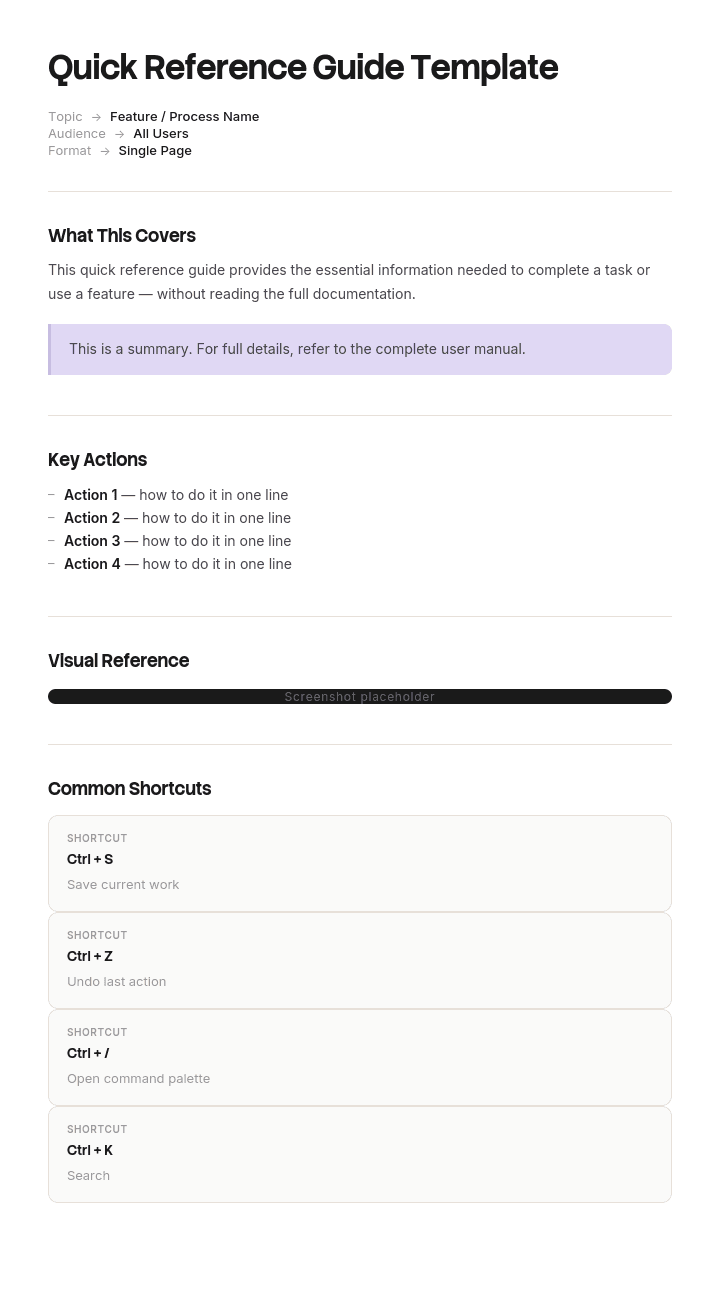
このテンプレートを使用してください
クイックリファレンスガイドは、チームがその場で必要とする情報をまとめるのに最適な形式です。ショートカット、チェックリスト、トラブルシューティング手順、コマンドリファレンスなど。Trupeerなら、無料テンプレートから始めて、ブランドガイドラインでカスタマイズし、各ガイドを短い動画チュートリアルに変えることで、クイックリファレンスガイド作成にかかる時間を何時間も節約できます。
無料のクイックリファレンスガイドテンプレートとは?
無料のクイックリファレンスガイドテンプレートとは、必要なときに必要な情報を、できるだけ少ない紙面(通常は1ページ、または両面1枚)に圧縮して載せるための、再利用可能な構造です。
定義の中に難しい部分が隠れています。クイックリファレンスガイドは短い文書ではありません。参照用の道具であり、他の文書とは使われ方が違います。読者は、欲しいものをすでに分かった状態でやってきて、数秒で探して、去ります。読まないのです。探します。
この1つの行動特性が、あらゆる設計判断を左右すべきであり、ほとんどのガイドではそれが何も左右していません。
テンプレートはガイドではありません。レイアウト(あなたが最も助けを必要としない部分)を提供するだけです。完成した記事が使われるかどうかを決めるのは、各項目の並び順と、それぞれがどの言葉で始まるかです。
用途に合わせた形式を。無料のクイックリファレンスガイドテンプレートのWordファイルは、下書き作成や更新に向いています。無料のクイックリファレンスガイドテンプレートのPDFは、印刷して掲示するための版です。無料のクイックリファレンスガイドテンプレートのPPTレイアウトは、視覚的な配置が重要なデザイン済みの1ページカードに適しています。そして、無料のクイックリファレンスガイドテンプレートのPowerPointファイルも、長い名前の下では同じものです。どれも、項目が間違った順序なら同じように失敗します。
なぜ多くのクイックリファレンスガイドは使われないのか
ソフトウェアのクイックリファレンスガイドを開いて、セクション見出しを見てください。ほとんどの場合、ソフトウェア自身のメニュー構造と一致しています。ポリシー。請求。支払い。管理。設定。
その並び順は、誰も決めていないのに引き継がれます。ガイドを書いた人がメニューを探索してシステムを学び、その構造が今では思考の基準になっているからです。
読者はそのように考えません。クイックリファレンスガイドを取りに来る人は、「管理モジュールが必要だ」と考えていません。「顧客が引っ越した」や「支払いが失敗した」「このフォームは送信できない」と考えています。彼らは問題を抱えていて、その問題をあなたの文書の中で探しているのです。
見出しがシステムの名詞で、質問が動詞や状況であるなら、読者は自分の行を見つけられません。そして試すのは2回だけです。2回失敗するガイドは、開かれなくなります。代わりに隣の人に聞くことになり、1人ではなく2人の時間がかかります。
失敗は内側からは見えません。ガイドは正確で、完全で、体裁も整っていて、どの点も正しい。それでも、答えがどこにあるかを最初から知っていない人には入力できないのです。つまり、そのガイドが書かれた対象者の範囲そのものにしか使えません。
Trupeerでこのテンプレートをカスタマイズする方法
ステップ1:テンプレートセクションを開く
メインナビゲーションからテンプレートセクションへ移動します。

ステップ2:テンプレートを選択して開く
作業したい任意のテンプレートをクリックして開きます。

ステップ3:テンプレート表示を展開する
必要に応じて、テンプレート表示を展開し、レイアウトと詳細をはっきり確認します。

ステップ4:テンプレートを編集する
編集をクリックして、選択したテンプレートの変更を開始します。

エディター内で、次のことができます:
新しいセクションを追加
書式ルールを定義または更新
ロゴを追加し、位置や関連設定を調整
ステップ5:カスタマイズしたテンプレートを保存する
必要な変更をすべて行ったら、保存をクリックして更新済みテンプレートを自分のものとして保存します。

ステップ6:プレビューしてテンプレートを微調整する
カスタマイズしたテンプレートがどのように表示されるかを確認したいときは、プレビューを開きます。

プレビュー画面から、必要に応じて直接調整を続けることができ、テンプレートが思い通りに表示されることを確認できます。
クイックリファレンスガイドテンプレートでできること:
作成時間を節約:実績のあるスキャンしやすい構造で、空白のページをスキップできます。
パフォーマンスを向上:クイックリファレンスガイドは、適切なタイミングでユーザーに正しい情報を提供することで、エラーを減らします。
ブランドを維持:Trupeerのブランドキットでロゴ、カラー、フォントを適用。印刷用のチートシートに最適です。
サポートチケットを削減:セルフサービスのクイックリファレンスが、よくある質問をそらします。
より速くトレーニング:重要な情報が1ページ先にあると、新入社員は習熟までの時間が短くなります。
グローバルユーザーに届ける:ワンクリックでクイックリファレンスガイドを65以上の言語に翻訳できます。
左端がインターフェース
読者は各行の最初の2〜3語だけをスキャンし、それ以外は何かが一致するまで見ません。その左端にあるものがナビゲーションになります。ナビゲーションとして設計したかどうかに関係なくです。
次に続く4つのルールは、使われるガイドと保管されるガイドを分けるものの大半です。
各項目は答えではなくトリガーで始める。 「顧客が引っ越した」→その答え。「住所変更:ポリシーへ移動し、その後に修正」ではありません。最初の2語だけが、通り過ぎる途中で読まれる唯一の言葉です。
システムの言葉ではなく、読者の言葉を使う。 ユーザーが「支払いが失敗した」と言い、ソフトウェアが「ダイレクトデビットの回収に失敗した」と言うなら、項目は「支払いが失敗した」から始めます。公式用語はその後に入れても構いません。公式用語を最初に書くと、ガイドを必要としない人の語彙に最適化されてしまいます。
読者が予測できるもので並べる。 トリガーのフレーズをアルファベット順にするのは地味ですが機能します。学習が不要だからです。頻度順は、少数の項目が大半を占める場合に有効です。ワークフローの段階でグループ化するのは、読者が自分がどの段階にいるかを分かっている場合に機能します。システムのモジュールでグループ化するのは、ほとんどの場合うまくいきません。
答えは1行、またはポインター。 答えに段落が必要なら、項目はどこか別の場所を指し示します。手順をすべて収めようとするクイックリファレンスガイドは、余白が窮屈なマニュアルになります。
不都合な結果として、良いガイドは置き換えるはずだった悪いガイドよりも情報量が少ないことが多く、それでもうまく機能します。これは逆説ではありません。悪いガイドはすべてを含んでいましたが、入力できなかったのです。
クイックリファレンスガイドテンプレートに必ず含めるべきもの
6つの構成要素。2つは通常欠けており、1つは通常大きすぎます。
構成要素 | 役割 |
|---|---|
タイトルと対象者 | 何をカバーし、誰のためのものかを1行で。2つの対象者向けのガイドは、どちらにも合いません。 |
項目の行 | トリガーフレーズ→その答え。文書の本文であり、通常は面積の90%を占めます。 |
明示された並び順 | 項目がどのように並べ替えられているかを読者に伝えます。上部に1行。ルールが分かっていると、読者はより速くスキャンできます。 |
エスカレーションルート | 答えがここにないときにどうするか。誰に聞くか、どのチャネルか、いつか。頻繁に省略されますが、行き止まりを次のステップに変えるのはここです。 |
バージョンと日付 | 小さく、隅に。クイックリファレンスガイドは、インターフェースを説明するため、他のどの文書よりも劣化が早くなります。 |
オーナー | 1つの名前。誰もオーナーになっていないガイドは、リリースサイクルの中で間違っても、誰も気づきません。 |
エスカレーションルートは、そのサイズが示唆する以上に重要です。すべてのガイドは設計上不完全なので、読者は定期的に最後まで到達できません。次にどこへ行けばよいかを伝えることが、90%を扱うガイドと、90%を扱い残りをうまく引き渡すガイドの違いになります。
無料のクイックリファレンスガイドテンプレート:コピーするための構造
プレースホルダーではなく、実際の例で埋めています。これは、ポリシー管理システムのコンタクトセンター向けガイドで、両面1枚です。
ここからコピー。
ヘッダー。 タイトルと対象者を1行、並び順を示す1行、そしてバージョンを隅に。
ポリシーシステムのクイックリファレンス。入電対応を行うコンタクトセンターのエージェント向け。顧客の発言内容でA〜Zに並べ替え。v6、3月14日。オーナー:N Farrow。
項目の行。 トリガーを先に、答えを次に。各項目は1行に収めます。
顧客の発言 | あなたが行うこと |
|---|---|
私のポリシーをキャンセルしたい | ポリシー、修正、キャンセル。理由コードが必要です。返金は自動計算されます。 |
カード情報が変更された | 支払い、マネージドマンダート。次回の回収から適用されます(今回ではありません)。 |
書類が届かなかった | 書類、再送。まず登録済みのメールを確認してください。最も多い原因です。 |
引っ越した | ポリシー、修正、住所。保険料が変わる可能性があります。保存する前に見積もりを確認してください。 |
支払いが失敗した | 支払い、回収履歴。7日間は再試行可能。その後は延滞です。 |
私の代わりに話せる人が必要だ | 管理、認可された連絡先。認可のために、通話には契約者本人が必要です。 |
ポリシーの名前が間違っている | 管理、正しい情報。スペルの修正のみ。実際の氏名変更には証拠が必要です。エスカレーションをご確認ください。 |
エスカレーション。 ここにない場合。
進行中の請求に関わるものは、請求の内線2140へ送ります。証拠が必要なものは、チームリーダーのキューへ送ります。システムが保存を許可しない場合は、スクリーンショットを撮って、ポリシー番号とともにサポートチャネルに投稿してください。
フッター。 バージョン、日付、オーナー、そして現在の版がどこにあるか。
v6、3月14日。オーナー:N Farrow。現在のバージョンは常に、壁のカードにあるイントラネットのリンクから確認できます。印刷版がオンライン版より古い場合は、オンライン版を使用してください。
ここにコピー。
7行を表示し、実際のものは38行ですが、すべての答えが1行なので両面1枚に収まります。
クイックリファレンスガイドの例:14ページが1枚に置き換わった
ケルブロック・インシュアランス。60席のコンタクトセンターを持つブローカーが、新しいポリシー管理システムへ移行しました。
トレーニングチームは、14ページのクイックリファレンスガイドを作成しました。内容はしっかりしていて、スクリーンショット、目次ページ、そして各モジュール(ポリシー、請求、支払い、書類、管理)のセクションがありました。ソフトウェア自身のメニュー構造をそのままなぞっており、それが当然の整理原則だと感じられ、疑問視されることはありませんでした。
ロールアウト前の平均処理時間は4分10秒でした。稼働開始後の最初の週には5分50秒に伸びましたが、これは誰もが予想していました。誰も予想していなかったのは、それが11週間もそのままだったことです。
ガイドは3週目あたりで開かれなくなりました。チームリーダーは、エージェントが隣の人に目を向けるようになったことに気づきました。これにより、1人ではなく2人が通話から外れることになり、エスカレーションキューには9ページ目で答えが出ている質問が運ばれていました。
理由は、誰かがエージェントに実際に使わせてみると見えてきました。顧客が「引っ越した」と言います。エージェントは、住所変更がポリシーにあるのか、管理にあるのかを知る必要があります。ガイドは、どのモジュールにあるかをすでに分かっている場合にだけ答えを見つけられるように整理されており、どのモジュールかを知ること自体が本当の問いでした。
書き直しには2日かかりました。両面1枚、38行。各行は、顧客が実際に言う言葉から始まり、そのフレーズをアルファベット順に並べました。スクリーンショットなし。目次ページなし。14ページに含まれていた情報量よりもかなり少ない内容です。
処理時間は3週間以内に4分15秒へ戻り、エスカレーションキューはおよそ3分の1まで減りました。
残す価値があるのは、直感に反する部分です。うまく機能した版は、機能しなかった版よりも情報量が少なかったのです。14ページにはすべての答えが入っていましたが、入力できませんでした。1枚は答えが少なく、4秒で入力できました。4秒で80%の質問に答えるガイドは、90%すべてに答えるガイドより勝ちます。
6ステップでクイックリファレンスガイドを書く方法
実際の質問を集める。 サポートキュー、チームチャット、または1時間かけて聞き取りましょう。システムから書き起こさないでください。言い回しが重要で、当てずっぽうでは分かりません。
数える。 無料のクイックリファレンスガイドテンプレートのExcelファイルが最速です。頻度が、行として採用されるかどうかを決めるからです。上位30の質問が、通常は大半のボリュームをカバーし、残りは詳細ドキュメント側に入ります。
トリガーフレーズを先に、相手の言葉で書く。 どんな答えを書く前にも。これにより、並び順の判断をまだコストが低い段階で強制できます。
各答えを1行で書く。 収まらない場合は、タスクを2つの項目に分けるか、ここを指すポインター付きでマニュアル側に置くべきです。
並び順を選び、上部に明記する。 強い理由がない限り、トリガーはアルファベット順にします。
誰かに使ってもらう。 関与していない人に渡し、実際の質問をして、時間を計ります。10秒以上かかって見つからないものは、場所が間違っているか、始まりの言葉が間違っています。
ステップ1は飛ばされがちなもので、飛ばすことがメニュー構造で整理されたガイドを生みます。なぜなら、システムが見出しの唯一の情報源であり、記憶から書く人には利用できる見出しがそれしかないからです。
クイックリファレンスガイドはどれくらいの長さにすべき?
1ページ、または両面1枚。これは好みの問題ではなく、マニュアルとの違いを生むものです。
ページ上限は制約ではなく仕様として扱ってください。内容が収まらない場合、ほとんどの場合はフォントを小さくするのではありません。範囲が間違っているのです。通常の修正は、デザイン上の縮小ではなく、対象者ごとに分割することになります。1ページずつのガイドを2つ(2つの役割それぞれ)作れば、どちらも使われます。2つの役割をカバーする3ページのガイドは、どちらにも使われません。
これが、無料のクイックリファレンスガイドテンプレートの無料ダウンロードが、実際のコンテンツに触れると長続きしない理由でもあります。テンプレートは、項目がグリッドに収まる前提で作られていますが、項目数を決めるのはグリッドではありません。もう1つの正当な修正は、深さを外へ逃がすことです。クイックリファレンスガイドはマニュアルを指し示してよく、指し示すのはコストがかかりません。やってはいけないのは、マニュアルをより小さい文字で含めてしまうことです。
4ページ必要だと感じたら、それがガイドなのか、圧縮されたトレーニングコースなのかを確認してください。どちらも別の文書で、読者も別です。2つ目は繰り返し検索されるのではなく、1回読まれるだけです。
クイックリファレンスガイド、ジョブエイド、ユーザーマニュアルの違いは?
重なり合う3つの文書であり、分ける価値があります。選び方を間違えると、誰も使わない形で正しい内容が出てしまうからです。
ユーザーマニュアルは包括的で、めったに読まれません。すべての答えがどこかにあるようにするために存在し、整理の原則は、システム自身の構造であることも合理的です。読者は時間があり、目次ページもある状態でやってくるからです。
ジョブエイドは、特定のタスクを実行する人を支援します。通常は実行している最中です。手順的で順序立てられており、アクションをステップごとに導きます。機械の起動方法を示すラミネートカードはジョブエイドです。
クイックリファレンスガイドは、すでにおおよそ何をしているかを知っていて、特定のことを思い出す必要がある人を支援します。非順序型で、どの時点でも入力できます。誰も最初から読み始めません。
2つ目と3つ目の実務上の違いは、移動の方向です。ジョブエイドは、タスクを行う間に上から下へと辿ります。そのため、シーケンスで整理できます。クイックリファレンスガイドは途中から飛び込まれます。だから、ジョブエイドは順序で整理でき、クイックリファレンスガイドはできないのです。
両方が必要なら、両方を書いてください。手順を参照表に圧縮すると、従うには短すぎるステップになります。参照表を手順に拡張すると、誰もスキャンできないものになります。
クイックリファレンスガイドテンプレートのバリエーション
構造は維持され、トリガーの列は読者に合わせて変わります。
ソフトウェアのクイックリファレンスガイド。 トリガーはユーザーの目的とエラーメッセージです。よくあるエラーメッセージの文言をトリガーフレーズとしてそのまま含めてください。ユーザーはエラーの“正確な表現”を探すからです。
オンボーディングのクイックリファレンスガイド。 トリガーは、新しく入った人が2〜6週目に尋ねる質問です。1週目(トレーニング)ではありません。これは最も早すぎる時期に書かれ、範囲が広すぎる形で提案されがちなバリエーションです。
キーボードショートカットまたはチートシート。 トリガーはアクションです。機能でのグループ化が本当に機能する唯一のバリエーションです。読者は解決のために探すのではなく、学ぶために閲覧しているからです。
安全性または緊急時のクイックリファレンス。 トリガーは状況です。読者はプレッシャー下にあるため、アルファベット順ではなく、可能性や重大度で並べるべきです。規制対象の危険、応急処置、緊急対応を扱うものは、有資格の担当者が見直しを行い、法的義務や正式な手順と矛盾してはなりません。
小売・フロントライン向けのクイックリファレンス。 トリガーは、上の例のように顧客の発言です。利用する人の母数が大きく、1秒ごとが積み上がるため、最も回収率が高いバリエーションです。
ポリシーのクイックリファレンス。 トリガーは、マネージャーが直面する状況です。何をすべきか、誰を巻き込むかに対する答えを保ち、争いになり得るものはポリシーを指し示してください。ポリシーを圧縮した要約はポリシーではなく、ポリシーとして頼るべきではありません。
ガイドはどこに置かれ、いつ劣化するのか
クイックリファレンスガイドは、他のどの文書よりも劣化が早くなります。インターフェースを説明しており、インターフェースは告知なしに変わるからです。
3つの習慣がそれらを生かします。オーナーを1人に決めます。アーティファクト自体(印刷版も含む)にバージョンと日付を記載し、古いものが一目で分かるようにします。そして、レビューをカレンダーではなく、説明している対象に紐づけます。つまり、6か月ごとではなく、システムがリリースされたときにガイドが確認されるようになります。
印刷版が難しい点です。壁のカードは、最も使われやすく、最も古くなりやすい形式です。誰も再印刷しないからです。現実的な折衷案は、現在のバージョンを変わらない安定したリンクに置き、そのリンクを印刷版にも載せることです。手元にあるものが本当に正しいか不安な人が、どこかで5秒以内に確認できるようになります。
一度でも間違っていたガイドは、権威の大半を失います。古い項目を見つけた読者は、残りも信じなくなり、そしてそれは正しいのです。
無料のクイックリファレンスガイドテンプレートでは直せないこと
作者向けに整理されたコンテンツ。 中心となる失敗であり、テンプレートでは解決できません。並び順はレイアウトではなく判断だからです。
対象者が多すぎる。 エージェント、スーパーバイザー、バックオフィスのために1枚にまとめると、誰にも入力されません。分けてください。
これほどまでにガイドが必要なシステム。 基本運用に30の項目が必要なら、その一部は設計上の問題を紙で覆っている可能性があります。ガイドを書かなければならないとしても、システムのオーナーに伝える価値はあります。
質問リストが欠けている。 無料のクイックリファレンスガイドテンプレートの無料ダウンロードには、読者の言葉で書かれたトリガーフレーズのリストが含まれていません。そして文書全体が依存しているのは、その部分です。
検証されていない答え。 ガイドは素早く、記憶から書かれます。公開する前に、各項目を誰かに一度実行してもらってください。クイックリファレンスガイドの誤った1行は、欠けている1行よりも悪いのです。信じられて、すぐに実行されてしまうからです。
説明するより、タスクを見せる
クイックリファレンスガイドは、意図的に各項目を1行で保持します。つまり、指し示すことはできても、実演はできません。指し示しが機能するには、指し示す価値のあるものが必要です。そして多くのチームでは、それがありません。30のタスクそれぞれにスクリーンショット付きのウォークスルーを作るのは、誰も持っていない数日の作業だからです。
Trupeer AIは、そのコストを取り除きます。誰かがタスクを1回実行しながら録画し、その出力は、すでにキャプチャされて配置されたスクリーンショット付きの書面ウォークスルーになります。同じタスクの動画も、あなたのブランド表現の中で用意されます。1行以上の説明が必要な項目に対してそれを行えば、1ページのガイドに、実在する行き先のセットが追加されます。
録画する。ブランド化する。翻訳する。Trupeerする。
ここで重要なことが2つあります。フロントラインのチームが複数言語で働いている場合、同じ録画から各言語で同じウォークスルーが生成されるため、一度翻訳したガイドが指し示している手順からズレません。そして、インターフェースが変わったときは、再スクリーンショットよりも再録画の方が速いのです。リンク先の素材が、誰かがリンクを辿ったときに最新かどうかを決めるのはそこだからです。
ウォークスルーはあなたの ナレッジベース に配置され、新入社員向けの トレーニング素材 としても機能します。深さが必要な対象者はまさにこの層です。タスクレベルの手順は、下にある 作業指示 に属します。ほかの文書との一貫性は、ブランドキットを一度設定するだけで担保でき、セットアップは ドキュメントテンプレートのセットアップガイド でカバーされています。
よくある質問
無料のクイックリファレンスガイドテンプレートのWord版はありますか?
Wordは下書き作成と更新に向いています。これはガイドのライフサイクルの大半を占める工程です。クイックリファレンスガイドテンプレートのWordファイルは、2列のテーブルとして作成します。左にトリガーフレーズ、右に答え。上部に1行で並び順を明記します。
重要なのは、2つの設定です。テーブルをヘッダー行を繰り返すように設定し、ページをまたいだ行の分割をオフにします。無料のクイックリファレンスガイドテンプレートのWordファイルで、項目がページの折り目をまたいでしまうものは、折り目で誤読されるガイドになります。
無料のクイックリファレンスガイドテンプレートのPPTまたはPowerPoint版はありますか?
スライドは、視覚的な配置が意味を持つようなデザイン済みの1ページカードに向いています。たとえば、コントロールの物理的な位置に合わせたレイアウトや、色分けされたグリッドなどです。無料のクイックリファレンスガイドテンプレートのPPTレイアウトなら、文書ではできない配置の細かな制御が可能です。
課題はメンテナンスです。無料のクイックリファレンスガイドテンプレートのPowerPointファイルは、すべての要素が手作業で配置されているため、1行追加するには下のすべてを動かす必要があります。1回デザインして印刷するガイドにはスライドを使い、リリースのたびに変わるものには文書を使ってください。
無料のクイックリファレンスガイドテンプレートのPDFはありますか?
PDFは配布形式です。文書で下書きを作成し、その後、印刷用およびイントラネット用に無料のクイックリファレンスガイドテンプレートPDFをエクスポートします。ファイル名だけでなく、ページ自体にバージョンと日付が表示されます。
PDFの中に、現在の版へのリンクを入れてください。印刷版は正確性より長持ちします。紙を持っている読者には、自分が持っているものがまだ正しいかを確認できる場所が必要です。
無料のクイックリファレンスガイドテンプレートのExcel版はありますか?
Excelは、作る用途には本当に向いている一方で、配布にはあまり向いていません。無料のクイックリファレンスガイドテンプレートのExcelファイルなら、トリガーフレーズで30件の項目をワンクリックで並べ替えできます。含める内容を決めている間に対象者でフィルタリングし、実際に何行あるかも数えられます。
そこで作業を行い、その後、利用される版の文書またはPDFにエクスポートしてください。参照シートとして印刷されたスプレッドシートは、ほとんどの場合ページングがうまくいかず、機能していた並び順も失われます。
無料のクイックリファレンスガイドテンプレートの無料ダウンロードは使う価値がありますか?
クイックリファレンスガイドテンプレートの無料ダウンロードで得られるものの多くは、2列のテーブルで、作るのに90秒しかかかりません。ダウンロードできないのは、読者の言葉で書かれたトリガーフレーズのリストであり、ガイドが使われるかどうかを決めるのはまさにその部分です。
採用する場合は、コミットする前に無料のクイックリファレンスガイドテンプレートの無料ダウンロードを2点確認してください。エスカレーションルートの欄があるかどうか、そしてアーティファクトにバージョンとオーナーがあるかどうかです。多くはどちらもありませんが、どちらも追加はすぐできます。
クイックリファレンスガイドが古くならないようにするには?
オーナーを1人決め、印刷版を含めてアーティファクトにバージョンと日付を記載し、レビューはカレンダーのリマインダーではなくシステムのリリースサイクルに紐づけます。
実務上のコツは安定したリンクです。現在の版を変わらない住所に置き、すべてのコピーにその住所を印刷してください。手元にあるものが何か不安な人でも、5秒で確認できます。ガイドが失敗するのは、誰も更新しなかったからではありません。壁のカードにあるコピーが3つ前の版だったと誰も気づけなかったから失敗するのです。
クイックリファレンスガイドとジョブエイドの違いは?
移動の方向です。ジョブエイドはタスクを行う間に上から下へと辿るため、シーケンスで並べ替えられます。クイックリファレンスガイドは、特定の1つのことを探している人が途中から入力するため、読者が予測できるもので並べる必要があります。
同じ内容でも、間違った形式だと特定の形で失敗します。手順を参照用の行に圧縮すると、従うには短すぎます。参照表を手順に拡張すると、スキャンできないものになります。

