4.8/5
浏览器屏幕录制器
立即分享带有 AI 虚拟形象和字幕的旁白屏幕录制,无需下载。
免费开始使用

Trupeer 的浏览器屏幕录制器通过轻量级扩展,直接在 Chrome、Firefox 和现代浏览器中捕获浏览器标签页、应用程序或全屏。该工具可录制工作流程、演示和教程,并提供 AI 增强功能,包括自动字幕、批注以及云端共享,无需安装桌面软件。
为什么需要浏览器屏幕录制器?
用户会把时间浪费在下载需要权限且拖慢系统的笨重桌面录制应用上。基于浏览器的工作流程在切换标签页和外部录制器时会被打断。原始录制缺少教程、支持工单和演示所需的专业润色。
团队在不同设备和浏览器之间难以保持一致的录制质量。录制后手动编辑会让客服支持和培训内容的工作量翻倍。共享大型视频文件如果没有即时云端链接,就会带来存储和兼容性方面的麻烦。
这个浏览器屏幕录制器能做什么
Trupeer 的录制器可捕获带有系统音频、麦克风或摄像头叠加的浏览器活动,然后应用 AI 增强功能,例如自动裁剪静音、智能字幕、点击高亮和基础批注。视频会自动上传到云存储,并提供即时分享链接,从而在大多数使用场景中省去后期制作。
核心能力
无缝录制浏览器标签页、窗口或整个屏幕
同时捕获系统音频、麦克风和摄像头画面
AI 自动编辑,带有字幕和点击动画
通过私有/公开链接选项实现即时云端共享
Trupeer 的浏览器屏幕录制器如何工作
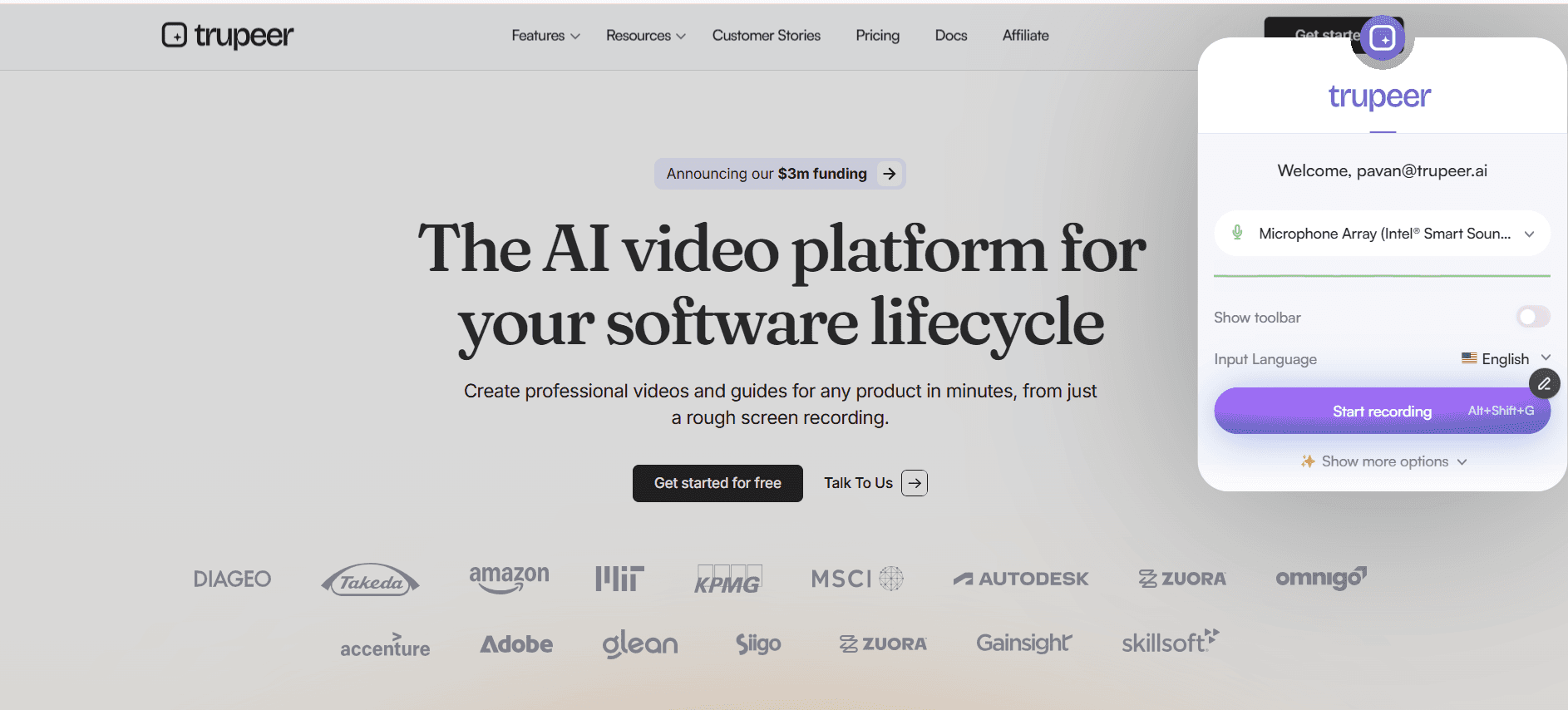
第 1 步:打开 Trupeer
点击扩展图标以选择录制区域(标签页/窗口/屏幕)。
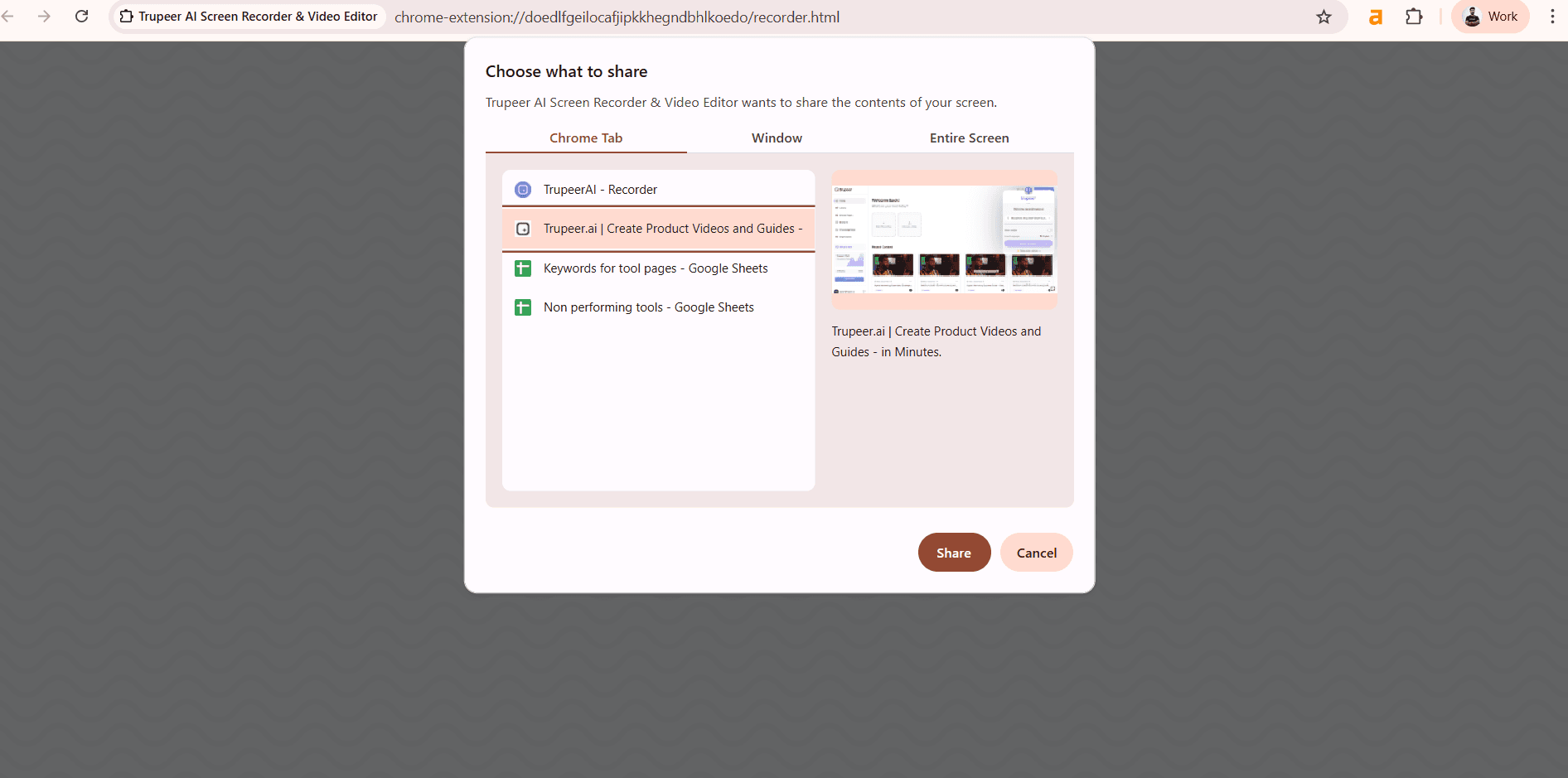
第 2 步:录制你的屏幕
使用音频/摄像头选项开始捕获;AI 会自动跟踪点击。
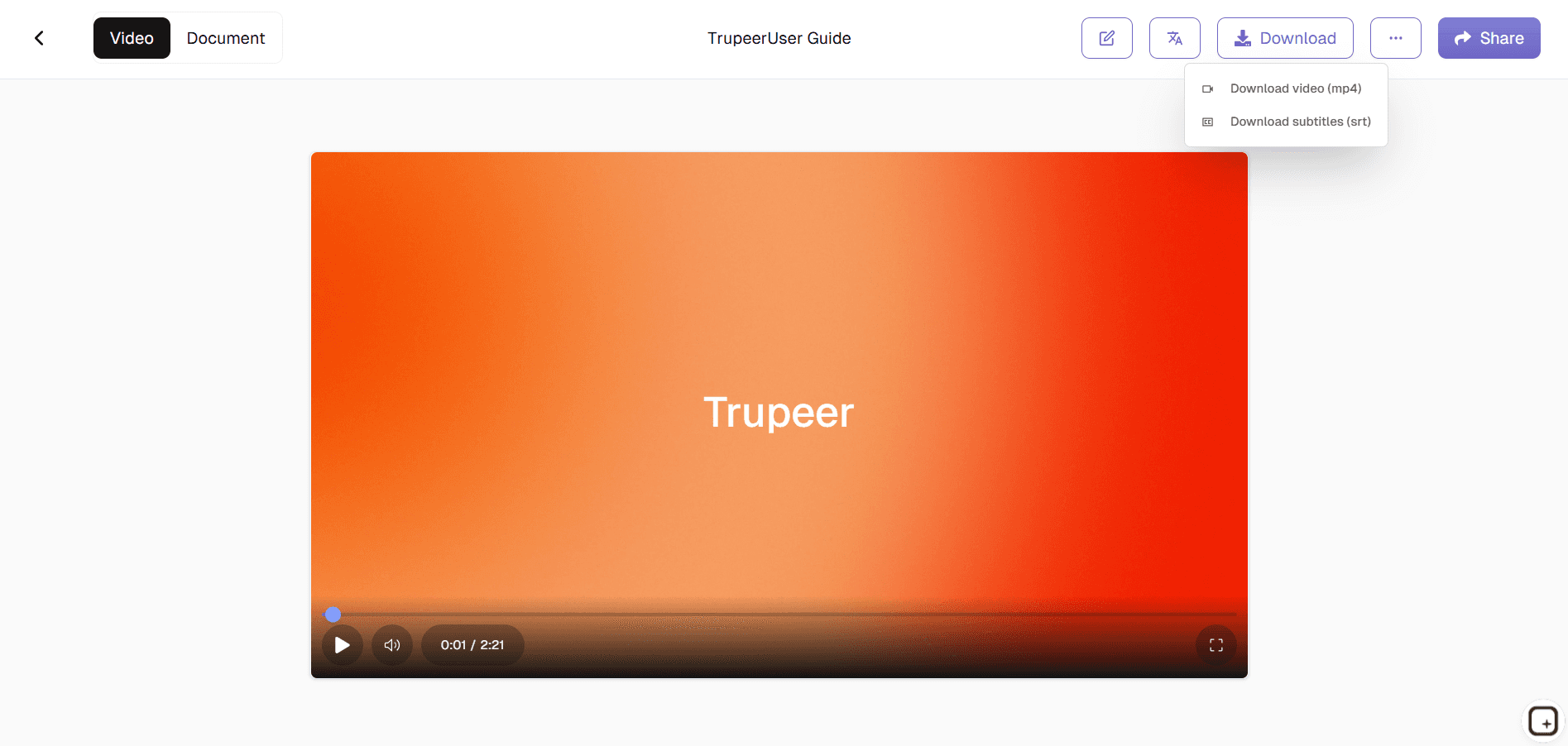
第 3 步:增强并分享
AI 会处理视频并添加字幕,然后提供即时分享链接。
Trupeer 的浏览器屏幕录制器适合谁
对于需要直接从浏览器创建屏幕捕获内容、且不想进行复杂设置的专业人士来说,这是必备工具。
客服支持专员:
录制带有清晰点击路径和批注的故障排查会话,消除“我看不清你点了什么”之类的问题,从而更快解决工单技术培训师与教育者:
捕获基于浏览器的教程,自动添加步骤标记和字幕,非常适合制作可重复使用的培训内容,无需编辑软件开发者:
以精确的交互录制方式记录 Bug 复现步骤或功能演示,便于与 QA 团队或相关利益方即时共享内容创作者与 YouTuber:
生成快速教程视频,借助 AI 增强的视觉效果和即时云端发布,简化日常内容工作流程远程团队与管理者:
在实时浏览器会话中创建工作流程演示和流程文档,保持分布式团队之间的视觉一致性
Trupeer 的浏览器屏幕录制器的主要功能
无需下载或编辑软件,即可借助 AI 增强专业屏幕录制。
多浏览器兼容性:
可在 Chrome、Firefox、Safari 和 Edge 上无缝运行,质量和界面完全一致,确保无论团队偏好哪种浏览器,都能保持一致的录制能力AI 点击与操作高亮:
通过细微动画自动检测并突出显示鼠标移动、点击和键盘输入,让教程不言自明,无需手动批注智能音频处理:
分离并增强麦克风与系统音频,同时去除背景噪音,让普通笔记本麦克风也能输出工作室级音质自动字幕生成:
AI 以 95% 以上的准确率转录语音,并将字幕与视频时间线同步,使内容更易访问并提升观看者理解,无需字幕编辑器即时云端工作流:
视频会自动处理并上传,附带按计划过期的私有分享链接,省去手动文件传输和存储管理的麻烦
这个屏幕录制器 Chrome 扩展基于 Screenity 构建,原作者为 Alyssa X,并根据 GNU GPLv3 许可发布,由 Trupeer 团队进行了增强。源代码可在此查看: https://github.com/trupeer-ai/trupeer-chrome-capture。
探索相关工具
使用 Trupeer 浏览器屏幕录制器的好处
无需下载
从浏览器立即开始录制,快速、简单且安全。
AI 驱动的增强功能
添加虚拟形象、字幕和自动生成的脚本,让录制内容更专业。
多用途输出
只需几分钟即可将录制内容转化为教程、产品演示或文档。
使用 Trupeer 在浏览器中录制屏幕
步骤 1
打开 Trupeer
第 2 步
录制你的屏幕
步骤 3
增强与分享
常见问题
这个浏览器屏幕录制器是免费的吗?
是的,可免费使用无限浏览器录制以及核心 AI 增强功能。
Browser Screen Recorder 支持哪些浏览器?
Chrome、Firefox、Safari、Edge,以及所有具有相同功能的现代浏览器。
浏览器屏幕录制器可以导出哪些格式?
MP4、WebM,支持即时云链接或适用于网页优化的直接下载。
浏览器屏幕录制器会捕获摄像头画面吗?
是的,带有完美音频同步的画中画摄像头叠加层。
我可以编辑 Browser Screen Recorder 的输出吗?
可以。录制完成后,您可以通过链接分享视频,将其嵌入到您的网站,或以高清格式导出。Trupeer 还可与团队协作工具集成,以便更快地分发录制内容。


