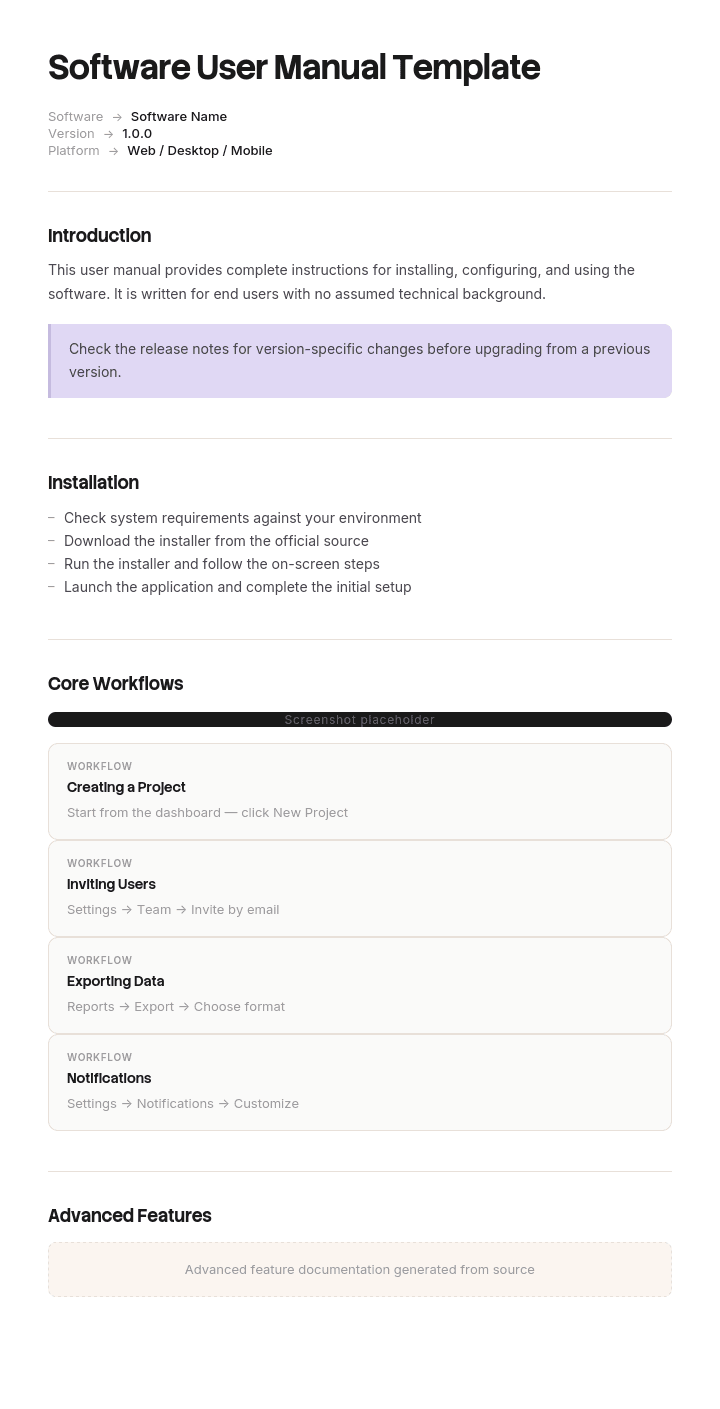
このテンプレートを使用してください
優れたソフトウェアのユーザーマニュアルは、混乱しているユーザーを自信のあるユーザーへと変えます。Trupeerを使えば、無料のソフトウェアユーザーマニュアルテンプレートから始めて、ブランドガイドラインでカスタマイズし、さらにAIマニュアル作成でプロダクトの操作手順を洗練された動画マニュアルに変えることで、ソフトウェアドキュメント作成にかかる時間を何時間も節約できます。
無料のソフトウェアユーザーマニュアルテンプレートとは?
無料のソフトウェアユーザーマニュアルテンプレートとは、ソフトウェアの使い方を説明する、完全でバージョン管理されたドキュメントのための再利用可能な構造です。生きたWebサイトとしてではなく、成果物として作成されます。
この違いがあるからこそ、このドキュメントはヘルプサイトが当たり前の世界でも今なお存在しています。マニュアルは、ドキュメントが「完全で」「固定され」「自己完結している」必要があるときに作られます。オンプレミスで提供されるソフトウェア、規制された環境に投入される製品、外部アクセスのないネットワーク上で稼働するシステム、そしてマニュアルが指定された成果物として扱われる契約です。
もしあなたのソフトウェアがホスト型の製品で、ユーザーが検索エンジンやプロダクト内のヘルプリンク経由でドキュメントに到達するなら、マニュアルではなくヘルプサイトが適しています。そして、ソフトウェアユーザーガイドのページでは、その構造がどうあるべきかを説明しています。
テンプレートはマニュアルではありません。マニュアルの章立てリストは広く公開されており、ほとんどが入れ替え可能です。実際にマニュアルが機能するかどうかを決めるのは、以下の問題への対処方法です。ヘルプサイトはこの問題に直面することがなく、ほとんどのテンプレートもこの点を扱っていません。
形式は提供形態に従います。無料のソフトウェアユーザーマニュアルテンプレートのWordファイルには、これらが書かれ、レビューされます。無料のソフトウェアユーザーマニュアルテンプレートのPDFは、マニュアルが固定された記録であり、PDFがそれに最も近い一般的な形式だからです。無料のソフトウェアユーザーマニュアルテンプレートのPPTレイアウトは、マニュアルから派生するトレーニングに適しています。無料のソフトウェアユーザーマニュアルテンプレートのExcelファイルは、ドキュメントそのものではなく、その背後にあるコンテンツインベントリに適しています。
マニュアルはスナップショット、ヘルプサイトはストリーム
ヘルプサイトには1つのバージョンしかありません。現在のものです。ソフトウェアが変わればページも変わり、すべての読者が新しいページを見ます。古いバージョンは残りません。コピーが常に1つしかないからです。
一方、マニュアルは逆の動きをします。作成し、出荷し、その瞬間からコピーはあなたとは独立して存在します。顧客のファイルサーバー、印刷されたフォルダー、古いメールに添付されたファイル、調達記録の中にあります。更新することはできず、さらに誰がどのコピーを持っているかを把握できないことが頻繁にあります。
その間にソフトウェアは進化します。数年のうちに、顧客基盤は複数のリリースにまたがり、それぞれ異なるタイミングで作られたドキュメントを読み、特定の読者が今どのドキュメントを持っているのかを確実に知る方法はありません。
これがソフトウェアマニュアルの決定的な課題であり、ヘルプサイトにはまったく存在しません。以下のすべての設計判断は、この課題から導かれています。
Trupeerでこのテンプレートをカスタマイズする方法
ステップ1:テンプレートセクションを開く
メインナビゲーションからテンプレートセクションへ移動します。

ステップ2:テンプレートを選択して開く
作業したいテンプレートをクリックして開きます。

ステップ3:テンプレート表示を展開する
必要に応じて、テンプレート表示を展開し、レイアウトと詳細をはっきり確認します。

ステップ4:テンプレートを編集する
編集をクリックして、選択したテンプレートの変更を開始します。

エディター内で、次のことができます:
新しいセクションを追加
書式ルールを定義または更新
ロゴを追加し、その位置および関連設定を調整
ステップ5:カスタマイズしたテンプレートを保存する
必要な変更をすべて行ったら、保存をクリックして更新されたテンプレートを自分のものとして保存します。

ステップ6:プレビューしてテンプレートを微調整する
カスタマイズしたテンプレートがどのように見えるか確認したいときは、プレビューを開きます。

プレビュー画面から、必要に応じてそのまま調整を続けることができ、テンプレートが思い通りに表示されることを確認できます。
ソフトウェアユーザーマニュアルテンプレートを使うと、次のことができます:
作成時間を節約:ソフトウェアドキュメント向けに構築された構造で、空白のページをスキップできます。
サポートチケットを削減:わかりやすいマニュアルでユーザーがセルフサービスできるようになり、チケットが大幅に減ります。
ブランドに合わせ続ける:Trupeerのブランドキットでロゴ、フォント、カラーを適用します。
導入を改善:ソフトウェアの使い方を理解したユーザーは、より使い続け、定着も長くなります。
動画の操作手順を追加:文章で説明しにくい手順には、動画を埋め込めます。
グローバルユーザーに届ける:1クリックでユーザーマニュアルを65言語以上に翻訳できます。
バージョン問題と、その対処方法
繰り返し起きる失敗は3つあり、いずれも「書き始める時点」で安価に予防できます。
読者が、自分のマニュアルがどのバージョンを説明しているか分からない。ほとんどのマニュアルには、バージョンが表紙にしか載っていません。PDFを開いて中を検索する読者は、ページ94にたどり着き、表紙を見ることはありません。すべてのページのフッターにソフトウェアのバージョンを入れてください。テンプレートの1つの項目を埋めるだけで済み、最もよくある形の問題を取り除けます。
読者が、自分が使っている(実行している)バージョンが分からない。最初のページで、1行で確認方法を示してください。多くのマニュアルは、読者が知っている前提で書かれており、実際には知らないユーザーも多いのです。
マニュアルに、その機能がいつ登場したか書かれていない。古いリリースの読者が、まだ存在しないものの指示に従ってしまい、ソフトウェアが壊れていると結論づけてサポートに連絡します。機能には導入されたバージョンを付け、挙動が変わったものには、その変更が行われたバージョンを付けてください。これは他の2つより手間がかかりますが、高額になりがちな失敗を防げます。
さらにもう1つ、読者ではなく「あなた」に関することがあります。サポートサイトでは、マニュアルの公開済みバージョンを最新のものだけでなく、すべて利用可能にしておいてください。古いリリースの顧客は、そのリリース用のマニュアルが必要です。最新のものだけをホスティングしていると、誤ったドキュメントを使うことが保証されてしまいます。
ソフトウェアユーザーマニュアルに必ず含めるべき内容
10の構成要素です。最初の2つと最後の2つが、マニュアルとヘルプサイトを分けるポイントです。
構成要素 | 役割 |
|---|---|
バージョンと適用範囲 | ソフトウェアのバージョン、マニュアルの改訂、公開日。表紙と、すべてのページのフッターに記載します。 |
自分のバージョンの確認方法 | 冒頭付近に1つの段落として記載し、読者が正しいマニュアルを持っていることを確認できるようにします。 |
この改訂で何が変わったか | 短いリストにして、再訪した読者が読み直さずに違いを見つけられるようにします。 |
想定読者と前提知識 | 質問する手段がない人がマニュアルを読むため、明記します。 |
はじめに | 1つの「動く成果物」へ最短で到達するための道筋です。 |
タスクの章 | 製品のメニュー構造ではなく、ユーザーが行うことに基づいて整理します。 |
参照セクション | 設定、項目、エラーメッセージ、キーボードショートカット。読むのではなく、調べて参照します。 |
トラブルシューティング | サポートチケットから実際の問題を取り上げ、それぞれの解決策を示します。 |
完全な目次と索引 | マニュアルは検索と索引を通じて使われるため、どちらも飾りではなく実在する必要があります。 |
サポートと問い合わせ導線 | 助けを得る方法。出荷されたマニュアルが、ユーザーが持っている唯一の手段であることが多いためです。 |
「完全性」が求められることは、明確に述べる価値があります。マニュアルは、読者が本当に必要とするものについて、ライブコンテンツへのリンクを張ることはできません。ネットワークにアクセスできない環境で読まれる可能性がある、またはリンク先のページが移動してしまう可能性があるからです。すべての必須情報はドキュメントの中に収める必要があります。
無料のソフトウェアユーザーマニュアルテンプレート:コピーするための構造
プレースホルダーではなく、実際の例で埋めています。ソフトウェアはオンプレミスで提供されるラボ情報システムです。
ここからコピーしてください。
表紙。 製品名。ソフトウェアバージョン 11.2。マニュアル改訂 C。公開 3月14日。適用範囲はバージョン 11.0 から 11.2 のみ。
ページフッター(すべてのページに表示)。 製品名、ソフトウェアバージョン 11.2、改訂 C、ページ番号。これはドキュメント内で最も役立つ1行です。
自分のバージョンの確認方法。 ヘルプを選択し、次にバージョン情報を選択します。バージョンは 11.2.4 のような数値として表示されます。最初の2つの数字が 11.2 でない場合、このマニュアルはあなたのシステムを説明していません。あなたのバージョンに対応する正しいマニュアルは、サポートサイトのDocumentation Archiveにあります。
改訂Cで変更された点。 アーカイブはバージョン 11.0 から可逆になりました。以前のバージョンでは、アーカイブは恒久的であり、アプリケーション内から元に戻すことはできません。第9章を参照してください。サンプル再ラベリングでは、10.4で2回目の確認ステップが追加されました。
想定読者。 定期的なサンプル取り扱いとレポーティングを行うラボスタッフ。ユーザーアカウントが付与され、ローカルの導入(インダクション)を完了していることを前提とします。システム管理は対象外で、管理者マニュアルに記載されています。
はじめに。 ログイン、メイン画面、そして1つのサンプル登録をエンドツーエンドで完了させます。
タスクの章。 人が行うことに基づいて整理します。サンプルの登録。結果の記録。レポーティング。履歴レコードの検索。アーカイブ。各タスクページには、前提としていることが明記され、フッターにバージョンの適用範囲が記載されています。
機能の利用可能性マーカー。 全体を通して、次の形式で使用します:バージョン 10.4 から利用可能。挙動はバージョン 11.0 で変更されました。これらは関連する指示の横に表示され、付録には表示されません。
参照。 項目の定義、ステータスコード、意味のあるエラーメッセージ、キーボードショートカット。
トラブルシューティング。 サポートキューから取得した12件の項目。各項目に症状、考えられる原因、解決策を記載します。
索引。 インターフェースが使う用語だけでなく、ユーザーが使う用語もカバーする実在のものです。そのため、返金を探している読者は、クレジットノートのページを見つけられます。
サポート。 電話、ポータル、営業時間、そして用意しておくべき情報。ユーザーがこのページを読んでいる時点で、他に手段がない可能性があるため含めています。
ここにコピーしてください。
ソフトウェアユーザーマニュアルの例:別バージョンで61パーセント
Denholm Clinical Systems(約120人規模の会社)は、病院および民間のラボにラボ情報システムを提供しています。ソフトウェアは顧客の施設にインストールされ、顧客は自分のスケジュールでアップグレードします。
マニュアルは240ページまであり、PDFとして作成され、各リリースに同梱されていました。文章は適切で、内容も完全でした。
サポートサイトにはマニュアルが1つだけ掲載されていました。最新のものです。
導入済みのベースの61パーセントが、現在のマニュアルが説明しているバージョンより古いバージョンを実行していました。複数のサイトが2つの主要バージョン遅れでしたが、この業界ではアップグレードにバリデーションが必要なため、珍しいことではありません。
バージョン8.4を稼働しているラボでは、過去14か月分の履歴レコードをアーカイブする必要がありました。彼らは現在のマニュアル(バージョン11.2用の改訂)を開き、アーカイブの章を読みました。アーカイブ済みレコードは、いつでもArchiveタブから復元できると書かれていました。
それはバージョン11.0以降では正しい内容でした。8.4では、アーカイブは恒久的でした。
彼らは14か月分のレコードをアーカイブしました。復元はできませんでした。復旧にはバックアップからの復元が必要で、ラボのダウンタイムが3日発生し、さらにサプライヤーのエンジニアが現地に来る必要がありました。復旧作業と混乱の間で、約4万6千ポンドの費用がかかりました。その後、正式な苦情が出され、正当化されました。
マニュアルの内容に誤りはありませんでした。書かれているすべての記述は、バージョン11.2に対して正しいものでした。表紙には11.2と書かれていました。読者はPDFを検索し、141ページにたどり着き、実行していないソフトウェアに対する正しい指示を読んでしまったのです。
その後、3つの変更が行われましたが、どれも高額ではありませんでした。
バージョンはすべてのページのフッターに入れました。自分のバージョンを確認する方法を1行で示す指示は、冒頭付近に配置しました。機能と挙動には利用可能性マーカーを追加したため、アーカイブの章には「復元はバージョン11.0から利用可能」と書かれ、また「それ以前のリリースではアーカイブは恒久的」であることが明記されるようになりました。
4つ目の変更はホスティングです。公開されたマニュアルの改訂はすべて、documentation archiveの下でサポートサイトに掲載するようにしました。これにより、8.4の顧客は8.4用のマニュアルを見つけられるようになりました。
バージョンの混同に起因するサポートチケットは、月あたり約23件から4件へと減りました。
読者は何も悪いことをしていません。サプライヤーが提供していた唯一のマニュアルを使っただけでした。
6ステップでソフトウェアユーザーマニュアルを書く方法
本当にマニュアルが必要かを決める。ユーザーがネットワークにアクセスでき、検索でドキュメントに到達できるなら、ヘルプサイトの方が適しています。マニュアルは、出荷される固定された完全なドキュメントのためのものです。
まずバージョン体系を修正する。このマニュアルが対象とするソフトウェアのバージョンと、マニュアル自身の改訂番号の付け方です。どちらもフッターに入れます。
メニューではなくタスクで構成する。製品のメニュー構造は、どのように作られたかを説明します。ユーザーは「やりたいこと」を持ってやって来ます。
書きながら利用可能性をマークする。特定のバージョンで機能が登場したことを記すのは、書いている最中は簡単ですが、その後に復元しようとするとほぼ不可能です。
トラブルシューティングはサポートキューから取る。最も多いチケットは、すでに優先順位が付けられている章です。
実在する索引を作る。インターフェースが使う用語だけでなく、ユーザーが口にする言葉も含めます。出荷されたドキュメントでは、索引が検索機能になります。
ステップ4は後回しにされがちですが、金銭的な損失につながる失敗を防ぐのはこのステップです。
ヘルプサイトではなくマニュアルが必要なとき
マニュアルが正解になる5つの状況があり、それ以外ではヘルプサイトが通常勝ちます。
オンプレミスで提供され、顧客のスケジュールでアップグレードされるソフトウェア。ユーザーは複数のバージョンに分散しており、1つの最新ページだけでは対応できません。
外部ネットワークアクセスのない環境。セキュアな施設、産業用制御システム、医療機器、防衛分野。ドキュメントはローカルに存在し、かつ完全である必要があります。
規制対象の製品。ドキュメントが、評価または認証の一部として扱われる場合、それは固定され、バージョン管理され、取得可能である必要があります。バリデーション済みの環境では、バリデーション済みのバージョンに対して特定のマニュアルが必要になることがよくあります。規制提出の一部、または認証済み製品の一部となるマニュアルは、資格のある担当者が適用される標準に照らしてレビューすべきであり、このページの内容はそれに代わるものではありません。
契約上の成果物。契約や調達スケジュールの中でマニュアルが明示された項目である場合、契約の要件がフォーマットと内容を決めます。
ユーザーにサポート導線がない製品。物理的な配布、単発の販売、長寿命の機器。マニュアルが、彼らが持つ唯一の手段になります。
これらのいずれかに最適な無料のソフトウェアユーザーマニュアルテンプレートは、「年に4回の再発行に耐えて生き残る」ものです。もしどれにも当てはまらないなら、正直な答えは、習慣でマニュアルを作っているということです。その場合は、ヘルプサイトの方がユーザーにとっても適切で、保守コストも低く済みます。
ソフトウェアユーザーマニュアル、ユーザーガイド、インストラクションマニュアル?
使われ方が重なる3つの用語と、構造を選ぶときに知っておくべき違いです。
ソフトウェアユーザーマニュアルは、完全でバージョン管理され、提供されます。読者が他にリソースを持たない可能性や、質問する手段がない可能性を前提としています。
ソフトウェアユーザーガイドは、オンラインで継続的に更新される伝統の中で同じ内容を提供し、検索からアクセスされ、ページごとにメンテナンスされます。異なる構造ルールについては、ソフトウェアユーザーガイドのページで説明しています。
インストラクションマニュアルは通常、物理的な機器に付属します。そこには、安全に関する内容、警告の配置、そしてソフトウェアドキュメントが通常負わない法的義務が適用されます。インストラクションマニュアルのページで、その伝統を扱っています。
実際には、チームはマニュアルとヘルプサイトの両方を必要とすることがよくあります。マニュアルは、リリース時に同じソースコンテンツから生成されます。これは目指すべき構成です。2つの独立したドキュメントセットを維持すると、2つのセットが食い違ってしまうからです。
無料のソフトウェアユーザーマニュアルテンプレートでは直せないこと
多くのバージョンに対する1つのマニュアル。これを解決する構造はありません。バージョンごとにマニュアルを公開し、アーカイブを保持することだけが解決策です。
誰も見つけられないマニュアル。最新の改訂だけをホスティングすることは、古いバージョンの顧客が誤ったドキュメントを読むことを保証します。
前のリリースからのスクリーンショット。マニュアル内のすべての画像は、撮影されたバージョンに固定されています。つまり、これらをマークすること、そして以下の制作アプローチが必要だという根拠になります。
テンプレートが決して求めないバージョン情報。無料のソフトウェアユーザーマニュアルテンプレートの無料ダウンロードや、ユーザーマニュアルテンプレートの無料ダウンロードには、バージョンの適用範囲フィールドが含まれていません。マニュアルテンプレートは、変わらない製品向けに設計されているためです。
ヘルプサイトから調整なしで組み立てたドキュメント。オンラインページはリンクが機能し、コンテンツが最新であることを前提にしています。固定されたドキュメントとして書き出すと、どちらの前提も崩れ、結果として「印刷されたWebサイト」のように読めてしまいます。
説明するより、ソフトウェアを見せる
マニュアルは、他のどのドキュメント形式よりも重いビジュアルの負担を背負います。その理由は、マニュアルがどのように提供されるかに固有のものだからです。
ヘルプページは動画へのリンクを貼れます。しかしマニュアルは、リンクが機能しなくなった後の数年後に読まれたり、ネットワークのないセキュアな環境で読まれたりする可能性があるため、頻繁にそれができません。つまり、読者に必要なものはすべてドキュメントの中に入れる必要があります。リンクではなく画像であり、そして200ページのマニュアルなら、それらを数百枚持つこともできます。
さらにバージョン問題がそれを増幅します。各画像は撮影されたリリースに固定されるため、新しいメジャーバージョンではセットを撮り直す必要があります。そのため、マニュアルはリリースから2つ分古い画像で出荷されがちで、読者がそれを信じなくなるのです。
Trupeer AIは、その計算を変えます。誰かが、記録対象のバージョンでタスクを1度だけ実行しながら録画し、すでに撮影済みの画像が、注釈付きで配置され、動画と並んであなた自身のブランドの中に書き起こされた手順(ステップバイステップ)として出力されます。新しいリリース向けの画像セットを作るには、数百もの画面を撮り直すのではなく、再録画するだけで済みます。
記録する。ブランド化する。翻訳する。Trupeerする。
マニュアルに特に関係する追加のポイントが2つあります。動画版は、ネットワークアクセスがある顧客向けにサポートサイトでマニュアルと一緒に提供できるため、制作は2つの提供経路に対して重複せずに済みます。また、製品が国際的に出荷される場合、同じ録画から各言語で同じマニュアルコンテンツを作れます。これはヘルプサイトよりもここで重要です。誤った言語で出荷されたマニュアルは、後から静かに修正できないからです。
素材はあなたのナレッジベースに置かれ、サポート担当者や導入チームのトレーニングとしても二重に活用できます。ソフトウェアを運用する担当者向けの運用手順は、ランブックに入れるべきです。ドキュメント間の一貫性は、ブランドキットを一度設定するだけで実現でき、セットアップはドキュメントテンプレートセットアップガイドで説明されています。
よくある質問
無料のソフトウェアユーザーマニュアルテンプレートのWord版はありますか?
Wordはマニュアルを書き、レビューし、改訂する場所です。さらに、マニュアルに必要なものを扱えます。実在の目次、索引、相互参照、ページ番号、フッターです。
フッターは、正しく設定する価値があるポイントです。何かを書き始める前に、ソフトウェアのバージョンとマニュアルの改訂をフッターに入れてください。そうすれば、すべてのページにそれらが表示されます。フッターにバージョン情報がない無料のソフトウェアユーザーマニュアルテンプレートのWordファイルでは、このページで説明している問題が発生します。
一般用途向けのユーザーマニュアルテンプレートのWord版はありますか?
はい。一般用途のものは広く利用可能です。ユーザーマニュアルテンプレートのWordファイルには、通常、表紙、目次、章、トラブルシューティング、索引が含まれます。これは妥当な骨組みです。
ソフトウェアに関しては、追加で2つ必要です。ページフッターでのバージョン適用範囲と、機能が登場したタイミングを示す方法です。どちらも一般的なテンプレートには含まれていません。変わらないものを説明するドキュメント向けに設計されているため、どちらも重要ではないからです。
無料のソフトウェアユーザーマニュアルテンプレートのPDFはありますか?
PDFが出荷形式です。ドキュメントを書いたら、無料のソフトウェアユーザーマニュアルテンプレートのPDFを書き出して提供します。表紙だけでなく、すべてのページにバージョンと改訂が表示されます。
制作上の詳細が2つあります。見出しから実在のブックマークを生成することです。読者はこの方法で長いPDFを移動します。そして、画像ではなくテキストとして検索可能にすることです。これは、デザインツールからマニュアルを組み立てるときに、たまに起きることです。
ユーザーマニュアルテンプレートの無料ダウンロードはどこで入手できますか?
広く利用可能で、標準化団体や公共機関からも入手できます。商用のテンプレートサイトよりも、利用されることを前提に書かれているため、バージョンの構造がより良く整っている傾向があります。
どのユーザーマニュアルテンプレートの無料ダウンロードから始めても、最初の編集はフッターです。次に、冒頭付近に短いセクションを追加し、読者が自分の実行しているソフトウェアのバージョンをどう確認するかを説明します。これはほとんどのテンプレートに含まれておらず、マニュアル関連の問い合わせで最も多いカテゴリを防ぎます。
無料のソフトウェアユーザーマニュアルテンプレートのPPT版はありますか?
スライドは、マニュアルそのものではなく、マニュアルから作られるトレーニングに向いています。無料のソフトウェアユーザーマニュアルテンプレートのPPTデッキは、オンボーディングの場や顧客トレーニングの日に適しています。
ただし、ドキュメントの代わりにはなりません。マニュアルは、他にリソースがない人が検索して読めるように、完全な形で存在する必要があります。スライドデッキはそのどちらでもありません。
無料のソフトウェアユーザーマニュアルテンプレートのExcel版はありますか?
Excelは、マニュアルそのものではなく、その背後にあるインベントリに適しています。無料のソフトウェアユーザーマニュアルテンプレートのExcelファイルは、コンテンツレジスター(記録台帳)としてうまく機能します。セクションごとに1行ずつ、所有者、最後に照合したバージョン、画像が最新かどうか、そして適用される製品バージョンを記録します。
この台帳があることで、リリース更新を管理しやすくなります。これがないと、新しいバージョンのために200ページのマニュアルを更新するには、すべてを読み直す必要が出てきます。
使う価値のある無料のソフトウェアユーザーマニュアルテンプレートの無料ダウンロードはありますか?
セクションのリストを作るのに30分ほどかかり、公開されているテンプレートの多くはほぼ同じなので、無料のソフトウェアユーザーマニュアルテンプレートの無料ダウンロードはあまり節約になりません。
どれかを選ぶときは、1つの質問で判断してください。表紙だけでなく、ページにもバージョン適用範囲のための場所がありますか?本質的にほとんどありません。多くのマニュアルテンプレートは、変わらない製品向けに設計されており、ソフトウェアは変わるからです。
最高の無料のソフトウェアユーザーマニュアルテンプレートはどれですか?
最高の無料のソフトウェアユーザーマニュアルテンプレートとは、バージョンフッターを入れて、リリースをまたいで維持できるものです。実際には、デザインされたものではなく、プレーンなドキュメントであることが多いです。
強くデザインされたテンプレートは見栄えが良い一方で、更新がかなり難しくなります。更新がつらいマニュアルは、前のリリースを説明したまま出荷されます。年に数回再発行するドキュメントでは、見た目よりも保守性が勝ちます。

