4.8/5
Free Training Video Software for Internal Documentation
Turn your internal processes into clear, searchable video documentation that keeps your entire team aligned.
Try for Free

Training Video Software for Internal Documentation by Trupeer lets you create professional training videos from simple screen recordings with AI-powered automation. No editing skills, no expensive software, no production delays.
Convert screen recordings of internal processes into structured video documentation
AI generates both video walkthroughs and written step-by-step guides from a single recording
Full-text search across all video content turns your library into a visual knowledge base
Embed videos directly into Confluence, Notion, SharePoint, or any internal wiki
Version control and content lifecycle management keep documentation current and accurate
What Is Training Video Software for Internal Documentation?
Training Video Software for Internal Documentation is training video software for internal documentation that enables teams to produce professional training content directly from screen recordings. Instead of spending hours in traditional video editing software, you simply record your screen and the AI handles all post-production — adding zoom effects, annotations, transitions, captions, and branding automatically. The result is a polished, ready-to-share training video in minutes. If the documentation changes often, the training document template is easy to keep current because it's built from the recording rather than written by hand.
How Does Training Video Software for Internal Documentation Work?
The process is designed to be as simple as possible so anyone on your team can create professional training videos.
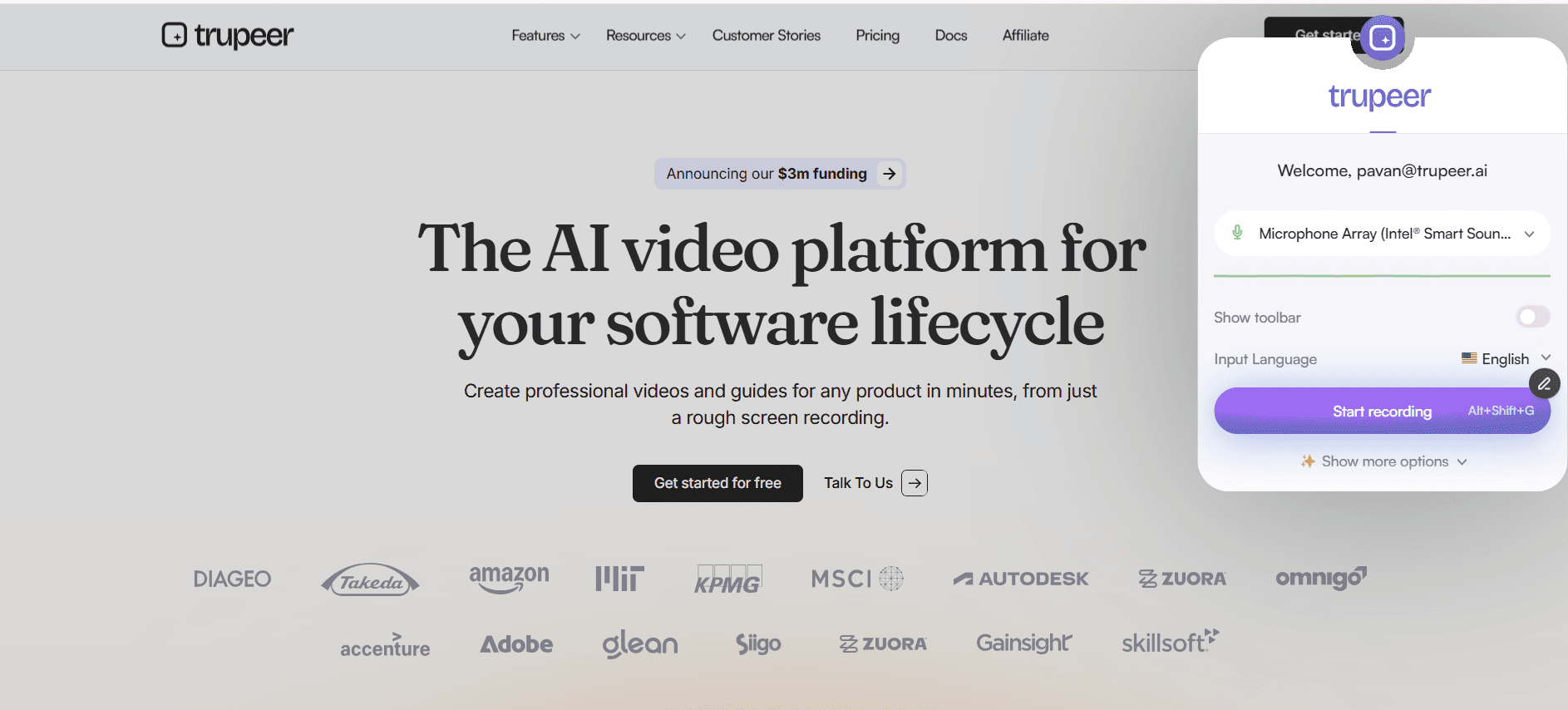
Step 1: Record Your Screen
Install the Trupeer Chrome extension and click record. Capture any workflow, process demonstration, or software walkthrough directly from your browser. Narrate as you go or add voiceover later.
Step 2: AI Enhances Your Recording
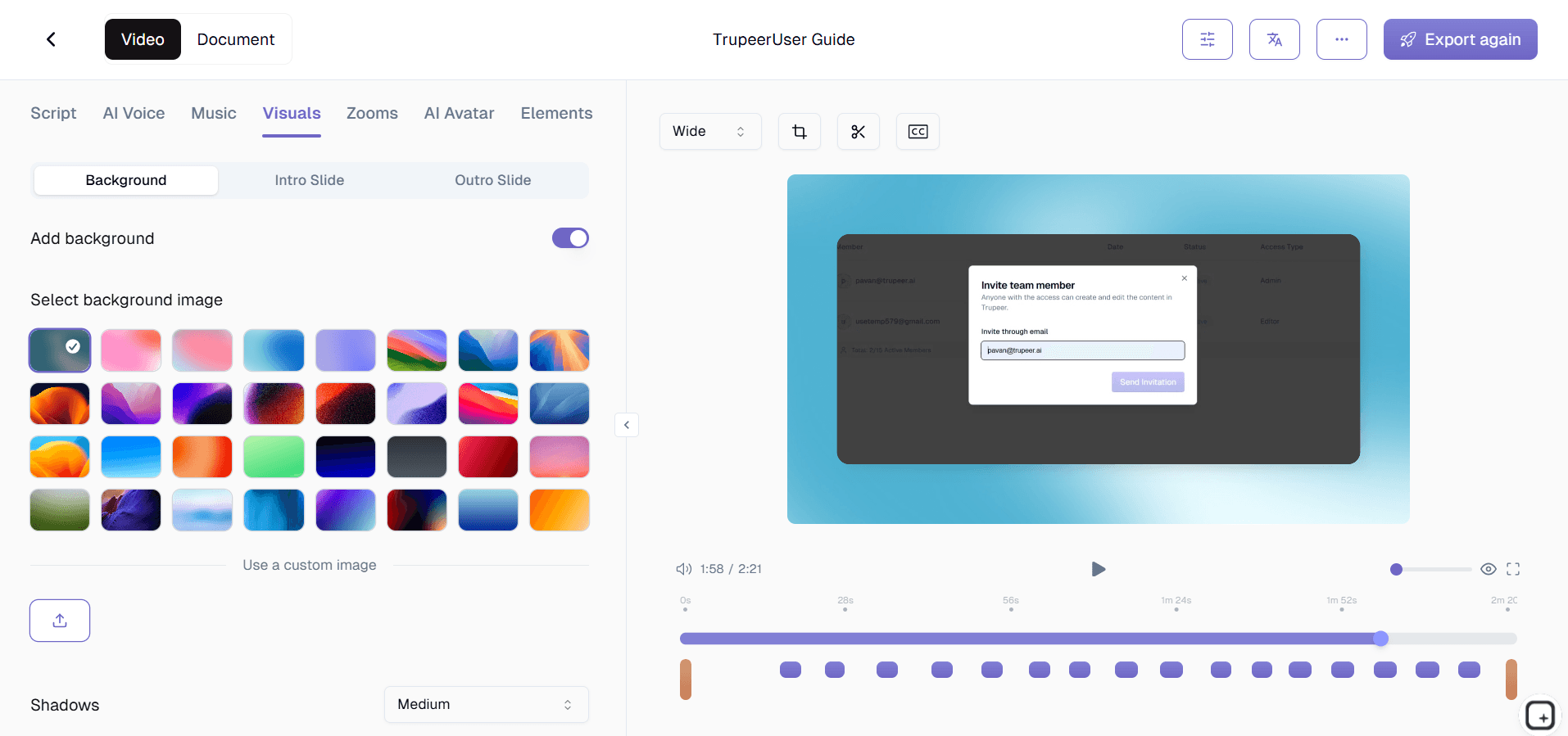
Once you stop recording, the AI engine processes your video automatically. It applies intelligent zoom effects, adds annotations and callouts, generates chapters, creates captions, removes dead air, and applies your brand styling all without any manual input.
Step 3: Publish and Share
Review the AI-polished result, make any optional adjustments, and share via link, embed code, or export. You can also use the process guide creator to generate written documentation from the same recording.

Key Features of Training Video Software for Internal Documentation
Screen-to-Documentation Pipeline: Record any internal process and the AI converts it into structured documentation automatically. The pipeline captures every click and action, generating both a training video and synchronized text documentation with numbered steps and annotated screenshots. A single recording session replaces hours of writing SOPs manually.
Searchable Video Knowledge Base: Every video becomes searchable through AI-powered indexing of spoken words, on-screen text, and visual content. Employees type a keyword and find the exact moment in any video where that topic is covered. Search results include timestamp links for direct navigation. Your video library becomes a visual search engine for institutional knowledge.
Automatic Version Control and History: Every documentation update is tracked with full version history. Record updated steps and the platform creates a new version while preserving previous ones. Side-by-side comparison shows changes between versions. Automatic notifications alert teams when documentation they depend on is updated.
AI-Generated Process Guides: The AI extracts key frames and assembles step-by-step written guides with annotated screenshots. Each step includes action descriptions, expected results, and visual indicators. Export as PDF, HTML, or Markdown. Combined with the Trupeer process guide creator, you get multi-format documentation from a single recording.
Why Choose Trupeer for Training Video Software for Internal Documentation?
Speed: Go from recording to polished training video in minutes, not days. AI automation eliminates the production bottleneck that delays training content delivery.
Accessibility: Anyone on your team can create professional training videos regardless of their technical skills. No video editing experience is needed.
Consistency: AI-powered automation ensures every training video meets the same quality and branding standards, no matter who on your team created it.
Cost Efficiency: Eliminate the need for video editors, production teams, and expensive software licenses. One tool handles recording, editing, and distribution.
Training Video Software for Internal Documentation for Internal Teams
1. Internal teams use this software to replace static, text-heavy documentation with engaging video walkthroughs that show exactly how processes work rather than attempting to describe them in words.
2. When team members leave or transition roles, their knowledge is preserved in video documentation that captures not just the steps but the context, reasoning, and nuances of how they performed their work.
3. Documentation maintenance becomes dramatically easier because updating a video walkthrough takes minutes compared to rewriting and reformatting a multi-page text document.
4. Teams that previously resisted documenting their processes adopt video documentation readily because recording their screen is far less burdensome than writing detailed step-by-step text guides.
Training Video Software for Internal Documentation for SaaS Teams
1. SaaS teams use video documentation to capture internal processes around deployment, feature flagging, incident response, and customer escalation that change too frequently for traditional documentation to keep up.
2. Product teams document feature specifications, design decisions, and user research findings in video format that captures the full context and discussion rather than just the written summary.
3. Internal API documentation enhanced with video walkthroughs shows developers exactly how to use endpoints, handle edge cases, and debug common issues rather than just listing parameters.
4. Customer-facing documentation teams use the same platform to create both internal process documentation and external help center videos, maintaining consistency across both audiences.
Training Video Software for Internal Documentation for Startups
1. Startups use video documentation software to capture processes as they are created, building institutional knowledge from day one rather than trying to retroactively document everything later.
2. The speed of video documentation is critical for startups where processes evolve weekly. Recording a new walkthrough takes minutes, keeping documentation current with the pace of change.
3. Founder knowledge about product vision, customer insights, and strategic decisions is captured in video format that preserves context and nuance that written notes would lose.
4. As startups grow and specialize roles, video documentation ensures that knowledge is not siloed with individuals but is accessible to the entire team through searchable video content.
Training Video Software for Internal Documentation for Enterprises
1. Enterprise organizations use video documentation to supplement their existing documentation systems with visual content that improves comprehension and reduces misinterpretation of complex processes.
2. Regulated enterprises use video documentation with version control and audit trails to demonstrate that processes are documented, reviewed, and communicated in compliance with regulatory requirements.
3. The platform's integration with enterprise wiki systems like Confluence and SharePoint means video documentation lives alongside existing text documentation rather than in a separate system.
4. Enterprise knowledge management teams use the platform's analytics to measure documentation engagement and identify gaps in the organization's institutional knowledge base.
Training Video Software for Internal Documentation for Remote Teams
1. Remote teams depend on documentation more than co-located teams because they cannot ask the person next to them for help. Video documentation provides the next best thing to in-person explanation.
2. The asynchronous nature of video documentation is perfectly suited to remote teams spread across time zones, allowing anyone to access explanations whenever they need them.
3. Remote team members contribute to the documentation library by recording their own processes, creating a distributed knowledge capture system that scales with the team.
4. The searchable video knowledge base serves as a virtual mentor for remote employees, providing answers to process questions at any hour without requiring synchronous communication.
Training Video Software for Internal Documentation for Developers
1. Developer teams use video documentation to explain complex codebases, architectural decisions, and debugging strategies in ways that written documentation cannot effectively convey.
2. Code walkthroughs recorded as video documentation help new developers understand not just what the code does but why it was written that way, capturing the reasoning behind technical decisions.
3. DevOps procedures, infrastructure setup, and deployment workflows are documented in video format that shows exactly what happens at each step, reducing the risk of errors during critical operations.
4. The platform integrates with developer tools like GitHub, GitLab, and internal wikis, embedding video documentation directly where developers already look for information.
Training Video Software for Internal Documentation for Onboarding & Support Teams
1. Onboarding teams use video documentation to create comprehensive visual guides for every internal tool, process, and workflow that new hires need to learn during their first weeks.
2. Support teams document troubleshooting procedures in video format so agents can follow along visually rather than interpreting written instructions during high-pressure customer interactions.
3. The dual output of video and written guides from a single recording gives onboarding teams flexibility in how they deliver training content to accommodate different learning preferences.
4. Internal documentation videos serve as the foundation of onboarding programs that can be consumed at each new hire's own pace, with search capabilities that let them revisit specific topics as questions arise during their first months.
Key Features
Video Wiki
Build a searchable video knowledge base that replaces outdated text documentation with clear visual guides.
Auto Transcripts
Every video gets an automatic transcript and step-by-step text guide for dual-format documentation.
Wiki Integration
Embed training videos directly into Notion, Confluence, SharePoint, or any internal wiki platform.
Document Internal Processes in 3 Steps
Step 1
Record any internal process
Step 2
AI converts your recording into structured documentation
Step 3
Share with relevant teams
Frequently Asked Questions
Can this replace our existing documentation tools?
It complements your existing tools by adding a visual layer. You can embed Trupeer videos directly into Notion, Confluence, or SharePoint to enhance your current documentation.
How do I keep video documentation up to date?
You can quickly re-record specific sections when processes change. The platform tracks versions and lets you swap updated segments without rebuilding entire videos.
Can team members search inside video content?
Yes. AI transcribes all video content, making every word searchable. Team members can find and jump to exact moments within any documentation video using keyword search.
Is this suitable for documenting technical processes?
Absolutely. Screen recording captures every detail of technical workflows, and AI enhancements add zoom, annotations, and highlights to make complex processes clear and easy to follow.
Can I generate written guides from video recordings?
Yes. The AI automatically generates step-by-step written guides with screenshots from your video recordings, giving you both video and text documentation from a single recording session. You can also use our process guide creator for this.
More Tools


Understand how work happens.
Carry it into your next transition.
Start Free Trial
Book a Demo
Resources

