

Technical Details
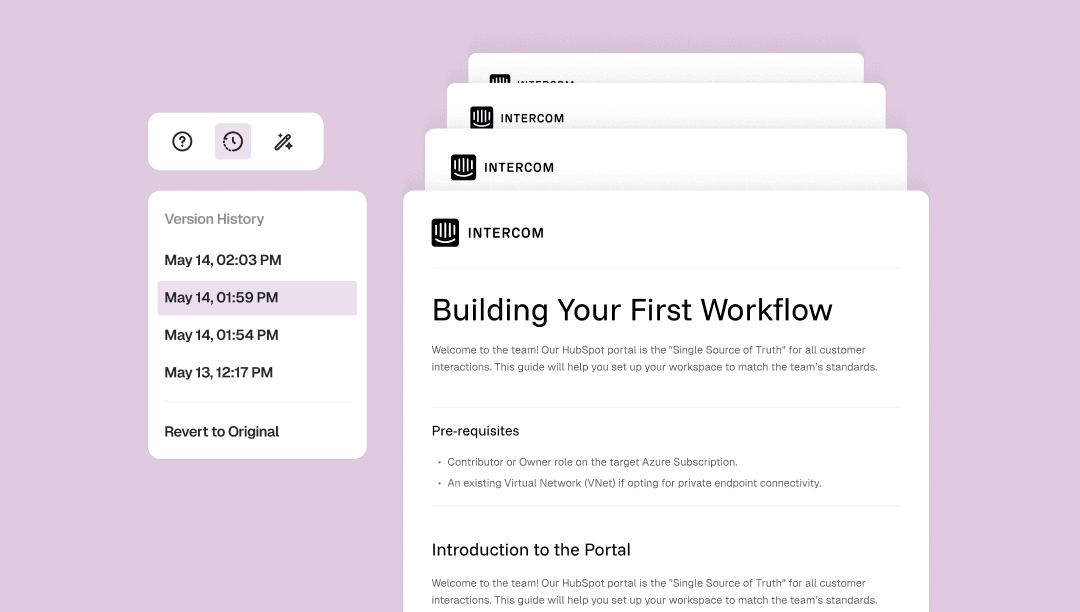
Never lose a moment of your work. Every edit you make in Trupeer AI is automatically saved the instant you make it — no manual saving, no "did I remember to save?" anxiety. Each save is timestamped, so your document's entire history is quietly being built in the background while you focus on what matters.
Jump back to any point in time. Open version history directly from the doc toolbar and you'll see a clean timeline of every saved state your document has passed through. Whether you made a change five minutes ago or last Tuesday, you can tap into any version to preview exactly what the doc looked like at that moment — and restore it with a single click.
Total peace of mind, built right in. Experimentation gets a lot easier when you know nothing is permanent. Made a series of edits you're not happy with? Revert all the way back to the original version without touching anything else. Version history gives you the confidence to write freely, edit boldly, and always have a way back.
The Process
Pain Point
Doc Templates 2.0 is a full template system. It has three layers.

Templates: Trupeer ships defaults for the most-asked types — SOP, job aids, PRD, FAQ, help articles, summary emails. Users can fork any default into their own copy, edit it, save it, share it.
Creation: a split-pane editor with live preview. Users define template structure (icon, sections, instructions, formatting rules), then test it against a sample video or their own short recording (under three minutes) before saving. Sharing controls let users keep templates private (Mine), share within their team (Workspace), or publish publicly to the Trupeer community (Public).
Application: at recording end or upload, users see one consolidated picker. Video and Guide are pre-checked. Below those, an 'Also generate' section lets users tick on PRD, FAQ, mail draft, or any custom template they want. All outputs are generated together. Users can add more output types from the documents tab afterwards if they realize they need something else.
Thought Process
Doc Templates 2.0 is a full template system. It has three layers.

Templates: Trupeer ships defaults for the most-asked types — SOP, job aids, PRD, FAQ, help articles, summary emails. Users can fork any default into their own copy, edit it, save it, share it.
Creation: a split-pane editor with live preview. Users define template structure (icon, sections, instructions, formatting rules), then test it against a sample video or their own short recording (under three minutes) before saving. Sharing controls let users keep templates private (Mine), share within their team (Workspace), or publish publicly to the Trupeer community (Public).
Application: at recording end or upload, users see one consolidated picker. Video and Guide are pre-checked. Below those, an 'Also generate' section lets users tick on PRD, FAQ, mail draft, or any custom template they want. All outputs are generated together. Users can add more output types from the documents tab afterwards if they realize they need something else.
The Solution
Doc Templates 2.0 is a full template system. It has three layers.

Templates: Trupeer ships defaults for the most-asked types — SOP, job aids, PRD, FAQ, help articles, summary emails. Users can fork any default into their own copy, edit it, save it, share it.
Creation: a split-pane editor with live preview. Users define template structure (icon, sections, instructions, formatting rules), then test it against a sample video or their own short recording (under three minutes) before saving. Sharing controls let users keep templates private (Mine), share within their team (Workspace), or publish publicly to the Trupeer community (Public).
Application: at recording end or upload, users see one consolidated picker. Video and Guide are pre-checked. Below those, an 'Also generate' section lets users tick on PRD, FAQ, mail draft, or any custom template they want. All outputs are generated together. Users can add more output types from the documents tab afterwards if they realize they need something else.


