4.8/5
Gratis online handleidingsmaker - Maak gebruikershandleidingen met AI
Professionele handleidingen maken, eenvoudig met AI

Maak professionele gebruikershandleidingen zonder ze helemaal opnieuw te moeten schrijven. De meeste teams weten dat documentatie ertoe doet. Het probleem is dat niemand drie dagen wil besteden aan het schrijven ervan. Er verandert iets in het proces. Iemand belooft: “documenteer het later”. Weken gaan voorbij. Supporttickets stapelen zich op. Training wordt inconsistent. Nieuwe medewerkers stellen dezelfde vragen opnieuw, omdat de handleiding verouderd, onvolledig of verstopt zit in iemands map.
Trupeer maakt daar een einde aan. Met Trupeer’s online maker voor gebruikershandleidingen zet je schermopnames automatisch om in professionele gebruikershandleidingen en handleidingen.
Neem één keer een workflow op en zet die automatisch om in een nette gebruikershandleiding, instructiegids en ondersteunende video. Of je nu nieuwe beelden opneemt of bestaande opnames uploadt: Trupeer’s AI analyseert je workflow en maakt gedetailleerde, stap-voor-stap handleidingen die je team en klanten eenvoudig kunnen volgen. De maker van de handleiding pakt een cruciale pijnpunt aan voor moderne bedrijven: de eindeloze uren die nodig zijn om processen te documenteren, trainingsmateriaal te maken en up-to-date gidsen te onderhouden.
Maak gebruikershandleidingen automatisch vanuit schermopnames
Trupeer is een AI-gestuurde maker voor gebruikershandleidingen die schermopnames omzet in stapsgewijze documentatie die je team en klanten echt kunnen volgen.
In plaats van handleidingen regel voor regel te schrijven, neem je gewoon het proces op.
Trupeer zet de opname automatisch om in:
Een gedetailleerde gebruikershandleiding
Geschreven stap-voor-stap instructies
Ondersteunende walkthrough-video’s
Trainingsmateriaal voor onboarding
Gestructureerde interne documentatie
Product- en procesgidsen
Wat is het resultaat?
Documentatie die nuttig blijft in plaats van na twee productreleases verouderd te raken.
Wat Trupeer’s maker voor gebruikershandleidingen onderscheidt, is de mogelijkheid om twee outputs te leveren. Je hoeft niet meer te kiezen tussen videomateriaal en geschreven documentatie. Onze AI verwerkt je opname om beide formaten tegelijk te maken, zodat je doelgroep informatie kan consumeren in het formaat dat ze het liefst gebruiken. Dit is vooral waardevol voor training video’s, waar sommige leerlingen de voorkeur geven aan visuele content en anderen geschreven referenties nodig hebben. We begrijpen dat het maken van uitgebreide technische documentatie niet zou moeten vereisen dat je een apart schrijfteam inzet of maanden werk nodig hebt.
Wat maakt een goede gebruikershandleiding?
Een goede gebruikershandleiding maken klinkt eenvoudig, totdat je het echt probeert. Meestal ziet het er zo uit:
Iemand neemt een workflow op. Een andere persoon schrijft instructies uit het hoofd. Screenshots zijn twee weken later al verouderd. De helft van de stappen ontbreekt. Vervolgens besteedt support maanden aan het steeds opnieuw uitleggen van hetzelfde.
Het maken van een handleiding wordt een onderhoudsprobleem. Zeker voor SaaS-teams, customer onboarding, interne operations en snel veranderende producten. Trupeer haalt die bottleneck weg.
In plaats van documentatie te schrijven nadat het werk is gedaan, maakt de AI je gebruikershandleiding direct vanuit de video zelf.
Hoe maak je gebruikershandleidingen met Trupeer?
Het proces voor het maken van handleidingen met Trupeer is ontworpen voor maximale efficiëntie en minimale complexiteit. Je begint door je scherm direct op te nemen via onze AI-schermrecorder of door een bestaande opname die je al hebt gemaakt te uploaden. Dankzij deze flexibiliteit ben je niet vastgebonden aan één specifieke opnametool en kun je werken met beeldmateriaal dat je al hebt gemaakt.
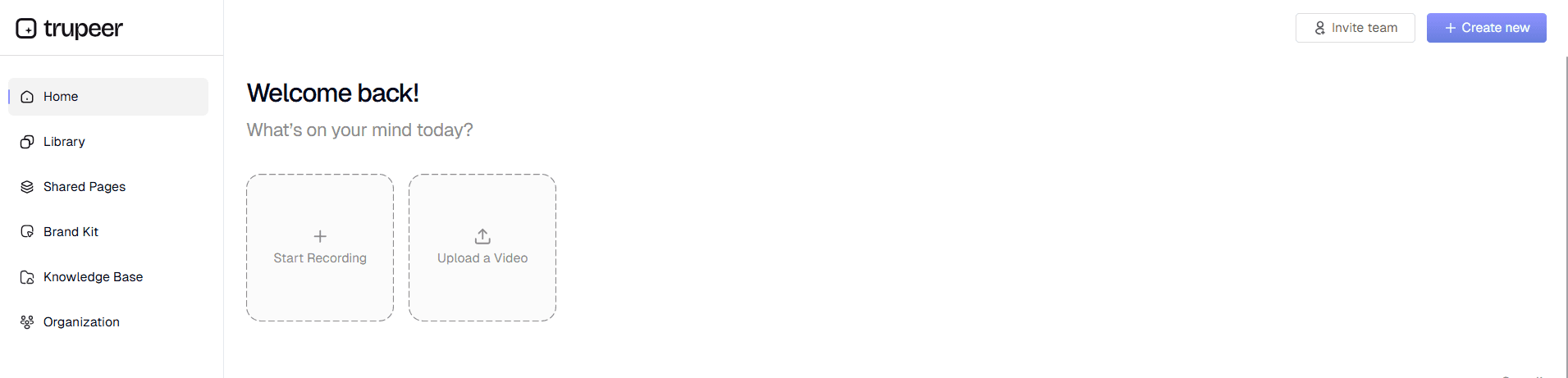
Stap 1: Neem je workflow op of upload deze
Begin met het vastleggen van je schermactiviteit met Trupeer’s ingebouwde recorder of upload je bestaande ruwe opnames. Ons systeem ondersteunt verschillende videoformaten, waardoor het eenvoudig is om met content uit verschillende bronnen te werken. De opname moet het volledige proces laten zien dat je wilt documenteren, van begin tot eind.
Stap 2: AI begrijpt je workflow
Zodra je de opname hebt geüpload, verwerkt Trupeer’s AI je opname automatisch: achtergrondruis wordt verwijderd, stopwoorden worden geëlimineerd en slimme zoom-effecten worden toegevoegd om belangrijke onderdelen te benadrukken. De AI identificeert kernacties, klikken en navigatiepatronen die de basis worden van je handleiding.

Stap 3: Genereer automatisch een gestructureerde gebruikershandleiding
De AI zet je schermopname om in gestructureerde geschreven documentatie en breekt je workflow op in duidelijke, logische stappen. Elke actie in je opname wordt een gedetailleerde instructie in de handleiding, compleet met context en verklarende tekst.

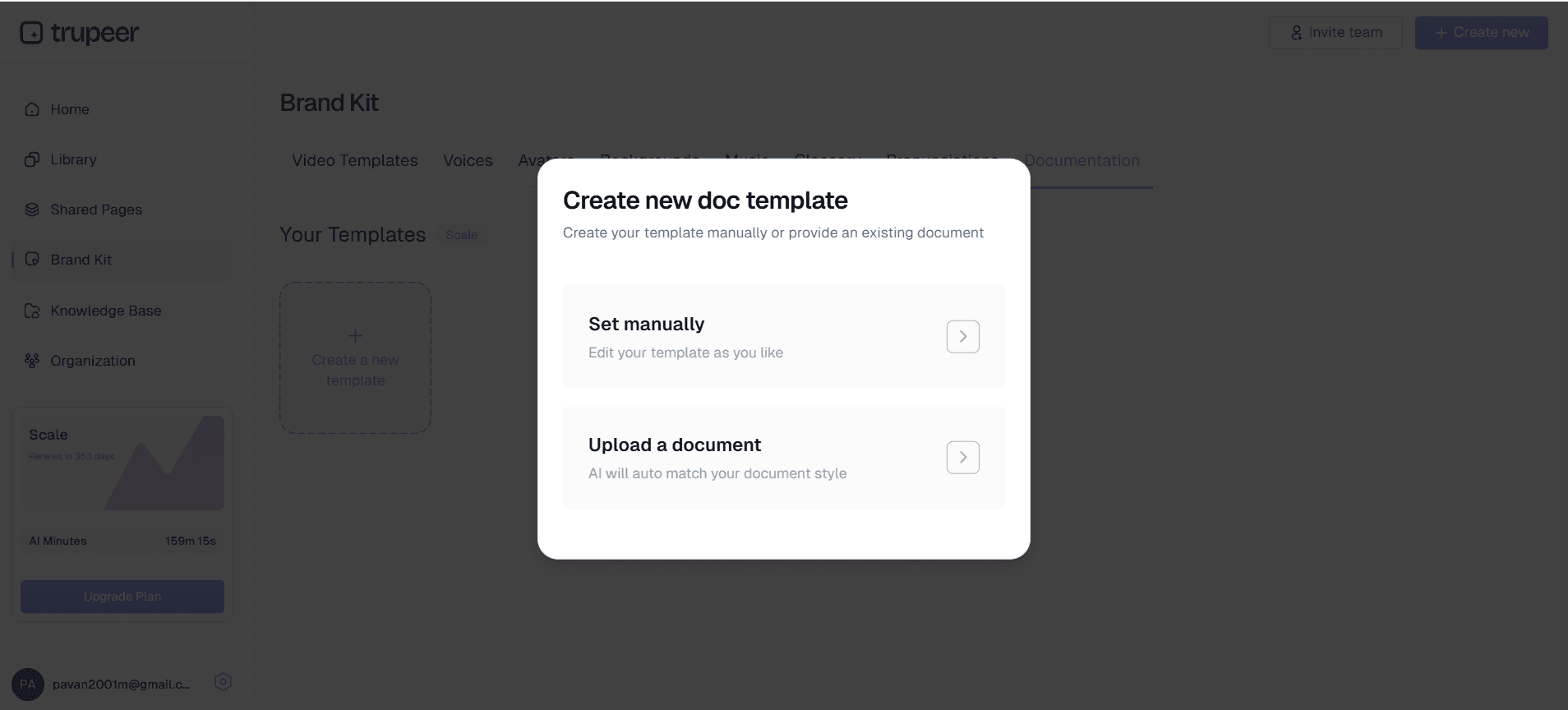
Stap 4: Template-toepassing en personalisatie
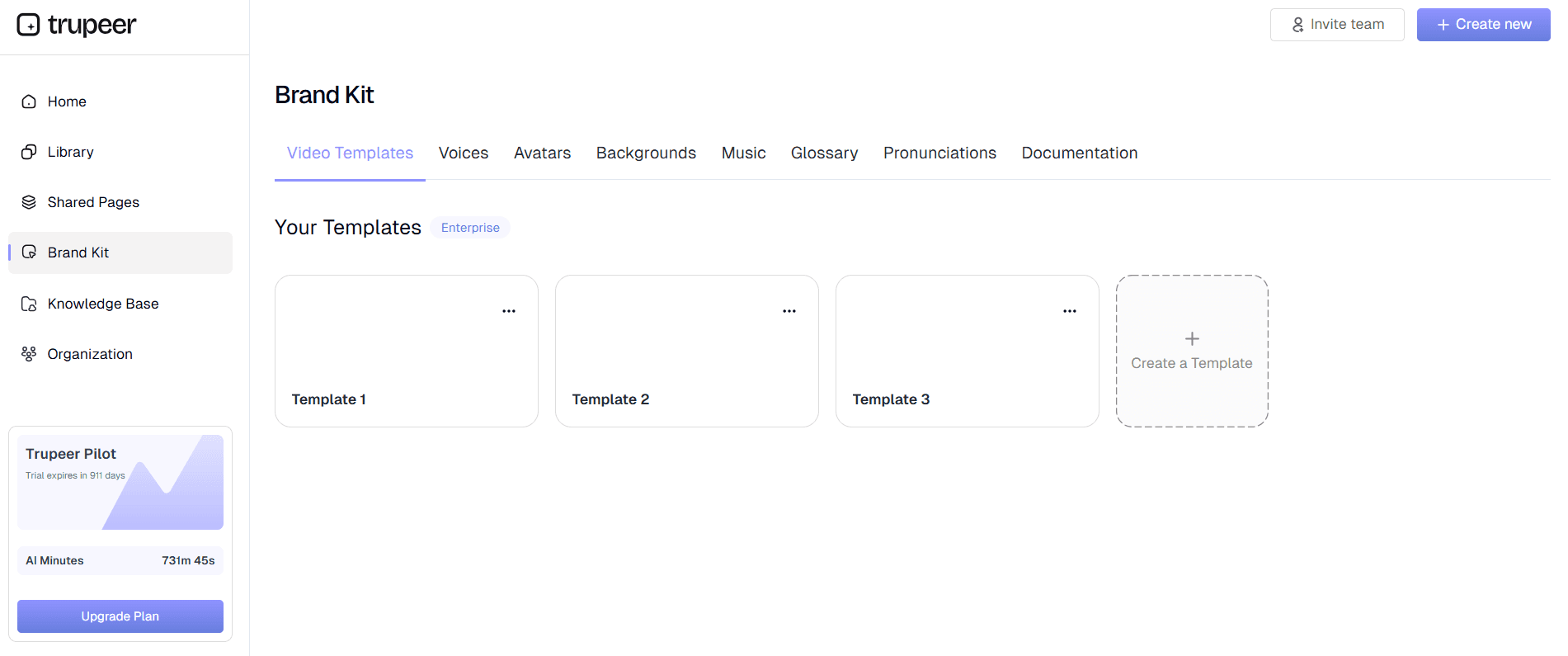
Pas je favoriete documentatiesjablonen toe om een consistente opmaak en stijl in al je handleidingen te garanderen. Je kunt kopteksten, lettertypen, kleuren en structuur aanpassen aan je merkrichtlijnen en organisatiestandaarden.
Stap 5: Merkverwerking en definitieve output
Voeg je brand kit-elementen toe, inclusief logo’s, kleuren en styling, om professionele documentatie te maken die aansluit op de visuele identiteit van je bedrijf. Exporteer je voltooide handleiding in meerdere formaten voor eenvoudig delen en verspreiden.
Waarom is een maker voor handleidingen beter dan handmatig procesdocumentatie schrijven
Trupeer’s maker voor handleidingen biedt uitgebreide functies die zijn ontworpen om je documentatieproces te stroomlijnen en elke keer professionele resultaten te garanderen. Ons systeem met dubbele input accepteert zowel live opnames als geüploade content, zodat je maximale flexibiliteit hebt in hoe je je bronmateriaal maakt.
AI-gestuurde contentgeneratie: De kernkracht van onze technische handleidingmaker zit in het feit dat hij schermopnames slim kan begrijpen en interpreteren. De AI herkent interface-elementen, gebruikersacties en workflowpatronen om nauwkeurige, gedetailleerde instructies te genereren die exact overeenkomen met je gedemonstreerde proces.
Aanpasbare documentatiesjablonen: Bespaar tijd en zorg voor consistentie met herbruikbare sjablonen die je favoriete opmaak, styling en structuur behouden. Deze sjablonen kunnen worden aangepast voor verschillende typen handleidingen, of je nu gebruikersgidsen maakt, standaard werkwijzen (SOP’s) of trainingsmaterialen.
Automatische videoverbetering: Naast het genereren van documentatie verbetert ons systeem je bronopnames automatisch met ruisverwijdering, het elimineren van stopwoorden en slimme zoom-effecten. Dat betekent dat de bijbehorende videocomponent van je handleiding voldoet aan professionele kwaliteitsstandaarden, zonder dat je video-bewerkingskennis nodig hebt.
Vertaling in meerdere talen: Vergroot het bereik van je handleiding met automatische videotranslatie-mogelijkheden. Maak documentatie in meerdere talen om wereldwijde teams en klanten te bedienen zonder de kosten van professionele vertaaldiensten.
Brand kit-integratie: Behoud een consistente visuele identiteit in al je documentatie door aangepaste brand kits toe te passen met je logo’s, kleurenschema’s, lettertypen en stylingvoorkeuren. Zo weet je zeker dat elke handleiding je professionele merkstandaarden weerspiegelt.
Meerdere exportformaten: Genereer zowel video- als geschreven documentatie vanuit één opname en exporteer vervolgens in verschillende formaten die geschikt zijn voor uiteenlopende distributiekanalen. Of je nu pdf’s nodig hebt voor offline toegang, webvriendelijke formaten voor online kennisbanken, of ingesloten content voor trainingsplatforms: Trupeer regelt de opmaak automatisch.
Waarom gebruiken teams Trupeer AI Manual Creator in plaats van handmatig handleidingen/documentatie te schrijven?
Het belangrijkste voordeel van het gebruik van Trupeer’s maker voor handleidingen is de enorme vermindering van tijd en inspanning die nodig is om professionele documentatie te maken. Traditioneel handleidingen maken kan dagen of weken duren aan schrijven, bewerken en opmaken. Met onze tool kun je uitgebreide documentatie in minuten produceren, niet in uren.
Heel veel tijd besparen: In plaats van uren te besteden aan het schrijven en opmaken van documentatie, kun je uitgebreide handleidingen maken in de tijd die het kost om de taak één keer uit te voeren. Deze efficiëntiewinst stelt je team in staat zich te richten op kernactiviteiten van het bedrijf in plaats van vast te lopen in documentatietaken. Het geautomatiseerde proces elimineert de traditionele heen-en-weer tussen experts en technische schrijvers.
Consistente kwaliteit en nauwkeurigheid: Door mensen geschreven documentatie heeft vaak last van inconsistenties, ontbrekende stappen en verouderde informatie. Onze AI zorgt ervoor dat elke handleiding dezelfde structuur volgt en alle noodzakelijke stappen exact bevat zoals gedemonstreerd in je opname. Deze consistentie is vooral waardevol voor teams van AI-schermrecorders die betrouwbare, nauwkeurige documentatie nodig hebben.
Output in twee formaten: Maak tegelijk zowel video- als geschreven documentatie, zodat je doelgroep kan kiezen hoe ze informatie consumeren. Sommige mensen leren beter van visuele demonstraties, terwijl anderen de voorkeur geven aan geschreven stap-voor-stap instructies. Door beide formaten aan te bieden, vergroot je het begrip en verlaag je het aantal supportverzoeken.
Makkelijke updates en onderhoud: Wanneer processen veranderen, neem je eenvoudig de bijgewerkte workflow op en genereer je direct nieuwe documentatie. Zo voorkom je de frustratie van het onderhouden van verouderde handleidingen en blijft je documentatie actueel met veranderende procedures en software-updates.
Professionele presentatie: Elke handleiding behoudt een professionele uitstraling dankzij geautomatiseerde opmaak en merkverwerking. Je hebt geen designvaardigheden of uitgebreide bewerking nodig om documentatie te maken die goed staat voor je organisatie en zorgt voor een positieve gebruikerservaring.
Wie kan een maker voor handleidingen gebruiken?
Trupeer’s maker voor handleidingen is bedoeld voor een breed scala aan professionals en organisaties die snel en efficiënt duidelijke, uitgebreide documentatie willen maken. Door de veelzijdigheid is de tool waardevol in verschillende branches en use cases.
Content creators en course developers: Educatieve content creators kunnen hun Documentation Generator omzetten in begeleidende geschreven materialen die de leerervaring verbeteren. Deze aanpak met dubbele content verhoogt de waarde van je cursus en houdt rekening met verschillende leervoorkeuren, zonder de creatietijd te verdubbelen.
Marketingteams en productmanagers: Marketingprofessionals kunnen overtuigende AI Video Editor-materialen maken die visuele demonstraties combineren met gedetailleerde geschreven uitleg. Deze uitgebreide aanpak helpt potentiële klanten de waarde en functionaliteit van het product beter te begrijpen dan met alleen video of tekst.
Docenten en corporate trainers: Trainingsafdelingen kunnen hun inspanningen voor contentcreatie opschalen door opgenomen trainingssessies om te zetten in permanente documentatie. Zo blijven trainingsmaterialen toegankelijk voor toekomstige referentie en maak je asynchroon leren mogelijk voor teamleden op afstand.
Productteams en technische schrijvers: Ontwikkelteams kunnen gebruikersgidsen, API-documentatie en technische specificaties maken door functionaliteit te demonstreren in plaats van alles vanaf nul te schrijven. Onze instruction manual creator helpt de kloof te overbruggen tussen technische kennis en toegankelijke documentatie voor gebruikers.
Salesprofessionals en customer success teams: Salesteams kunnen gepersonaliseerde demonstratiematerialen en ondersteunende documentatie maken voor prospects, terwijl customer success teams uitgebreide help libraries kunnen opbouwen die het aantal supporttickets verlaagt. Met de mogelijkheid om snel AI-schermrecorder-materialen te maken, krijgen salesteams een concurrentievoordeel.
Eigenaren van kleine bedrijven en consultants: Organisaties met beperkte middelen kunnen professionele documentatie maken zonder gespecialiseerde schrijvers of designers in te huren. Door professionele documentatiecreatie te democratiseren, krijgen kleinere bedrijven die concurreren met grotere organisaties een gelijk speelveld.
Best practices voor het gebruik van Manual Creator
Volg deze bewezen strategieën om de effectiviteit van je proces voor het maken van handleidingen te maximaliseren. Zo behaal je hoogwaardige resultaten en een efficiënte workflow.
Plan je opname: Schets voordat je begint met je schermopname het volledige proces dat je wilt documenteren. Door die voorbereiding kun je alle noodzakelijke stappen vastleggen en is er minder behoefte aan meerdere opnamesessies. Houd rekening met het vaardigheidsniveau van je doelgroep en pas je demonstratietempo daarop aan.
Houd een consistent tempo aan: Neem op in een stabiel tempo zodat de AI elke actie en overgang goed kan herkennen. Vermijd dat je stappen te snel doorloopt of te lang stilstaat bij één enkele actie, omdat dit de kwaliteit van de gegenereerde documentatie kan beïnvloeden.
Gebruik duidelijke, beschrijvende acties: Demonstreer software of processen met bewuste, duidelijke acties die makkelijk te volgen zijn. Klik precies op knoppen en menupunten en pauzeer kort tussen belangrijke stappen, zodat de AI logische onderbreekpunten in je workflow kan herkennen.
Maak gebruik van template-personalisatie: Profiteer van Trupeer’s training manual generator-sjablonen om consistente opmaak in al je documentatie te creëren. Investeer tijd in het instellen van sjablonen die passen bij je merk en organisatiestandaarden en hergebruik ze vervolgens voor efficiëntie.
Controleer en verfijn: Hoewel de AI zeer nauwkeurige documentatie genereert, moet je de output altijd controleren om te zorgen dat die overeenkomt met je bedoelde betekenis en dat er eventuele noodzakelijke context of waarschuwingen in staan die niet meteen zichtbaar zijn vanuit de opname.
Ontdek gerelateerde tools
Waarom kiezen voor Trupeer's handleidingmaker
Uitvoer in twee formaten
Genereer zowel professionele video's als schriftelijke documentatie vanuit één enkele opname
Slimme AI-verwerking
Genereert automatisch gestructureerde, stapsgewijze instructies op basis van uw schermactiviteit
Merkconsistentie
Pas aangepaste sjablonen en merkpakketten toe voor professionele, consistente documentatie
Ga aan de slag met Trupeer's handleidingmaker
Stap 1
Neem je scherm op of upload het
Stap 2
Laat AI documentatie genereren
Stap 3
Pas uw handleiding aan en deel deze
Veelgestelde vragen
Welke soorten handleidingen kan ik maken met Trupeer?
U kunt gebruikershandleidingen, technische handleidingen, trainingsdocumentatie, standaardwerkprocedures en instructiegidsen maken van elke schermopname. De tool werkt met alle software of webtoepassingen die u op het scherm kunt demonstreren.
Heb ik videobewerkingsvaardigheden nodig om de handleidingmaker te gebruiken?
Er zijn geen videobewerkingsvaardigheden vereist. De AI van Trupeer verbetert uw opnames automatisch met ruisonderdrukking, zoom-effecten en professionele opmaak. U hoeft alleen uw scherm op te nemen en de AI verzorgt alle verwerking en het genereren van documentatie.
Kan ik bestaande handleidingen bijwerken wanneer processen veranderen?
Ja, noteer eenvoudig het bijgewerkte proces en genereer nieuwe documentatie. U kunt ook uw opgeslagen sjablonen gebruiken om een consistente opmaak te behouden in bijgewerkte versies, waardoor onderhoud snel en efficiënt verloopt.
Hoe nauwkeurig is de door AI gegenereerde documentatie?
De AI is zeer nauwkeurig in het identificeren van schermacties en het genereren van bijbehorende instructies. Het herkent klikken, navigatie, tekstinvoer en andere veelvoorkomende interacties met de interface om gedetailleerde, stapsgewijze documentatie te maken die overeenkomt met uw gedemonstreerde workflow.
Kan ik het uiterlijk van mijn handleidingen aanpassen?
Zeker. U kunt aangepaste sjablonen maken met uw voorkeursopmaak, merkkits toepassen met logo's en kleuren, en de opmaak aanpassen aan uw organisatorische standaarden. Deze aanpassingen kunnen worden opgeslagen en opnieuw worden gebruikt in meerdere handleidingen.
Meer tools


