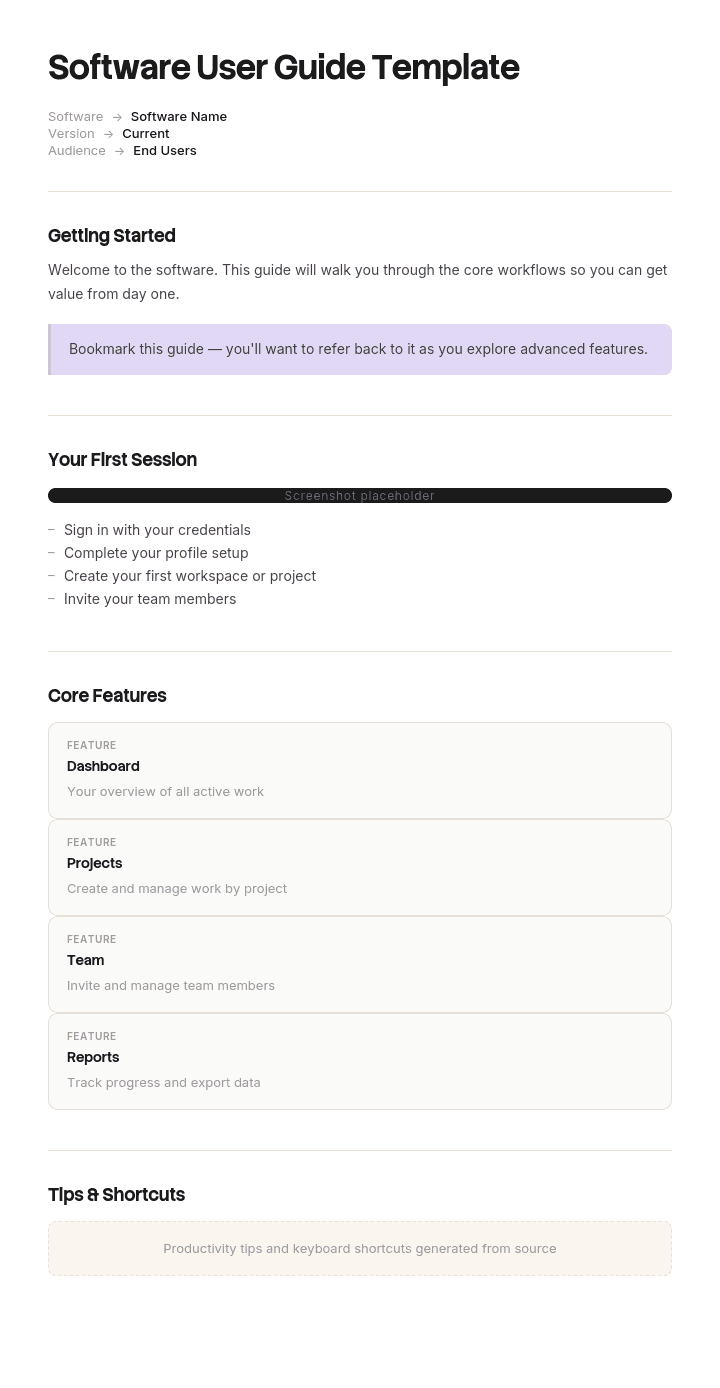
Usa questo modello
Una guida utente software eccellente è più breve, più incisiva e più focalizzata sulle attività rispetto a un manuale completo, e spesso molto più utile. Con Trupeer, puoi risparmiare ore nella stesura delle guide utente iniziando con un modello gratuito di guida utente software, personalizzandolo con le tue linee guida del brand e utilizzando il nostro creatore di manuali AI per trasformare le presentazioni dei prodotti in guide video coinvolgenti.
Che cos'è un modello gratuito di guida utente software?
Un modello gratuito di guida utente software è una struttura riutilizzabile per la documentazione letta dagli utenti finali: come fare le cose per cui il software è stato progettato, scritta per la persona che lo utilizza piuttosto che per chi lo crea o lo gestisce.
Fa parte di una famiglia più ampia. La documentazione di riferimento, i record di architettura, i runbook operativi e le note di rilascio si rivolgono tutti a lettori diversi, e la pagina della documentazione software spiega come si suddividono. Questa pagina riguarda quella che i tuoi clienti aprono effettivamente.
Il modello non è la guida. L'elenco delle sezioni richiede venti minuti per essere scritto. Ciò che decide se una guida utente funziona è un presupposto strutturale che la maggior parte dei modelli eredita senza rendersene conto, ed è sbagliato.
Il formato segue l'uso. Un file Word di modello gratuito di guida utente software si adatta a una guida fornita come documento, che ora rappresenta il caso di minoranza ed è ancora comune per i software on-premise e i prodotti regolamentati; un file Word di modello di manuale utente segue la stessa tradizione con un nome più vecchio. Un layout Word gratuito di modello di guida utente passo-passo è il punto di partenza comune più vicino. Un layout PPT di modello gratuito di guida utente software si adatta a materiale di formazione derivato dalla guida piuttosto che alla guida stessa, e un file Excel di modello gratuito di guida utente software si adatta all'inventario dei contenuti piuttosto che alla guida. La maggior parte delle guide utente software ora risiede su un sito di assistenza, e questo cambia notevolmente la struttura, per il motivo indicato di seguito.
Nessuno legge una guida utente dall'inizio
Guarda le statistiche di qualsiasi sito di assistenza online e un solo dato risolverà la questione.
La percentuale di visite che iniziano dalla home page o dalla pagina dei contenuti è minima. La maggior parte degli utenti arriva direttamente su una pagina interna, da una ricerca web o da un link di aiuto all'interno del prodotto, con una domanda specifica in mente.
Non hanno letto l'introduzione. Non sanno in quale capitolo si trovano. Non hanno visto la sezione sulla terminologia, le istruzioni di configurazione o la nota nel capitolo due che spiega che tutto ciò che segue presuppone un account già configurato.
Eppure, quasi tutte le guide utente sono strutturate come un libro: una pagina dei contenuti, capitoli in ordine logico e pagine che presuppongono che il lettore abbia letto quelle precedenti. Questa struttura è ereditata dai manuali stampati, dove era corretta, e sopravvive nella guida online dove non lo è più.
Il risultato è un documento coerente per il suo autore ma inutilizzabile per il suo effettivo lettore. Una pagina che inizia con "in seguito alla sezione precedente" è un vicolo cieco per il settanta percento delle persone che non provengono dalla sezione precedente.
Come personalizzare questo modello in Trupeer
Passo 1: Apri la sezione Modelli
Vai alla sezione Modelli dalla navigazione principale.

Passo 2: Seleziona e apri un modello
Clicca su qualsiasi modello con cui desideri lavorare per aprirlo.

Passo 3: Espandi la visualizzazione del modello
Se necessario, espandi la visualizzazione del modello per vedere chiaramente il layout completo e i dettagli.

Passo 4: Modifica il modello
Clicca su Modifica per iniziare a modificare il modello selezionato.

All'interno dell'editor puoi:
Aggiungere nuove sezioni
Definire o aggiornare le regole di formattazione
Aggiungere un logo e regolarne la posizione e le relative impostazioni
Passo 5: Salva il tuo modello personalizzato
Dopo aver apportato tutte le modifiche necessarie, clicca su Salva per memorizzare il modello aggiornato tra i tuoi file.

Passo 6: Anteprima e perfezionamento del modello
Quando vuoi vedere come appare il tuo modello personalizzato, apri l'Anteprima.

Dalla schermata di anteprima, puoi continuare ad apportare modifiche direttamente se necessario, assicurandoti che il modello appaia esattamente come desideri.
Con un modello di guida utente software puoi:
Risparmiare ore di scrittura: Evita la pagina bianca con una struttura creata appositamente per le guide utente.
Ridurre i ticket di assistenza: Guide chiare aiutano gli utenti a trovare risposte in autonomia.
Rimanere in linea con il brand: Applica il tuo logo, font e colori utilizzando il brand kit di Trupeer.
Migliorare l'adozione: Guide focalizzate sulle attività aiutano gli utenti a comprendere il valore del prodotto più velocemente.
Aggiungere video tutorial: Incorpora video per i passaggi difficili da spiegare con il solo testo.
Raggiungere utenti globali: Traduci le guide utente in oltre 65 lingue con un solo clic.
Ogni pagina è la pagina numero uno
La regola di progettazione ne consegue direttamente. Scrivi ogni pagina come se fosse l'unica pagina che il lettore vedrà mai, perché per la maggior parte di loro sarà così.
Sei conseguenze, e sono tutte a costo zero.
Indica i prerequisiti della pagina direttamente sulla pagina. Non in una prefazione. Se l'attività richiede un ruolo di amministratore, un'integrazione configurata o un passaggio di configurazione completato, dillo nelle prime due righe, in modo che l'utente possa capire se si trova nel posto sbagliato prima di perdere cinque minuti.
Ripeti invece di fare riferimenti incrociati. Tre righe di prerequisiti ripetuti costano meno di un link che un lettore deve seguire, leggere e da cui deve poi tornare. La ripetizione dà fastidio a chi scrive ma aiuta chi legge, e tu stai scrivendo per il lettore.
Rimuovi ogni riferimento posizionale. Come "come descritto sopra", "nella sezione precedente", "utilizzando il metodo del punto 5.2". Ognuno di questi presuppone un ordine di lettura che la maggior parte dei lettori non ha seguito. Sostituiscili con l'istruzione effettiva o con un link specifico.
Intitola la pagina con la domanda, non con la funzionalità. Questo punto è trattato più avanti, perché fa la differenza tra l'essere trovati e il non esserlo.
Termina con uno o due passaggi successivi consigliati. Non con un albero di navigazione. Il lettore ha appena completato qualcosa e di solito c'è una mossa successiva ovvia, quindi indicala chiaramente.
Unisci qualsiasi pagina che non possa reggersi da sola. Se una pagina non ha davvero senso senza un'altra, allora si tratta di un'unica pagina che è stata divisa solo per comodità dell'autore.
Il miglior modello gratuito di guida utente software è quindi quello che ti permette di scrivere in questo modo. Il test richiede pochi secondi. Apri una pagina qualsiasi della tua guida a freddo, come se fossi arrivato da una ricerca, e chiediti se saresti in grado di completare l'attività. La maggior parte delle guide fallisce questo test sulla maggior parte delle proprie pagine, e i fallimenti si concentrano nei capitoli centrali, dove gli autori avevano più contesto in mente.
Cosa deve contenere la pagina di una guida utente software
Componenti per una singola pagina, poiché l'unità di misura è la pagina e non il libro.
Componente | Cosa fa |
|---|---|
Titolo formulato come la domanda dell'utente | Ciò che gli utenti digiterebbero o chiederebbero, non il nome interno della funzionalità. |
A cosa serve questa pagina | Una riga. Cosa avrai ottenuto alla fine. |
Prerequisiti | Ruolo, autorizzazioni, configurazione precedente, stato precedente. Dichiarati, non collegati tramite link. |
Passaggi numerati | Un'azione ciascuno, nell'ordine in cui vanno eseguite. |
Cosa dovresti vedere | Per ogni passaggio in cui il risultato non è ovvio, in modo che il lettore sappia se continuare. |
Screenshot o breve video dove il riconoscimento visivo è migliore della descrizione | Solo dove è davvero utile, per i motivi descritti di seguito. |
Problemi comuni | Due o tre, presi dai ticket di supporto reali piuttosto che immaginati. |
Passaggi successivi | Uno o due, scelti deliberatamente. |
Ultima data di verifica e versione | Quando qualcuno ha eseguito l'ultima volta questi passaggi e su quale versione del prodotto. |
Per l'intero insieme di pagine hai anche bisogno di una funzione di ricerca che funzioni, di un modo per i lettori di segnalare se una pagina è errata e di un responsabile. Il link di segnalazione è il meccanismo di qualità più economico disponibile, e quasi nessuno lo inserisce.
Modello gratuito di guida utente software: la struttura da copiare
Compilato con un esempio reale anziché con segnaposto. Il software riguarda la gestione di una clinica veterinaria.
Copia da qui.
Titolo. Come rimborsare un cliente. Non: elaborazione storno nota di credito.
A cosa serve questa pagina. Restituire denaro a un cliente per una fattura che ha già pagato e registrarlo correttamente nei conti della clinica.
Prerequisiti. Devi disporre dell'autorizzazione di Fatturazione. Le cliniche con il piano Standard dispongono di questa autorizzazione di default solo per i responsabili di clinica. La fattura deve essere stata pagata e riconciliata. Se non è stata pagata, stai cercando come annullare una fattura, che è una pagina diversa collegata alla fine.
Passaggi.
Apri la scheda del cliente e seleziona la scheda Fatturazione. Dovresti vedere un elenco di fatture con uno stato accanto a ciascuna.
Trova la fattura pagata. Le fatture pagate mostrano una spunta verde. Se mostra un orologio ambra significa che non è stata ancora riconciliata e devi attendere la riconciliazione prima di rimborsare.
Seleziona la fattura, quindi Rimborsa. Si apre un pannello di rimborso che mostra l'intero importo.
Inserisci l'importo del rimborso. Sono consentiti rimborsi parziali. L'importo non può superare il totale pagato.
Seleziona un motivo dall'elenco. Questo apparirà sull'estratto conto del cliente, quindi scegli un motivo che sei disposto a fargli leggere.
Seleziona Elabora rimborso. Dovresti vedere una conferma con un codice di riferimento del rimborso che inizia con REF.
Cosa dovresti vedere dopo. Lo stato della fattura cambia in Rimborsata o Parzialmente rimborsata. Il rimborso appare nel libro giornale entro quindici minuti.
Problemi comuni.
Il pulsante Rimborsa è disattivato (grigio), il che di solito significa che la fattura non è stata riconciliata. Attendi e aggiorna la pagina.
Il rimborso non appare nel libro giornale, il che di solito significa che è stato elaborato dopo l'orario di chiusura del libro giornale e apparirà domani.
Non riesci a vedere affatto la scheda Fatturazione, il che significa che non hai l'autorizzazione di Fatturazione. Il responsabile della clinica può abilitarla.
Passaggi successivi. Solo due. Annullamento di una fattura non pagata. Generazione di un estratto conto cliente.
Ultima verifica. 7 maggio, sulla versione 14.2, da parte di un membro del team di supporto seguendo questi passaggi dall'inizio.
Copia fino a qui.
Nota che la sezione dei prerequisiti duplica informazioni che si trovano anche nella pagina delle autorizzazioni. Questa duplicazione è deliberata ed è proprio questo il punto.
Esempio di guida utente: centododici pagine che avevano bisogno di un'altra pagina
Marlbury Systems fornisce software di gestione clinica a circa quattromila e cinquecento cliniche veterinarie. La sua guida utente contava centottanta pagine, pubblicate online, strutturate come un manuale: introduzione, clienti e pazienti, appuntamenti, attività clinica, fatturazione, report, amministrazione.
Era accurata, completa e scritta bene. Era stata prodotta da un redattore tecnico che conosceva perfettamente il prodotto.
Due dati provenienti dalle statistiche diedero il via all'analisi. Il settantotto percento delle visite arrivava direttamente su una pagina interna, da un motore di ricerca o dal link di aiuto integrato nel prodotto. E il tempo medio di permanenza sulla pagina era di quattordici secondi.
Quattordici secondi non bastano per leggere. Significa arrivare sulla pagina, scansionarla rapidamente con lo sguardo e andarsene.
Il team di supporto fornì l'altra metà del quadro. Le cinque pagine di aiuto più visitate generavano più ticket di tutte le altre, il che è l'esatto contrario dello scopo di una pagina di aiuto.
Qualcuno analizzò la guida ponendosi una sola domanda: un lettore che arriva a freddo su questa pagina può completare l'attività?
Centododici delle centottanta pagine contenevano almeno un riferimento che richiedeva la consultazione di un'altra pagina. "Come descritto sopra". "In seguito alla sezione precedente". "Utilizzando il metodo descritto in 5.2". "Una volta completata la configurazione nel capitolo uno".
La pagina dei rimborsi, una delle più visitate dell'intera guida, si apriva con una frase che rimandava il lettore alla sezione precedente per capire come individuare una fattura. La maggior parte delle persone che la leggevano non avevano mai visto la sezione precedente e non avevano motivo di sapere che esistesse.
La riscrittura non modificò i fatti tecnici. I prerequisiti vennero riformulati su ogni singola pagina anziché essere collegati tramite link. I riferimenti posizionali vennero sostituiti con istruzioni effettive. I titoli delle pagine vennero riscritti in base al registro di ricerca del sito stesso, il quale mostrava che gli utenti cercavano "rimborso" mentre la pagina era intitolata "storno nota di credito". Ogni pagina ottenne un breve blocco di prerequisiti e due passaggi successivi consigliati.
Quattro mesi dopo, il tempo di permanenza sulla pagina era passato da quattordici secondi a settantuno. I ticket relativi ai venti argomenti principali erano diminuiti di circa il quarantuno percento. La percentuale di utenti che aprivano la guida integrata nel prodotto e che successivamente non contattavano l'assistenza è passata dal trentaquattro percento al cinquantotto percento.
La guida è diventata più lunga, perché i prerequisiti ripetuti occupano spazio. Ma è stata anche finalmente utilizzata.
Come scrivere una guida utente software in sei passaggi
Ottieni l'elenco delle pagine dai dati di supporto e di ricerca, non dalla struttura del menu del prodotto. I ticket ti dicono cosa gli utenti non riescono a fare e il registro delle ricerche ti dice quali parole usano.
Scrivi una pagina per attività, intitolata come la domanda. Se un titolo contiene il nome di una funzionalità che i tuoi utenti non pronuncerebbero mai ad alta voce, cambialo.
Scrivi prima il blocco dei prerequisiti, prima ancora dei passaggi. È la sezione che impedisce a qualcuno di perdere cinque minuti sulla pagina sbagliata.
Scrivi i passaggi eseguendoli concretamente, non a memoria. Altrimenti salterai tutto ciò che fai in modo automatico.
Prendi i problemi comuni dalla coda dei ticket di supporto. Tre problemi reali valgono più di dieci immaginati.
Fai un test arrivando a freddo sulla pagina. Apri la pagina come farebbe un estraneo e prova a completare l'attività senza aprire nient'altro.
Il primo passaggio è ciò che distingue una guida organizzata intorno agli utenti da una organizzata intorno al software. La struttura del menu del prodotto è una mappa di come il software è stato costruito. Non è una mappa di ciò che le persone stanno cercando di fare.
Assegnare un nome alle pagine per fare in modo che la gente le trovi
I titoli contano più in una guida utente che in quasi qualsiasi altro documento, perché la ricerca è il punto di accesso principale e il titolo ha il peso maggiore per l'indicizzazione.
Tre regole.
Usa le parole dell'utente, non le tue. Se il tuo registro di ricerca mostra che le persone digitano "rimborso" e la tua pagina si intitola "storno nota di credito", la pagina sarà invisibile per loro. Controlla il registro di ricerca. È lo strumento di analisi più economico a disposizione e la maggior parte dei team non lo apre mai.
Inizia con il verbo. "Come rimborsare un cliente". Non: "Rimborsi clienti, panoramica di". Mettere il verbo per primo corrisponde a come le persone formulano le domande e rende la lettura più rapida in un elenco di risultati.
Una sola attività per titolo. Una pagina intitolata "Gestione della fatturazione" copre tutto e non corrisponde specificamente a nulla. Dividila.
Laddove un termine interno sia effettivamente quello corretto perché compare nell'interfaccia, inserisci il termine comune usato dall'utente nella prima riga della pagina in modo che sia comunque rintracciabile. Stai ottimizzando per due tipi di pubblico contemporaneamente: il motore di ricerca e la persona che scorre rapidamente i risultati.
Gli screenshot e il problema della manutenzione
Gli screenshot aiutano soprattutto quando l'elemento visivo supera la descrizione: identificare un comando tra molti, mostrare una schermata insolita, confermare l'aspetto di un risultato corretto.
Allo stesso tempo, rappresentano la singola maggiore fonte di costi di manutenzione in una guida utente. Una guida con duecento screenshot è una guida con duecento elementi che diventeranno obsoleti senza che nessuno se ne accorga non appena l'interfaccia cambierà, e le interfacce cambiano ogni poche settimane.
Tre regole consentono di mantenere i costi proporzionati.
Usali dove la descrizione testuale è difficile e saltali dove l'istruzione è chiara di per sé. Lo screenshot di un pulsante con la scritta "Salva" non aggiunge alcun valore.
Inserisci annotazioni grafiche direttamente sull'immagine anziché descrivere nel testo dove guardare. Uno screenshot non contrassegnato di una schermata complessa è solo un rompicapo.
Inserisci una data e specifica quale versione del prodotto mostrano, in modo che il lettore possa capire se ciò che sta guardando esiste ancora.
La realtà è che la maggior parte dei team inizia con buone intenzioni riguardo alla documentazione visiva e finisce per usare solo testo, perché il tempo necessario per rifare gli screenshot dopo ogni rilascio supera quello a disposizione. Questo è un problema di processo di produzione piuttosto che di buona volontà, e viene affrontato più avanti.
Guida utente, manuale utente o guida pratica?
Tre termini che si sovrappongono, le cui distinzioni sono utili quando si sceglie una struttura.
Una guida utente copre un prodotto software attraverso le attività che i suoi utenti eseguono. È composta da più pagine, accessibili da qualsiasi punto, e viene aggiornata continuamente.
Un manuale utente è la stessa cosa nella tradizione più vecchia legata al formato documento, e il termine è ancora lo standard per i prodotti fisici e per il software fornito on-premise. Laddove un manuale accompagna un'apparecchiatura fisica, i contenuti sulla sicurezza e la collocazione delle avvertenze comportano obblighi che le guide software non hanno, e la tradizione del manuale di istruzioni copre questo ambito.
Una guida pratica (o "how-to") riguarda una singola attività, a sé stante, ed è essenzialmente una singola pagina di una guida utente pubblicata autonomamente.
L'implicazione pratica è che se scrivi ogni pagina in modo che sia indipendente, come suggerito sopra, la tua guida utente è già una raccolta di guide pratiche con un sistema di navigazione superiore, che è l'architettura corretta per una guida online.
Una guida di riferimento rapido è ancora diversa: è una scheda di consultazione per chi ha già ricevuto una formazione, trattata nella pagina della guida di riferimento rapido.
Cosa non può risolvere un modello gratuito di guida utente software
Una guida strutturata intorno al prodotto. Nessun modello trasforma una guida organizzata per funzionalità in una organizzata per attività. Ciò richiede l'analisi dei dati di supporto e di ricerca.
Pagine che nessuno riesce a trovare. Una pagina scritta bene ma con il titolo sbagliato è invisibile. I titoli sono la cosa più economica da correggere e quella che viene rivista meno spesso.
Screenshot senza manutenzione. Nessun download gratuito di modelli di guide utente software o di modelli di manuali utente aggiornerà automaticamente duecento immagini dopo un restyling grafico.
Un prodotto che richiede troppe spiegazioni. Se un'attività ha davvero bisogno di quattordici passaggi e tre avvertenze, la documentazione sta facendo il lavoro che dovrebbe fare l'interfaccia. Scrivila comunque, ma segnala la cosa a chi gestisce lo sviluppo del prodotto.
Mostra l'attività invece di descriverla
Una guida utente è il tipo di documento con il più alto fabbisogno di immagini e il più alto costo di manutenzione delle stesse, e questi due fatti combinati spiegano perché così tante guide sono peggiori di quanto i loro autori vorrebbero.
L'aritmetica non perdona. Una guida di cento pagine con tre immagini per pagina richiede trecento acquisizioni, ritagli, annotazioni e inserimenti. Dopo un restyling, sono di nuovo trecento. Nessuno ha a disposizione tutto questo tempo nella settimana di rilascio di una nuova versione, quindi le immagini diventano obsolete, e le immagini obsolete sono peggiori di nessuna immagine perché i lettori si fidano di esse.
Trupeer AI cambia questa dinamica di costo. L'utente esegue l'attività una volta durante la registrazione e il risultato è una pagina scritta passo-passo con screenshot già acquisiti, annotati e inseriti, insieme a un breve video, il tutto con il branding della tua azienda. Una pagina che prima richiedeva un intero pomeriggio ora richiede pochi minuti, e l'aggiornamento dopo un restyling significa semplicemente registrare nuovamente l'azione anziché scattare nuovamente decine di screenshot.
Registralo. Personalizzalo con il tuo brand. Traducilo. Usa Trupeer.
Altri due punti sono particolarmente importanti per le guide utente. Il video si trova sulla pagina accanto ai passaggi scritti, il che soddisfa sia il lettore che vuole scorrere rapidamente il testo sia quello che preferisce guardare il video, e si tratta spesso di tipologie di utenti diverse. Inoltre, se i tuoi utenti parlano lingue diverse, la stessa registrazione produce la stessa pagina in ciascuna lingua, in modo che una guida tradotta una volta non si discosti dal prodotto mentre la versione inglese va avanti.
Il materiale viene inserito nella tua knowledge base e funge anche da strumento di formazione per lo staff di supporto, che spesso è l'utilizzatore più assiduo delle guide utente. La coerenza tra i tuoi documenti è garantita impostando una sola volta il brand kit, e la configurazione è descritta nella guida alla configurazione del modello di documento.
Domande Frequenti
Esiste una versione Word del modello gratuito di guida utente software?
Word è adatto per una guida fornita come documento, il che si applica ai software on-premise, ai prodotti regolamentati per i quali è richiesto un manuale provvisto di numero di versione e a tutto ciò che viene consegnato su base contrattuale. In questi casi, un file Word di modello di guida utente software funziona bene.
Per i software dotati di un sito di supporto online, invece, funziona male. Gli utenti arrivano tramite ricerca, hanno bisogno che ogni pagina sia raggiungibile tramite un indirizzo web specifico e un documento Word produce un unico lungo file senza punti di accesso per singola pagina. Se pubblichi online, usa un sistema di documentazione web e tieni Word solo per i documenti formali con numero di versione.
Esiste una versione Word gratuita di un modello di guida utente passo-passo?
Sì, e la struttura sopra descritta può essere incollata direttamente al suo interno. Crea il layout del modello di guida utente passo-passo in Word strutturando un'attività per sezione, passaggi numerati con una sola azione ciascuno e una riga di prerequisiti in cima a ogni sezione.
Mantieni le sezioni abbastanza brevi da poter essere indipendenti. L'errore più comune in una guida basata su Word è creare una sezione che ha senso solo dopo aver letto quella precedente; questo non si nota in un documento continuo, ma diventa un problema critico non appena gli stessi contenuti vengono pubblicati online.
Esiste una versione PPT del modello gratuito di guida utente software?
Le presentazioni sono adatte per la formazione derivata da una guida piuttosto che per la guida stessa. Un modello PPT di guida utente software è un formato ragionevole per una sessione dimostrativa o un webinar di onboarding.
Non utilizzarlo come documento di riferimento. Le diapositive non sono ricercabili nel modo in cui gli utenti ne hanno bisogno, non possono essere collegate tramite link dall'interno del prodotto e una presentazione letta da soli è priva della spiegazione vocale che ne costituiva la maggior parte del significato.
Esiste una versione Excel del modello gratuito di guida utente software?
Excel non è un formato per guide, ma è estremamente utile se affiancato a una di esse. Un file Excel di modello gratuito di guida utente software funziona bene come inventario dei contenuti: una riga per ogni pagina, con titolo, responsabile, data dell'ultima verifica, versione del prodotto, visualizzazioni mensili e volume di ticket di supporto associati.
Questo inventario è lo strumento che ti dice quali pagine correggere per prime. Le pagine con un traffico elevato e un alto volume di ticket associati sono quelle che non stanno funzionando; senza questo inventario, finirai per correggere semplicemente la pagina su cui qualcuno si è lamentato più di recente.
Vale la pena usare un download gratuito di un modello di guida utente software?
La struttura della pagina richiede venti minuti per essere creata, quindi un download gratuito di un modello di guida utente software offre un risparmio minimo, e la maggior parte dei modelli pubblicati sono strutturati come libri, con un indice e capitoli numerati.
Adottare quella struttura è l'errore contro cui questa pagina mette in guardia. Se ne usi uno, elimina la numerazione dei capitoli e rendi ogni pagina autosufficiente: questo è un cambiamento nel modo in cui scrivi, non nel file in sé.
Un file Word di modello di manuale utente è la stessa cosa?
In linea di massima sì, con una differenza di tradizione piuttosto che di contenuto. Un file Word di modello di manuale utente deriva dalla tradizione dei manuali stampati, quindi presuppone una lettura sequenziale, una pagina di indice e i numeri di pagina.
Questo funziona per un documento che verrà effettivamente letto come tale, compresi i documenti richiesti dalle normative e i manuali che accompagnano apparecchiature fisiche. Per il supporto software online, i presupposti alla base di questo approccio sono l'origine dei problemi descritti in questa pagina.
Dove posso scaricare gratuitamente un modello di manuale utente?
Sono ampiamente disponibili e per lo più intercambiabili, perché un elenco numerato di attività non presenta un layout difficile. Un download gratuito di un modello di manuale utente ti fornirà un indice, i titoli dei capitoli e una struttura di pagina.
Le due modifiche che vale la pena apportare a uno qualsiasi di essi sono l'aggiunta di un blocco di prerequisiti in cima a ciascuna sezione e la rimozione di ogni riferimento incrociato di tipo posizionale. Queste due modifiche richiedono un'ora su una guida esistente e valgono molto più della sostituzione del modello.
Qual è il miglior modello gratuito di guida utente software?
Il miglior modello gratuito di guida utente software è quello che considera la pagina e non il libro come unità di misura, e quasi nessun modello lo fa.
Se stai confrontando diverse opzioni, controlla una cosa: il modello prevede uno spazio su ogni pagina per registrare ciò che si presuppone il lettore abbia già fatto? Quel singolo campo è ciò che consente a una pagina di essere efficace quando viene raggiunta direttamente da una ricerca web, che è il modo in cui la stragrande maggioranza dei tuoi lettori vi arriverà.

