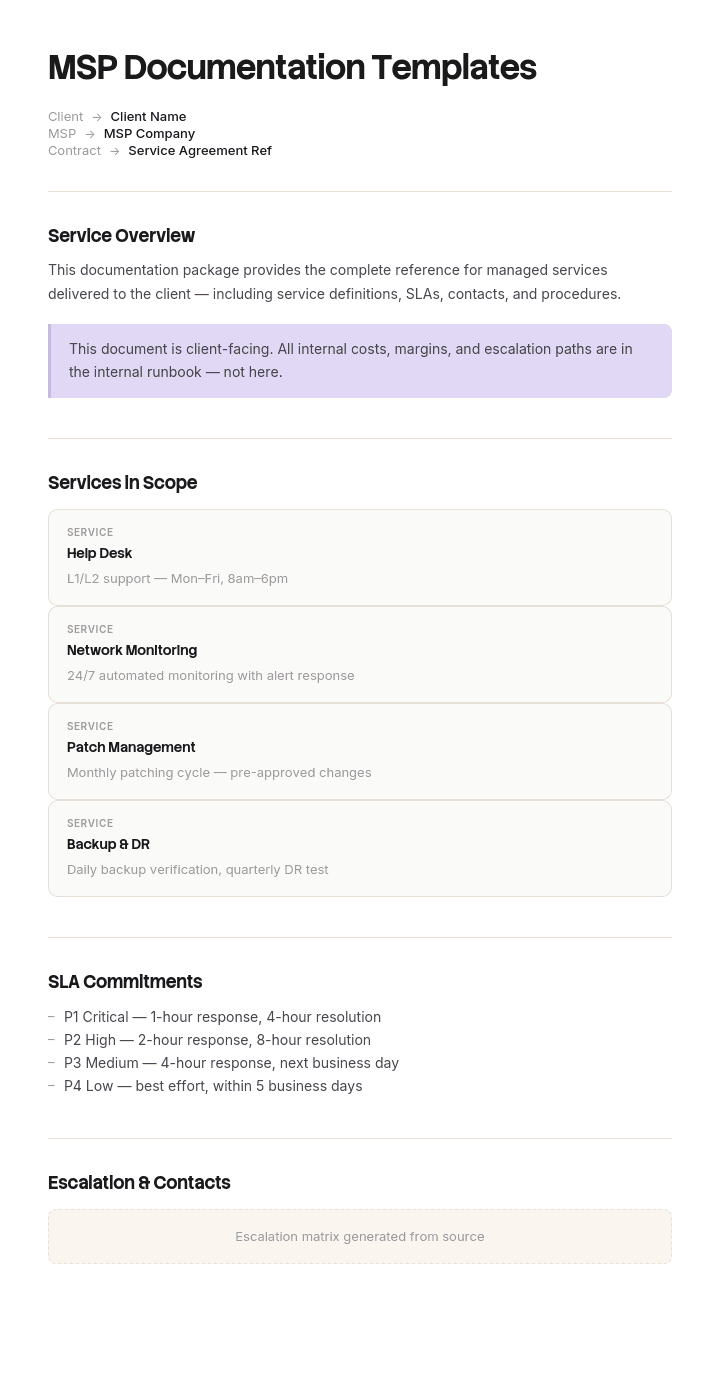
Usa questo modello
Per i fornitori di servizi gestiti (MSP), la documentazione non è solo qualcosa di utile da avere: è il prodotto stesso. Con Trupeer, puoi risparmiare ore nella scrittura della documentazione MSP partendo da modelli gratuiti, personalizzandoli con le tue linee guida del brand e trasformando la documentazione per i clienti in video guide utilizzabili da qualsiasi tecnico.
Che cos'è la documentazione MSP e cosa la rende diversa?
La documentazione MSP è tutto ciò che un fornitore di servizi gestiti mette per iscritto per gestire la tecnologia di altre organizzazioni: registri delle risorse, schemi di rete, credenziali, runbook, percorsi di escalation, particolarità specifiche dei clienti e i report e le recensioni che il cliente vede.
Due elementi la differenziano strutturalmente dalla documentazione IT interna, e quasi tutti i modelli li ignorano entrambi.
Stai documentando infrastrutture che non ti appartengono. Il cliente ha un diritto su parte di ciò che scrivi e nessun diritto sul resto, e questo confine è importante dal punto di vista commerciale, contrattuale e nel giorno in cui il rapporto si interrompe.
Inoltre, stai documentando la stessa procedura per molte infrastrutture diverse contemporaneamente. Un team interno scrive un unico runbook per il ripristino del backup. Un MSP ne scrive uno e poi deve mantenerlo valido per trenta o quaranta ambienti che differiscono in modi che nessuno ricorda appieno.
Il secondo problema è quello che erode silenziosamente i margini di un MSP, ed è da qui che parte questa pagina. Per la versione a infrastruttura singola, il nostro modello di documentazione IT copre il caso generale.
Perché quaranta copie di un solo runbook sono il vero problema
Quasi tutti gli MSP iniziano allo stesso modo. Creano un buon set di runbook. Acquisiscono un cliente. Copiano i runbook nella cartella o nello spazio di quel cliente, in modo che l'ingegnere che si occupa del ticket abbia tutto in un unico posto. E ripetono.
È un istinto ragionevole che però porta a un lento disastro. Dopo quattro anni con una trentina di clienti, ti ritrovi con ben oltre mille documenti, la maggior parte dei quali sono quasi duplicati l'uno dell'altro, senza alcun modo di sapere quale copia sia quella aggiornata.
Il fallimento non sta nel fatto che i documenti siano scadenti. Ogni copia era corretta al momento della creazione. Il fallimento sta nel fatto che i miglioramenti al metodo ora devono essere applicati trenta volte, e vengono applicati cinque o dieci volte prima che qualcuno venga distolto per qualcosa di urgente.
Ciò che gli ingegneri fanno dopo è la parte costosa. Una volta che un tecnico si ritrova in difficoltà per due volte a causa di un runbook che non corrispondeva all'ambiente, smette di leggerli. Lavora invece basandosi sui principi fondamentali, il che è più lento, meno coerente e completamente invisibile nei tuoi report, perché il ticket viene comunque chiuso.
Pertanto, la struttura della documentazione di un MSP deve consentire di aggiornare lo standard in un unico posto. Tutto ciò che segue deriva da questo principio.
Come personalizzare questo modello in Trupeer
Fase 1: Apri la sezione Modelli
Vai alla sezione Modelli dal menu di navigazione principale.

Fase 2: Seleziona e apri un modello
Fai clic su qualsiasi modello con cui desideri lavorare per aprirlo.

Fase 3: Espandi la visualizzazione del modello
Se necessario, espandi la visualizzazione del modello per vedere chiaramente il layout completo e i dettagli.

Fase 4: Modifica il modello
Fai clic su Modifica per iniziare a modificare il modello selezionato.

All'interno dell'editor puoi:
Aggiungere nuove sezioni
Definire o aggiornare le regole di formattazione
Aggiungere un logo e regolarne la posizione e le relative impostazioni
Fase 5: Salva il tuo modello personalizzato
Dopo aver apportato tutte le modifiche necessarie, fai clic su Salva per memorizzare il modello aggiornato come tuo.

Fase 6: Visualizza l'anteprima e perfeziona il modello
Quando desideri vedere l'aspetto del tuo modello personalizzato, apri l'Anteprima.

Dalla schermata di anteprima, puoi continuare ad apportare modifiche direttamente se necessario, assicurandoti che il modello appaia esattamente come desideri.
Con i modelli di documentazione MSP puoi:
Risparmiare ore di scrittura: Evita la pagina bianca grazie a strutture create appositamente per le operazioni MSP.
Ridurre l'MTTR: Una documentazione chiara aiuta qualsiasi tecnico a supportare qualsiasi cliente, rapidamente.
Mantenere la coerenza del brand: Applica il tuo logo, i tuoi caratteri e i tuoi colori utilizzando il kit del brand di Trupeer.
Inserire i tecnici più velocemente: I nuovi tecnici si integrano rapidamente grazie a documenti chiari e basati su video.
Essere sempre pronto per gli audit: Le sezioni integrate supportano gli audit SOC 2, ISO 27001 e quelli dei clienti.
Raggiungere team globali: Traduci la documentazione MSP in oltre 65 lingue con un solo clic.
Una documentazione MSP eccellente è ciò che rende scalabile un'attività di servizi gestiti. Utilizza questi modelli per mappare ogni cliente, ogni sistema e ogni procedura in modo chiaro e coerente.
Documenta lo standard una volta, registra solo le deviazioni
Un'unica libreria standard. Un'unica copia per ciascun documento. Con controllo di versione, proprietà definita e come unico posto in cui esiste il metodo.
Quindi, per ogni cliente, un unico breve documento che registri dove quel cliente si discosta dallo standard, e nient'altro. Non una copia del runbook con modifiche, ma un elenco di eccezioni.
Il registro delle deviazioni del cliente è la chiave di tutto. Se il cliente utilizza un prodotto di backup diverso, questa sarà una riga. Se il suo firewall è di un altro fornitore, un'altra riga. Se il suo direttore finanziario deve approvare qualsiasi lavoro fuori orario, un'altra riga ancora. Tutto ciò che non è presente nel registro è standard per definizione, il che significa che un ingegnere legge due documenti anziché cercare in una cartella sperando che la copia contenuta sia aggiornata.
I registri rimangono di piccole dimensioni. In pratica, un cliente maturo si attesta tra le otto e le venti righe, e l'attività di scrittura di una di esse di solito fa emergere tre o quattro deviazioni che nessuno aveva registrato da nessuna parte.
C'è un secondo vantaggio che si manifesta in seguito. Un breve elenco di tutto ciò che è non standard per un cliente rappresenta un ottimo documento commerciale e di marginalità. Le deviazioni sono la destinazione del tuo tempo.
Il registro delle deviazioni del cliente e cosa contiene
Una riga per deviazione, cinque campi.
Cosa differisce. Indicato rispetto allo standard, quindi "il backup è Datto anziché il nostro Veeam standard" invece di "usa Datto".
Quale documento standard influenza. Il riferimento, in modo che un ingegnere che legge il runbook possa essere indirizzato qui.
Perché. Preferenza del cliente, ereditata da un fornitore precedente, un requisito di conformità, un vincolo tecnico. Questo campo determina se vale la pena rimuovere la deviazione.
Da quando e quando è stata revisionata. Una data. Le deviazioni ereditate durante l'onboarding spesso persistono per anni perché nessuno le riesamina.
Sforzo o rischio. Una breve nota su quanto ti costa. Questo è ciò che trasforma il registro in un documento commerciale oltre che tecnico.
Aggiungi un'intestazione con il nome del cliente, la versione della libreria standard rispetto alla quale è scritto questo registro e il responsabile dell'account. Rivedi i registri trimestralmente. Le deviazioni senza motivo e senza costi sono candidate alla standardizzazione, e farlo è solitamente il lavoro di documentazione a più alto rendimento che un MSP possa compiere.
Di quali documenti ha effettivamente bisogno un MSP, per categoria
Categoria | Documenti | Standard o per cliente | Chi lo vede |
|---|---|---|---|
Infrastruttura cliente | Registro delle risorse, schema di rete, inventario delle licenze, credenziali | Per cliente, e sono i dati del cliente | Interno, condiviso su richiesta |
Procedure | Runbook, procedure di ripristino, passaggi di onboarding e offboarding | Standard, con deviazioni annotate | Solo interno |
Specifiche del cliente | Registro delle deviazioni, contatti, escalation, regole di approvazione, condizioni fuori orario | Per cliente | Interno, condiviso in parte |
Modifiche e incidenti | Metodo di procedura per modifica, record di incidenti, revisioni post-incidente | Per evento | Interno, condiviso selettivamente |
Rivolto al cliente | Report mensile, revisione aziendale trimestrale, audit del sito, checklist di onboarding | Formato standard, dati del cliente | Cliente |
Commerciale | Descrizione del servizio, SLA, modello di prezzo, allegati contrattuali | Standard | Cliente |
Attività interne | Manuale del dipendente, politica di sicurezza, standard degli strumenti | Standard | Interno |
La maggior parte degli MSP è forte sulla prima e sulla quinta riga e debole sulla terza, il che è esattamente il contrario di come dovrebbe essere, perché la terza riga è ciò che rende utilizzabile la seconda.
Due di questi elementi hanno modelli propri che vale la pena utilizzare direttamente. Le credenziali e l'inventario delle licenze trovano una collocazione naturale nel nostro registro delle applicazioni e delle credenziali, e i runbook stessi seguono la struttura del nostro modello di SOP IT.
Modelli di documentazione MSP gratuiti: la libreria standard da compilare
Copia da qui. Questa è la libreria standard minima, ed è più piccola di quanto la maggior parte degli MSP si aspetti.
Pacchetto di onboarding. Checklist di discovery, audit del sito, acquisizione delle risorse, acquisizione delle credenziali, compilazione iniziale del registro delle deviazioni, revisione del primo mese. Un unico documento, eseguito una volta per cliente.
Runbook, uno per attività ricorrente. Ripristino di backup, creazione e disattivazione utente, ripristino casella di posta, ripristino endpoint, reimpostazione password, accesso VPN, implementazione stampante, rinnovo certificato, eccezione patch. Inizia con le dieci attività che generano più ticket invece di cercare di coprire tutto.
Escalation e reperibilità. Come scala un ticket, chi viene chiamato per ogni livello, cosa costituisce un'emergenza e la regola di autorizzazione fuori orario.
Incidenti e modifiche. Un formato di revisione post-incidente e un formato di metodo di procedura per le modifiche pianificate sull'infrastruttura del cliente.
Report rivolti al cliente. Report mensile, revisione aziendale trimestrale e output dell'audit del sito. Formato fisso, dati del cliente compilati.
Pacchetto di offboarding. Cosa riceve il cliente, cosa conservi, in quale formato, entro quando. Scritto prima che ti serva.
Modello di registro delle deviazioni. I cinque campi sopra indicati.
Copia qui. Da dieci a quindici runbook più sei documenti fissi costituiscono una libreria funzionante. L'istinto di scrivere prima quaranta runbook è il motivo per cui la maggior parte dei progetti di documentazione MSP si blocca al secondo mese.
Documentazione MSP interna ed esterna: chi possiede cosa
La distinzione che la maggior parte delle guide fa è tra documentazione interna e rivolta al cliente, utile per decidere il tono. La distinzione più importante è la proprietà, e diventa reale al momento dell'offboarding.
In linea di massima, e questo varia in base al contratto e alla giurisdizione, i dati del cliente appartengono al cliente: registri delle risorse che descrivono le sue apparecchiature, la topologia della rete, le credenziali, i diritti di licenza, la configurazione. Tu li conservi come fornitore di servizi, non ne sei il proprietario.
Il tuo metodo è tuo: i runbook standard, i formati dei report, i tuoi standard di configurazione, il tuo modello di prezzo, le tue procedure interne. Un cliente che se ne va non ha diritto alla tua libreria di runbook.
Il registro delle deviazioni si colloca in una via di mezzo ambigua, motivo per cui vale la pena citarlo esplicitamente nel contratto. Descrive l'ambiente del cliente, il che depone a suo favore, ma è scritto in base ai tuoi standard, il che depone a favore di una versione oscurata.
Risolvi la questione per iscritto nel contratto di servizio piuttosto che al momento dell'uscita. Questa pagina non costituisce una consulenza legale e la situazione differisce a seconda del contratto e della giurisdizione, pertanto chiedi al tuo legale di verificare le clausole di proprietà e restituzione della documentazione. Farlo una volta costa un'ora. Farlo durante un offboarding costa molto di più, come illustrato di seguito.
L'MSP con 1.360 documenti e nove runbook obsoleti
Thornbury IT gestiva i servizi per trentaquattro clienti con ventidue dipendenti, di cui nove ingegneri. Ad ogni onboarding copiavano il loro set di runbook nello spazio del nuovo cliente, il che significava, al quarto anno, circa quaranta documenti per cliente e circa milletrecentosessanta in totale.
Il problema è emerso durante un incidente. Un ingegnere ha lavorato su un backup fallito per un cliente seguendo il runbook di ripristino di quel cliente, che faceva riferimento a una convenzione di denominazione dei job di Veeam. Il cliente era passato a un prodotto di backup diverso quattordici mesi prima. Il runbook standard era stato aggiornato. La copia nella cartella di quel cliente no.
In seguito hanno analizzato a campione i runbook di ripristino di dodici clienti. Nove differivano dallo standard attuale e cinque di queste nove differenze erano semplicemente obsolete, non intenzionali.
Il costo misurabile si rifletteva nel tempo di gestione. Il tempo medio di gestione del secondo livello nell'intera azienda era di quarantasette minuti. Per i clienti i cui runbook erano obsoleti era di settantuno minuti, perché gli ingegneri su quegli account avevano smesso di fidarsi della documentazione e risolvevano il problema da zero ogni volta.
Separatamente, un cliente se n'era andato al terzo anno e aveva chiesto la propria documentazione. Thornbury inviò la cartella del cliente, che conteneva i propri runbook standard mescolati con il registro delle risorse e le credenziali del cliente. Nessuno aveva mai tracciato un confine. La disputa su ciò a cui il cliente avesse diritto è durata sei settimane e ha coinvolto i legali di entrambe le aziende.
La ristrutturazione ha richiesto un mese di tempo di una persona. Un'unica libreria standard, copia unica, con controllo di versione. Per ogni cliente, solo un registro delle deviazioni. La lunghezza media del registro era di undici righe.
Milletrecentosessanta documenti sono diventati quaranta documenti standard e trentaquattro registri, quindi settantaquattro in totale. Il tempo di gestione del secondo livello si è attestato a quarantaquattro minuti su tutti gli account. E da quel momento in poi il pacchetto di offboarding è stato definito nel contratto: il cliente riceve il registro delle risorse, le credenziali, gli schemi e il proprio registro delle deviazioni, e Thornbury conserva la libreria standard.
Esistono modelli di documentazione MSP gratuiti su GitHub?
Sì, e vale la pena darci un'occhiata con aspettative realistiche.
Ciò che troverai sono repository di community con raccolte di runbook, librerie di script PowerShell con documentazione integrata, framework di documentazione basati su markdown e occasionalmente una struttura di documentazione completa pubblicata da un MSP come iniziativa di reclutamento o marketing. Cercare runbook MSP o documentazione IT insieme a markdown o docs-as-code farà emergere la maggior parte di essi.
Ciò che è veramente utile in questi repository è la struttura e la copertura: un elenco dei runbook gestiti da un MSP competente è un'ottima checklist rispetto alla tua. Ciò che raramente è utile è il contenuto, perché i runbook sono specifici per un set di strumenti, e una procedura di ripristino per il prodotto di backup e l'RMM di qualcun altro somiglia più a un esempio pratico che a un modello.
Due avvertenze. Verifica la licenza prima di incorporare qualsiasi elemento in una libreria di documentazione commerciale, poiché le licenze permissive sono comuni ma non universali. E non adattare mai un repository che contenga identificativi reali dei clienti, dettagli di rete o elementi simili a credenziali, che compaiono nei repository pubblici più spesso di quanto dovrebbero.
L'approccio docs-as-code stesso, ovvero markdown nel controllo di versione, è un'opzione legittima per un MSP e risolve elegantemente il problema della copia singola. Il suo punto debole è che gli ingegneri sotto pressione con i tempi non eseguiranno i commit in un repository, quindi l'adozione tende a essere il fattore limitante piuttosto che la strumentazione.
Software di documentazione MSP e il problema del lock-in del fornitore
Le piattaforme di documentazione destinate agli MSP sono ottime per le cose difficili da creare da soli: relazioni strutturate tra le risorse, integrazione con RMM e PSA, gestione delle credenziali con traccia di audit e separazione per cliente con autorizzazioni.
La contropartita è che la tua documentazione viene plasmata dal loro modello di dati, ed estrarla nuovamente in una forma utilizzabile è spesso peggiore di quanto il processo di vendita lasci intendere. Esportare significa solitamente ottenere un insieme di record anziché i documenti leggibili che i tuoi ingegneri utilizzano effettivamente.
Vale la pena porsi due domande prima di impegnarsi. È possibile esportare tutto, comprese le relazioni e gli allegati, in un formato che sia ancora utilizzabile se non si acquista mai più un altro prodotto? E si può mantenere un unico documento standard che si applichi a tutti i clienti, o il modello impone una copia per cliente, il che reintroduce esattamente il problema di cui si parla in questa pagina?
La seconda domanda esclude più prodotti di quanti ci si aspetterebbe. Laddove una piattaforma imponga copie per cliente, tieni la libreria standard al di fuori di essa, in qualcosa di più semplice, e usa la piattaforma per i dati dell'infrastruttura del cliente, che è ciò in cui è veramente valida. Il nostro modello di knowledge base copre la strutturazione di quella libreria standard ovunque decida di risiedere.
Cosa succede alla documentazione quando un cliente se ne va?
L'offboarding è il momento in cui la qualità della documentazione diventa visibile, solitamente a persone che sono già scontente.
Definisci il pacchetto nel contratto. Una posizione ragionevole è che il cliente riceva il proprio registro delle risorse, gli schemi di rete, l'inventario delle licenze, le credenziali trasferite in modo sicuro, il proprio registro delle deviazioni e qualsiasi documentazione per cui abbia pagato come deliverable. Tu conservi i tuoi runbook standard, i formati dei report e le procedure interne.
Stabilisci una tempistica e un formato nella stessa clausola, perché la formula "la documentazione sarà fornita" è il punto in cui iniziano le controversie. Trenta giorni e un formato specificato sono la norma.
Esegui la consegna delle credenziali tramite un processo adeguato piuttosto che con un foglio di calcolo, e registra cosa è stato trasferito e quando, poiché tale registrazione protegge entrambe le parti se in seguito si dovesse accedere a qualcosa.
Laddove l'uscita sia un trasferimento a un altro fornitore anziché una gestione interna, un passaggio di consegne strutturato è notevolmente più economico di un dump di documenti, e la nostra SOP per il trasferimento di conoscenze descrive come gestirne uno.
Posso ottenere i modelli di documentazione MSP in formato PDF?
Il formato PDF è corretto per due di questi documenti e sbagliato per il resto.
Corretto per i documenti rivolti al cliente: il report mensile, la revisione trimestrale, l'output dell'audit del sito. Si tratta di istantanee di un momento ed è corretto congelarle, ed esse dovrebbero riportare il tuo brand.
Sbagliato per i runbook, il registro delle deviazioni e il registro delle risorse, tutti elementi che cambiano e che devono essere ricercabili. Una libreria di runbook in formato PDF è una versione più lenta del problema nell'esempio pratico sopra riportato, perché un PDF non può dire a un lettore che non è aggiornato.
Per la libreria standard, usa qualsiasi cosa i tuoi ingegneri cercheranno effettivamente sotto pressione e conserva una sola copia. Per i deliverable del cliente, genera il PDF da quella fonte anziché mantenerne una separata.
Come mantenere aggiornata la libreria standard per ogni cliente
L'intera struttura dipende dal fatto che la libreria standard sia realmente manutenuta, e il motivo per cui di solito non lo è, è che aggiornare un runbook significa che qualcuno deve fare screenshot, ritagliare e riscrivere i passaggi per uno strumento che sa già come usare.
Trupeer AI elimina quasi tutto questo. Un ingegnere esegue l'attività una volta davanti alla telecamera e l'output è un runbook formattato con i passaggi e le schermate già al loro posto, pronto per essere revisionato anziché scritto da zero. L'aggiornamento di dieci runbook diventa questione di un giorno anziché di un trimestre.
Registralo. Applica il tuo brand. Traducilo. Usa Trupeer.
Per il materiale rivolto ai clienti, il brand è importante dal punto di vista commerciale, e i kit del brand consentono di far apparire il report e la guida che un cliente riceve come provenienti da te anziché da un modello generico. La documentazione e la documentazione tecnica mantengono uniti la libreria standard e i record delle infrastrutture dei clienti, e il creatore di SOP copre i runbook stessi. Le istruzioni di configurazione sono disponibili nella guida alla configurazione dei modelli di documento.
Domande frequenti
Esistono modelli di documentazione MSP gratuiti in formato PDF?
Le strutture presenti in questa pagina possono essere copiate gratuitamente, e la suddivisione sensata consiste nel tenere runbook e registri in un formato ricercabile esportando al contempo i report rivolti ai clienti in PDF. Non è richiesto alcun download protetto né la compilazione di moduli. Se desideri un PDF della libreria standard come riferimento,ificalo partendo dalla tua copia live anziché gestirlo separatamente.
Quali sono i migliori modelli di documentazione MSP gratuiti?
Il set migliore è quello più piccolo che riuscirai a mantenere aggiornato: da dieci a quindici runbook che coprono i volumi di ticket più elevati, un pacchetto di onboarding, un documento di escalation, un formato per il registro delle deviazioni e tre formati di report rivolti ai clienti. Valuta qualsiasi libreria di modelli in base alla sua capacità di separare lo standard dall'eccezione per singolo cliente, perché è questa la parte che determina se sopravviverà a trenta clienti.
Dove dovrebbe conservare la propria documentazione un MSP?
I dati dell'infrastruttura del cliente devono risiedere in una piattaforma che si integri con RMM e PSA e che gestisca correttamente le credenziali. La libreria standard appartiene a qualsiasi posto in cui gli ingegneri possano effettuare ricerche nel modo più rapido, che potrebbe essere la stessa piattaforma o qualcosa di più semplice. La domanda decisiva è se la piattaforma consenta di mantenere un unico documento valido per tutti i clienti.
Quanta documentazione dovrebbe ricevere un nuovo cliente durante l'onboarding?
Nulla della tua libreria standard, e tutti i dati relativi alla propria infrastruttura. In pratica, i deliverable di onboarding che un cliente apprezza sono il registro delle risorse, lo schema di rete e un semplice riepilogo di ciò che hai trovato e consigliato. Inviare i runbook durante l'onboarding è un istinto comune che però regala il tuo metodo senza alcun ritorno commerciale.
Il cliente è proprietario della documentazione che scriviamo sui suoi sistemi?
I loro dati solitamente sì, il tuo metodo solitamente no, e il confine dovrebbe essere scritto nel contratto di servizio anziché essere discusso al momento dell'uscita. Registri delle risorse, schemi, credenziali e configurazione descrivono la loro proprietà. I tuoi runbook standard e i formati dei report sono la tua proprietà intellettuale. Fai verificare la clausola dal tuo legale, poiché la situazione varia a seconda del contratto e della giurisdizione.
Come possiamo impedire agli ingegneri di saltare la documentazione?
Per prima cosa, rendi affidabile la libreria standard. Gli ingegneri saltano la documentazione perché in passato si è rivelata errata, non perché non amino leggere. Risolvi il problema della copia singola, allinea i tempi di gestione e il comportamento cambierà da solo. Richiedere l'aggiornamento della documentazione alla chiusura del ticket funziona solo quando la libreria merita di essere aggiornata.


