Use this template
Strong project documentation is what turns one-off projects into compounding organizational capability. With Trupeer, you can save hours on project documentation by starting with free templates, customizing them with your brand guidelines, and turning documentation into video walkthroughs that align stakeholders fast.
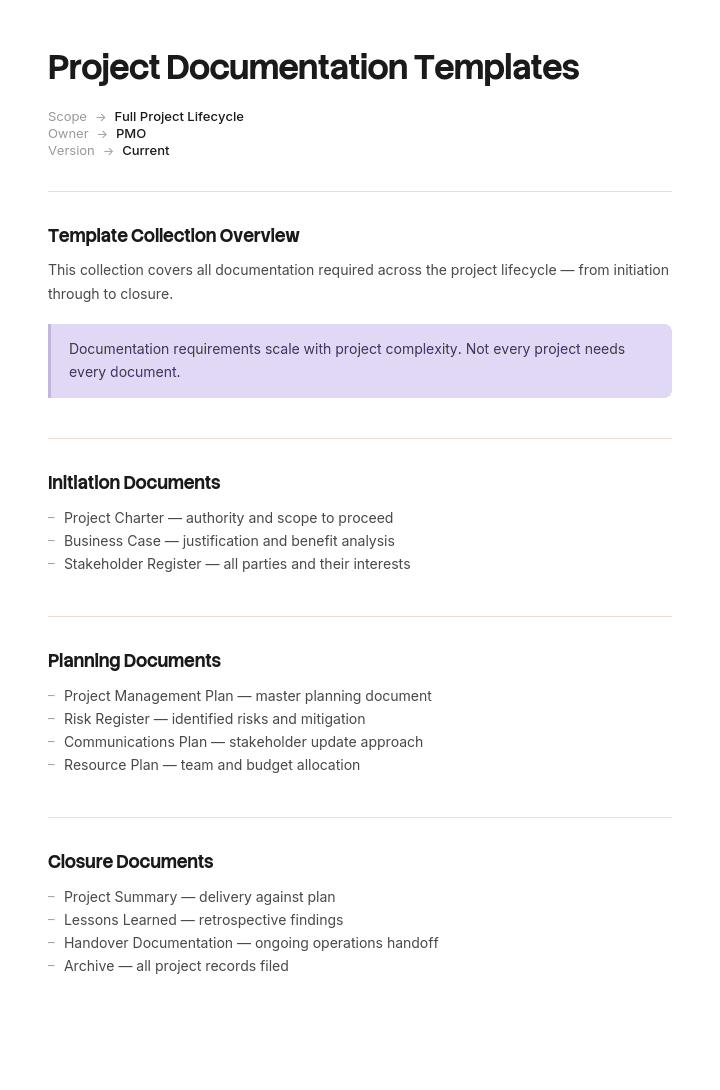
These project documentation templates cover project charters, project plans, requirements documents, status reports, retrospectives and handover documents - useful for software, marketing, construction and operational projects. Pair with our knowledge base for project archive, generate AI video summaries, and translate into 65+ languages for global teams.
How to customize this template in Trupeer
Step 1: Open the Templates Section
Go to the Templates section from the main navigation.

Step 2: Select and Open a Template
Click on any template you want to work with to open it.

Step 3: Expand the Template View
If needed, expand the template view to see the full layout and details clearly.

Step 4: Edit the Template
Click on Edit to start modifying the selected template.

Within the editor, you can:
Add new sections
Define or update formatting rules
Add a logo and adjust its position and related settings
Step 5: Save Your Customized Template
After making all necessary changes, click Save to store the updated template as your own.

Step 6: Preview and Fine-Tune the Template
When you want to see how your customized template looks, open the Preview.

From the preview screen, you can continue to make adjustments directly if needed, ensuring the template appears exactly as you want.
With Trupeer's project documentation templates you can:
Save hours on writing: Skip the blank page with proven structures for every project artifact.
Cover every artifact: Templates for charters, plans, requirements, status, retros and handovers.
Stay on-brand: Apply your logo, fonts and colors using Trupeer's brand kit.
Onboard teams faster: Pair docs with video walkthroughs to bring new members up to speed.
Standardize across projects: Use the same templates across every initiative.
Reach global teams: Translate project documentation into 65+ languages with one click.
Great project documentation captures the lessons of every project. Use this collection to make every project clear, complete and reusable.
Frequently Asked Questions
What is project documentation?
Project documentation is the collection of written, visual and video records that describe a project's goals, scope, plan, deliverables and outcomes. It's both a working tool during execution and a reference asset for future projects.
What documents are typically created in a project?
Common project artifacts include the project charter, scope statement, project plan, requirements document, design specs, risk register, status reports, meeting notes, change requests, deliverables and a final retrospective with lessons learned.
What is the difference between a project charter and a project plan?
A project charter is a high-level authorization document that officially launches a project, defining authority, scope and stakeholders. A project plan is more detailed - it covers how the project will be executed, including schedule, budget, resources, risks and communications. Charters come first; plans build on them.
How do you organize project documentation?
Use a consistent folder structure or knowledge base, with documents grouped by phase (initiation, planning, execution, closure) or by type (specs, plans, reports, deliverables). Use clear naming conventions, version control and links between related documents to make navigation easy.
Why is project documentation important?
Project documentation aligns stakeholders, captures decisions and rationale, reduces rework, supports onboarding, enables compliance and turns one project's lessons into the next project's playbook. Without it, knowledge walks out the door when team members move on.

