Trupeer Blog
Summarise

What User Adoption Software Does
User adoption software helps employees or customers learn and actually use the software you've deployed. It covers in-app guidance (tooltips, walkthroughs), training videos, searchable documentation, analytics on how people use the tool, and often content production features. The category sits at the intersection of training, product experience, and change management. Done well, it turns a software purchase into actual business value. Done poorly, it becomes another shelfware line item.
This guide covers the enterprise buyer's view: what to prioritize, which tools to evaluate, how to budget, and the mistakes to avoid. For a deeper look at the broader DAP category, see the complete DAP guide.
Feature Comparison: User Adoption Platforms
Tool | Best for | Content Production | In-app Guidance | Starts at |
|---|---|---|---|---|
Trupeer | Content + guidance hybrid | Yes (native AI) | Yes | $2,400/yr |
WalkMe | Deep enterprise | Limited | Yes (deep) | $50,000/yr |
Whatfix | Enterprise + content | Yes | Yes (deep) | $30,000/yr |
Pendo | Product analytics | Limited | Yes | Free (500 MAU) |
Apty | Enterprise mid-cost | Limited | Yes | $20,000/yr |
Userpilot | Mid-market SaaS | Limited | Yes | $299/mo |
Spekit | In-app reinforcement | Yes | Limited | $12/user/mo |
Tool Breakdowns
1. Trupeer
Trupeer leads with content production. Record a workflow, and it becomes a polished video, an SOP, and searchable documentation. Pairs well with any DAP or stands alone for mid-market teams that need content more than overlays. Trupeer is particularly strong in reducing the time from recording to finished content, which can be crucial for teams aiming for quick turnarounds. Its pricing model, which is based on usage, makes it accessible for various team sizes, providing flexibility and cost management.
Pros: Fastest content creation in the category, per-user pricing, works on any recorded app.
Cons: Lighter on real-time tooltips than WalkMe for highly custom apps.
2. WalkMe
The enterprise heavyweight. Deepest in-app guidance. Expensive and services-heavy. WalkMe is renowned for its comprehensive feature set and ability to handle complex enterprise environments, making it ideal for organizations with intricate software ecosystems. However, its cost can be prohibitive for smaller companies, and the need for extensive service support can add to implementation timeframes.
Pros: Maturity, enterprise depth.
Cons: Cost and timeline.
3. Whatfix
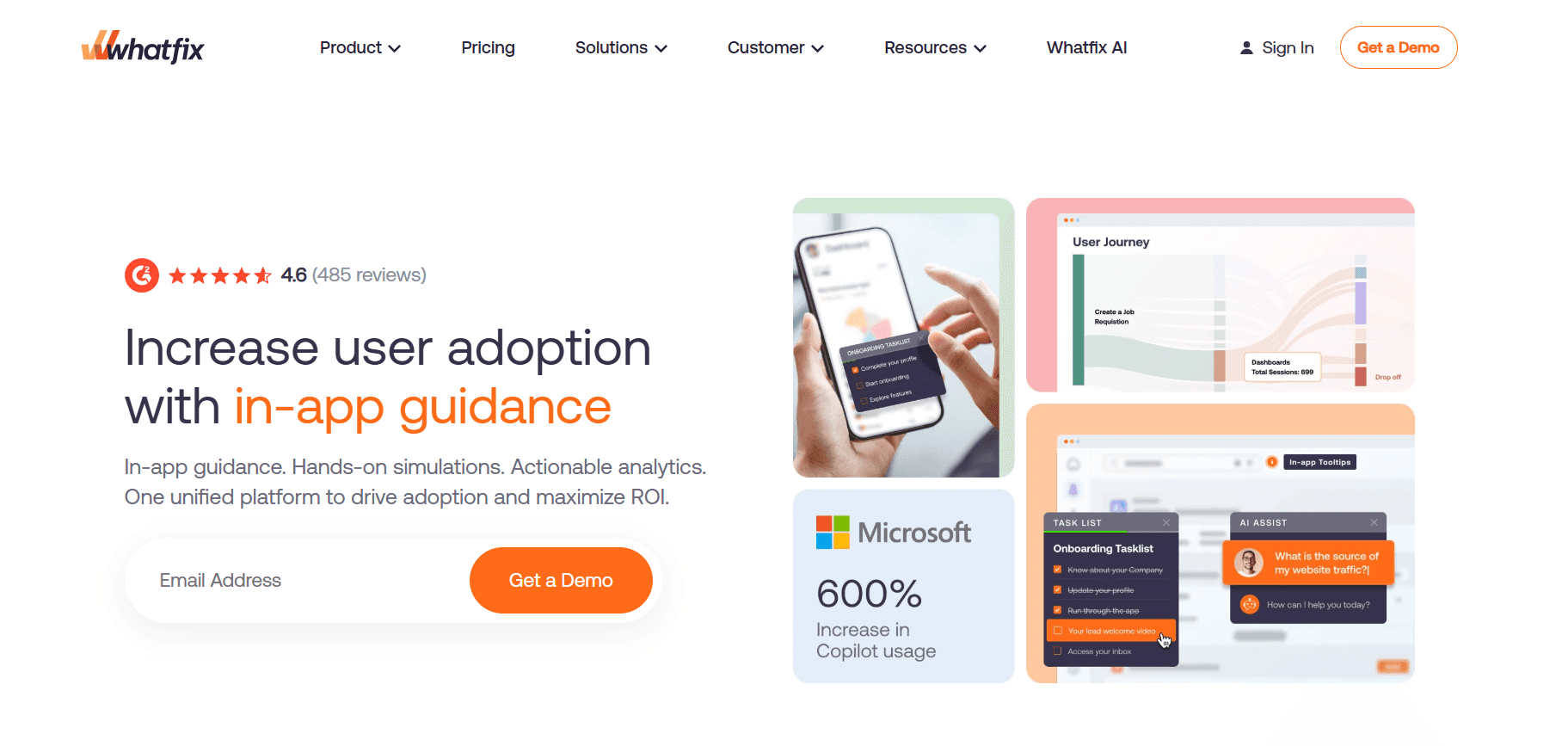
Strong enterprise depth, video and content tools included, aggressive pricing vs. WalkMe. Whatfix offers a balance between functionality and cost, making it a viable choice for enterprises seeking solid user adoption solutions without the high price tag associated with other enterprise tools. The platform's content creation capabilities are a key strength, enabling teams to produce useful training materials quickly.
Pros: Enterprise-ready, broad feature set.
Cons: 1-3 month implementation.
4. Pendo
Analytics-led. Guidance is fine; analytics are deep. Pendo excels in providing insights into user behavior, allowing companies to make data-driven decisions to improve user experiences. However, its guidance features are less developed compared to its analytics capabilities, which may not suit companies focusing heavily on user guidance.
Pros: Deep analytics, free tier.
Cons: Weak for internal enterprise apps.
5. Apty
Enterprise DAP at mid-cost. Good Sales Cloud and SAP coverage. Apty strikes a balance between cost and functionality, offering essential features for enterprises without the high costs associated with some competitors. Its strength lies in supporting common enterprise apps, making it a practical choice for organizations with specific software needs.
Pros: Fair pricing for enterprise scope.
Cons: Smaller partner network.
6. Userpilot
Mid-market SaaS-focused. Transparent pricing. Userpilot is designed for smaller teams or mid-market companies that require straightforward user adoption solutions. Its pricing is clear and manageable, though its offerings may not satisfy the needs of larger enterprises with complex software ecosystems.
Pros: Published pricing, fast deploy.
Cons: Not for enterprise internal apps.
7. Spekit
In-app tooltips and flashcards for reinforcement. Complementary to structured training. Spekit is ideal for companies looking to reinforce training with in-app prompts and reminders, making it a great supplementary tool. However, it lacks the comprehensive training capabilities found in full-featured DAPs.
Pros: Low friction, sales-friendly.
Cons: Not a full training tool.
Buyer's Checklist: What to Prioritize
Use Case Clarity
Before talking to any vendor, define the use case. Internal employee enablement across multiple apps? Customer-facing product onboarding? Sales team Salesforce adoption? Each use case pulls a different short list. The clarity on use cases ensures that the selected tool aligns with the organization's specific needs, thus enhancing the likelihood of achieving desired outcomes.
App Coverage
Which applications need user adoption help? Your own product? SAP? Workday? Salesforce? Custom mainframe apps? Different DAPs have different depth by app. Pendo struggles on SAP. WalkMe dominates on complex enterprise. Trupeer covers anything you can record, at different depth. Ensuring the DAP covers the necessary applications is crucial for maximizing its utility and effectiveness in facilitating user adoption.
Content Ownership
Who will produce and maintain content? If it's the vendor, you'll pay services fees indefinitely. If it's your team, prioritize tools that make content creation fast. Modern AI tools have shifted this dramatically; what used to take weeks now takes hours. It's critical to determine who will be responsible for content production and maintenance to avoid unexpected costs and ensure timely updates.
Pricing Model Fit
Per-user for predictable internal deployments. Per-MAU for product-led SaaS with variable traffic. Flat-fee for early-stage SMBs. Model your 18-month spend under each before signing. Understanding the pricing model ensures that the chosen DAP aligns with your financial plans and expected usage, preventing budget overruns.
Integration Requirements
Which systems must the adoption tool integrate with? CRM, HRIS, LMS, data warehouse, SSO. Check pre-built connectors before building custom integrations. Effective integration with existing systems is essential for smooth implementation and continued management of the DAP.
Security and Compliance
SOC 2 Type 2, GDPR, data residency, specific industry certifications (HIPAA, FedRAMP). Mandatory for regulated industries. Compliance with security standards ensures that the DAP meets industry regulations, protecting sensitive data and maintaining organizational integrity.
In-Depth Analysis: How Enterprise Buyers Should Evaluate
The Real Cost of Ownership
License cost is usually the visible number. The real total cost of ownership includes implementation services, internal labor for content creation, ongoing maintenance, and integration work. For enterprise DAPs, the ratio is typically 50-100% of license cost in year one and 20-40% in subsequent years. If you're not accounting for these numbers, your budget is wrong. Failure to consider these additional costs can lead to financial strain and misallocated resources.
The levers that move TCO most: content creation speed (tools that cut content time from weeks to hours save 6-figure services budgets), services dependency (prefer tools your team can maintain), and pre-built integrations (custom integration work is the quiet budget killer). Accurate forecasting of costs helps prevent budget overruns and supports better financial planning.
The Speed-of-Rollout Tradeoff
Some tools deploy in days. Some take 3-6 months. Faster isn't always better; deeper guidance on complex enterprise apps requires real configuration work. But "6-month implementation" is usually a smell for services-heavy tools where your team will still be dependent at month 12. Aim for tools your team can configure after a short ramp, with services only for specific complex cases. Balancing speed and thoroughness ensures that the DAP is both efficiently implemented and effectively used.
The Content Bottleneck
The single hidden factor that determines ROI is content velocity. A DAP without content is an empty wrapper. Most enterprises underestimate content needs by 3-5x. Budget for content creation explicitly, choose tools that compress creation time, and assign ownership from day one. Teams that do this see ROI in quarters; teams that don't see adoption stall by month six. Addressing the content bottleneck is essential for maintaining momentum and achieving desired adoption rates.
Challenges Enterprises Hit
Starting too broad. Trying to cover every app and every workflow at once. Start narrow, prove ROI, expand. Beginning with a focused approach allows for manageable implementation and clearer assessment of success.
Tool-first, content-second. Buying the tool before staffing content production. Tool sits idle. Prioritizing content development ensures that the tool is effectively used from the start.
Mid-management skepticism. Middle managers who aren't bought in undercut adoption. Win them first. Gaining buy-in from key stakeholders is critical for fostering widespread adoption and support.
Integration debt. Each app covered is another integration to maintain. Budget engineering time. Proper planning for integration ensures continued smooth operation and avoids technical debt.
Services lock-in. Vendor services that configure your deployment become your vendor's moat. Build internal capability. Developing in-house expertise reduces dependency on vendors and allows for greater control and flexibility.
Must-Have Features
Content production tools native or deeply integrated: The ability to quickly create and update content is essential for keeping training materials relevant and effective.
In-app guidance on your critical apps: Direct support within applications enhances user experience and facilitates faster learning.
Analytics tied to task completion and business outcomes: Understanding how users interact with the software helps identify areas for improvement and measure success.
Role-based targeting for different user groups: Tailored guidance ensures that users receive relevant information, improving efficiency and satisfaction.
Video, SOP, and documentation support: Comprehensive content offerings address diverse learning preferences and needs.
Integration with CRM, HRIS, LMS: smooth integration with existing systems supports consistency and efficiency in operations.
Security posture matching your industry requirements: Compliance with security standards ensures data protection and regulatory adherence.
Pricing model aligned to usage: A pricing structure that fits your organization's usage patterns supports financial sustainability and predictability.
Use Cases and Personas
Multi-App Rollout: Bruna, CIO, 14,000-Employee Healthcare Network
Bruna led adoption for a simultaneous Workday, Salesforce Health Cloud, and Epic rollout. She used Whatfix for internal Salesforce and Workday guidance, Trupeer for role-specific video libraries across all three, and a mix of internal + external content creators. Six-month adoption hit 76% across all three apps, versus historical 50% on single-app rollouts. Her strategic approach to content creation and tool selection was key to achieving this impressive adoption rate.
Sales Org Acceleration: Ismail, RevOps Director, 450-Rep Global Sales Team
Ismail's team needed to adopt a new Salesforce configuration plus three sales enablement tools (Outreach, Gong, Highspot). He built a unified content library covering all four tools, deployed Spekit for in-app reinforcement, and ran weekly office hours for two months. Forecast accuracy improved 14 points; deal cycle dropped 11%. His methodical approach to training and reinforcement ensured that the sales team quickly adapted to the new tools, driving measurable business improvements.
Customer-Facing SaaS: Oren, Head of Product, 70-Person SaaS
Oren's product had a 32% free-to-paid conversion. He deployed Userpilot for guidance, added Trupeer videos to key tooltips, and built a searchable knowledge base. Conversion climbed to 44% in two quarters. See the DAP comparison for broader tool fit. By enhancing user guidance and providing easy access to information, Oren successfully increased conversions, demonstrating the effectiveness of well-implemented user adoption strategies.
Best Practices
Start narrow. Two apps, one role, one quarter. Beginning with a focused scope allows teams to quickly demonstrate success and build momentum for broader adoption efforts.
Staff content. The tool doesn't build the content. Allocating dedicated resources for content creation ensures that training materials are timely and relevant, leading to better user engagement and success.
Train managers first. Adoption flows down. Equipping managers with the necessary knowledge and tools ensures that they can effectively support their teams in adopting new software.
Refresh quarterly. Stale content kills trust. Regularly updating training materials keeps them relevant and maintains user confidence in the resources provided.
Measure business outcomes. Clicks and views are vanity. Focusing on tangible business results ensures that user adoption efforts are aligned with organizational goals and deliver real value.
Frequently Asked Questions
Do I Need a DAP or Is a Video Library Enough?
For high-stakes, high-frequency workflows, DAP earns its keep. For broader reference and training, video + SOP often covers 80% at lower cost. The choice depends on the complexity and criticality of the workflows in question; DAPs offer more comprehensive support for intricate systems, while video libraries provide effective, scalable options for general training needs.
How Much Should I Budget?
Mid-market: $30,000-$80,000/year all-in. Enterprise: $200,000-$500,000/year all-in. See DAP pricing for breakdowns. Budgeting appropriately for user adoption tools helps ensure financial preparedness and supports achieving desired adoption outcomes.
How Long to See ROI?
2-3 quarters for focused deployments. Longer for broad enterprise rollouts. The time to ROI can vary based on the scope of the deployment and the effectiveness of the implementation strategy, but focused efforts tend to yield faster results.
Can I Build User Adoption Without a DAP?
Yes, for most use cases. A video and SOP library plus structured training covers the majority of needs at a fraction of DAP cost. Add DAP for the specific workflows that require it. For many organizations, a blended approach can offer the most cost-effective and efficient path to user adoption.
What's the Biggest Buyer Mistake?
Prioritizing the demo over the content plan. The best tool with no content plan still fails. Ensuring that a solid content strategy is in place before selecting a tool is crucial for successful implementation and user adoption.
Is there a Whatfix alternative that a team can roll out without IT support?
Whatfix-style adoption platforms typically require technical setup inside your product. Trupeer AI gives you a simpler route to user adoption record any workflow and publish a guided walkthrough and written guide so business teams can drive adoption without waiting on engineering.
Final Word
User adoption software is worth the investment when it's paired with a clear use case, staffed content production, and measurable outcomes. The category has matured; the tools that once competed only on features now compete on content velocity and total cost of ownership. Match the tool to the job, fund the content, and measure what the business cares about. This strategic alignment ensures that user adoption efforts support broader organizational goals and deliver meaningful value.



