Trupeer Blog
Summarise

Unlock the potential of your onboarding process with the right video software
30 min read · 2026. March 31, 2026.
Buyer's Overview
In the digital landscape of 2026, customer retention is more challenging and more critical than ever. Companies are constantly searching for ways to keep their customers engaged and satisfied. According to a study by Wyzowl, 86% of customers claim they would remain loyal to a business that invests in onboarding content. Yet, the reality is that many onboarding videos are outdated, consisting merely of screen recordings without voiceover, branding, or analytics. This guide explores the tools available to elevate your customer onboarding experience through innovative video software. Whether you're a startup looking to scale quickly or an established business aiming to refine your processes, this guide provides insights into the best tools on the market, complete with a detailed comparison of their features and capabilities.
86% of customers say they would stay loyal to a business that invested in onboarding content.
Best Customer Onboarding Video Software: Head-to-Head Comparison
Feature | Trupeer | Loom | Synthesia | Vidyard | Wistia | Camtasia | Descript | Screencast-O-Matic |
|---|---|---|---|---|---|---|---|---|
Core Features | ||||||||
Screen Recording | Yes | Yes | No | Yes | No | Yes | Yes | Yes |
AI Capabilities | ||||||||
AI Voiceover | Yes | No | Yes | No | No | No | Yes | Limited |
AI Avatar | Yes | No | Yes | No | No | No | No | No |
Professional Features | ||||||||
Custom Branding | Yes | Limited | Yes | Yes | Yes | Limited | Limited | Limited |
Interactive Elements | Yes | Limited | Limited | Yes | Yes | No | No | No |
Video Hosting | Yes | No | No | Yes | Yes | No | No | No |
Integrations | ||||||||
Analytics | Yes | Limited | Yes | Yes | Yes | Yes | Limited | No |
Auto Subtitles | Yes | No | Yes | Yes | Yes | Limited | Yes | Limited |
Multi-language | Yes | No | Yes | Limited | Yes | No | Limited | No |
Free Tier | Yes | Yes | No | Yes | No | No | Yes | Yes |
Trupeer

Trupeer is a versatile tool designed to enhance customer onboarding through interactive video solutions. It's particularly suitable for businesses that need to personalize their onboarding process with minimal effort. Trupeer stands out due to its AI-driven voiceover and multilingual capabilities, which make it easy to produce content tailored to global audiences. However, its advanced features come with a learning curve, which might not be ideal for smaller teams without dedicated video specialists.
Key Features
AI Voiceover
Custom Branding Options
Interactive Video Elements
Comprehensive Analytics
Auto Subtitles and Translations
Intuitive User Interface
Video Hosting and Management
Multi-language Support
"Trupeer has transformed our onboarding process by allowing us to create engaging, personalized content that resonates with our diverse client base."
Pros
Cons
Supports over 40 languages, enhancing global reach.
Advanced features require a learning curve.
Interactive elements boost engagement significantly.
Premium features can be costly for startups.
Comprehensive analytics provide insight into user behavior.
Some initial setup complexity for custom branding.
Pricing
Free tier available, with paid plans starting at $19 per month.
Loom

Loom is a popular choice for teams looking to create quick and easy screen recordings. It's best suited for users who need to share straightforward instructional videos without extensive editing. While it's excellent for capturing and sharing short clips, Loom lacks advanced editing and branding options, making it less ideal for polished, branded content.
Key Features
Instant Screen Recording
Simple Sharing Options
Basic Editing Tools
Viewer Insights
Video Comments
Integration with Slack and Gmail
Simple Webcam Integration
Viewer Count Analytics
Pros
Cons
Easy to use with minimal setup required.
Limited branding capabilities.
Instant sharing makes collaboration seamless.
No advanced editing features.
Integrates well with communication tools.
Not suited for high-quality production.
Pricing
Free tier available, with paid plans starting at $10 per month.
Synthesia

Synthesia specializes in generating AI-driven videos, making it a standout tool for those who need to create polished content without hiring actors or voiceover artists. This is particularly useful for multinational companies needing consistent messaging across different languages. However, its lack of live recording features might limit its use for more dynamic content.
Key Features
AI Avatar Creation
Multi-language Support
Customizable Templates
Script Editing Tools
Text-to-Speech Capabilities
Video Localization
Cloud-based Management
API Access for Automation
Pros
Cons
AI avatars reduce production costs significantly.
No screen recording feature.
Supports over 50 languages for global outreach.
Higher price point compared to competitors.
Customizable templates enhance consistency.
Limited interaction elements.
Pricing
No free tier, with paid plans starting at $30 per month.
Vidyard

Vidyard offers a robust platform for creating and hosting videos, making it ideal for businesses that need detailed analytics and integration capabilities. It's particularly beneficial for sales and marketing teams looking to track viewer engagement and convert leads. However, beginners may find its interface overwhelming due to its extensive feature set.
Key Features
Advanced Analytics
Custom Branding
Interactive CTAs
Video Personalization
CRM Integration
Secure Video Hosting
Lead Generation Tools
Custom Video Thumbnails
Pros
Cons
Detailed analytics enhance marketing efforts.
Complex interface for new users.
Strong integration with CRM systems.
Limited free plan features.
Interactive elements boost engagement rates.
Higher cost for advanced features.
Pricing
Free tier available, with paid plans starting at $15 per month.
Wistia

Wistia is a video hosting platform that focuses on branding and audience engagement. It's ideal for companies looking to build brand loyalty through video content. Its focus on branding sets it apart, though it may not offer the same level of analytics as some competitors.
Key Features
Custom Player Colors
Lead Capture Forms
Video SEO Tools
Heatmaps
Chaptering
Social Sharing
Customizable Playlists
Branding Tools
Pros
Cons
Custom branding enhances viewer experience.
Limited advanced analytics.
Strong focus on SEO improves visibility.
No free tier available.
Player customization options are extensive.
Higher pricing for more features.
Pricing
No free tier, with paid plans starting at $25 per month.
Camtasia

Camtasia offers a comprehensive suite for screen recording and video editing, making it ideal for those who need a high degree of control over their video content. It's perfect for educational content creators and businesses that want professional-quality videos. However, its interface can be daunting for beginners due to its wide array of tools.
Key Features
Screen Recording
Comprehensive Editing Tools
Interactive Quizzes
Multi-track Timeline
Green Screen Functionality
Audio Effects
Animations and Transitions
PowerPoint Integration
Pros
Cons
Comprehensive editing tools for polished content.
No free version available.
Interactive quizzes engage viewers better.
Steep learning curve for beginners.
Multi-track timeline allows detailed editing.
Higher price point for the full suite.
Pricing
No free tier, with a one-time purchase starting at $249.
Descript

Descript is a unique tool that combines audio and video editing with transcription, making it ideal for creators who need to work with both media types. This makes it especially appealing for podcasters and video creators who require advanced editing features. However, its focus on transcription might not meet the needs of those looking purely for video creation tools.
Key Features
Transcription and Editing
Overdub Voice Synthesis
Multi-track Editing
Screen Recording
Automatic Removals of Filler Words
Collaboration Tools
Video Templates
Cloud Sync
Pros
Cons
Combines audio and video editing seamlessly.
Transcription-focused, which may not suit all users.
Overdub feature saves time on voiceovers.
Limited advanced video features.
Great for collaborative projects.
Can be pricey for full features.
Pricing
Free tier available, with paid plans starting at $12 per month.
Screencast-O-Matic

Screencast-O-Matic offers a straightforward solution for screen recording and basic video editing, making it ideal for educators and trainers who need to quickly produce instructional content. Its simplicity is its strength, but it may not have the advanced features sought by professional video creators.
Key Features
Screen Recording
Video Editing
Scripted Recordings
Closed Captioning
Cloud Hosting
Stock Music Library
Zoom Integration
Overlay Tools
Pros
Cons
Simple interface makes it easy to use.
Lacks advanced video editing tools.
Good integration with educational platforms.
Limited branding options.
Affordable pricing for budget-conscious users.
Basic analytics only.
Pricing
Free tier available, with paid plans starting at $1.50 per month.
Riverside
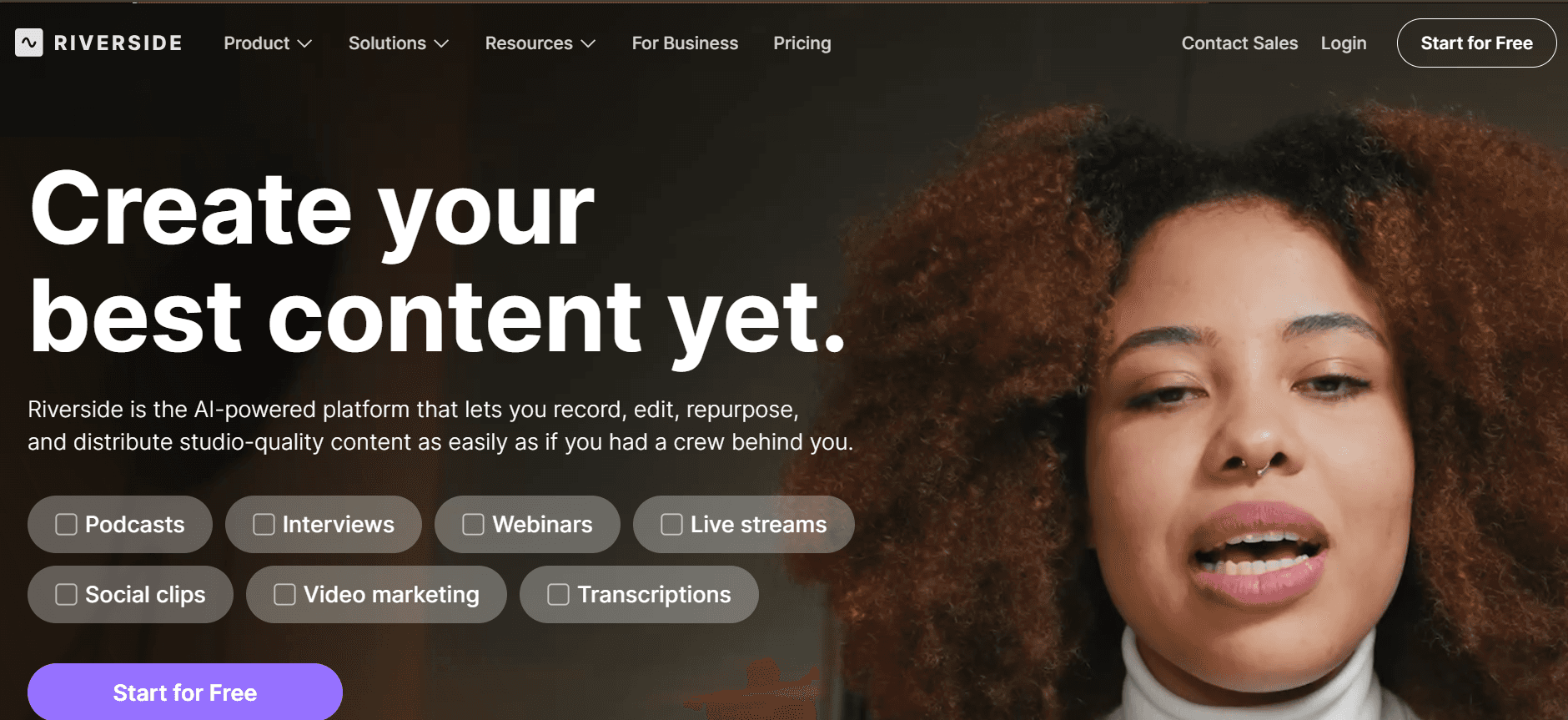
Riverside is known for its high-quality video recording and podcasting capabilities. It’s particularly suited for teams that prioritize quality and reliability in their video content. This platform excels in remote podcast and video production, offering superior audio and video recording quality. However, its feature set might be overkill for simple onboarding videos, and it lacks some interactive features that other tools offer.
Key Features
High-Quality Video Recording
Separate Audio and Video Tracks
Remote Interview Tools
Live Streaming Capabilities
Automatic Transcriptions
Multi-user Collaboration
Studio Quality Audio
Local Recording
Pros
Cons
Exceptional video and audio quality.
Lacks interactive video elements.
Great for remote video interviews.
Complex for users needing simple solutions.
Automatic transcription saves time on editing.
Higher cost compared to basic tools.
Pricing
Free tier available, with paid plans starting at $19 per month.
Customer Onboarding Video Software Challenges: What Teams Struggle With
1. Videos feel unprofessional without a proper recording setup
Lack of high-quality microphones and cameras results in poor audio and video quality.
Inadequate lighting can make videos appear dark and unappealing.
Background noise and distractions can detract from the message.
Limited editing skills can prevent teams from enhancing the video quality post-production.
2. Production pipeline is slow (days per video)
Complex editing processes can add significant time to production schedules.
Approval processes often involve multiple stakeholders, causing delays.
Technical issues during recording or editing can set back timelines.
Limited team resources can slow down the overall production process.
3. Content goes stale quickly after product updates
Frequent product updates necessitate constant video revisions.
Static video content doesn't adapt to new product features or changes.
Outdated videos can provide incorrect information, impacting user experience.
Re-recording entire videos is time-consuming and resource-intensive.
4. No personalization across different customer segments
One-size-fits-all videos fail to address the unique needs of different user groups.
Lack of personalized content can lead to lower engagement rates.
Difficulty in segmenting video content for different audiences or regions.
Inability to tailor content to customer language preferences.
5. Limited data on viewer engagement and drop-off
Without analytics, teams can't identify what content works and what doesn't.
Lack of insights into viewer engagement can lead to missed optimization opportunities.
Difficulty measuring the impact of videos on customer onboarding success.
Without data, improving future content becomes challenging.
Challenge | Traditional Process | Business Impact | Time Cost |
|---|---|---|---|
Unprofessional Videos | Basic recording setups | Poor customer engagement | 1-2 hours per video |
Slow Production | Manual editing, approvals | Delayed product launches | 3-5 days per video |
Stale Content | Re-record content | Outdated user information | 1-2 days per update |
No Personalization | Generic video content | Low customer satisfaction | Ongoing |
Limited Analytics | No data collection | Missed optimization | Ongoing |
Must-Have Features in Customer Onboarding Video Software
AI-Powered Screen Recording with Voiceover
AI-powered recording capabilities allow teams to create professional-quality videos without extensive equipment. This feature lets you add automated voiceovers, ensuring consistent and clear communication. AI tools like Trupeer and Synthesia are particularly effective, offering voiceover capabilities that support multiple languages, making it easier to reach a global audience. This eliminates the need for hiring voiceover talent, saving time and costs.
Custom Branding (Logo, Colors, CTAs)
Branding is crucial in making your content recognizable and consistent with your company's image. Custom branding options let you incorporate your logo, brand colors, and call-to-action buttons directly into your videos. Tools like Wistia excel in this area, allowing for extensive customization that enhances brand visibility and professionalism. Custom branding ensures your videos reinforce your brand identity at every customer touchpoint.
Auto-Generated Subtitles and Translations
Subtitles and translations make your videos accessible to a wider audience, including non-native speakers and those with hearing impairments. Auto-generated subtitles save time, allowing you to focus on content creation rather than manual transcription. Descript and Vidyard provide strong solutions in this area, offering automatic subtitles that adapt to various languages. This feature not only enhances accessibility but also improves SEO, making your content more discoverable online.
Engagement Analytics with Viewer Drop-Off Tracking
Understanding how your audience interacts with your content is vital. Engagement analytics provide insights into viewer behavior, helping you identify which parts of your video are most effective. Vidyard offers robust analytics features, allowing you to track viewer drop-off points and engagement metrics. This data is invaluable for refining your content strategy, ensuring your videos continuously improve and resonate with your audience.
Easy Content Updates Without Re-recording
As products evolve, keeping your video content up-to-date is essential. Tools that allow for easy video updates without full re-recording streamline this process significantly. Synthesia's text-to-video capabilities enable quick adjustments to scripts, reducing the need for full reshoots. This feature is a game changer for maintaining current and accurate onboarding content, saving both time and resources.
Interactive Elements
Interactive elements such as quizzes, polls, and clickable links increase viewer engagement and retention. They transform passive viewing into an active learning experience. Vidyard and Trupeer provide interactive capabilities that allow you to integrate these elements into your videos seamlessly. This not only enhances user engagement but also provides additional data points for analyzing viewer interactions.
How to Choose Customer Onboarding Video Software Based on Your Use Case
Product Welcome and First-Session Setup Videos
These videos are designed to guide new users through the initial setup and familiarization with your product. They set the tone for future interactions and can significantly influence user retention rates. The main challenge is creating content that's both comprehensive and engaging without overwhelming the viewer.
Key Challenges:
Ensuring content is concise yet informative.
Keeping the viewer's attention throughout the video.
Providing clear, step-by-step instructions.
Solutions Needed:
Use of engaging visuals and animations.
Incorporation of interactive elements.
Clear and professional voiceover to guide users.
Tool
Best Feature
Limitations
Trupeer
Interactive Elements
Complex setup for new users
Loom
Quick Screen Recording
Limited editing features
Feature Walkthroughs for Self-Serve Customers
Feature walkthroughs are essential for showcasing the capabilities of your product to users who prefer to explore on their own. The challenge lies in creating videos that cater to varying levels of user expertise without losing engagement.
Key Challenges:
Balancing detail with simplicity for diverse audiences.
Keeping content up-to-date with feature changes.
Providing a seamless learning experience.
Solutions Needed:
AI-generated voiceovers for clarity and consistency.
Dynamic content updates to reflect product changes.
Custom branding to maintain brand consistency.
Tool
Best Feature
Limitations
Synthesia
AI Avatars
No live recording
Vidyard
Advanced Analytics
Complex UI for beginners
Customer Education Video Series
Educational video series help deepen user knowledge and expertise, fostering a more informed customer base. The challenge is maintaining viewer interest over multiple videos while delivering value.
Key Challenges:
Creating cohesive and engaging series content.
Ensuring topics are relevant and timely.
Maintaining high production quality across all videos.
Solutions Needed:
High-quality video and audio production tools.
Comprehensive analytics to track series performance.
Interactive elements to boost engagement.
Tool
Best Feature
Limitations
Wistia
Custom Branding
Advanced features are costly
Camtasia
Comprehensive Editing
Steep learning curve
Onboarding Email Video Sequences
Integrating videos into onboarding emails can significantly enhance engagement and retention. However, ensuring these videos are concise, relevant, and effectively trackable is a common challenge.
Key Challenges:
Creating videos that are short yet informative.
Ensuring compatibility across email clients.
Tracking viewer engagement and video performance.
Solutions Needed:
Video hosting solutions with email integration.
Analytics to measure email and video performance.
Engaging content that encourages viewer interaction.
Tool
Best Feature
Limitations
Vidyard
Email Integration
Learning curve for complex features
Descript
Editing and Transcription
Focus on audio may limit video features
Best Practices for Creating Effective Onboarding Videos
Before Production
Identify the specific goals and objectives of your video.
Understand your audience to tailor content effectively.
Plan the video structure, script, and visual elements in advance.
Gather all necessary resources, such as graphics, music, and equipment.
During Production
Focus on clear, concise messaging throughout the video.
Ensure high-quality audio and video to maintain professionalism.
Incorporate branding elements consistently to reinforce brand identity.
Use engaging visuals and animations to capture attention.
After Production
Review and edit the video for clarity and engagement.
Implement viewer feedback to improve future content.
Analyze performance metrics to gauge success and areas for improvement.
Update videos regularly to ensure content remains relevant and accurate.
Frequently Asked Questions
What is customer onboarding video software?
Customer onboarding video software helps companies create engaging and informative videos to guide new users through product features and services. These tools often include features like screen recording, AI voiceovers, and analytics to enhance the onboarding experience.Why are onboarding videos important?
Onboarding videos provide a visual and interactive method for educating new users, helping them understand product features quickly and effectively. They can improve user engagement, retention, and satisfaction by delivering information in an accessible format.Can I integrate these tools with existing CRM systems?
Yes, many customer onboarding video tools like Vidyard and Trupeer offer integration with popular CRM systems, allowing you to track video interactions and customer data seamlessly.Are these tools suitable for live webinars?
While some tools like Riverside and Zoom are optimized for live streaming and webinars, others primarily focus on pre-recorded content. It's important to choose a tool that matches your specific needs.Is there a free tier available?
Yes, several tools like Loom, Screencast-O-Matic, and Descript offer free tiers with basic features. However, advanced features typically require a paid subscription.What pricing models do these tools use?
Pricing models vary, with some tools offering subscription-based plans and others requiring a one-time purchase. It's important to evaluate your needs and budget when selecting a tool.How long does it take to implement these tools?
Implementation time can vary based on the complexity of the tool and your team's familiarity with video production. Many tools offer user-friendly interfaces that minimize setup time, like Loom and Screencast-O-Matic.Do these tools require advanced technical skills?
Most customer onboarding video tools are designed to be user-friendly, with intuitive interfaces and support resources. However, advanced features may require some technical knowledge or training.
Final Thoughts
Investing in customer onboarding video software can significantly enhance your onboarding process, leading to higher customer satisfaction and retention. The right tool will depend on your specific needs, budget, and technical capabilities. Exploring the features and benefits of each option can help you make an informed decision.
Ready to take your onboarding to the next level? Discover how Trupeer can transform your customer experience with its innovative video solutions. Visit Trupeer to learn more and get started today.


