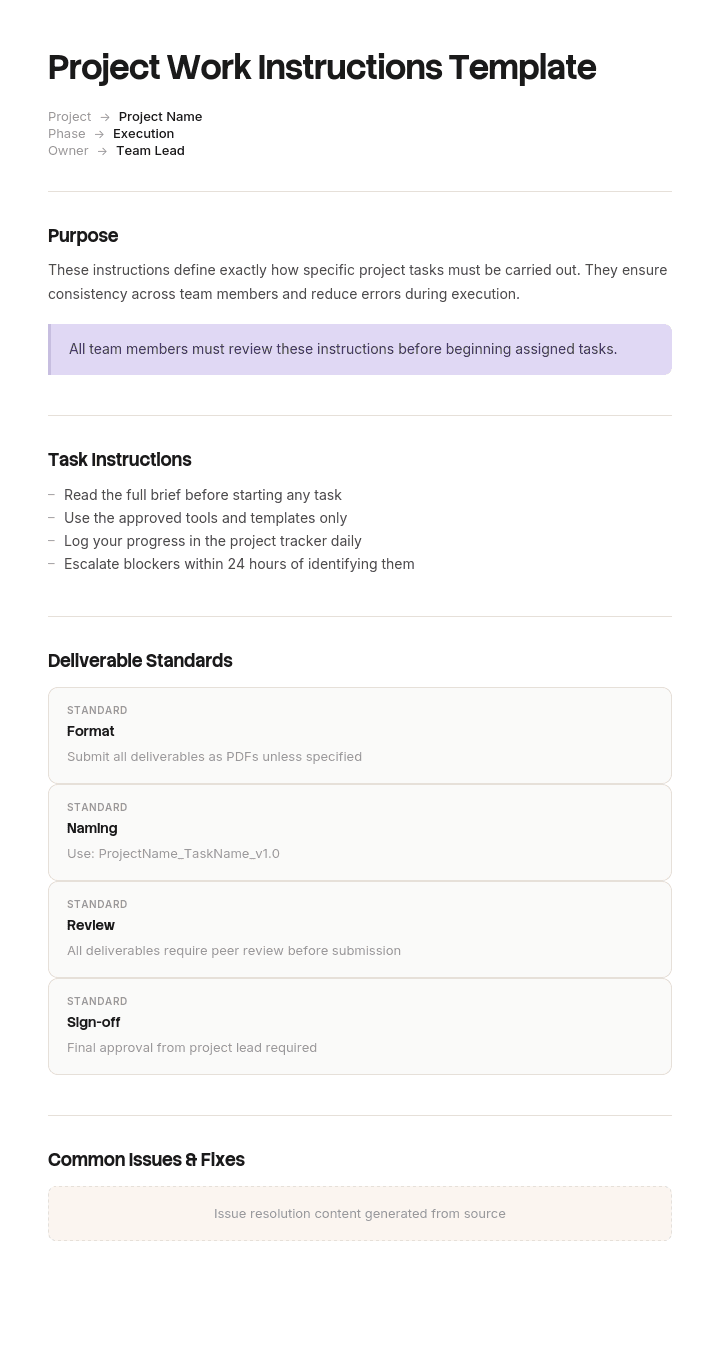
このテンプレートを使用してください
プロジェクト作業手順書は、プロジェクトを成功させるために必要な具体的な作業、順序、基準をチームに導きます。Trupeerなら、すぐに使える作業手順書テンプレートから始めて、ブランドガイドラインでカスタマイズし、文章で書かれた標準作業手順書を、わかりやすい動画ベースのSOPやウォークスルーに変えることで、ドキュメント作成にかかる時間を何時間も節約できます。
無料のプロジェクト作業手順書テンプレートとは?
無料のプロジェクト作業手順書テンプレートとは、特定の作業がどのように行われるかを、手順ごとに正確に書き留めるための再利用可能な構造です。初めて行う人でも、十分な詳細さがあれば正しく実行できるようにします。
この「プロジェクト」という言葉が、そのフレーズの中で実際の“現場の仕事”を意味しています。オンラインの多くの作業手順書は、製造向けに書かれています。そこでは同じ作業が何百回も繰り返され、作業者は経験を通じて上達します。プロジェクト作業手順書は、その逆のケースを扱います。切替、移行、コミッショニング、廃止(デコミッショニング)、週末だけのワンデイ変更。1回だけ実施されることが多く、都合の悪い時間に行われ、しかもそのシステムを見たことがない人、そして二度と見ることがない人が担当することがよくあります。
この違いによって、ドキュメントの書き方が変わります。そして、製造用の作業手順書テンプレートは、修正なしではプロジェクトにそのまま使えない理由がここにあります。
形式は用途に従います。Wordの作業手順書テンプレートの無料ダウンロードは、下書きや、持ち歩く印刷物に向いています。Excel版の作業手順書テンプレートは、サインオフ用の列付きの手順リストに向いています。写真付きの作業手順書テンプレートは、通常、以下で説明する理由により、実際に参照されるものです。
プロジェクト作業手順書は標準作業手順書ではありません
2つは前提がまったく逆で、検索結果がそれらを自由に混ぜてしまうため、明確に分けて考える価値があります。
標準作業手順書は、繰り返される作業を説明します。製造ライン向けの標準作業手順書テンプレートExcelファイルでは、読者が明日も同じ作業を行うこと、訓練を受けていること、職場の語彙を共有していること、そして次のサイクルでエラーが見つかることが前提です。曖昧さは許容できます。繰り返しがそれを取り除くからです。ドキュメントは、使うほど良くなります。
プロジェクト作業手順書は、1回だけ行われる作業を説明します。読者はこの作業に特化した訓練を受けていない可能性があり、あなたの語彙を共有していないかもしれません。間違いを次のサイクルで修正できるわけでもなく、時間的なプレッシャーの中で、しばしば通常とは異なる時間に作業していることが多いのです。下流で誰もそれを見つけてくれないため、曖昧さは許容できません。
実務上の結論は3つです。
すべてのステップで、観察できる何かの形で、それぞれの成功条件を明記しなければなりません。標準作業なら「停止を確認」と書けます。誰もがそれが何を意味するかを知っているからです。プロジェクト作業では、読者が何を見るのかを言わなければなりません。
判断を読者に委ねることはできません。「適切な設定を使用する」は、訓練されたオペレーターには機能しますが、午前2時の下請け業者には失敗します。
そして、1回しか実行されないため、ドキュメントは反復によって改善できません。使われたときの品質が、そのドキュメントの最終的な品質になります。
もしあなたの作業が“1回限り”ではなく繰り返されるものであれば、一般的な作業手順書テンプレートのほうが適しています。
Trupeerでこのテンプレートをカスタマイズする方法
ステップ1:テンプレートセクションを開く
メインナビゲーションからテンプレートセクションへ移動します。

ステップ2:テンプレートを選択して開く
作業したい任意のテンプレートをクリックして開きます。

ステップ3:テンプレート表示を展開する
必要に応じて、テンプレート表示を展開し、レイアウトと詳細をはっきり確認します。

ステップ4:テンプレートを編集する
編集をクリックして、選択したテンプレートの変更を開始します。

エディター内で、次のことができます:
新しいセクションを追加
書式ルールを定義または更新
ロゴを追加し、位置や関連設定を調整
ステップ5:カスタマイズしたテンプレートを保存する
必要な変更をすべて行ったら、保存をクリックして更新されたテンプレートを自分のものとして保存します。

ステップ6:プレビューしてテンプレートを微調整する
カスタマイズしたテンプレートがどのように表示されるかを確認したい場合は、プレビューを開きます。

プレビュー画面から、必要に応じて直接調整を続けることができ、テンプレートが希望どおりに表示されることを確認できます。
プロジェクト作業手順書テンプレートを使うと:
ドキュメント作成の時間を節約: 空白のページをスキップして、プロジェクト作業向けに作られた構造を使えます。
品質と安全性を確保: 標準と安全プロトコルのための内蔵セクションにより、エラーやインシデントを減らします。
ブランドに合わせて統一: Trupeerのブランドキットを使ってロゴ、フォント、カラーを適用することで、チーム、請負業者、クライアント間で指示の見た目を一貫させられます。
請負業者を素早くオンボーディング: 社内で使うのと同じ動画ウォークスルーで、ベンダーや請負業者をすぐに戦力化できます。チェンジマネジメントのロールアウトやチーム研修に最適です。
拠点間で標準化: すべての拠点、地域、シフトに同じ標準作業手順書を提供します。
あらゆるチーム向けにローカライズ: 65以上の言語に翻訳して、言語が障壁にならないようにします。
なぜプロジェクト作業手順書は失敗するのか
それは、すでに“できる人”が書いているからです。
それは強みのように聞こえ、実際に中心的な問題でもあります。作成者が作業を実行した経験を持っていると、自分の言葉のうち、読者が持っていない意味をどれが担っているのかを簡単に見抜けません。曖昧な指示は、書いた本人にとっては曖昧ではありませんでした。だからこそ下書きの段階で残り、そして多くの場合、同じ領域の専門性を持つ人がレビュー担当に選ばれるため、レビューでも残ってしまうのです。
ギャップは知識ではありません。作成者の頭の中には作業のイメージがあり、ドキュメントはそのイメージへの“圧縮された指し示し”になっています。読者にはそのイメージがなく、指し示しだけが渡されます。
ダメージの大半は、次の3つの言い回しで起きており、ほぼすべての下書きに登場します。
観察を示さない確認の動詞です。確認する、チェックする、検証する、確実にする。どれも、読者が「満足できる結果」がどのようなものかを知っていることを前提にしています。
程度を表す形容詞です。しっかり締める。十分な時間を確保する。適切なレベルに設定する。これらは指示ではなく評価であり、その尺度は作成者の頭の中にしか存在しません。
行動ではなく結果を名指しするステップです。「ユニットを隔離する」は、それに到達するために何をすべきかを言わずに到達すべき状態を説明しています。これは、3通りのやり方を知っている人には問題ありませんが、何も知らない人には役に立ちません。
プロジェクト作業手順書テンプレートに必ず含めるべきもの
8つの構成要素です。成功条件の列は、多くのテンプレートが省略しがちですが、最も重要な列です。
構成要素 | 役割 |
|---|---|
目的と範囲 | この指示がカバーする内容、そして明確にカバーしない内容。各項目につき短い段落を1つずつ。 |
前提条件 | ステップ1の前に、何が真である必要があるか。アクセス、権限、隔離、現場にいる人、既知の状態にあるシステム。 |
ツール、部品、アクセス | 必要なものをすべて、手順の途中で見つけるのではなく、手順の前に列挙します。 |
警告と安全 | 適用されるステップの直前に置きます。後ろに置かず、また冒頭だけに集めることもしません。 |
番号付きステップ | 1ステップにつき1つのアクション。ステップ内に「and」が含まれている場合、通常は2つのステップです。 |
ステップごとの成功条件 | そのステップが成功したことを意味する、実行者が観察する内容。読み取り、ライト、音、メッセージ、または物理的な状態の形で記載します。 |
うまくいかなかった場合の対応 | 失敗が起こり得るステップ向けに記載します。誰に連絡するか、どの番号か、そして停止するか続行するか。 |
サインオフとバージョン | 誰が実施したか、いつ、そしてどのバージョンのドキュメントを使用したか。 |
ステップ表の最後の列は、夜の間にその価値を発揮します。ステップが成功したかどうかを判断できる実行者は、推測する必要がありません。判断できない実行者は推測します。なぜなら、午前2時に確認のために立ち止まって質問するのは、社会的にコストが高いからです。
無料のプロジェクト作業手順書テンプレート:コピーすべき構造
プレースホルダーではなく、実際の例で埋めています。タスクは、冷凍制御システムの切替の一部で、週末の1回で実施されます。
ここからコピーしてください。
ヘッダー。 タスク名、ドキュメントのバージョン、日付、作成者、そしてこの指示が誰向けに書かれているか。
冷凍制御切替の一部である、二次コンプレッサーの隔離。バージョン4。10月11日。作成者:R Delaney、Controls Engineer。対象:このサイトに不慣れな契約エンジニア。
目的。 1段落。二次コンプレッサーを運転停止(サービス停止)し、作業中にユニットが再起動することなく制御盤を交換できるようにします。
対象外。 明確に。一次コンプレッサーの隔離(これは別の指示)。配電盤での電気的隔離(サイトの電気技師が実施)。プラントルームの屋根に入る必要があるもの。
前提条件。 ステップ1の前にすべてが満たされている必要があります。
現場エンジニアが在席し、連絡可能であること。保管温度が記録され、仕様範囲内であること。一次コンプレッサーが稼働しており、フルロードを負荷していること。作業許可が発行され、実行者が手元に持っていること。
ツールとアクセス。 パネルキー、8mm六角ドライバー、懐中電灯、この指示の印刷物、サイトエンジニアの番号が保存された電話。
警告。 ステップ1以降から適用されるため、ここに配置しています。このシステムは圧力下で動作し、プラントは法令で定められた安全要件の対象です。作業は、有効な作業許可のもとで有資格者のみが実施しなければなりません。本書は、サイト固有の安全訓練、または有資格者によるリスクアセスメントの代替ではありません。
ステップ。
# | アクション | あなたは何を見るべきか | もし違ったら |
|---|---|---|---|
1 | パネルキーを使って制御盤を開く | 緑の電源ランプが点灯し、メインステータス画面が表示される | 停止。現場エンジニアに連絡。 |
2 | MENUを押し、その後COMPRESSOR 2を選択する | ヘッダー表示がCOMP 2 STATUSと表示される | ESCを2回押して、ステップ2を繰り返す |
3 | MODEを選択し、その後OFFを選択する | 表示がCOMP 2 MODE OFFと表示される | 続行しない。現場エンジニアに連絡。 |
4 | ランダウン(停止)サイクルが完了するまで待つ | 表示がCOMP 2 STOPPEDとなり、運転時間の項目が増えなくなる。所要は最大9分です。ユニット本体の表示灯は、ランダウンが完了する前に消灯し、信頼できるサインではありません。 | 15分経っても表示がRUN DOWNのままなら、停止して現場エンジニアに連絡。 |
5 | ユニット本体でコンプレッサーが停止していることを確認する | 手袋越しに触れても吸入配管が冷たくなく、かつ聞こえるモーター音がない | 隔離に進まない。現場エンジニアに連絡。 |
サインオフ。 実施者、日付、時刻、使用したドキュメントのバージョン、そして期待された結果と観察された結果が異なった場合の該当ステップ。
ここにコピーしてください。
ステップ4に注記。ほぼその全長は、1つの特定の誤った前提を修正するために存在しており、その文は下記で説明するインシデントの後に追加されました。
作業手順書の例:50分のウォークスルーで分かったこと
冷却物流のBevington Cold Storeは、週末1回の間に冷凍設備の制御システムを入れ替えました。
切替の指示書は34ステップで構成されていました。入れ替えを設計した計装エンジニアが作成し、2人目のエンジニアがレビューして承認しています。通常の基準で見ても、丁寧に作られたドキュメントでした。
19番目のステップにはこう書かれていました:二次コンプレッサーを隔離し、停止を確認する。
作成者にとって、その文は完全に具体的でした。停止の確認とは、停止表示になるまでパネル表示を見て、運転時間の増加が止まるのを確認することを意味しており、数分かかります。
作業は午前2時に、現場に来たことのない契約エンジニアによって実施されました。彼は、ユニット本体の表示灯が消えていたという“明らかな方法”で停止を確認しました。しかしユニットはまだランダウン(停止)サイクルの途中でした。
11分後、パネル交換の途中で再起動し、プラントをトリップさせました。一次システムが復旧するまでに、冷却された在庫約40トンが、廃棄せざるを得ないほど仕様外の状態が十分な時間続いていました。金額にして62,000ポンド。さらに週末の稼働が月曜まで続いた分も含まれます。
誰も嘘を書いてはいませんでした。指示は「停止を確認」と書いてあり、請負業者は、表示を見るものがあることを知らない人が利用できる唯一の手段で停止を確認したのです。
Bevingtonがその後変えたのは、ルールと習慣の2つです。
ルール:confirm、check、verify、ensureを含むステップはすべて、「成功」としてカウントされる観察内容を明記しなければなりません。作成者が、実行者が何を見るのかを言語化できない場合、そのステップは書き終わっていないことになります。
習慣:使用前に、指示を書いていない人がそれを声に出して読み、実際に実行せずにタスクを歩きます。各ステップで自分が何をするかを説明します。作成者は聞くだけで、助けません。
次の切替では、そのウォークスルーに50分かかり、34ステップの中に9つの曖昧さが見つかりました。しかも、そのドキュメントはすでに2人のエンジニアによってレビューされ承認されていました。9つのうち3つは作業を止めていたはずです。そのうち1つは、別の形でコンプレッサーの問題を再発させていたでしょう。
50分、9つの欠陥。誰もが「もう完成している」と思っていたドキュメントの中で見つかったのです。
6ステップで作業手順書を書く方法
実行者を明確にする。 職種ではなく、どれくらい馴染みがあるかのレベルです。以前にこの作業をしたことがある人、サイトは知っているが作業は知らない人、あるいはどちらも知らない人。その他の要素はすべて、ここから導かれます。
ステップの前に前提条件を書く。 事前に段取りしておくべきだったことが、作業の途中で判明した場合、それはインシデントになります。
1ステップにつき1つのアクションを書く。 「and」を含むものは分割します。これが、番号付きのステップを持つ“使える手順書テンプレート Wordファイル”と、数字が並んだだけの段落を分けるポイントです。番号付きステップは、人が途中で中断されても再開できるように存在するからです。
すべてのステップに成功条件を追加する。 何が観察されるかを明記します。ドキュメントの長さが概ね2倍になり、価値の大半がここに集まります。
失敗が起こり得る箇所に失敗ルートを追加する。 どこにでも入れるとノイズになります。間違った結果が起こり得て、かつ影響が大きいステップにだけ入れます。
非作成者と一緒にウォークスルーする。 以下で説明します。これはレビューとは同じではなく、レビューの代わりにもなりません。
4つ目のステップは、時間的なプレッシャーのもとで省略されがちな部分であり、Bevingtonのインシデントを防げたはずの箇所です。
反復を置き換えるウォークスルー
標準作業は、繰り返し実施され、毎回の実行がテストになるため改善します。プロジェクト作業は1回の実行しかないので、テストは事前に行う必要があります。
ウォークスルーはレビューではありません。レビュー担当は正確性を読み取り、通常は作成者の専門性も共有しているため、同じ曖昧な言葉に同じ意味を読み込んでしまいます。ウォークスルーでは、別の人に対して、実際に実行せずに、各ステップで物理的に自分が何をするかを声に出して述べてもらいます。
3つのルールで機能します。
ウォーカーは作成者であってはならず、理想的には作成者よりも実行者に近い馴染みのある人であるべきです。
作成者は助けずに聞くだけです。作成者が何かを説明しなければならないたびに、それはドキュメントの欠陥であり、再度説明するのではなく書き留められます。
ウォーカーがためらうあらゆるポイントは記録されます。たとえ最終的に正しくできたとしてもです。机の前でのためらいは、午前2時の推測になります。
30〜40ステップのドキュメントなら1時間未満で済み、プロセス全体で最も回収率の高い時間です。なぜなら、作成者のイメージと読者の間のギャップが“直接観察できる”唯一のタイミングだからです。
写真付きの作業手順書テンプレート:画像が必要になるとき
説明対象が“名前を付けにくく、見分けやすい”場合は、画像を含める価値があります。似たものが6つあるうちの特定のコネクタ。表示画面。向き(オリエンテーション)。パネル上の多数の中からのコントロール。
ただし、装飾として入れる価値はありません。機器の一般的な写真が上部に1枚あるだけで、それ以降は何もない無料の手順書テンプレート Wordファイルは、明確さを増やさない限り、重み(価値)を増やすだけです。
4つのルールが、画像を有用に保ちます。そこに到達するための行動ではなく、読者が到達すべき状態を示します。手で何かを回している写真は、結果の写真より解釈が難しいからです。画像に直接注釈を付けます。注釈のない“忙しいパネル”の写真では、読者にどこを見ればよいかが伝わりません。付属資料ではなく、属するステップの横に置きます。そして日付を付けます。機器は変わり、古い写真はないのと同じかそれ以下で、証拠としての権威と記憶の正確さを持てないからです。
実務上の障害は制作です。撮影、注釈付け、レイアウト、そして後からの更新は、数十枚の画像となると時間がかかりすぎるため、多くのチームは良い意図から始めて、結局はテキストのドキュメントに行き着きます。このページの下部で詳しく説明します。
製造向けおよびその他のバリアントの作業手順書フォーマット
バリアントは、構造ではなく、読者と規制上の重みが異なります。
製造向けの作業手順書フォーマット。 繰り返される作業、訓練されたオペレーター、共有された語彙。短いステップで、視覚要素を多用し、通常は作業ステーションにラミネートします。これはプロジェクト作業ではなく標準作業であり、上記の前提が逆になります。
組立・製造。 順序と向きが支配的で、画像が意味の大半を担い、テキストは画像のために存在します(その逆ではありません)。
建設作業の作業手順書。 作業開始前に口頭で簡潔に説明され、シートにサインが付くことが多いです。ドキュメントはその説明を支えるものであり、置き換えるものではなく、法的な義務が適用されます。
エンジニアリングおよびコミッショニング。 このページで説明しているプロジェクトケースに最も近いものです。1回限り、高い影響度。特定の設置に不慣れな可能性がある人が実施します。
ISO 9001の作業手順書。 ドキュメント管理の義務を追加します。バージョン、所有者、レビュー日、承認、管理された配布により、誰かの手元にあるコピーが“現在のもの”であることを示せます。
安全作業の作業手順書。 警告は、適用されるステップの直前に置きます。表紙だけに記載された危険は、ステップ12を進めている人に伝わっていません。
規制対象の作業、プラント、電気システム、または法令で定められた安全上の義務が関わるあらゆる指示は、有資格者によるレビューを受けるべきであり、リスクアセスメントの代替として扱うべきではありません。このページの内容は、そのレビューの代わりにはなりません。
作業手順書、SOP、ジョブエイドの違いは?
高度(レベル)の異なる3つのドキュメントで、日常的に混同されます。
プロセス全体をカバーするのが標準運用手順(SOP)です。通常は複数の役割にまたがり、誰が何を、どの順番で行うかを含めて、このプロセスがどのように進むかを答えます。
作業手順書は、そのプロセスの中の1つのタスクを、実行する人のために詳細に説明します。これは「この特定のことをどうやって行うのか」を答えます。
ジョブエイドは、訓練を受けた人のための短い参照資料で、思い出すためのものです。カード、チェックリスト、図解などです。「あの設定はもう一度何だったか」を答えます。
よくある誤りは、作業手順書が必要な場面でSOPを書いてしまうことです。すると、プロセスを正確に説明しているのに、実行者が行動できないドキュメントになってしまいます。逆に、タスクの詳細をSOPに書き込むと、概要としては長すぎて誰も読めないものになります。
読者が監督なしでタスクを実行し、かつ初めて行う場合は、作業手順書が必要です。
無料の作業手順書テンプレートでは直せないこと
自分自身の前提を見抜けない作成者。 これをテンプレートは表面化しません。非作成者とのウォークスルーだけがそれを可能にします。
そもそもドキュメント化すべきでない作業。 あるタスクが1回だけ実施され、その後二度と専門家によって行われない場合、その専門家が現場にいることのほうが、ドキュメントより価値が高いかもしれません。別の人が実施する作業のために指示を書きましょう。
警告の欠落。 無料の作業手順書テンプレートは、どの危険があなたのタスクに適用されるかを知りません。テンプレートは“場所”を提供し、あなたが“内容”を用意し、有資格者がそれを確認します。
誰も手元に持っていないドキュメント。 実行者が午前2時にアクセスできないシステムに保存された指示は存在しません。印刷するか、夜の前に端末の状況を確認してください。
古い写真とステップ。 機器やソフトウェアが変わると、指示は静かに劣化します。日付を付けて管理し、カレンダーではなく、説明対象のものが変わったときにレビューしてください。
説明するのではなく、タスクを見せる
これは、説明と“見せる”のギャップが最も大きいドキュメント種別であり、手作業で埋めるコストが最も高い場所でもあります。
ステップを書く、スクリーンショットや写真を撮る、注釈を付ける、正しいステップの横に配置する。それを40回やるのは1日分の作業です。インターフェースが変わったときにもう一度やるのは、さらにもう1日。だからこそ、視覚的であるべき多くの作業手順書が、結局テキストになります。
Trupeer AIは、そのコストを取り除きます。誰かがタスクを1回だけ実行しながら録画すると、出力は、すでにキャプチャされて配置済みのスクリーンショット付きの“書かれたステップバイステップのウォークスルー”になります。さらに同じタスクの動画も、あなたのブランドに合わせて並べて用意されます。書かれた版が、実行者が持ち歩いて参照するものです。動画は、作成者が持っているイメージを作り、読者が持っていないギャップを埋めるために、事前に視聴するものです。
記録する。ブランド化する。翻訳する。Trupeerする。
プロジェクト作業において、特に重要なこととして2点あります。請負業者や現場チームが別の言語で作業する場合、同じ録画から各言語で同じ指示が生成されるため、午前2時に不確かな精度の翻訳を追いかけることがなくなります。そしてシステムが変わったとき、編集よりも再録画のほうが速いので、必要なときにより最新の指示になりやすくなります。
完成した指示はあなたのナレッジベースに保存され、次にタスクを実行する人のための研修資料になります。他のプロジェクトドキュメントとの一貫性は、ブランドキットを一度設定するだけで実現でき、セットアップはドキュメントテンプレートのセットアップガイドで説明されています。
よくある質問
無料の作業手順書テンプレート Wordのダウンロードはありますか?
Wordがこのドキュメントに適しているのは、作業手順書が文章に加えてステップ表で構成され、レビューを経て、印刷されるからです。無料の作業手順書テンプレート Wordのダウンロードでは、通常、使える骨組みが手に入ります。
導入する前に1つだけ確認してください。ステップ表に、実行者が観察すべき内容の列があるかどうかを見ます。ほとんどのテンプレートにはありません。そして、その列を追加することが、完成したドキュメントを最も改善する唯一の変更です。
無料のステップバイステップ手順書テンプレート Wordのバージョンはありますか?
はい。上記の構造を1つに貼り付けます。番号付きステップごとに1つのアクション、各ステップの横に成功条件、そして適用されるステップの直前に警告を配置することで、ステップバイステップ手順書テンプレート Wordファイルを作成できます(冒頭にまとめるのではありません)。
無料のステップバイステップ手順書テンプレート Wordダウンロードで最もよくある不具合は、「and」でつながれた複数のアクションを含むステップです。それらを分割してください。途中で中断された人は、どこで止まったのかを正確に知る必要があります。
無料の作業手順書テンプレート Excelのバージョンはありますか?
作業手順書テンプレート Excelファイルは、特にステップ表に適しています。サインオフ用の列、ステップごとのタイムスタンプ、または複数人が順番に実施する長い手順などを用意したい場合に便利です。
周辺の文章にはあまり向きません。目的、範囲、前提条件、警告はセル内では読みづらくなります。タスクが長く手順的であればExcelは妥当です。文脈や注意が必要なら、ドキュメントを使ってください。
無料の標準作業手順書テンプレート Excelのバージョンはありますか?
はい。標準作業はプロジェクト作業とは別のケースです。標準作業手順書テンプレート Excelファイルは、サイクルタイム、タクト、訓練されたオペレーターを伴う“繰り返し作業”向けに作られているため、プロジェクト指示ではできない形で語彙の共有を前提にしています。
作業が本当に繰り返されるなら、そのモデルを使い、反復によって曖昧さを取り除いてください。初めての人が1回だけ実施する場合は、構造を借りつつ、成功条件はすべてを全文で書き出してください。
写真付きの作業手順書テンプレートはありますか?
ほとんどのテンプレートは画像用のスペースを残しますが、難しさはスペースではありません。画像の作成と維持です。
名前を付けるよりも見分けるほうが簡単なものには画像を使い、画像に直接注釈を付け、該当するステップの横に配置し、日付を付けてください。タスクにソフトウェアが関わる場合は、タスクを1回録画してそこからスクリーンショットを生成するほうが、個別に撮影するよりはるかに速く、インターフェースが変わったときにやり直すのもかなり速く済みます。
製造向けの正しい作業手順書フォーマットとは?
製造向けの作業手順書フォーマットは、反復を中心に組み立てます。短い番号付きステップ、画像の多用、文章は最小限、ファイルに保存するのではなく作業ステーションに表示し、同じタスクを何度も実施する訓練済みのオペレーター向けに書きます。
このフォーマットは、読者がタスクに特化した訓練を受けておらず、2回目の挑戦もない“1回限りのプロジェクト作業”にはうまく移植できません。視覚の密度を保ち、製造向け指示が暗黙にしている明確な成功条件を追加してください。
安全に対応した無料の作業手順書テンプレートのダウンロードはありますか?
テンプレートは警告のための場所を提供します。どの警告が適用されるかを伝えることはできず、無料の作業手順書テンプレートをそれ自体で安全ドキュメントとして扱うべきではありません。
警告は、関係するステップの直前に置きます。冒頭にだけ置くのではありません。プラント、電気システム、圧力、高所、その他の規制対象の危険が関わるタスクでは、指示はリスクアセスメントと並べて配置され、有資格者によるレビューが必要です。このページは、そのレビューの代替ではありません。
作業手順書とSOPの違いは?
SOPはプロセス全体を説明し、通常は複数の役割にまたがり、このプロセスがどのように進むかを答えます。作業手順書は、その中の1つのタスクを、監督なしでも実行できるだけの十分な詳細で説明します。
役に立つテストは読者です。あなたのドキュメントが「次に何が起きるか」は伝えていても、「物理的に何をするか」を伝えていないなら、それはSOPです。プロジェクトレベルの順序付けや日付は、どちらのドキュメントにも入れるのではなく、プロジェクトスケジュールに入れるべきです。

