このテンプレートを使用してください
A great project summary cuts through noise and gives stakeholders exactly what they need - in minutes. With Trupeer, you can save hours on status reporting by starting with a free project summary template, customizing it with your brand identity, and turning summaries into short video updates executives actually watch.
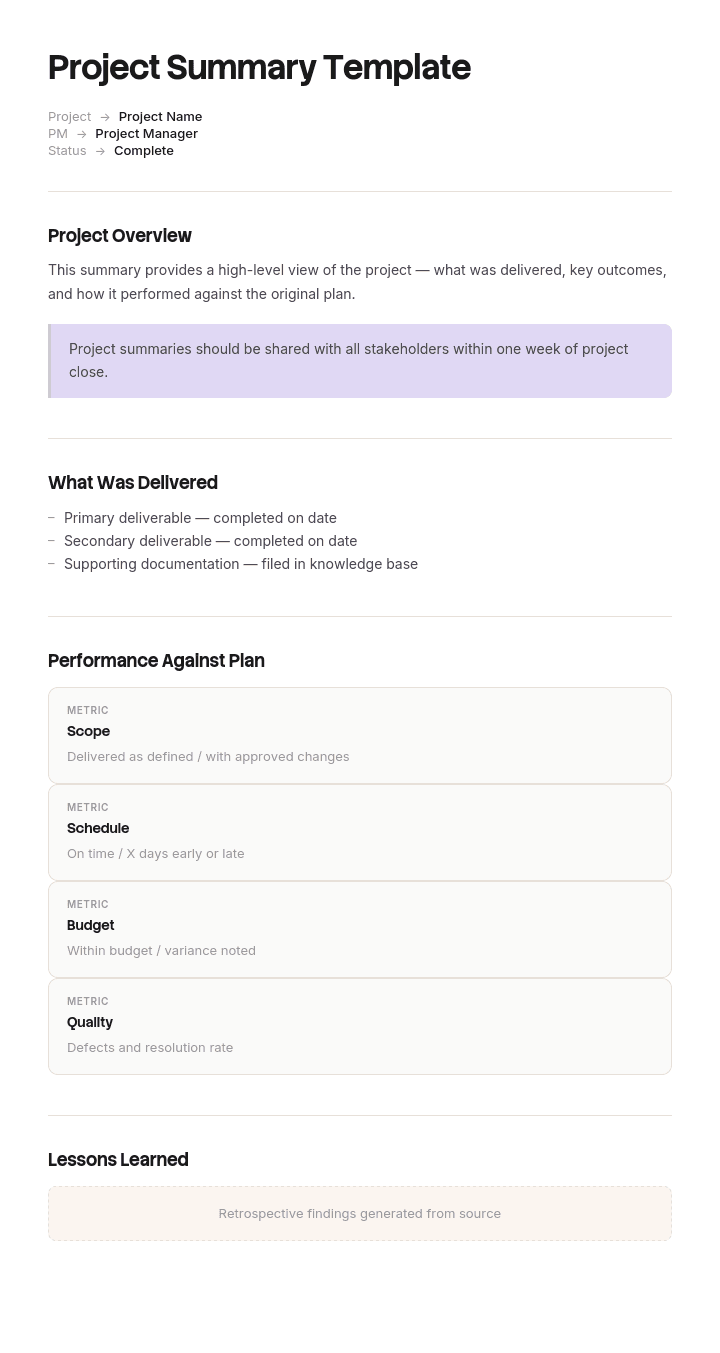
This project summary template provides a structured framework to capture project status, key accomplishments, upcoming milestones, risks and issues, key decisions needed and next steps - useful for weekly status updates, executive reviews and stakeholder check-ins. Generate an AI video summary, pair with our change management use case, and translate into 65+ languages for global stakeholders.
How to customize this template in Trupeer
Step 1: Open the Templates Section
Go to the Templates section from the main navigation.

Step 2: Select and Open a Template
Click on any template you want to work with to open it.

Step 3: Expand the Template View
If needed, expand the template view to see the full layout and details clearly.

Step 4: Edit the Template
Click on Edit to start modifying the selected template.

Within the editor, you can:
Add new sections
Define or update formatting rules
Add a logo and adjust its position and related settings
Step 5: Save Your Customized Template
After making all necessary changes, click Save to store the updated template as your own.

Step 6: Preview and Fine-Tune the Template
When you want to see how your customized template looks, open the Preview.

From the preview screen, you can continue to make adjustments directly if needed, ensuring the template appears exactly as you want.
With a project summary template you can:
Save hours on reporting: Skip the blank page with a proven summary structure.
Communicate clearly: Built-in sections ensure stakeholders see what matters most.
Stay on-brand: Apply your logo, fonts and colors using Trupeer's brand kit.
Engage executives: Convert summaries into short video updates - far more engaging than email.
Standardize updates: Use the same template for every project and update cycle.
Reach global teams: Translate summaries into 65+ languages with one click.
A great project summary saves stakeholders time and earns their trust. Use this template to deliver clear, on-brand updates that drive action.
Frequently Asked Questions
What is a project summary?
A project summary is a concise document or video that captures the current status of a project - including key accomplishments, upcoming milestones, risks, issues and decisions needed. It's typically used for status reporting to sponsors, executives and stakeholders.
What should a project summary include?
A complete project summary includes overall status (RAG indicator), key accomplishments since last update, upcoming milestones, current risks and issues, key decisions needed, budget status and next steps. Keep it short - typically one page or 3-5 minutes of video.
How long should a project summary be?
The best summaries are 1-2 pages or 3-5 minutes of video. Stakeholders should be able to scan it in under 5 minutes. If you need to share more detail, link to a fuller report - but keep the summary itself short and focused.
What is the difference between a project summary and a status report?
The terms are often used interchangeably. A project summary is typically shorter and more strategic - aimed at sponsors and executives. A status report can be more detailed - aimed at the project team and immediate stakeholders. Both serve similar purposes with different audiences.
How often should you update a project summary?
Most projects benefit from weekly summaries. High-stakes or fast-moving projects may need more frequent updates. Long-running projects with stable status can move to bi-weekly or monthly summaries. Match the cadence to the project's pace and stakeholder needs.

