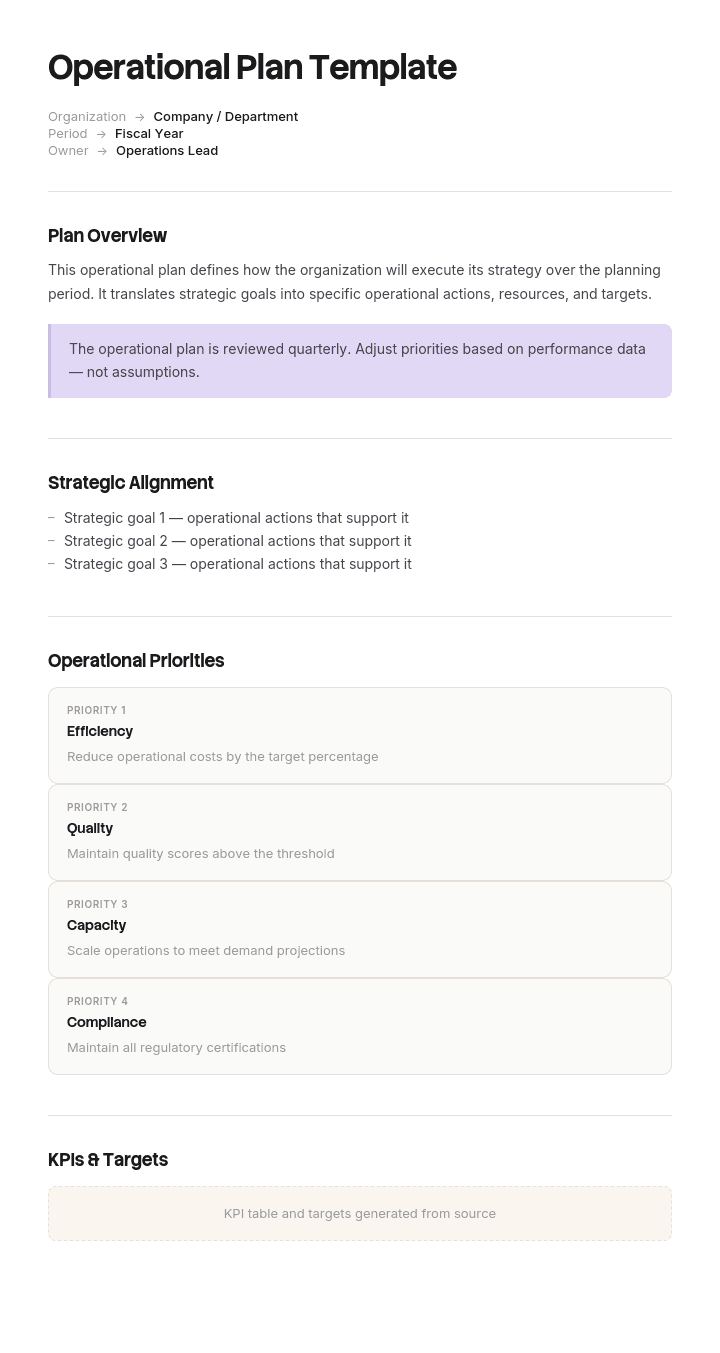
Usa questo modello
Un piano operativo è il ponte tra la strategia e l'esecuzione. Con Trupeer, puoi risparmiare ore sulla pianificazione operativa iniziando con un modello di piano operativo gratuito, personalizzandolo con le tue linee guida del brand e trasformando il piano in aggiornamenti video che allineano i team tra le varie funzioni.
Cos'è un modello operativo e cos'è un piano operativo?
Un piano operativo stabilisce ciò che un team o una funzione farà concretamente in un periodo definito, solitamente un anno, indicando responsabili, tempistiche, risorse e metriche. È il livello intermedio tra la strategia, che indica dove è diretta l'organizzazione, e il lavoro quotidiano necessario per arrivarci.
Un modello operativo, nel senso in cui le persone solitamente lo intendono quando ne cercano uno, è la struttura riutilizzabile per redigere quel piano. Sezioni, colonne e i campi necessari per ciascuna voce.
La distinzione importante da tenere presente è che un piano operativo non è un piano di progetto e non è una strategia. Una strategia definisce cosa si vuole ottenere e perché. Un piano di progetto copre una singola attività con un inizio e una fine. Un piano operativo copre tutto ciò che una funzione fa in un determinato periodo, incluso il lavoro che non ha alcuna data di fine.
Quest'ultima parte è il punto in cui la maggior parte dei modelli fallisce.
Perché i piani operativi escludono la maggior parte del lavoro
Apri quasi un piano operativo qualsiasi e troverai un elenco di iniziative. Migliorare questo, lanciare quello, migrare quell'altro. Ognuna con un responsabile, una data e un beneficio.
Ora chiediti quale percentuale del tempo della funzione rappresentino queste iniziative. Nella maggior parte delle operazioni si attesta tra il dieci e il venticinque percento. Il resto è l'ordinario: gli ordini elaborati, i ticket gestiti, i turni coperti, gli audit eseguiti, la manutenzione effettuata, la chiusura di fine mese.
Nulla di tutto ciò appare nel piano, perché non è una novità e nessuno avverte la necessità di pianificarlo. Tutti sanno che succede.
La conseguenza è che il piano si riduce a un elenco di aggiunte senza alcuna dichiarazione di ciò che è già impegnato. Le iniziative vengono approvate a scapito di una capacità che era già esaurita prima dell'inizio della riunione e, a fine anno, la funzione ha realizzato solo una minima parte di esse, pur avendo funzionato perfettamente; questo, all'esterno, viene percepito come un calo di prestazioni.
Un piano che descrive solo il cambiamento non è un piano operativo. È un portafoglio di progetti con un titolo operativo.
Come personalizzare questo modello in Trupeer
Passo 1: Apri la sezione Modelli
Vai alla sezione Modelli dal menu di navigazione principale.

Passo 2: Seleziona e apri un modello
Clicca su qualsiasi modello con cui desideri lavorare per aprirlo.

Passo 3: Espandi la visualizzazione del modello
Se necessario, espandi la visualizzazione del modello per vedere chiaramente l'intero layout e i dettagli.

Passo 4: Modifica il modello
Clicca su Modifica per iniziare a modificare il modello selezionato.

All'interno dell'editor puoi:
Aggiungere nuove sezioni
Definire o aggiornare le regole di formattazione
Aggiungere un logo e regolarne la posizione e le relative impostazioni
Passo 5: Salva il tuo modello personalizzato
Dopo aver apportato tutte le modifiche necessarie, clicca su Salva per memorizzare il modello aggiornato come tuo.

Passo 6: Visualizza l'anteprima e perfeziona il modello
Quando vuoi vedere come appare il tuo modello personalizzato, apri l'Anteprima.

Dalla schermata di anteprima, puoi continuare ad apportare modifiche direttamente, se necessario, assicurandoti che il modello appaia esattamente come desideri.
Con un modello di piano operativo puoi:
Risparmiare ore sulla pianificazione: Evita la pagina bianca con una struttura creata appositamente per le attività operative.
Collegare la strategia all'esecuzione: I campi integrati collegano le attività agli obiettivi strategici.
Rimanere in linea con il brand: Applica il tuo logo, font e colori utilizzando il brand kit di Trupeer.
Standardizzare tra i dipartimenti: Utilizza lo stesso modello per ogni area operativa.
Monitorare le prestazioni: Le sezioni KPI integrate misurano se le attività operative stanno portando risultati.
Raggiungere team globali: Traduci i piani operativi in oltre 65 lingue con un solo clic.
La divisione tra gestione corrente e cambiamento di cui ogni piano operativo ha bisogno
La soluzione è strutturale e richiede una sola sezione aggiuntiva.
Gestione corrente (Run). Ogni flusso di lavoro ricorrente di cui la funzione è responsabile, con il relativo volume e lo sforzo richiesto. Ordini elaborati al mese e ore necessarie. Ticket, turni, ispezioni, report, audit, chiusure. Questa sezione non ha date di fine perché il lavoro non finisce mai.
Cambiamento (Change). Le iniziative, come già presenti nella maggior parte dei piani, con l'aggiunta di due campi: lo sforzo richiesto da ciascuna e il suo impatto sulla sezione di gestione corrente una volta implementata.
Questo secondo campo è quello che cambia i comportamenti. Ogni iniziativa produce uno di questi tre effetti sul lavoro corrente: lo riduce, ed è il caso migliore, quello che finanzia l'anno successivo; lo lascia invariato; oppure lo aumenta, il che è frequente e quasi mai riconosciuto, poiché un nuovo processo, un nuovo report o un nuovo controllo rappresenta un lavoro ricorrente dal giorno in cui entra in funzione.
Scrivi prima la sezione di gestione corrente. È un'operazione faticosa, richiede una settimana trascorsa a chiedere alle persone come impiegano effettivamente il proprio tempo, ma è l'unico modo per dare un senso alla sezione del cambiamento.
Come dimensionare la capacità di cambiamento per responsabile, non in aggregato
La capacità aggregata è fuorviante ed è il modo in cui viene approvata la maggior parte dei piani.
Se una funzione di sessanta persone trascorre l'ottantaquattro percento del proprio tempo nel lavoro di gestione corrente, l'aritmetica dice che sono disponibili circa dieci equivalenti a tempo pieno per il cambiamento. Quel numero è tecnicamente vero ma praticamente inutile, perché il lavoro di cambiamento non è distribuito uniformemente. Si concentra su un numero limitato di persone, solitamente i team lead e gli specialisti, e queste sono le stesse persone che sostengono le responsabilità di gestione corrente più pesanti.
Quindi, dimensiona la capacità per responsabile.
Responsabile | Impegno gestione corrente | Tempo disponibile per il cambiamento | Iniziative assegnate | Ore necessarie |
|---|---|---|---|---|
Team lead A | 94% | ~110 ore | 11 | ~800 |
Team lead B | 95% | ~90 ore | 9 | ~700 |
Team lead C | 92% | ~140 ore | 8 | ~600 |
Tutti gli altri | 82% | ~9.000 ore | 6 | ~400 |
Costruisci questa tabella prima che il piano venga approvato, non dopo. Lo schema sopra riportato è estremamente comune: tre persone detengono la maggior parte delle iniziative e quasi nulla del tempo disponibile, mentre la capacità esistente risiede in persone a cui nessuno ha assegnato nulla.
Seguono direttamente due soluzioni. Spostare la responsabilità dove risiede la capacità, il che di solito significa affidare le iniziative a persone che non ne hanno mai gestita una e supportarle. E tagliare l'elenco a ciò che i veri responsabili possono sostenere, che è sempre un numero inferiore a quello previsto dal management e superiore a quello che verrebbe realizzato per caso.
Modello di piano operativo gratuito: la struttura da copiare
Copia da qui.
Intestazione. Funzione o team. Periodo coperto. Responsabile. Versione e data. I due o tre obiettivi organizzativi supportati da questo piano, in una riga ciascuno.
Sezione 1, Gestione corrente (Run). Una riga per ogni flusso di lavoro ricorrente: cos'è, volume mensile o annuale, ore consumate, chi lo copre, lo standard di servizio a cui è vincolato e il rischio principale in caso di degrado. Somma le ore totali.
Sezione 2, Capacità. Le ore totali disponibili per il periodo, meno il totale della gestione corrente, indicano le ore di cambiamento disponibili. Successivamente, si esegue lo stesso calcolo per ciascuna persona che gestirà le iniziative, che è il numero che vincola effettivamente il piano.
Sezione 3, Cambiamento (Change). Una riga per iniziativa: cos'è, l'obiettivo che supporta, il responsabile, inizio e fine, ore previste, dipendenze, la misura del successo e l'effetto sulle ore di gestione corrente una volta a regime, indicato con un segno più o meno.
Sezione 4, Cosa non fare. Iniziative prese in considerazione ed escluse deliberatamente in questo periodo, con una riga di motivazione. Questa sezione evita che la stessa proposta si ripresenti ogni trimestre e rende visibile il vincolo di capacità a chiunque si chieda perché qualcosa non venga realizzato.
Sezione 5, Rischi e dipendenze. Solo quelli che modificherebbero il piano, indicando un evento scatenante e un responsabile piuttosto che un punteggio di probabilità.
Sezione 6, Revisione. Date e cosa viene esaminato in ciascuna di esse. Prestazioni della gestione corrente mensilmente, progressi del cambiamento mensilmente, l'intero piano trimestralmente.
Copia fino a qui. Il piano dovrebbe occupare una manciata di pagine. Se è più lungo, la causa abituale è che le descrizioni delle iniziative si sono espanse in mini business case, che dovrebbero invece risiedere nei rispettivi documenti.
Quali sono le 7 cose che un piano operativo dovrebbe contenere?
Le sette che meritano costantemente il loro posto:
Obiettivi. Al servizio di cosa si pone questo piano, derivati dal livello superiore anziché inventati in questa sede.
Il lavoro di gestione corrente. Volumi, ore e standard, come sopra.
Iniziative. Cosa si sta aggiungendo o modificando, con responsabili e date.
Risorse. Persone, budget e qualsiasi risorsa scarsa, dichiarati come impegni piuttosto che come richieste.
Tempistiche. Reali, dimensionate rispetto alla capacità del responsabile designato piuttosto che in base al calendario.
Metriche. Come valutare sia le prestazioni della gestione corrente sia l'esecuzione del cambiamento. Si tratta di misure diverse ed entrambe devono essere incluse.
Punti di revisione. Quando il piano viene esaminato e cosa viene deciso in ciascuna occasione.
La maggior parte degli elenchi pubblicati sostituisce uno di questi elementi con una dichiarazione di intenti, una sintesi esecutiva o un registro dei rischi. Quello che manca quasi sempre è il secondo, ed è proprio quello che rende onesti gli altri sei.
Il team con 34 iniziative e 340 ore residue
La funzione di customer operations di Calverton Group gestiva ordini, richieste e resi per un'attività di distribuzione con sessantadue dipendenti.
Il suo piano operativo annuale elencava trentaquattro iniziative. Ciascuna aveva un responsabile, una data obiettivo e una dichiarazione dei benefici. Era scritto bene e la direzione lo approvò senza difficoltà.
Non c'era alcuna sezione che descrivesse il lavoro di gestione corrente. La funzione gestiva circa undicimilaquattrocento ordini e quattromiladuecento richieste al mese, il che consumava circa l'ottantaquattro percento delle ore disponibili prima ancora che chiunque potesse dedicarsi a un'iniziativa.
Ventotto delle trentaquattro iniziative avevano come responsabile uno dei tre team lead. Quei tre coordinatori avevano tra il sei e l'otto percento del proprio tempo non impegnato, il che equivaleva a circa trecentoquaranta ore totali tra tutti loro per l'intero anno. Le iniziative loro assegnate sono state stimate, a posteriori, in circa duemilacento ore.
Durante la revisione di fine anno, sette iniziative erano completate, nove erano state parzialmente realizzate e diciotto non erano state avviate.
Due delle sette completate hanno peggiorato le cose. Un processo di reso modificato ha aggiunto circa novanta secondi di gestione per ogni reso. Su ottocento resi al mese si tratta di venti ore al mese, ovvero duecentoquaranta ore all'anno di nuovo carico ricorrente, che nessuno aveva calcolato perché non esisteva una sezione di gestione corrente a cui aggiungerlo.
L'interpretazione del management è stata che la funzione non avesse raggiunto gli obiettivi. Due dei tre team lead si sono dimessi nel giro di quattro mesi, entrambi citando il carico di lavoro. La bozza del piano dell'anno successivo proponeva ventinove iniziative.
La ricostruzione ha aggiunto la sezione di gestione corrente e la tabella delle capacità per responsabile. Le ore di cambiamento disponibili sono state calcolate per ciascuna delle nove persone che avrebbero potuto realisticamente gestire un'attività, anziché in aggregato. Le iniziative sono state ridimensionate per adattarsi alla capacità, la responsabilità è stata distribuita da tre persone a nove, e ne sono state selezionate undici per un totale di circa millenovecento ore a fronte delle circa duemiladuecento disponibili.
Tre delle undici sono state scelte specificamente perché riducevano le ore di gestione corrente.
Alla fine dell'anno successivo, nove delle undici erano completate e due erano state deliberatamente rimandate durante la revisione di metà anno. Le ore nette di gestione corrente erano diminuite di circa millecento all'anno. Nessuno si è dimesso citando il carico di lavoro.
La funzione ha fatto meno e ha ottenuto di più, proprio come l'aritmetica prevedeva sarebbe accaduto.
Come creare un piano operativo, passo dopo passo
Inizia con gli obiettivi del livello superiore. Se non riesci a definirli, il piano operativo rischia di diventare una lista di cose che il team vorrebbe risolvere.
Costruisci subito dopo la sezione di gestione corrente, prima di qualsiasi altra cosa. Chiedi a ciascuna area cosa fa, in quale quantità e approssimativamente quanto tempo richiede. Una settimana di indagini è sufficiente per ottenere numeri adeguati alla pianificazione, e una precisione superiore non aggiungerebbe nulla.
Calcola la capacità, in aggregato e poi per singolo potenziale responsabile. Il secondo numero rappresenta il vero vincolo.
Ora elenca le potenziali iniziative senza filtrarle, quindi associa a ciascuna un responsabile, una stima delle ore e l'impatto sulla gestione corrente.
Taglia la lista per adattarla alla capacità di ciascun responsabile e registra ciò che hai escluso nella sezione "cosa non fare".
Concorda le metriche per entrambe le parti, ovvero gli standard di servizio per la gestione corrente e le pietre miliari per il cambiamento.
Stabilisci la frequenza delle revisioni e la data della prima verifica prima che chiunque firmi il piano. I piani senza una prima revisione pianificata vengono letti una volta sola.
Quali sono i 4 tipi di piani operativi?
Quattro categorie coprono la maggior parte di ciò che le organizzazioni intendono con questo termine.
Piani monouso esistono per un risultato specifico e poi terminano. L'apertura di una sede, la migrazione di un sistema, un picco stagionale. Sono più vicini ai piani di progetto, e spesso è meglio redigerli come tali.
Piani permanenti o continui coprono le attività ricorrenti e vengono aggiornati periodicamente anziché essere completati. Questo è ciò che la maggior parte dei piani operativi annuali dovrebbe essere e spesso non è.
Piani funzionali coprono un singolo dipartimento o funzione, come le attività operative, il servizio clienti, la produzione o le infrastrutture, e confluiscono in un piano organizzativo generale.
Piani di emergenza coprono cosa accade se qualcosa di specifico va storto: l'interruzione di una fornitura, l'indisponibilità di un sito, un picco imprevisto della domanda. Si affiancano al piano principale anziché trovarsi al suo interno.
Le categorie contano meno del rendersi conto di quale si stia effettivamente scrivendo. I team si propongono regolarmente di scrivere un piano continuo e finiscono per produrre una raccolta di piani monouso, cadendo nello stesso errore di escludere la sezione di gestione corrente.
Pianificazione operativa rispetto a pianificazione strategica e tattica
Tre livelli, che si distinguono per orizzonte temporale e per chi prende le decisioni.
Strategico copre indicativamente da tre a cinque anni, è di proprietà del comitato direttivo e risponde a dove l'organizzazione sta andando e perché. Cambia raramente e in modo deliberato.
Operativo copre un anno, è di proprietà dei responsabili di funzione e risponde a cosa questa funzione gestirà e cambierà al servizio della strategia. Viene aggiornato annualmente e rivisto trimestralmente.
Tattico copre da poche settimane a un trimestre, è di proprietà dei team lead e risponde a come il piano operativo viene effettivamente eseguito in questo momento. Turni, piani di sprint, priorità settimanali.
L'errore più comune tra i vari livelli è una strategia che aggiunge senza sottrarre, arrivando al livello operativo come pura addizione. Il piano operativo è il luogo in cui questo problema viene risolto, motivo per cui la sezione "cosa non fare" non è facoltativa. Qualcuno deve essere colui che dice che la capacità non c'è, e se non è il responsabile di funzione che scrive questo piano a dirlo, non verrà detto affatto.
Modelli di piano operativo giornalieri, semplici e pluriennali
La struttura si adatta in base all'orizzonte temporale e a quanti strumenti il team può gestire.
Semplice. Una pagina. Obiettivi, sintesi della gestione corrente in tre o quattro righe, cinque iniziative con i responsabili e la lista delle cose da non fare. Adatto per piccoli team e notevolmente preferibile a un piano lungo che nessuno porta a termine.
Giornaliero. Non è esattamente lo stesso documento. Un piano operativo giornaliero è uno strumento tattico: i volumi di oggi, il personale di oggi, le eccezioni e le criticità di oggi. Limitati a una lavagna o a un singolo foglio e lascia che sia il piano annuale a definire gli standard rispetto ai quali opera.
A tre e cinque anni. Utilizzato principalmente nel settore pubblico e non profit, dove i cicli di finanziamento sono più lunghi. La sezione di gestione corrente diventa ancora più importante, perché cinque anni di volumi ipotizzati sono il punto in cui questi piani di solito falliscono. Specifica chiaramente le ipotesi sui volumi e rivedile annualmente.
Non profit e finanziati da sovvenzioni. Spesso richiesti nel formato del finanziatore. Scrivi prima la tua versione e poi adattala alla loro, piuttosto che lasciare che la struttura del finanziatore diventi il tuo piano.
Errori comuni nella pianificazione operativa e come evitarli
Assenza della sezione di gestione corrente. Tutto il resto su questa pagina deriva da essa.
Capacità aggregata. Dieci risorse a tempo pieno libere distribuite su sessanta persone non equivalgono a dieci risorse a tempo pieno libere, e la responsabilità delle iniziative tende a concentrarsi.
Iniziative senza un impatto dichiarato sulla gestione corrente. I nuovi processi creano lavoro ricorrente e nessuno lo calcola.
Assenza di una lista delle cose da non fare. Il piano sembra poter accogliere tutto, quindi si continua a proporre qualsiasi cosa.
Metriche solo per il cambiamento. Le prestazioni della gestione corrente peggiorano silenziosamente mentre tutti tengono d'occhio il tracker delle iniziative.
Piano annuale, nessuna cadenza. Scritto a dicembre, letto a dicembre, riaperto il dicembre successivo.
Scritto dal pianificatore, non da chi esegue. Le stime sono ottimistiche e le responsabilità vengono date per scontate anziché essere concordate.
Le iniziative che riducono il lavoro di gestione corrente sono quelle da tutelare quando si taglia la lista, perché sono quelle che creano capacità per l'anno successivo. Il nostro modello di metodo kaizen copre la versione più ridotta di questa disciplina, in cui i miglioramenti vengono apportati e registrati continuamente anziché attendere un ciclo di pianificazione.
Posso ottenere un modello di piano operativo in Excel o Word?
Excel, per il motivo principale di cui tratta questa pagina. La sezione di gestione corrente ha bisogno dei volumi moltiplicati per i tempi di gestione, la sezione della capacità richiede la sottrazione dei totali per persona e la sezione del cambiamento necessita della somma delle ore rispetto a questo valore. Tutto ciò è aritmetica che deve ricalcolarsi quando un numero cambia, e nulla di tutto questo sopravvive se gestito manualmente.
Costruiscilo su tre fogli: gestione corrente, capacità per responsabile e cambiamento. Aggiungi una cella che mostri le ore di cambiamento impegnate rispetto a quelle disponibili, e colorala. Quella singola cella rappresenta il controllo di onestà del piano.
Word per la parte descrittiva che lo circonda, ovvero obiettivi, lista delle cose da non fare con le relative motivazioni e rischi. Molti team utilizzano un documento breve con il foglio di calcolo collegato, il che funziona bene poiché le due parti si rivolgono a destinatari diversi.
PDF per la versione da distribuire una volta approvata, esportata dalla copia di lavoro al momento della firma.
Come mantenere onesta la sezione di gestione corrente nel corso di un anno
La sezione di gestione corrente è accurata il giorno in cui viene scritta e inizia a modificarsi immediatamente, poiché i processi cambiano e ogni iniziativa completata altera ciò che comporta la gestione della funzione.
L'abitudine per mantenerla fedele alla realtà è semplice. Quando un'iniziativa entra in funzione, aggiorna la riga della gestione corrente interessata, nella stessa settimana, con il nuovo volume o tempo di gestione. Quello è il momento in cui il dato è noto e l'unico momento in cui a qualcuno importa davvero.
L'intelligenza artificiale di Trupeer è d'aiuto perché, solitamente, in quel preciso momento è necessario aggiornare anche la procedura, cosa che spesso non avviene. Chi ha modificato il processo registra la nuova versione una sola volta e ottiene una procedura scritta con i passaggi registrati, in modo che l'aggiornamento della documentazione non entri in competizione con l'attività successiva sulla lista.
Registralo. Personalizzalo con il tuo brand. Traducilo. Usa Trupeer.
Le registrazioni diventano le procedure operative standard (SOP) e le guide a cui fa riferimento la tua sezione di gestione corrente, ospitate nella tua knowledge base con un brand coerente. Lo strumento di creazione di SOP copre le procedure stesse, e il nostro modello di manuale operativo copre la documentazione su come funziona la struttura, che rappresenta il naturale complemento alla sezione di gestione corrente qui descritta. Le istruzioni di configurazione si trovano nella guida alla configurazione dei modelli di documento.
Domande Frequenti
Esiste un modello di piano operativo gratuito in Word?
La struttura sopra descritta può essere incollata direttamente in Word o Google Docs e funziona per le parti testuali. Non ci sono download protetti da password o moduli da compilare. Mantieni le tabelle di gestione corrente, capacità e cambiamento in un foglio di calcolo e inserisci un link a esse, poiché queste tre parti richiedono ricalcoli che un documento di testo non può eseguire.
Esiste un modello di piano operativo gratuito in Excel?
Excel è lo strumento ideale per questo piano. Tre fogli (gestione corrente, capacità per responsabile e cambiamento) con la cella delle ore impegnate rispetto a quelle disponibili come controllo. Molti team scoprono che la costruzione del foglio della capacità modifica il piano prima ancora che venga presentato, ed è proprio questo il motivo per cui va costruito per primo.
Esiste un modello di piano operativo gratuito in PDF?
Esporta la versione approvata al momento della firma e distribuisci quella, mantenendo modificabile la copia di lavoro. La sezione del cambiamento subirà modifiche a ogni revisione trimestrale, e un piano bloccato rischia di diventare la testimonianza di ciò che intendevi fare a gennaio piuttosto che di quello che stai effettivamente facendo.
Dove posso trovare un esempio di piano operativo in PDF?
Gli esempi pubblicati sono facili da trovare e sono utili per comprendere l'ordine delle sezioni piuttosto che il contenuto, dato che i volumi e le iniziative di qualsiasi piano reale appartengono a una specifica organizzazione. L'esercizio più utile consiste nello scrivere la propria sezione di gestione corrente per un singolo team, il che richiede una settimana e insegna molto più di quanto possa fare qualsiasi esempio.
Chi dovrebbe essere il proprietario del piano operativo?
Il responsabile della funzione che il piano copre, non un ufficio di pianificazione o un PMO. Il proprietario deve essere qualcuno in grado di rifiutare un'iniziativa per motivi di capacità, e questa è una decisione di gestione operativa piuttosto che amministrativa. Un piano di proprietà di un coordinatore si trasforma in un semplice tracker.
Quanto dovrebbe essere lungo un piano operativo?
Una manciata di pagine oltre al foglio di calcolo. Una lunghezza superiore solitamente indica che le descrizioni delle iniziative sono diventate dei business case, che dovrebbero risiedere nei propri documenti a cui il piano farà riferimento. Per un piccolo team, una pagina e un foglio di calcolo sono sinceramente sufficienti.
Con quale frequenza deve essere rivisto il piano operativo?
Le prestazioni della gestione corrente mensilmente, l'avanzamento del cambiamento mensilmente e l'intero piano trimestralmente con il ricalcolo dei numeri relativi alla capacità. La revisione trimestrale è il momento in cui le iniziative vengono rimesse intenzionalmente piuttosto che per abbandono graduale, il che fa la differenza tra un piano che si adatta e uno che viene silenziosamente accantonato.
Qual è la differenza tra un piano operativo e un piano di progetto?
Un piano di progetto copre una singola attività con un inizio, una fine e un risultato finale definiti. Un piano operativo copre tutto ciò che una funzione fa in un determinato periodo, incluso il lavoro ricorrente che non finisce mai. I progetti appaiono all'interno di un piano operativo come righe nella sezione del cambiamento, con i relativi piani di dettaglio gestiti separatamente.

