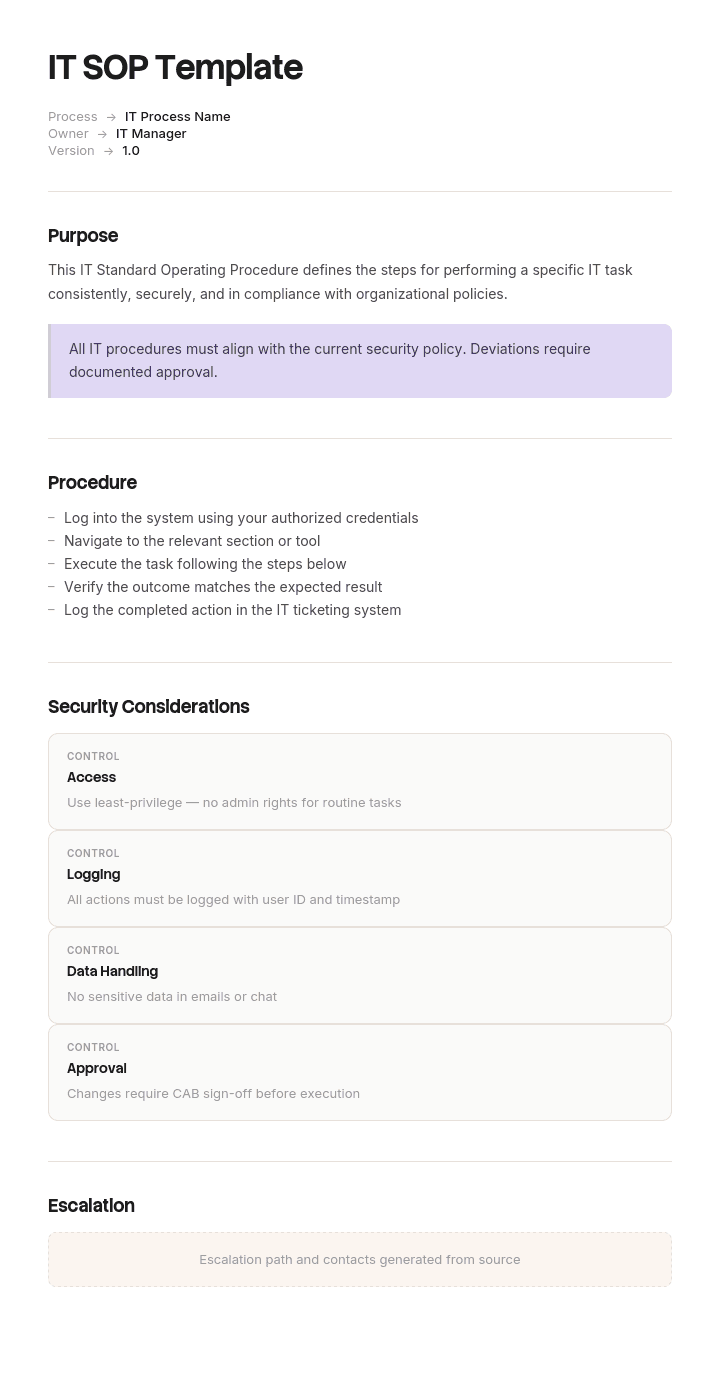
Utilisez ce modèle
Les SOP IT permettent de garantir que les opérations technologiques restent cohérentes, sécurisées et conformes. Avec Trupeer, vous pouvez gagner des heures sur la rédaction de vos SOP IT en commençant par un modèle de SOP IT gratuit, en le personnalisant avec vos directives de marque, puis en utilisant notre créateur de SOP basé sur l’IA pour transformer chaque procédure en une vidéo explicative claire.
Qu’est-ce qu’une SOP IT, et qu’y a-t-il de part et d’autre
Une procédure opérationnelle standard (SOP) est la séquence écrite d’une tâche qui se répète, destinée à quelqu’un de compétent mais pas forcément expert, suffisamment précise pour que deux personnes qui la suivent obtiennent le même résultat.
Deux documents se trouvent de part et d’autre, et sont constamment confondus avec elle.
Une politique énonce une règle et une limite. Elle indique que les achats au-delà d’un certain seuil nécessitent une validation. Elle ne précise pas quel bouton déclenche un bon de commande. Les politiques changent rarement et sont approuvées par la gouvernance. Si vous vous surprenez à écrire « doit » et « ne peut pas », vous rédigez une politique, et elle doit figurer dans un document de politique plutôt que dans une SOP.
Un runbook, ou méthode de procédure, correspond à une exécution unique d’un changement unique, souvent avec des horaires, rédigée pour une seule nuit. Elle est utilisée, puis archivée. Une SOP est l’élément réutilisable que le runbook emprunte. Lorsque le travail correspond à une bascule ponctuelle avec une fenêtre de rollback, vous avez besoin d’une méthode de procédure, pas d’une SOP.
La SOP se situe entre les deux : la règle est ailleurs, le calendrier est ailleurs, et ce qui reste, c’est la façon dont le travail est réellement effectué, cette semaine, sur les systèmes dont vous disposez réellement.
Si vous souhaitez la version généraliste de ce document, applicable à n’importe quelle équipe, notre modèle de SOP couvre la structure standard. Cette page explique ce qui change lorsque la procédure est une procédure IT.
Ce qui rend une SOP IT différente de toutes les autres
Les SOP de restaurant, les SOP RH et les SOP d’entrepôt décrivent un travail que la personne effectuera encore dans cinq ans. Quelqu’un accueillera toujours le client et vérifiera le stock.
Les procédures IT ne fonctionnent pas comme ça. La plupart décrivent un travail que la personne doit cesser de faire. Provisionner un compte, faire tourner une clé, restaurer un fichier, redimensionner un volume, vider une file, accorder l’accès à un lecteur partagé : chacune de ces tâches commence sa vie comme une procédure humaine et, si l’équipe est performante, se termine sa vie sous forme de script, d’action en libre-service ou de paramètre dans la plateforme qui rend la question impossible à poser.
Cela signifie qu’une bibliothèque de SOP IT est à la fois deux choses. C’est un ensemble d’instructions, et c’est un inventaire de tout ce que l’équipe fait manuellement. Le deuxième usage est le plus précieux, et presque personne ne l’exploite, car le modèle ne le demande pas.
Ainsi, ce modèle ajoute un champ que les autres modèles de SOP n’ont pas. Chaque procédure porte un verdict sur son avenir, et la bibliothèque est revue en fonction de ces verdicts, plutôt que uniquement pour vérifier l’exactitude. Une équipe qui rédige quarante SOPs par an et en supprime douze fait mieux qu’une équipe qui en rédige quarante et les conserve toutes les quarante, et le modèle doit rendre cela visible.
Comment personnaliser ce modèle dans Trupeer
Étape 1 : Ouvrir la section Modèles
Accédez à la section Modèles depuis la navigation principale.

Étape 2 : Sélectionner et ouvrir un modèle
Cliquez sur n’importe quel modèle avec lequel vous souhaitez travailler pour l’ouvrir.

Étape 3 : Développer l’affichage du modèle
Si nécessaire, développez l’affichage du modèle pour voir clairement la mise en page complète et les détails.

Étape 4 : Modifier le modèle
Cliquez sur Modifier pour commencer à apporter des changements au modèle sélectionné.

Dans l’éditeur, vous pouvez :
Ajouter de nouvelles sections
Définir ou mettre à jour des règles de mise en forme
Ajouter un logo et ajuster sa position ainsi que les paramètres associés
Étape 5 : Enregistrer votre modèle personnalisé
Après avoir effectué tous les changements nécessaires, cliquez sur Enregistrer pour stocker le modèle mis à jour comme le vôtre.

Étape 6 : Prévisualiser et affiner le modèle
Lorsque vous souhaitez voir à quoi ressemble votre modèle personnalisé, ouvrez la Prévisualisation.

À partir de l’écran de prévisualisation, vous pouvez continuer à effectuer des ajustements directement si nécessaire, afin de garantir que le modèle s’affiche exactement comme vous le souhaitez.
Avec un modèle de SOP IT, vous pouvez :
Gagner du temps sur la rédaction : évitez la page blanche grâce à une structure conçue pour les procédures IT.
Rester prêt pour les audits : des sections intégrées prennent en charge les audits SOC 2, ISO 27001 et similaires.
Rester conforme à votre marque : appliquez votre logo, vos polices et vos couleurs grâce au brand kit de Trupeer.
Former les équipes IT : associez des SOP à des vidéos de formation IT.
Standardiser les procédures : utilisez le même modèle pour chaque SOP IT.
Atteindre des équipes internationales : traduisez vos SOP IT en 65+ langues en un clic.
Le champ « disposition »
Trois verdicts, enregistrés dans l’en-tête, revus chaque trimestre.
Automatiser. La procédure est déterministe, ne comporte aucun jugement et est exécutée suffisamment souvent pour justifier l’effort d’ingénierie. Rotation des clés, provisionnement de compte à partir d’une demande approuvée, renouvellement de certificat, vérification des sauvegardes, rotation des journaux, opérations standard de redimensionnement. Donnez-lui un trimestre cible, pas une intention vague. La SOP reste active jusqu’au déploiement de l’automatisation, puis la SOP est supprimée plutôt que laissée se dégrader à côté de l’automatisation, ce qui est l’erreur qui produit deux sources de vérité concurrentes.
Transmettre au demandeur. La procédure est déterministe, mais quelqu’un en dehors de l’équipe veut qu’elle soit effectuée, et la seule raison pour laquelle l’IT est impliquée est que le bouton se trouve derrière une autorisation. Service en libre-service par mot de passe, demandes d’appartenance à un groupe, attribution de licences, installations courantes de logiciels. Ici, le travail n’est pas un script : c’est un parcours en libre-service plus un job aid qui rend le chemin évident. La SOP devient la spécification de ce parcours.
Garder du « humain ». Un jugement réel, suffisamment rare pour que l’automatisation coûterait plus qu’elle ne ferait gagner, ou suffisamment conséquent pour qu’une personne doive être responsable de la décision. Triage des incidents, décisions de capacité, tout ce qui implique de négocier avec un fournisseur, tout ce qui dépend de l’état de l’entreprise plutôt que de l’état du système.
Pour décider, multipliez la fréquence d’exécution par la durée moyenne afin d’obtenir le nombre d’heures par an, puis demandez-vous si une étape nécessite un jugement qu’une règle ne pourrait pas encoder. Soixante heures par an sans jugement : c’est un candidat à l’automatisation, rien qu’avec l’arithmétique. Quatre heures par an avec trois appels à jugement : cela reste « humain », même si c’est fastidieux.
La structure du modèle
Copiez à partir d’ici. Le bloc d’en-tête contient les champs que la plupart des modèles de SOP omettent.
En-tête. Numéro et titre de la SOP, rédigés à l’impératif, par exemple « Restaurer une boîte aux lettres supprimée » plutôt que « Processus de restauration de boîte aux lettres ». Propriétaire. Relecteur. Date de création. Date de dernière vérification, ce qui signifie la date à laquelle quelqu’un a exécuté cette procédure pour la dernière fois et a confirmé que les étapes correspondent toujours à la réalité, et non la date à laquelle quelqu’un a modifié la formulation. Disposition et trimestre cible. Fréquence d’exécution et durée moyenne. Accès requis, nommé comme le rôle ou le groupe réel. Systèmes concernés. Réversible oui ou non.
Déclencheur. L’événement ou la demande qui démarre cette procédure, formulé avec suffisamment de précision pour qu’une personne puisse déterminer si elle est concernée.
Ne pas exécuter si. Les conditions dans lesquelles la procédure est incorrecte. Cette section évite plus d’incidents que les étapes elles-mêmes.
Prérequis. Accès, validations, informations, et tout ce qui doit être confirmé avant l’étape une. Incluez la vérification côté consommateur : quels autres systèmes, jobs ou intégrations dépendent de l’élément que vous vous apprêtez à modifier. Si vous ne pouvez pas répondre à cela, la réponse n’est pas « non », elle est « inconnu ».
Étapes. Numérotées, une action par ligne, avec le résultat attendu à côté de chaque action. Si une étape n’a pas de résultat observable, c’est soit qu’elle n’en est pas une, soit que vous n’avez pas décidé à quoi ressemble la réussite.
Vérification. Pas une répétition de la dernière étape. La vérification indique si le résultat s’est produit, et elle doit couvrir le cycle le plus long que le changement touche. Traitement batch nocturne, retard de réplication, expiration du cache, planification cron, synchronisation en aval. Une procédure vérifiée uniquement par un test synchrone n’a été vérifiée que pendant les dix premières secondes de sa vie.
Rollback. Comment l’annuler, et le point à partir duquel vous ne pouvez plus.
Escalade. Qui contacter, par quel canal, et quoi leur dire.
Historique de changement. Date, qui, ce qui a changé et pourquoi. Trois lignes suffisent.
Un exemple concret, et ce que cela a coûté
Brightmoor Insurance a exécuté une procédure appelée « Faire tourner la clé de signature de la passerelle de paiement » tous les quatre-vingt-dix jours. Six étapes. Elle avait été rédigée en 2023 et exécutée quatorze fois sans incident.
Un mardi de mars, un ingénieur l’a exécutée à 14 h 20. Générer la nouvelle clé dans le portail de la passerelle, l’ajouter au magasin de configuration, déployer la configuration, redémarrer le service de paiement, confirmer qu’un paiement de test réussit dans le bac à sable, puis révoquer l’ancienne clé. Chaque étape a été menée à bien. Le paiement dans le bac à sable a réussi. Le ticket a été clôturé à 14 h 35 avec une note indiquant que la rotation était terminée.
À 2 h 10, le traitement batch nocturne de collecte des primes a échoué lors de l’authentification. Il utilisait la même clé de signature, stockée dans un fichier de configuration distinct sur un serveur qui n’avait jamais été migré vers le magasin de configuration, car ce serveur était antérieur à la migration et personne qui a réalisé la migration ne savait qu’il existait.
Quatre mille cent collectes de prélèvements directs n’ont pas été envoyées. La défaillance a été identifiée à 6 h 40, lorsque la finance a lancé la réconciliation du matin. Les collectes ont été retraitées avant 11 h 00, mais le traitement de la lettre nocturne avait déjà généré des avis de collecte échouée pour chaque client concerné, et le centre de contact a reçu trois cent quatre-vingts appels au cours des deux jours suivants. Quatre personnes y ont passé deux jours, plus un envoi d’excuses.
La SOP n’était pas erronée. Chacune de ses six étapes était exacte et chacune a été suivie. Elle a échoué pour deux raisons, toutes deux structurelles plutôt que « de saisie ». Elle n’avait pas de prérequis demandant quels systèmes consomment cette clé, de sorte qu’un second consommateur est resté invisible pendant trois ans. Et sa vérification était un appel au bac à sable, qui a prouvé que le service de paiement était sain à 14 h 32, mais n’a rien prouvé concernant le job batch qui ne s’exécuterait pas avant douze heures supplémentaires.
La partie intéressante, c’est ce qu’ils ont fait ensuite. L’instinct était d’ajouter une septième étape. Ce qu’ils ont réellement fait, c’est de construire l’inventaire des consommateurs que l’incident les avait forcés à compiler, et une fois cet inventaire existant, la rotation est devenue automatisable. La procédure a été livrée sous forme de job planifié le trimestre suivant, puis la SOP a été supprimée.
La sortie la plus précieuse du document n’a jamais été les instructions. C’était l’inventaire dont les instructions se sont avérées avoir besoin, et le champ « disposition » est ce qui pousse une équipe à chercher cela intentionnellement, plutôt qu’après une panne.
Formats, et lesquels utiliser pour le travail IT
La plupart des guides listent quatre formats de SOP et vous laissent choisir. Pour le travail IT, le choix est plus restreint qu’il n’y paraît.
Pas à pas convient aux tâches opérationnelles linéaires avec un début et une fin connus. Restaurations, provisionnements, rotations, déploiements. C’est la majorité des SOP IT, et le format que suppose la structure ci-dessus.
Organigramme ou arbre de décision convient au diagnostic, lorsque la prochaine action dépend de ce que vous venez de constater. Triage des incidents, pannes de connectivité, investigation des performances. Ne forcez pas ces éléments dans une liste numérotée, car la numérotation implique une séquence qui n’existe pas et que les gens suivent quand même.
Checklist convient à la confirmation avant et après changement, lorsque l’ordre compte moins que l’exhaustivité. Associez-la à une procédure pas à pas plutôt que de remplacer l’une par l’autre.
Hiérarchique convient uniquement lorsqu’une procédure se ramifie réellement selon l’environnement ou le niveau, et c’est généralement le signe que vous avez deux procédures qui portent un seul titre.
Rédiger une SOP en quatre-vingt-dix minutes
Enregistrez votre écran pendant que vous effectuez la tâche, à vitesse normale, sur un système réel, en expliquant au fur et à mesure ce que vous vérifiez. Cet enregistrement constitue le brouillon.
Rédigez les étapes à partir de l’enregistrement, puis supprimez chaque étape où vous ne faisiez que naviguer. Ajoutez le résultat attendu à chacune des étapes restantes. Rédigez le déclencheur et la section « ne pas exécuter si » en dernier, car vous ne saurez ce qui doit y figurer qu’une fois les étapes existantes.
Ensuite, confiez-la à quelqu’un qui n’a jamais fait la tâche et observez-le suivre la procédure sans vous demander d’aide. Chaque endroit où il s’arrête correspond à une étape manquante ou à une connaissance supposée. Corrigez-les, définissez la date de dernière vérification sur aujourd’hui, puis publiez.
Quatre-vingt-dix minutes est réaliste pour une procédure que vous connaissez déjà. Doubler ce temps pour une procédure que vous documentez à partir des connaissances de quelqu’un d’autre est normal, et une SOP de transfert de connaissances aide à structurer cette conversation.
Quelles SOP IT rédiger en premier
Pas celles qui semblent importantes. Rédigez celles qui obtiennent un score élevé sur trois points à la fois : elles sont exécutées souvent, elles font mal lorsqu’elles sont mal faites, et elles vivent actuellement dans la tête d’une seule personne.
Cette règle fait généralement ressortir le même ensemble de départ. Les procédures d’accès et d’identité, c’est-à-dire les arrivées, les départs, l’escalade de privilèges et la gestion des comptes partagés. La sauvegarde et la restauration, que presque toutes les équipes ont documentées pour la sauvegarde, mais pas pour la restauration. La déclaration et l’escalade des incidents, y compris qui est autorisé à le faire. Les étapes de changement et de mise en production pour votre système le plus souvent touché. La rotation des certificats et des clés. La reconstruction des postes et la remise des actifs.
Les départs et la restauration sont les deux cas qui finissent le plus souvent sans documentation, et ce sont aussi ceux pour lesquels le coût de l’improvisation est le plus élevé.
Tout ce que vous rédigez ici doit pointer vers votre inventaire des systèmes plutôt que de le décrire. Le registre des applications et des identifiants est l’endroit idéal pour cela, et la description plus large du système doit figurer dans votre documentation IT.
Revoir la bibliothèque
Une fois par trimestre, asseyez-vous avec la liste et posez trois questions pour chaque entrée.
A-t-elle été vérifiée au cours des six derniers mois, c’est-à-dire quelqu’un l’a-t-il réellement exécutée. Les procédures non vérifiées sont pires que celles qui n’existent pas, car les gens leur font confiance.
La disposition a-t-elle changé. Une procédure qui était rare l’an dernier et qui est désormais hebdomadaire est passée dans le territoire de l’automatisation.
Est-ce que quelque chose a été livré. Comptez les SOP supprimées ce trimestre parce que le travail derrière elles a été automatisé ou transféré. Si ce chiffre est à zéro pendant trois trimestres consécutifs, la bibliothèque est devenue un exercice de classement plutôt qu’un ensemble de travail.
Que laisser de côté
Des captures d’écran de choses qui changent, c’est-à-dire toute interface que votre fournisseur met à jour selon son calendrier. Elles datent le document plus vite que les mots, et c’est la principale raison pour laquelle les gens cessent de faire confiance à une procédure. Décrivez la cible par son nom plutôt que par sa position à l’écran.
Les explications de pourquoi le système fonctionne comme il fonctionne. Une vraie curiosité est acceptable, mais elle appartient à la documentation, pas à une procédure que quelqu’un lit pendant qu’une file d’attente sature.
Les règles d’approbation et les seuils. Ce sont de la politique, et les dupliquer dans des procédures signifie mettre à jour quatorze documents quand un seul chiffre change.
Enregistrer la procédure plutôt que l’écrire
La partie la plus lente pour construire une bibliothèque de SOP n’est pas de décider quoi écrire : c’est la saisie. Et une procédure rédigée à partir de la mémoire oublie toujours les deux clics que l’auteur ne remarquait plus depuis des années.
Trupeer AI transforme un enregistrement d’écran en une procédure documentée, de sorte que la méthode des quatre-vingt-dix minutes ci-dessus se réduit à un passage unique. Enregistrez la tâche une fois et vous obtenez un guide pas à pas avec les étapes déjà rédigées, une vidéo pour les personnes qui préfèrent regarder, et un document dans votre base de connaissances, avec votre propre branding.
Enregistrez. Marquez. Traduisez. Trupeer.
Le créateur de SOP est conçu exactement pour cela, la documentation conserve ensemble les procédures et les descriptions du système, et la traduction signifie qu’une équipe « follow the sun » lit la même procédure dans sa propre langue. Les instructions de configuration se trouvent dans le guide de configuration du modèle de document.
Questions fréquentes
Existe-t-il un modèle de SOP IT gratuit dans Excel ?
Excel est le mauvais contenant pour la procédure et le bon contenant pour la bibliothèque. Créez une feuille unique qui liste chaque SOP avec des colonnes pour le titre, le propriétaire, la date de dernière vérification, la disposition, la fréquence d’exécution, les heures par an et le trimestre cible. Cette feuille est ce qui rend la revue trimestrielle possible. Les procédures elles-mêmes doivent se trouver quelque part avec un historique de versions et une fonction de recherche.
Existe-t-il une version Word, ou un téléchargement gratuit de document Word ?
Le bloc d’en-tête et les titres de section ci-dessus sont écrits pour être collés directement dans Word ou Google Docs et utilisés comme structure interne. Il n’y a pas de téléchargement verrouillé, ce qui signifie aussi qu’il n’y a pas de formulaire entre vous et le modèle. Enregistrez votre version remplie comme point de départ départemental plutôt que de la recopier à chaque fois.
Existe-t-il une version PDF ?
Exportez votre propre version une fois la procédure vérifiée. Le PDF convient à une procédure qui a été validée et qui est diffusée pour audit, et ne convient pas à un document de travail, car une procédure que personne ne peut modifier finit par devenir obsolète sur place.
Puis-je la télécharger gratuitement ?
La structure, le champ « disposition » et l’exemple concret sont gratuits et sans restriction. Utilisez-les, modifiez-les, puis mettez-les dans votre propre bibliothèque de modèles sous votre nom, sans attribution.
Existe-t-il un générateur de SOP gratuit ?
Oui, et les générateurs sont réellement utiles pour la première version. Le créateur de SOP de Trupeer AI construit la procédure à partir d’un enregistrement d’écran, ce qui signifie que les étapes proviennent du système plutôt que de votre mémoire. Quoi que vous utilisiez, les éléments qu’un générateur ne peut pas fournir sont la disposition, la vérification côté consommateur et la fenêtre de vérification : vous devrez donc vous attendre à les ajouter manuellement.
Comment créer un format de SOP pour mon équipe ?
Choisissez une structure, remplissez-la pour trois procédures réelles, puis arrêtez-vous et regardez ce que vous avez dû faire pour que le modèle l’exprime. Ajustez une fois, puis figez-la. Les équipes qui continuent d’affiner le format n’accumulent pas de procédures, car chaque nouvelle SOP déclenche un débat sur la forme du document plutôt que sur le contenu du travail.
Quel est le meilleur modèle de SOP ?
Celui que votre équipe continuera à vérifier. La structure compte bien moins que la responsabilité et une date de revue, et une procédure simple en six sections exécutée le mois dernier par quelqu’un vaut mieux qu’une procédure élaborée que personne n’a ouverte depuis qu’elle a été rédigée.
Quelle doit être la longueur d’une SOP IT ?
Un écran pour les étapes, dans la plupart des cas. Si les étapes dépassent environ quinze, la procédure est généralement en réalité deux procédures, ou elle contient une navigation qui devrait être supprimée. L’en-tête, les prérequis et la vérification peuvent être aussi longs que nécessaire, car ce sont les éléments qui préviennent les incidents.
À quelle fréquence faut-il revoir les SOP IT ?
Vérifiez chaque procédure au moins tous les six mois en l’exécutant, puis revoyez l’ensemble de la bibliothèque chaque trimestre en fonction du champ « disposition ». Tout ce qui touche l’accès, les clés ou les restaurations mérite un cycle plus court, et toute procédure impliquée dans un incident doit être re-vérifiée avant la clôture de l’incident.


