Utilisez ce modèle
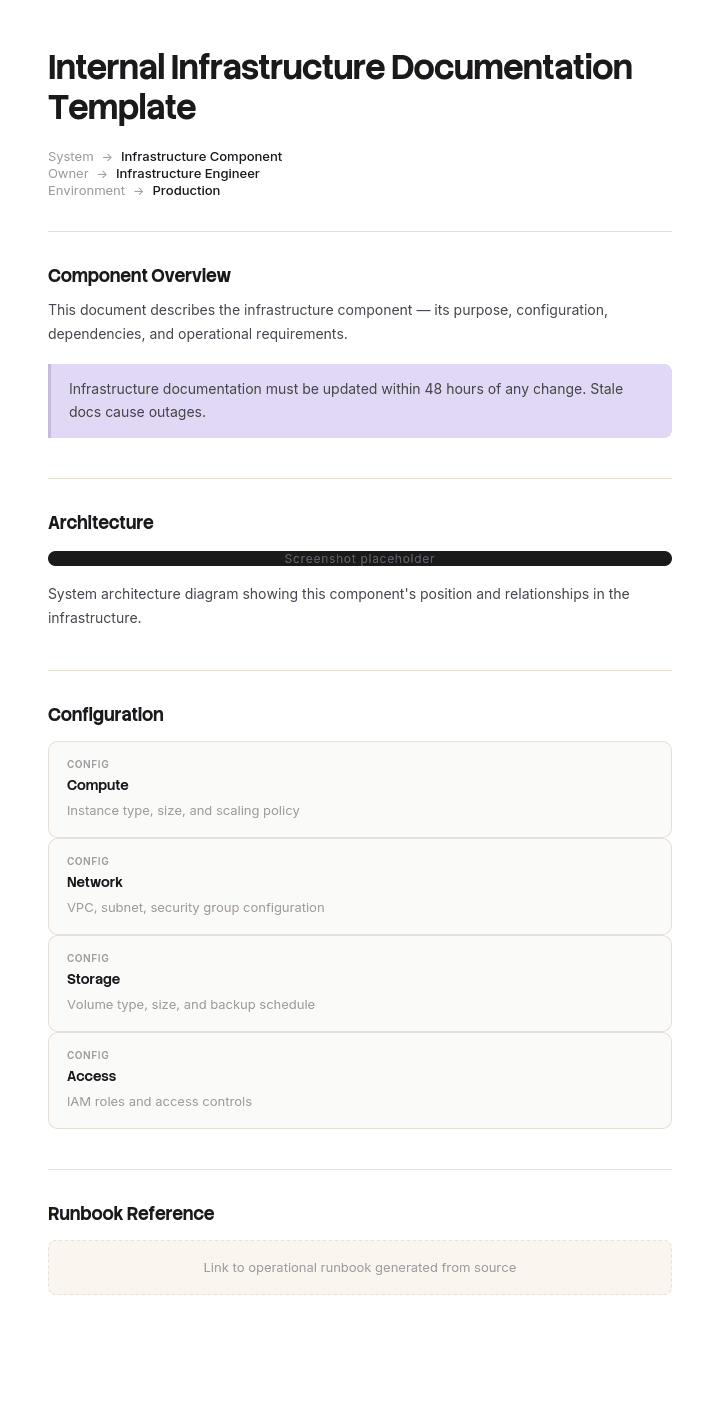
Une documentation interne solide sur l’infrastructure protège votre entreprise contre les pannes, les audits et les incidents de sécurité. Avec Trupeer, vous pouvez gagner des heures sur la documentation d’infrastructure en commençant par un modèle gratuit, en le personnalisant avec vos directives de marque, puis en transformant la documentation en vidéos de présentation pour les équipes IT et les MSP.
La plupart des documentations d’infrastructure sont rédigées une seule fois, pendant un projet, et deviennent fausses en moins de six mois. Elles restent sur le wiki, personne ne leur fait confiance, et lors du prochain incident, quelqu’un les consulte, hésite, puis appelle la personne qui sait vraiment.
La solution n’est pas d’ajouter encore plus de documentation. C’est d’en avoir moins, mais de la maintenir exacte, en choisissant quoi documenter en se demandant ce dont quelqu’un aurait réellement besoin à trois heures du matin.
Télécharger le modèle de documentation d’infrastructure
Format | Idéal pour |
|---|---|
Excel (.xlsx) | L’inventaire, la matrice des dépendances, les détails réseau et le suivi des revues |
Word (.docx) | Les runbooks, l’aperçu de l’architecture et le plan de PRA |
Les versions approuvées, et tout ce que demandent les auditeurs | |
Google Sheets | Un inventaire partagé que l’équipe maintient |
Google Docs | Les runbooks qui sont modifiés pendant et après les incidents |
Gratuit, modifiable, sans filigrane. Excel fait la majeure partie du travail ici, car la documentation d’infrastructure est largement constituée de données structurées qui font semblant d’être du texte.
De quel type de documentation avez-vous besoin ?
Vous devez documenter | Utilisez |
|---|---|
Ce qui existe en infrastructure et comment cela se connecte | Ce modèle |
Les processus IT, les politiques et les guides “comment faire” en général | |
Un projet spécifique | |
Un produit logiciel pour ses utilisateurs | |
Une procédure IT | |
L’architecture et la conception logicielle |
Comment personnaliser ce modèle dans Trupeer
Étape 1 : Ouvrir la section Modèles
Accédez à la section Modèles depuis la navigation principale.

Étape 2 : Sélectionner et ouvrir un modèle
Cliquez sur n’importe quel modèle avec lequel vous souhaitez travailler pour l’ouvrir.

Étape 3 : Développer l’affichage du modèle
Si nécessaire, développez l’affichage du modèle pour voir clairement la mise en page complète et les détails.

Étape 4 : Modifier le modèle
Cliquez sur Modifier pour commencer à modifier le modèle sélectionné.

Dans l’éditeur, vous pouvez :
Ajouter de nouvelles sections
Définir ou mettre à jour les règles de mise en forme
Ajouter un logo et ajuster sa position ainsi que les paramètres associés
Étape 5 : Enregistrer votre modèle personnalisé
Après avoir effectué toutes les modifications nécessaires, cliquez sur Enregistrer pour stocker le modèle mis à jour comme votre propre modèle.

Étape 6 : Aperçu et ajustements fins du modèle
Lorsque vous souhaitez voir à quoi ressemble votre modèle personnalisé, ouvrez l’Aperçu.

Depuis l’écran d’aperçu, vous pouvez continuer à effectuer des ajustements directement si nécessaire, afin de garantir que le modèle apparaît exactement comme vous le souhaitez.
Avec un modèle de documentation interne d’infrastructure, vous pouvez :
Gagner du temps sur la rédaction : évitez la page blanche grâce à une structure conçue pour l’infrastructure IT.
Renforcer la posture de sécurité : des champs intégrés imposent des pratiques sûres de gestion des identifiants.
Rester conforme à votre marque : appliquez votre logo, vos polices et vos couleurs avec le brand kit de Trupeer.
Réduire les temps d’arrêt : une documentation claire réduit le MTTR pendant les incidents.
Rester prêt pour les audits : aligné sur le SOC 2, la norme ISO 27001 et des cadres similaires.
Toucher des équipes à l’échelle mondiale : traduisez la documentation en 65+ langues en un clic.
Le test de 3 h
Le seul test qui compte pour la documentation d’infrastructure.
Imaginez un incident à trois heures du matin. La personne qui a conçu le système est en avion. Quelqu’un de compétent mais qui ne connaît pas votre documentation la consulte. Peut-il comprendre ce qui est cassé, ce qui en dépend, ce qui se passe si on le redémarre, et à qui escalader ?
Tout ce qui aide à répondre à ces questions vaut la peine d’être écrit. Le reste est optionnel, et la documentation optionnelle dilue les parties utiles tout en consommant le budget de maintenance.
Appliquez-le sans compromis. Une histoire détaillée expliquant pourquoi une technologie a été choisie en 2021 ne passe pas. Une note indiquant que ce service doit être démarré après la base de données et avant la passerelle API ne passe pas non plus.
Ce qui passe le test de 3 h
Ce qui existe. Des systèmes, des serveurs, des services, avec en une phrase ce que chacun fait.
Où cela se trouve. Le fournisseur cloud et la région, ou l’emplacement physique et le rack.
Ce qui dépend de lui, et de quoi il dépend. La chose la plus précieuse de la documentation d’infrastructure.
Comment y accéder. Noms d’hôtes, adresses, consoles, sans jamais inclure d’identifiants.
À quoi ressemble le “normal”. Pour qu’une personne inconnue puisse déterminer si quelque chose est réellement en panne.
Ce qui le fait tomber. Les modes de défaillance connus et leurs symptômes.
Comment le redémarrer en toute sécurité, y compris l’ordre et tout ce qui doit être fait en premier.
Qui en est responsable, et le chemin d’escalade avec de vrais détails de contact.
Quel est le périmètre d’impact. Ce qui tombe si cela s’arrête.
Ce qui ne passe généralement pas
Rédigé pour être exhaustif plutôt que pour être utile, et donc pas assez intéressant pour être maintenu.
Des dumps de configuration complets qui sont déjà obsolètes le lendemain de l’export. Une justification détaillée des décisions passées, qui relève d’un architecture decision record plutôt que d’une documentation opérationnelle. Chaque paramètre de chaque système alors que, opérationnellement, seuls quelques éléments comptent. Des captures d’écran de consoles, qui vieillissent mal et n’aident que rarement. Et tout ce qui duplique une source de vérité ailleurs, car deux copies signifient que l’une est fausse et que vous ne pouvez pas savoir laquelle.
Le principe général : si cela peut être découvert à partir du système plus vite que lu dans un document, ne le documentez pas.
L’inventaire d’infrastructure
La base. Une ligne par système ou service.
Champ | Saisir |
|---|---|
Nom | Tel qu’il apparaît dans la supervision et dans la conversation |
Objectif | Une phrase, en langage clair |
Type | Serveur, service, base de données, équipement réseau, SaaS |
Environnement | Production, staging, développement |
Emplacement | Fournisseur cloud et région, ou site et rack |
Responsable | Équipe, et un contact d’escalade nommé |
Criticité | Niveau 1 à 3, défini ci-dessous |
Dépend de | Ce dont il a besoin pour fonctionner |
Dépend de lui | Ce qui tombe si cela s’arrête |
Mode d’accès | Console, bastion SSH, VPN. Pas d’identifiants |
Supervision | Où vont ses alertes |
Sauvegarde | Fréquence, emplacement, restauration vérifiée la dernière fois |
Runbook | Lien |
Dernière vérification | Date à laquelle quelqu’un a confirmé que cette ligne est vraie |
Le dernier champ est celui que la plupart des inventaires omettent, et celui qui détermine si quelqu’un fait confiance au document. Une ligne que personne n’a vérifiée depuis deux ans doit être manifestement non fiable plutôt que fausse en silence.
Niveaux de criticité
Définissez-les, car ils déterminent le niveau de documentation que chaque système mérite.
Niveau | Signifie | Documentation attendue |
|---|---|---|
1 | Une panne arrête l’activité | Runbook complet, PRA testée, carte des dépendances, revue trimestrielle |
2 | Une panne dégrade une fonction | Runbook, dépendances, revue deux fois par an |
3 | Une panne est tolérable pendant une journée | Entrée d’inventaire et responsable uniquement |
La plupart des organisations documentent le niveau 3 avec la même profondeur que le niveau 1, finissent à court d’énergie, et se retrouvent avec tout à moitié documenté. Documentez correctement le niveau 1 et laissez le niveau 3 se limiter à une seule ligne.
Dépendances
La partie la plus précieuse et la plus négligée de la documentation d’infrastructure.
Pendant un incident, la question n’est que rarement “qu’est-ce qui est cassé ?”. C’est plutôt “qu’est-ce qui est aussi impacté ?” et “de quoi cette chose a-t-elle besoin pour revenir ?”. Ni l’une ni l’autre n’est déductible d’une simple liste de serveurs.
Documentez les dépendances dans les deux sens :
Système | Dépend de | Dépend de lui | Ordre de démarrage | Échoue si la dépendance est en panne |
|---|---|---|---|---|
API Order | Postgres primaire, Redis, service d’authentification | Application web, application mobile, intégrations partenaires | Après Postgres et Auth | Oui, immédiatement |
Service de reporting | Replica Postgres | Tableaux de bord internes uniquement | N’importe lequel | Dégrade, sert du contenu mis en cache |
Deux éléments rendent cela utile. L’ordre de démarrage, car redémarrer les choses dans le mauvais ordre transforme un incident court en incident long. Et le fait que la dépendance soit “dure” ou “souple”, car un service qui se dégrade proprement n’est pas du tout le même problème qu’un service qui tombe immédiatement.
Incluez les dépendances externes. Les prestataires de paiement, les fournisseurs d’identité, le DNS, les autorités de certification et les API SaaS provoquent des pannes que vous ne pouvez pas corriger vous-même, et savoir cela rapidement vaut beaucoup à 3 h.
Documentation réseau
Élément | Documenter |
|---|---|
Segments réseau | Objectif, plage d’adresses, VLAN |
Routage | Entre segments, et vers Internet |
Pare-feux | Où ils se trouvent, qui gère les règles, comment demander un changement |
VPN | Points d’extrémité, qui a accès, comment demander |
DNS | Zones, où elles sont hébergées, qui peut les modifier |
Équilibreurs de charge | Ce qui se trouve derrière chacun, comportement des contrôles de santé |
Certificats | Ce qu’ils couvrent, date d’expiration, responsable du renouvellement et méthode |
Connectivité externe | FAI, circuits, contacts, références de contrat |
L’expiration des certificats mérite une attention particulière. Elle provoque des pannes entièrement prévisibles, entièrement évitables, et qui ont une probabilité disproportionnée de survenir le week-end. Documentez ce qui expire quand, qui le renouvelle, et si le renouvellement est automatisé.
Runbooks
Le document que quelqu’un ouvre réellement pendant un incident.
Section | Contenu |
|---|---|
Système et responsable | Avec contact d’escalade |
Ce que fait ce système | Un paragraphe |
À quoi ressemble le “normal” | Métriques, comportement attendu, charge typique |
Alertes courantes | Ce que chacune signifie et quoi faire |
Comment redémarrer en toute sécurité | Étapes, ordre, prérequis |
Modes de défaillance connus | Symptôme, cause, correction |
Ce qu’il ne faut pas faire | Les actions qui aggravent les choses |
Escalade | Quand, et vers qui |
Runbooks associés | Dépendances |
La section “ce qu’il ne faut pas faire” est rare et précieuse. Chaque système mature a une action qui semble raisonnable et qui aggrave l’incident : redémarrer dans le mauvais ordre, effacer un cache qui met six heures à se reconstruire, basculer (failover) alors que le secondaire est en retard.
Rédigez des runbooks pour les systèmes de niveau 1 et pour tout ce qui a déjà provoqué un incident. Pas pour tout.
Accès et identifiants
La section où la documentation cause du tort plutôt que de l’éviter.
Ne mettez jamais d’identifiants dans la documentation. Ni mots de passe, ni clés API, ni chaînes de connexion contenant des secrets, ni clés privées. Ni sur le wiki, ni dans le fichier Excel, ni “temporairement”.
Documentez plutôt le mode d’accès. Quel système détient l’identifiant, qui peut accorder l’accès, et comment quelqu’un le demande à 3 h. C’est ce dont la personne a réellement besoin, et c’est sûr de l’écrire.
Au lieu de | Documenter |
|---|---|
Le mot de passe admin | Identifiants dans [vault], accessibles à l’équipe plateforme, procédure break-glass dans [runbook] |
Une clé API | Clé stockée dans [secrets manager] en tant que [name], renouvelée trimestriellement par [owner] |
Une connexion partagée | Accès via le groupe SSO [name], demande via [process] |
Ensuite, documentez correctement la procédure break-glass, car l’accès d’urgence indisponible pendant une urgence est un incident fréquent et évitable.
Plan de reprise après sinistre
Ce que la documentation de PRA doit contenir pour avoir une réelle valeur.
Les objectifs de temps de récupération et de point de récupération par système de niveau 1, convenus avec l’activité plutôt que supposés par l’IT. Ce qu’est réellement la procédure de récupération, étape par étape. Où se trouvent les sauvegardes, et surtout quand une restauration a été testée avec succès pour la dernière fois. Qui déclare un sinistre et qui déclenche le plan. Comment l’équipe communique lorsque les systèmes normaux sont indisponibles, car un plan de PRA stocké uniquement sur les systèmes qui sont en panne est une gêne familière.
La ligne la plus importante de tout document de PRA est la date du dernier test de restauration réussi. Une sauvegarde qui n’a jamais été restaurée est une hypothèse.
Schémas
L’infrastructure bénéficie davantage de schémas que de la plupart des autres types de documentation, et ils deviennent obsolètes plus vite.
Un schéma global montrant les principaux composants et la façon dont ils se connectent. C’est celui que les gens utilisent réellement.
La topologie réseau, lorsque l’environnement est suffisamment complexe pour en avoir besoin.
Le flux de données, en particulier lorsqu’il traverse des frontières de confiance ou des juridictions.
Gardez-les simples. Un schéma que personne ne peut lire d’un coup d’œil pendant un incident n’est que de la décoration.
Datez-les, et indiquez le responsable.
Préférez les schémas-as-code si votre équipe doit le maintenir, car un schéma dans un format de texte versionné se met à jour avec la modification, plutôt qu’après coup.
Un schéma incorrect est pire qu’un schéma absent, car les gens font plus confiance aux images qu’au texte.
Les maintenir exacts
Le problème dans son ensemble, et la raison pour laquelle la plupart des documentations d’infrastructure échouent.
Documentez moins. L’exactitude diminue avec le volume. Quinze pages exactes valent mieux que deux cents pages obsolètes.
Associez les mises à jour de la documentation au processus de changement. Un changement qui modifie l’infrastructure n’est pas terminé tant que la documentation ne le reflète pas. C’est le seul mécanisme qui fonctionne de manière fiable.
Automatisez ce qui peut être découvert. L’inventaire, les adresses, les configurations et la topologie peuvent souvent être générés. La documentation générée ne peut pas devenir obsolète comme le fait une documentation rédigée à la main.
Écrivez à la main uniquement ce qui ne peut pas être découvert. Objectif, responsabilité, criticité, dépendances, modes de défaillance connus, ce qu’il ne faut pas faire. Les machines ne peuvent déduire aucune de ces informations.
Datez tout, et affichez la date clairement. Une date de dernière vérification visible permet aux lecteurs d’ajuster leur niveau de confiance.
Revue planifiée par niveau, trimestrielle pour le niveau 1.
Corrigez pendant les incidents. Le moment où quelqu’un découvre que la documentation est fausse est aussi le moment où il a les connaissances pour la corriger. Faites-en une tâche de cinq minutes, pas un ticket.
Automatisation et découverte
Un investissement qui vaut le coup, car cela élimine le plus grand mode d’échec.
Les bases de données de gestion de configuration, les inventaires des fournisseurs cloud, les dépôts d’infrastructure-as-code et les outils de découverte réseau peuvent tous générer en continu des informations actuelles et exactes. Tout ce qu’ils peuvent produire ne doit pas être maintenu à la main.
Le partage qui fonctionne : les machines documentent ce qui existe, les humains documentent ce que cela signifie. Un inventaire généré automatiquement vous indique qu’un serveur existe et ce qui y est installé. Seule une personne peut vous dire que c’est celui qu’il ne faut surtout pas redémarrer entre 2 h et 4 h à cause du batch run.
Lorsque l’infrastructure est définie sous forme de code, le code est la documentation de ce qui existe. Ce qui reste à écrire, ce sont l’intention, la connaissance opérationnelle et les modes de défaillance.
Qui en est responsable
Attribuez la responsabilité par système plutôt que de faire de la documentation le travail d’une seule personne, qui ne survit jamais au départ de cette personne.
L’équipe qui opère un système est responsable de sa documentation. Un responsable nommé détient la norme globale, les modèles et la cadence de revue. Et le processus de changement impose les mises à jour, car une responsabilité sans mécanisme n’est qu’une intention.
Le schéma d’échec est celui d’un responsable de la documentation qui poursuit tout le monde. Cela fonctionne environ deux mois.
Tester la documentation
L’équivalent d’un test de restauration, et tout aussi négligé.
Prenez quelqu’un qui n’a pas construit le système, donnez-lui uniquement la documentation, puis demandez-lui d’effectuer une tâche opérationnelle de routine. Un redémarrage contrôlé, un failover, une restauration vers un environnement de test.
Tout ce qu’il ne peut pas faire à partir de la documentation est un manque. Tout ce qu’il fait mal est un défaut. C’est inconfortable, mais c’est la seule façon fiable de savoir si la documentation fonctionnerait à 3 h, puisque la personne qui l’a écrite peut toujours combler les manques grâce à sa mémoire.
Faites-le au moins une fois par an pour les systèmes de niveau 1, idéalement dans le cadre d’un game day ou d’un exercice de PRA.
Bonnes pratiques
Appliquez le test de 3 h à tout avant de l’écrire.
Documentez correctement le niveau 1 et minimalement le niveau 3.
Dépendances dans les deux sens, avec l’ordre de démarrage.
Jamais d’identifiants, toujours des méthodes d’accès.
Date de dernière vérification sur chaque enregistrement.
Automatisez tout ce qui est découvrable, et rédigez à la main uniquement l’intention et la connaissance opérationnelle.
Mises à jour de la documentation imposées par le processus de changement.
Les runbooks incluent ce qu’il ne faut pas faire.
Tests de restauration datés dans le plan de PRA.
Testez la documentation avec quelqu’un d’inconnu, chaque année.
Erreurs courantes
Des identifiants dans le wiki.
Tout documenté avec la même profondeur, donc rien n’est maintenu.
Dépendances documentées dans un seul sens.
Pas d’ordre de démarrage, donc la récupération prend plus de temps que la panne.
Des dumps de configuration obsolètes dès l’arrivée.
Des schémas non datés et sans responsable, considérés comme fiables longtemps après avoir cessé de l’être.
La documentation comme livrable de projet, jamais mise à jour ensuite.
Une seule personne nominalement responsable de tout.
Des plans de PRA stockés sur l’infrastructure qu’ils couvrent.
Des sauvegardes documentées, des restaurations jamais testées.
Pas de date de dernière vérification, donc les lecteurs ne peuvent pas juger ce qui est fiable.
Rédigé par la personne qui l’a construit, testé par personne.
Capturer ce que seule la personne qui l’a construit sait
Ouvrez les modèles dans Trupeer AI, appliquez votre brand kit pour que la documentation corresponde à vos standards, puis modifiez directement n’importe quelle section. La configuration se trouve dans le guide du modèle.
L’automatisation couvre ce qui existe. Ce qu’elle ne peut pas capturer, c’est la connaissance opérationnelle : l’ordre dans lequel les choses reviennent, la vérification à faire avant de basculer, la raison pour laquelle personne ne redémarre ce service un mardi.
Cette connaissance vit avec une ou deux personnes et disparaît quand elles partent. Faites-leur parcourir un failover ou une restauration tout en enregistrant, et Trupeer AI produit le runbook écrit ainsi qu’une vidéo de présentation commentée à partir du même passage, dans l’ordre dans lequel ils le font réellement plutôt que dans l’ordre qu’ils se rappelleraient d’avoir écrit.
Cela prend aussi moins de leur temps que d’écrire, ce qui compte, car la raison pour laquelle la connaissance opérationnelle reste non documentée est que les personnes qui la détiennent sont les plus occupées. Traduisez-la en 65+ langues pour les équipes distribuées, et conservez l’ensemble dans votre base de connaissances à côté des runbooks.
Enregistrez. Mettez en marque. Traduisez. Trupeer.
Questions fréquentes
Existe-t-il un modèle gratuit de documentation d’infrastructure dans Word ?
Oui. Word contient les runbooks, l’aperçu de l’architecture et le plan de PRA, les parties qui sont réellement narratives. Téléchargement gratuit, sans inscription, sans filigrane.
Existe-t-il un modèle gratuit de documentation d’infrastructure dans Excel ?
Oui, et Excel fait la majeure partie du travail. Il inclut l’inventaire du système avec les niveaux de criticité et les dates de dernière vérification, la matrice des dépendances dans les deux sens, les détails réseau, le suivi de l’expiration des certificats et le calendrier de revue.
Existe-t-il un modèle gratuit de documentation d’infrastructure dans PDF ?
Oui, sous forme de versions approuvées et pour tout ce qu’un auditeur ou un client demande à voir. Gardez les copies de travail modifiables, car une documentation d’infrastructure qui ne peut pas être mise à jour rapidement n’est pas mise à jour.
Puis-je télécharger un modèle gratuit de documentation d’infrastructure ?
Oui, chaque format est un téléchargement gratuit sans compte requis et sans attribution.
Existe-t-il des modèles gratuits de documentation IT ?
Oui. Cette page traite spécifiquement de l’infrastructure. Pour une documentation IT plus large, y compris les processus, les politiques et les supports “comment faire”, consultez Exemples et modèles de documentation IT, et pour les procédures IT, le modèle SOP IT.
Existe-t-il un modèle de documentation IT dans Word ?
Oui, sur la page Exemples et modèles de documentation IT. Cette page est plus ciblée et couvre les systèmes, les réseaux et les dépendances qui composent votre infrastructure.
Existe-t-il un modèle de documentation de projet dans Word, téléchargeable gratuitement ?
Oui, sur la page modèle de documentation de projet. La documentation de projet couvre le périmètre, le plan et les livrables d’un projet, tandis que la documentation d’infrastructure couvre ce qui existe en production, quel que soit le projet qui l’a construit.
Qu’est-ce que la documentation d’infrastructure IT ?
Un enregistrement des systèmes, réseaux, services et dépendances qui composent votre environnement, ainsi que de la connaissance opérationnelle nécessaire pour les faire fonctionner et les récupérer. Elle couvre ce qui existe, ce qui dépend de quoi, à quoi ressemble le “normal”, et comment réagir lorsqu’un élément tombe en panne.
Que doit inclure la documentation d’infrastructure ?
Un inventaire des systèmes avec les responsables et la criticité, des dépendances dans les deux sens avec l’ordre de démarrage, les détails réseau et de connectivité, des runbooks pour les systèmes critiques, des méthodes d’accès mais jamais des identifiants, les détails de sauvegarde et de reprise après sinistre, y compris le dernier test de restauration réussi, et une date de dernière vérification pour tout.
Comment maintenir la documentation d’infrastructure à jour ?
Documentez moins, automatisez tout ce qui est découvrable, et associez les mises à jour de la documentation à votre processus de changement pour qu’un changement ne soit pas “terminé” tant que la documentation ne le reflète pas. Ajoutez une date de dernière vérification visible sur chaque enregistrement, révisez par niveau de criticité, et permettez à chacun de corriger les erreurs immédiatement plutôt que de créer un ticket.
Les identifiants doivent-ils être stockés dans la documentation ?
Non. Ni mots de passe, ni clés API, ni chaînes de connexion, ni clés privées, dans quelque système que ce soit, temporairement ou autrement. Documentez plutôt quel vault ou quel gestionnaire de secrets détient l’identifiant, qui peut accorder l’accès, et la procédure break-glass en cas d’urgence. C’est ce dont quelqu’un a réellement besoin pendant un incident, et c’est sûr de l’écrire.
Combien d’infrastructure faut-il documenter ?
Assez pour passer le test de 3 h pour les systèmes critiques, et très peu pour le reste. Les systèmes de niveau 1 ont besoin de runbooks complets, de cartes des dépendances et de PRA testées. Les systèmes de niveau 3 ont besoin d’une seule ligne d’inventaire et d’un responsable. Documenter tout avec la même profondeur est la raison pour laquelle la plupart des documentations d’infrastructure finissent par devenir obsolètes.
Qu’est-ce qu’un runbook ?
Un document opérationnel pour un système donné, qui décrit ce à quoi ressemble le “normal”, ce que signifient les alertes courantes, comment le redémarrer en toute sécurité (y compris l’ordre et les prérequis), les modes de défaillance connus, ce qu’il ne faut pas faire, et quand escalader. C’est le document que quelqu’un ouvre pendant un incident, et il doit être rédigé pour une personne compétente mais qui n’est pas familière avec ce système spécifique.
Comment documenter les dépendances ?
Dans les deux sens, car pendant un incident, vous devez savoir à la fois de quoi ce système a besoin et ce qui tombe si cela s’arrête. Incluez l’ordre de démarrage, si chaque dépendance est “dure” ou “souple”, et les dépendances externes telles que les fournisseurs d’identité, le DNS et les processeurs de paiement, qui provoquent des pannes que vous ne pouvez pas corriger vous-même.
À quelle fréquence faut-il réviser la documentation d’infrastructure ?
Par niveau de criticité : trimestriel pour le niveau 1, deux fois par an pour le niveau 2, et à chaque changement pour le niveau 3. Au-delà des revues planifiées, le processus de changement doit forcer les mises à jour, et toute personne qui découvre une erreur pendant un incident doit pouvoir la corriger immédiatement.
Comment savoir si votre documentation fonctionne réellement ?
Testez-la. Donnez à quelqu’un qui n’a pas construit le système uniquement la documentation, puis demandez-lui d’effectuer une tâche opérationnelle de routine, comme un redémarrage contrôlé ou une restauration vers un environnement de test. Tout ce qu’il ne peut pas faire est un manque. Faire cela chaque année pour les systèmes de niveau 1 revient à faire un test de restauration, et c’est tout aussi souvent omis.
Puis-je personnaliser ce modèle de documentation d’infrastructure ?
Oui, chaque version est entièrement modifiable. Ajustez les niveaux de criticité et les champs à votre environnement. Les deux éléments à conserver sont la date de dernière vérification et la cartographie des dépendances dans les deux sens, car ce sont elles qui déterminent si la documentation est fiable et si elle aide pendant un incident.

