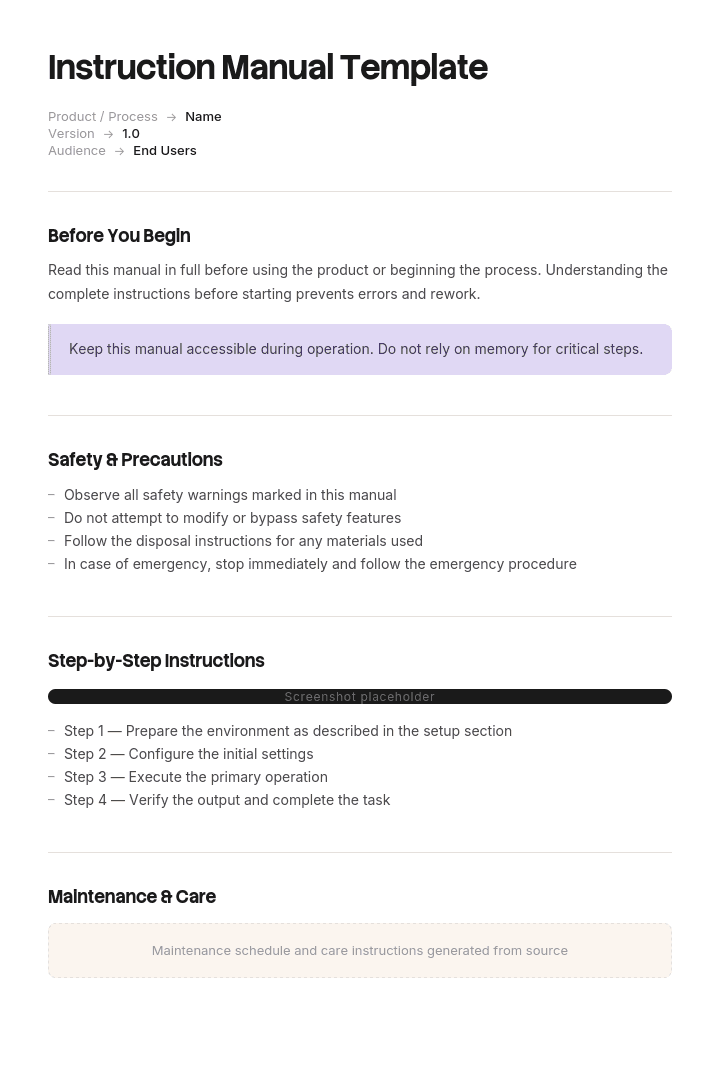
Utilisez ce modèle
Un bon manuel d’instructions aide les clients à passer d’un nouvel acheteur à un utilisateur confiant. Avec Trupeer, vous pouvez gagner des heures sur la rédaction de manuels d’instructions en commençant par un modèle de manuel d’instructions gratuit, en le personnalisant avec vos directives de marque, puis en utilisant notre créateur de manuel IA pour transformer des démonstrations produit en manuels vidéo soignés.
Un manuel d’instructions n’est pas de la documentation au sens habituel. Il accompagne un produit, il est souvent exigé légalement, et si quelque chose ne va pas avec ce produit, le manuel fait partie des premiers documents examinés.
Cela change la façon dont il doit être rédigé. La clarté compte pour les mêmes raisons qu’elle compte toujours, et l’exhaustivité des informations de sécurité compte pour des raisons qui ne s’appliquent pas à un article d’aide.
Télécharger le modèle de manuel d’instructions
Format | Idéal pour |
|---|---|
Word (.docx) | Rédiger et réviser le manuel |
La version publiée, diffusion papier et numérique | |
PowerPoint (.pptx) | Guides de démarrage rapide et instructions de configuration sur une seule page |
Excel (.xlsx) | Listes des pièces, tableaux de spécifications et matrice de traduction |
Google Docs | Relecture avec l’ingénierie, la sécurité et le juridique |
Gratuit, modifiable, sans filigrane.
Quel manuel vous faut-il ?
Le document couvre | Type | Modèle |
|---|---|---|
Assemblage, utilisation et maintenance d’un produit physique | Manuel d’instructions | Cette page |
Utiliser un produit, souvent un logiciel | Manuel utilisateur | |
Utiliser une application logicielle spécifiquement | Manuel utilisateur du logiciel | |
Apprendre à quelqu’un à faire un travail | Manuel de formation | |
Comment une entreprise ou un site fonctionne | Manuel opérationnel | |
Assurer le service et la maintenance des équipements | Manuel d’utilisation et de maintenance | |
Une tâche, sur le lieu de travail | Instruction de travail |
Comment personnaliser ce modèle dans Trupeer
Étape 1 : Ouvrir la section Modèles
Accédez à la section Modèles depuis la navigation principale.

Étape 2 : Sélectionner et ouvrir un modèle
Cliquez sur n’importe quel modèle avec lequel vous souhaitez travailler pour l’ouvrir.

Étape 3 : Développer l’affichage du modèle
Si nécessaire, développez l’affichage du modèle pour voir clairement la mise en page complète et les détails.

Étape 4 : Modifier le modèle
Cliquez sur Modifier pour commencer à modifier le modèle sélectionné.

Dans l’éditeur, vous pouvez :
Ajouter de nouvelles sections
Définir ou mettre à jour des règles de mise en forme
Ajouter un logo et ajuster sa position ainsi que les paramètres associés
Étape 5 : Enregistrer votre modèle personnalisé
Après avoir effectué toutes les modifications nécessaires, cliquez sur Enregistrer pour stocker le modèle mis à jour comme le vôtre.

Étape 6 : Aperçu et ajustements fins du modèle
Lorsque vous souhaitez voir à quoi ressemble votre modèle personnalisé, ouvrez l’Aperçu.

À partir de l’écran d’aperçu, vous pouvez continuer à effectuer des ajustements directement si nécessaire, afin de garantir que le modèle s’affiche exactement comme vous le souhaitez.
Avec un modèle de manuel d’instructions, vous pouvez :
Gagner du temps sur la rédaction : évitez la page blanche grâce à une structure de manuel complète.
Réduire les tickets d’assistance : des manuels clairs aident les clients à se servir seuls, ce qui réduit les tickets et les retours.
Rester fidèle à votre marque : appliquez votre logo, vos polices et vos couleurs à l’aide du kit de marque de Trupeer.
Améliorer la sécurité : des sections intégrées pour les avertissements, les précautions et les consignes de sécurité.
Ajouter des tutoriels vidéo : intégrez une vidéo pour les étapes difficiles à expliquer avec du texte seul.
Toucher des clients à l’international : traduisez les manuels en 65+ langues en un clic.
Le manuel fait partie du produit
Cela vaut la peine d’être dit clairement, car cela modifie les priorités.
Dans de nombreuses juridictions, fournir un produit sans instructions et informations de sécurité adéquates constitue en soi un manquement à la conformité, indépendamment du fait que le produit soit sûr. Les exigences varient considérablement selon la catégorie de produit et le marché, et elles sont plus strictes pour les machines, les produits électriques, les produits pour enfants, les dispositifs médicaux et tout ce qui présente un risque de mauvaise utilisation prévisible.
Lorsqu’un produit cause des blessures, les instructions sont examinées avec la conception. Deux questions reviennent sans cesse : le danger a-t-il été signalé, et l’avertissement était-il adéquat compte tenu de l’utilisation prévisible du produit.
Veuillez noter : cette page fournit des indications générales et ne constitue pas un avis juridique ou de sécurité. Les exigences diffèrent selon le type de produit et selon le marché, et plusieurs réglementations précisent des obligations de contenu, de format et de langue. Faites relire vos manuels par une personne qualifiée en conformité produit, pour chaque marché sur lequel vous vendez.
Informations de sécurité et hiérarchie des avertissements
Il existe une convention établie pour les mots-signal, définie dans des normes, notamment ANSI Z535 et ISO 3864, et les utiliser correctement est l’un des marqueurs les plus clairs d’un manuel produit de manière compétente.
Mot-signal | Signifie | À utiliser pour |
|---|---|---|
DANGER | Provoquera la mort ou des blessures graves s’il n’est pas évité | Dangers imminents et spécifiques. Rares, et doivent être |
AVERTISSEMENT | Peut provoquer la mort ou des blessures graves | Dangers graves potentiels |
ATTENTION | Peut provoquer des blessures légères ou modérées | Risques de blessures moindres |
AVIS | Dommages matériels, aucun risque de blessure | Dommages au produit ou à d’autres biens |
Trois règles qui comptent.
Ne pas exagérer. Apposer l’étiquette DANGER à un risque mineur dévalorise le mot, et une fois que les lecteurs comprennent que les avertissements sont exagérés, ils cessent de les lire tous. C’est un résultat pire que de sous-avertir sur un seul élément.
Ne pas utiliser ATTENTION pour les dommages matériels. C’est à cela que sert AVIS. Les mélanger brouille la distinction entre blessure et dommage que la hiérarchie existe précisément pour transmettre.
Structurer chaque avertissement de façon cohérente. Indiquez le danger, la conséquence et comment l’éviter. « AVERTISSEMENT : lame rotative. Le contact provoquera des blessures graves. Débranchez l’alimentation avant de retirer le protecteur. » Pas « AVERTISSEMENT : soyez prudent. »
Où placer les avertissements
L’emplacement compte autant que la formulation.
Une section générale de sécurité en début de document est attendue et nécessaire, mais elle ne suffit pas. Une personne qui suit l’étape sept d’assemblage ne se souviendra pas d’un avertissement de la page deux.
Placez l’avertissement juste avant l’étape à laquelle il s’applique, en plus de la section générale. La répétition est correcte ici, contrairement à d’autres types de documentation.
Utilisez un traitement visuel cohérent pour que les avertissements soient reconnaissables d’un coup d’œil, et ne divisez jamais un avertissement sur un saut de page dans un manuel imprimé.
Langue et marchés
Si vous vendez dans plus d’un pays, la traduction est souvent une exigence légale plutôt qu’une simple courtoisie. De nombreux marchés exigent des instructions et des informations de sécurité dans une langue officielle du pays de vente, et cela s’applique en particulier au contenu de sécurité.
Implications pratiques pour la façon dont vous rédigez :
Rédigez pour la traduction dès le départ. Phrases courtes, terminologie cohérente, pas d’expressions idiomatiques, pas d’humour. Un manuel rédigé en anglais simple et répétitif se traduit à moindre coût et avec précision.
Un seul terme par concept. S’il s’agit d’un « protecteur », il n’est jamais « une couverture » ou « un bouclier » ailleurs dans le manuel. Les traducteurs ne peuvent pas savoir qu’il s’agit de la même chose.
Préférez les symboles et les illustrations lorsqu’ils peuvent porter du sens, car ils traversent les langues sans coût.
Laissez de l’espace pour la mise en page. Le texte traduit est souvent plus long que l’anglais, ce qui casse les designs de pages serrés.
Conservez une matrice de traduction pour suivre les versions linguistiques existantes, à quelle révision, pour quels marchés. Le fichier Excel en inclut une.
L’erreur la plus courante : un manuel traduit à la version 1 et révisé trois fois uniquement en anglais, laissant les autres marchés avec des instructions qui ne correspondent plus au produit.
La structure du manuel d’instructions
Section | Contenu |
|---|---|
Couverture | Nom du produit, numéro de modèle, révision du manuel et date |
Informations de sécurité importantes | Avertissements généraux, utilisation prévue, mauvaise utilisation prévisible |
Sommaire | Renvois par page |
Ce qu’il y a dans la boîte | Liste des pièces avec quantités et identifiants |
Outils requis | En incluant tout ce qui n’est pas fourni |
Spécifications | Dimensions, poids, puissance, capacité, conditions de fonctionnement |
Assemblage ou installation | Étapes numérotées avec illustrations |
Fonctionnement | Comment l’utiliser, y compris les commandes et les indications normales |
Maintenance | Tâches courantes, fréquence, consommables |
Dépannage | Symptôme, cause probable, action |
Stockage et transport | Lorsque pertinent |
Mise au rebut | Fin de vie, recyclage, composants dangereux |
Garantie et assistance | Conditions, contact, ce qui l’annule |
Conformité | Déclarations, certifications, normes respectées |
Les sections sont largement fixées par convention et, dans certaines catégories, par la réglementation. Les lecteurs et les inspecteurs attendent tous cet ordre.
Utilisation prévue et mauvaise utilisation prévisible
Une section que la plupart des manuels rédigent trop étroitement.
Utilisation prévue indique à quoi le produit sert et par qui. Soyez précis sur les limites : capacité de charge, environnement de fonctionnement, restrictions d’âge, compétences requises.
Mauvaise utilisation prévisible couvre ce que les gens feront de manière prévisible et qu’ils ne devraient pas faire. Pas toutes les mauvaises utilisations imaginables, mais les choses qui vont manifestement se produire : marcher dessus, l’utiliser en extérieur, le faire fonctionner sans protecteur, le raccorder à une alimentation inadaptée.
La prévisibilité est le concept opérationnel. « Personne ne devrait avoir fait ça » est une position faible si ce que la personne a fait était entièrement prévisible et que le manuel n’en disait rien.
Assemblage et installation
Numérotez chaque étape, une action par étape.
Illustrez chaque étape lorsque l’orientation, la position ou l’ordre des opérations comptent. L’assemblage est la section la plus dépendante des illustrations de tout manuel.
Identifiez les pièces avec le même libellé que celui utilisé dans la liste des pièces et sur l’emballage.
Indiquez les spécifications des fixations lorsque c’est important : couple, séquence, engagement du filetage.
Incluez le point de contrôle. « Le panneau doit être parfaitement ajusté, sans espace » indique au lecteur s’il l’a fait correctement.
Avertissez à l’étape, pas seulement au début.
Indiquez quand une aide est nécessaire. Levage à deux personnes, et le poids, afin que le lecteur puisse juger.
Fonctionnement
Couvrez d’abord l’utilisation normale, puis les variantes, puis quoi faire lorsque quelque chose semble anormal.
Incluez à quoi ressemble et à quoi ressemble le fonctionnement normal. Un utilisateur qui ne sait pas que le ventilateur doit fonctionner pendant deux minutes après l’arrêt le signalera comme une panne, ou pire, le débranchera.
Décrivez les commandes dans l’ordre dans lequel quelqu’un les rencontre, avec les libellés exactement tels qu’ils apparaissent sur le produit.
Maintenance
Élément | Inclure |
|---|---|
Tâche | Que faire |
Fréquence | Heures, cycles ou calendrier |
Qui | Utilisateur, ou technicien qualifié uniquement |
Pièces et consommables | Avec les références des pièces |
Sécurité | Exigences d’isolement, de refroidissement, de consignation |
Conséquence en cas d’omission | Ce qui se passe si ce n’est pas fait |
La colonne « qui » compte. Séparer clairement les tâches réalisables par l’utilisateur de celles qui nécessitent un technicien qualifié est à la fois une mesure de sécurité et une mesure liée à la garantie.
Dépannage
Symptôme, cause probable, action. Rédigé avec les mots que l’utilisateur utiliserait pour décrire le problème, et non avec le vocabulaire du mécanisme.
Il ne démarre pas. Vérifiez la connexion à l’alimentation. Vérifiez que le dispositif de verrouillage de sécurité est activé. Si le voyant clignote deux fois, le coupe-circuit thermique s’est déclenché et l’appareil a besoin de 30 minutes pour refroidir.
Incluez le moment où l’utilisateur doit s’arrêter et contacter l’assistance plutôt que de continuer à chercher. Cette limite est une consigne de sécurité autant qu’une consigne de service.
Illustrations
Ici, les illustrations sont plus importantes que dans tout autre type de document, car l’assemblage et le fonctionnement sont spatiaux.
Une illustration par étape lorsque la position ou l’orientation compte.
Vues éclatées pour les assemblages, avec des pièces numérotées pour correspondre à la liste.
Angle de vue cohérent sur une séquence, pour que le lecteur ne se réoriente pas à chaque fois.
Repères utilisant les mêmes numéros que la liste des pièces.
Les dessins au trait valent souvent mieux que les photos pour l’assemblage, car ils suppriment le bruit visuel et se reproduisent bien à l’impression à faible coût.
Symboles conformes aux conventions ISO lorsqu’ils existent, car les utilisateurs les reconnaissent d’un produit à l’autre.
L’illustration est généralement le coût le plus élevé lors de la production d’un manuel d’instructions, et le facteur le plus déterminant pour savoir s’il fonctionne.
Un exemple concret
Assemblage, étape 4 sur 9
⚠ ATTENTION · Risque de pincement. Le cadre peut se refermer sous son propre poids. Gardez les mains à l’écart de la charnière pendant la mise en place.
4. Fixez le panneau d’assise au cadre.
Pièces : panneau d’assise (A), boulons M6 × 30 (F) × 4, rondelles (G) × 4.
Outils : clé hexagonale de 5 mm (fournie).
Placez le panneau A sur le cadre en alignant les trous pré-percés et en orientant la face lisse vers le haut. Insérez une rondelle (G) sur chaque boulon (F), puis mettez en place les quatre boulons à la main, sans serrer, avant de serrer l’un d’eux.
Serrez dans l’ordre indiqué, à 8 Nm. Ne dépassez pas 10 Nm.
Vérification : le panneau doit être parfaitement à plat, sans jeu, et aucun espace supérieur à 1 mm ne doit être visible à chaque coin. S’il y a du jeu, desserrez les quatre boulons et recommencez.
[Illustration : vue éclatée, pièces identifiées A, F, G, séquence de serrage numérotée de 1 à 4]
Notez les éléments : un avertissement au point de risque, des pièces identifiées avec les mêmes libellés que la liste, un ajustement à la main avant serrage (c’est l’étape que les gens font le plus souvent mal), un couple avec une limite supérieure, une vérification vérifiable, et une instruction de reprise si la vérification échoue.
Style d’écriture
Mode impératif. « Serrez les boulons » et non « les boulons doivent être serrés ».
Une instruction par phrase.
Présent, voix active.
Mesures concrètes, jamais « fermement » ou « solidement ».
Un seul terme par concept, utilisé de façon cohérente tout au long.
Pas d’expressions idiomatiques ni d’humour. Les deux se traduisent mal et n’ont pas leur place dans un document lié à la sécurité.
Phrases courtes, d’environ moins de vingt mots.
Deuxième personne, en s’adressant directement à l’utilisateur.
Tester le manuel
Donnez-le à quelqu’un qui n’a jamais vu le produit, avec le produit sous les yeux, et observez-le.
Ne dites rien. Chaque hésitation signale une étape peu claire, chaque question est un défaut, et chaque pièce qu’il prend et retourne est un problème d’identification. Notez s’il lit la section sécurité, car s’il la saute, vos avertissements doivent se trouver aux étapes.
Testez avec quelqu’un qui correspond à l’utilisateur réel ; pour les produits grand public, il s’agit de quelqu’un sans formation technique. Les ingénieurs qui testent un manuel d’assemblage le termineront avec succès et n’apprendront rien.
C’est l’heure la plus précieuse pour produire un manuel d’instructions, et elle est systématiquement ignorée.
Versions et révisions
Les manuels d’instructions nécessitent un contrôle strict des versions plus important que la plupart des autres documents, car ils sont liés à un produit qui évolue également.
Enregistrez la révision du manuel sur la couverture et reliez-la au modèle de produit ou à la plage de numéros de série concernés. Un manuel qui n’indique pas quelle version du produit il décrit crée de vrais problèmes en service.
Conservez les révisions remplacées en archive plutôt que de les supprimer. Si un produit est en service pendant des années, vous devrez peut-être produire les instructions fournies au moment de la vente.
Mettez à jour les traductions dès que le document source change, et suivez cela dans la matrice de traduction. Une révision qui n’atteint que la version anglaise est un manque de conformité dans tous les autres marchés.
Bonnes pratiques
Utilisez correctement la hiérarchie des mots-signal et ne les exagérez pas.
Des avertissements à l’étape, ainsi que dans la section sécurité.
Un seul terme par concept, tout au long.
Illustrez chaque étape lorsque l’orientation compte.
Des pièces identifiées de façon cohérente dans la liste, les illustrations et l’emballage.
Des spécifications concrètes plutôt que « fermement ».
Une vérification après les étapes qui peuvent mal tourner.
Rédigez pour la traduction dès le premier brouillon.
Testez avec un vrai novice, en tenant le produit.
Versionnez le manuel par rapport au modèle de produit, et archivez les révisions remplacées.
Erreurs courantes
Mots-signal exagérés, donc les lecteurs ignorent tous les avertissements.
ATTENTION utilisé pour les dommages matériels au lieu de AVIS.
Informations de sécurité uniquement au début, jamais à l’étape concernée.
Instructions vagues : serrer fermement, s’assurer du bon alignement.
Terminologie variable entre les sections, ce qui complique aussi la traduction.
Pièces nommées différemment dans la liste et dans les illustrations.
Pas de vérifications, donc les utilisateurs ne peuvent pas savoir si une étape a réussi.
Mauvaise utilisation prévisible non traitée.
Traductions laissées à une révision antérieure à celle du document source.
Testé uniquement par des personnes qui ont conçu le produit.
Aucune indication sur la version du produit à laquelle le manuel s’applique.
Trop peu d’illustrations, car ce sont les éléments les plus coûteux.
Enregistrer l’assemblage une fois, dans chaque langue
Ouvrez le modèle dans Trupeer AI, appliquez votre kit de marque pour que les manuels correspondent à votre documentation produit, puis modifiez directement n’importe quelle section. La configuration se trouve dans le guide du modèle.
Deux éléments rendent les manuels d’instructions coûteux. Les illustrations, qui représentent le coût le plus élevé et le facteur le plus déterminant pour savoir si le manuel fonctionne. Et la traduction, qui multiplie chaque révision par le nombre de marchés dans lesquels vous vendez.
L’enregistrement répond aux deux. Réalisez une fois l’assemblage ou la procédure de fonctionnement, et Trupeer AI produit les étapes écrites avec des visuels capturés à partir de l’enregistrement, plus une vidéo de démonstration commentée. Traduisez-la en 65+ langues : c’est le coût qui augmente le plus mal lorsqu’on le fait de manière conventionnelle.
Une vidéo ne remplace pas un manuel imprimé, et pour les produits réglementés, elle ne satisfait pas à l’exigence de fournir des instructions écrites. Ce qu’elle fait, c’est vous donner une version que les clients regardent réellement, en plus du document qui doit exister. Conservez les deux dans votre base de connaissances afin que l’assistance puisse envoyer la bonne version.
Enregistrez-le. Mettez-le à votre marque. Traduisez-le. Trupeer it.
Questions fréquentes
Existe-t-il un modèle de manuel d’instructions gratuit dans Word ?
Oui. Word est le format principal, avec toutes les sections structurées, y compris les informations de sécurité, la liste des pièces, l’assemblage, le fonctionnement, la maintenance et le dépannage. Téléchargement gratuit, sans inscription, sans filigrane.
Puis-je télécharger un modèle de manuel d’instructions gratuit ?
Oui, chaque format est un téléchargement gratuit sans compte requis et sans attribution.
Existe-t-il un modèle de manuel d’instructions gratuit en PDF ?
Oui, à la fois vierge et sous forme d’exemple complet montrant le niveau de détail dans les sections d’assemblage et de sécurité, qui sont les deux qui distinguent le plus souvent un bon manuel d’un manuel médiocre.
Existe-t-il un modèle de manuel d’instructions gratuit en PPT ou PowerPoint ?
Oui. La version PowerPoint convient aux guides de démarrage rapide et aux instructions de configuration sur une seule page, à la carte dépliable fournie dans la boîte avec le manuel complet. Elle ne remplace pas le manuel lui-même lorsque des instructions écrites sont requises.
Existe-t-il un modèle de manuel d’instructions gratuit en Excel ?
Oui, en conservant le contenu sous forme de tableau : listes des pièces avec quantités et identifiants, tableaux de spécifications, planning de maintenance, et matrice de traduction qui suit les versions linguistiques existantes pour chaque révision.
Existe-t-il un modèle de manuel utilisateur dans Word ?
Oui, bien que ce soit un document différent. Un manuel utilisateur explique comment utiliser un produit, souvent un logiciel, tandis qu’un manuel d’instructions explique comment assembler, faire fonctionner et entretenir un produit physique. Consultez le modèle de manuel utilisateur ou le modèle de manuel utilisateur du logiciel.
Existe-t-il un modèle de guide utilisateur pas à pas dans Word, gratuit ?
Oui, sur la page du modèle de guide pratique, qui couvre les guides multi-tâches. Cette page est destinée aux manuels fournis avec un produit physique et qui incluent du contenu sur la sécurité, la maintenance et la conformité.
Quel est le meilleur modèle de manuel d’instructions gratuit ?
Celui qui gère correctement la sécurité. La plupart des modèles vous donnent une structure de sommaire, ce qui est la partie facile et largement conventionnelle. Ce qui distingue un manuel compétent, c’est l’utilisation correcte de la hiérarchie des avertissements, des avertissements placés à l’étape concernée plutôt qu’au seul début, et la mauvaise utilisation prévisible traitée.
Qu’est-ce qu’un manuel d’instructions ?
Un document fourni avec un produit qui explique comment l’assembler, l’installer, l’utiliser, l’entretenir et le mettre au rebut en toute sécurité, ainsi que les informations de sécurité et les spécifications dont l’utilisateur a besoin. Dans de nombreux marchés, en fournir un est une exigence légale plutôt qu’un choix.
Que doit inclure un manuel d’instructions ?
La couverture avec le modèle et la révision, les informations de sécurité importantes, le sommaire, ce qu’il y a dans la boîte, les outils requis, les spécifications, l’assemblage ou l’installation, le fonctionnement, la maintenance, le dépannage, le stockage et le transport, la mise au rebut, la garantie et l’assistance, ainsi que les déclarations de conformité.
Quels sont les niveaux d’avertissement de sécurité dans un manuel ?
Quatre mots-signal par convention : DANGER pour les dangers qui provoqueront la mort ou des blessures graves, AVERTISSEMENT pour ceux qui pourraient, ATTENTION pour les blessures légères ou modérées, et AVIS pour les dommages matériels sans risque de blessure. Les utiliser correctement est important, car des avertissements exagérés apprennent aux lecteurs à ignorer tous les avertissements.
Où doivent se trouver les avertissements de sécurité dans un manuel ?
À la fois dans une section générale de sécurité en début de document et juste avant chaque étape à laquelle ils s’appliquent. Une personne qui suit l’étape sept d’assemblage ne se souviendra pas d’un avertissement de la page deux, et la répétition ici est correcte même si elle serait une mauvaise pratique dans d’autres documents.
Les manuels d’instructions doivent-ils être traduits ?
Dans de nombreux marchés, oui. Les exigences varient selon la catégorie de produit et le pays, et les informations de sécurité sont souvent exigées dans une langue officielle du pays de vente. Rédigez pour la traduction dès le premier brouillon, avec des phrases courtes et une terminologie cohérente, et conservez chaque version linguistique à la même révision que le document source.
Comment tester un manuel d’instructions ?
Donnez-le à quelqu’un qui n’a jamais vu le produit, avec le produit devant lui, et observez sans aider. Chaque hésitation est une étape peu claire et chaque question est un défaut. Testez avec quelqu’un qui correspond à l’utilisateur réel plutôt qu’avec des ingénieurs, qui termineront l’assemblage avec succès quelle que soit la façon dont le manuel est rédigé.
Quelle doit être la longueur d’un manuel d’instructions ?
Aussi longue que la sécurité et l’exhaustivité l’exigent, et pas plus. Les produits simples peuvent nécessiter quatre pages, et les équipements complexes plusieurs centaines. La longueur dépend du nombre d’étapes, de dangers et de tâches de maintenance, plutôt que d’un objectif, et ajouter du « remplissage » rend le contenu important plus difficile à trouver.
Puis-je personnaliser ce modèle de manuel d’instructions ?
Oui, chaque version est entièrement modifiable. L’ordre des sections est largement conventionnel et vaut la peine d’être conservé, car les utilisateurs et les inspecteurs l’attendent tous. Ce qui doit être le vôtre, c’est le contenu de sécurité, qui doit refléter votre produit spécifique et sa mauvaise utilisation prévisible, et qui doit être relu par une personne qualifiée en conformité produit pour vos marchés.

