4,8/5
Crie vídeos de formação gratuitos em minutos
Crie instantaneamente vídeos de formação apelativos e profissionais em minutos com gravação, edição e automatização potenciadas por IA.
Comece gratuitamente

A funcionalidade Create Training Videos da Trupeer, em minutos, transforma gravações do ecrã, scripts ou notas em vídeos de formação profissionais com narração por IA, animações e legendas automaticamente. Esta ferramenta permite aos formadores criar conteúdos de aprendizagem envolventes sem competências de edição ou equipamento de estúdio.
Porque é que o Create Training Videos é necessário?
As equipas de formação passam semanas a escrever scripts, filmar, editar e formatar vídeos em várias ferramentas. As atualizações exigem uma nova gravação e uma nova edição completas, tornando a manutenção do conteúdo dispendiosa. A qualidade inconsistente dos vídeos entre formadores reduz o envolvimento dos formandos.
As equipas remotas e globais não têm materiais de formação escaláveis sem uma equipa dedicada à produção de vídeo. Os processos manuais impedem a atualização frequente do conteúdo necessária para software e políticas em evolução. Quem não é especialista não consegue produzir vídeos de formação com aspeto profissional.
O que o Create Training Videos faz
A ferramenta da Trupeer analisa a atividade no ecrã para gerar automaticamente vídeos de formação completos com narração por IA, zooms nas ações-chave, legendas, quizzes e guias passo a passo. Converte gravações em bruto em módulos de formação multilíngues com marca, prontos para plataformas LMS em minutos.
Principais funcionalidades
Transforme gravações em vídeos de formação narrados automaticamente
Gere quizzes e avaliações dentro dos vídeos
Crie documentação passo a passo acompanhante
Suporte para 50+ idiomas para formação global
Como funciona o Create Training Videos da Trupeer
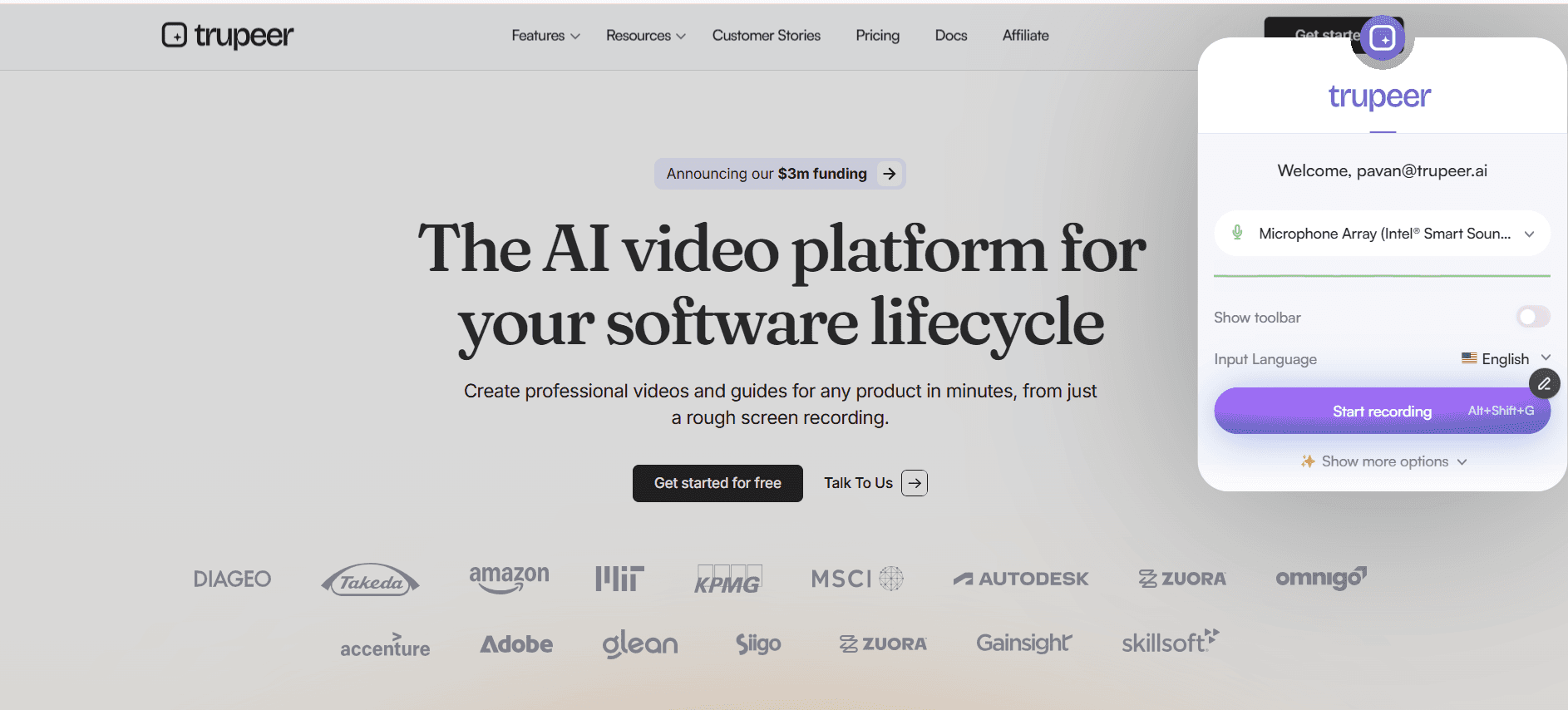
Passo 1: Grave o ecrã
Capture uma demonstração de formação com a extensão do Chrome.
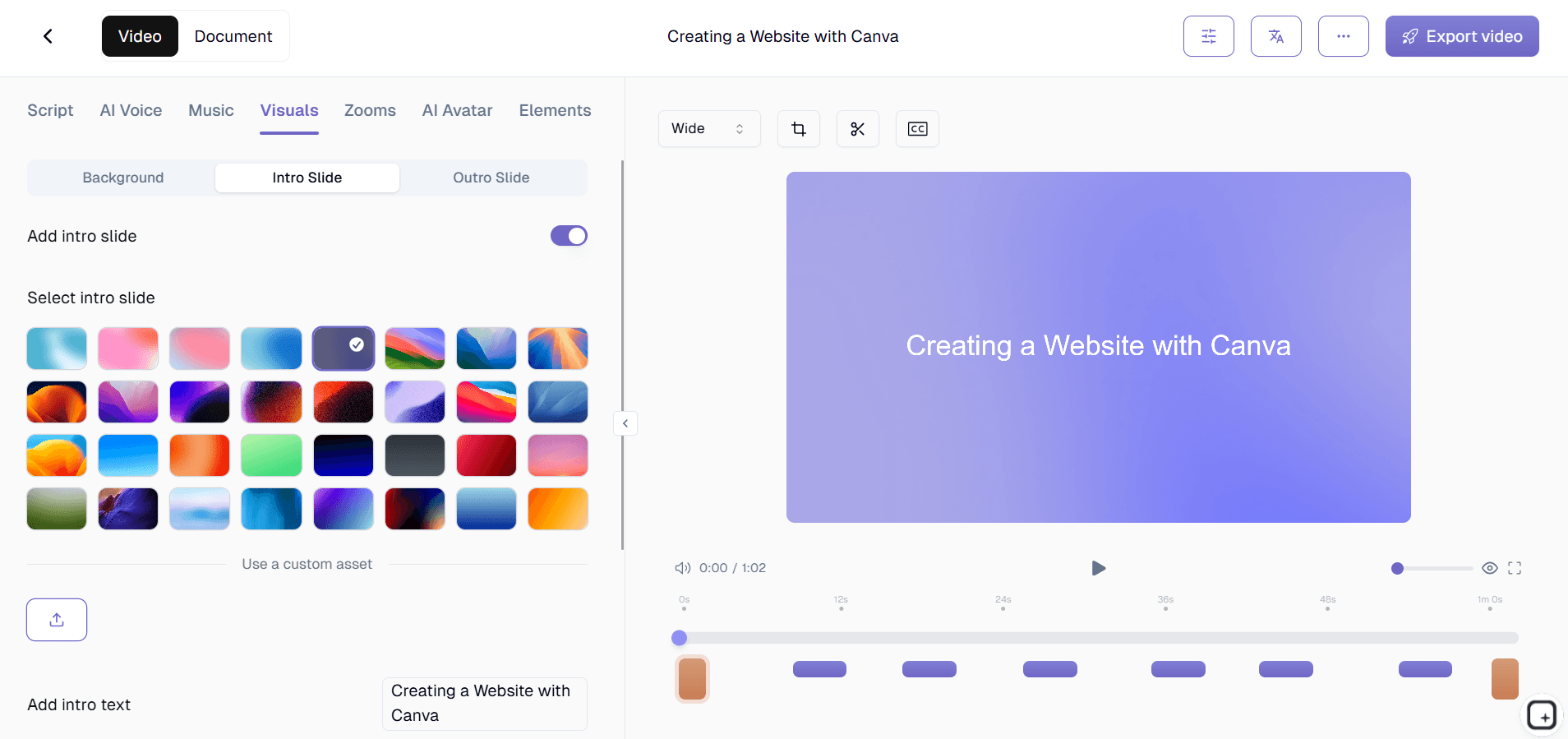
Passo 2: Processamento por IA
A ferramenta adiciona narração, zooms, legendas e cria um guia automaticamente.
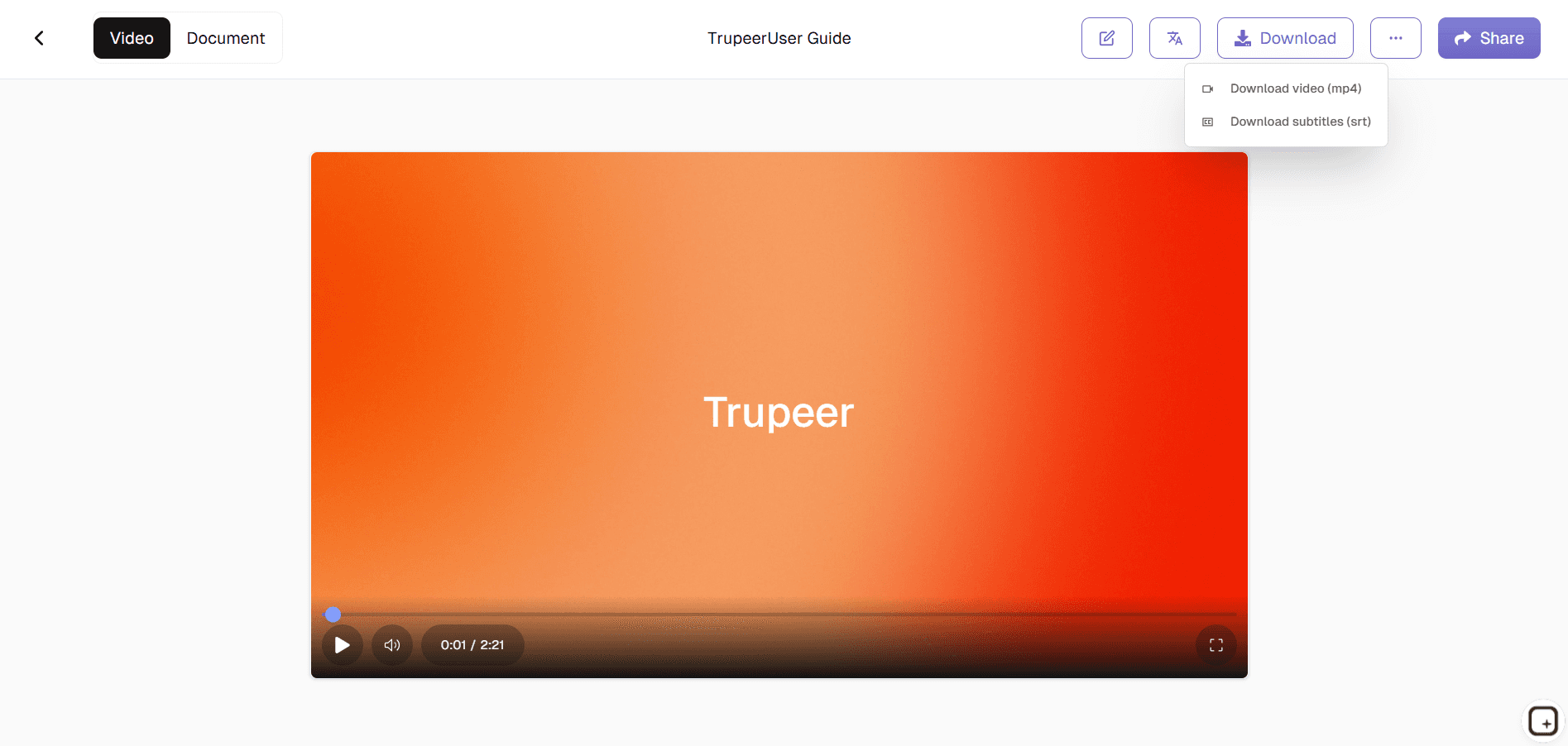
Passo 3: Personalize & Disponibilize
Edite o script, a marca e, em seguida, partilhe o vídeo de formação e o guia.
Para quem é o Create Training Videos da Trupeer
Ideal para equipas de L&D que pretendem aumentar a produção de conteúdos de formação de forma eficiente.
Formadores de RH:
Crie vídeos de onboarding rapidamenteEspecialistas de L&D:
Crie bibliotecas de cursos consistentesFormadores de Produto:
Documente atualizações de softwareEquipas de Conformidade:
Gere módulos de formação sobre políticasGestores Globais:
Disponibilize formação multilíngue
Principais funcionalidades do Create Training Videos da Trupeer
Produção profissional de formação sem conhecimentos de edição de vídeo.
Edição de vídeo por IA:
Zooms automáticos, transições e temporizaçãoNarrações naturais:
100+ vozes em 50+ idiomasQuizzes interativos:
Avaliações e prompts incorporadosSaída dupla:
Vídeo + guia passo a passo geradoAtualizações fáceis:
Edite o texto para regenerar o vídeo inteiro
Explore ferramentas relacionadas
Vantagens de Utilizar a Ferramenta da Trupeer para Criar Vídeos de Formação em Minutos
Rápido e sem esforço
Transforme conteúdos de formato longo em vídeos de formação prontos a partilhar em apenas alguns minutos.
Qualidade profissional alimentada por IA
Gere automaticamente narração limpa, cenas estruturadas e transições suaves.
Personalização simples
Modifique facilmente o texto, o timing, os elementos visuais e o estilo de voz para corresponder aos seus objetivos de formação ou às necessidades da sua marca.
Como Criar Vídeos de Formação em Minutos com o Trupeer
Passo 1
Carregue o seu conteúdo de formação
Passo 2
Deixe a IA gerar automaticamente narração, legendas e elementos visuais
Passo 3
Pré-visualizar, Personalizar e Exportar
Perguntas Frequentes
O Create Training Videos in Minutes é gratuito?
Sim, a geração de vídeos de formação الأساسية está disponível sem custos.
Que tipos de entrada são suportados por Criar Vídeos de Formação em Minutos?
Gravações de ecrã, guiões ou apresentações de diapositivos.
Que formatos pode o Create Training Videos in Minutes exportar?
Vídeos MP4 mais guias passo a passo em PDF/Word.
Com que rapidez funciona o Create Training Videos in Minutes?
Vídeo de formação completo pronto em menos de 5 minutos.
Posso personalizar a marca "Create Training Videos in Minutes"?
Sim, adicione logótipos, cores e modelos facilmente.
Mais ferramentas



