2026/03/26

Best Video Platforms for Onboarding New Users: Complete 2026 Guide

Best Video Platforms for Onboarding New Users: Complete 2026 Guide

Best Video Platforms for Onboarding New Users: Complete 2026 Guide

Best Video Platforms for Onboarding New Users: Complete 2026 Guide

Discover the best video platforms for onboarding new users. Create engaging tutorials, walkthroughs, and training content with AI-powered tools like Trupeer.

Discover the best video platforms for onboarding new users. Create engaging tutorials, walkthroughs, and training content with AI-powered tools like Trupeer.

目次

Trupeer AIを使用すれば、粗い画面録画から即座にAI製品のビデオやドキュメントを作成できます。

粗いスクリーン録画からのインスタントAI製品ビデオとドキュメント

無料で始める

無料で始める

Summarise with:

Claude

ChatGPT

Gemini

Perplexity

Grok

Buyer's Overview

In the competitive landscape of 2026, ensuring a smooth user onboarding process is not just a nice-to-have but a necessity. Companies are increasingly turning to video content to make this process more effective and engaging. One of the most pressing challenges businesses face is the outdated nature of their onboarding videos, which often lack voiceovers, branding, and analytics. This is a significant concern given that 86% of customers would remain loyal to a business that invests in onboarding content.

86% of customers say they would stay loyal to a business that invested in onboarding content.

Source: Wyzowl State of Video 2024

This guide is designed for business leaders, product managers, and customer success teams looking to enhance their user onboarding with the best video platforms available in 2026. We’ll explore tools that provide not just video recording capabilities, but also advanced features like AI voiceover, custom branding, and viewer analytics. Whether you're a startup or an established enterprise, understanding these platforms will help you choose the right tool to keep your onboarding process both efficient and engaging.

Best Video Platforms for Onboarding New Users: Head-to-Head Comparison

Feature

Trupeer

Loom

Synthesia

Vidyard

Wistia

Camtasia

Descript

Screencast-O-Matic

Riverside

Core Features

Screen Recording

Yes

Yes

No

Yes

No

Yes

Yes

Yes

Yes

Video Hosting

Yes

Yes

No

Yes

Yes

No

Yes

Yes

No

AI Capabilities

AI Voiceover

Limited

No

Yes

No

No

No

Limited

No

No

AI Avatar

No

No

Yes

No

No

No

No

No

No

Professional Features

Custom Branding

Yes

Limited

Yes

Yes

Yes

No

Limited

Limited

No

Interactive Elements

Yes

No

Limited

Yes

Limited

No

Limited

No

No

Integrations

Analytics

Yes

Limited

Yes

Yes

Yes

Limited

Yes

Limited

No

Multi-language

Yes

No

Yes

Limited

Limited

No

Limited

No

No

Free Tier

Yes

Yes

No

Yes

No

Yes

Yes

Yes

No

  1. Trupeer

    Trupeer

Trupeer is a leading platform for creating interactive and engaging onboarding videos. It caters to both small businesses and large enterprises looking to enhance user engagement through personalized video content. Trupeer stands out with its ability to integrate custom branding, interactive elements, and detailed analytics, making it an excellent choice for companies wanting to maintain a strong brand presence while gaining insights into viewer behavior.

Key Features

  • Screen recording with AI-enhanced voiceovers

  • Custom branding options for logos and colors

  • Engagement analytics with viewer drop-off tracking

  • Interactive elements like quizzes and forms

  • Multi-language support for global audiences

  • Auto-generated subtitles and translations

  • Free tier available with essential features

  • Integration with major CRM platforms

"Trupeer's user-friendly interface and robust analytics have transformed our onboarding process, making it both efficient and engaging."

Pros

Cons

Comprehensive analytics provide deep insights into video performance.

Advanced features are locked behind higher-tier plans.

Custom branding options help maintain a strong brand identity.

Limited AI voiceover capabilities compared to specialized tools.

Interactive elements increase viewer engagement significantly.

Initial setup can be complex for first-time users.

Pricing

Trupeer offers a free tier with essential features, while paid plans start at $25 per month, offering advanced analytics and customization options.

  1. Loom

    Loom

Loom has become a popular choice for quick, informal video communications, especially within teams. It's particularly well-suited for startups and small businesses that need a straightforward tool for capturing screen and webcam recordings. While it excels in simplicity and ease of use, it lacks more advanced features like AI voiceover and interactive elements, which may be a limitation for some users.

Key Features

  • Instant screen and webcam recording

  • Simple sharing via links and embedding

  • Basic video trimming and editing

  • Viewer engagement analytics

  • Integration with popular collaboration tools

  • Reactions and comments directly on videos

  • Free tier with limited features

  • Desktop and mobile app availability

Pros

Cons

Extremely user-friendly, making it ideal for quick video creation.

Lacks advanced editing features and AI capabilities.

Integrates seamlessly with popular productivity tools.

No custom branding options available.

Free tier allows extensive use without cost.

Limited analytics compared to more advanced platforms.

Pricing

Loom offers a free tier with basic features. Its Business plan starts at $10 per user per month, providing enhanced recording and collaboration tools.

  1. Synthesia

    Synthesia

Synthesia is well-known for its AI-driven video creation capabilities, making it a standout choice for businesses that want to leverage AI for creating professional-grade videos without a physical recording setup. Ideal for companies needing multilingual videos, Synthesia impresses with its ability to generate videos with AI avatars and voiceovers, though it may not be suitable for those requiring live-action recordings.

Key Features

  • AI-generated avatars for video presentations

  • Multilingual voiceover capabilities

  • Customizable templates for branding consistency

  • Integration with existing video libraries

  • Scalable video production suitable for large campaigns

  • Cloud-based access and editing

  • Detailed analytics for performance tracking

  • API access for automated workflows

Pros

Cons

AI avatars and voiceovers enable video creation without a camera.

Doesn't support live-action video recording.

Highly effective for international audiences with multilingual support.

Steep learning curve for users unfamiliar with AI tools.

Customizable branding ensures consistency across campaigns.

Higher cost compared to simpler tools with fewer features.

Pricing

Synthesia doesn't offer a free tier. Pricing starts at $30 per video, which includes full access to AI avatars and multilingual voiceovers.

  1. Vidyard

    Vidyard

Vidyard is a powerful platform for businesses that prioritize video marketing and sales. Known for its robust analytics and custom branding capabilities, Vidyard is perfect for enterprises and marketing teams aiming to increase engagement and conversion rates. However, it might be overkill for smaller teams that don't require extensive marketing features.

Key Features

  • Advanced analytics and viewer insights

  • Customizable video player with branding

  • Interactive CTAs and forms within videos

  • Integration with CRM and marketing automation tools

  • Video SEO features for enhanced discoverability

  • Personalized video messages for sales outreach

  • High-quality video hosting and streaming

  • Security features for enterprise use

Pros

Cons

Comprehensive analytics help optimize marketing strategies.

Can be expensive for small businesses with tight budgets.

Interactive elements boost viewer engagement and conversion.

Complex features may be overwhelming for non-marketing teams.

Seamless integration with top CRM platforms.

Requires a dedicated team to utilize its full potential.

Pricing

Vidyard offers a free tier for individuals, while team plans start at $15 per user per month, including advanced analytics and integrations.

  1. Wistia

    Wistia

Wistia is a platform that caters to brands looking to enhance their video marketing efforts with custom branding and detailed insights. It's best suited for marketing teams and businesses focused on building their brand presence online. However, it might not be the best choice for those needing basic screen recording features.

Key Features

  • Video hosting with custom branding options

  • Detailed video engagement analytics

  • Interactive features like annotations and CTAs

  • SEO optimization for video content

  • Integration with marketing and CRM tools

  • High-quality video streaming

  • Privacy and security controls

  • Lead generation tools within videos

Pros

Cons

Custom branding helps strengthen brand identity.

Doesn't support basic screen recording.

Detailed analytics assist in understanding viewer behavior.

Limited free options; higher-tier features cost more.

Interactive elements enhance engagement and lead capture.

Not ideal for teams looking for a simple video tool.

Pricing

Wistia does not offer a free tier. Paid plans start at $19 per month, providing essential video marketing tools and analytics.

  1. Camtasia

    Camtasia

Camtasia is a powerful screen recording and video editing software that's ideal for educators, trainers, and teams creating instructional content. It's known for its comprehensive editing suite and ease of use, making it a favorite among those who need to produce polished, instructional videos quickly. However, its lack of hosting and more advanced analytics might be a limitation for some users.

Key Features

  • Screen recording with full editing capabilities

  • Wide range of video effects and animations

  • Built-in royalty-free music and sound effects

  • Annotations, callouts, and quizzes within videos

  • Customizable templates for consistent video styles

  • High-quality export options for multiple platforms

  • Interactive quizzes and polls

  • Integrates with learning management systems

Pros

Cons

Comprehensive editing tools make it ideal for instructional content.

Lacks built-in video hosting and analytics features.

Easy to use with a wide range of effects and animations.

Not suitable for live-action video recording.

Interactive elements like quizzes enhance learning.

Higher initial cost compared to simpler tools.

Pricing

Camtasia doesn't offer a free tier. One-time purchase costs $299, including lifetime access to all features and updates.

  1. Descript

    Descript

Descript is a versatile tool that offers a unique combination of audio and video editing capabilities, making it perfect for content creators and podcasters. Known for its innovative transcription and editing features, Descript is ideal for teams needing to create and refine content quickly, though it might not be the best for those looking for advanced video hosting or analytics capabilities.

Key Features

  • Automatic transcription for easy editing

  • Overdub feature for AI-generated voiceover edits

  • Multi-track audio and video editing

  • Screen recording with instant editing

  • Collaborative editing with real-time feedback

  • Simple publishing and sharing options

  • Integration with podcast hosting platforms

  • Sound design and mixing tools

Pros

Cons

Unique transcription and overdub features for quick edits.

Lacks detailed video hosting and analytics.

Excellent for podcast and video content creation.

Not ideal for highly polished video production.

Collaborative tools enhance team workflows.

Initial learning curve for non-technical users.

Pricing

Descript offers a free tier with limited features, while paid plans start at $15 per user per month, providing full access to its advanced editing suite.

  1. Screencast-O-Matic

    Screencast-O-Matic

Screencast-O-Matic is a straightforward screen recording and video editing tool that's perfect for educators, trainers, and small businesses. Its ease of use and affordability make it an attractive option for those who need to create quick, informative content. However, it lacks some of the advanced features found in more specialized tools, such as AI enhancements and detailed analytics.

Key Features

  • Simple screen and webcam recording

  • Basic editing features for quick video creation

  • Cloud hosting and sharing capabilities

  • Integration with Google Drive and YouTube

  • Stock music and sound effects library

  • Video captions and annotations

  • Quick video exporting options

  • Free and pro versions available

Pros

Cons

Affordable and easy to use for basic video needs.

Limited advanced features compared to other tools.

Cloud hosting facilitates easy sharing and collaboration.

No AI capabilities or interactive elements.

Free version provides good value for simple projects.

Lacks robust analytics and branding options.

Pricing

Screencast-O-Matic offers a free version with basic features, while the Deluxe plan starts at $1.65 per month, offering additional editing and hosting capabilities.

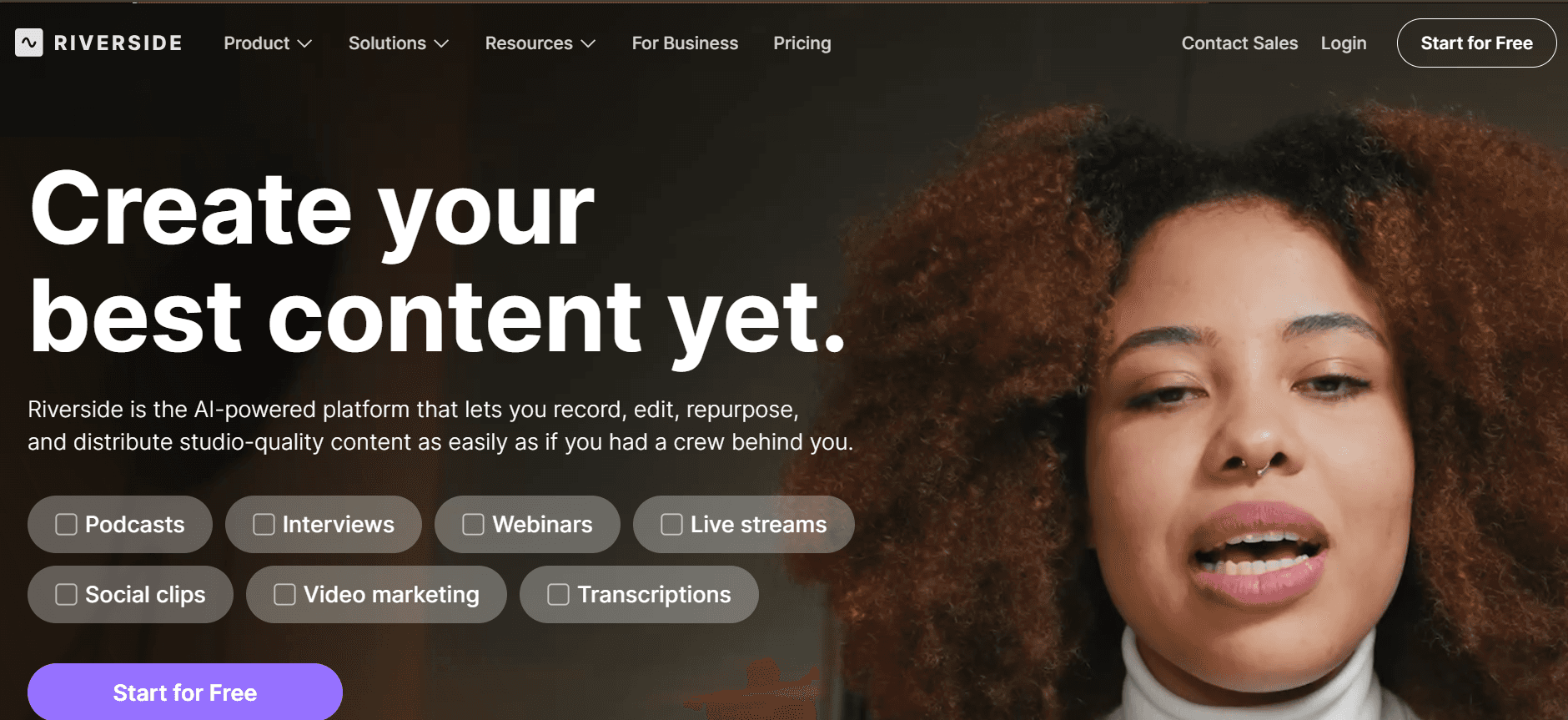
  1. Riverside

    Riverside

Riverside is a high-quality recording platform that's ideal for podcasters and content creators who prioritize audio and video quality. It's perfect for those conducting interviews or podcasts, offering an array of tools to ensure professional-grade recordings. However, if you're looking for a platform with in-depth video editing or advanced marketing features, Riverside might not meet all your needs.

Key Features

  • Studio-quality audio and video recording

  • Separate tracks for each participant

  • Live streaming capabilities

  • Automatic backups and cloud storage

  • Easy guest invitations and management

  • Integration with video conferencing tools

  • Simple editing features for quick turnarounds

  • Local recording for high-quality output

Pros

Cons

High-quality recording suitable for professional use.

Lacks advanced video editing and analytics features.

Separate audio tracks improve post-production flexibility.

No AI enhancements or interactive capabilities.

Integration with streaming platforms enhances reach.

Price may be high for users needing basic features only.

Pricing

Riverside does not offer a free tier. Pricing starts at $15 per month, providing access to high-quality recording and streaming features.

Customer Onboarding Video Challenges: What Teams Struggle With

1. Videos Feel Unprofessional Without a Proper Recording Setup

  • Many teams lack access to professional-grade cameras and microphones, resulting in poor video quality.

  • Without a dedicated studio space, background noise and lighting issues are common.

  • Lack of experience in video production often leads to amateurish results.

  • Professional editing software can be complex and costly for small teams.

2. Production Pipeline is Slow (Days Per Video)

  • Coordinating between scriptwriters, video producers, and editors can be time-consuming.

  • Revisions and approvals extend the production timeline significantly.

  • Limited resources mean that teams can't work on multiple videos simultaneously.

  • Delays in production can impact the timely release of new product features.

3. Content Goes Stale Quickly After Product Updates

  • Frequent product updates require continual video refreshes to remain accurate.

  • Updating videos traditionally involves re-recording, editing, and re-publishing.

  • Outdated content can confuse new users and affect user satisfaction.

  • Teams often struggle to keep up with the pace of product changes.

4. No Personalization Across Different Customer Segments

  • Generic videos fail to address specific needs of diverse customer groups.

  • Personalized content requires more resources and planning.

  • Without segmentation, the effectiveness of onboarding videos is reduced.

  • Lack of customer data integration limits the ability to tailor content.

5. Limited Data on Viewer Engagement and Drop-off

  • Traditional methods don't provide detailed insights into viewer interactions.

  • Understanding where viewers drop off is crucial for improving content.

  • Lack of analytics means teams can't measure the success of their videos.

  • Data-driven decision-making is hindered by insufficient engagement metrics.

Challenge

Traditional Process

Business Impact

Time Cost

Unprofessional Videos

Manual setup and basic editing

Poor user impression

5-10 hours per video

Slow Production

Sequential task handling

Delayed feature launches

7-14 days per video

Stale Content

Re-record and edit

Confused users, increased support tickets

3-5 hours per update

No Personalization

Generic video creation

Reduced engagement

2-4 hours per segment

Limited Analytics

Basic viewer count

Missed optimization opportunities

Ongoing, varies per analysis

Must-Have Features in Customer Onboarding Video Tools

  1. AI-Powered Screen Recording with Voiceover

AI-powered screen recording drastically reduces the time and effort required to create high-quality onboarding videos. By automatically generating voiceovers, these tools eliminate the need for professional voice actors, allowing teams to create polished content swiftly. Trupeer, for example, offers an AI voiceover feature that seamlessly integrates with screen recordings, delivering a professional touch even with limited resources.

This feature is invaluable for maintaining a consistent tone across videos, making the onboarding process more cohesive. Teams can focus on crafting engaging scripts while the AI handles the narration, ensuring every video sounds professional and engaging.

  1. Custom Branding (Logo, Colors, CTAs)

Custom branding options are essential for any business aiming to create a strong visual identity through their onboarding videos. Tools like Vidyard and Wistia offer extensive branding customization, allowing companies to incorporate their logos, colors, and calls-to-action seamlessly into videos. This consistency in branding helps reinforce brand recognition and trust among new users.

By embedding custom CTAs within videos, businesses can direct users towards specific actions, such as signing up for a newsletter or exploring additional features, enhancing the overall onboarding experience.

  1. Auto-Generated Subtitles and Translations

Auto-generated subtitles and translations are critical for reaching a global audience, ensuring that onboarding content is accessible to all users regardless of language barriers. Platforms like Synthesia excel in this area, offering multilingual support that automatically translates content into various languages.

Subtitles not only aid in comprehension but also improve engagement, as videos become more accessible in noisy environments or for users with hearing impairments. This feature is particularly important for companies looking to expand internationally, as it allows them to cater to diverse customer bases without creating separate content for each language.

  1. Engagement Analytics with Viewer Drop-off Tracking

Understanding how users interact with onboarding videos is crucial for optimizing content and improving user engagement. Advanced analytics features provide insights into viewer behavior, such as where they drop off and which sections hold their attention. Tools like Vidyard and Trupeer offer comprehensive analytics dashboards that help businesses make data-driven decisions about their video content.

With these insights, teams can refine their videos to better meet user needs, increasing the likelihood of successful onboarding. This data-driven approach ensures that video content evolves and improves over time, aligning with user preferences and expectations.

  1. Easy Content Updates Without Re-recording

Frequent product updates necessitate regular content refreshes, which can be resource-intensive if videos need to be completely re-recorded. Tools that support easy updates allow teams to modify existing videos without starting from scratch. Descript, for instance, offers a unique editing feature that enables changes to be made directly from the transcript, streamlining the update process.

This capability ensures that onboarding content remains current and accurate, reducing the risk of user confusion and enhancing the overall onboarding experience. By minimizing the time and effort spent on updates, teams can focus on creating new content and improving existing processes.

  1. Interactive Elements

Interactive elements such as quizzes, polls, and clickable links within videos significantly enhance user engagement by transforming passive viewing into an active learning experience. Platforms like Trupeer and Wistia provide tools to integrate these elements, encouraging users to interact with the content and reinforcing key messages.

These features not only make the onboarding process more engaging but also provide valuable feedback to teams about user comprehension and engagement levels. By incorporating interactive elements, businesses can create a more personalized and impactful onboarding journey for their users.

How to Choose Video Platforms for Onboarding New Users Based on Your Use Case

  1. Product Welcome and First-Session Setup Videos

These videos are crucial for making a strong first impression and guiding users through the initial setup. They should be concise, clear, and engaging to ensure users understand how to get started with your product immediately.

  • Key Challenges:

    • Ensuring clarity and engagement without overwhelming new users

    • Conveying essential information quickly and effectively

    • Maintaining consistency with brand messaging

  • Solutions Needed:

    • Simple, intuitive video creation tools with custom branding

    • AI voiceover for clear communication

    • Analytics to measure user engagement and comprehension

Tool

Ease of Use

Custom Branding

Analytics

Trupeer

Yes

Yes

Yes

Loom

Yes

Limited

Limited

Vidyard

Limited

Yes

Yes

  1. Feature Walkthroughs for Self-Serve Customers

Feature walkthroughs are designed to showcase specific functionalities, helping users get the most out of your product. These videos should be detailed yet easy to follow, enabling users to explore features at their own pace.

  • Key Challenges:

    • Covering complex features without losing viewer interest

    • Providing step-by-step guidance in a clear, concise way

    • Ensuring content remains up-to-date with product changes

  • Solutions Needed:

    • Detailed video editing capabilities for clarity

    • Easy content update features to accommodate product changes

    • Interactive elements to engage users

Tool

Editing Capabilities

Content Updates

Interactive Elements

Camtasia

Yes

No

Yes

Descript

Yes

Yes

Limited

Wistia

Limited

No

Yes

  1. Customer Education Video Series

Video series aim to educate users on a broader scale, covering multiple aspects of your product or service. These videos need to be engaging and informative, often acting as an extended resource for users.

  • Key Challenges:

    • Maintaining viewer engagement across multiple videos

    • Ensuring consistent quality and messaging

    • Integrating with other educational resources

  • Solutions Needed:

    • Comprehensive analytics to track viewer engagement

    • Custom branding to reinforce brand identity

    • Integration capabilities with learning management systems

Tool

Engagement Analytics

Branding

Integration

Vidyard

Yes

Yes

Yes

Synthesia

Yes

Yes

Limited

Trupeer

Yes

Yes

Yes

  1. Onboarding Email Video Sequences

Embedding videos in onboarding emails can significantly enhance user engagement, providing visual content that complements text-based instructions. These videos need to be concise and compelling to capture user interest quickly.

  • Key Challenges:

    • Keeping videos short without losing essential information

    • Ensuring compatibility with email platforms

    • Tracking viewer engagement through emails

  • Solutions Needed:

    • Short, impactful video creation tools

    • Seamless integration with email marketing software

    • Detailed analytics to track video performance in emails

Tool

Video Length Control

Email Integration

Email Analytics

Loom

Yes

Limited

Limited

Vidyard

Yes

Yes

Yes

Trupeer

Yes

Yes

Yes

  1. Customer Success Check-In Videos

Check-in videos are personal and targeted, meant to touch base with users and offer assistance. They should be personalized and informative, providing value and demonstrating customer care.

  • Key Challenges:

    • Personalizing content for individual users

    • Balancing professional quality with a personal touch

    • Ensuring regular updates and timely delivery

  • Solutions Needed:

    • AI tools for personalized content creation

    • Easy-to-use video messaging platforms

    • Integration with CRM systems for timely follow-ups

Tool

Personalization

Ease of Use

CRM Integration

Synthesia

Yes

Limited

No

Trupeer

Yes

Yes

Yes

Wistia

Limited

Limited

Yes

Best Practices for Creating Onboarding Videos

  1. Before Production

  • Define clear objectives for each video to align with user needs.

  • Create a detailed script to ensure a focused narrative.

  • Select the right tools based on specific feature requirements.

  • Plan a realistic timeline for production and review.

  1. During Production

  • Ensure high-quality audio and video for a professional appearance.

  • Incorporate branding elements consistently throughout the video.

  • Use interactive elements to engage viewers actively.

  • Record in segments to make editing and updates easier.

  1. After Production

  • Conduct a thorough review and gather feedback from stakeholders.

  • Test the video with a small user group for initial reactions.

  • Deploy videos with analytics tracking to measure effectiveness.

  • Regularly update content to reflect product changes and user feedback.

Frequently Asked Questions

  1. What are onboarding videos?

Onboarding videos are short, instructional clips designed to guide new users through the initial stages of using a product or service. They aim to educate, engage, and assist users in understanding key features and functionalities.

  1. Why should I use video for onboarding?

Video content is engaging and easy to digest, making it an effective tool for onboarding. It can convey complex information simply, cater to different learning styles, and provide a visual and auditory learning experience.

  1. Can onboarding videos be interactive?

Yes, many platforms offer interactive features such as quizzes, clickable links, and call-to-action buttons that engage viewers and provide immediate feedback, enhancing the learning experience.

  1. What tools can I use to create onboarding videos?

There are several tools available, each with unique features. Trupeer, Vidyard, and Loom are popular choices, offering a range of capabilities from screen recording to detailed analytics.

  1. Are there free tools for creating onboarding videos?

Yes, some platforms like Loom and Screencast-O-Matic offer free tiers with basic functionality. However, features like advanced analytics and custom branding may require a paid subscription.

  1. How much does it cost to create a professional onboarding video?

Costs vary depending on the tool and features required. Professional-grade tools with comprehensive features can range from $10 to $30 per month per user.

  1. How do I integrate onboarding videos into my product?

Onboarding videos can be integrated directly into your product interface, sent via email, or hosted on a learning management system. Choose a method that aligns with your user engagement strategy.

  1. How often should onboarding videos be updated?

Videos should be updated regularly to reflect new features, changes in the user interface, and user feedback. A quarterly review is recommended to ensure content remains relevant and effective.

Final Thoughts on Choosing the Right Video Platform

Investing in the right video platform for onboarding can greatly enhance user satisfaction and retention. With various tools offering diverse features, it's crucial to align your choice with specific business needs and user expectations. Whether you need simple screen recording or advanced interactive capabilities, there's a tool designed to meet your requirements.

For those looking to elevate their onboarding process with a comprehensive solution, Trupeer offers an excellent balance of functionality, ease of use, and customization. Visit Trupeer to explore how their platform can transform your onboarding videos into powerful tools for user engagement and retention.

無料でAIビデオ+ドキュメントジェネレーターを使って動画を作成し始めましょう

無料でAIビデオ+ドキュメントジェネレーターを使って動画を作成し始めましょう

Experience the new & faster way of creating product videos.

Instant AI Product Videos and Docs from Rough Screen Recordings.

Get started for free

無料で始める

Experience the new & faster way of creating product videos.

Instant AI Product Videos and Docs from Rough Screen Recordings.

Get started for free

無料で始める

Experience the new & faster way of creating product videos.

Instant AI Product Videos and Docs from Rough Screen Recordings.

Get started for free

無料で始める