Trupeer Blog
要約

2026年に向けて、効率を高めて解約率を下げるためのリーディングなクライアントオンボーディングソリューションを見つけましょう。
所要40分の読了目安 · 2026. 3月30日, 2026.
バイヤーの概要
今日の競争の激しいビジネス環境では、クライアントオンボーディングはこれまで以上に重要です。カスタマーサクセスチームは、反復的なオンボーディング業務に全時間の40%〜60%を費やしていることがよくありますが、これらは簡単に自動化できる可能性があります。この手作業のアプローチは、価値提供までの時間を長引かせるだけでなく、早期の顧客解約にもつながり、事業の成長に影響します。実際、非効率なオンボーディングプロセスは、顧客解約率の大幅な増加を招く可能性があります。
手作業のオンボーディングプロセスは、最初の3か月で顧客解約を最大20%増やすことがあります。
出典:Customer Success Insightsによるオンボーディング有効性レポート、2025年
本ガイドでは、反復作業を自動化し、クライアントの進捗をリアルタイムで可視化し、一貫した顧客体験を実現することに焦点を当てた、2026年の最適なクライアントオンボーディングソフトウェアソリューションを紹介します。オンボーディングプロセスを最適化し、解約率を下げたいと考えるカスタマーサクセスマネージャー、プロダクトマネージャー、ビジネスリーダー向けに設計されています。
ベストなクライアントオンボーディングツール:徹底比較
機能 | Trupeer | Rocketlane | Dock | GuideCX | UserPilot | Pendo | ChurnZero | Totango |
|---|---|---|---|---|---|---|---|---|
主要機能 | ||||||||
クライアントポータル | はい | はい | 限定的 | はい | いいえ | 限定的 | はい | はい |
タスク自動化 | はい | はい | はい | はい | はい | いいえ | はい | はい |
ビデオウォークスルー | はい | いいえ | はい | いいえ | はい | はい | いいえ | 限定的 |
AI機能 | ||||||||
進捗トラッキング | はい | はい | 限定的 | はい | いいえ | はい | はい | はい |
インアプリガイダンス | 限定的 | はい | いいえ | はい | はい | はい | いいえ | 限定的 |
プロフェッショナル機能 | ||||||||
メールシーケンス | はい | はい | 限定的 | はい | いいえ | はい | はい | いいえ |
CSMワークフロー自動化 | はい | はい | いいえ | はい | いいえ | 限定的 | はい | はい |
連携 | ||||||||
CRM連携 | はい | はい | はい | はい | 限定的 | はい | はい | はい |
分析 | はい | はい | はい | はい | いいえ | はい | はい | はい |
Trupeer

Trupeerは、シームレスな顧客体験を提供しながら、クライアントに向けた業務を自動化したい企業向けに設計されたクライアントオンボーディングソリューションです。特に、手作業の運用を減らし、クライアントの進捗に関する洞察を強化したいカスタマーサクセスチームに適しています。Trupeerの際立った機能の1つは、カスタマイズ可能なクライアントポータルで、クライアントがオンボーディングの道のりを追跡できます。一方で、現在はインアプリガイダンスが限定的なため、ユーザートレーニングに追加のリソースが必要になる可能性があります。
主な機能
カスタマイズ可能なクライアントポータル
自動化されたタスク管理
進捗トラッキング
メールシーケンスの自動化
CRM連携
価値提供までの時間(Time-to-Value)分析
ヘルススコア
CSMワークフロー自動化
"Trupeerによってオンボーディング時間が大幅に短縮され、戦略的なクライアントとのやり取りにより集中できるようになりました。"
メリット
デメリット
カスタマイズ可能なクライアントポータルにより、ユーザー体験が向上します。
現在、インアプリガイダンスは限定的です。
反復的なオンボーディングタスクを効果的に自動化します。
CRM連携のために追加のセットアップ時間が必要です。
包括的な分析とヘルススコアを提供します。
小規模なCRM向けの連携オプションが限定的です。
料金
Trupeerは、機能が限定された無料プランを提供しており、有料プランは月額$49からです。
Rocketlane

Rocketlaneは、プロジェクト管理とコラボレーションに強みを持つ、堅牢なクライアントオンボーディングプラットフォームです。複雑なオンボーディングプロセスを扱い、強力なプロジェクト追跡機能を必要とするチーム向けに設計されています。Rocketlaneの特徴は、テンプレート化されたプロジェクトプランによりセットアップを効率化できる点です。ただし、内蔵のビデオウォークスルーがないため、包括的なトレーニングコンテンツにはサードパーティツールの利用が必要になる場合があります。
主な機能
テンプレート化されたプロジェクトプラン
共同作業用ワークスペース
カスタマイズ可能なダッシュボード
タスク自動化
クライアントポータルアクセス
リアルタイム通知
タイムトラッキング
CRM連携
メリット
デメリット
テンプレート化されたプランでプロジェクトのセットアップを効率化します。
ビデオウォークスルー機能が内蔵されていません。
チームのコラボレーションを促進します。
小規模チームが完全に導入するには複雑になる可能性があります。
リアルタイムの進捗アップデートを提供します。
プレミアム機能のコストが高くなります。
料金
Rocketlaneは無料トライアルを提供しており、有料プランはユーザーあたり月額$49からです。
Dock

Dockは、柔軟に調整できるダッシュボードを通じてパーソナライズされたクライアント体験を提供することに重点を置いたオンボーディングソリューションです。高度な技術知識を必要とせず、カスタマイズされたオンボーディング体験を提供したいチームに最適です。Dockの強みは、クライアント向けダッシュボードを簡単に設定できる点にあります。ただし、タスク自動化機能はやや限定的で、複雑なプロセスでは手動での介入が必要になる可能性があります。
主な機能
柔軟に調整できるクライアントダッシュボード
進捗トラッキング
パーソナライズされたオンボーディングパス
コンテンツ管理
クライアントポータル
基本的なタスク自動化
CRM連携
分析レポーティング
メリット
デメリット
クライアントダッシュボードを高度にカスタマイズできます。
タスク自動化の機能が限定的です。
非技術ユーザーにも使いやすいインターフェースです。
分析機能は基本的です。
パーソナライズされたオンボーディングの道のりを実現します。
高度な機能には上位価格帯が必要です。
料金
Dockは、より高度な機能が月額$79から利用できる無料のベーシック版を提供しています。
GuideCX

GuideCXは、オンボーディングに対して構造化されたアプローチが必要なチーム向けに作られており、プロセス全体を通じてクライアントが情報を得て関与し続けられるようにするツールを提供します。特に、継続的なコミュニケーションが必要な大規模チームにとって有益です。このプラットフォームは、リアルタイムの更新を提供し、クライアントの期待値を管理できる点に強みがあります。ただし、GuideCXには統合されたビデオウォークスルーがないため、詳細なプロダクトトレーニングにはデメリットになり得ます。
主な機能
構造化されたオンボーディングプラン
リアルタイムの更新
クライアントコラボレーション
進捗レポーティング
タスク管理
メール通知
クライアントポータル
CRM連携
メリット
デメリット
明確なプランで構造化されたオンボーディングを促進します。
内蔵のビデオウォークスルーは利用できません。
リアルタイムの更新により、クライアントとのコミュニケーションが改善します。
新規ユーザーには学習曲線があります。
クライアントコラボレーション機能が充実しています。
高度な分析には上位の価格帯が必要です。
料金
GuideCXは無料トライアルを提供しており、有料プランはユーザーあたり月額$39からです。
UserPilot

UserPilotは、インアプリガイダンスとユーザーエンゲージメントを提供したいSaaS企業向けに設計されています。アプリ内でユーザーを教育する必要があるプロダクトチームにとって、非常に優れた選択肢です。UserPilotの強みは、コーディングスキルを必要とせずにパーソナライズされたインアプリ体験を作成できる点にあります。ただし、広範なCRM連携がないため、複雑な顧客管理ニーズでの活用が制限される可能性があります。
主な機能
インアプリガイダンス
ユーザーオンボーディングフロー
行動ターゲティング
分析とレポーティング
パーソナライズされたユーザー体験
ノーコードセットアップ
カスタマイズ可能なウィジェット
限定的なCRM連携
メリット
デメリット
パーソナライズされたインアプリガイダンスを提供します。
CRM連携の選択肢が限定的です。
セットアップにコーディングスキルは不要です。
SaaS以外の企業には適していません。
ターゲットに合わせたユーザーオンボーディングフローを実現します。
プレミアム機能は価格が高くなります。
料金
UserPilotは月額$99からのベーシックプランを提供しており、プレミアム機能はより上位のティアで利用できます。
6. Pendo

Pendoは、ユーザーオンボーディングとプロダクト分析を組み合わせた包括的なプラットフォームであり、ユーザーの行動を理解してプロダクトの導入(アダプション)を改善したいプロダクトマネージャーに最適です。堅牢な分析機能とインアプリメッセージ機能で知られています。ただし、Pendoの複雑さは小規模チームには圧倒的に感じられる可能性があり、学習曲線が急であることが迅速な導入の妨げになるかもしれません。
主な機能
プロダクト分析
インアプリメッセージ
ユーザーフィードバックの収集
オンボーディングツアー
パス分析
行動インサイト
ユーザーセグメンテーション
CRM連携
メリット | デメリット |
|---|---|
深い分析とインサイトを提供します。 | 新規ユーザー向けのセットアップが複雑です。 |
インアプリメッセージ機能が強力です。 | 小規模チームには高額になり得ます。 |
ユーザーフィードバックとエンゲージメントを促進します。 | 学習曲線が急です。 |
料金
Pendoは無料トライアルを提供しており、カスタムプランの料金はリクエストに応じて提示されます。
ChurnZero

ChurnZeroは、顧客解約の削減とクライアントの維持率向上に重点を置いています。クライアントのヘルスとエンゲージメントに関する実行可能なインサイトが必要なカスタマーサクセスチーム向けに、特に設計されています。ChurnZeroのリアルタイムアラートとヘルススコアリングは、先回りした顧客管理を可能にする優れた機能です。ただし、内蔵のビデオウォークスルーがないため、マルチメディアのトレーニングコンテンツを好むオンボーディングチームにとっては制約になる可能性があります。
主な機能
リアルタイムアラート
クライアントヘルススコアリング
エンゲージメントトラッキング
タスク自動化
メールキャンペーン
クライアントポータル
CRM連携
分析ダッシュボード
メリット
デメリット
クライアントのヘルスに関する実行可能なインサイトを提供します。
内蔵のビデオウォークスルー機能はありません。
先回りした顧客管理を可能にします。
小規模チームにはコストが高くなります。
エンゲージメントトラッキング機能が強力です。
マルチメディア対応が限定的です。
料金
ChurnZeroは、ビジネスのニーズに合わせてリクエストに応じた料金を提供します。
Totango
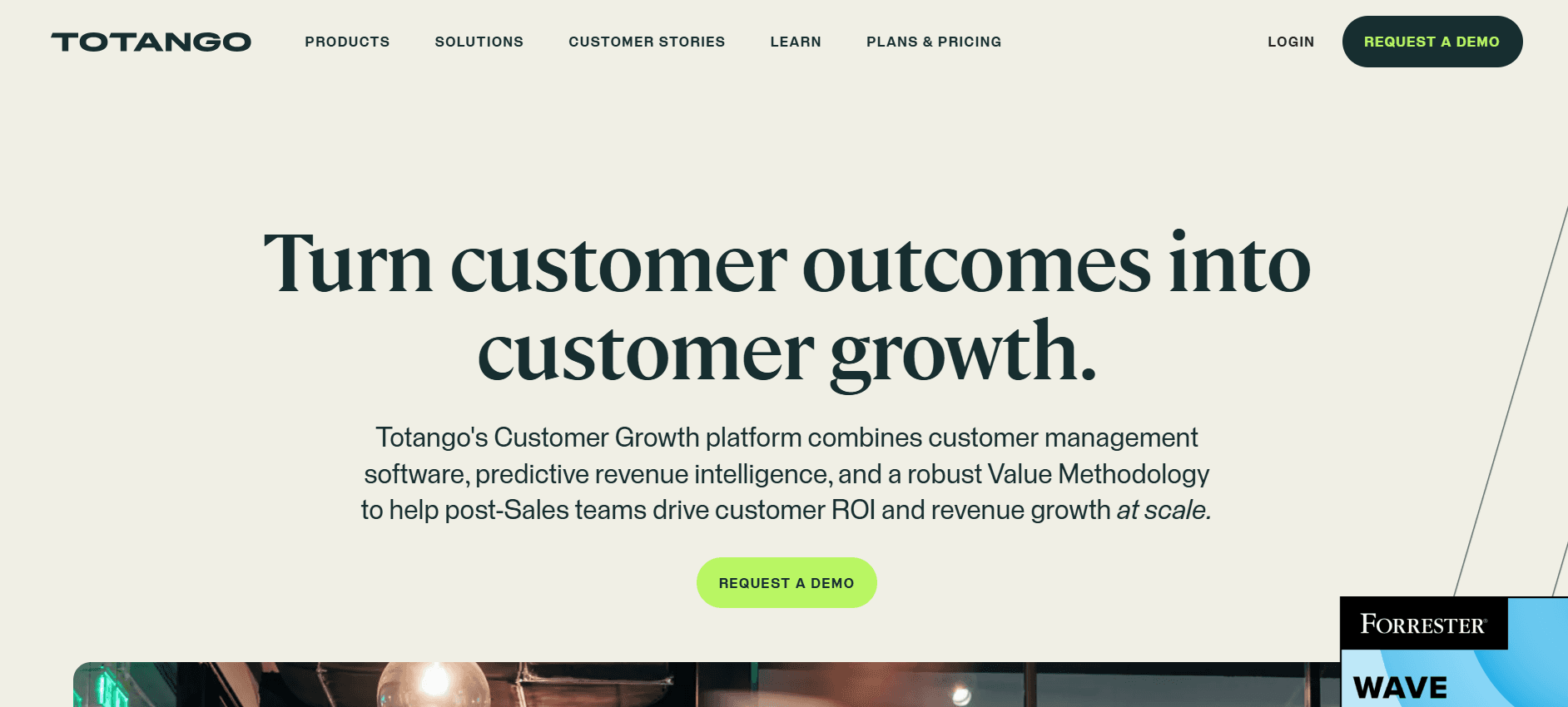
Totangoは、顧客サクセスをオールインワンで支えるプラットフォームで、クライアントの活動とエンゲージメントを包括的に把握できます。顧客維持(リテンション)戦略を改善したい企業向けに設計されています。Totangoの強みは、カスタマイズ可能なサクセスワークフローにあり、チームがクライアントのエンゲージメントへの取り組み方を調整できます。ただし、プラットフォームの機能が幅広いため、新規ユーザーには圧倒される可能性があり、習得にかなりの時間が必要です。
主な機能
カスタムサクセスワークフロー
クライアントエンゲージメントトラッキング
ヘルススコアリング
タスク自動化
メールキャンペーン管理
クライアントポータル
包括的な分析
CRM連携
メリット
デメリット
ワークフローを高度にカスタマイズできます。
新規ユーザーには複雑です。
クライアントのエンゲージメントトラッキングが強力です。
学習と導入に時間がかかります。
包括的な分析が提供されます。
高度な機能には上位の価格帯が必要です。
料金
Totangoは無料のベーシック版を提供しており、プレミアム機能は月額$199からの有料プランで利用できます。
クライアントオンボーディングの課題:チームがつまずきやすいこと
手作業によるタスク割り当て
タスクはメールで割り当てられることが多く、集中管理されたトラッキングができません。
タスクの割り当てが見落とされると、オンボーディングプロセスに遅れが生じます。
自動リマインダーの仕組みがないため、人為的なミスのリスクが高まります。
時間のかかるフォローアップが必要になり、カスタマーサクセスチームの負担が増えます。
リアルタイム可視性の不足
チームは、クライアントがオンボーディングのどこまで進んでいるかを把握するのに苦労します。
クライアントは自分がどこで詰まっているのかを特定できず、不満や遅れにつながります。
データが複数のシステムに分散しているため、実行可能なインサイトをまとめにくくなります。
クライアントの課題への対応が遅れると、クライアントとの関係に悪影響を及ぼす可能性があります。
一貫性のないオンボーディング体験
異なるCSMがさまざまなオンボーディング戦略を使うため、標準化ができません。
クライアントは一貫性のない情報を受け取るため、誤解につながる可能性があります。
オンボーディング資料やリソースのための一元的な保管場所がありません。
フィードバックのループが一貫していないため、プロセス改善が妨げられます。
価値提供までの時間が長い
オンボーディングプロセスは日ではなく数週間かかり、クライアントの満足が遅れます。
オンボーディングに時間がかかるほど、クライアントの離脱(エンゲージメント低下)のリスクが高まります。
クライアントは、製品の価値をすぐに全体像として把握できません。
長いスケジュールは、クライアントが不満を感じた場合の早期解約につながる可能性があります。
スケーラビリティの不足
CSチームは、人員を増やさない限り、より多くのクライアントを扱えません。
リソースが薄くなり、オンボーディングの品質に影響します。
手作業のプロセスは労力が大きく、チームの生産性を制限します。
効率的なオンボーディングソリューションがないと、事業の拡大が難しくなります。
課題
従来のプロセス
ビジネスへの影響
時間コスト
手作業によるタスク割り当て
メールベースの割り当て
人為的なミスと遅延の増加
週10時間以上
リアルタイム可視性の不足
追跡のための複数システム
クライアント課題の解決が遅れる
週8時間
一貫性のないオンボーディング体験
さまざまなCSM戦略
クライアントの混乱と不満
週5時間
価値提供までの時間が長い
数週間に及ぶプロセス
早期解約のリスクが高い
週15時間以上
スケーラビリティの不足
手作業が多いタスク
限られたビジネス成長
週10時間
クライアントオンボーディングツールに必須の機能
自動化されたマイルストーンとタスクのトラッキング
オンボーディングプロセスのあらゆる部分が効率的かつ期限内に完了することを保証するためには、自動化されたマイルストーンとタスクのトラッキングが不可欠です。これらのプロセスを自動化することで、チームは人為的なミスを減らし、重要な作業が見落とされることを防げます。Trupeerのようなツールは、包括的なトラッキング機能を提供することで、この領域で優れています。手作業の介入なしに進捗を把握できるため、チームの運用がスムーズになります。
自動化により、リアルタイムの更新とアラートが可能になり、オンボーディングプロセスを先回りで管理しやすくなります。この機能は、スピード感のある環境で、常に一貫したクライアント体験を提供し、タスク完了をタイムリーに実現する必要がある場合に特に重要です。
進捗が見えるクライアント向けポータル
クライアント向けポータルは、オンボーディングプロセス中の透明性を高めるために重要です。クライアントが自分の進捗を確認し、次にどのステップがあるのかを理解できるようになります。Dockは、強力なクライアントポータル機能で知られており、クライアントが自分自身でオンボーディングの道のりを追跡できます。これはクライアントを後押しするだけでなく、カスタマーサクセスチームへの問い合わせ件数を減らすことにもつながります。
こうしたポータルには、マイルストーン、完了したタスク、今後のステップを示すダッシュボードが含まれることがよくあります。この透明性は、クライアントの信頼を築き、ステータス更新の依頼頻度を下げることで、クライアントとカスタマーサクセスチーム間のコミュニケーションを効率化します。
インアプリガイダンスとビデオウォークスルー
インアプリガイダンスとビデオウォークスルーを提供することは、特に複雑なソフトウェア環境で、オンボーディングユーザーを効果的に支援するために不可欠です。UserPilotは、プロダクトチームがパーソナライズされたインアプリ体験を作成できるツールを提供することで、ここで強みを発揮します。これらの機能により、ユーザーはプラットフォームをより効果的に操作できるようになり、習熟までの時間を短縮できます。
ビデオウォークスルーも、複雑なタスクをわかりやすくする視覚的な手順を提供するため、有益です。この機能は、学習曲線を下げ、クライアントが大規模な外部サポートを必要とせずに質問への素早い答えを見つけられるようにするうえで重要です。
CRMおよびチケット管理の連携
オンボーディングツールをCRMやチケット管理システムと連携させることは、クライアントとのやり取りを全体的に把握するために欠かせません。この連携により、クライアント情報が1か所で参照できるようになり、よりパーソナライズされた効率的なサービスが可能になります。TrupeerとPendoは堅牢なCRM連携機能を提供しており、クライアントデータを統合したいチームに最適です。
こうした連携は、クライアントレコードへの自動更新を可能にし、チーム全員が同じ認識を持てるようにすることで、プロセスを効率化します。特に、複数のチャネルを通じて頻繁にクライアントとやり取りするチームにとって重要です。
価値提供までの時間の分析とヘルススコア
価値提供までの時間(Time-to-Value)やクライアントのヘルススコアに関するインサイトを提供する分析は、オンボーディング施策の成果を理解するうえで欠かせません。この領域でリーダー的存在なのがChurnZeroで、詳細なヘルススコアにより、リスクのあるクライアントを特定し、問題が拡大する前に介入できます。この先回りのアプローチは、解約率を大幅に下げる可能性があります。
価値提供までの時間の分析は、クライアントが製品によって目標をどれくらいの速さで達成しているかを評価するのに役立ちます。これらの指標をモニタリングすることで、オンボーディングプロセスにおけるボトルネックを特定し、クライアントのエンゲージメント戦略を最適化するための判断を行えます。できるだけ早く、クライアントが製品の価値を最大限に受け取れるようにするためです。
ユースケースに基づいてクライアントオンボーディングソフトウェアを選ぶ方法
SaaSプロダクトのオンボーディング自動化
SaaS企業にとって、オンボーディングの自動化は、スムーズなユーザー導入(アダプション)と維持率向上を実現するために重要です。ポイントは、ユーザーが新しいソフトウェアを操作する際に、明確なガイダンスとサポートを提供することです。UserPilotのようなツールを使えば、ユーザー固有のニーズに合わせたパーソナライズされたオンボーディングフローを作成でき、クライアントのエンゲージメントを維持し、解約率を下げるうえで欠かせません。
シームレスなオンボーディング体験に対するユーザーの期待が高い。
パーソナライズされたユーザージャーニーが必要。
解約率を下げ、導入率を高めるプレッシャーがある。
インアプリガイダンスとツールチップを提供する。
行動ターゲティングで体験をパーソナライズする。
分析を活用してオンボーディングフローを最適化する。
ツール
行動ターゲティング
インアプリガイダンス
分析
UserPilot
はい
はい
はい
Pendo
はい
はい
はい
プロフェッショナルサービスの提供
プロフェッショナルサービスでは、オンボーディングは単にクライアントをスタートさせるだけではありません。期待値を設定し、スムーズな移行を実現することが重要です。GuideCXは、構造化されたオンボーディングプランとリアルタイムの更新を提供することで、特にここで効果を発揮します。
明確なコミュニケーションが必要な複雑なプロセス。
サービス品質に対するクライアントの期待が高い。
複数の関係者を効果的に管理する必要がある。
構造化されたオンボーディングプランを導入する。
透明性を高めるためにリアルタイムの更新を活用する。
共有ワークスペースを通じてクライアントのコラボレーションを促進する。
ツール
構造化されたプラン
リアルタイムの更新
コラボレーション機能
GuideCX
はい
はい
はい
Rocketlane
はい
はい
はい
エンタープライズの導入プロジェクト
エンタープライズのプロジェクトでは、複数の部門が関わり、複雑な連携が必要になることがよくあります。Dockは、柔軟に調整できるダッシュボードと進捗トラッキングを提供することで、こうした課題に対応できる有力な候補です。全員の認識を揃えるために役立ちます。
包括的なトラッキングとレポーティングが必要。
複数の関係者が明確なコミュニケーションを求める。
既存システムとの連携の複雑さ。
可視性のために柔軟に調整できるダッシュボードを使う。
認識の一致を確実にするために進捗トラッキングを導入する。
一元化されたプラットフォームを通じて関係者のコミュニケーションを促進する。
ツール
ダッシュボードのカスタマイズ
進捗トラッキング
連携機能
Dock
はい
はい
はい
Totango
はい
はい
はい
パートナーオンボーディングプログラム
パートナーをオンボーディングする際の焦点は、強い関係性を築き、パートナーが貴社のブランドを最も効果的に表現する方法を理解できるようにすることです。Trupeerは、自動化されたワークフローとカスタマイズ可能なクライアントポータルを通じて、こうした関係性を促進するために必要なツールを提供します。
一貫したコミュニケーションとブランディングが必要。
パートナーには明確なガイダンスとサポートが必要。
オンボーディングは成長に対応できるようスケーラブルである必要がある。
タスクを効率化するために自動化されたワークフローを導入する。
ブランドの一貫性を維持するためにカスタマイズ可能なポータルを使う。
定期的なチェックインとフィードバックセッションを促進する。
ツール
自動化されたワークフロー
カスタマイズ可能なポータル
スケーラビリティ
Trupeer
はい
はい
はい
ChurnZero
はい
限定的
はい
クライアントオンボーディングのベストプラクティス
オンボーディング前
理想のオンボーディングジャーニーをマッピングし、重要なマイルストーンを特定します。
各マイルストーンの明確な基準を定義し、一貫性を確保します。
誤解を避けるために、クライアントと早い段階で期待値をすり合わせます。
プロセスを開始する前に、必要なリソースとツールを集めます。
関係者全員に情報が行き渡るよう、コミュニケーション計画を作成します。
オンボーディング中
タスク完了をタイムリーにするためにリマインダーを自動化します。
複雑なステップやプロセスを説明するためにビデオコンテンツを活用します。
懸念事項に対応するため、クライアントとのオープンなコミュニケーションを維持します。
進捗をモニタリングし、必要に応じて計画を調整して、軌道に乗せます。
改善領域を特定するためにフィードバックを収集します。
オンボーディング後
クライアントの満足度とエンゲージメントをモニタリングするためにヘルススコアを確認します。
行き詰まったアカウントから学び、改善するために振り返り(レトロスペクティブ)を実施します。
クライアントが目標を達成できているかを確認するためにフォローアップします。
今後のオンボーディングプロセスを改善するために、学びを記録します。
クライアントとの関係を育むために、定期的なチェックインを維持します。
よくある質問
クライアントオンボーディングソフトウェアとは?
クライアントオンボーディングソフトウェアは、新規クライアントを企業のワークフローに統合するプロセスを自動化し、スムーズな移行と一貫した顧客体験を実現します。通常、タスク自動化、進捗トラッキング、クライアントポータルなどの機能が含まれます。
なぜクライアントオンボーディングが重要なのですか?
効果的なクライアントオンボーディングは、解約率を下げ、顧客満足度を高め、価値提供までの時間を短縮します。クライアントが十分に関与し、貴社のプロダクトまたはサービスの価値を理解できるようにすることで、長期的な関係の成功の土台を築きます。
オンボーディングソフトウェアは既存システムと連携できますか?
はい。ほとんどのオンボーディングプラットフォームは、主要なCRMやチケット管理システムと連携を提供しています。これにより、クライアントデータが一元化され、参照可能になり、効率的なワークフローと包括的なクライアント管理が促進されます。
クライアントオンボーディングソフトウェアのセキュリティはどの程度ですか?
セキュリティは、オンボーディングソフトウェア提供者にとって最優先事項です。ほとんどのプラットフォームでは、データ暗号化、ユーザー認証、業界標準への準拠などが含まれており、機密性の高いクライアント情報を保護します。
オンボーディングソフトウェアの一般的な料金モデルは?
料金モデルはさまざまで、機能やユーザー数に基づく段階的なプランが含まれることがよくあります。ベーシックプランはユーザーあたり月額$50から始まる場合があり、より高度な機能は上位ティアで利用できます。無料トライアルは一般的で、コミットする前に企業がソフトウェアを評価できます。
無料の選択肢はありますか?
一部のオンボーディングソフトウェア提供者は、機能が限定された無料プランを提供しており、小規模企業やソフトウェアを試している段階の企業に最適です。ただし、これらの選択肢は、大規模な組織に必要な包括的な機能が不足している可能性があります。
オンボーディングソフトウェアの導入にはどれくらい時間がかかりますか?
導入にかかる時間は、オンボーディングプロセスの複雑さや既存システムによって異なります。シンプルなセットアップは数週間で完了する場合がありますが、より複雑な連携では、完全に設定してテストするまでに数か月かかることがあります。
導入中に利用できるサポートはありますか?
ほとんどの提供者は、ドキュメント、チュートリアル、専任のサポートチームなどを含む包括的なサポートを導入中に提供し、スムーズな移行を支援します。より複雑なセットアップには、プロフェッショナルサービスを提供する場合もあります。
まとめ
クライアントオンボーディングの状況は常に進化していますが、適切なソフトウェアを選ぶことは、事業を拡大し、クライアントを維持する能力に大きな違いをもたらします。ここで紹介したツールと戦略を活用すれば、オンボーディングプロセスを最適化し、クライアントの成功につなげるための準備が整います。
クライアントオンボーディング体験を変えたいですか?Trupeerが業務を効率化し、クライアント満足度を高める方法をご覧ください。Trupeerにアクセスして詳細を確認し、今日から効果的なオンボーディングへの道のりを始めましょう。


