Trupeer Blog
Riassumi

Sblocca il potenziale del tuo processo di onboarding con il software video giusto
30 min di lettura · 31 marzo 2026.
Panoramica per l'acquirente
Nel panorama digitale del 2026, la fidelizzazione dei clienti è più stimolante e più critica che mai. Le aziende sono costantemente alla ricerca di modi per mantenere i propri clienti coinvolti e soddisfatti. Secondo uno studio di Wyzowl, l'86% dei clienti dichiara che rimarrebbe fedele a un'azienda che investe in contenuti di onboarding. Tuttavia, la realtà è che molti video di onboarding sono obsoleti, consistendo semplicemente in registrazioni dello schermo senza voce fuori campo, branding o analisi. Questa guida esplora gli strumenti disponibili per elevare l'esperienza di onboarding dei tuoi clienti attraverso software video innovativi. Che tu sia una startup che cerca di scalare rapidamente o un'azienda consolidata che mira a perfezionare i propri processi, questa guida fornisce approfondimenti sui migliori strumenti presenti sul mercato, completi di un confronto dettagliato delle loro caratteristiche e funzionalità.
L'86% dei clienti dichiara che rimarrebbe fedele a un'azienda che investe in contenuti di onboarding.
I migliori software video per l'onboarding dei clienti: confronto testa a testa
Funzionalità | Trupeer | Loom | Synthesia | Vidyard | Wistia | Camtasia | Descript | Screencast-O-Matic |
|---|---|---|---|---|---|---|---|---|
Funzionalità principali | ||||||||
Registrazione dello schermo | Sì | Sì | No | Sì | No | Sì | Sì | Sì |
Funzionalità IA | ||||||||
Voce fuori campo IA | Sì | No | Sì | No | No | No | Sì | Limitato |
Avatar IA | Sì | No | Sì | No | No | No | No | No |
Funzionalità professionali | ||||||||
Branding personalizzato | Sì | Limitato | Sì | Sì | Sì | Limitato | Limitato | Limitato |
Elementi interattivi | Sì | Limitato | Limitato | Sì | Sì | No | No | No |
Hosting video | Sì | No | No | Sì | Sì | No | No | No |
Integrazioni | ||||||||
Analisi | Sì | Limitato | Sì | Sì | Sì | Sì | Limitato | No |
Sottotitoli automatici | Sì | No | Sì | Sì | Sì | Limitato | Sì | Limitato |
Multilingua | Sì | No | Sì | Limitato | Sì | No | Limitato | No |
Piano gratuito | Sì | Sì | No | Sì | No | No | Sì | Sì |
Trupeer

Trupeer è uno strumento versatile progettato per migliorare l'onboarding dei clienti attraverso soluzioni video interattive. È particolarmente adatto per le aziende che hanno bisogno di personalizzare il proprio processo di onboarding con il minimo sforzo. Trupeer si distingue per la sua voce fuori campo guidata dall'IA e per le funzionalità multilingue, che semplificano la produzione di contenuti su misura per un pubblico globale. Tuttavia, le sue funzionalità avanzate richiedono una curva di apprendimento, il che potrebbe non essere l'ideale per i team più piccoli senza specialisti video dedicati.
Caratteristiche principali
Voce fuori campo IA
Opzioni di branding personalizzato
Elementi video interattivi
Analisi complete
Sottotitoli e traduzioni automatici
Interfaccia utente intuitiva
Hosting e gestione video
Supporto multilingue
"Trupeer ha trasformato il nostro processo di onboarding permettendoci di creare contenuti accattivanti e personalizzati che risuonano con la nostra variegata clientela."
Pro
Contro
Supporta oltre 40 lingue, migliorando la portata globale.
Le funzionalità avanzate richiedono una curva di apprendimento.
Gli elementi interattivi aumentano significativamente il coinvolgimento.
Le funzionalità premium possono essere costose per le startup.
Le analisi complete forniscono informazioni sul comportamento degli utenti.
Una certa complessità di configurazione iniziale per il branding personalizzato.
Prezzi
Disponibile un piano gratuito, con piani a pagamento a partire da $19 al mese.
Loom

Loom è una scelta popolare per i team che desiderano creare registrazioni dello schermo rapide e semplici. È più adatto per gli utenti che hanno bisogno di condividere video didattici semplici senza modifiche approfondite. Sebbene sia eccellente per catturare e condividere brevi clip, Loom manca di opzioni di editing e branding avanzate, il che lo rende meno ideale per contenuti rifiniti e con branding aziendale.
Caratteristiche principali
Registrazione istantanea dello schermo
Semplici opzioni di condivisione
Strumenti di editing di base
Approfondimenti sugli spettatori
Commenti video
Integrazione con Slack e Gmail
Semplice integrazione della webcam
Analisi del conteggio degli spettatori
Pro
Contro
Facile da usare con una configurazione minima richiesta.
Funzionalità di branding limitate.
La condivisione istantanea rende la collaborazione fluida.
Nessuna funzionalità di editing avanzata.
Si integra bene con gli strumenti di comunicazione.
Non adatto per produzioni di alta qualità.
Prezzi
Disponibile un piano gratuito, con piani a pagamento a partire da $10 al mese.
Synthesia

Synthesia è specializzata nella generazione di video basati sull'IA, il che la rende uno strumento eccezionale per coloro che hanno bisogno di creare contenuti raffinati senza assumere attori o doppiatori. Ciò è particolarmente utile per le aziende multinazionali che necessitano di messaggi coerenti in diverse lingue. Tuttavia, la mancanza di funzionalità di registrazione dal vivo potrebbe limitarne l'uso per contenuti più dinamici.
Caratteristiche principali
Creazione di avatar IA
Supporto multilingue
Modelli personalizzabili
Strumenti di editing dei testi
Funzionalità di sintesi vocale (text-to-speech)
Localizzazione video
Gestione basata su cloud
Accesso API per l'automazione
Pro
Contro
Gli avatar IA riducono significativamente i costi di produzione.
Nessuna funzione di registrazione dello schermo.
Supporta oltre 50 lingue per una portata globale.
Fascia di prezzo più alta rispetto ai concorrenti.
I modelli personalizzabili migliorano la coerenza.
Elementi di interazione limitati.
Prezzi
Nessun piano gratuito, con piani a pagamento a partire da $30 al mese.
Vidyard

Vidyard offre una solida piattaforma per la creazione e l'hosting di video, rendendola ideale per le aziende che necessitano di analisi dettagliate e funzionalità di integrazione. È particolarmente vantaggioso per i team di vendita e marketing che desiderano monitorare il coinvolgimento degli spettatori e convertire i lead. Tuttavia, i principianti potrebbero trovare la sua interfaccia complessa a causa del suo ampio set di funzionalità.
Caratteristiche principali
Analisi avanzate
Branding personalizzato
Inviti all'azione (CTA) interattivi
Personalizzazione del video
Integrazione CRM
Hosting video sicuro
Strumenti di lead generation
Anteprime video personalizzate
Pro
Contro
Le analisi dettagliate migliorano gli sforzi di marketing.
Interfaccia complessa per i nuovi utenti.
Forte integrazione con i sistemi CRM.
Funzionalità del piano gratuito limitate.
Gli elementi interattivi aumentano i tassi di coinvolgimento.
Costo più elevato per le funzionalità avanzate.
Prezzi
Disponibile un piano gratuito, con piani a pagamento a partire da $15 al mese.
Wistia

Wistia è una piattaforma di hosting video che si concentra sul branding e sul coinvolgimento del pubblico. È ideale per le aziende che desiderano fidelizzare i clienti attraverso contenuti video. La sua attenzione al branding la distingue, sebbene potrebbe non offrire lo stesso livello di analisi di alcuni concorrenti.
Caratteristiche principali
Colori del player personalizzati
Moduli di acquisizione dei contatti (lead)
Strumenti SEO per i video
Mappe di calore
Suddivisione in capitoli
Condivisione sui social
Playlist personalizzabili
Strumenti di branding
Pro
Contro
Il branding personalizzato migliora l'esperienza dello spettatore.
Analisi avanzate limitate.
La forte attenzione alla SEO migliora la visibilità.
Nessun piano gratuito disponibile.
Le opzioni di personalizzazione del player sono ampie.
Prezzi più elevati per avere più funzionalità.
Prezzi
Nessun piano gratuito, con piani a pagamento a partire da $25 al mese.
Camtasia

Camtasia offre una suite completa per la registrazione dello schermo e l'editing video, rendendola ideale per coloro che necessitano di un elevato livello di controllo sui propri contenuti video. È perfetta per i creatori di contenuti educativi e per le aziende che desiderano video di qualità professionale. Tuttavia, la sua interfaccia può scoraggiare i principianti a causa della sua vasta gamma di strumenti.
Caratteristiche principali
Registrazione dello schermo
Strumenti di editing completi
Quiz interattivi
Timeline multitraccia
Funzionalità schermo verde (green screen)
Effetti audio
Animazioni e transizioni
Integrazione con PowerPoint
Pro
Contro
Strumenti di editing completi per contenuti rifiniti.
Nessuna versione gratuita disponibile.
I quiz interattivi coinvolgono meglio gli spettatori.
Ripida curva di apprendimento per i principianti.
La timeline multitraccia consente un editing dettagliato.
Fascia di prezzo più alta per la suite completa.
Prezzi
Nessun piano gratuito, con un acquisto una tantum a partire da $249.
Descript

Descript è uno strumento unico che combina l'editing audio e video con la trascrizione, rendendolo ideale per i creatori che devono lavorare con entrambi i tipi di media. Ciò lo rende particolarmente interessante per i podcaster e i creatori di video che richiedono funzionalità di editing avanzate. Tuttavia, la sua attenzione alla trascrizione potrebbe non soddisfare le esigenze di chi cerca esclusivamente strumenti di creazione video.
Caratteristiche principali
Trascrizione ed editing
Sintesi vocale Overdub
Editing multitraccia
Registrazione dello schermo
Rimozione automatica delle parole di riempimento
Strumenti di collaborazione
Modelli video
Sincronizzazione cloud
Pro
Contro
Combina l'editing audio e video in modo fluido.
Incentrato sulla trascrizione, che potrebbe non essere adatto a tutti gli utenti.
La funzionalità Overdub fa risparmiare tempo sulle voci fuori campo.
Funzionalità video avanzate limitate.
Ottimo per progetti collaborativi.
Può essere costoso per avere tutte le funzionalità.
Prezzi
Disponibile un piano gratuito, con piani a pagamento a partire da $12 al mese.
Screencast-O-Matic

Screencast-O-Matic offre una soluzione semplice per la registrazione dello schermo e l'editing video di base, rendendolo ideale per educatori e formatori che hanno bisogno di produrre rapidamente contenuti didattici. La sua semplicità è il suo punto di forza, ma potrebbe non avere le funzionalità avanzate cercate dai creatori di video professionisti.
Caratteristiche principali
Registrazione dello schermo
Editing video
Registrazioni basate su script
Sottotitoli codificati (closed captioning)
Hosting cloud
Libreria di musica d'archivio
Integrazione con Zoom
Strumenti di sovrapposizione
Pro
Contro
L'interfaccia semplice lo rende facile da usare.
Manca di strumenti avanzati di editing video.
Buona integrazione con le piattaforme educative.
Opzioni di branding limitate.
Prezzi convenienti per gli utenti attenti al budget.
Solo analisi di base.
Prezzi
Disponibile un piano gratuito, con piani a pagamento a partire da $1,50 al mese.
Riverside
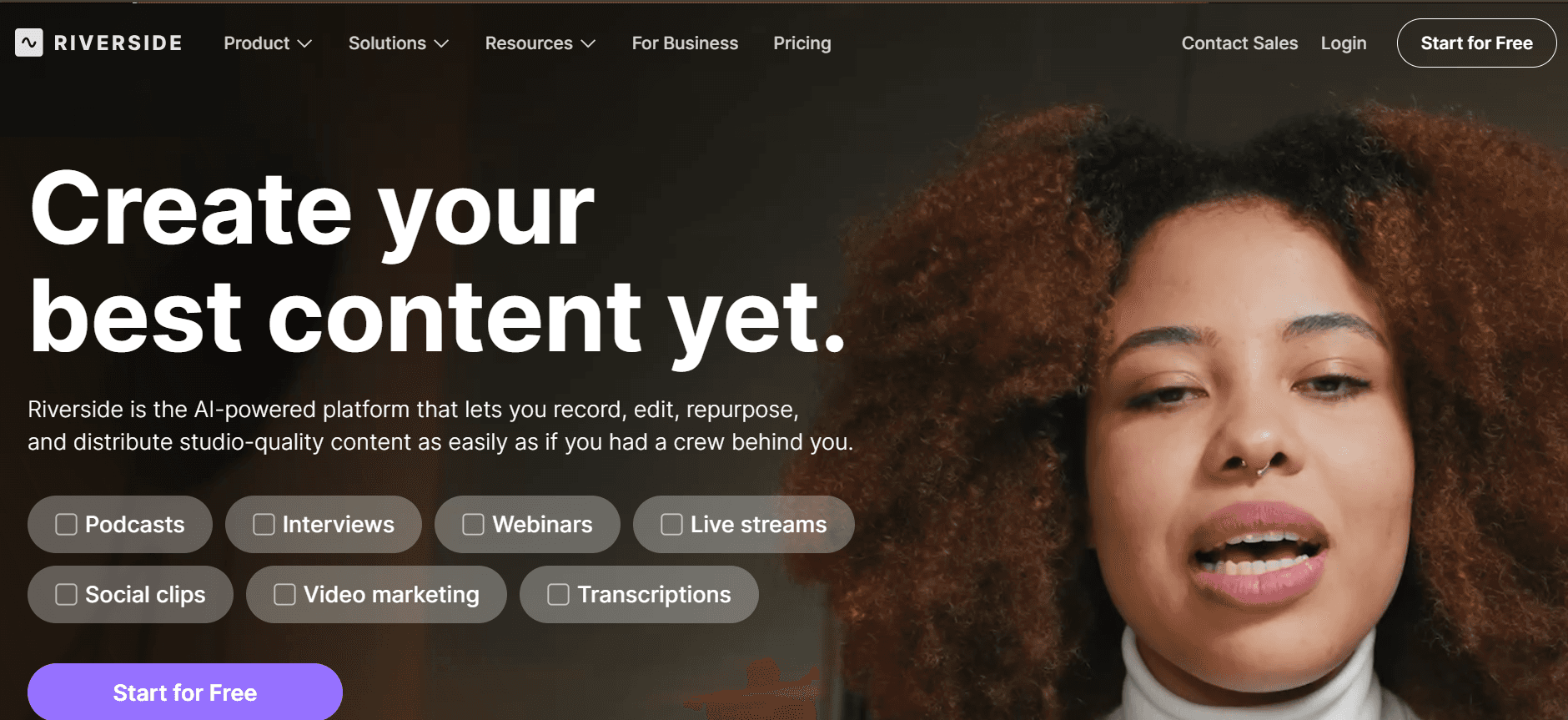
Riverside è noto per le sue funzionalità di registrazione video e podcasting di alta qualità. È particolarmente adatto per i team che danno priorità alla qualità e all'affidabilità nei loro contenuti video. Questa piattaforma eccelle nella produzione remota di podcast e video, offrendo una qualità di registrazione audio e video superiore. Tuttavia, il suo set di funzionalità potrebbe essere eccessivo per semplici video di onboarding e manca di alcune funzionalità interattive offerte da altri strumenti.
Caratteristiche principali
Registrazione video di alta qualità
Tracce audio e video separate
Strumenti per interviste da remoto
Funzionalità di streaming live
Trascrizioni automatiche
Collaborazione multi-utente
Audio di qualità da studio
Registrazione locale
Pro
Contro
Qualità video e audio eccezionale.
Manca di elementi video interattivi.
Ottimo per videointerviste da remoto.
Complesso per gli utenti che necessitano di soluzioni semplici.
La trascrizione automatica fa risparmiare tempo sull'editing.
Costo più elevato rispetto agli strumenti di base.
Prezzi
Disponibile un piano gratuito, con piani a pagamento a partire da $19 al mese.
Sfide del software video per l'onboarding dei clienti: le difficoltà dei team
1. I video sembrano poco professionali senza una configurazione di registrazione adeguata
La mancanza di microfoni e telecamere di alta qualità si traduce in una scarsa qualità audio e video.
Un'illuminazione inadeguata può far apparire i video scuri e poco attraenti.
Il rumore di fondo e le distrazioni possono distogliere l'attenzione dal messaggio.
Le limitate capacità di editing possono impedire ai team di migliorare la qualità del video in post-produzione.
2. La pipeline di produzione è lenta (giorni per video)
Processi di editing complessi possono aggiungere tempo significativo alle pianificazioni di produzione.
I processi di approvazione spesso coinvolgono più parti interessate, causando ritardi.
Problemi tecnici durante la registrazione o il montaggio possono rallentare le tempistiche.
Le risorse limitate del team possono rallentare l'intero processo di produzione.
3. I contenuti diventano obsoleti rapidamente dopo gli aggiornamenti del prodotto
I frequenti aggiornamenti del prodotto richiedono costanti revisioni dei video.
I contenuti video statici non si adattano alle nuove funzionalità o modifiche del prodotto.
I video obsoleti possono fornire informazioni errate, influenzando negativamente l'esperienza dell'utente.
Registrare nuovamente interi video richiede molto tempo e risorse.
4. Nessuna personalizzazione tra i diversi segmenti di clientela
I video adatti a tutti non riescono a soddisfare le esigenze uniche dei diversi gruppi di utenti.
La mancanza di contenuti personalizzati può portare a tassi di coinvolgimento inferiori.
Difficoltà nel segmentare i contenuti video per diversi segmenti di pubblico o regioni.
Impossibilità di adattare i contenuti alle preferenze linguistiche del cliente.
5. Dati limitati sul coinvolgimento e l'abbandono degli spettatori
Senza analisi, i team non possono identificare quali contenuti funzionano e quali no.
La mancanza di informazioni sul coinvolgimento degli spettatori può portare a mancate opportunità di ottimizzazione.
Difficoltà nel misurare l'impatto dei video sul successo dell'onboarding dei clienti.
Senza dati, migliorare i contenuti futuri diventa una sfida.
Sfida | Processo tradizionale | Impatto aziendale | Costo in termini di tempo |
|---|---|---|---|
Video poco professionali | Configurazioni di registrazione di base | Scarso coinvolgimento dei clienti | 1-2 ore per video |
Produzione lenta | Editing manuale, approvazioni | Lancio dei prodotti ritardato | 3-5 giorni per video |
Contenuto obsoleto | Registrare nuovamente i contenuti | Informazioni utente non aggiornate | 1-2 giorni per aggiornamento |
Nessuna personalizzazione | Contenuto video generico | Bassa soddisfazione del cliente | In corso |
Analisi limitate | Nessuna raccolta dati | Mancata ottimizzazione | In corso |
Funzionalità indispensabili nei software video per l'onboarding dei clienti
Registrazione dello schermo potenziata dall'IA con voce fuori campo
Le funzionalità di registrazione basate sull'IA consentono ai team di creare video di qualità professionale senza attrezzature costose. Questa funzione ti consente di aggiungere voci fuori campo automatizzate, garantendo una comunicazione coerente e chiara. Strumenti IA come Trupeer e Synthesia sono particolarmente efficaci, offrendo funzionalità di voce fuori campo che supportano più lingue, facilitando il raggiungimento di un pubblico globale. Ciò elimina la necessità di assumere doppiatori professionisti, risparmiando tempo e costi.
Branding personalizzato (logo, colori, CTA)
Il branding è fondamentale per rendere i tuoi contenuti riconoscibili e coerenti con l'immagine della tua azienda. Le opzioni di branding personalizzato ti consentono di incorporare il tuo logo, i colori del brand e i pulsanti di invito all'azione direttamente nei tuoi video. Strumenti come Wistia eccellono in questo settore, consentendo un'ampia personalizzazione che migliora la visibilità del brand e la professionalità. Il branding personalizzato assicura che i tuoi video rafforzino l'identità del tuo marchio in ogni punto di contatto con il cliente.
Sottotitoli e traduzioni generati automaticamente
I sottotitoli e le traduzioni rendono i tuoi video accessibili a un pubblico più ampio, compresi i non madrelingua e le persone con disabilità uditive. I sottotitoli generati automaticamente fanno risparmiare tempo, consentendoti di concentrarti sulla creazione di contenuti anziché sulla trascrizione manuale. Descript e Vidyard forniscono soluzioni efficaci in questo ambito, offrendo sottotitoli automatici che si adattano a varie lingue. Questa funzione non solo migliora l'accessibilità, ma migliora anche la SEO, rendendo i tuoi contenuti più facili da trovare online.
Analisi del coinvolgimento con monitoraggio dell'abbandono degli spettatori
Capire come il tuo pubblico interagisce con i tuoi contenuti è fondamentale. Le analisi del coinvolgimento forniscono approfondimenti sul comportamento degli spettatori, aiutandoti a identificare quali parti del tuo video sono più efficaci. Vidyard offre solide funzionalità di analisi, che ti consentono di monitorare i punti di abbandono degli spettatori e le metriche di coinvolgimento. Questi dati sono preziosi per perfezionare la tua strategia di contenuto, assicurando che i tuoi video migliorino continuamente e risuonino con il tuo pubblico.
Aggiornamenti facili dei contenuti senza dover registrare di nuovo
Man mano che i prodotti si evolvono, mantenere aggiornati i contenuti video è essenziale. Gli strumenti che consentono facili aggiornamenti video senza una registrazione completa semplificano notevolmente questo processo. Le funzionalità text-to-video di Synthesia consentono rapide modifiche agli script, riducendo la necessità di riprese complete. Questa funzione rappresenta una svolta per mantenere i contenuti di onboarding aggiornati e accurati, risparmiando tempo e risorse.
Elementi interattivi
Gli elementi interattivi come quiz, sondaggi e link cliccabili aumentano il coinvolgimento e la memorizzazione da parte degli spettatori. Trasformano la visione passiva in un'esperienza di apprendimento attivo. Vidyard e Trupeer forniscono funzionalità interattive che consentono di integrare questi elementi nei video in modo fluido. Questo non solo migliora il coinvolgimento degli utenti, ma fornisce anche ulteriori punti dati per analizzare le interazioni degli spettatori.
Come scegliere un software video per l'onboarding dei clienti in base al tuo caso d'uso
Video di benvenuto del prodotto e configurazione della prima sessione
Questi video sono progettati per guidare i nuovi utenti attraverso la configurazione iniziale e la familiarizzazione con il prodotto. Impostano il tono per le interazioni future e possono influenzare in modo significativo i tassi di fidelizzazione degli utenti. La sfida principale è creare contenuti completi e accattivanti senza sopraffare lo spettatore.
Sfide chiave:
Garantire che il contenuto sia conciso ma informativo.
Mantenere l'attenzione dello spettatore per tutta la durata del video.
Fornire istruzioni chiare e dettagliate.
Soluzioni necessarie:
Uso di immagini e animazioni accattivanti.
Incorporazione di elementi interattivi.
Voce fuori campo chiara e professionale per guidare gli utenti.
Strumento
Migliore funzionalità
Limitazioni
Trupeer
Elementi interattivi
Configurazione complessa per i nuovi utenti
Loom
Registrazione rapida dello schermo
Funzionalità di editing limitate
Presentazione delle funzionalità per i clienti in modalità Self-Service
Le panoramiche delle funzionalità sono essenziali per mostrare le capacità del tuo prodotto agli utenti che preferiscono esplorare da soli. La sfida sta nel creare video che si adattino a vari livelli di competenza degli utenti senza perdere il coinvolgimento.
Sfide chiave:
Bilanciare i dettagli con la semplicità per pubblici diversi.
Mantenere i contenuti aggiornati con le modifiche alle funzionalità.
Fornire un'esperienza di apprendimento fluida.
Soluzioni necessarie:
Voci fuori campo generate dall'IA per chiarezza e coerenza.
Aggiornamenti dinamici dei contenuti per riflettere le modifiche al prodotto.
Branding personalizzato per mantenere la coerenza del brand.
Strumento
Migliore funzionalità
Limitazioni
Synthesia
Avatar IA
Nessuna registrazione dal vivo
Vidyard
Analisi avanzate
Interfaccia utente complessa per i principianti
Serie di video educativi per i clienti
Le serie di video educativi aiutano a raccogliere conoscenze e competenze degli utenti, promuovendo una base clienti più informata. La sfida consiste nel mantenere l'interesse degli spettatori su più video offrendo al contempo valore.
Sfide chiave:
Creazione di contenuti di serie coerenti e accattivanti.
Garantire che gli argomenti siano pertinenti e tempestivi.
Mantenere un'elevata qualità di produzione in tutti i video.
Soluzioni necessarie:
Strumenti di produzione video e audio di alta qualità.
Analisi complete per monitorare le prestazioni della serie.
Elementi interattivi per aumentare il coinvolgimento.
Strumento
Migliore funzionalità
Limitazioni
Wistia
Branding personalizzato
Le funzionalità avanzate sono costose
Camtasia
Editing completo
Ripida curva di apprendimento
Sequenze video di onboarding via e-mail
L'integrazione di video nelle e-mail di onboarding può migliorare significativamente il coinvolgimento e la fidelizzazione. Tuttavia, garantire che questi video siano concisi, pertinenti e monitorabili in modo efficace è una sfida comune.
Sfide chiave:
Creare video brevi ma informativi.
Garantire la compatibilità tra i vari client di posta elettronica.
Monitorare il coinvolgimento degli spettatori e le prestazioni dei video.
Soluzioni necessarie:
Soluzioni di hosting video con integrazione e-mail.
Analisi per misurare le prestazioni di e-mail e video.
Contenuti accattivanti che incoraggiano l'interazione degli spettatori.
Strumento
Migliore funzionalità
Limitazioni
Vidyard
Integrazione e-mail
Curva di apprendimento per funzionalità complesse
Descript
Editing e trascrizione
La focalizzazione sull'audio potrebbe limitare le funzionalità video
Le migliori pratiche per creare video di onboarding efficaci
Prima della produzione
Identifica gli obiettivi specifici del tuo video.
Comprendi il tuo pubblico per personalizzare i contenuti in modo efficace.
Pianifica la struttura del video, lo script e gli elementi visivi in anticipo.
Raccogli tutte le risorse necessarie, come grafica, musica e attrezzatura.
Durante la produzione
Concentrati su messaggi chiari e concisi durante tutto il video.
Garantisci audio e video di alta qualità per mantenere la professionalità.
Incorpora elementi di branding in modo coerente per rafforzare l'identità del brand.
Usa immagini e animazioni accattivanti per catturare l'attenzione.
Dopo la produzione
Rivedi e modifica il video per chiarezza e coinvolgimento.
Implementa il feedback degli spettatori per migliorare i contenuti futuri.
Analizza le metriche prestazionali per valutare il successo e le aree di miglioramento.
Aggiorna regolarmente i video per assicurarti che il contenuto rimanga pertinente e accurato.
Domande frequenti
Cos'è un software video per l'onboarding dei clienti?
Il software video per l'onboarding dei clienti aiuta le aziende a creare video accattivanti e informativi per guidare i nuovi utenti attraverso le funzionalità e i servizi del prodotto. Questi strumenti spesso includono funzionalità come la registrazione dello schermo, le voci fuori campo IA e le analisi per migliorare l'esperienza di onboarding.Perché i video di onboarding sono importanti?
I video di onboarding forniscono un metodo visivo e interattivo per istruire i nuovi utenti, aiutandoli a comprendere le funzionalità del prodotto in modo rapido ed efficace. Possono migliorare il coinvolgimento, la fidelizzazione e la soddisfazione degli utenti offrendo informazioni in un formato accessibile.Posso integrare questi strumenti con i sistemi CRM esistenti?
Sì, molti strumenti video per l'onboarding dei clienti come Vidyard e Trupeer offrono l'integrazione con i sistemi CRM più diffusi, consentendo di monitorare le interazioni video e i dati dei clienti in modo fluido.Questi strumenti sono adatti per i webinar dal vivo?
Mentre alcuni strumenti come Riverside e Zoom sono ottimizzati per lo streaming live e i webinar, altri si concentrano principalmente sui contenuti preregistrati. È importante scegliere uno strumento che soddisfi le tue esigenze specifiche.È disponibile un piano gratuito?
Sì, diversi strumenti come Loom, Screencast-O-Matic e Descript offrono piani gratuiti con funzionalità di base. Tuttavia, le funzionalità avanzate richiedono in genere un abbonamento a pagamento.Quali modelli di prezzo utilizzano questi strumenti?
I modelli di prezzo variano: alcuni strumenti offrono piani basati su abbonamento e altri richiedono un acquisto una tantum. È importante valutare le proprie esigenze e il budget prima di selezionare uno strumento.Quanto tempo occorre per implementare questi strumenti?
Il tempo di implementazione può variare in base alla complessità dello strumento e alla familiarità del team con la produzione video. Molti strumenti offrono interfacce intuitive che riducono al minimo i tempi di configurazione, come Loom e Screencast-O-Matic.Questi strumenti richiedono competenze tecniche avanzate?
La maggior parte degli strumenti video per l'onboarding dei clienti è progettata per essere user-friendly, con interfacce intuitive e risorse di supporto. Tuttavia, le funzionalità avanzate potrebbero richiedere alcune conoscenze tecniche o formazione.
Considerazioni finali
Investire in un software video per l'onboarding dei clienti può migliorare significativamente il tuo processo di onboarding, portando a una maggiore soddisfazione e fidelizzazione dei clienti. Lo strumento giusto dipenderà dalle tue esigenze specifiche, dal budget e dalle capacità tecniche. Esplorare le caratteristiche e i vantaggi di ciascuna opzione può aiutarti a prendere una decisione informata.
Pronto a portare il tuo onboarding al livello successivo? Scopri come Trupeer può trasformare l'esperienza dei tuoi clienti con le sue soluzioni video innovative. Visita Trupeer per saperne di più e iniziare oggi stesso.


