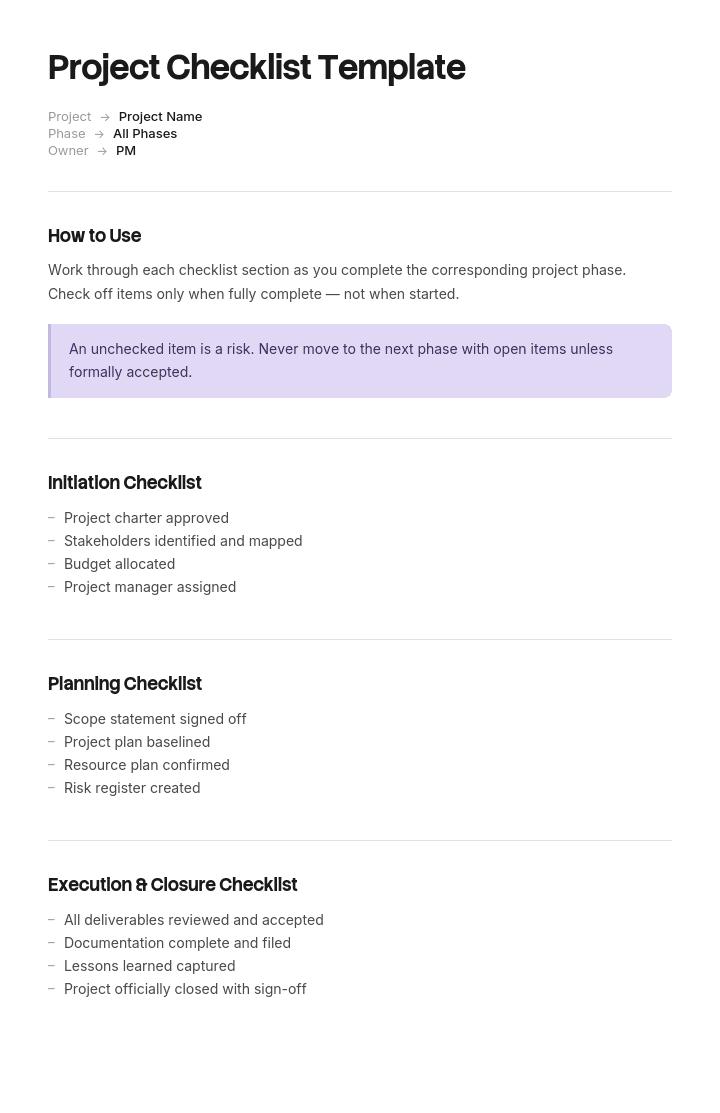
Utilisez ce modèle
Une excellente checklist de projet est l’outil de gestion de projet le plus simple qui soit — et l’un des plus efficaces. Avec Trupeer, vous pouvez gagner des heures sur la gestion de projet en commençant par un modèle de checklist de projet gratuit, en le personnalisant avec vos directives de marque, puis en transformant les checklists en mises à jour vidéo qui alignent les équipes à travers les différentes phases.
Qu’est-ce qu’un modèle de checklist de projet, et que doit-il faire ?
Une checklist de projet est une liste des éléments qui doivent se produire à des moments définis d’un projet : au lancement, avant la validation de la planification, avant le go-live, à la clôture.
Un modèle vous donne les éléments et leur regroupement. Cherchez-en un et vous en trouverez énormément, presque tous organisés de la même façon : une checklist par phase, avec des éléments regroupés selon la phase à laquelle ils appartiennent.
Ce regroupement pose problème, et il vaut la peine d’être précis sur la raison. Une checklist peut faire l’une de deux choses. Elle peut agir comme un contrôle, ce qui signifie qu’elle empêche quelque chose de se produire tant que les éléments ne sont pas terminés. Ou elle peut agir comme un enregistrement, ce qui signifie qu’elle documente que les choses se sont produites.
Les deux sont légitimes, et une seule des deux empêche réellement quelque chose. La plupart des checklists de projet sont décrites comme la première et utilisées comme la seconde.
Une checklist qui enregistre n’est pas un contrôle
Voici un test qui prend une heure si votre outil de gestion de projet conserve des horodatages.
Pour un échantillon de projets clôturés, comparez la date à laquelle chaque élément de checklist a été validé avec la date de fin de la phase à laquelle il appartient.
Les éléments validés avant la fin de la phase faisaient plausiblement quelque chose. Ceux validés après ne faisaient pas : quoi qu’ils étaient censés empêcher s’était déjà produit ou avait déjà échoué, et la validation enregistrait un fait plutôt que de changer une situation.
Le schéma est presque universel et il s’aggrave à mesure que le projet avance. Les éléments de lancement sont généralement validés à temps, parce que le projet est nouveau, tout le monde est disponible et l’enthousiasme est élevé. Les éléments de clôture sont validés en retard, par lots, par une seule personne, des jours ou des semaines après que le projet a été déclaré terminé.
Une checklist complétée par lots après l’événement est une forme. Ce n’est pas une critique des personnes qui la complètent, qui font à ce moment-là la seule chose disponible pour elles. C’est une critique du moment où les éléments ont été planifiés.
Comment personnaliser ce modèle dans Trupeer
Étape 1 : Ouvrir la section Modèles
Accédez à la section Modèles depuis la navigation principale.

Étape 2 : Sélectionner et ouvrir un modèle
Cliquez sur n’importe quel modèle avec lequel vous souhaitez travailler pour l’ouvrir.

Étape 3 : Développer l’affichage du modèle
Si nécessaire, développez l’affichage du modèle pour voir clairement la mise en page complète et les détails.

Étape 4 : Modifier le modèle
Cliquez sur Modifier pour commencer à apporter des changements au modèle sélectionné.

Dans l’éditeur, vous pouvez :
Ajouter de nouvelles sections
Définir ou mettre à jour des règles de mise en forme
Ajouter un logo et ajuster sa position ainsi que les paramètres associés
Étape 5 : Enregistrer votre modèle personnalisé
Après avoir effectué tous les changements nécessaires, cliquez sur Enregistrer pour stocker le modèle mis à jour comme le vôtre.

Étape 6 : Aperçu et ajustements fins du modèle
Lorsque vous souhaitez voir à quoi ressemble votre modèle personnalisé, ouvrez l’Aperçu.

À partir de l’écran d’aperçu, vous pouvez continuer à effectuer des ajustements directement si nécessaire, afin de garantir que le modèle s’affiche exactement comme vous le souhaitez.
Avec un modèle de checklist de projet, vous pouvez :
Gagner du temps sur le suivi : évitez la page blanche grâce à une structure conçue pour l’exécution du projet.
Couvrir chaque phase : des sections intégrées pour le lancement, l’exécution, la mise en ligne et la clôture.
Rester conforme à votre marque : appliquez votre logo, vos polices et vos couleurs grâce au brand kit de Trupeer.
Standardiser sur tous les projets : utilisez le même modèle pour chaque initiative.
Réduire les étapes oubliées : les checklists empêchent les étapes manquées dans les processus critiques.
Atteindre des équipes internationales : traduisez vos checklists de projet en 65+ langues en un clic.
Le dernier moment responsable pour chaque élément de checklist
Le correctif consiste à réordonner l’ensemble de la checklist en fonction d’une question différente.
Pour chaque élément, demandez-vous : quel est le dernier moment où le fait de le compléter pourrait encore changer le résultat ?
Ce n’est pas la même chose que la phase dans laquelle il est conventionnellement reporté. C’est généralement plus tôt, parfois beaucoup plus tôt, et parfois il s’avère que c’est plus tard que la phase dans laquelle il se trouve actuellement, ce qui signifie que l’élément est complété sans information.
Quelques exemples de l’écart.
« Décommissionnement du système historique terminé » est un élément de clôture. Son dernier moment responsable se situe à la planification, lorsque vous décidez qui est responsable du décommissionnement, ce qui doit être migré et à quoi ressemble le basculement. Une fois laissé à la clôture, la seule action disponible est de le cocher ou non.
« Leçons apprises consignées » est un élément de clôture. Son dernier moment responsable se situe en continu pendant la livraison, car les leçons sont oubliées en quelques semaines et les personnes qui les ont apprises sont passées à autre chose.
« Responsable des bénéfices confirmé » est généralement un élément de clôture. Son dernier moment responsable se situe au lancement, car si personne ne sera responsable des bénéfices, la question se pose de savoir si le projet doit démarrer.
« Destinataire du transfert nommé » est un élément de clôture dont le dernier moment responsable se situe à la planification, car le destinataire doit être impliqué dans la conception de ce qu’il recevra.
Réordonnez chaque élément de cette façon et la structure de la checklist change considérablement. La plupart de ce qui se trouve à la clôture passe plus tôt. Quelques éléments restent, et ils sont réellement définitifs.
Comment réordonner votre checklist selon le niveau d’action
Élément, généralement regroupé | Phase conventionnelle | Dernier moment responsable | Pourquoi |
|---|---|---|---|
Responsable des bénéfices confirmé | Clôture | Lancement | Si personne ne le prend en charge, la justification du projet est remise en question |
Destinataire du transfert nommé | Clôture | Planification | Le destinataire doit façonner ce qu’il recevra |
Plan de décommissionnement validé | Clôture | Planification | Nécessite une migration et la conception du basculement, pas une simple coche |
Documentation terminée | Clôture | En continu pendant la livraison | Écrite à la fin signifie écrite de mémoire |
Leçons consignées | Clôture | En continu pendant la livraison | Le détail disparaît en quelques semaines |
Coûts finaux réconciliés | Clôture | Clôture | Ne peut vraiment pas arriver plus tôt |
Ressources libérées | Clôture | Clôture | Vraiment définitif |
Dossier projet archivé | Clôture | Clôture | Vraiment définitif |
Critères de succès validés | Planification | Lancement, dans le brief | Le décider plus tard signifie qu’il s’intègre au plan plutôt qu’au problème |
Registre des risques alimenté | Planification | Lancement | Les plus grands risques sont visibles avant le début de la planification |
Faites ce test sur votre propre liste plutôt que d’adopter le tableau. L’exercice prend une matinée avec deux ou trois personnes qui ont déjà mené des projets, et l’argument qu’il produit sur les éléments individuels est là que se trouve la valeur.
Deux choses ressortent généralement. Une part importante des éléments de clôture se déplace, ce qui constitue la principale découverte. Et quelques éléments précoces sont supprimés, parce que leur dernier moment responsable est plus tard et qu’ils étaient complétés par simple supposition pour satisfaire une étape de validation.
Pourquoi la checklist de clôture est toujours la plus faible
La clôture est planifiée au moment où il y a le moins d’énergie et le moins de leviers, et elle entraîne avec elle les éléments dont les conséquences s’étendent le plus loin.
Au moment où un projet arrive à la clôture, l’équipe est en partie dispersée. Le chef de projet est déjà sur la prochaine tâche. L’attention du sponsor a changé lorsque la livraison a été terminée. Il ne reste plus de budget et aucun rendez-vous n’est prévu dans l’agenda. Tout ce qui reste est un formulaire à compléter par une seule personne.
Pendant ce temps, les éléments qui y restent sont ceux qui coûtent de l’argent en silence pendant des années : des systèmes historiques non désactivés, des licences non annulées, des transferts non acceptés, des bénéfices dont personne n’est responsable, et de la documentation que personne n’a rédigée.
Il existe deux réponses qui fonctionnent, et une seule est réaliste.
La réponse irréaliste consiste à essayer davantage à la clôture, généralement en escaladant ou en rendant la checklist obligatoire. Cela produit des coches par lots plutôt qu’une véritable complétion.
La réponse réaliste consiste à déplacer les éléments vers l’endroit où ils peuvent être réalisés. Presque tout ce qui figure sur une checklist de clôture a un dernier moment responsable plus tôt. Ce qui reste à la clôture doit être court, réellement définitif, et réalisable par une seule personne en une après-midi, car c’est la ressource qui sera effectivement disponible.
Modèle de checklist de projet gratuit : les éléments et leurs moments
Copiez depuis ici. La structure est basée sur le moment plutôt que sur la phase.
En-tête. Projet, sponsor, chef de projet, phase actuelle, responsable du jalon.
Pour chaque élément : l’élément, le moment auquel il doit être terminé, la personne responsable, les preuves requises, et s’il s’agit d’un jalon ou d’un enregistrement.
Au lancement. Problème énoncé avec un nombre, en faisant référence au project brief. Sponsor nommé et confirmé. Responsable des bénéfices nommé et confirmé, par écrit. Critères de succès convenus comme mesures. Trois principaux risques identifiés. Autorité budgétaire confirmée. Décision de poursuivre consignée.
À la planification. Limite du périmètre convenue et documentée. Destinataire du transfert nommé et impliqué. Approche de décommissionnement convenue lorsqu’un élément est remplacé. Délais d’approvisionnement confirmés, conformément à notre modèle de plan de gestion des achats. Dépendances avec d’autres équipes convenues avec ces équipes. Responsable de la documentation nommé.
En continu pendant la livraison. Documentation tenue à jour plutôt que rédigée à la fin. Leçons consignées au fur et à mesure. Matériel de transfert préparé au moment où l’on construit. Les changements de périmètre sont consignés avec approbation.
Avant le go-live. Procédure de basculement rédigée et répétée, conformément à notre modèle de méthode de procédure. Plan de retour testé et chronométré. Équipe support formée et prête. Communications envoyées. Critères d’acceptation atteints et prouvés.
À la clôture, et uniquement des éléments réellement définitifs. Coûts finaux réconciliés. Contrats clôturés. Ressources libérées. Dossier projet archivé. Clôture formelle consignée. Date de revue des bénéfices fixée avec le responsable nommé.
Registre des jalons. Quels éléments sont des jalons, qui peut les porter, et ce qu’ils portent.
Copiez jusqu’ici.
Le PMO dont les éléments de clôture ont été cochés après la clôture
Braemore Group est une société de services financiers dont le bureau de projet gère environ quarante projets par an. Elle disposait de quatre checklists par phase : lancement avec vingt-deux éléments, planification avec trente et un, livraison avec dix-huit et clôture avec vingt-six. Au total, quatre-vingt-dix-sept éléments, avec une complétion reportée au conseil à 94 %.
Quelqu’un a comparé les dates de coche aux dates de fin de phase pour dix-huit projets clôturés.
Les éléments de lancement ont été cochés avec une médiane de quatre jours avant la fin de la phase. Planification, deux jours avant. Livraison, un jour avant.
Les éléments de clôture ont été cochés avec une médiane de onze jours après que le projet ait été officiellement déclaré clôturé. Sur plusieurs projets, six des vingt-six éléments de clôture ont été cochés le même jour en un seul lot par le chef de projet.
Trois éléments spécifiques ont été vérifiés par rapport à la réalité.
Session de leçons apprises tenue. Cochée sur dix-sept des dix-huit projets. En réalité tenue sur six. Personne n’avait demandé pour les onze autres.
Responsable des bénéfices confirmé et transfert terminé. Cochée sur les dix-huit. Lorsque le bureau de projet a contacté les responsables des bénéfices nommés six mois plus tard, neuf des dix-huit ne savaient pas qu’ils étaient responsables d’un bénéfice.
Décommissionner le système historique. Cochée sur quatre projets où le système historique fonctionnait manifestement encore. L’un d’eux consommait encore quarante et un mille livres par an en licences deux ans après la clôture du projet. Sur l’ensemble des dix-huit projets, les coûts historiques non désactivés s’élevaient à environ cent vingt-sept mille livres par an.
La cause racine n’était pas de la négligence. C’était que les éléments de clôture étaient planifiés à la clôture, lorsque l’équipe était dispersée, que le chef de projet était déjà sur le projet suivant, et que la seule action restante disponible était de compléter le formulaire.
Le réordonnancement a pris une matinée. Sur les vingt-six éléments de clôture, dix-neuf ont été déplacés plus tôt : approche de décommissionnement validée à la planification, destinataire du transfert nommé à la planification, leçons consignées en continu, responsable des bénéfices confirmé au lancement avec une signature. Sept sont restés à la clôture, tous réellement définitifs. Onze éléments de lancement ont été supprimés, car leur dernier moment responsable était plus tard et ils étaient traités sur la base de suppositions.
Au cours des douze mois suivants et sur vingt et un projets, les éléments de clôture ont été cochés avec une médiane de deux jours avant la clôture formelle. Les sessions de leçons ont été réellement tenues sur dix-sept des vingt et un. Dix-neuf des vingt et un responsables des bénéfices savaient qu’ils étaient responsables d’un bénéfice lors du contrôle à six mois. Le décommissionnement des systèmes historiques a été terminé sur chaque projet où cela s’appliquait.
La checklist est devenue plus courte et a commencé à fonctionner.
Variantes de checklist de projet : lancement, planification, livraison, clôture
L’ensemble conventionnel, et ce que chacun sert réellement une fois que vous acceptez l’argument ci-dessus.
Lancement. Confirmer que le projet doit démarrer : sponsor, problème, responsable des bénéfices, autorité budgétaire, mesures de succès. C’est la checklist la plus utile à avoir comme jalon strict, car arrêter un projet ici coûte peu et l’arrêter plus tard n’est pas le cas.
Planification. Confirmer que l’approche est solide et que les engagements sont réels : limite du périmètre, dépendances convenues avec les équipes dont elles dépendent, délais, destinataire du transfert. La plupart de ce qui se trouve conventionnellement à la clôture appartient ici.
Livraison. Doit être courte et surtout continue plutôt qu’un jalon. Documentation à jour, changements approuvés, leçons consignées.
Go-live ou mise en œuvre. Le véritable jalon, et celui pour lequel maintenir le projet a une valeur réelle. Basculement, retour arrière, préparation du support, acceptation.
Clôture. Courte et définitive. Coûts, contrats, ressources, archive, date de revue des bénéfices.
Variantes de construction et réglementées. Lorsque des validations statutaires, des inspections et une documentation de transfert sont prescrites, la checklist suit l’obligation plutôt que cette structure, et notre modèle de manuel d’exploitation et de maintenance couvre spécifiquement le livrable de transfert.
Comment rédiger une checklist de projet que les gens utilisent réellement
Commencez par ce qui a mal tourné. Regardez les dix derniers projets et listez ce qui a été manqué, ce qui a été découvert trop tard ou ce qui a été découvert en retard. Ce sont vos éléments, et la liste sera plus courte et plus précise que n’importe quel modèle publié.
Pour chacun, déterminez le dernier moment responsable plutôt que la phase à laquelle cela ressemble appartenir.
Décidez s’il s’agit d’un jalon ou d’un enregistrement, et indiquez-le sur l’élément. Les mélanger sans les étiqueter, c’est ce qui pousse les gens à traiter tout comme un enregistrement.
Nommez qui est responsable, en tant que rôle, et quelles preuves comptent. « Transfert terminé » sans définition de preuves est coché. « Transfert terminé, prouvé par l’acceptation écrite du destinataire » ne l’est pas.
Ensuite, supprimez. Tout élément qui n’a jamais rien empêché et n’empêchera jamais rien doit être retiré, car une checklist longue apprend aux gens à cocher plutôt qu’à vérifier.
Combien d’éléments une checklist de projet doit-elle contenir ?
Moins que ce que vous avez. Pour un projet de taille moyenne, quelque chose dans la fourchette de trente à cinquante éléments sur toute la durée du projet est viable, avec la majorité au lancement et à la planification, là où ils peuvent encore changer quelque chose.
Le nombre compte moins que le ratio entre jalons et enregistrements. Une checklist entièrement composée d’enregistrements n’empêchera rien. Une checklist entièrement composée de jalons bloquera les projets et sera contournée. Un équilibre raisonnable consiste à avoir environ un cinquième des éléments comme de vrais jalons, concentrés au lancement et au go-live.
Le signe d’alerte fiable d’une checklist qui a dépassé son utilité est la coche par lots, ce que révèle le test des horodatages. Si les éléments sont complétés en groupes le même jour, la liste n’est plus lue élément par élément.
Qui détient le jalon, et ce qu’il peut contenir
Un jalon ne fonctionne que si quelqu’un peut le porter et si quelque chose vaut la peine d’être porté.
Nommez le responsable du jalon pour chaque jalon, et faites-en quelqu’un en dehors de l’équipe projet. Un chef de projet qui porte son propre projet présente un conflit évident, et les jalons qui comptent sont précisément ceux qu’un projet sous pression veut réussir à franchir.
Ensuite, soyez précis sur ce qui est porté. Passage à la phase suivante. Validation du déblocage de la prochaine tranche de budget. Autorisation de passer au go-live. Affectation du chef de projet à son prochain projet, qui est un levier réellement efficace pour les éléments de clôture et que presque personne n’utilise.
Lorsque rien ne peut être porté, l’élément est un enregistrement et doit être étiqueté comme tel plutôt que décrit comme un jalon. Prétendre le contraire, c’est ce qui apprend à tout le monde que les jalons sont consultatifs.
Puis-je obtenir un modèle de checklist de projet dans Excel ou Word ?
Excel, et ce n’est pas proche. Une checklist a besoin d’une ligne par élément, avec des colonnes pour l’élément, le moment où il est dû, le rôle responsable, jalon ou enregistrement, les preuves requises, la date de complétion et la date de fin de la phase. Cette dernière paire rend le test des horodatages possible, et ce test est la chose la plus utile sur cette page.
Ajoutez une mise en forme conditionnelle qui signale tout élément complété après la fin de sa phase, ainsi qu’un décompte des éléments complétés par lots à la même date. Les deux prennent quelques minutes et les deux vous indiquent si la checklist fonctionne.
Word convient au récit qui l’entoure : ce que signifie chaque jalon, qui le porte, et ce qui se passe lorsqu’un jalon est porté. Cela doit figurer dans vos documents de gouvernance de projet plutôt que dans la liste.
PDF de la checklist complétée archivée avec le dossier projet à la clôture, exporté depuis la feuille en direct.
Comment rendre les éléments de transfert possibles pendant la livraison
Le plus grand groupe d’éléments qui devrait être déplacé plus tôt est la documentation et le transfert, et il y a une raison pratique pour laquelle cela ne se fait pas : les rédiger pendant la livraison entre en concurrence avec la livraison, et la livraison l’emporte.
Ainsi, les éléments restent à la clôture, où ils sont rédigés de mémoire par quelqu’un qui n’a pas le temps, ou pas rédigés du tout et cochés quand même.
Trupeer AI modifie suffisamment l’économie pour rendre le déplacement réaliste. Quiconque construit ou configure quelque chose l’enregistre une fois, au fil de l’eau, et la sortie est un guide écrit ainsi qu’une vidéo issus du même passage, avec les étapes et les captures d’écran déjà enregistrées. Le matériel de transfert s’accumule pendant la livraison plutôt que d’être fabriqué après.
Enregistrez-le. Marquez-le. Traduisez-le. Trupeerisez-le.
Cela améliore aussi ce que reçoit le destinataire. Un transfert assemblé à partir d’enregistrements réalisés au moment où les choses se font est exact d’une manière qu’un document écrit à la clôture ne l’est jamais, et cela signifie que l’élément de transfert peut être prouvé plutôt que simplement affirmé. Lorsque le transfert correspond à un rôle complet plutôt qu’à un système, notre knowledge transfer SOP couvre comment l’exécuter correctement, et le matériel vit dans votre base de connaissances avec une identité visuelle cohérente. Les instructions de configuration se trouvent dans le guide de configuration du modèle de document.
Questions fréquentes
Existe-t-il un modèle de checklist de projet gratuit dans Excel ?
Excel est le bon format, et la structure ci-dessus s’intègre directement dans une feuille. Il n’y a pas de téléchargement verrouillé et pas de formulaire. Les deux colonnes à ajouter à ce que vous utilisez déjà sont la date de fin de phase à côté de la date de complétion, et un marqueur jalon ou enregistrement, car ensemble, elles vous indiquent si la checklist fait quelque chose.
Existe-t-il un modèle de checklist de projet gratuit dans Word ?
Word convient au document de gouvernance qui explique les jalons plutôt qu’à la checklist elle-même. Une checklist dans Word ne peut pas signaler les éléments complétés après la fin de leur phase, ce qui est l’analyse qui compte ; c’est pourquoi la plupart des équipes finissent par la déplacer vers un tableur dans le trimestre.
Existe-t-il un modèle de checklist de projet gratuit en PDF ?
Exportez la checklist complétée à la clôture dans le cadre du dossier projet. Conservez la version de travail modifiable, car les éléments passent entre les phases au fur et à mesure que vous découvrez où se situe réellement leur dernier moment responsable.
Existe-t-il un modèle de checklist de lancement de projet ?
Le lancement est la checklist la plus utile à avoir comme jalon strict : sponsor confirmé, problème énoncé avec un nombre, responsable des bénéfices nommé par écrit, autorité budgétaire confirmée, mesures de succès convenues. Six à dix éléments. Arrêter un projet au lancement coûte peu, c’est pourquoi c’est le jalon qui offre le meilleur retour.
Existe-t-il un modèle de checklist de clôture de projet ?
Oui, et l’argument de cette page est qu’elle devrait être beaucoup plus courte que la plupart. Coûts finaux réconciliés, contrats clôturés, ressources libérées, dossier projet archivé, clôture formelle consignée, date de revue des bénéfices fixée. Tout le reste, conventionnellement listé à la clôture, a un dernier moment responsable plus tôt et doit donc se trouver ailleurs.
Qui doit être responsable de la checklist de projet ?
Le bureau de projet ou toute personne qui détient la gouvernance de projet possède la liste. Les jalons individuels ont besoin d’un responsable en dehors de l’équipe projet, car les jalons qui comptent sont ceux qu’un projet sous pression veut réussir à franchir. Un chef de projet qui porte son propre projet n’est qu’un jalon de nom.
À quelle fréquence faut-il revoir la checklist ?
Passez en revue la liste elle-même chaque année par rapport à ce qui a mal tourné sur les projets récents, en supprimant les éléments qui n’ont jamais rien empêché et en ajoutant des éléments pour les échecs qui se sont reproduits. Faites aussi le test des horodatages chaque année, car la coche par lots revient et c’est le premier signe que la liste n’est plus lue.
Quelle est la différence entre une checklist de projet et un plan de projet ?
Un plan décrit le travail : périmètre, calendrier, ressources et dépendances, ce que couvre notre modèle de plan de projet IT. Une checklist décrit les conditions qui doivent être satisfaites à des moments définis, quel que soit le travail. Le plan est spécifique à un projet et la checklist est standard pour tous, c’est pourquoi la checklist vaut la peine d’être investie une fois.

