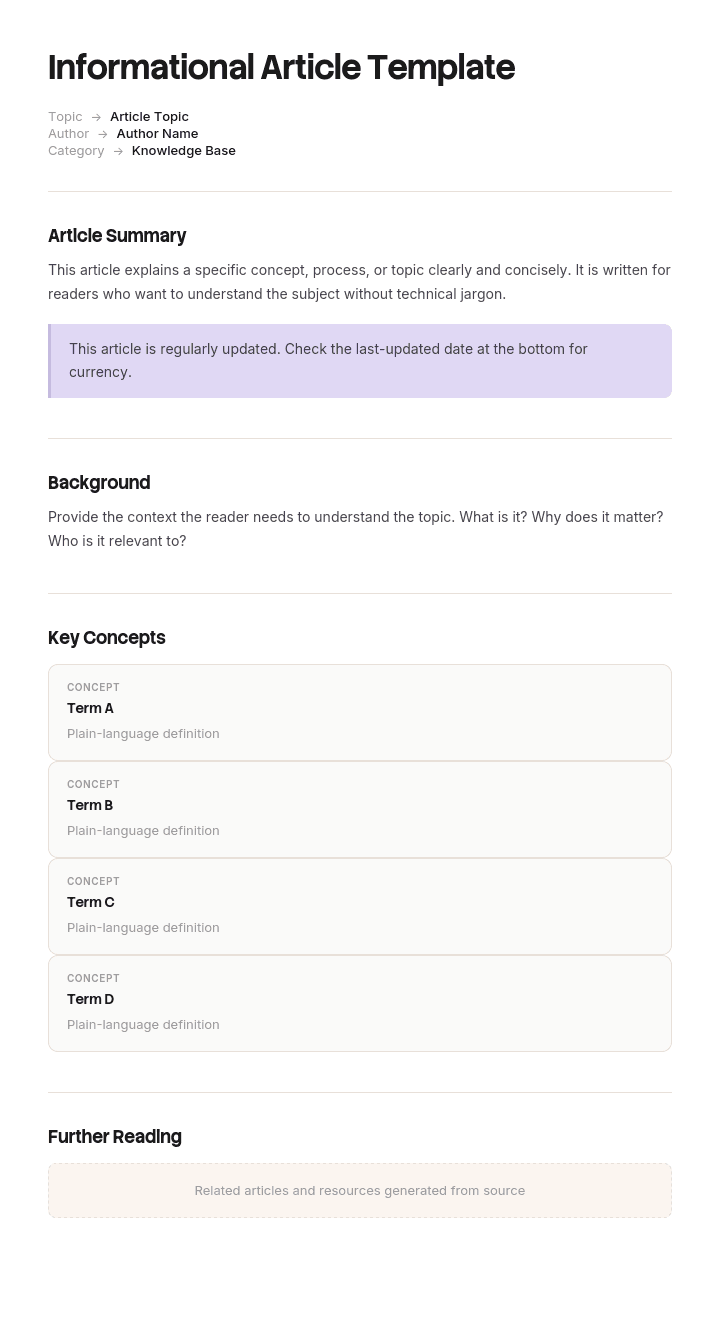
Utilisez ce modèle
Les articles informatifs sont le moteur de votre stratégie de contenu : ils éduquent, renforcent la confiance et améliorent votre visibilité sur les moteurs de recherche. Avec Trupeer, vous pouvez gagner des heures sur la rédaction d’articles informatifs en commençant par un modèle gratuit, en le personnalisant avec vos directives de marque, puis en transformant chaque article en un résumé vidéo que vos lecteurs peuvent aussi regarder.
Un article informatif explique quelque chose. Ce qu’est un élément, pourquoi il fonctionne comme il le fait, la différence entre deux options, ce qui se passe en coulisses lors d’un processus.
Ils sont plus difficiles à rédiger que des instructions, et ils échouent différemment. Un guide pratique échoue quand quelqu’un se bloque. Une explication échoue quand quelqu’un finit de lire, pense avoir compris, puis s’avère ne pas l’avoir fait.
Télécharger le modèle d’article informatif
Format | Idéal pour |
|---|---|
Word (.docx) | Rédaction et relecture avant publication |
Explications imprimables, documents de brief, supports | |
PowerPoint (.pptx) | Expliquer un concept pendant une session plutôt que dans un document |
Google Docs | Rédiger avec un expert du sujet |
Gratuit, modifiable, sans filigrane.
Quel type d’article vous faut-il ?
Le lecteur veut | Type | Modèle |
|---|---|---|
Comprendre ce qu’est quelque chose ou pourquoi ça fonctionne ainsi | Informatif ou concept | Cette page |
Accomplir une tâche spécifique | Guide pratique | |
Devenir compétent sur un domaine entier | Guide | |
Trouver une valeur ou une option exacte | Référence | |
Apprendre depuis zéro, en suivant | Tutoriel |
L’erreur de structure la plus courante dans la documentation consiste à mélanger ces éléments. Une explication avec trois étapes enfouies, ou un ensemble d’instructions interrompu par du contexte, ne rend service à aucun lecteur.
Pourquoi les explications échouent
Pas parce que l’auteur sait trop peu. Presque toujours, c’est l’inverse.
Le lecteur croit déjà quelque chose. Il arrive avec un modèle mental, généralement incomplet et souvent erroné. Les faits ajoutés à un modèle erroné s’y intègrent plutôt que de le remplacer, c’est pourquoi quelqu’un peut lire une explication exacte et rester dans l’erreur.
L’auteur a oublié ce que c’était de ne pas savoir. Une fois que vous comprenez quelque chose, la difficulté d’apprentissage devient invisible. Vous sautez l’étape qui vous a d’abord dérouté, parce qu’elle ne ressemble plus à une étape.
L’abstraction vient d’abord. Les définitions avant les exemples sont l’ordre naturel pour quelqu’un qui comprend déjà, et le mauvais ordre pour tout le monde.
La complétude est confondue avec la clarté. Couvrir tous les cas rend l’explication exacte, mais rend aussi l’idée centrale plus difficile à trouver.
Commencez par ce qu’ils croient déjà
La chose la plus utile à faire avant d’écrire est de découvrir ce que le lecteur pense actuellement.
Pour un concept produit, cela vient des tickets de support : les questions que les gens posent révèlent le modèle avec lequel ils fonctionnent. « Pourquoi mon rapport ne se met-il pas à jour ? » vous indique qu’ils pensent que la mise à jour est en temps réel. Cette idée fausse est précisément ce que votre article doit traiter, et elle est plus utile que n’importe quelle quantité de description exacte.
Ensuite, rédigez l’explication pour la faire tomber plutôt que pour décrire la vérité. Ce sont deux choses différentes. L’une reconnaît ce que les gens supposent et montre pourquoi cela ne tient pas. L’autre énonce ce qui est vrai et espère que le lecteur remarquera la contradiction.
Nommer explicitement l’idée fausse fonctionne très bien. « Vous pourriez vous attendre à ce que le rapport se mette à jour dès que les données changent. Ce n’est pas le cas, et la raison mérite d’être comprise. »
Comment personnaliser ce modèle dans Trupeer
Étape 1 : Ouvrir la section Modèles
Accédez à la section Modèles depuis la navigation principale.

Étape 2 : Sélectionner et ouvrir un modèle
Cliquez sur n’importe quel modèle avec lequel vous souhaitez travailler pour l’ouvrir.

Étape 3 : Développer l’affichage du modèle
Si nécessaire, développez l’affichage du modèle pour voir clairement la mise en page complète et les détails.

Étape 4 : Modifier le modèle
Cliquez sur Modifier pour commencer à modifier le modèle sélectionné.

Dans l’éditeur, vous pouvez :
Ajouter de nouvelles sections
Définir ou mettre à jour des règles de mise en forme
Ajouter un logo et ajuster sa position ainsi que les paramètres associés
Étape 5 : Enregistrer votre modèle personnalisé
Après avoir effectué toutes les modifications nécessaires, cliquez sur Enregistrer pour stocker le modèle mis à jour comme le vôtre.

Étape 6 : Aperçu et ajustements fins du modèle
Lorsque vous souhaitez voir à quoi ressemble votre modèle personnalisé, ouvrez l’Aperçu.

Depuis l’écran d’aperçu, vous pouvez continuer à effectuer des ajustements directement si nécessaire, afin de garantir que le modèle s’affiche exactement comme vous le souhaitez.
Avec un modèle d’article informatif, vous pouvez :
Gagner du temps sur la rédaction : évitez la page blanche grâce à une structure conçue pour les contenus éducatifs.
Améliorer le SEO : des articles bien structurés se classent mieux dans les résultats de recherche.
Rester fidèle à votre marque : appliquez votre logo, vos polices et vos couleurs à l’aide du brand kit de Trupeer.
Engager davantage de lecteurs : associez des articles à des résumés vidéo pour toucher différents styles d’apprentissage.
Standardiser le contenu : utilisez le même modèle pour vos articles de blog et vos articles de base de connaissances.
Toucher un public international : traduisez vos articles en 65+ langues en un clic.
La structure de l’explication
Section | Objectif |
|---|---|
Titre | Ce que cela explique, avec les mots du lecteur |
La réponse courte | Deux ou trois phrases. Certains lecteurs n’ont besoin que de cela |
Pourquoi c’est important pour vous | La décision ou le problème que cela impacte |
L’hypothèse courante | Ce que les gens pensent généralement, nommé explicitement |
L’explication réelle | D’abord le concret, puis le principe général |
Un exemple | Un seul, traité pas à pas |
Cas limites et exceptions | Après que l’idée principale est comprise, pas avant |
Que faire avec ça | La conséquence pratique |
Lié | Concepts adjacents, et le guide pratique s’il y en a un |
La réponse courte en haut n’est pas un résumé de l’article. C’est la réponse, pour la part importante de lecteurs qui la veulent et partiront. La donner tout de suite est la bonne approche. L’article existe pour les lecteurs qui veulent aller plus loin.
Du concret avant l’abstrait
L’amélioration la plus fiable pour n’importe quelle explication.
Les gens comprennent beaucoup plus facilement un principe général après avoir vu un exemple précis. Rédiger d’abord la définition puis l’exemple inverse la façon dont la compréhension se construit réellement, et c’est l’ordre par défaut dans presque toute la rédaction technique, car c’est l’ordre qui semble logique à quelqu’un qui sait déjà.
Abstrait d’abord : Le rate limiting limite le nombre de requêtes qu’un client peut envoyer dans une fenêtre de temps définie, évitant l’épuisement des ressources et garantissant une disponibilité de service équitable.
Concret d’abord : Si vous envoyez plus de 100 requêtes en une minute, nous commençons à les rejeter jusqu’à la fin de la minute. Cela empêche une seule intégration de consommer par erreur la capacité dont tout le monde a besoin. Cette restriction s’appelle le rate limiting.
La seconde option n’est pas plus simple sur le fond. Elle arrive dans l’ordre que le lecteur peut assimiler.
Les analogies, et là où elles se brisent
Les analogies sont l’outil le plus puissant de l’écriture explicative, et celui qui risque le plus de provoquer une incompréhension subtile plus tard.
Utilisez-en une lorsque le concept est vraiment inconnu et qu’il existe un parallèle du quotidien très proche. Gardez-la courte et utilisez-la une seule fois plutôt que de l’étendre tout au long de l’article.
Ensuite, dites où elle s’arrête. « C’est un peu comme une file à un comptoir, sauf qu’à la différence d’une file, l’ordre n’est pas garanti. » Nommer la limite empêche le lecteur de transporter l’analogie dans un terrain où elle produit de mauvaises conclusions, c’est ainsi que les analogies créent les idées fausses que les articles suivants devront corriger.
Si vous ne pouvez pas dire où l’analogie se brise, c’est que vous ne comprenez pas encore le concept suffisamment pour l’expliquer.
Le modèle d’article
Champ | Saisir |
|---|---|
Titre | Ce que cela explique |
Audience | Pour qui c’est, et ce qu’on suppose qu’ils savent |
Réponse courte | Deux ou trois phrases |
Pourquoi c’est important | La décision ou le problème que cela impacte |
Hypothèse courante | Ce que les gens croient généralement |
Explication | Exemple concret d’abord, puis le principe |
Schéma | Quand le concept est structurel ou séquentiel |
Cas limites | Après l’explication principale |
Implications pratiques | Ce qu’il faut faire différemment en sachant cela |
Articles associés | Concepts adjacents, et tout guide pratique |
Propriétaire et dernière relecture |
Faible et mieux
Ouverture faible : Cet article présente un aperçu de notre architecture de synchronisation des données et des différents facteurs qui influencent la fréquence de mise à jour entre les systèmes intégrés.
Ouverture mieux : Vos données se mettent à jour toutes les 15 minutes, pas instantanément. Si vous venez de modifier quelque chose et que vous ne le voyez pas, c’est pour cette raison. Voici comment fonctionne la synchronisation et quand l’écart compte.
Explication faible : Le système utilise un modèle de cohérence éventuelle dans lequel les écritures sont propagées de manière asynchrone entre les nœuds, la convergence étant généralement atteinte dans une fenêtre de temps bornée.
Explication mieux : Lorsque vous enregistrez une modification, elle est d’abord écrite à un seul endroit, puis copiée vers les autres un instant plus tard. Pendant quelques secondes, différentes parties du système peuvent afficher des valeurs différentes. C’est volontaire, car attendre que chaque copie confirme avant d’accepter votre modification rendrait l’enregistrement beaucoup plus lent. Cela compte dans un cas : si vous enregistrez et lancez immédiatement un rapport, le rapport peut ne pas inclure la modification.
Structure faible : définition, historique, architecture, cas d’usage, exemples.
Structure mieux : la réponse en une ligne, pourquoi vous devriez vous en soucier, l’incompréhension courante, un exemple traité, puis la règle générale, puis les exceptions.
Longueur et périmètre
Un concept par article. Si le titre a besoin de « et », vous en avez deux.
La plupart des articles de concept devraient être plus courts que ce que leurs auteurs souhaitent. La tentation de couvrir tous les cas est la plus forte ici, car l’expert du sujet voit toutes les exceptions et chacune lui semble importante.
Le test : quelqu’un peut-il lire ceci et être capable de prendre la décision que l’article impacte ? Si oui, une précision supplémentaire coûte plus de clarté qu’elle n’en apporte. Déplacez les exceptions vers un article de référence et liez-le.
Huit cents à quinze cents mots constituent une plage raisonnable pour la plupart des contenus explicatifs. Plus long signifie généralement plusieurs concepts, ou un article de concept qui a absorbé du contenu de référence qui devrait se trouver ailleurs.
Schémas
Les articles de concept bénéficient davantage de schémas que tout autre type, car une grande partie de ce qu’ils expliquent est structurelle ou séquentielle.
Utilisez-en un lorsque le concept implique des éléments liés entre eux, une séquence d’événements, ou une comparaison entre deux états. Un seul schéma de flux remplace souvent quatre paragraphes.
Gardez-le suffisamment simple pour être lu en quelques secondes. Un schéma avec vingt cases n’explique rien que vingt paragraphes n’expliqueraient pas, et il est plus difficile à mettre à jour.
Étiquetez tout avec les mêmes mots que l’article utilise. Les schémas qui introduisent leur propre terminologie créent une seconde chose à apprendre.
Quand expliquer et quand faire un lien
Une question « en direct » dans la plupart des documentations.
Expliquer dans le texte lorsque le lecteur ne peut pas avancer sans cela, lorsque c’est deux phrases, ou lorsque l’objectif global de l’article est ce concept.
Faire un lien lorsque c’est un concept à part entière, lorsque seuls certains lecteurs en auront besoin, ou lorsque l’explication doublerait la longueur de l’article.
N’expliquez jamais dans le texte dans un article guide pratique. Le lecteur exécute et le contexte interrompt. Faites un lien et gardez les étapes propres. C’est l’argument le plus fort pour avoir des articles de concept : ils donnent aux articles guide pratique un endroit où envoyer les gens.
Types d’articles informatifs
Type | Réponses | Exemple |
|---|---|---|
Qu’est-ce que | Définition et objectif | Qu’est-ce que le single sign-on |
Comment ça marche | Mécanisme | Comment fonctionne notre synchronisation |
Pourquoi | Raisons d’un choix de conception ou d’une politique | Pourquoi les rapports se mettent à jour toutes les 15 minutes |
Comparaison | Différence entre deux éléments | Offres standard vs premium |
Quand l’utiliser | Aide à la décision | Quand utiliser un espace de travail plutôt qu’un dossier |
Contexte | Contexte d’un changement | Pourquoi nous sommes passés au nouveau modèle d’autorisations |
Les articles « pourquoi » sont les plus précieux et les moins rédigés. La plupart des documentations expliquent le quoi et le comment, laissant les lecteurs deviner les raisons, et ces suppositions sont généralement moins bienveillantes que la vérité.
Formats
Word pour la rédaction et la relecture, en particulier lorsque l’expert du sujet doit vérifier l’exactitude.
PDF pour les documents de brief, les explications imprimées et tout ce qui est distribué plutôt que publié.
PowerPoint lorsque l’explication est délivrée sous forme de session. L’explication d’un concept fonctionne très bien en direct, car vous pouvez observer les visages et ajuster, ce qu’un document ne permet pas.
Votre centre d’aide ou base de connaissances pour tout ce qui s’adresse aux clients, avec des liens croisés depuis les articles guide pratique qui renvoient au concept.
Tester une explication
C’est plus difficile à tester que des instructions, car un lecteur qui a mal compris ne le sait pas.
La méthode qui fonctionne : demandez à quelqu’un de l’expliquer à nouveau avec ses propres mots. Pas de savoir s’il a compris (tout le monde dit oui), mais l’explication elle-même. C’est là où sa version diverge de la vôtre que l’article a échoué.
Encore mieux : demandez-lui de prédire quelque chose. « D’après ce que vous venez de lire, que se passerait-il si vous enregistriez une modification puis lanciez immédiatement un rapport ? » Une prédiction erronée donne un retour précis sur la partie qui n’a pas été comprise.
Testez avec quelqu’un qui correspond au public réel. Un collègue qui connaît déjà le concept lira votre article et reconnaîtra la vérité qu’il contient, ce qui ne vous apprend rien.
Maintenance
Les articles de concept vieillissent plus lentement que les articles guide pratique, car les principes sous-jacents changent moins souvent que les interfaces.
Ils peuvent toutefois mal tourner de deux façons précises. Le système change et l’explication cesse discrètement d’être vraie, ce qui est pire qu’une capture d’écran périmée, car rien ne semble manifestement faux. Et un article guide pratique associé change aussi, laissant l’article de concept décrire quelque chose que les instructions ne correspondent plus.
Relisez chaque année, et dès que l’élément expliqué change. Notez la date de dernière relecture, car les lecteurs réduisent raisonnablement la valeur des explications non datées sur le comportement technique.
Bonnes pratiques
Un concept par article.
La réponse courte en haut, donnée immédiatement.
Nommer explicitement l’hypothèse courante.
Un exemple concret avant le principe général.
Au maximum une analogie, avec ses limites indiquées.
Les exceptions après l’idée principale, jamais avant.
Un schéma où le concept est structurel.
Faire un lien plutôt que d’expliquer dans un guide pratique.
Tester en demandant à quelqu’un de l’expliquer à nouveau.
Dire quoi faire différemment en sachant cela.
Erreurs courantes
La définition d’abord, l’exemple à la fin.
Toutes les exceptions couvertes, en enfouissant l’idée centrale.
La croyance existante du lecteur n’est jamais abordée, donc la correction ne prend pas.
Rédigé pour quelqu’un qui comprend déjà.
Une analogie étendue au-delà du point où elle tient.
Concept et instructions mélangés dans un seul article.
Pas d’implication pratique : le lecteur apprend quelque chose et n’en fait rien.
Du jargon défini avec d’autres termes de jargon.
Des schémas avec leur propre terminologie.
Testé avec des collègues qui savaient déjà.
Non daté : les lecteurs ne peuvent pas juger si c’est encore vrai.
Certains éléments sont plus faciles à montrer qu’à écrire
Ouvrez le modèle dans Trupeer AI, appliquez votre brand kit pour que les articles correspondent à votre documentation, puis modifiez directement n’importe quelle section. La configuration se trouve dans le guide du modèle.
L’écriture explicative est vraiment difficile, et certains concepts y résistent. Tout ce qui est séquentiel, tout ce pour quoi le lecteur doit voir le changement d’état, et tout ce qui implique une interface a tendance à nécessiter quatre paragraphes à l’écrit et trente secondes pour être démontré.
Enregistrez ce qui se passe, et Trupeer AI génère l’explication écrite ainsi qu’une vidéo commentée à partir du même enregistrement, afin que l’article puisse tout porter. Les lecteurs qui préfèrent le texte obtiennent le texte, et ceux qui doivent le voir peuvent le faire. Traduisez-le en 65+ langues, et conservez l’ensemble dans votre base de connaissances à côté des articles guide pratique qui y renvoient.
Enregistrez-le. Mettez-le à votre marque. Traduisez-le. Trupeer it.
Questions fréquentes
Existe-t-il un modèle d’article informatif gratuit dans Word ?
Oui. Word est le format principal, avec la structure complète, y compris les sections de réponse courte, d’hypothèse courante et d’explication. Téléchargement gratuit, sans inscription, sans filigrane.
Existe-t-il un modèle d’article dans Word, gratuit à télécharger ?
Oui, et il convient à tout type d’articles explicatifs : « qu’est-ce que », « comment ça marche », « pourquoi », les comparaisons et les contenus d’aide à la décision.
Existe-t-il un modèle d’article gratuit ?
Oui, dans Word, PDF et PowerPoint : tout est gratuit, sans compte requis. Si vous avez besoin d’instructions plutôt que d’explications, le modèle d’article guide pratique est le meilleur choix.
Existe-t-il un modèle d’article informatif gratuit en PDF ?
Oui, à la fois vierge et avec un exemple complété, ce qui est utile, car la différence entre une bonne et une mauvaise explication est plus facile à voir qu’à décrire.
Existe-t-il un modèle d’article informatif gratuit en PPT ou PowerPoint ?
Oui. La version PowerPoint est conçue pour expliquer un concept pendant une session plutôt que dans un document, ce qui fonctionne souvent mieux, car vous pouvez observer si les gens suivent et ajuster. Conservez la version écrite comme référence.
Puis-je télécharger un modèle d’article informatif gratuit ?
Oui, chaque format est un téléchargement gratuit, sans attribution requise.
Quel est le meilleur modèle d’article informatif gratuit ?
Celui qui inclut une section de réponse courte en haut et un espace pour nommer l’idée fausse courante. La plupart des modèles vous proposent des titres pour l’introduction, le corps du texte et la conclusion : c’est la structure qui rend les explications difficiles à suivre. Répondre immédiatement et traiter ce que le lecteur croit déjà sont les deux éléments qui améliorent le plus une explication.
Qu’est-ce qu’un article informatif ?
Un article qui explique quelque chose plutôt que d’instruire quelqu’un. Il répond à ce qu’est un élément, comment il fonctionne, pourquoi il fonctionne ainsi, ou en quoi deux éléments diffèrent. Il se distingue d’un article guide pratique, qui décrit une tâche étape par étape, et de la documentation de référence, qui liste des valeurs et des options.
Que doit inclure un article informatif ?
Un titre formulé avec les mots du lecteur, une réponse courte de deux ou trois phrases, pourquoi c’est important pour lui, l’hypothèse courante énoncée explicitement, l’explication avec un exemple concret avant le principe général, les cas limites ensuite, l’implication pratique, ainsi que des liens vers des concepts associés et tout guide pratique pertinent.
Comment rédiger une bonne explication ?
Découvrez ce que le lecteur croit actuellement, généralement à partir des questions de support, puis rédigez pour faire tomber cette croyance plutôt que de simplement énoncer la vérité. Placez l’exemple concret avant le principe abstrait. Donnez la réponse courte immédiatement. Utilisez au maximum une analogie et indiquez où elle se brise. Placez les exceptions après l’idée principale, pas avant.
Quelle longueur doit avoir un article informatif ?
Huit cents à quinze cents mots pour la plupart des concepts. Plus long signifie généralement que vous couvrez plusieurs concepts ou que vous avez intégré du contenu de référence qui devrait se trouver ailleurs. Le test consiste à vérifier si le lecteur peut prendre la décision que l’article impacte, et non si tous les cas sont couverts.
Quelle est la différence entre un article informatif et un article guide pratique ?
Un article informatif explique pourquoi ou quoi. Un article guide pratique explique comment, en étapes numérotées, pour quelqu’un qui est en plein milieu de la tâche. Les mélanger ne sert aucun lecteur : celui qui exécute ne veut pas de contexte, et celui qui apprend ne veut pas être envoyé directement à l’étape quatre. Gardez-les séparés et faites des liens entre eux.
Comment savoir si une explication a fonctionné ?
Demandez à quelqu’un de l’expliquer à nouveau avec ses propres mots, ou mieux, de prédire ce qui se passerait dans une situation précise. Demander s’il a compris produit un « oui » quoi qu’il arrive. Testez avec quelqu’un du public réel : un collègue qui connaît déjà le concept reconnaîtra la vérité dans votre article sans rien apprendre de celui-ci.
À quelle fréquence faut-il relire les articles informatifs ?
Chaque année, et dès que l’élément expliqué change. Ils vieillissent plus lentement que les articles guide pratique, mais échouent plus discrètement : une capture d’écran périmée est évidente, une explication qui n’est plus vraie ressemble exactement à une explication qui l’est.
Puis-je personnaliser ce modèle d’article informatif ?
Oui, chaque version est entièrement modifiable. Les deux sections à conserver sont la réponse courte en haut et l’hypothèse courante, car ce sont elles qui distinguent une explication que les gens suivent de celle qu’ils lisent simplement.

