4.8/5
Create Explainer Videos from Any Document with AI
Upload a brief, PDF, deck or script and get a short explainer video with an AI-written script, scenes, voiceover and captions. No animation or editing skills needed.

TL;DR: Trupeer is an AI explainer video generator that works from your own content. Upload a product brief, a PDF, a one-pager or a script, and the AI turns it into a short explainer: a clear spoken script, scenes with on-screen text and visuals, a natural voiceover and captions. You review it, adjust the wording and export a video ready for your website, emails or sales team.
Go from document to explainer video in minutes, from Word docs, PDFs, slide decks or scripts.
Scripts that simplify complex ideas instead of repeating the document.
AI voiceover, captions and an optional AI presenter.
Your brand kit applied to every explainer.
Free to start, no credit card required.
Each AI explainer video starts from your own source material. Most explainer video makers begin with a template and ask you to write the story yourself. Trupeer starts from the material you have already written and approved, which is usually the hardest part of making an explainer.
Turn Dense Documents into Clear Explainer Videos
The best explainers answer one question well: what is this, how does it work, or why should I care. Unlike a training video, which keeps every step of a procedure, an explainer condenses the document to its key idea. Documents rarely lead with that idea. This is the part of explainer video AI that matters most, and Trupeer does the editing a good scriptwriter would:
It finds the point. The AI identifies the core message of your document and builds the explainer around it.
It cuts what doesn't serve that point. Background, caveats and detail that belong in the document stay in the document.
It orders the story. Problem, how it works, what it means for the viewer, instead of the order the document happened to be written in.
It uses plain language. Jargon is explained or replaced, so the explainer works for people outside your team.
How to Make an Explainer Video from a Document in Trupeer
Here is how to make an explainer video from content you already have, in four steps.
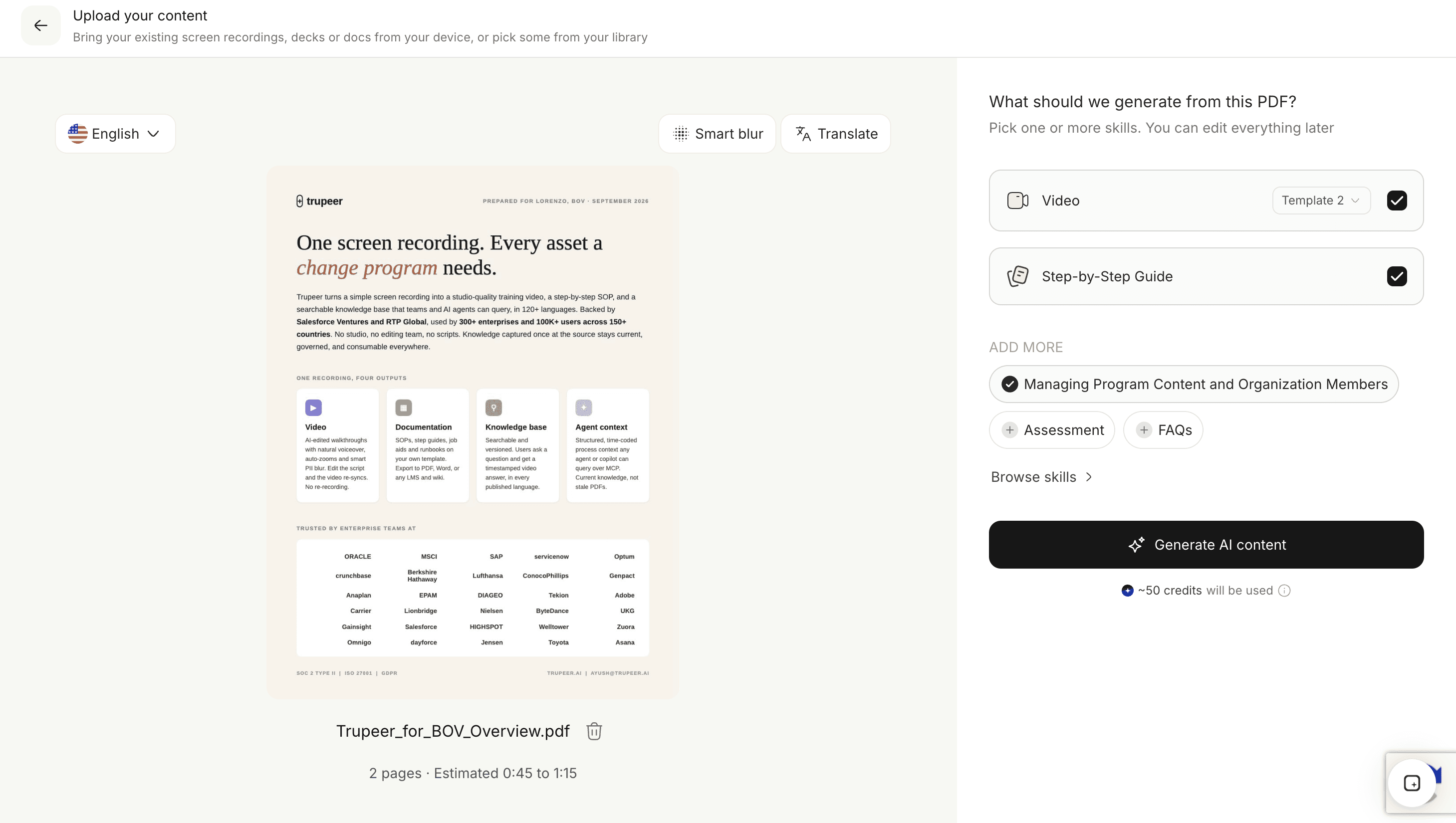
Step 1: Upload your brief, PDF or script
Drag a Word document, PDF, slide deck or text file into the upload box at the top of this page. If you already have a finished script, the script to video maker is the faster route.
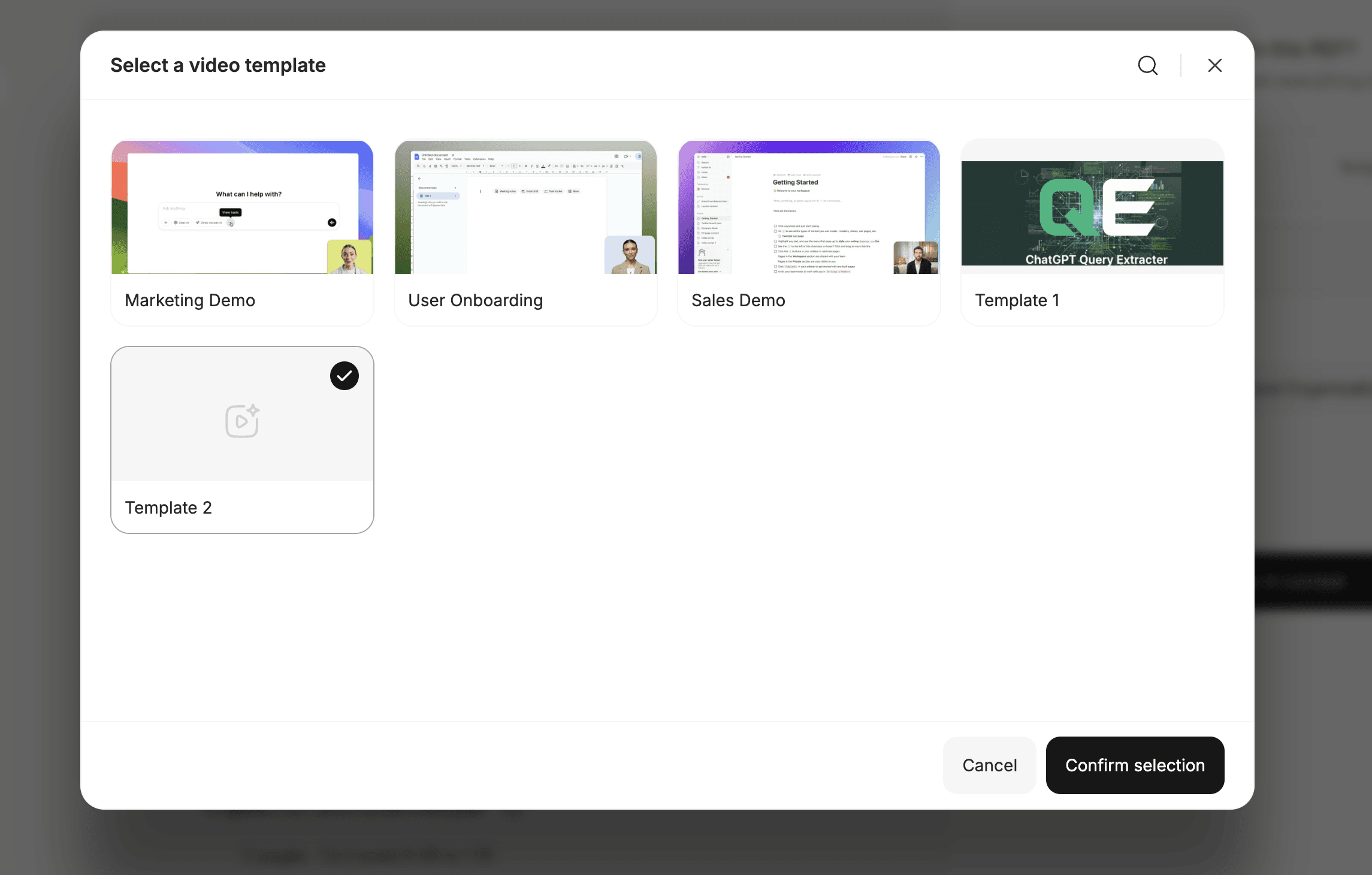
Step 2: Choose the kind of explainer
Pick a product, concept or process explainer, or a quick summary. The choice tells AI scripting what question the explainer should answer and how to order the story.
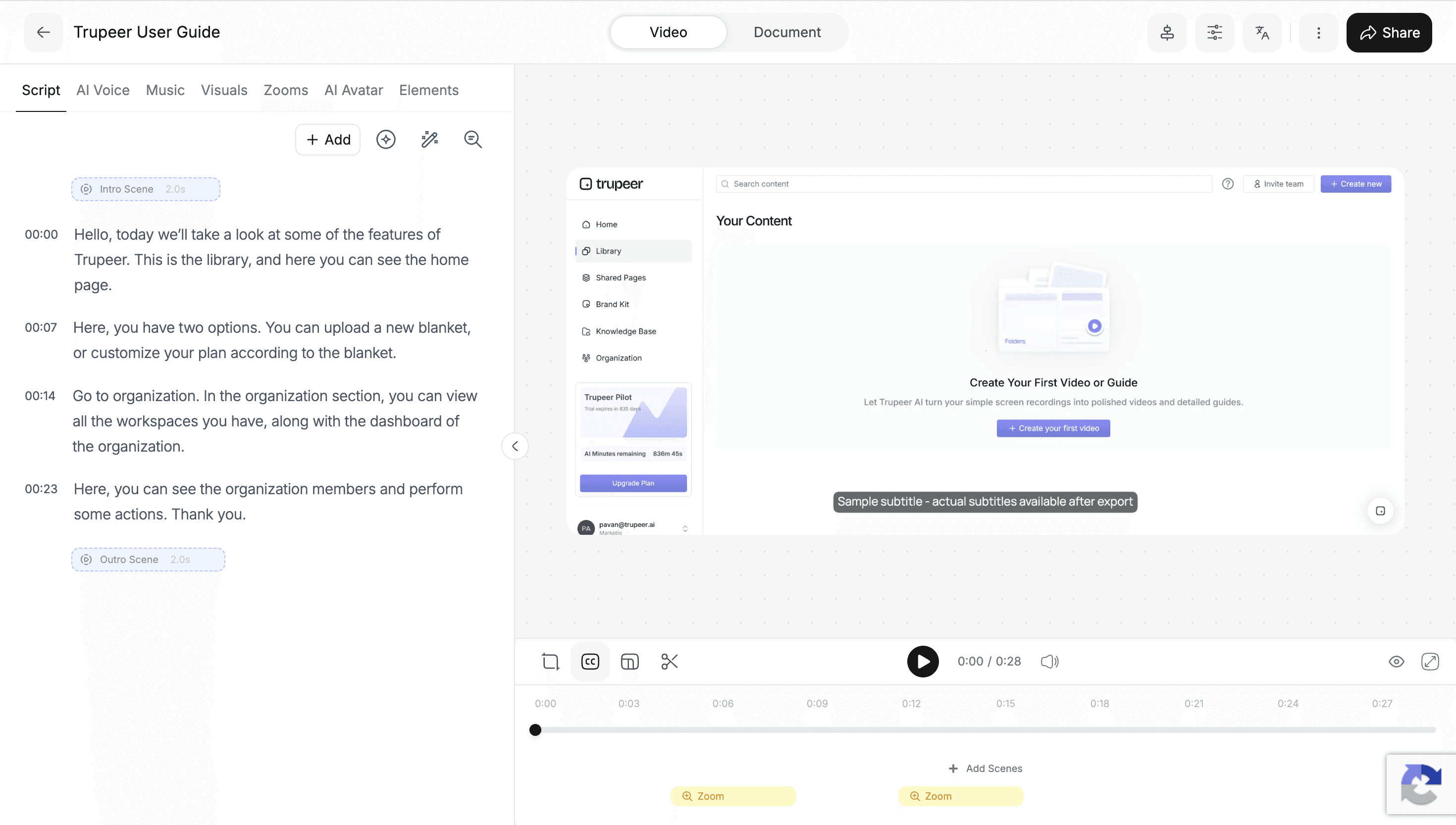
Step 3: Review the explainer script and scenes
Trupeer drafts a short script built around your document's key idea, with scenes, on-screen text and visuals. Tighten the wording, reorder scenes or sharpen the call to action.
Step 4: Add a voice, presenter and brand, then export
Choose an AI voice, add a presenter if you want one, apply your brand kit and export an MP4 or share a link.

Add AI Voiceover and a Presenter to Your Explainer Video
AI voiceover. Choose from natural AI voices, and match the tone to the audience: confident for a product launch, warm for customer education, neutral for internal explainers.
AI presenter. Add an AI talking head when a face on screen helps build trust, for example in customer-facing explainers.
Captions. Explainers are often watched on mute in feeds and inboxes, so captions are generated from the narration automatically.
On brand. Your brand kit adds your logo, colors and fonts to every explainer.
In every language. Use video translation to launch the same explainer in each of your markets.
Explainer Videos for Products, Sales, and Customer Education
Product and feature explainers
Turn a feature brief or release notes into a launch explainer for your website, changelog and customer emails. More ideas for product marketing.
Sales explainers
Give prospects a two-minute explainer of the problem you solve before the first call, or a recap afterwards they can forward to their team. It fits naturally into pre-sales and sales enablement.
Customer education
Explain a concept customers keep asking about, such as how billing works or what a setting does, and link the video from your help center. See how customer success teams use video to reduce repeat questions.
Internal explainers
A new strategy, a reorganization or a change in how teams work is easier to understand as a three-minute explainer than a long memo. For step-by-step internal training, Document to Training Video is the better fit.
Education
Teachers and course creators turn reading material into explainers that introduce a topic before students go deeper.
Create Explainer Videos from Docs, PDFs, and Slide Decks
Word documents and briefs. Product briefs, positioning docs and memos are often the richest source for an explainer.
PDFs. PDF to explainer video works well for whitepapers, reports and one-pagers, turning them into explainers that highlight the key idea. For narrated walkthroughs of a whole PDF, see PDF to Video.
Slide decks. Pitch and product decks become explainers that tell the story without a presenter. To keep your slide design, use Presentation to Video.
Text and notes. Rough notes work too; the AI builds structure from them.
What Makes a Great AI Explainer Video?
Whether you use AI or not, three principles decide whether people finish an explainer, and Trupeer's explainer styles are built around them:
One question, one video. Pick the single thing the viewer should understand, and leave the rest to the document.
Start with the viewer's problem. People keep watching when the opening describes a situation they recognize.
Let visuals support the narration. On-screen text and key numbers should reinforce what is said, not repeat it word for word.
Because the script is editable, you can tighten any explainer until it meets all three.
Edit and Update Explainer Videos in Minutes
Products change and messaging evolves. With a traditional explainer, a new feature name or price means going back to an animator or agency. With Trupeer, you edit the script in the AI-powered video editor and the voiceover and captions update. Export a new MP4, share a link or embed it in your website or knowledge base.
What Makes Trupeer Different from a Typical Explainer Video Maker?
Template-based explainer makers give you animated scenes but leave the hardest part, the script, to you.
Agencies write and produce great explainers, but they take weeks and every change costs money.
Prompt-only AI video generators can invent content that doesn't match your product.
Trupeer is an explainer video creator that writes the explainer from your own approved documents, lets you edit every line, and updates in minutes when your product or messaging changes.
You can start creating explainer videos for free. Free plans have limits on things like video length and exports; see the pricing page for more. For any other document format, start from Document to Video.
Explore Related Tools
Why Teams Use Trupeer for Explainer Videos
Written from Your Content
The explainer is built from your own approved documents, so it says what your product actually does.
Clear, Not Crowded
AI finds the core message and cuts the rest, so each explainer answers one question well.
Easy to Update
Change a feature name or message in the script and the explainer updates. No agency round-trips.
Start Your First Explainer Video in Minutes
Krok 1
Upload a brief, PDF, deck or script
Krok 2
Review the AI explainer script and scenes
Krok 3
Add a voice or presenter and export your explainer
Často kladené dotazy
How do I make an explainer video with AI?
Upload your document, PDF, deck or script to Trupeer and choose an explainer style. The AI writes the script and builds scenes with voiceover and captions. Review and edit the script, add a presenter or your brand kit, and export an MP4 or share a link.
Can I turn a product brief into an explainer video?
Yes. Upload the brief and Trupeer finds its core message, writes an explainer script around it and builds scenes with voiceover and on-screen text. You then refine the wording and call to action before exporting.
Can I create an explainer video from a PDF?
Yes. Upload the PDF and Trupeer condenses it into a focused explainer script, then builds the video with voiceover, captions and on-screen visuals.
Is there a free AI explainer video generator?
Yes. You can create explainer videos with Trupeer for free, with no credit card required. Free plans have limits on things like video length and exports, and paid plans add longer videos, avatars, translation and team features.
What is the difference between an explainer video and a training video?
An explainer condenses a document to one key idea so the viewer understands it, which suits products, concepts and sales. A training video keeps the full procedure step by step so the learner can do it afterwards. For training, use Document to Training Video.
Další nástroje


