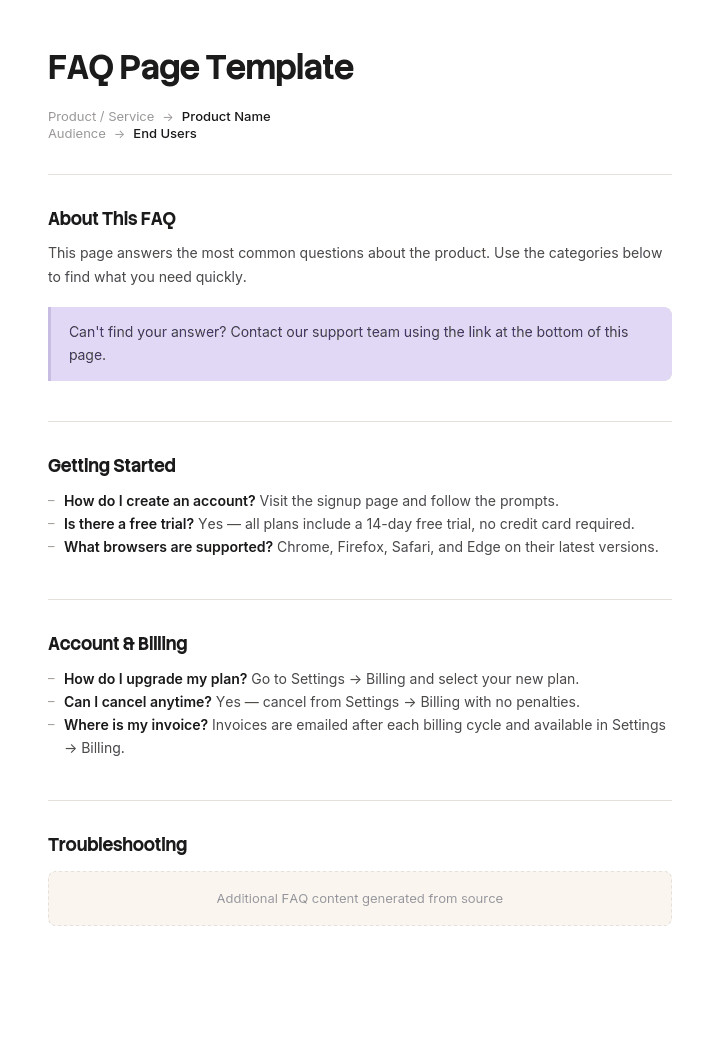
使用此模板
一个精心打造的 FAQ 页面是你网站上投资回报率最高的页面之一——它能减少支持工单、提升 SEO,并帮助客户实现自助服务。使用 Trupeer,你可以从免费的 FAQ 页面模板开始,结合你的 品牌规范 进行定制,并将 FAQ 条目转换为客户可观看的短视频回答,从而节省数小时编写 FAQ 页面的时间。
几乎每个 FAQ 页面都是用同样的方式写的。有人预订一小时,几个人集思广益提出客户可能会问的问题,然后由最了解产品的人来撰写答案。
结果就是一页充满了没人问过的问题,使用的是公司的术语而不是客户的语言。这并不能降低支持量,因为它没有回答人们真正会联系你的那些问题。
问题早就存在了。就在你的工单队列里。
下载 FAQ 模板
格式 | 适合 |
|---|---|
Word(.docx) | 在内容发布到网站之前进行起草与审核 |
可打印的 FAQ 表单、销售留件、活动派发资料 | |
PowerPoint(.pptx) | 用于发布与赋能的内部 FAQ 演示文稿 |
Excel(.xlsx) | 问题清单:来源、数量、负责人、状态、最近一次审核 |
Google Docs | 与支持团队和产品团队协作起草 |
免费、可编辑、无水印。如果你想为网站设计一个 FAQ 区域,设计工具或你的 CMS 主题就是合适的地方。模板里包含的就是要放进去的内容。
FAQ 问题应该从哪里来
按其预测人们实际会问什么的能力进行排序。
来源 | 你能获得什么 | 质量 |
|---|---|---|
支持工单 | 人们用自己的话提出的确切问题,并附带数量 | 最佳 |
站内搜索查询 | 人们想找什么但没有找到 | 优秀,且通常被忽视 |
在线聊天记录 | 购买前的犹豫点 | 非常好 |
销售异议 | 阻止人们购买的原因 | 非常好 |
Search Console 查询 | 哪些内容把人从 Google 带到你这里 | 良好 |
评价与社交内容 | 未经过滤的抱怨与困惑 | 良好 |
入门/上手问题 | 新客户会遇到的困难 | 良好 |
会议中的集思广益 | 公司认为客户可能会想知道什么 | 较差 |
最后一行解释了大多数 FAQ 页面是如何被写出来的。前两行则来自你已经拥有的系统。
如何在 Trupeer 中自定义此模板
步骤 1:打开模板(Templates)区域
从主导航进入“Templates(模板)”区域。

步骤 2:选择并打开模板
点击任意你想要使用的模板以将其打开。

步骤 3:展开模板视图
如有需要,展开模板视图以清晰查看完整布局与细节。

步骤 4:编辑模板
点击“Edit(编辑)”开始修改所选模板。

在编辑器中,你可以:
添加新的分区
定义或更新格式规则
添加 Logo,并调整其位置及相关设置
步骤 5:保存你的自定义模板
完成所有必要的更改后,点击“Save(保存)”,将更新后的模板存为你自己的版本。

步骤 6:预览并微调模板
当你想查看自定义模板的效果时,打开“Preview(预览)”。

在预览界面中,如有需要,你仍可继续直接进行调整,确保模板呈现效果与您的预期完全一致。
使用 FAQ 页面模板,你可以:
节省编写时间:跳过空白页面,直接使用经过验证的 FAQ 结构。
降低支持负担:清晰的 FAQ 答案能减少工单,并为代理腾出时间处理更棘手的问题。
提升 SEO:FAQ 结构化数据与组织良好的答案,帮助你的页面在基于问题的搜索中获得更好的排名。
保持品牌一致:使用 Trupeer 的品牌规范套件应用你的 Logo、字体与配色。
添加视频回答:为难以用文字解释的问题嵌入短视频教程。
触达全球用户:一键将 FAQ 内容翻译为 65+ 种语言。
从支持工单中获取
最好的来源只有一个,而且只需要一个下午。
导出最近三到六个月的工单。若你的分类做得好,就按类别分组;若不好,就按关键词分组。统计数量。按数量排名前十五的问题,就是你的 FAQ(按此顺序)。
然后进行更有价值的第二轮筛选。查看解决代码。使用“documentation provided(已提供文档)”解决的工单意味着答案早就存在,只是找不到——这是可发现性问题,而不是内容问题;把它放进 FAQ 里可能也无法解决。由支持团队反复解释同一件事来解决的工单,才是真正的 FAQ 素材。
使用客户的措辞,而不是你的分类名称。如果四十个人都问“为什么我的订单还没到”,而你的分类是“Fulfilment enquiries(履约咨询)”,那么 FAQ 问题就应该是第一个。
客户工单与解决方案模板涵盖了使这种分析成为可能的分类方式。
从站内搜索中获取
大多数组织里最不常被使用的数据。
你网站上每一次搜索,都是用户在提出一个他们无法通过“查看页面内容”就能回答的问题。重要的有两份清单:搜索量最高的,以及返回零结果或没有点击的搜索。第二份清单更有用,因为它记录了人们找不到某些东西的情况。
如果你没有启用站内搜索分析,这是一个二十分钟就能解决的设置,而且在 FAQ 页面撰写之前就能回本。
从销售与聊天中获取
销售异议就是购买前的 FAQ,即使答案听起来有点尴尬,也应该出现在页面上。
人们在购买前通常会问关于价格、与替代方案的对比、合同条款、如果不生效会怎样、以及切换有多难等问题。大多数 FAQ 页面会避开这些,这是个错误:提出问题的人已经想到了异议,而拒绝回应并不会让异议消失。
聊天记录能以更少的过滤捕捉到同样的内容。用问号以及类似“does it(它能吗)”“can I(我能吗)”“what happens if(如果……会怎样)”“is there(有……吗)”这样的短语去搜索。
没人问,但每个人都需要的那些问题
值得有意纳入的小类目。
人们在购买前应该问、但却没有问的问题——答案如果不说明,就会导致不匹配。还有那些如果之后不写清楚就会引发抱怨的问题。以及坦诚的限制说明:因为“does it do X(它能做 X 吗)”这类问题迟早会被问到,而答案可被找到,总比以失望的形式出现要好。
把“答案是否为否”的问题也纳入其中,比加入再多容易的问题更能建立信任。
如何撰写 FAQ 答案
规则和普通写作不同,因为读者在略带不耐烦的状态下进行浏览。
在第一句话回答。是/否,或给出数字。随后补充语境。
问题用他们的措辞,答案用你的措辞。问题应与人们的表达方式一致,包括更随意的说法。
每个问题只对应一个问题。如果包含“and(和/以及)”,那就是两条。
要具体。“通常在几天内”会引发支持工单。“在 3 个工作日内,或 5 到北爱尔兰”则不会。
当答案是否定时,要清楚地说“不”。含糊的拒绝会引发后续联系。
链接到细节,而不是把细节全放进来。FAQ 给出答案;指南负责解释。
给出下一步。如果答案是让他们去做某事,就说明要做什么、在哪里做。
尽量控制在 100 词以内。能更长的答案应放在文档中。
弱一点与更好
Q:交付需要多久?
弱:我们会尽可能快地发货。交付时间可能会根据你的所在地以及结账时选择的配送方式而有所不同。
更好:英国本土三 个工作日,北爱尔兰和高地五个工作日。发货后你会收到追踪链接。如果超过了这个时间,[请提供你的订单号联系我们],我们会帮你催促。
Q:我可以取消订阅吗?
弱:订阅可根据我们的条款与条件取消。请查看你的账户设置,或联系支持团队以获取进一步帮助。
更好:可以,随时在“设置”然后“账单”中取消。你会在已支付的周期结束前继续保留访问权限,我们不会收取取消费用。我们不退款按月的未满部分。
Q:它能与 [tool] 集成吗?
弱:我们提供多种集成以适配不同的工作流。请联系我们讨论你的需求。
更好:目前不行。它在路线图上,但尚未安排上线计划。与此同时,你可以导出为 CSV 并手动导入,或使用我们的 API。如果这对你来说是阻碍,请告诉我们,因为我们会跟踪请求并影响优先级。
每个问题的模式都一样:先给答案、给出具体细节、坦诚说明限制,并提供下一步。
FAQ 页面如何组织结构
按主题分组,不要按时间顺序或内部团队分。最多五到七组。
在每个组内按数量排序,先放最常被问到的。不要按你觉得逻辑上应该怎样排列。
让问题默认折叠、点击后展开答案,这样用户可以快速浏览列表。
如果问题超过大约二十五个,就加入站内搜索。
把前三或四个放在最上方,不分组,因为相当一部分访客想先看其中之一。
在末尾提供通往人工的路径。每个 FAQ 页面都应假设有一部分读者失败了,并告诉他们该去哪里。
二十到四十个问题是一页可行的规模。超过这个范围,你就拥有的是知识库而不是 FAQ,而且应该按知识库的方式来组织。
FAQ 的类型
类型 | 受众 | 放在哪里 |
|---|---|---|
通用网站 FAQ | 潜在客户与现有客户 | 你网站上的一个页面 |
产品 FAQ | 某个产品或功能的用户 | 产品页面或帮助中心 |
售前 FAQ | 正在决定是否购买的人 | 定价页或销售页 |
支持 FAQ | 有问题的现有客户 | 帮助中心 |
内部 FAQ | 员工,通常在发布或变更时 | 内联网,或一份文档 |
入门/上手 FAQ | 新客户或新员工 | 入门材料 |
活动或发布 FAQ | 参会者或受影响用户 | 邮件、落地页、演示文稿 |
内部 FAQ 最容易被忽视,但往往价值最高。产品发布前写好一份内部 FAQ,可以阻止支持团队在第一周临时发挥、给出十二种不同答案。
FAQ 文档模板
用于内部 FAQ、销售资料与发布文档时,FAQ 是一个文件而不是网页。
字段 | 填写 |
|---|---|
标题与受众 | 这份内容面向谁 |
版本与日期 | |
负责人 | 谁在维护它 |
问题 | 用受众的措辞 |
简短答案 | 一到两句话,可直接逐字使用 |
细节 | 如被追问时提供的补充语境 |
不要说 | 需要避免的措辞,以及原因 |
升级到 | 如果答案不够,需要由谁来处理 |
来源 | 问题从哪里来 |
最近一次审核 | 日期 |
“不要说”这一列,正是让内部 FAQ 真正有用的原因。告诉支持团队不要承诺什么,往往比告诉他们该说什么更有价值。
FAQ 结构化数据与搜索
值得理解,也值得查看最新的官方指引,而不是相信任何包含本文的文章。
FAQPage 结构化数据会标记问题与答案,让搜索引擎能够识别它们。Google 之前曾在 SERP 中将其展示为可展开的富结果,然后大幅减少了这种展示范围,将 FAQ 富结果限制在少数权威网站上。由于这一政策已经不止一次发生变化,在围绕富结果制定 FAQ 策略之前,请先查看 Google 当前的结构化数据文档。
没有改变的是:写得好的 FAQ 仍然可以作为普通结果在“问题本身”上获得排名;而“问题形态”的内容也非常适合人们的搜索方式。用自然语言写出问题,把答案写得简洁并尽量放在靠前的位置;如果你愿意也可以做结构化标记,但不要让标记成为页面存在的理由。
如何维护
大多数 FAQ 页面在一年内变得不正确的原因。
指定负责人。每季度根据新的工单数据进行复核,因为随着产品与客户群的变化,最常被问到的问题也会改变。移除不再出现的问题,因为过时的 FAQ 会稀释当前内容。把自上次审核以来在工单队列中出现过不止几次的任何内容补充进去。
最有用的维护信号,是收到一张支持工单,里面的问题已经出现在 FAQ 页面上。这意味着答案存在但没有起作用:要么是不可发现,要么是不够清晰。请针对这些情况做专门跟踪。
当 FAQ 不是正确答案时
值得说出来,因为 FAQ 页面经常被用来“糊弄”问题。
如果同一个问题不断出现,是因为产品令人困惑,那么 FAQ 只是变通方案。修复界面就能消除这个问题。
如果答案需要多个步骤,那它更像是文档而不是 FAQ。请链接到文档。
如果诚实的答案是人们不喜欢的政策,那么 FAQ 条目也不会改变这一点;把它埋起来只会让情况更糟。
如果你有超过五十个问题,你就需要的是知识库。不要无限扩展手风琴式的结构,而是按知识库来组织。
设计与格式
对于你网站上的视觉 FAQ 区域,实用的选项包括:CMS 主题里的手风琴组件、像 Canva 这样的设计工具(用于任何可下载或可打印的内容),或者如果你自己搭建,也可以使用 HTML 片段。
设计在这里确实很重要。没有在问题之间做视觉分隔的纯文本墙,会让 FAQ 页面无法实现它本来要支持的“快速浏览”。问题默认折叠、留出充足间距、在“问题”和“答案”之间建立清晰的排版层级。
我们提供的是内容:问题、答案与结构。这部分决定页面是否真的能用;而这也是大多数模板最容易跳过的部分。
如何搭建你的 FAQ 页面
导出三到六个月的支持工单,并按主题统计。
拉取站内搜索查询,尤其是零结果的那些。
向销售询问他们最常见的五个异议。
用客户的措辞写出问题清单,并按数量排序。
筛到二十到四十个,分组到五到七个主题。
撰写答案时先写第一句,每条控制在 100 词以内。
至少包含一个坦诚的“不”。
让支持团队审核,因为他们能发现哪些答案在真实客户面前可能站不住。
发布时提供清晰的通往人工的路径。
设置每季度复审,对照新的工单数据。
最佳实践
问题来自工单与搜索,而不是来自会议。
问题用客户措辞,答案用你的措辞。
答案放在第一句话。
用具体数字,而不是模糊的近似值。
每条只对应一个问题。
控制在 100 词以内,需要细节就做外链。
按主题分组,并在组内按数量排序。
至少包含一个坦诚的否定答案。
在底部提供通往人工的路径。
每季度根据新的工单数据进行审核。
常见错误
问题是编出来的,而不是观察到的。
问题里用公司的术语,导致没人搜索时能找到。
答案在回避问题,尤其是在价格与限制方面。
含糊的拒绝会引发后续联系。
一个手风琴里放了六十个问题。
按内部逻辑排序,而不是按用户最常问的顺序。
长页面里没有搜索。
没有联系通道,暗示 FAQ 就是你提供的唯一支持。
从不审核,导致内容描述的是两版之前的产品。
用 FAQ 来应付一个令人困惑的产品,而不是去修复它。
为了结构化标记而搭建,而不是为了读者。
一次写对,并在两种格式中都用上
在 Trupeer AI 中打开模板,应用你的 品牌规范,让 FAQ 文档与其他材料保持一致,然后直接编辑任意分区。设置说明在 模板指南 中。
有些 FAQ 答案无法写得很好。任何诚实答案都需要用一串步骤来说明的内容,最终要么变成一段 300 词但没人会读的答案,要么变成一个可能还不存在的文档链接。
这些条目才值得记录。把流程一次性录下来,Trupeer AI 会生成书面指南以及带旁白的 视频演示,这样 FAQ 答案就能保持两句话,并链接到用户可以观看的内容。若你支持国际客户,可将其 翻译 为 65+ 种语言,并把这一套内容保存在你的 知识库 中——FAQ 在通过五十个问题之后就应该升级到知识库。
录下来。做成品牌风格。翻译它。用 Trupeer 来完成。
常见问题
Word 里有免费的 FAQ 模板吗?
有。Word 版本用于在内容发布到任何地方之前进行起草与审核,包括问题清单、答案填写区以及审核栏。免费下载安装,无需注册,无水印。
Word doc 格式里有免费的 FAQ 页面模板吗?
有,.doc 版本会与 .docx 一起提供。
我可以下载免费的 FAQ 页面模板吗?
可以。每种格式都免费,无需账号,也不需要署名。
PDF 里有免费的 FAQ 页面模板吗?
有。它以可打印的 FAQ 表单形式提供,这也是最常用于销售留件、活动派发资料以及内部发布文档的格式。
PPT 或 PowerPoint 里有免费的 FAQ 页面模板吗?
有。PowerPoint 版本适用于内部 FAQ 演示文稿——用于发布会与赋能会议场景;每页一个问题,并在讲者备注中附带一条“不要说”的说明。
Canva 里有 FAQ 模板吗?
没有来自我们的版本,但 Canva 是制作设计型 FAQ 图形或可下载表单的合理选择。此类模板包含的就是内容:问题、答案与结构——这部分决定了 FAQ 是否真的有效。你可以在自己喜欢的任何工具里设计这个容器。
网站里有 FAQ 模板吗?
对于视觉组件,你可以使用 CMS 主题里的手风琴,或使用 HTML 片段,因为 FAQ 区域属于前端样式模式,而不是文档。这里提供的内容模板就是你要填充进去的内容。如果你在“搭建页面”和“搭建帮助中心”之间做选择,决定因素是问题数量:超过大约五十个,你需要的是知识库,而不是 FAQ 页面。
什么是 FAQ 页面?
FAQ 页面用于回答人们最常问的问题,并按主题分组,提供简短答案以及指向更完整文档的链接。它的目的,是在无需联系的情况下解决常见问题——前提是这些问题确实是人们正在问的那些。
FAQ 页面里的问题从哪里来?
首先来自支持工单,按三到六个月的时间范围统计数量。然后来自站内搜索查询,尤其是返回零结果的那些。再然后来自销售异议与聊天记录。集思广益产生的问题是最弱的来源,也是最常见的来源。
FAQ 页面应该有多少个问题?
二十到四十个,分组到五到七个主题。少于十五个可能覆盖不够,无法减少联系。超过五十个,你需要的是可搜索的知识库,而不是更长的手风琴。
如何写出好的 FAQ 答案?
先在第一句话回答,再补充语境。用具体数字而不是近似值。尽量控制在 100 词以内,并为细节提供外链。答案是否为否时要清楚地说“不”,如果用户需要做某事,就给出下一步。
FAQ 页面应该包含难回答的问题吗?
应该。价格、与替代方案的对比、限制,以及如果不生效会怎样——这些都是人们已经在考虑的问题。不回答并不会消除疑虑,而坦诚的否定答案比一堆容易的问题更能建立信任。
FAQ 结构化数据对 SEO 仍然有效吗?
FAQPage 结构化数据会为搜索引擎标记问题与答案,但 Google 已显著缩小了哪些网站有资格获得 FAQ 富结果,而且该政策已经不止一次发生变化。在围绕它制定策略之前,请先查看当前的结构化数据文档。写得好的 FAQ 仍然可以作为普通结果在“问题本身”上获得排名,这也是更可靠的收益。
FAQ 页面应该多久更新一次?
每季度更新一次,对照新的支持工单数据。因为随着产品与客户群的变化,最常见的问题也会转移。移除不再出现的问题,因为过时条目会稀释当前内容。
FAQ 和知识库有什么区别?
FAQ 会在一个页面上简要回答常见问题。知识库则包含结构化、可搜索的文章,深入覆盖各类主题。大致的门槛是:约五十个问题,或任何需要超过短段落的答案——到这时,FAQ 页面就不再适合导航浏览。
我可以自定义这个 FAQ 模板吗?
可以。所有版本都支持完全编辑。问题清单必须由你自己提供,而最诚实、最正确的做法是基于你自己的工单数据来整理,而不是照搬任何人的示例清单。在 Trupeer AI 中,你也可以应用你的品牌规范套件,让 FAQ 文档与其他材料保持一致。


