4,8/5
Tradutor de Vídeos do YouTube Grátis
Traduza e localize vídeos do YouTube instantaneamente com IA, gere legendas em vários idiomas e alcance facilmente um público global.

Publicar no YouTube numa só língua limita silenciosamente até onde o conteúdo pode chegar.
A maioria dos criadores descobre isto depois de ver comentários de espectadores a pedir legendas, versões traduzidas ou explicações localizadas que não conseguem produzir de forma realista. O problema não é a procura. O problema é a produção. A tradução tradicional no YouTube geralmente significa contratar locutores, gravar dublagens separadas, sincronizar legendas manualmente, rever erros de temporização e refazer o mesmo fluxo de trabalho para cada idioma adicional.
Para grandes empresas de media, esse processo é caro. Para criadores mais pequenos, negócios de cursos, educadores, equipas de SaaS ou marcas em crescimento, muitas vezes significa que a expansão global simplesmente nunca acontece.
O Trupeer’s YouTube Video Translator elimina grande parte dessa fricção ao ajudar os criadores a traduzir vídeos para vários idiomas usando video translator AI que preserva automaticamente a qualidade da voz, o timing, os elementos visuais e as legendas. Em vez de reconstruir a produção para cada mercado, as equipas podem gerar versões multilingues do conteúdo existente em minutos e publicar globalmente sem regravar.
O YouTube Video Translator da Trupeer converte instantaneamente vídeos para qualquer idioma usando video translator AI, preservando o tom da voz e os elementos visuais enquanto gera legendas accuradas. Este tradutor de vídeo do YouTube elimina barreiras linguísticas para criadores globais sem dobragem manual.
Por que é necessário o YouTube Video Translator?
Os criadores de conteúdo perdem audiências internacionais porque a tradução do YouTube requer serviços de dobragem caros ou legendas automáticas imprecisas. Os processos manuais de tradução de vídeo exigem sessões de gravação separadas, locutores e sincronização temporal entre idiomas. Os canais pequenos não conseguem pagar serviços profissionais de tradutor de idioma de vídeo do YouTube.
Os espectadores abandonam vídeos sem apoio no idioma nativo, limitando o crescimento e a monetização. A qualidade inconsistente das legendas de ferramentas gratuitas prejudica a reputação da marca a nível global. Escalar o conteúdo para vários idiomas torna-se impossível sem equipas dedicadas de localização. As diferenças de fuso horário impedem a tradução em direto durante os carregamentos.
O que faz este YouTube Video Translator
O AI video translator YouTube da Trupeer analisa o áudio original, gera traduções com som natural em mais de 65 idiomas e sincroniza vozes dobradas com os elementos visuais existentes automaticamente. O tradutor de idioma de vídeo do YouTube mantém as expressões do locutor e o timing enquanto acrescenta legendas multilingues, permitindo distribuição global instantânea sem regravação.
Funcionalidades principais
A dobragem por IA preserva as características originais da voz em vários idiomas
Gerar automaticamente legendas de tradução do YouTube sincronizadas
Suporte para mais de 50 idiomas com precisão de video translator AI
Exportar ficheiros prontos para carregar de vídeo multilingue
Como funciona o YouTube Video Translator da Trupeer
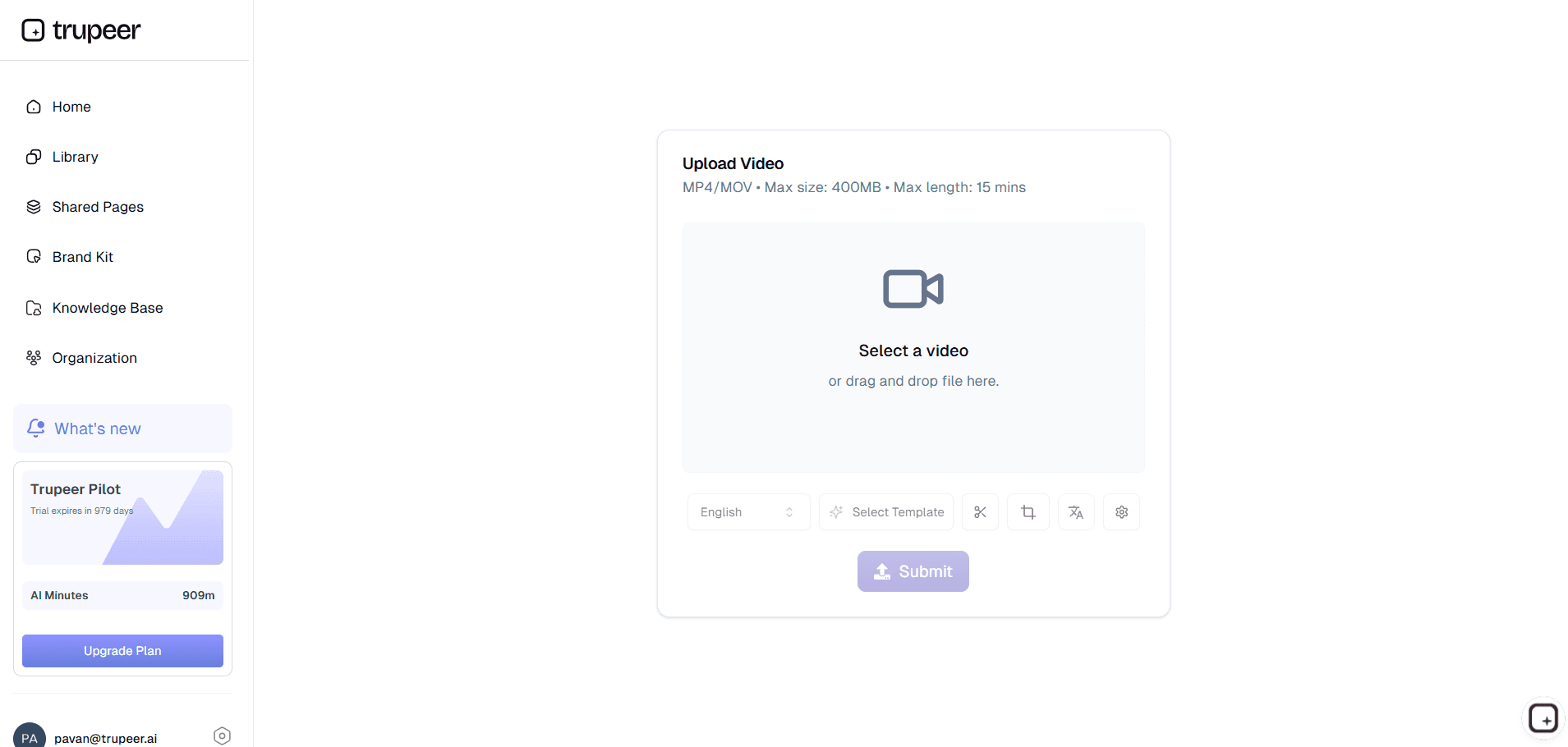
Passo 1: Carregar vídeo
Partilhe o conteúdo do seu tradutor de vídeo do YouTube para processamento linguístico.
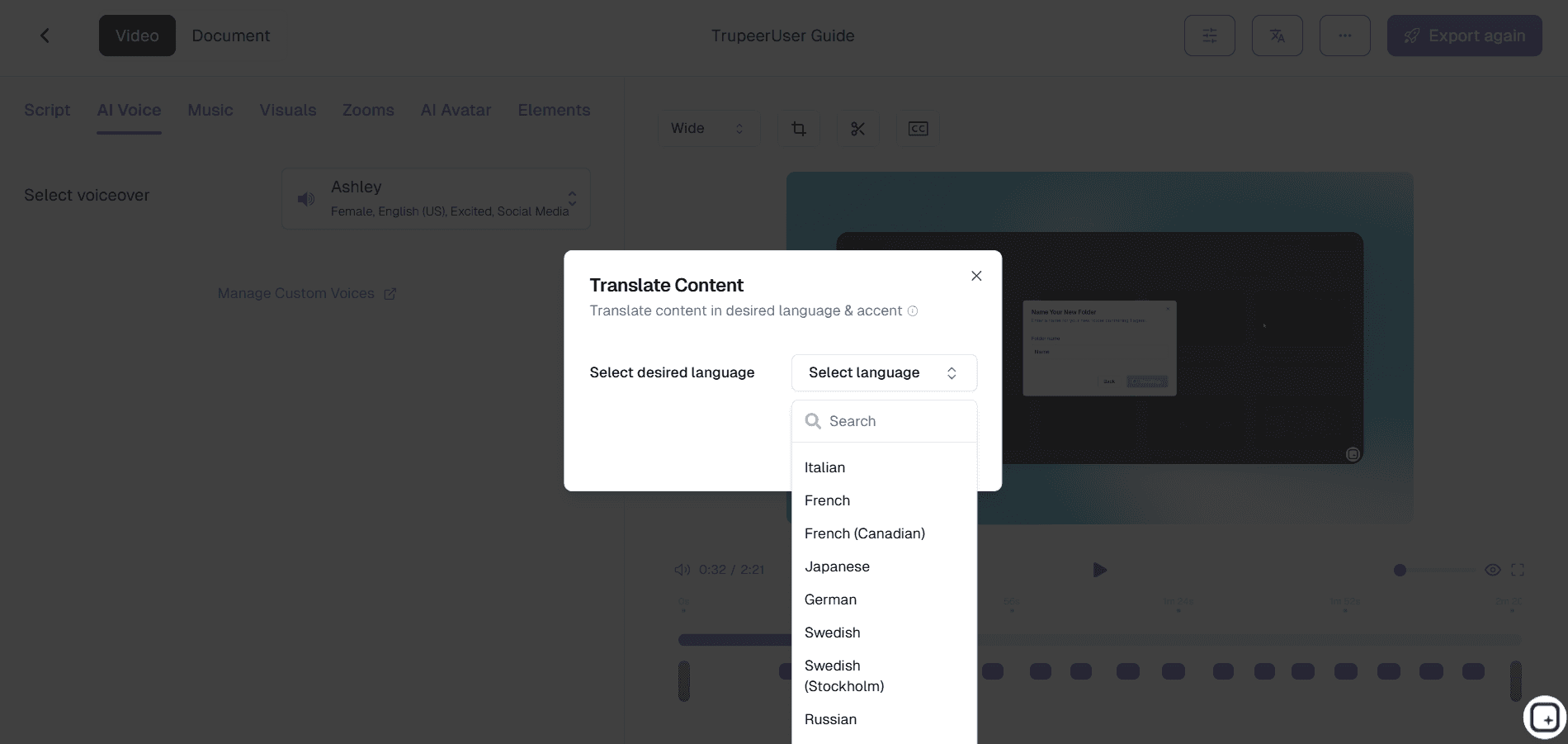
Passo 2: Selecionar idiomas
Escolha os idiomas de destino para a dobragem e as legendas do tradutor de vídeo.
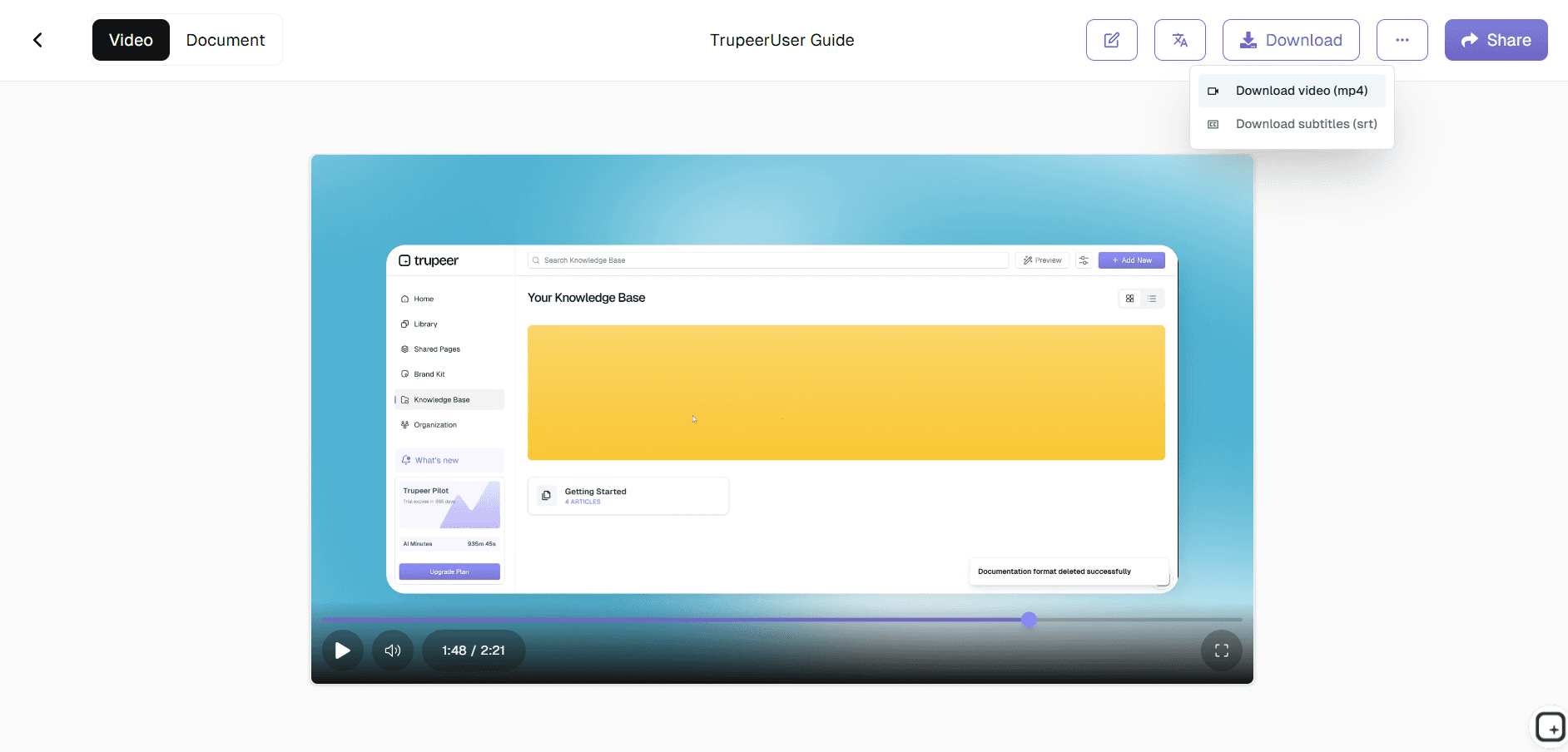
Passo 3: Gerar & Descarregar
A IA cria instantaneamente versões multilingues completas para carregamento.
Para quem é este YouTube Video Translator da Trupeer
Perfeito para criadores que expandem eficientemente para audiências globais.
Criadores do YouTube
Os criadores usam a Trupeer para expandir o alcance para além de uma única língua, gerando versões traduzidas de tutoriais, entrevistas, explicações, comentários, conteúdo educativo e vídeos longos que as audiências internacionais conseguem realmente acompanhar.
Criadores de cursos e educadores
A educação online escala mal quando a língua se torna uma barreira. A Trupeer ajuda os criadores de cursos a localizar aulas, demonstrações guiadas e conteúdo instrucional sem reconstruir manualmente uma biblioteca inteira de vídeos.
Equipas de marketing e crescimento
As equipas de marketing usam workflows de tradução do YouTube para adaptar campanhas de produto, webinars, vídeos de marca e conteúdo de lançamento para públicos regionais sem coordenar equipas de produção separadas em cada mercado.
Influenciadores e marcas de media
Os criadores de conteúdo que estão a fazer crescer audiências internacionais часто precisam de localização que continue a parecer pessoal. A Trupeer ajuda a manter a consistência da voz entre versões traduzidas, para que os criadores não percam familiaridade enquanto expandem o alcance.
Empresas e equipas de formação interna
As empresas globais usam a tradução multilingue de vídeo para localizar integração, formação de conformidade, educação de produto e comunicações internas em várias regiões, reduzindo a dependência de fluxos de trabalho de tradução manuais.
Principais funcionalidades do YouTube Video Translator da Trupeer
Elimine barreiras linguísticas sem equipas de produção dispendiosas.
Dobragem por IA que preserva a identidade da voz
A tradução de voz por IA da Trupeer mantém o tom e a forma de falar do locutor para que os vídeos traduzidos continuem a parecer reconhecíveis em vez de soarem desligados do conteúdo original.
Geração automática de legendas
Gere automaticamente legendas de tradução do YouTube com temporização, melhorando a acessibilidade e ajudando os espectadores a acompanhar os vídeos mesmo quando os veem sem som.
Suporte para mais de 65 idiomas
Traduza vídeos para várias regiões usando video translator AI concebida para distribuição multilingue, educação, comunicação de produto e localização de conteúdo.
Sincronização labial e alinhamento de timing
A Trupeer alinha as locuções traduzidas com o ritmo e o timing visual existentes, para que os vídeos pareçam mais naturais em vez de obviamente dobrados.
Tradução em lote para equipas
Precisa de vários vídeos localizados de uma só vez? As equipas podem processar vídeos em lote, tornando mais fácil escalar conteúdo multilingue do YouTube, bibliotecas de formação, programas de integração ou campanhas de marketing.
Pronto para carregar
Exporte vídeos traduzidos otimizados para publicação no YouTube, tornando a distribuição global mais rápida sem introduzir trabalho adicional de edição.
Explorar ferramentas relacionadas
Benefícios de Utilizar o Tradutor de Vídeos do YouTube da Trupeer
Alcance global
Torne o seu conteúdo acessível a espectadores em todo o mundo com traduções de IA precisas.
Qualidade profissional
A IA garante sincronização precisa, traduções contextualizadas e legendas legíveis.
Partilha e Exportação Fáceis
Descarregue vídeos traduzidos ou ficheiros de legendas para o YouTube, redes sociais ou apresentações.
Como traduzir vídeos do YouTube com o Trupeer
Passo 1
Carregue o seu vídeo do YouTube
Passo 2
Selecionar idioma(s) de destino para tradução
Passo 3
Gerar legendas traduzidas & exportar vídeo para partilha
Perguntas Frequentes
1. Esta ferramenta é gratuita?
Sim, as funcionalidades básicas de tradutor de vídeos do YouTube estão disponíveis na versão gratuita.
2. Que idiomas suporta o tradutor de vídeo?
65+ idiomas, incluindo os principais dialetos globais e regionais.
3. Preserva a qualidade original do vídeo?
Sim, a tradução do YouTube mantém a resolução HD e a sincronização.
4. Quão precisa é a IA de tradução de vídeo?
Tradução contextual com 95%+ de precisão entre idiomas.
5. Posso traduzir conteúdo em direto?
Sim, processe os vídeos concluídos para carregamento instantâneo do tradutor de idiomas de vídeos do YouTube.
Mais ferramentas



