이 템플릿 사용
훌륭한 지식 베이스는 지원에 소요되는 시간을 절약하고, 사용자가 답을 찾는 속도를 높여줍니다. Trupeer를 사용하면 무료 지식 베이스 템플릿으로 시작해 브랜드 가이드라인에 맞게 커스터마이징하고, 지식 베이스 도구로 완전히 검색 가능한 허브를 손쉽게 시작할 수 있습니다.
지식 베이스 템플릿이란 무엇이며, 실제로 무엇을 포함하나요?
지식 베이스 템플릿은 컨테이너의 구조입니다. 즉, 카테고리, 무엇을 추가할 수 있는지에 대한 규칙, 각 영역의 소유자, 그리고 어떤 것이 어떻게 제거되는지에 대한 규칙이 포함됩니다. 그 안에 들어가는 페이지 내부의 구조는 아닙니다.
이 구분이 중요한 이유는 두 가지가 보통 함께 판매되며 서로 다른 문제를 해결하기 때문입니다. 페이지 구조는 개별 답변을 명확하게 만듭니다. 컨테이너 구조는 어떤 답변이든 다른 수천 개 사이에서 찾을 수 있게 해줍니다. 활용하기 어려운 지식 베이스 안에도 훌륭한 글은 있을 수 있으며, 두 가지 실패 중 이 경우가 더 흔합니다.
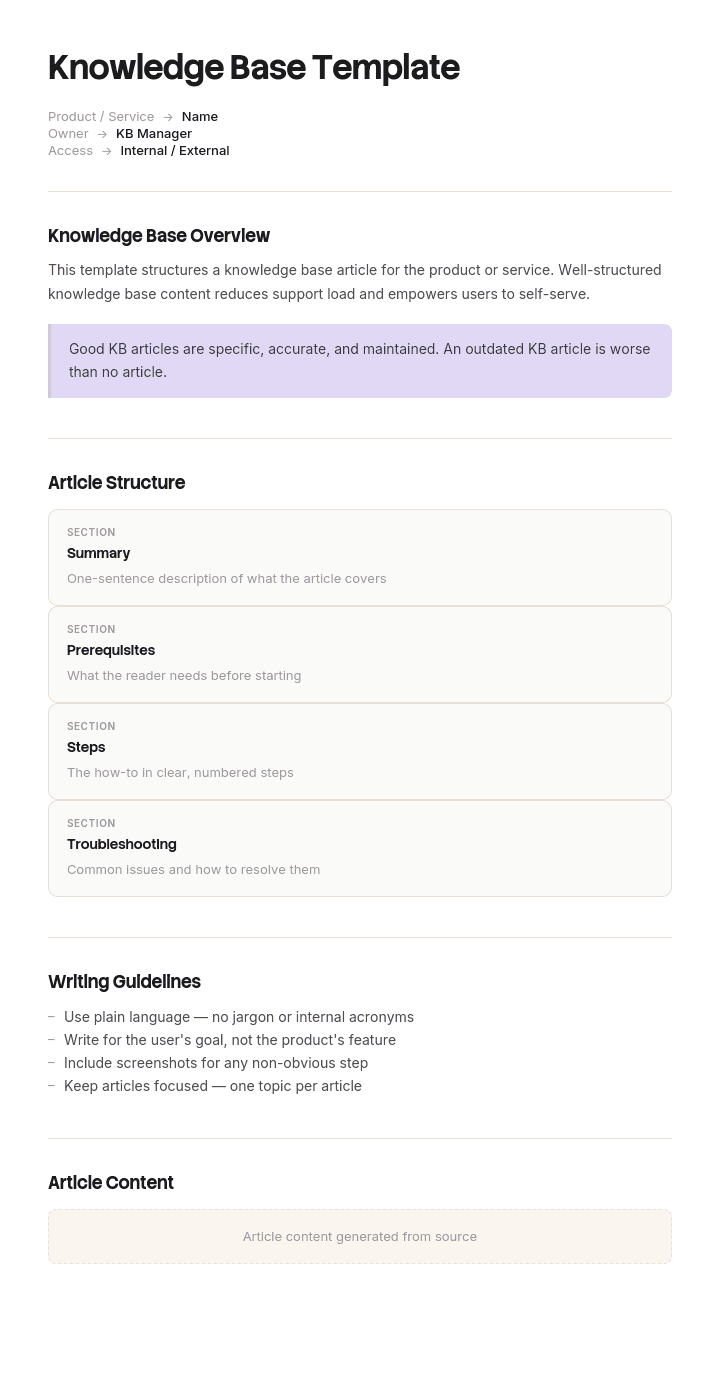
필요한 것이 페이지 자체의 구조, 즉 제목, 범위, 단계, 그리고 각 유형에 필요한 필드라면, 이는 지식 베이스 아티클 템플릿에서 다룹니다. 이 페이지는 그 주변의 모든 것을 설명합니다.
방치가 아니라 ‘누적’ 때문에 지식 베이스가 실패하는 이유
대부분의 팀이 기대하는 이야기는 지식 베이스가 아무도 업데이트하지 않아 오래되어 버린다는 것입니다. 실제로 그런 경우도 있지만, 보통 그것이 지식 베이스를 죽이는 원인은 아닙니다.
대개 일어나는 일은 약 18개월 정도는 잘 작동하다가, 어느 순간 조용히 멈춘다는 것입니다. 삭제된 것도 없고, 깨진 것도 없으며, 누군가 결정을 내린 것도 아닙니다. 라이브러리만 계속 커지고, 어느 날 정책을 검색하면 대부분이 그 정책을 언급하는 회의 메모인 30개의 결과가 나옵니다. 사람들은 두 번 시도해도 유용한 것을 찾지 못하고, 결국 동료에게 물어보러 돌아갑니다. 그 뒤로 지식 베이스는 기술적으로는 완성되어 있지만 기능적으로는 이미 죽은 상태가 됩니다.
핵심 메커니즘은 검색 희석(search dilution)입니다. 지식 베이스는 최악의 검색 결과만큼만 좋습니다. 왜냐하면 9개의 결과 중 어떤 것이 권위 있는지 구분하지 못하는 독자는 사실상 아무것도 찾지 못한 것과 같습니다. 좋은 콘텐츠를 추가한다고 해서 이 문제가 해결되지는 않습니다. 나쁜 콘텐츠를 거부해야 해결됩니다.
Trupeer에서 이 템플릿을 커스터마이즈하는 방법
1단계: 템플릿 섹션 열기
메인 내비게이션에서 템플릿 섹션으로 이동하세요.

2단계: 템플릿 선택 후 열기
작업하려는 템플릿을 아무거나 클릭해 열어보세요.

3단계: 템플릿 보기 확장
필요한 경우 템플릿 보기를 확장해 전체 레이아웃과 세부 정보를 더 명확하게 확인하세요.

4단계: 템플릿 편집
선택한 템플릿을 수정하기 시작하려면 편집(Edit)을 클릭하세요.

에디터에서 다음을 할 수 있습니다:
새 섹션 추가
서식 규칙 정의 또는 업데이트
로고를 추가하고 위치 및 관련 설정을 조정
5단계: 커스터마이즈한 템플릿 저장
필요한 모든 변경을 마친 후 저장(Save)을 클릭해 업데이트된 템플릿을 본인 소유로 저장하세요.

6단계: 미리보기 및 템플릿 미세 조정
커스터마이즈한 템플릿이 어떻게 보이는지 확인하려면 미리보기(Preview)를 여세요.

미리보기 화면에서 필요하다면 템플릿이 원하는 대로 정확히 표시되도록 직접 계속 조정할 수 있습니다.
지식 베이스 템플릿으로 할 수 있는 일:
설정에 드는 시간을 절약: 지식 베이스에 맞게 구성된 구조로 빈 페이지를 건너뛰세요.
지원 티켓 감소: 명확하고 검색 가능한 콘텐츠가 사용자가 셀프 서비스로 해결하도록 돕습니다.
브랜드에 맞게 유지: Trupeer의 브랜드 키트를 사용해 로고, 글꼴, 색상을 적용하세요.
영상 워크스루 추가: 글에 내장된 영상 튜토리얼을 함께 연결하세요.
콘텐츠 표준화: 동일한 아티클 템플릿을 사용해 일관된 품질을 유지하세요.
글로벌 사용자 도달: 한 번의 클릭으로 지식 베이스 콘텐츠를 65+개 언어로 번역하세요.
어떤 카테고리 구조보다 먼저 나와야 하는 ‘입장 규칙’
대부분의 팀은 먼저 카테고리 트리를 설계합니다. 하지만 이 순서는 잘못입니다. 트리는 ‘무엇을 수용할지’의 흐름 아래에 있기 때문이며, 참고 자료용으로 설계된 트리는 아무도 지켜보지 않는 순간 프로젝트 찌꺼기로 가득 차게 됩니다.
먼저 입장 규칙을 작성하고 게시한 뒤, 누군가 페이지를 만들 때 나타나는 템플릿에 넣으세요. 질문은 세 가지이며, 모두 ‘예’여야 합니다.
이걸 방에 없던 누군가가 필요로 할까요? 청중이 이미 스레드에 있는 네 명이라면, 그건 메시지이지 아티클이 아닙니다.
6개월 후에도 여전히 사실일까요? 날짜가 붙은 모든 것, 스프린트 번호, 특정 이벤트가 포함된 내용은 여기(지식 베이스)에 두지 말고, 그 ‘무언가’를 소유하는 도구에 두어야 합니다.
이것이 유일하게 존재하는 곳인가요? 권위 있는 버전이 계약서, 티켓, 저장소 또는 스프레드시트라면 그 링크를 거세요. 지식 베이스에 복사본을 두면 원본이 바뀌는 순간 틀려집니다. 틀린 복사본은 관리되는 것처럼 보이기 때문에 아예 없는 것보다 더 나쁩니다.
세 가지 질문 중 하나라도 해당되지 않는 것은 다른 곳으로 보내야 합니다. 삭제하지도 말고, 논쟁하지도 마세요. 지식 베이스 검색에서 제외된 공간으로 이동하면 됩니다.
지식 베이스에 들어갈 것과 들어가지 말아야 할 것
들어갈 것 | 다른 곳으로 | 어디로 가는가 |
|---|---|---|
반복되는 질문에 대한 답변 | 회의 메모 | 회의 공간(검색에서 제외) |
절차 및 SOP | 프로젝트 작업 문서 | 프로젝트 도구(마감 시 아카이브) |
현재 정책 | 대체된 정책 | 눈에 보이는 배너가 있는 아카이브 공간 |
참조 값, 코드, 한도 | 날짜 또는 스프린트 번호가 포함된 모든 것 | 일정을 소유하는 도구 |
역할별 온보딩 경로 | 개인 메모 및 초안 | 개인 공간 |
알려진 이슈와 우회 방법 | 계약서, 인보이스, 티켓 | 원본 기록 시스템(복사하지 말고 연결) |
기록된 결정과 그 이유 | 슬라이드 덱 | 덱이 있는 곳 어디든(결정 내용을 여기에서 작성) |
사람들이 논쟁하는 행은 회의 메모입니다. 지식처럼 느껴지고, 제가 본 모든 내부 지식 베이스에서 검색 희석의 단일 최대 원천이기도 합니다. 보관하고, 작성한 팀이 찾을 수 있게 하며, 지식 베이스 인덱스에는 포함하지 마세요.
무료 지식 베이스 템플릿: 복사할 카테고리 구조
상위 7개 카테고리, 하위 하위 카테고리 없음. 콘텐츠를 소유하는 팀이 아니라 독자가 무엇을 하고 있는지에 맞춰 이름을 붙이세요.
시작하기. 역할별 정렬된 경로로, 각 경로마다 도달해야 할 최종 상태가 있습니다. 신규 합류자, 신규 관리자, 신규 고객.
방법 안내. 이미 무엇을 할지 아는 사람들을 위한 작업 지침입니다.
문제 해결. 시스템이 아니라 증상으로 입력합니다.
정책 및 규칙. 무엇이 필수인지, 무엇이 허용되지 않는지에 대해 소유자와 각 항목의 효력 발생일이 함께 명시됩니다.
참조. 값, 코드, 한도, 임계값, 연락처. 대부분 표로 구성됩니다.
시스템 및 액세스. 각 도구의 용도, 누가 받을 수 있는지, 어떻게 요청하는지입니다.
알려진 이슈. 현재 문제, 우회 방법, 그리고 마지막 업데이트 시점.
이름은 조정하되 개수는 유지하세요. 이를 성립시키는 두 가지 규칙이 있습니다. 어떤 카테고리도 팀 이름을 따서 짓지 마세요. 독자는 조직도와 재조직을 알지 못해, 그러면 전체 섹션이 고아가 됩니다. 그리고 이 일곱 개 밖에는 최상위에 아무것도 두지 마세요. 첫 번째 예외가 생기면 항상 그 뒤에 아홉 개가 더 따라오기 때문입니다.
지식 베이스는 하나로 운영할까요, 둘로 운영할까요?
거의 모든 경우에 두 개가 맞고, 주제보다는 ‘대상’ 기준으로 나눕니다. 고객은 하나, 직원은 다른 하나를 사용하세요. 같은 주제가 두 곳에 모두 등장할 수 있으며, 각각 다르게 작성됩니다.
한 개의 베이스로 두 대상을 모두 만족시키려 하면 각각의 최악이 함께 발생합니다. 내부 디테일이 고객용 콘텐츠로 새어 나오거나, 내부 버전이 에이전트에게 유용하게 만드는 주의사항, 에스컬레이션 경로, 알려진 한계가 제거됩니다. 결국 지원 팀은 공개 아티클에 없는 내용을 별도의 비공개 문서로 관리하게 되는데, 이는 분리가 필요했고 실제로 이루어지지 않았다는 가장 명확한 신호입니다.
두 개가 만나는 지점은 인수인계(handover)입니다. 반복 이슈에 대한 내부 아티클은 에이전트가 안내할 고객용 아티클로 링크되어야 하며, 헬프 데스크 응답 템플릿은 이를 다시 설명하기보다 공개 아티클을 참조해야 합니다.
지식 베이스 예시: 6,400페이지인데 아무도 검색할 수 없었던 사례
약 400명 규모의 소프트웨어 회사 Havenlark는 내부 지식 베이스를 위키로 운영했습니다. 2022년에는 대략 900페이지가 있었고, 내부 설문에서 검색 만족도는 71%였습니다.
그로부터 3년 뒤에는 약 6,400페이지가 되었고, 검색 만족도는 24%로 떨어졌습니다. IT와 인사 팀은 몇 년 전 이미 문서화했던 것과 똑같은 질문을 계속 받고 있었습니다.
감사(audit)로 페이지를 정리했습니다. 약 2,100개는 회의 메모였습니다. 1,400개는 완료된 프로젝트를 위한 프로젝트 페이지였습니다. 900개는 중복이거나 버려진 초안이었습니다. 600개는 개인용 임시 공간이었습니다. 그러고 나면, 참고 자료로 볼 수 있는 페이지가 대략 1,400개 남았고 그중 약 900개만 현재 기준이었습니다.
참조 콘텐츠의 양은 줄지 않았습니다. 2022년과 거의 같은 크기였습니다. 다만 보이지 않게 되었죠. 비용 정책을 검색하면 34개의 결과가 나왔는데, 그중 31개는 비용을 지나가듯 언급하는 회의 메모였습니다.
해결책은 새로운 콘텐츠를 전혀 작성하지 않았습니다. 두 사람이 일주일 동안 회의 메모, 완료된 프로젝트 페이지, 개인 공간을 각각 지식 베이스 검색 인덱스에서 제외된 별도 영역으로 옮기고, 대체된 정책에는 배너를 달았습니다. 삭제한 것이 없었기 때문에 빠르게, 그리고 논쟁 없이 진행할 수 있었습니다.
다음 설문에서는 검색 만족도가 63%로 올라갔습니다.
그 사례에서 얻을 수 있는 것은 두 가지입니다. 문제는 절대 ‘작성자’가 아니었으므로, 어떤 글쓰기 노력도 해결하지 못했습니다. 그리고 복구에 일주일이 걸린 이유는 콘텐츠가 모두 여전히 남아 있었기 때문입니다. 이 상태의 지식 베이스를 인수받을 때는 삭제보다 ‘이동’이 정답이라는 근거가 됩니다.
지식 베이스는 누가 소유하며, 소유권은 어떻게 지정하나요?
각 카테고리에는 이름이 붙은 소유자가 1명씩 배정됩니다. 팀이 아닙니다. 팀 소유자는 아무도 확인하지 않게 되기 때문입니다. 또한 문서화 기능도 아닙니다. 그들은 콘텐츠가 여전히 사실인지 판단할 수 없기 때문입니다.
소유자의 역할은 작고 구체적입니다. 연 2회 카테고리가 여전히 현실과 일치하는지 확인하고, 해당 영역에서 새 상위 페이지를 승인하거나 거부하며, 대체된 항목을 아카이브합니다. 반나절, 연 2회면 충분하고, 그 주제에 대해 어차피 질문을 받는 사람이 맡는 것이 가장 좋습니다.
일곱 명의 소유자 위에는 컨테이너 자체를 책임지는 한 사람이 있습니다. 즉, 입장 규칙, 검색 구성, 아카이브를 담당하는 역할입니다. 이 역할은 지식 베이스에서 보통 공백이 생기는데, 검색이 작동하지 않기 전까지는 ‘누구의 일이 아닌 것처럼’ 보이기 때문입니다. 자산이 커서 더 공식적인 처리가 필요하다면, 여러 시스템 전반의 라이프사이클과 캡처를 다루는 지식 관리 템플릿을 참고하세요.
2주 안에 지식 베이스 템플릿을 설정하는 방법
1주는 ‘빼기’입니다. 기존 베이스를 상속받는 경우 위의 감사를 실행하세요. 모든 것을 ‘들어갈 것’과 ‘다른 곳으로’로 분류한 다음, 삭제하지 말고 이동하세요. 처음부터 시작한다면 입장 규칙을 작성하고 합의하세요. 콘텐츠가 이미 존재한 뒤에 합의하는 것은 훨씬 더 어렵기 때문입니다.
2주는 ‘구조’입니다. 일곱 개의 카테고리를 만들고 일곱 명의 소유자를 지정한 뒤, 각 카테고리에 팀이 실제로 가장 자주 묻는 세 가지 질문을 시드로 넣으세요. 브레인스토밍에서 뽑지 말고 티켓 큐나 지원 채널에서 가져오면 됩니다.
그런 다음 멈추세요. 정말 유용한 21개의 페이지로 시작하고, 다음에 무엇이 들어올지에 대한 규칙이 있는 지식 베이스는, 200개의 가져온 페이지로 시작하는 지식 베이스를 매번 이깁니다. 그리고 3년 후에도 여전히 사용할 수 있습니다.
지식 베이스 웹사이트 템플릿, HTML 테마, 플랫폼 선택
무료 지식 베이스 템플릿을 찾는 일부 사람들은 웹사이트를 원합니다. 즉, 콘텐츠 구조가 아니라 HTML 테마나 호스팅된 헬프 센터가 필요하다는 뜻이죠. 이는 실제로 별도의 요구이며, 동일한 쿼리에서 개발자 테마 라운드업이 같은 검색어로 순위를 매기는 것처럼, 이러한 결과에 직접적으로 나타납니다.
두 가지 결정은 서로 독립적이며, 답을 찾는 방식에 영향을 주는 것은 그중 하나뿐입니다. 입장 규칙이 없는 테마형 헬프 센터는 위키처럼 같은 찌꺼기로 가득 차게 됩니다. 플랫폼에서 실제로 중요한 것은 검색 품질입니다. 인덱스에서 공간을 제외할 수 있는지, 권한의 세분성, 그리고 휴대폰에서 어떻게 렌더링되는지 등이 여기에 해당합니다. 네 가지 중 외형은 가장 덜 중요하고, 나중에 바꾸기 가장 쉽습니다.
지식 베이스가 어디에 존재할지 선택하고 있다면, 다른 어떤 것보다 먼저 현실적인 콘텐츠 규모로 검색을 테스트하세요. 대부분의 플랫폼 데모는 완벽한 페이지 50개를 사용합니다. 이는 검색이 4,000개에서 어떻게 동작하는지에 대해 알려주지 못합니다.
Word 또는 PDF로 무료 지식 베이스 템플릿을 받을 수 있나요?
위의 카테고리 구조, 입장 규칙, 그리고 ‘들어갈 것’ 표는 Word 또는 Google Docs에 그대로 붙여 넣어 설정 문서로 사용할 수 있도록 작성되어 있습니다. 이 문서는 보관할 가치가 있습니다. 누군가 “왜 회의 메모가 이동됐나요?”라고 물을 때, 그 문서를 가리키면 되기 때문입니다.
PDF는 구조가 합의된 뒤 한 번 공유하는 버전에 적합합니다. 두 형식 모두에서 작동하지 않는 것은 지식 베이스 자체입니다. 지식 베이스는 검색 가능해야 정의됩니다. 그리고 Word 파일 폴더는 추가 단계가 있는 공유 드라이브일 뿐입니다.
팀을 위한 최고의 무료 지식 베이스 템플릿을 만드는 요소
카테고리 개수나 레이아웃의 완성도는 아닙니다. 지식 베이스 템플릿은 세 가지로 판단하세요. 무엇을 제외해야 하는지 알려주는지, 각 영역에 이름이 붙은 사람이 소유자로 있는지, 그리고 누군가 떠나도 계속 유지되는지입니다.
무료 지식 베이스 템플릿의 대부분의 갤러리는 카테고리 트리와 그 외 아무것도 제공하지 않습니다. 이 부분은 설계하기 가장 쉽고, 3년 차에 실제로 작동하는지 예측하는 데 가장 덜 도움이 됩니다. 템플릿에 아카이빙이 언급되지 않는다면, 지식 베이스를 실제로 죽이는 문제를 생각해보지 않은 것입니다.
콘텐츠 프로젝트 없이 새 지식 베이스를 채우는 방법
구조를 합의하고 나서 실제로 그 안에 무엇이 들어가느냐 사이의 공백이 대부분의 지식 베이스를 멈추게 만드는 지점입니다. 비어 있는 일곱 개 카테고리는 아무도 그걸 지킬 시간이 없는 ‘약속’이고, 그 카테고리를 채울 콘텐츠 프로젝트는 두 번 잡혔다가 두 번 취소됩니다.
Trupeer AI는 화면 녹화를 완성된 아티클로 바꿔 그 공백을 메웁니다. 답을 아는 사람이 한 번만 실제로 하는 모습을 녹화하고, 새로 쓰는 대신 편집하면 됩니다. 21개의 시드 페이지가 한 분기(quarter)가 아니라 오후로 끝납니다.
녹화하세요. 브랜드를 입히세요. 번역하세요. Trupeer하세요.
같은 녹화로 작성 가이드, 영상, 그리고 일관된 브랜딩의 지식 베이스용 문서를 얻을 수 있으며, 번역은 각 지역이 조용히 각자 시작하는 대신 하나의 구조가 모든 지역에 적용되게 합니다. 기술 문서에도 동일하게 적용되며, 설정 지침은 문서 템플릿 설정 가이드에 있습니다.
자주 묻는 질문
Word에서 무료 지식 베이스 템플릿을 제공하나요?
위의 구조는 카테고리, 소유자, 입장 규칙을 포함해 설정 및 거버넌스 문서로 바로 Word 또는 Google Docs에 붙여 넣을 수 있습니다. 다운로드를 위한 별도 잠금(게이트)은 없고, 양식도 없습니다. 아티클 자체는 Word에 두면 안 됩니다. 지식 베이스는 검색으로 정의되며, Word 파일은 유용한 의미에서 검색이 되지 않기 때문입니다.
PDF에서 무료 지식 베이스 템플릿을 제공하나요?
일곱 개 카테고리와 소유자 이름이 합의되면, 직접 내보내서 그 내용을 참고 버전으로 공유하세요. 작업용 복사본은 편집 가능하게 유지하세요. 입장 규칙은 보통 첫 달 이후 실제 논쟁을 거치며 한 번 조정이 필요하기 때문입니다.
무료 지식 베이스 템플릿을 다운로드할 수 있나요?
카테고리 구조, 입장 규칙, ‘들어갈 것’ 표, 그리고 소유 모델은 모두 무료이며 제한이 없습니다. 사용하고, 카테고리 이름을 조직에 맞게 바꾼 뒤, 귀하의 거버넌스 문서에 넣으세요. 출처 표기는 필요하지 않습니다.
지식 베이스와 위키의 차이는 무엇인가요?
위키는 누구나 페이지를 만들고 편집할 수 있는 기술입니다. 지식 베이스는 목적입니다. 즉, 소유자와 입장 규칙이 있는 큐레이션된 답변 세트입니다. 실패한 지식 베이스의 대부분은 두 번째 절반이 제공되지 않은 위키인데, 이는 위에서 설명한 Havenlark 패턴과 정확히 같습니다.
지식 베이스는 몇 개의 아티클로 시작해야 하나요?
약 20개 정도가 적당합니다. 팀이나 고객이 지난달에 실제로 가장 자주 물었던 질문에서 골라 선택하세요. 더 크게 시작하는 것이 더 흔한 실수입니다. 가져온 콘텐츠는 소유자가 없이 들어오며, 무엇이든 추가할 수 있다는 선례를 만들기 때문입니다. 그리고 당신이 만들고 싶지 않은 선례가 바로 그것입니다.
지식 베이스는 공개로 할까요, 로그인 뒤로 할까요?
잠재 고객이 검색할 만한 모든 것은 공개로 하세요. 해당 아티클은 획득(acquisition)에도 이중으로 활용되기 때문입니다. 내부 시스템, 에스컬레이션 경로, 임계값 또는 특정 담당자를 지칭하는 모든 것은 로그인 뒤로 하세요. 한 아티클에 두 가지 처리가 모두 필요하다면, 복잡한 권한이 있는 하나의 지식 베이스보다 두 개의 지식 베이스가 필요하다는 가장 명확한 신호입니다.
지식 베이스는 얼마나 자주 검토해야 하나요?
카테고리 소유자는 구조를 위해 연 2회 자신의 영역을 확인합니다. 개별 아티클은 일정이 아니라 트리거에 따라 재검증해야 합니다. 즉, 아티클이 존재하는데도 티켓이 생성되거나, 아티클이 설명하는 대상이 변경될 때입니다. 컨테이너를 검토하는 일과 콘텐츠를 검토하는 일은 서로 다른 시계에서 돌아가는 별도의 작업입니다.


