

Record a process once. Trupeer maps it into a flow your whole team can see.

Require review and approval before content publishes. Reviewers comment on the content itself, every change is saved as a version, and Audit Logs record every step. Set it per workspace.

문서에서 비디오로 NEW FEATURE 슬라이드 덱 또는 문서를 업로드하면 Trupeer가 스크립트와 보이스오버까지 포함해 아무것도 기록할 필요 없이 그에 기반한 비디오를 생성합니다. 자세히 알아보기

지식 베이스용 분석 및 미리보기 PRODUCT ENHANCEMENT 설정하는 동안 지식 베이스가 어떻게 완성되어 가는지 확인하고, 같은 화면에서 성과도 살펴보세요.

라이브러리에서 페이지 공유 PRODUCT ENHANCEMENT 이제 공유하는 모든 페이지가 나머지 콘텐츠와 함께 라이브러리에 함께 저장되어, 필터링하고 열거나 삭제할 준비가 됩니다.

이제 워크스루가 각 클릭을 확대해 강조 표시하므로, 모든 단계에서 독자가 어디로 가야 하는지 명확히 확인할 수 있습니다.

모든 녹화에서 개인 정보가 가려집니다.
녹화하는 내용 중 상당 부분은 민감할 수 있습니다. 스마트 블러가 대신 처리해드립니다. Trupeer가 비디오 또는 문서를 처리하는 동안 이름, 이메일, IP 주소, 생년월일 같은 개인 정보를 자동으로 가립니다. 숨길 항목을 직접 선택할 수 있으며, 비디오와 문서에 대해 각각 별도의 제어가 제공됩니다. 엔터프라이즈에서 사용 가능합니다.
이제 Trupeer 지식이 사용 중인 AI 도구 안에서 그대로 작동합니다.
Trupeer MCP는 회사의 지식 그래프, 팀이 일하는 방식, 그리고 그 이면의 추론을 Claude, ChatGPT 및 MCP를 지원하는 모든 도구로 확장합니다. 한 번의 클릭으로, 도구가 회사의 맥락을 기반으로 작동합니다.

페이지를 떠나지 않고도 슬래시 명령, 이동 가능한 섹션, 표, 이미지 편집까지 제자리에 두고 가이드를 만들고 배포하세요.

사용자가 읽는 모든 언어로, 영상과 문서를 제공합니다. 한 번만 번역하고 한 링크만 공유하면, 각 사용자는 자신이 아는 언어로 따라볼 수 있습니다.

여러 영상을 하나로 합치기
작업을 여러 조각으로 기록해 왔고, 지금까지는 그 조각들이 서로 분리되어 있었습니다. Trupeer는 이제 여러 번의 녹화를 하나로 합칠 수 있습니다. 몇 가지 시스템에 걸쳐 워크플로를 기록하고, 각 사람이 자신이 담당한 단계를 기록하게 하거나, 한 번에 하나씩 기록한 기능을 결합한 다음, 이를 단일 워크스루로 합치세요. 그리고 나중에 한 단계가 바뀌면 해당 녹화만 교체하고 나머지는 그대로 유지할 수 있습니다.

Ask Trupeer는 팀이 기록한 모든 것을 대상으로 하는 에이전트형 검색입니다. 동료에게 묻는 것처럼 질문을 입력하면, 팀의 비디오, 가이드, 문서에서 직접 뽑아낸 정확한 답을 제공하며, 바로 열 수 있도록 정확한 타임스탬프 순간도 함께 준비됩니다.

다듬는 동안 오디오를 확인하세요.
트림 보기(편집 화면)를 열면 오디오가 웨이브폼으로 표시됩니다. 말이 나오는 구간은 피크로 보이고, 멈춤이 있는 구간은 평평하게 이어져 보입니다. 잘라낼 만한 부분은 쉽게 식별할 수 있어 몇 번의 클릭만으로도 분리할 수 있습니다. 더 정밀하게 편집하려면 타임라인을 확대하고, 언제든지 되돌릴 수 있으며, 비디오를 업로드했든 Trupeer에서 직접 녹화했든 같은 방식으로 작업할 수 있습니다.

스크립트에 대한 정밀한 제어.
원하는 부분만 정확히 편집하고 나머지는 그대로 두세요. 한 번의 작업으로 전체 스크립트에서 단어를 찾아 바꾸고, 선택한 일부에만 AI 편집을 적용하며, 단일 프롬프트로 어떤 구간이든 불필요한 채움말을 깔끔하게 정리할 수 있습니다. 더 긴 스크립트에도 세밀한 제어가 가능해, 모든 변경이 의도한 위치에 정확히 반영됩니다.

가이드를 직접 운영하는 웹사이트에 호스팅하세요.
Trupeer는 모든 사용 방법 비디오와 문서를 한곳에 모아 사람들이 검색할 수 있게 해줍니다.
이제 그 지식 베이스를 docs.yourcompany.com 같은 주소로 직접 운영하는 웹사이트에 둘 수 있어, 사이트의 자연스러운 일부가 됩니다.
Trupeer에서 만드는 모든 비디오나 문서는 곧바로 여러분의 웹 존재감에 더해집니다. 더 많이 게시할수록 사이트는 더 강해지고, 고객이 여러분을 더 쉽게 발견할 수 있습니다.
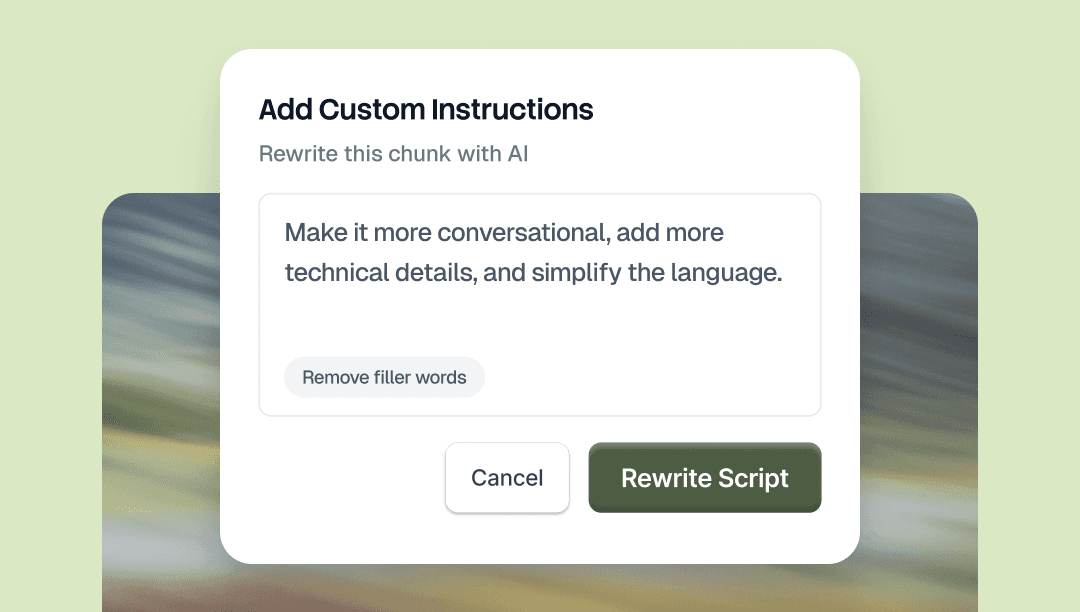
스크립트의 어떤 부분이든 선택하고 AI에게 무엇을 바꿀지 알려주세요. 톤 변경, 단어 교체, 섹션 단축, 문법 수정 등 무엇이든 자연어로 요청하세요. 선택한 부분만 변경됩니다.
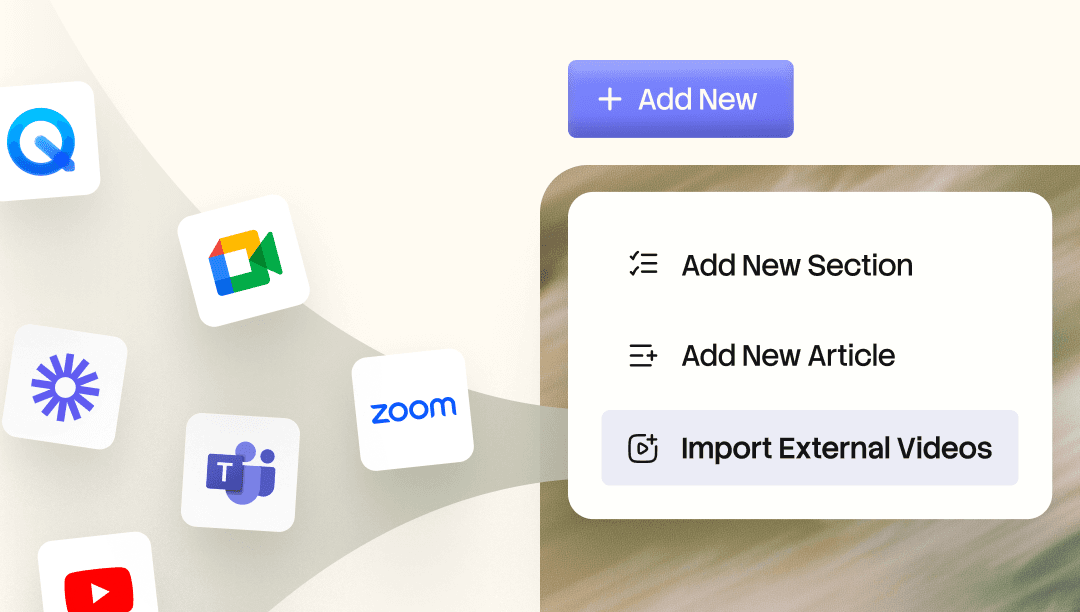
기존의 Loom 및 Zoom 녹화본을 Knowledge Base로 가져오세요. AI가 모든 단어를 인덱싱하므로 녹화본 전체를 검색하고 필요한 순간으로 바로 이동할 수 있습니다. 어떤 녹화본이든 세련된 동영상, 장별 단계별 안내서 또는 서면 문서로 변환해 보세요.

가이드를 직접 운영하는 웹사이트에 호스팅하세요.
Trupeer는 모든 사용 방법 동영상과 가이드를 사람들이 검색할 수 있는 한 곳에 모아드립니다.
이제 지식 베이스 를 docs.yourcompany.com 같은 주소로 직접 웹사이트에 둘 수 있어, 사이트의 자연스러운 일부가 됩니다.
Trupeer에서 만드는 모든 동영상 또는 문서는 곧바로 여러분의 웹 존재감을 강화합니다. 더 많이 게시할수록 사이트는 더 강해지고, 고객이 여러분을 더 쉽게 발견할 수 있습니다.
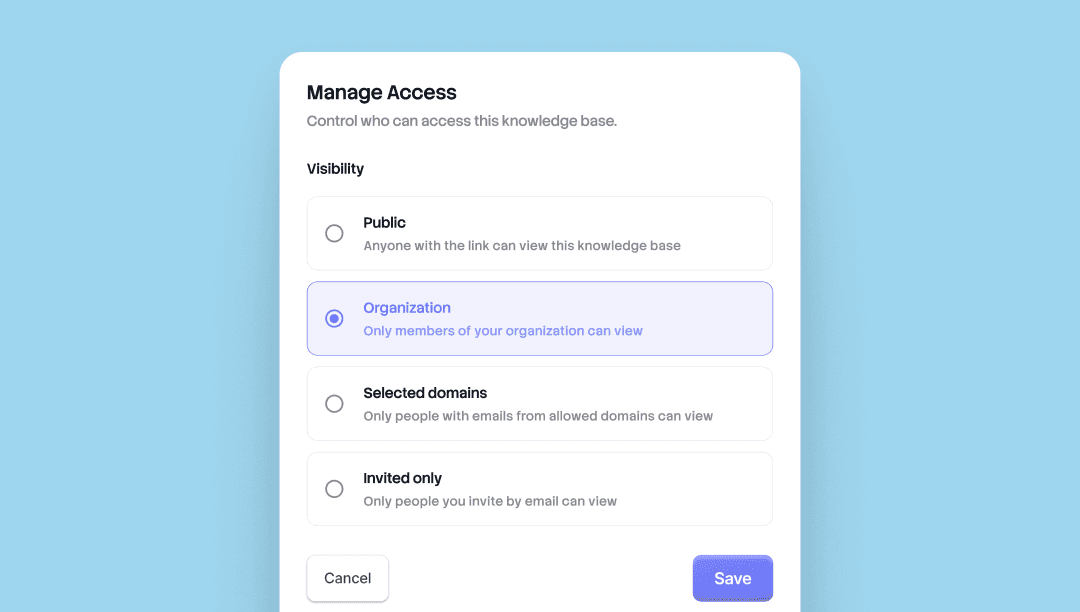
누가 무엇을 볼지 선택하세요. 이제 Trupeer의 모든 지식 베이스와 공유 페이지는 네 가지 액세스 수준과 함께 제공됩니다. 영역별로 공개 여부를 설정하고 언제든지 변경할 수 있습니다.
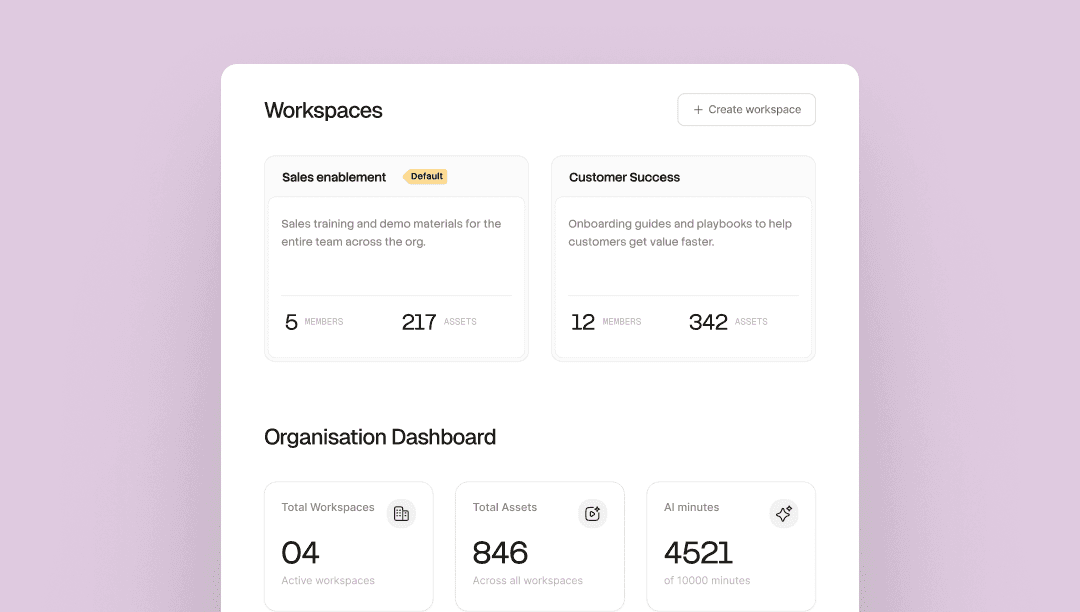
하나의 조직. 각 팀만의 전용 공간. 하나의 Trupeer 조직 내에서 여러 팀을 운영하세요. 각 워크스페이스는 자체 관리자, 멤버, Skill, 그리고 라이브러리를 갖습니다.
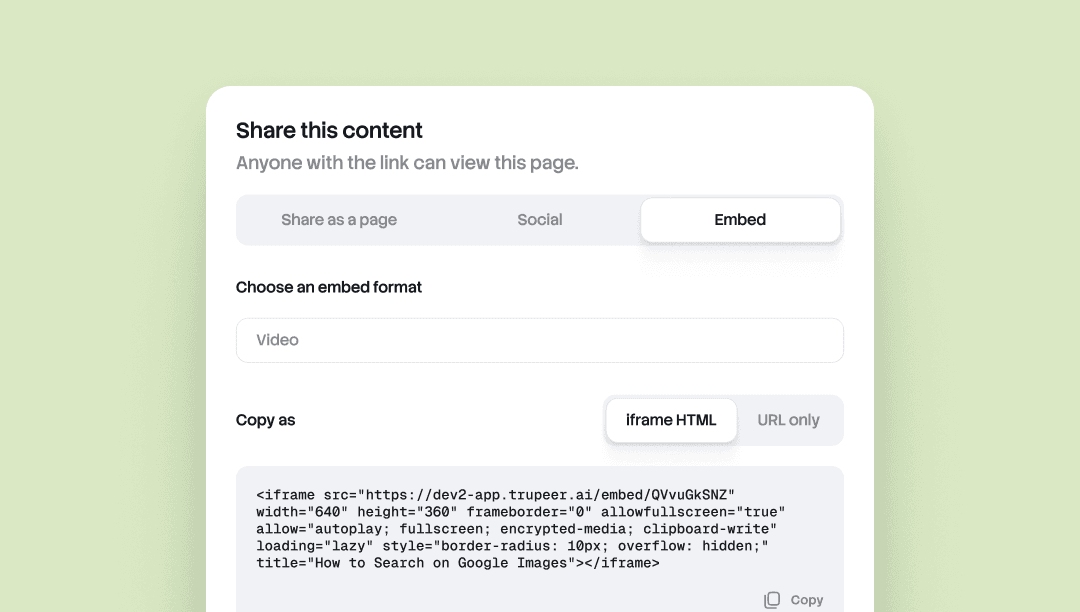
Embed Anywhere를 사용하면 iframe을 허용하는 어떤 도구에든 Trupeer 문서나 동영상을 그대로 삽입할 수 있습니다.
Notion, Confluence, Zendesk, Webflow, 헬프 센터, CMS, 위키. Trupeer에서 소스를 업데이트하면, 모든 임베드가 자동으로 업데이트됩니다. 재내보내기 필요 없음, 다시 붙여넣기 필요 없음, 여러 화면에서 버전이 어긋나는 문제도 없습니다.
콘텐츠가 여러 곳에 흩어져 있고 어디서든 최신 상태로 유지되어야 하는 팀에 유용합니다.
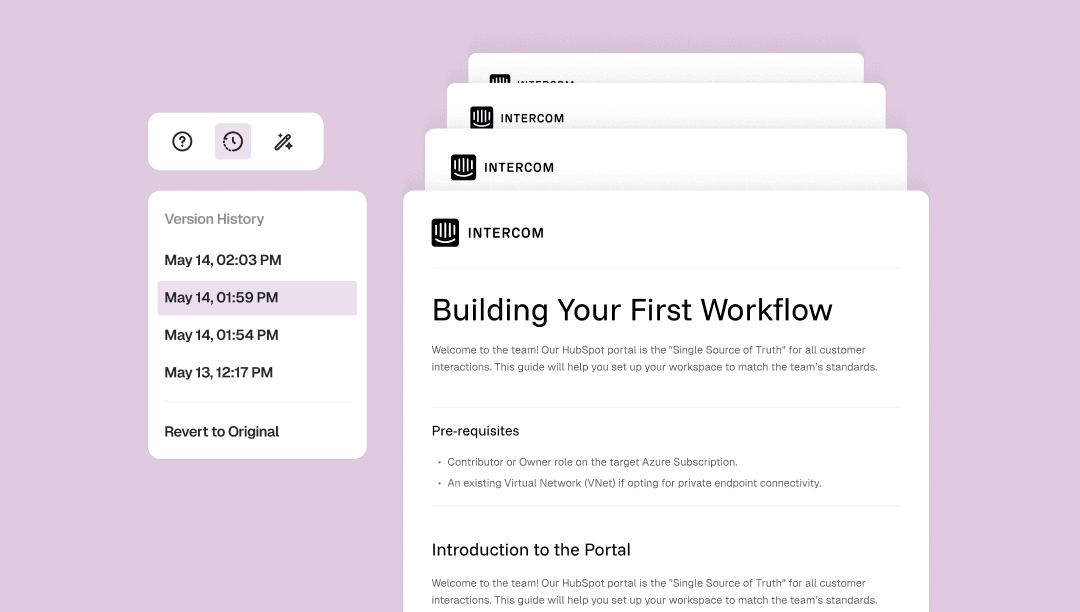
Doc 버전 기록은 문서에 대해 사용자가 변경한 모든 내용을 타임스탬프와 함께 자동으로 저장합니다.
문서 도구 모음에서 버전 패널을 열면 이전 버전으로 바로 돌아가거나, 원본으로 전체 되돌릴 수도 있습니다. 한 번의 클릭으로 끝—수동 체크포인트가 필요 없고, 작업이 사라질 걱정도 없습니다.
자기 확신 없이 편집하지 않아도 되고, 마음껏 구조를 재편하거나, 잘라낸 것이 아쉬운 문단을 다시 복구할 수 있어 유용합니다.
동영상의 모든 프레임에 대해 정밀하게 제어하세요. 어떤 단어든 어떤 프레임에든 배치할 수 있습니다. 동영상과 스크립트를 각각 독립적으로 트림하세요. 동영상의 섹션을 재구성하세요.
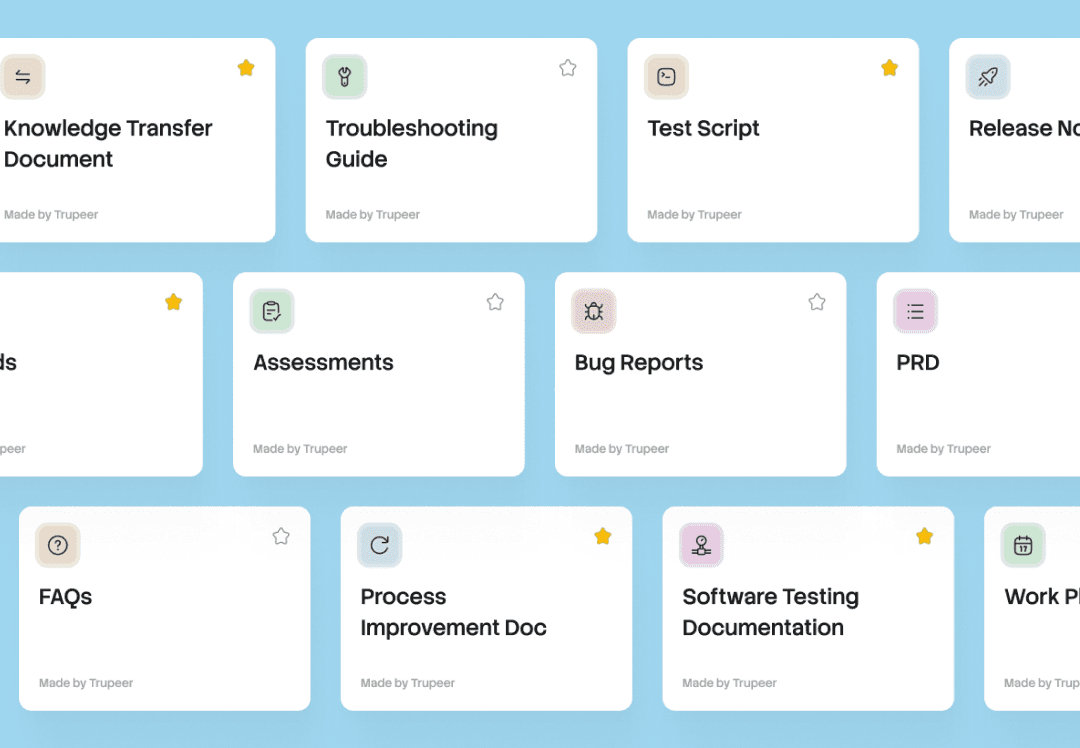
한 번의 녹화로 모든 문서. Skill은 프롬프트, 서식, 규칙을 번들로 제공합니다. 어떤 녹화에 적용하든 Trupeer가 바로 사용할 수 있는 문서와 비디오를 생성합니다.
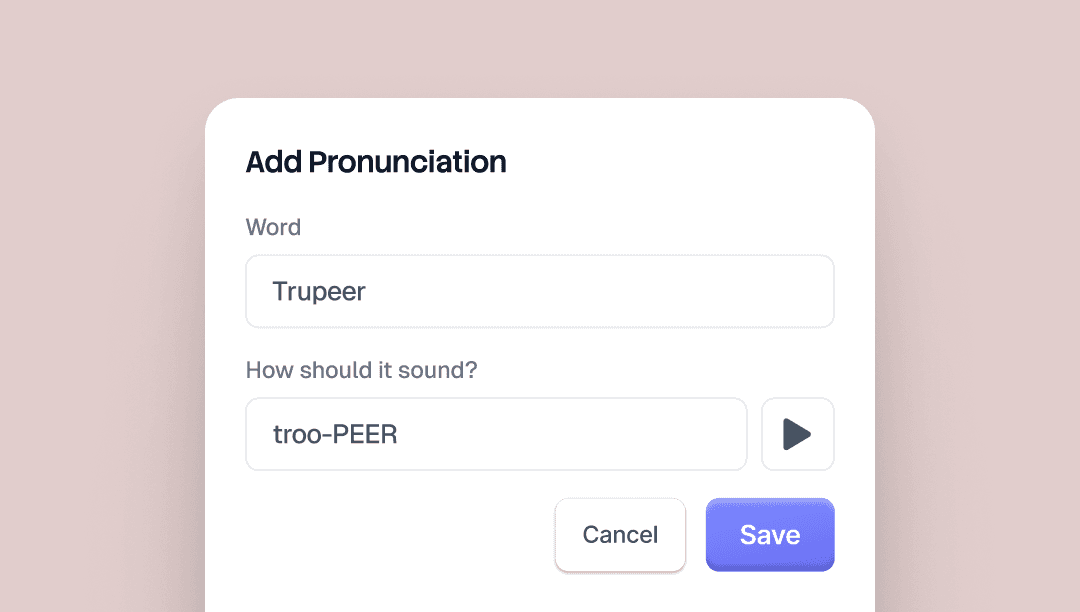
Alias Pronunciations를 사용하면 Trupeer의 AI 음성이 특정 단어를 어떻게 말할지 제어할 수 있습니다. 단어가 적힌 그대로 입력한 다음, 실제로 들려야 하는 방식대로 한 번 더 입력하세요.
예를 들어 "Trupeer"는 "true peer"로 입력합니다. AI 음성은 모든 비디오에 걸쳐 이를 반영합니다.
저장하기 전에 결과를 미리 들을 수 있도록 브랜드 키트 페이지에 미리보기 버튼이 있습니다.
브랜드명, 제품명, 약어, 그리고 AI 음성이 발음을 잘못할 가능성이 있는 모든 용어에 유용합니다.


