Trupeer Blog
要約

Imagine you're leading a team that's responsible for maintaining a vast library of instructional videos. These videos are critical for training new employees, supporting customer service, and ensuring consistent knowledge across your organization. However, the challenge lies in making this wealth of information easily accessible and usable, not just for people, but for AI systems like Claude. A key solution is the Model Context Protocol (MCP), which bridges the gap between your video knowledge base and AI, allowing smooth interaction and query capabilities.
Without this connection, valuable time is wasted sifting through countless hours of footage to find relevant information. This inefficiency can cost businesses significantly. Studies show that
employees spend an average of 1.8 hours every day searching for and gathering information.
This inefficiency translates to a loss of productivity that can affect your bottom line. By setting up MCP, you can transform your video library into a powerful, AI-accessible resource, enhancing both internal processes and customer interactions.
For those invested in creating the best knowledge base examples, integrating MCP is essential. It's not just about storing information; it's about using it effectively to optimize workflows and enhance decision-making capabilities across your organization.
Why does connecting your video knowledge base to Claude matter?
Businesses are increasingly relying on AI to simplify operations and improve customer experiences. However, the effectiveness of AI systems like Claude hinges on having access to a comprehensive, well-organized, and easily searchable database. This is where connecting your video knowledge base with MCP becomes crucial. It allows AI systems to perform at their full potential by accessing video content directly, thus providing more accurate and timely information.
For stakeholders like customer service managers and HR directors, the ability to quickly access video-based information means that teams can respond to queries faster and with more precision. This connection reduces the time spent on manual searches, freeing employees to focus on more strategic tasks. By integrating MCP, businesses can enhance their customer success workflow, ensuring that the right information is delivered at the right time.
Also, in sectors where compliance and training are key, such as healthcare and finance, having an AI that can swiftly pull up the required training videos can make a significant difference. It ensures adherence to protocols and enhances the learning process by providing immediate access to visual content. Thus, connecting your video knowledge base to Claude isn't just a technical upgrade; it's a strategic move that can lead to substantial business benefits.
What are the benefits of connecting your video knowledge base to Claude?
Integrating your video knowledge base with Claude through MCP offers several advantages that can enhance operational efficiency and effectiveness.
Enhanced Searchability. With MCP, Claude can query your video content, making it easier to find specific information within vast video libraries. This reduces the time spent on manual searches and boosts productivity.
Improved Decision-Making. Access to detailed video content allows Claude to provide more subtle insights and recommendations, leading to better-informed decisions across your organization.
simplified Training Processes. By using an AI video platform, training videos become easily accessible, ensuring that new employees can quickly get up to speed and adhere to company protocols.
Cost Efficiency. By reducing the time spent on searching and retrieving video information, businesses can save on labor costs and redirect those resources to more strategic initiatives.
Scalability. As your video library grows, MCP ensures that the AI's ability to access and process this information scales accordingly, maintaining efficiency and effectiveness.
Compliance and Accuracy. For industries where compliance is crucial, MCP ensures that AI systems like Claude can provide up-to-date and accurate information, reducing the risk of errors and non-compliance.
Teams weighing tools often start with a Loom alternatives comparison before standardizing on a workflow.
Which Trupeer features help you connect your video knowledge base to Claude?
Trupeer offers a suite of capabilities tailored to enhance the connection between your video knowledge base and AI systems like Claude, ensuring smooth interaction and information retrieval.
AI-searchable knowledge base
Trupeer's AI-searchable knowledge base is designed to index every recording with timestamp-level deep links, making it incredibly easy for AI systems like Claude to access specific content. This feature ensures that every video in your library is not only stored but also readily accessible, reducing the time and effort required to locate particular information. By integrating this feature, the AI can effectively navigate through extensive video content, enhancing its ability to provide accurate and timely insights.
Automatic SOP generation from any recording
With Trupeer's automatic SOP generation capability, transforming video content into structured, text-based documentation becomes effortless. This AI documentation platform feature allows you to create edit-ready, exportable SOPs directly from your recordings. For businesses, this means that video content can be quickly converted into actionable documents that Claude can query, ensuring that both video and text-based information are easily accessible and usable by AI systems.
AI translation into 40+ languages with lip-sync
This capability is particularly beneficial for organizations operating in multiple regions. Trupeer's AI translation ensures that your video content is accessible in over 40 languages, complete with lip-sync for added realism. This feature enables Claude to provide localized insights and recommendations, enhancing the AI's effectiveness in diverse linguistic contexts. By using Trupeer's knowledge base generator tool, businesses can ensure their video content is not just accessible but also culturally relevant.
Custom-domain hosting with SSO
Trupeer offers custom-domain hosting with single sign-on (SSO), providing secure and easy access to your video knowledge base. This feature is critical for maintaining the integrity and security of your content while ensuring that Claude can access the information it needs. By simplifying user authentication and access management, Trupeer's hosting capabilities support smooth integration with AI systems, enabling efficient data retrieval and processing.
Viewer engagement analytics, drop-off, and heatmaps
Understanding how users interact with your video content is crucial for optimizing the information available to Claude. Trupeer's viewer engagement analytics provide insights into how videos are consumed, including drop-off rates and engagement heatmaps. These analytics help businesses understand which content is most effective, allowing Claude to prioritize high-impact information. This feature ensures that your AI system is always working with the most relevant and engaging content, improving its overall performance and utility.
How do you set up MCP server step by step with Trupeer?
Step 1: Capture Video Content
Start by using Trupeer's AI screen recording feature to capture the video content you need for your knowledge base. This capability includes auto-zoom and click detection, which helps highlight key actions during the recording. To initiate, simply open the Trupeer browser-based recorder, which requires no installation, and click 'Start Recording'. As you navigate through your screen, Trupeer automatically adjusts the zoom to focus on important areas, ensuring clarity. This step could take anywhere from a few minutes to an hour, depending on the complexity of the content you're capturing. Be mindful of potential interruptions during the recording, as they might affect the final output.

Step 2: Edit and Enhance
Once your recording is complete, it's time to enhance it using Trupeer's AI editing capabilities. Click on 'Edit Video' to remove filler words like "um" and "ah", and trim long pauses. Trupeer also offers AI voiceover options with 65+ natural voices. You can adjust the pace and tone to match your brand's voice. This step improves the video's professionalism and accessibility, making it more engaging for your audience. Depending on the length of the video, this process can take between 15 to 30 minutes. Be sure to review the video after editing to ensure all key points are accurately presented.

Step 3: Generate SOPs
With your video ready, use Trupeer's automatic SOP generation feature. This tool transforms your video content into structured, text-based procedures. Simply click on 'Generate SOP' after selecting your video. Trupeer will analyze the video and produce an editable document, which you can export in various formats like HTML or PDF. This step is crucial for creating comprehensive documentation, which Claude can query for specific information. The generation process typically takes a few minutes. Ensure that the resulting SOP accurately reflects the video's content by reviewing and making necessary edits.

Step 4: Host on Custom Domain
Next, host your video knowledge base on a custom domain with Trupeer's single sign-on (SSO) feature. Navigate to the 'Hosting' section within the Trupeer dashboard, and select 'Custom Domain'. Enter your domain details and configure the SSO settings to secure access. This setup not only protects your content but also simplifies user authentication, allowing smooth interaction with Claude. The hosting setup can take about 20 minutes to complete, including DNS configuration. Ensure your domain settings are correct to avoid accessibility issues. For a deeper look, our guide on knowledge base one covers the adjacent playbook.
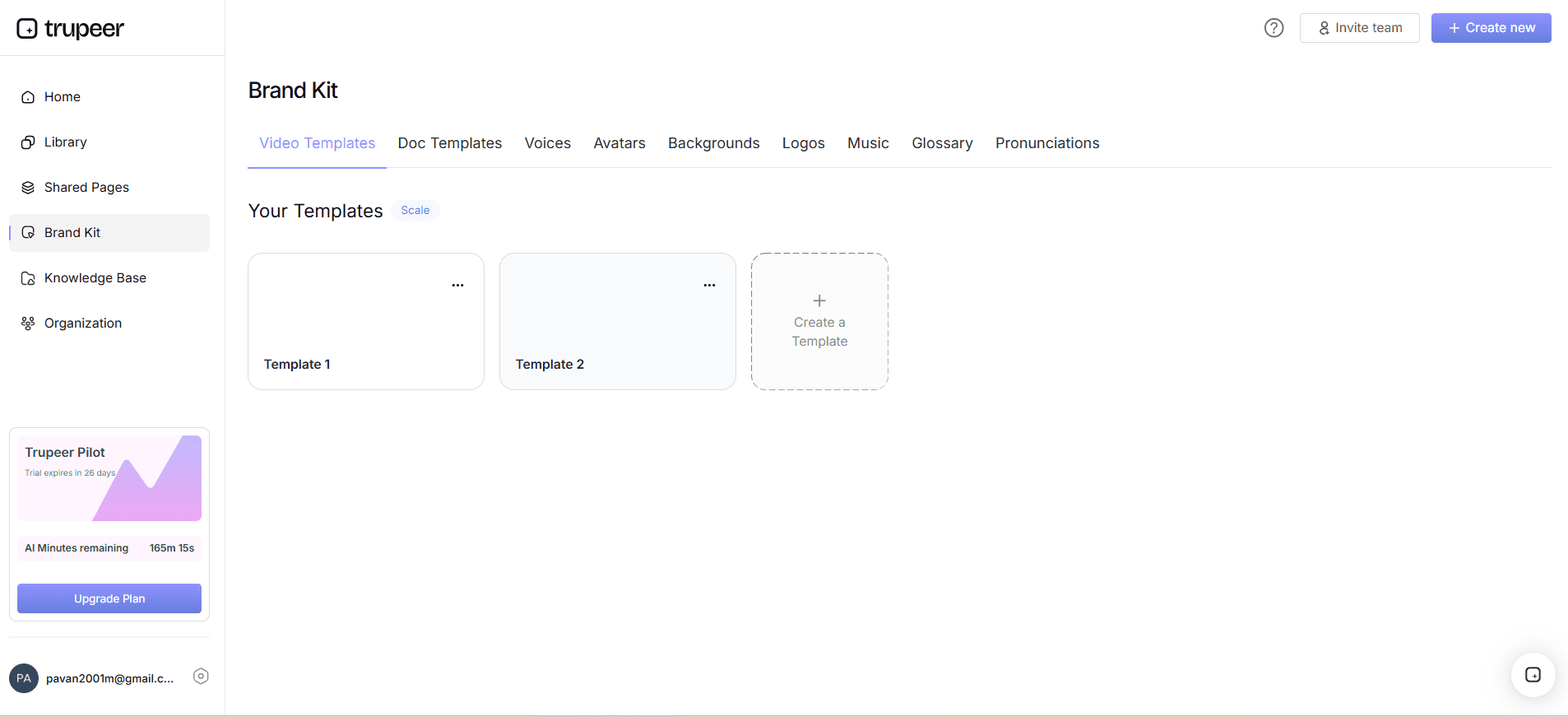
Step 5: Integrate MCP
Now, it's time to integrate the Model Context Protocol. Within the Trupeer dashboard, access the 'AI Integration' tab and select 'MCP Setup'. Follow the guided steps to link your video knowledge base with Claude. This involves setting permissions and configuring access points for the AI. The integration process is straightforward and should take around 15-20 minutes. Once set up, Claude can begin querying your video library, providing valuable insights and data retrieval. Be sure to test the integration by running a few sample queries to confirm everything is working smoothly.

Step 6: Monitor and Optimize
After setting up MCP, it's essential to monitor how Claude interacts with your video content. Use Trupeer's viewer engagement analytics to track which videos are most accessed and how users interact with them. Navigate to the 'Analytics' section in Trupeer to view metrics such as drop-off rates and heatmaps. This data helps identify high-performing content and areas for improvement. Regularly reviewing these analytics will ensure your knowledge base remains optimized for both users and AI interactions. Depending on your content volume, analysis might take 10-15 minutes weekly. Adjust your content strategy based on these insights to maintain efficiency.

What tips help you optimize your MCP setup?
Successfully setting up MCP to connect your video knowledge base with Claude requires strategic planning and execution. Here are some tips to ensure a smooth process and maximize the utility of your integration.
Standardize Video Format. Use consistent recording settings like resolution and frame rate to ensure uniformity across all videos, enhancing AI processing efficiency.
use AI Narration. Incorporate AI voiceovers using Trupeer's capabilities to ensure clarity and professionalism in your video presentations.
use Engagement Insights. Regularly check engagement analytics to adjust content and improve the knowledge base's effectiveness in serving AI queries.
Regularly Update Content. Keep your video library current by periodically reviewing and updating videos to reflect the latest information and practices.
Test AI Queries. After integration, run different queries to ensure Claude retrieves the correct information, adjusting your setup as needed.
Document Integration Steps. Maintain clear documentation of your integration process for troubleshooting and future reference.
Explore Alternatives. Compare with other solutions using a Scribe alternative comparison to understand different capabilities and find the best fit for your needs.
Frequently asked questions
How does MCP improve Claude's AI capabilities?
MCP enhances Claude's abilities by providing direct access to a structured video knowledge base. This access allows Claude to retrieve specific information quickly, improving response accuracy and speed. By integrating with a well-organized video library, Claude can analyze visual content and extract relevant insights more efficiently. This capability is particularly beneficial for complex queries that require detailed information. As MCP connects various data points, the AI can deliver more comprehensive solutions, enhancing decision-making processes across different business functions.
What are the technical requirements for setting up MCP?
Setting up MCP requires a stable internet connection, a compatible hosting environment for your video knowledge base, and access to Trupeer's dashboard for configuration. Your system should support secure protocols for data transfer, and you'll need administrative access to configure domain settings and permissions. also, ensure your videos are in a format supported by Trupeer's editing and enhancement tools. It's advisable to consult with your IT team to verify all technical prerequisites are met before beginning the setup. This preparation will help avoid potential setup issues and ensure a smooth integration process.
Can MCP handle multilingual video content?
Yes, MCP can manage multilingual video content effectively. Trupeer's platform supports AI translation into over 40 languages, complete with lip-sync capabilities. This feature allows Claude to access and process video content in multiple languages, making it possible to serve diverse linguistic needs. By using Trupeer's AI video translation tools, you can ensure that your knowledge base is accessible to a global audience, enhancing the AI's ability to provide accurate and contextually relevant responses across different regions and languages.
Why should I use a custom domain for my video knowledge base?
Using a custom domain for your video knowledge base offers several advantages, including improved security, branding, and user experience. A custom domain provides a professional appearance, reinforcing your brand identity and trustworthiness. It also allows for easier management of user access through single sign-on (SSO), enhancing security by centralizing authentication processes. also, a custom domain facilitates smooth integration with AI systems like Claude, ensuring that your video content is easily accessible and secure. This setup contributes to a more efficient and reliable system for both users and AI applications.
Does Trupeer support real-time video updates for MCP?
Trupeer supports real-time updates for your video knowledge base, ensuring that Claude can access the most current information. This capability allows for automatic synchronization of changes, maintaining data accuracy and relevance. When you update or add new content, Trupeer's system immediately reflects these changes, enabling Claude to query the latest data. This feature is vital for industries where information frequently changes, such as technology and compliance sectors. By ensuring that your knowledge base is always up-to-date, you enhance the reliability and effectiveness of AI-driven insights and decisions.
What makes people instantly close an internal guide?
Walls of text, no visuals, and outdated steps make readers bounce. Trupeer publishes your guides to a searchable internal knowledge base software, kept current with version history.



